Kiss: Clarify "Adapt to user usage patterns"
Hi, I've been digging but short of looking at the code I can't find what Adapt to user usage patterns does. I'm hoping it's something like the now abandoned Z launcher. It would be good to add it to the FAQ maybe?
Thanks
 StefanoChiodino
All 10 comments
Hey there!
It's nothing as "advanced" as Z launcher, but you can probably find something that fits your use case (Settings => History settings => History mode)
The more you use KISS, the less you need to type, because KISS is able to infer your choise -- that's the gist of it :)
 Neamar
on 11 May 2020
Neamar
on 11 May 2020
Hi @Neamar, thanks but to me is still not very clear what the Adapt to user usage patterns actually does. How's that got to do with typing?
StefanoChiodino
on 12 May 2020
First time you type an "M", results will be mostly alphabetic.
Then you're going to select, let's say, "Maps".
Then the next time you type "M" for a query, "Maps" will be displayed sligthly closer to your finger. At some point, simply typing "M" will display Maps first, and the second option will be your second most used choice, etc.
So "G" will bring Gmail, and "C" will bring your S/O, etc.
Neamar
on 12 May 2020
Ah thanks, that makes sense. So how is the list sorted when I don't type anything?
StefanoChiodino
on 12 May 2020
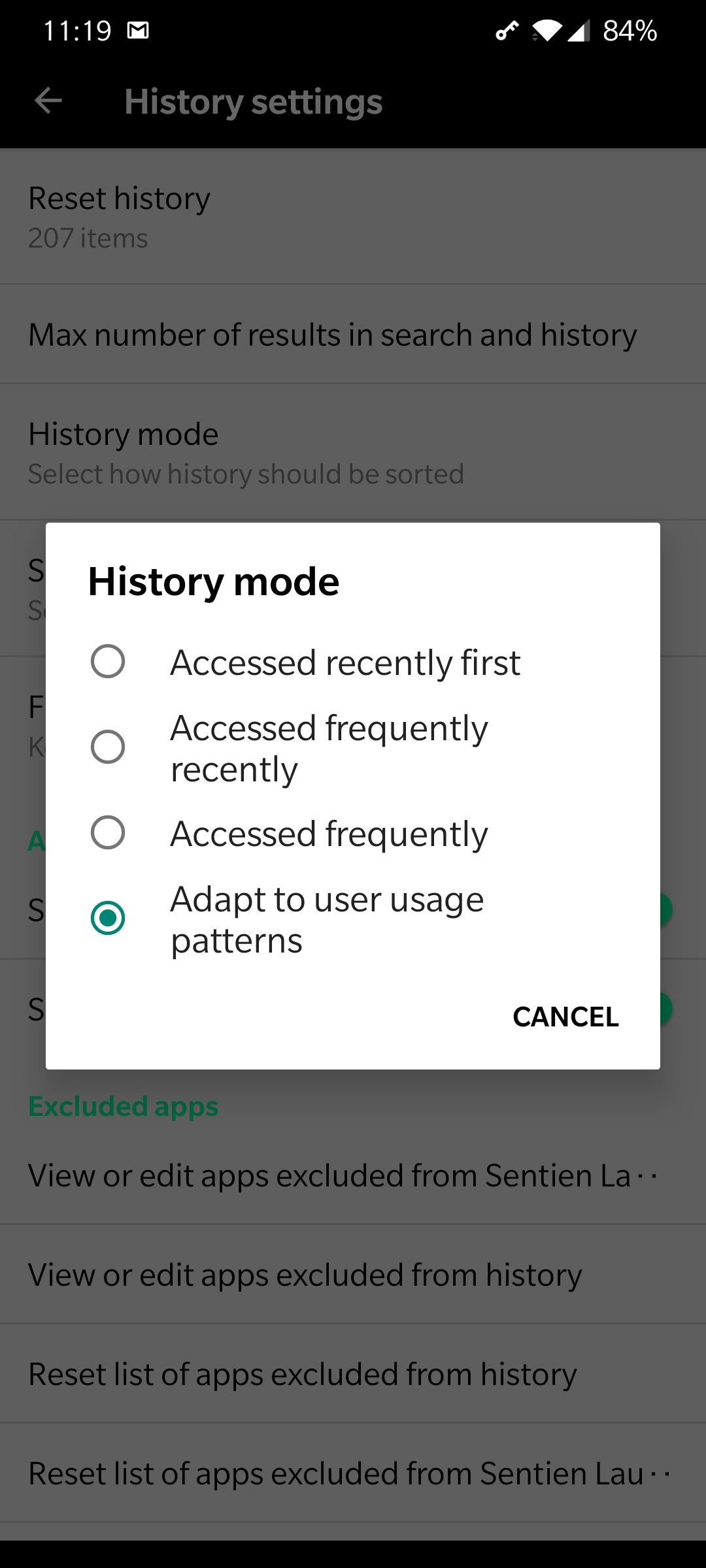
You can decide what you want in Settings => History settings => History mode
Default is the most recent item you picked first, etc.
Neamar
on 12 May 2020
Sorry I'm confused now. The option that I'm trying to figure out what it does Adapt to user usage patterns, is in that list. So it seems to me this will sort my history in a certain way, when I'm not typing anything. But how?
StefanoChiodino
on 12 May 2020
StefanoChiodino
on 12 May 2020
Ah sorry, I misunderstood -- this string was renamed in the last version.
This one will only look at the last 36 hours of usage to sort results, meaning that the app learns (and forgets) super fast.
This is indeed confusing, I'll see if I can add a page.
Neamar
on 12 May 2020
https://help.kisslauncher.com/history/history-modes/ I made this :)
Neamar
on 12 May 2020
That makes sense. Thanks @Neamar !
StefanoChiodino
on 13 May 2020
Related issues
 zayuim
·
8Comments
zayuim
·
8Comments
 Larnicone
·
6Comments
Larnicone
·
6Comments
 ghost
·
8Comments
ghost
·
8Comments
 spookykidmm
·
7Comments
spookykidmm
·
7Comments
 cfytrok
·
7Comments
cfytrok
·
7Comments
Most helpful comment
https://help.kisslauncher.com/history/history-modes/ I made this :)