Keepassxc-browser: Input field type email is ignored as possible credential field.
When login field is specified as email type KeepassXC doesn't detect it as possible credential field.
 KonradDeskiewicz
All 12 comments
You need to provide more details. Website URL? Is this a multi-part login form that shows username alone, then password on next page?
 droidmonkey
on 25 Feb 2019
droidmonkey
on 25 Feb 2019
Login form is provided via modal window. There are two inputs: email & password.
KeepassXC only detect password field. Once I change input type from email to text KeepassXC detects both fields.
KonradDeskiewicz
on 25 Feb 2019
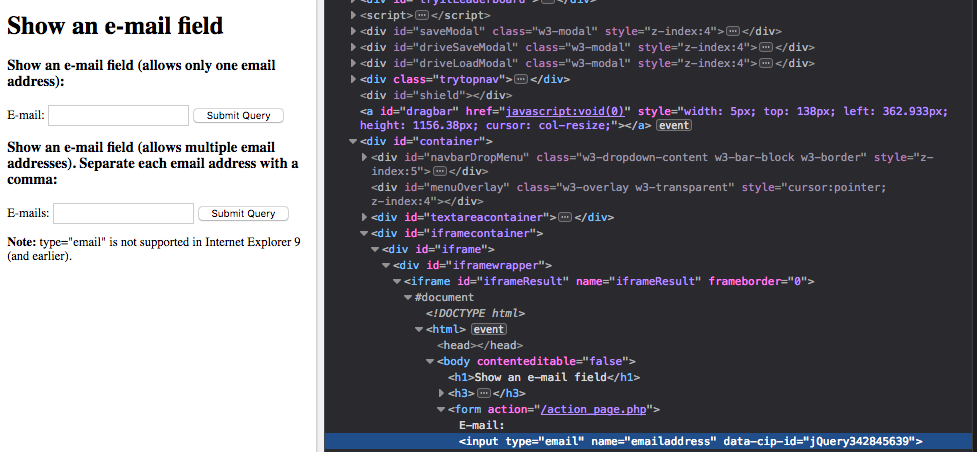
Email field is normally detected without problems (see https://www.w3schools.com/tags/tryit.asp?filename=tryhtml5_input_type_email. Inspecting the input fields you can see data-cip-id attribute in the element.) Could you give the site URL if possible?
 varjolintu
on 25 Feb 2019
varjolintu
on 25 Feb 2019
Unfortunately this is still local dev. Maybe fact that this is Vue component that is dynamically added has something to do with that...
KonradDeskiewicz
on 25 Feb 2019
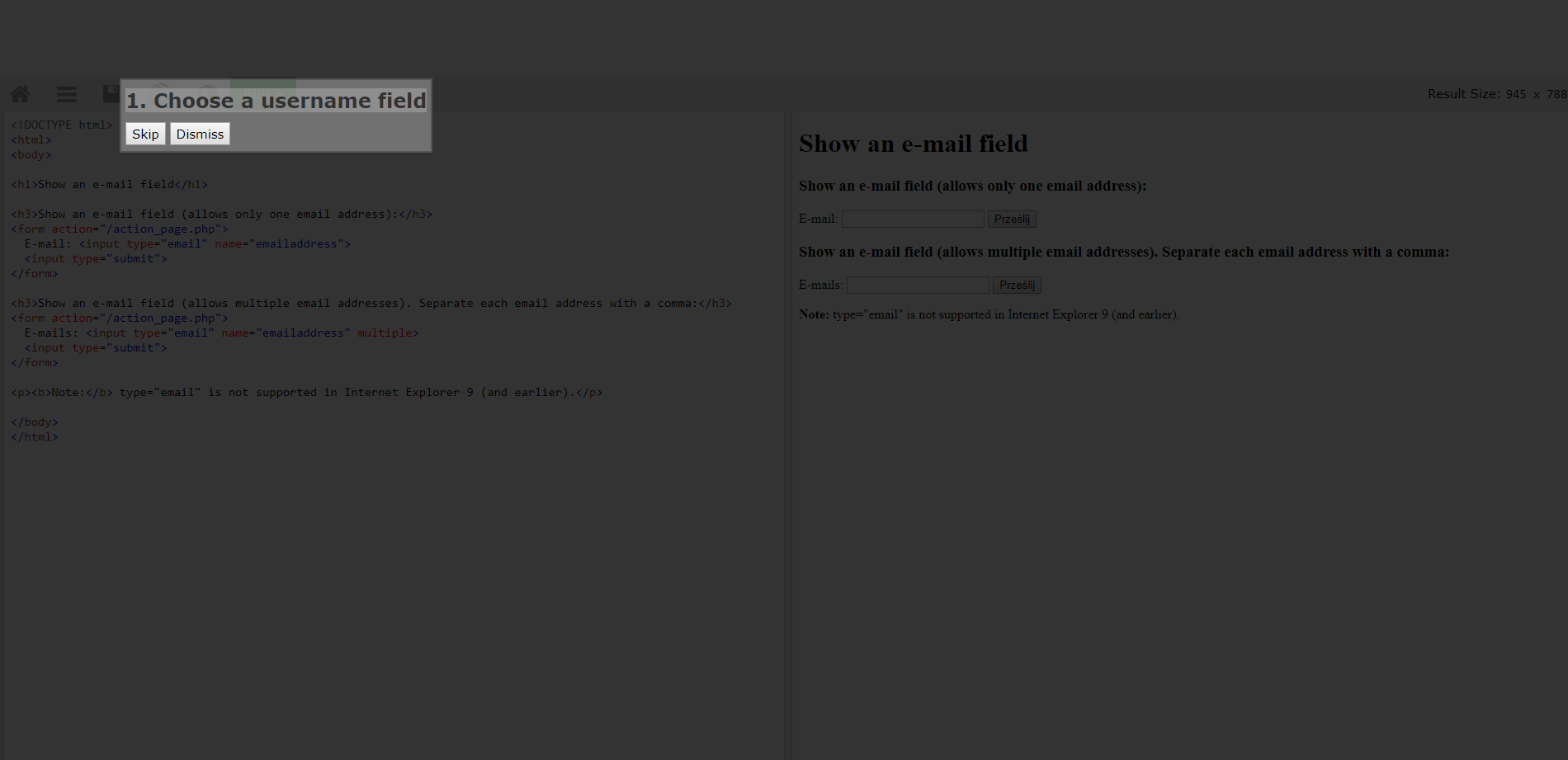
No email fields detected on my browser...
KonradDeskiewicz
on 25 Feb 2019
This happens because of iframe. What I meant was:
varjolintu
on 25 Feb 2019
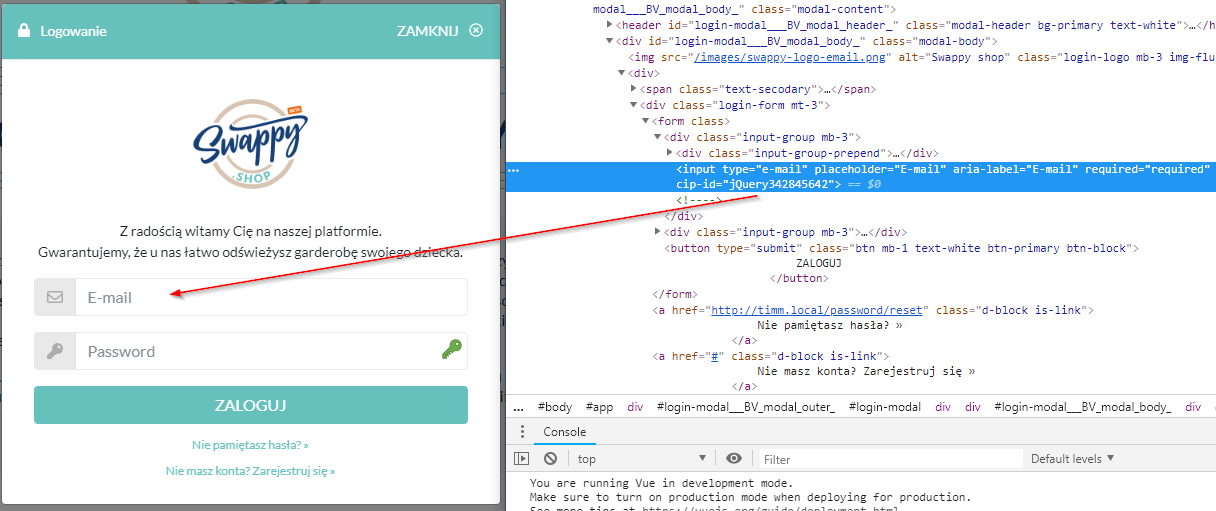
cip-id is there...
KonradDeskiewicz
on 25 Feb 2019
Could you elaborate some more please? Is this custom login field thing the only one that doesn't find the field, or cannot you fill any credentials? I can see the password icon is also visible, so there shouldn't be any problems filling something.
varjolintu
on 25 Feb 2019
Exacltly like this: password is OK, but login (e-mail) field is not detected. When I try to re-detect fields for credentials the only one that is "highlighted" is password field
KonradDeskiewicz
on 25 Feb 2019
Well that's strange. It would help if I could test it myself.
varjolintu
on 26 Feb 2019
Your example shows type="e-mail" instead of type="email". Could this be the problem?
Example:
- With
type="email": https://www.w3schools.com/code/tryit.asp?filename=G1KAP500YVNL - With
type="e-mail": https://www.w3schools.com/code/tryit.asp?filename=G1KAPYBO0M6D
 bermeitinger-b
on 26 Feb 2019
bermeitinger-b
on 26 Feb 2019
OMG... that's it. I'm so embarrassed. Sorry for the trouble.
KonradDeskiewicz
on 26 Feb 2019
Related issues
 compilenix
·
5Comments
compilenix
·
5Comments
 FWDekker
·
3Comments
FWDekker
·
3Comments
 Ana06
·
4Comments
Ana06
·
4Comments
 maniqui
·
3Comments
maniqui
·
3Comments
 flibustenet
·
4Comments
flibustenet
·
4Comments
Most helpful comment
OMG... that's it. I'm so embarrassed. Sorry for the trouble.