Keepassxc-browser: Custom login field for unitymedia Connect box not selectable
Just got a new modem from unitymedia (Connect Box). There is only a password field to login. It is not recognized as password field and can't be selected as custom login field.
Expected Behavior
It should be possible to select the password field.
Current Behavior
The single field on the login page is only selectable as username field, but not as password field.
#
The password field looks like this:
<input type="text" id="loginPassword" name="loginPassword" value="" class="default" onblur="InputTextDefault('loginPassword','');" onfocus="InputTextEnable('loginPassword','');$('#PasswordStrBar').show(); checkPskey();" maxlength="31" autofocus="" data-cip-id="loginPassword">
Debug info
KeePassXC - 2.3.4
KeePassXC-Browser - 1.3.0
Operating system: Linux
Browser: Firefox
 pstorch
All 10 comments
That is because it is not a password field. This is some lunatic web design going on here.
You are going to have to right click -> KeePassXC-Browser -> Fill Password Only
 droidmonkey
on 30 Dec 2018
droidmonkey
on 30 Dec 2018
That is because it is not a password field. This is some lunatic web design going on here.
That's correct. It shows the password as you type it :man_facepalming:
You are going to have to right click -> KeePassXC-Browser -> Fill Password Only
Already tried it:

pstorch
on 30 Dec 2018
OK that is a bug, when the user specifically requests a password filled on a form element we should just do it.
droidmonkey
on 30 Dec 2018
That is not a bug. Input fields are handled as combinations which can include username field, password field or both. This "password" field has input type text which is very bad design, as it can be identified as username field (or a generic search field etc.).
You can try to select Choose custom credential fields from the popup and skip the username field part, then select the field as a password field. This could do the trick.
 varjolintu
on 31 Dec 2018
varjolintu
on 31 Dec 2018
That is not a bug. Input fields are handled as combinations which can include username field, password field or both. This "password" field has input type
textwhich is very bad design, as it can be identified as username field (or a generic search field etc.).
I'm fine with closing this issue with won't fix, because this login page is misusing a text field as password field.
You can try to select
Choose custom credential fieldsfrom the popup and skip the username field part, then select the field as a password field. This could do the trick.
That's the problem I tried to describe in the issue description. It only offers the password field as username field. After skipping the username, the password field is not selectable.

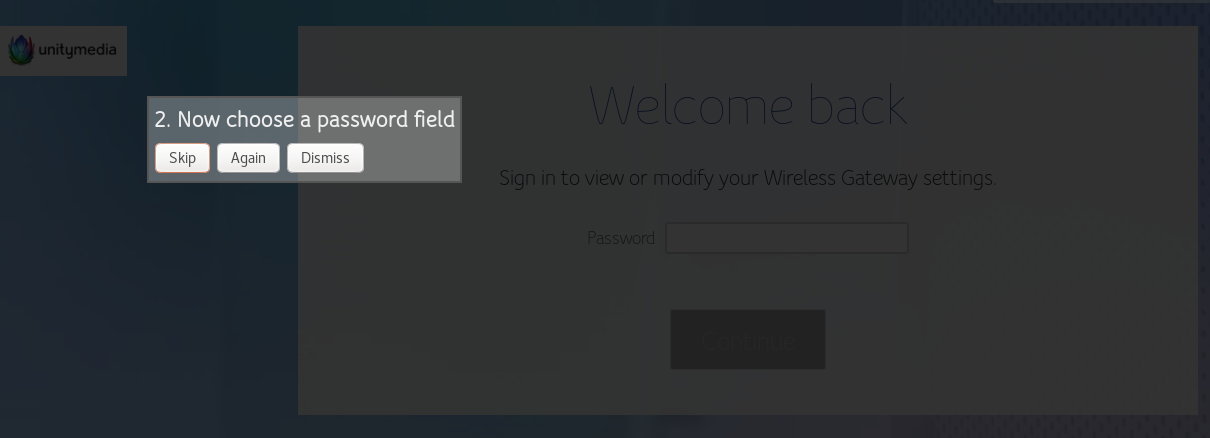
pstorch
on 31 Dec 2018
One hacky way you could try is using the TOTP filling as password fill, if it's possible to select the field as String Field from the same Custom credential field selection? Then just add to the following to the entry attributes: KPH: {TOTP}. But for the value, set {PASSWORD}.
varjolintu
on 31 Dec 2018
I just had a little success with KeePassXC Auto-Type if I name the entry Firefox, but this is also not ideal. Right-clicking in the field and choose Fill password into the selected field would be awesome.
While I was typing this response there was this new tip from @varjolintu coming in, so I experimented a bit further and found a solution:
I selected only the username field and skipped the password field. Then I edited the storage.js file and swapped username and password from
{"username":"loginPassword","password":null,"fields":[]} to {"username":null,"password":"loginPassword","fields":[]}
Now it works for me :smile:
pstorch
on 31 Dec 2018
Perhaps we should allow selection of any field as the password field. Adding a "Show more" button which reveals all form fields for selection wouldn't be too difficult.
droidmonkey
on 31 Dec 2018
I was interested in browser extension development. Never done it before. So I looked into the idea of @droidmonkey:
Added a Show more button:
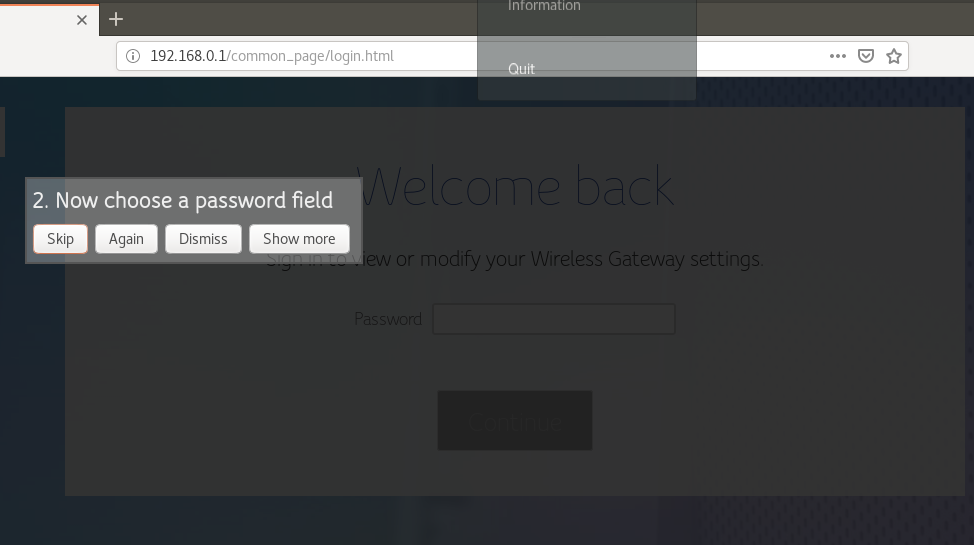
After clicking the new button, the text field is selectable:
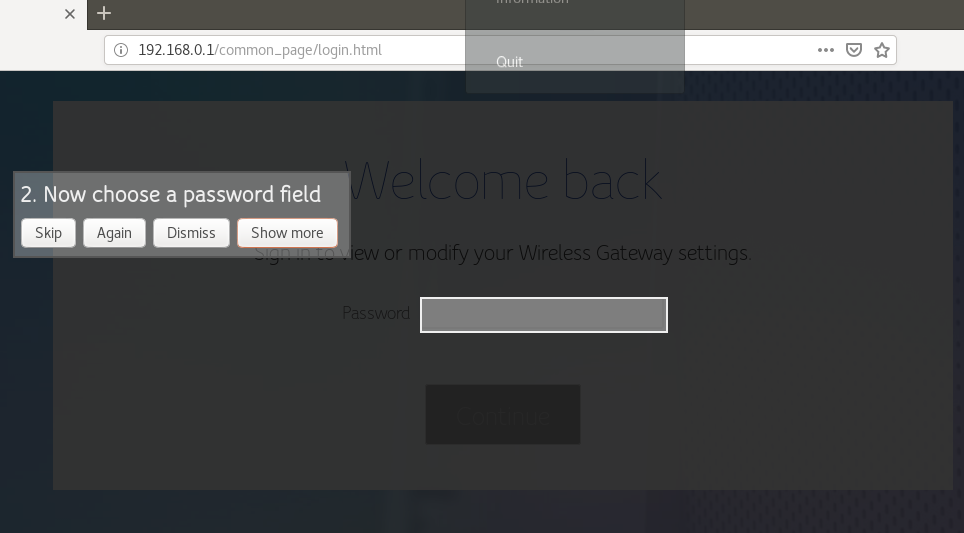
If you like it's worth it, I can send a PR. Otherwise it might still serve as a basis for further discussion.
pstorch
on 1 Jan 2019
I agree with the idea. @pstorch You are free to make a PR. Just make sure it doesn't show any previously selected fields when Show more button is used.
varjolintu
on 1 Jan 2019
Related issues
 muchqs
·
4Comments
muchqs
·
4Comments
 FWDekker
·
3Comments
FWDekker
·
3Comments
 metaxis
·
3Comments
metaxis
·
3Comments
 kylesorkness
·
5Comments
kylesorkness
·
5Comments
 dgnuff
·
3Comments
dgnuff
·
3Comments
Most helpful comment
Perhaps we should allow selection of any field as the password field. Adding a "Show more" button which reveals all form fields for selection wouldn't be too difficult.