Jupyterlab: how to restore script tags in trusted HTML output
I've encountered a few notebooks while testing out JupyterLab where their output is silently omitted due to the sanitization of script tags even in trusted HTML. How can we restore the evaluation of script tags in trusted HTML output?
 minrk
minrk
All 126 comments
We removed execution of scripts in https://github.com/jupyterlab/jupyterlab/pull/2595.
This was done for improved security and because the public JavaScript APIs have changed from the classic notebook. For instance: no global require or $.
The intent is to use custom mimetypes that are handled by JupyterLab extensions.
We can re-address if needed, but would prefer to not allow arbitrary script execution when there is a chance to correct the behavior.
cc @sccolbert @ellisonbg @jasongrout
 blink1073
on 18 Oct 2017
blink1073
on 18 Oct 2017
Thanks! I hope this decision is reconsidered, at least for text/html. I don't think the security issue is relevant, since there's already an explicit trust of the output being produced in this case.
Custom extensions make sense for big, complicated outputs like bokeh/vega/etc., where the investment in writing, installing, and maintaining an extension is worthwhile. I'm also sympathetic to disabling the javascript output, because there's an implicit API regarding what's available in the js context in order to put things on the page. But I don't think that applies to script tags in text/html. It seems like wild overkill to need to write and install extension packages to hook up one click event to an HTML element. These are cases I wouldn't ever consider defining custom mimetypes and writing custom packages for, so it's strictly a lost feature relative to to the existing notebook.
If need be, I can write a general purpose mime-type handler for text/html that respects the html output that users ask Jupyter to display, but this seems like it should be the default behavior to me.
minrk
on 19 Oct 2017
ping @rgbkrk - good points Min! I don't know if others have pointed this
out in this thread. One of the reasons we disabled it was that we wanted to
trigger feedback like this to understand who was using these features and
how. Another point is that in the classic notebook the security handling of
svg and html differ, but the way we put them on the page is identical. When
we were implementing this, it wasn't clear how other "html" types should
behave.
On Thu, Oct 19, 2017 at 1:51 AM, Min RK notifications@github.com wrote:
Thanks! I hope this decision is reconsidered, at least for text/html. I
don't think the security issue is relevant, since there's already an
explicit trust of the output being produced in this case.Custom extensions make sense for big, complicated outputs like
bokeh/vega/etc., where the investment in writing, installing, and
maintaining an extension is worthwhile. I'm also sympathetic to disabling
the javascript output, because there's an implicit API regarding what's
available in the js context in order to put things on the page. But I don't
think that applies to script tags in text/html. It seems like wild overkill
to need to write and install extension packages to hook up one click event
to an HTML element. These are cases I wouldn't ever consider defining
custom mimetypes and writing custom packages for, so it's strictly a lost
feature relative to to the existing notebook.If need be, I can write a general purpose mime-type handler for text/html
that respects the html output that users ask Jupyter to display, but this
seems like it should be the default behavior to me.—
You are receiving this because you were mentioned.
Reply to this email directly, view it on GitHub
https://github.com/jupyterlab/jupyterlab/issues/3118#issuecomment-337842688,
or mute the thread
https://github.com/notifications/unsubscribe-auth/AABr0KjY3OZT4inqpJev297xYTQFnd73ks5stw15gaJpZM4P97RV
.
--
Brian E. Granger
Associate Professor of Physics and Data Science
Cal Poly State University, San Luis Obispo
@ellisonbg on Twitter and GitHub
[email protected] and [email protected]
 ellisonbg
on 20 Oct 2017
ellisonbg
on 20 Oct 2017
Yep. The code is there, it's just commented out until we have good answers for some of these questions:
https://github.com/jupyterlab/jupyterlab/blob/master/packages/rendermime/src/renderers.ts#L73-L77
https://github.com/jupyterlab/jupyterlab/blob/master/packages/rendermime/src/renderers.ts#L574-L612
 sccolbert
on 20 Oct 2017
sccolbert
on 20 Oct 2017
Thanks for adding me to the thread @ellisonbg!
Script tags in HTML output are equivalent to JS output in that they have access to the same global scope. Several packages use script tags in HTML output and of those, they pretty much all used the classic notebook's available require and define without checking to see if they existed. This includes both Bokeh and Plotly, which also have jupyterlab extensions.
nteract (desktop)'s approach
- We create a document fragment for the HTML, which does run the JS in the expected way
- :soon: We're likely to put HTML under a shadow root (shadow dom) for CSS scoping
What I wish for
Someday I'd like to be able to window large notebooks. The only way this is possible is if there are clean semantics for when an output is displayed. If it's always global, it means we can't load from the middle of the document. As cells are loaded and unloaded, we'd want the state to remain idempotent while viewing. That idempotency would also be a nice invariant for realtime, as we want to ensure a consistent view amongst users.
 rgbkrk
on 20 Oct 2017
rgbkrk
on 20 Oct 2017
Could it be handled as an IFrame with srcdoc, or similar? i.e. a 'full' HTML document, but enforce that the scope is local per output and has no access to the surrounding context, but can do anything HTML can do within the context of a single output? That could allow us to more strictly and clearly define the scope to which output scripts have access. Losing cross-output context is probably more reasonable than losing access to javascript in HTML as a whole.
I suspect there will be plenty of cases where require is tough to beat as the simplest way to accomplish a basic output with a javascript library in a generic and portable way:
<div id="uuid"/>
// maybe even force require itself to be loaded via a script tag
<script type="text/javascript">
require(['jslib/from/cdn'], function (lib) {
  lib.doStuffAt('uuid');
})
</script>
Defining a mimetype and writing/installing a separate extension for every existing javascript library for each of nteract, jupyterlab, and nbconvert/nbviewer is a pretty big hurdle, especially when what works right now in the existing notebook + nbconvert is so simple and general.
minrk
on 23 Oct 2017
I mean, there really only needs to be one JLab extension that a user can install, which would enable arbitrary script execution. The question is whether we want to enable it by default, given that a) it has security huge implications and b) the DOM structure of JLab is explicitly not public API.
sccolbert
on 23 Oct 2017
Using <iframe> around an output is an option, but it's really expensive and won't scale to large notebooks.
sccolbert
on 23 Oct 2017
Another options would be to have a user setting that allows script execution, and make it be opt-in.
sccolbert
on 23 Oct 2017
Another options would be to have a user setting that allows script execution, and make it be opt-in.
That sounds good. I think opt-in at the rendermime library level sounds good, though I also think the default JupyterLab application should opt-in to this by default.
minrk
on 25 Oct 2017
I just want to add that this is a huge UX issue for me. Matplotlib 2.1 just added support for rendering animations in javascript (based on JSAnimation). I was really confused by the fact that my animations were broken in Jupyterlab. This confusion tripled when I found they worked perfectly in the regular notebook.
I don't have much of an opinion on security and whatnot, just a strong opinion that:
- It should be clear what happened. Maybe a warning when a
I don't have the right to a strong opinion really, but I am very against this.
Seems like part of the reason why this ecosystem is currently big, and for the success of the original notebooks was the "just do it", openness to being hacked around and extended. I know it's not only python but python is driving a lot of this, and in the core of the language it opposes handcuffing people. No type restrictions, no real private fields etc. I don't think it's coincidence, I think that this philosophy fits with data science.
If you allow in-app javascript, you effectively have a hackable editor in the vein of emacs, which leads to incredible power. Also some mess, but ask emacs users if they're rather lock up customization.
 FalseProtagonist
on 29 Jan 2018
FalseProtagonist
on 29 Jan 2018
If you deploy in a trusted environment, it's really really easy to reenable the JavaScript, you uncomment a single function and it's two uses in the compiler assets. I personally am growing to like the use of extensions, it makes it easier to control what's happening and prevent my users from hacking up JavaScript I can't control. Also 95% of what I've wanted to do has been trivial within the extensions architecture. With more and better examples (many more people building these now than initially, it was much harder on 0.3.0!) I think the structure imposed by the extensions will be a good thing.
 timkpaine
on 29 Jan 2018
timkpaine
on 29 Jan 2018
My last post on this:
I don't think saying that you can mess with the compiled assets is a constructive response. If you're in any devops environment it has to be reproducible and you also want to have an automated process to nuke and redownload, so currently you'd have to either put a hacky script in to do the modification or fork the whole thing?
I'm absolutely certain that as you say, if you're using this often, and administrating users, then the pain of learning to make extensions with no raw js somewhat goes away. The target audience of notebooks though is as casual users as you can get, and closing off a load of incredibly useful and powerful options to them until they get an intimate knowledge of the codebase, custom js framework and extension structure seems obviously wrong.
FalseProtagonist
on 29 Jan 2018
I agree that the "just do it" approach of the classic notebook has
contributed to its adoption.
There are a few relevant points that informed our thinking about this in
JupyterLab:
- HTML output represents a significant security vulnerability.
- The JavaScript APIs available in the classic notebook that many folks
were using in HTML output are completely different. - We now offer a much better approach (custom renderers based on MIME
types) that cover many usage cases. Most of the usage cases we saw in the
wild of this were things like Bokeh, Altair that no longer need it. - In the classic notebook, SVG and HTML are treated differently, even
though they have essentially the same security risk. It is unclear (even
for the classic notebook) what the right behavior will be. - We went back and forth and decided that initially disabling this would
cause folks to come to us and tell us how they were using it in the classic
notebook. - There are also nice lightweight alternatives such as
https://github.com/nteract/vdom that are pure python.
Minimally, it would be very helpful to hear from more folks exactly how
they have been using HTML output in the classic notebook.
One option would be for us to add back this capability behind a config
setting that is opt in (no build or extensions required). Thoughts on that?
On Mon, Jan 29, 2018 at 6:14 AM, FalseProtagonist notifications@github.com
wrote:
My last post on this:
I don't think saying that you can mess with the compiled assets is a
constructive response. If you're in any devops environment it has to be
reproducible and you also want to have an automated process to nuke and
redownload, so currently you'd have to either put a hacky script in to do
the modification or fork the whole thing?I'm absolutely certain that as you say, if you're using this often, and
administrating users, then the pain of learning to make extensions with no
raw js somewhat goes away. The target audience of notebooks though is as
casual users as you can get, and closing off a load of incredibly useful
and powerful options to them until they get an intimate knowledge of the
codebase, custom js framework and extension structure seems obviously wrong.—
You are receiving this because you were mentioned.
Reply to this email directly, view it on GitHub
https://github.com/jupyterlab/jupyterlab/issues/3118#issuecomment-361257569,
or mute the thread
https://github.com/notifications/unsubscribe-auth/AABr0HWvo2oRuaFT5K_21WGgYlWEblP5ks5tPdJNgaJpZM4P97RV
.
--
Brian E. Granger
Associate Professor of Physics and Data Science
Cal Poly State University, San Luis Obispo
@ellisonbg on Twitter and GitHub
[email protected] and [email protected]
ellisonbg
on 29 Jan 2018
@FalseProtagonist not sure if you meant that to be as hostile as it was, but I run a production deployment of this and have a reproducible build (including patches, custom extensions, other integration changes). So I don't have "hacky" anything. If this is something you or anyone might be interested in, I'm always more than willing to share whatever knowledge i've gained on the gitter.
@ellisonbg there was some talk of a generic js renderer. One issue with this though is other extension developers getting lazy and just marking that as a dependency. Even via configs, you don't want to allow extension developers to just say "and flip this config variable to enable this package" or there's no reason to even have it in the first place.
timkpaine
on 29 Jan 2018
@ellisonbg We were using this to get Matplotlib animations rendered in the notebook. To reiterate, here's what I want:
- It should be clear what happened. Maybe a warning when a
@dopplershift the problem with warnings is that many users will live with them for years, without ever telling us that it is a problem. We wanted something initially that would force users to come and give us feedback (it is working!). We realize that is frustrating you all, but from our perspective getting solid feedback like this is very non-trivial and helps us to understand the right balance of security and functionality.
As @timkpaine mentioned, the sanitization occurs in the JS side only.
For all who are struggling with this - it would be super helpful if you can describe your usage case. What Python/JS library are you trying to use? Are you doing viz? d3? Tabular data, etc? It may be that some usage case are served well by other output (MIME) types, but that some remain an issue. The frequency of usage, size of data, security aspects, performance characteristics (iframes are too slow to use everywhere) will all play into our strategy on this.
ellisonbg
on 31 Jan 2018
@ellisonbg knowing that you guys are looking for feedback, and that this isn't a "settled" design decision is good to know. That would have changed the tenor of my argument. 😁
My use case is animations in matplotlib, directly serialized to HTML (and base64 pngs + JS) using a __repr_html method. We'd certainly be open to tweaking as necessary. A custom notebook extension for this seems a bit heavy handed, though.
 dopplershift
on 31 Jan 2018
dopplershift
on 31 Jan 2018
Thanks for being patient with us :-)
For that particular usage case, I think the best option is to use the new
vdom output type:
https://github.com/nteract/vdom
It is really setup for things such as this that involve push based
animations, etc. I think it would cover the main parts of your usage case
from pure python and no JS and would work across both nteract/jupyterlab.
@rgbkrk do you know of anyone that has done image based animations using
vdom yet?
On Wed, Jan 31, 2018 at 2:10 PM, Ryan May notifications@github.com wrote:
@ellisonbg https://github.com/ellisonbg knowing that you guys are
looking for feedback, and that this isn't a "settled" design decision is
good to know. That would have changed the tenor of my argument. 😁My use case is animations in matplotlib, directly serialized to HTML (and
base64 pngs + JS) using a __repr_html method. We'd certainly be open to
tweaking as necessary. A custom notebook extension for this seems a bit
heavy handed, though.—
You are receiving this because you were mentioned.
Reply to this email directly, view it on GitHub
https://github.com/jupyterlab/jupyterlab/issues/3118#issuecomment-362088097,
or mute the thread
https://github.com/notifications/unsubscribe-auth/AABr0NFJ9ijmzsvwM31uyXfobAVD1yxKks5tQOTfgaJpZM4P97RV
.
--
Brian E. Granger
Associate Professor of Physics and Data Science
Cal Poly State University, San Luis Obispo
@ellisonbg on Twitter and GitHub
[email protected] and [email protected]
ellisonbg
on 1 Feb 2018
I've done some though I keep just tossing the notebooks in my home directory. Even without vdom, it's possible to run:
import time
handle = display(None, display_id=True)

for image in images:
    time.sleep(1)
    handle.update(image)
This works in all the frontends too (assuming up to date IPython and Jupyter). image should be an IPython.display.Image or another object with a png representation.
I'll follow up with more example notebooks when I get a chance on vdom. It was a bit hacky trying to get the raw PNG out of matplotlib. I know I promised @tacaswell some clean integrations someday. 😄
rgbkrk
on 1 Feb 2018
Thanks Kyle!
On Wed, Jan 31, 2018 at 4:01 PM, Kyle Kelley notifications@github.com
wrote:
I've done some though I keep just tossing the notebooks in my home
directory. Even without vdom, it's possible to run:handle = display(None, display_id=True)
for image in images:
handle.update(image)This works in all the frontends too (assuming up to date IPython and
Jupyter). image should be an IPython.display.Image or another object with
a png representation.I'll follow up with more example notebooks when I get a chance on vdom. It
was a bit hacky trying to get the raw PNG out of matplotlib. I know I
promised @tacaswell https://github.com/tacaswell some clean
integrations someday. 😄—
You are receiving this because you were mentioned.
Reply to this email directly, view it on GitHub
https://github.com/jupyterlab/jupyterlab/issues/3118#issuecomment-362112469,
or mute the thread
https://github.com/notifications/unsubscribe-auth/AABr0MhelpoJfxuS9D-B5u2ClQa2h8TPks5tQP7igaJpZM4P97RV
.
--
Brian E. Granger
Associate Professor of Physics and Data Science
Cal Poly State University, San Luis Obispo
@ellisonbg on Twitter and GitHub
[email protected] and [email protected]
ellisonbg
on 1 Feb 2018
So, without writing full blown widget code, is it possible to replicate the buttons (play/pause, etc.) that we have from the current javascript/html animation rendering? We can already get a static rendering by going to HTML5-compatible video. The benefit of the javascript (besides not needing ffmpeg) was better control of the animation in the notebook.
dopplershift
on 1 Feb 2018
Ryan, a few options:
- I know that @rgbkrk and @gnestor were experimenting with stuff that might
allow this with the vdom stuff, but not sure of the status. - Beyond that, I think it would be perfectly reasonable to have a general
purpose "image stack animation" MIME type renderer in JupyterLab/nteract.
That usage case is super common and we could offer a high quality UI that
only requires a kernel to pass a JSON objects that has a list of base64
encoded images. That would be much better than the old HTML + JS approach.
Can someone open an issue on the image stack animation MIME type renderer?
On Wed, Jan 31, 2018 at 4:54 PM, Ryan May notifications@github.com wrote:
So, without writing full blown widget code, is it possible to replicate
the buttons (play/pause, etc.) that we have from the current
javascript/html animation rendering? We can already get a static rendering
by going to HTML5-compatible video. The benefit of the javascript (besides
not needing ffmpeg) was better control of the animation in the notebook.—
You are receiving this because you were mentioned.
Reply to this email directly, view it on GitHub
https://github.com/jupyterlab/jupyterlab/issues/3118#issuecomment-362122121,
or mute the thread
https://github.com/notifications/unsubscribe-auth/AABr0ES7YLwpC4r1Ge2DpWOe55n4siFFks5tQQtTgaJpZM4P97RV
.
--
Brian E. Granger
Associate Professor of Physics and Data Science
Cal Poly State University, San Luis Obispo
@ellisonbg on Twitter and GitHub
[email protected] and [email protected]
ellisonbg
on 1 Feb 2018
This is a real problem for offline installations which cannot use npm (#2065). I would strongly prefer to have an "escape hatch" mechanism by which Javascript outputs can be re-enabled in the meantime.
I understand not wanting everyone to automatically reach for the escape hatch and avoid doing it the "right" way, but until there's a real solution for offline installs I think it's necessary.
 tmandry
on 2 Mar 2018
tmandry
on 2 Mar 2018
BeakerX installs a JS handler so the %%javascript magic works in Jupyter Lab. It also installs a bunch of kernels, you can either delete or ignore them if you want just an easy solution for JS.
jupyter labextension install @jupyter-widgets/jupyterlab-manager
jupyter labextension install beakerx-jupyterlab
 scottdraves
on 2 Mar 2018
scottdraves
on 2 Mar 2018
The problem is I can’t use jupyter labextension install without npm, which
requires internet access, so this won’t work. In my case, the problem I
want to solve is getting existing notebooks with bokeh working again.
On Thu, Mar 1, 2018 at 7:42 PM Scott Draves notifications@github.com
wrote:
BeakerX installs a JS handler so the %%javascript magic works in Jupyter
Lab.
It also installs a bunch of kernels, you can either delete or ignore them
if you want an easy solution for JS. Just:jupyter labextension install @jupyter-widgets/jupyterlab-manager
jupyter labextension install beakerx-jupyterlab—
You are receiving this because you commented.
Reply to this email directly, view it on GitHub
https://github.com/jupyterlab/jupyterlab/issues/3118#issuecomment-369792284,
or mute the thread
https://github.com/notifications/unsubscribe-auth/ACLMYL6uGKvZQcLnLZQxeQUrgyIUm2rsks5taKOWgaJpZM4P97RV
.>
Tyler Mandry
tmandry
on 2 Mar 2018
In my case, the problem I want to solve is getting existing notebooks with bokeh working again.
Did you know about this https://github.com/bokeh/jupyterlab_bokeh, right?
 damianavila
on 2 Mar 2018
damianavila
on 2 Mar 2018
Did you know about this https://github.com/bokeh/jupyterlab_bokeh, right?
You could potentially create a conda package for that and you should be able to install it without internet access.
damianavila
on 2 Mar 2018
@damianavila still need npm to install it
timkpaine
on 2 Mar 2018
@tmandry if I uploaded to GitHub would you be able to download a compressed version of my lab/static folder, which comes with widgets/plotly/bokeh/qgrid/perspective/drawio/bqplot/lantern extensions?
timkpaine
on 2 Mar 2018
@damianavila Creating a conda package is an interesting idea. We have an
internal mirror the for conda repos so that would work into our existing
setup nicely. I just need to figure out how to create such a package.
@timkpaine yes I could try that. Ideally I’d like a solution that has a
smooth upgrade path for me and my coworkers, but for trying out JupyterLab
it should work :)
On Thu, Mar 1, 2018 at 8:54 PM Tim Paine notifications@github.com wrote:
@tmandry https://github.com/tmandry if I uploaded to GitHub would you
be able to download a compressed version of my lab/static folder, which
comes with widgets/plotly/bokeh/qgrid/perspective/drawio/bqplot/lantern
extensions?—
You are receiving this because you were mentioned.Reply to this email directly, view it on GitHub
https://github.com/jupyterlab/jupyterlab/issues/3118#issuecomment-369804601,
or mute the thread
https://github.com/notifications/unsubscribe-auth/ACLMYDtgJXQV159zyeDZYkaSkY3500jqks5taLRcgaJpZM4P97RV
.>
Tyler Mandry
tmandry
on 2 Mar 2018
@damianavila still need npm to install it
@tmandry it would need npm to build the conda package, but it should be able to install it in air-gapped environment without access to npm.
I just need to figure out how to create such a package.
Not having too much time right now, as usual, but I would try to spend some cycles to create the conda package for the jupyterlab_bokeh extension.
damianavila
on 2 Mar 2018
I just found this issue, which I'm hoping is the appropriate discussion point, via the JupyterLab bug tracker. I just wanted cast a very strong vote in favor of continuing support for inline javascript in JupyterLab. This is a incredibly useful tool for writing quick visualization components over backend logic.
The current extension system looks very well considered and is a very good solution for instances where there's an established method of visualizing a given a chunk of data, however there are many cases where rapid iteration and interactivity is critical in exploring and developing the visualization. For a clear example of a component using this approach, you can checkout py3Dmol. This component has the major benefit of allowing rendering in nbviewer.
I can extract examples from current projects if needed, but we've run into a significant number of cases where customization of a specific visualization is best done by having the kernel process template and push a small bit of javascript into a visualization component. In this context a static mime-specific rendering component isn't a workable solution.
While I certainly think they fill different niches, I would point to Observable as a very clear example of why interactive/rapid javascript development is extremely valuable. I think your team should maintain and encourage the ability to rapidly prototype javascript visualization components in JupyterLab.
 asford
on 4 Mar 2018
asford
on 4 Mar 2018
@ellisonbg Just found this issue after trying to use Shap - https://github.com/slundberg/shap - in JupyterLab. Can only it if I launch a new 'classic' notebook. If I then do anything to the notebook in classic mode the original JupyterLab file is overwritten and I'm now experiencing saving issues.
My colleagues and I are currently transitioning to JupyterLab. We're heavy users of Bokeh, Shap, etc. On mine and their behalves I'm casting a strong vote for continuing support for inline javascript.
 sigmatwo
on 4 Mar 2018
sigmatwo
on 4 Mar 2018
@scottdraves would it be possible for you to release the javascript renderer in beakerx separately?
I think having a separate JavaScript renderer for now is a great path forward. Most folks here could build that in a short amount of time, as a separate JupyterLab extension. If it were built as a rendermime extension, it would also work for standalone .js files.
We definitely want an official story on this, but in the meantime, that would solve the issue for folks. Any takers?
ellisonbg
on 7 Mar 2018
Sure, would be happy to. There's not much to it really:
https://github.com/twosigma/beakerx/blob/master/js/lab/src/javascriptRendererExtension.ts
And make that installable with something like
jupyter labextension install beakerx-jupyterlab-js
That would be great! And given this base it wouldn't be difficult to add
.js file handling as well.
On Wed, Mar 7, 2018 at 2:53 PM, Scott Draves notifications@github.com
wrote:
Sure, would be happy to. There's not much to it really:
https://github.com/twosigma/beakerx/blob/master/js/lab/src/
javascriptRendererExtension.ts
And make that installable with something likejupyter labextension install beakerx-jupyterlab-js
—
You are receiving this because you were mentioned.
Reply to this email directly, view it on GitHub
https://github.com/jupyterlab/jupyterlab/issues/3118#issuecomment-371314674,
or mute the thread
https://github.com/notifications/unsubscribe-auth/AABr0AVXZzj1muRtHBUBfSI3Eh0AS_Myks5tcGUDgaJpZM4P97RV
.
--
Brian E. Granger
Associate Professor of Physics and Data Science
Cal Poly State University, San Luis Obispo
@ellisonbg on Twitter and GitHub
[email protected] and [email protected]
ellisonbg
on 8 Mar 2018
@ellisonbg just need to make sure extensions don't just say "we require the JavaScript renderer". I feel like there's a lot of value in the formality of writing an actual extension.
timkpaine
on 8 Mar 2018
@ellisonbg I maintain a (decently) popular Jupyter magic that uses the disabled javascript functionality to send browser push notifications upon completion of long-running notebook cells: https://github.com/shoprunner/jupyter-notify I've been poking around a bit but I'm not sure if there's a recommended way to migrate this functionality to JupyterLab? Someone just opened an issue on our repo for JupyterLab support. Thank you!
 mdagost
on 8 Mar 2018
mdagost
on 8 Mar 2018
@mdagost you can define a mime-renderer for the notification. I have something similar here and here.
In my case, I display the push notification after executing a test cell that is defined as a cell magic.
The cell magic returns a Status object that has an _ipython_display_ method. This method displays my mimetype application/unittest.status+json.
In the labextension side, I call a function that sends the push notification if it is enabled.
I'm not sure if everything is still working, since the last time I used/updated jupyter lab was in December, but I think you can follow the links to get an idea on how to define a mime-renderer for push notifications.
 JoaoFelipe
on 8 Mar 2018
JoaoFelipe
on 8 Mar 2018
Thanks so much @JoaoFelipe ! I'll take a look and see if I can get it implemented.
mdagost
on 11 Mar 2018
Minimally, it would be very helpful to hear from more folks exactly how they have been using HTML output in the classic notebook.
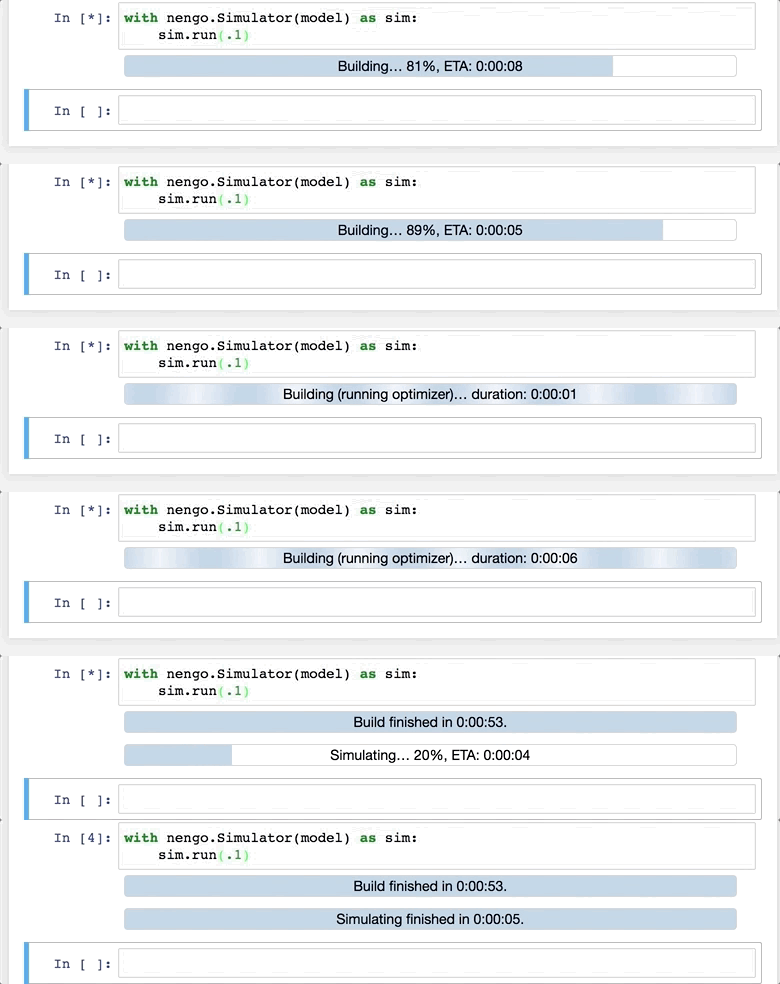
I've been using it to display a progress bar for long running processes and use JavaScript to update it. In theory, this could be implemented with pure HTML that gets completely replaced on each update. However, this approach interacts with some of the CSS animations. I am considering transitioning to a custom MIME renderer, but it seems to involve a lot of overhead. Especially as I would like to be it part of another library which doesn't allow me to simply copy the cookiecutter template 1:1. It also adds another installation step to the install instructions which I dislike.
 jgosmann
on 11 Mar 2018
jgosmann
on 11 Mar 2018
@jgosmann you can use the vdom-extension to render your progress bars: https://www.npmjs.com/package/@jupyterlab/vdom-extension
sccolbert
on 11 Mar 2018
_In fact_, there's a progress bars notebook to try out @jgosmann that goes over how to use display updates:
Looking at your code though @jgosmann I think you can do everything you're doing now (without replacing the HTML with vdom) by using display updates, since you don't _really_ need JS for it. Feel free to ping me on a PR and I'll help you get it updated to display(obj, update=True) syntax. You're already using uuids for the displayed bars so you're partway there.
rgbkrk
on 11 Mar 2018
@sccolbert, @rgbkrk That still seems to replace the HTML completely when I run it locally (instead of updating the width of a div to trigger the CSS animation). For some reason it works nicely on when running the linked example on binder, but it does not when I run it locally in Jupyter lab. The CSS animation is skipped and the progress bar jumps immediately to the most recent value.
jgosmann
on 11 Mar 2018
Do all browsers behave the same?
On Mar 11, 2018 3:53 PM, "Jan Gosmann" notifications@github.com wrote:
@sccolbert https://github.com/sccolbert, @rgbkrk
https://github.com/rgbkrk That still seems to replace the HTML
completely when I run it locally (instead of updating the width of a div to
trigger the CSS animation). For some reason it works nicely on when running
the linked example on binder, but it does not when I run it locally in
Jupyter lab. The CSS animation is skipped and the progress bar jumps
immediately to the most recent value.—
You are receiving this because you were mentioned.
Reply to this email directly, view it on GitHub
https://github.com/jupyterlab/jupyterlab/issues/3118#issuecomment-372148233,
or mute the thread
https://github.com/notifications/unsubscribe-auth/AAIYSSqKGOqm0KPJ3q3DW1MfgWQsCaCzks5tdY7jgaJpZM4P97RV
.
sccolbert
on 11 Mar 2018
At least Firefox and Chrome (on binder it works in both, it does not work in a local Jupyter lab instance in both)
jgosmann
on 11 Mar 2018
Is your local jlab up to date?
On Mar 11, 2018 3:59 PM, "Jan Gosmann" notifications@github.com wrote:
At least Firefox and Chrome (on binder it works in both, it does not work
in a local Jupyter lab instance in both)—
You are receiving this because you were mentioned.
Reply to this email directly, view it on GitHub
https://github.com/jupyterlab/jupyterlab/issues/3118#issuecomment-372148669,
or mute the thread
https://github.com/notifications/unsubscribe-auth/AAIYSeEAC6OKoPkoN7Pz54XPnDqJdYg5ks5tdZBPgaJpZM4P97RV
.
sccolbert
on 11 Mar 2018
I think so, it's version 0.31.12.
jgosmann
on 11 Mar 2018
The one I linked to on binder is using nteract for the ui so that could be the main variation.
rgbkrk
on 12 Mar 2018
That binder also has lab installed (version 0.31.5) (change the url from
/nteract to /lab) and the progress bar notebook runs fine. Although I did
notice that vdom wasn't installed, so I had to move the notebook up a level
to import vdom from the working directory.
On Sun, Mar 11, 2018 at 10:12 PM, Kyle Kelley notifications@github.com
wrote:
The one I linked to on binder is using nteract for the ui so that could be
the main variation.—
You are receiving this because you were mentioned.
Reply to this email directly, view it on GitHub
https://github.com/jupyterlab/jupyterlab/issues/3118#issuecomment-372195498,
or mute the thread
https://github.com/notifications/unsubscribe-auth/AABr0HESva6JYzyoYTxULSV8fP5ASVUGks5tdgO7gaJpZM4P97RV
.
--
Brian E. Granger
Associate Professor of Physics and Data Science
Cal Poly State University, San Luis Obispo
@ellisonbg on Twitter and GitHub
[email protected] and [email protected]
ellisonbg
on 12 Mar 2018
That binder also has lab installed (version 0.31.5) (change the url from /nteract to /lab) and the progress bar notebook runs fine.
It is not using the CSS animation in this case. You might not be able to see it because the Python code does the updates in quick succession. If you try the following slightly modified code, you will see that the update to 100% is instantaneous in Jupyter notebook/lab, but shows the CSS animation with nteract.
import time
from vdom import div

def box(width, backgroundColor):
    return div(style=dict(
        width="{:d}%".format(width),
        backgroundColor=backgroundColor,
        height="20px",
        display="inline-block",
        transition="width 1s"
    ))


def progress(value=0.0, maximum=100.0):
    percent = int(100*value / float(maximum))

    return div(
        box(percent, "green"),
        box(100 - percent, "#e7eee7")
    )

# get a handle on the output
output = display(progress(0), display_id=True)

# just do a single delayed update here instead of several in quick succession
time.sleep(2)
output.update(progress(100))
If I had to harbor a guess, the entire DOM node is being deleted in JupyterLab instead of running ReactDOM.render against the same node again.
rgbkrk
on 12 Mar 2018
Good catch, I think Kyle's explanation makes sense. This could be happening
in two places:
- In the vdom renderer
- Something outside that with the updatable outputs
@gnestor could you have a look at this?
On Mon, Mar 12, 2018 at 8:28 AM, Kyle Kelley notifications@github.com
wrote:
If I had to harbor a guess, the entire DOM node is being deleted in
JupyterLab instead of running ReactDOM.render against the same node again.—
You are receiving this because you were mentioned.
Reply to this email directly, view it on GitHub
https://github.com/jupyterlab/jupyterlab/issues/3118#issuecomment-372350271,
or mute the thread
https://github.com/notifications/unsubscribe-auth/AABr0CLnrc4VDag7Oyt5ymJ5d5a3YNLQks5tdpQAgaJpZM4P97RV
.
--
Brian E. Granger
Associate Professor of Physics and Data Science
Cal Poly State University, San Luis Obispo
@ellisonbg on Twitter and GitHub
[email protected] and [email protected]
ellisonbg
on 12 Mar 2018
I'm observing that this.node changes on every render, so calling ReactDOM.render(<VDom />, this.node) is rendering to a new node each time and thus CSS animations are not working.
I think the issue is here in the OutputArea class: https://github.com/jupyterlab/jupyterlab/blob/d6b859ad13c3cd719eacbdc7020c5c5fed48ddc8/packages/outputarea/src/widget.ts#L357-L371
On every display call, a new output item is created and then React renders to that output item's node.
 gnestor
on 12 Mar 2018
gnestor
on 12 Mar 2018
I'm still digging through the replies above to understand where to go next, but we have a bunch of animations using %matplotlib notebook which no longer work in jupyterlab. The new extension approach is a problem for us because of https://github.com/jupyterlab/jupyterlab/issues/4064 (No --user install of Lab extentions).
EDIT: the handle.update trick Kyle lists above lets us produce use some of our existing examples without too many changes, e.g.
from numpy import *
from matplotlib.pyplot import *
import time

handle = display(None, display_id=True)

x = linspace(0,1,1000)
y = 0*x
fig, ax = subplots()

line, = ax.plot(x,y)
ax.set_xlim(0,1)
ax.set_ylim(-1,1)

for k in range(1,10):
    line.set_ydata(sin(2*pi*k*x))
    handle.update(fig)
    time.sleep(1)
 ianabc
on 14 Mar 2018
ianabc
on 14 Mar 2018
Another vote for JS execution.
My case is notebook introspection: I have JS code that can find the file path of the currently running notebook. I need this for documentation purposes and it was laborious to develop.
Tried running the same scripts in JupyterLab and it wouldn't run. Immediately abandoned the idea of using JupyterLab because of this.
 dgua
on 22 Mar 2018
dgua
on 22 Mar 2018
@dgua its trivially easy to get the currently running notebook path from a jlab extension.
timkpaine
on 22 Mar 2018
@dgua and I think part of the push for extensions is most of the time, those "laborious" scripts people write are much harder to maintain and lead to much flaky-er code than the strict interfaces provided by lab's current rigid system.
timkpaine
on 22 Mar 2018
I have JS code that can find the file path of the currently running notebook.
Will that code work in JLab? My guess is that it won't. If it uses the URL, it definitely won't. If it sends a message to the kernel, it almost certainly won't (since the kernel is accessed differently).
The Javascript APIs are completely different between the notebook and Lab, so often javascript code that depends on details of the js or HTML of the classic Notebook won't work in JLab without modification.
But like @timkpaine says, there are much cleaner ways of doing things in JLab.
 jasongrout
on 22 Mar 2018
jasongrout
on 22 Mar 2018
so the negative is a lot of code won't work out of the box, but in my experience, the massive benefit has been that my code is much more robust, even for very complicated things.
timkpaine
on 22 Mar 2018
My case is notebook introspection: I have JS code that can find the file path of the currently running notebook. I need this for documentation purposes and it was laborious to develop.
We'd like to hear more about your use case here. What are you trying to do?
jasongrout
on 22 Mar 2018
I have a data analysis notebook, which resides in a dedicated location in my home folder. The data are in another directory or mounted network share. When the script runs, it saves a number of results (tables and plots) inside a new folder "Analysis" in the data folder hierarchy.
Before running the analysis, I edit the script. For example, I enter the location of the data folder, setup parameters, etc., and save it. After the script has run, I want to have two copies of the notebook as it was run saved in the same Analysis folder, one in HTML format and one in .ipynb format. This way, I can document exactly what was run before re-editing the script for the next data set.
To do that, I need to know the file path of the currently running script. This proved difficult. Also, this needs to work in Windows and macOS. Currently I am using:
%%javascript
var nb = Jupyter.notebook;
var port = window.location.port;
//nb.kernel.execute("NB_NAME = '" + nb.notebook_name + "'");
nb.kernel.execute("NB_Port = '" + port + "'");

# Get security token
# Get list of running notebooks. This gives the security token as parts of the
# URL of each notebook. Assume notebook of interest is first item in the list (skip header).
nb_list = %sx jupyter notebook list
nb_list = [e for e in nb_list if ('token=' in e)]
token_found = False
for url in nb_list:
    p = url.split('://')[1].split('/')[0].split(':')[1]
    if (p == NB_Port):
        token=url.split('token=')[1].split(' ')[0]
        token_found = True
        break
if not(token_found): print('Token not found')

# Get file path of this notebook
connection_file_path = kernel.get_connection_file()
connection_file = os.path.basename(connection_file_path)
kernel_id = connection_file.split('-', 1)[1].split('.')[0]
sessions = json.load(urllib.request.urlopen('http://127.0.0.1:'+NB_Port+'/api/sessions?token='+token))
for sess in sessions:
    if sess['kernel']['id'] == kernel_id:
        nb_rel_path = (sess['notebook']['path'])
        break
res = !echo ~
nb_path = os.path.join(res[0],nb_rel_path)
nb_path
nb_dir,nb_filename = os.path.split(nb_path)`
Would love to see that "trivially easy to get the currently running notebook path from a jlab extension"...
Apologies for the formatting. markdown conflicts with Python comments?!? Sorry it's late and I'm tired.
dgua
on 22 Mar 2018
The path to a running python script? The filename of a python script is available as __file__, or sys.argv[0] gives the executable path. See https://www.blog.pythonlibrary.org/2013/10/29/python-101-how-to-find-the-path-of-a-running-script/ for a few words about this. Or do you mean that it is a notebook you are running? You could get the current working directory using os.getcwd() (https://docs.python.org/3/library/os.html#os.getcwd).
jasongrout
on 22 Mar 2018
@jasongrout: Yes, it's a notebook. Your post is beside the point. I know about os.getcwd(). It's not what I need.
dgua
on 22 Mar 2018
@jasongrout: Yes, it's a notebook. Your post is beside the point. I know about os.getcwd(). It's not what I need.
Okay, good. I was getting pretty confused from your description about what code needed to find what directory.
jasongrout
on 22 Mar 2018
Ah, sorry, I use 'script' and 'notebook' interchangeably. They are all notebooks.
dgua
on 22 Mar 2018
So is it your kernel that needs to end up with the path, or something in the front end?
jasongrout
on 22 Mar 2018
For py3Dmol an absolute design requirement is that converting to html keeps the interactive molecular viewers intact (an active kernel is not needed). This is accomplished by injecting javascript into the notebook.
It's not clear to me what the right way to provide this functionality within JupyterLab is. I'm guessing I need to have two code paths to get it to work, the current module and a new extension that would be installed separately. Does that sound right?
 dkoes
on 23 Mar 2018
dkoes
on 23 Mar 2018
@jasongrout: in my notebook, I then use:
```%%javascript
var nb = Jupyter.notebook;
nb.save_checkpoint();
Copy notebook to data directory
shutil.copy(nb_path,os.path.join(Save_path,nb_filename))
Convert notebook to HTML and copy to data directory
nfname = os.path.join(Save_path,os.path.splitext(nb_filename)[0]+'.html')
!jupyter nbconvert "$nb_path" --output "$nfname"
```
dgua
on 23 Mar 2018
If you edit your comment and enclose the code in triple backticks on their own lines, the formatting will be better. You can see how I did it in your other comment above by editing that one to see the code.
jasongrout
on 23 Mar 2018
@dkoes take a look at bokeh, it works when converted to html
timkpaine
on 23 Mar 2018
@dkoes you can return a widget containing a script tag and have that script do the loading
timkpaine
on 23 Mar 2018
I've implemented a jupyterlab_3dmol extension and updated py3Dmol to work with jupyterlab. What is the recommended way to detect someone is running within jupyterlab without the extension installed so an informative error message can be generated?
dkoes
on 26 Mar 2018
@dkoes I don't think that we have necessarily landed on best practices for that case (though we should). You should be able to add a new entry to the mimebundle with relatively low rank (such as text/plain) that describes the error message. Then, if your renderer is installed it will show that, but if the renderer is not installed it will show the error.
 ian-r-rose
on 26 Mar 2018
ian-r-rose
on 26 Mar 2018
@ian-r-rose I don't think that will work since in order to maintain compatibility with classic notebooks there is already a test/html. Without the extension installed, this gets rendered by JupyterLab with the script tags stripped out.
dkoes
on 26 Mar 2018
Ah, that's tough. It would be a hack, but you could have an error message div in the text/html that gets removed by the first line of the <script> tag.
ian-r-rose
on 26 Mar 2018
@ian-r-rose It looks like the html (this.node within a Widget) hasn't been added to the DOM when my javascript executes, so can't remove. 😞
dkoes
on 26 Mar 2018
I'm observing that this.node changes on every render, so calling ReactDOM.render(
, this.node) is rendering to a new node each time and thus CSS animations are not working.
Is there any chance that this will get changed/fixed (not sure if this is considered a bug)? It would allow me to implement the progress bar without any custom JS and the overhead/boilerplate of a custom MIME renderer.
It ocurred to me that it might be worth mentioning that in my progress bar use case the JS does not interact with any of Jupyter API, but solely with the DOM that I generate.
jgosmann
on 28 Mar 2018
It sounded like @gnestor is tackling a fix for it and that is indeed a bug, as the vdom spec was built to handle updates directly that would allow you to use CSS like normal.
rgbkrk
on 28 Mar 2018
I think we should try to fix the vdom bug for the beta 2 release. @jasongrout
ellisonbg
on 30 Mar 2018
To clarify, it's a display updates bug. With plotly or vega renderers for example they should be able to update in a nice way too instead of a full fresh render.
rgbkrk
on 30 Mar 2018
I think we should try to fix the vdom bug for the beta 2 release. @jasongrout
Is there an issue for it?
jasongrout
on 30 Mar 2018
Just this comment in this thread I think: https://github.com/jupyterlab/jupyterlab/issues/3118#comment-372474650
rgbkrk
on 30 Mar 2018
Thanks. Tracing it down just a bit more, when an update message comes in, this is run: https://github.com/jupyterlab/jupyterlab/blob/d6b859ad13c3cd719eacbdc7020c5c5fed48ddc8/packages/outputarea/src/widget.ts#L429-L437
The model set function calls this: https://github.com/jupyterlab/jupyterlab/blob/d6b859ad13c3cd719eacbdc7020c5c5fed48ddc8/packages/outputarea/src/model.ts#L270-L271
The model.list.set triggers this in widget: https://github.com/jupyterlab/jupyterlab/blob/d6b859ad13c3cd719eacbdc7020c5c5fed48ddc8/packages/outputarea/src/widget.ts#L243-L246
which in turn calls this, which is actually what is creating a new node: https://github.com/jupyterlab/jupyterlab/blob/d6b859ad13c3cd719eacbdc7020c5c5fed48ddc8/packages/outputarea/src/widget.ts#L316-L333
So what I hear you saying that the _setOutput should not throw away the dom node, but instead reuse it?
jasongrout
on 30 Mar 2018
It seems that in the case where you had a vdom updating things, you want to apply the vdom renderer to the full tree that was rendered the last time (not just the root node). It seems difficult to know in a general output scenario that you had a vdom before for a particular DOM node, so you should reuse it.
On the other hand, this is a perfect scenario for an ipywidget - a vdom ipywidget would have total control over the lifecycle of its root rendering node.
jasongrout
on 30 Mar 2018
On the other hand, this is a perfect scenario for an ipywidget
(Tracked at https://github.com/jupyter-widgets/ipywidgets/issues/2039)
jasongrout
on 30 Mar 2018
@ellisonbg: This is breaking things for me as well. I'm writing blog posts in Jupyter, and I want to include a small HTML/Javascript snippet that updates an output <div> based on what readers enter in an <input> field. It doesn't work with %%html, %%javascript, or display(HTML(...)).
I understand that there are some technical challenges with enabling JS inside Jupyter Lab, but the current status really limits what you can do with it, and feels like a regression compared to the Notebook.
Apart from this issue, my journey with JLab has been very nice, thanks for all the hard work!
 Grk0
on 2 Apr 2018
Grk0
on 2 Apr 2018
This appears to be affecting plotly's "updatemenus" buttons (e.g. to start/stop animations): https://github.com/jupyterlab/jupyter-renderers/issues/118
gnestor
on 3 Apr 2018
@jasongrout For outputs that originate from an update_display_data message, the node should be reused.
I think that the following:
should be replaced with something that will update the model of the current widget:
layout.widgets[index].setModel(model);
layout.widgets[index].update();
@blink1073 Is there a way to set the model of a IRenderer widget?
gnestor
on 5 Apr 2018
My primary use case is the 'myhdlpeek' part of the MyHDL suite. This is a blocker from notebooks that previously worked (for example, in Hub or a standalone notebook). No custom widget is available as a labextensions, that I am aware of.
 elixx
on 7 Apr 2018
elixx
on 7 Apr 2018
We have same issue with our visualization
 newbfg
on 15 Apr 2018
newbfg
on 15 Apr 2018
I just ran across https://github.com/deathbeds/jyve, which does a lot more than just enable script execution. See https://github.com/deathbeds/jyve#motivation in particular for how it relates to this issue.
jasongrout
on 20 Apr 2018
@ellisonbg
"_the problem with warnings is that many users will live with them for years, without ever telling us that it is a problem. We wanted something initially that would force users to come and give us feedback (it is working!). We realize that is frustrating you all, but from our perspective getting solid feedback like this is very non-trivial and helps us to understand the right balance of security and functionality_."
I appreciate your position on this. That said, I spent several hours this weekend working quite happily in jupyter lab until I tried to inject some "animation" into my notebook. Having little experience with this I tracked down some examples on matplotlib which failed to work. After spending about 4 fruitless hours with no success in jupyterlab, I finally decided to just start jupyter notebook with a fairly simple example, where I found that the example worked as expected. #4492
Had I just been moving an existing notebook project into lab, I would have discovered this much quicker. Since jupyerlab beta has been described as ready for users, but beta for extension builders, I had a higher expectation.
If possible, detection in jupyterlab, and reporting it to the user with a request to file a bug report would be much better, IMO.
 fm75
on 30 Apr 2018
fm75
on 30 Apr 2018
It would be interesting to see if the matplotlib animation js works in JupyterLab even with the script execution enabled. Browsing that code, I can see there are problems in that code when having multiple versions of that code on the page at the same time, since it is defining global variables (which works in the classic notebook case where you only have one notebook on the page, but cannot be assumed to work in JupyterLab where you can have multiple versions of the code through different notebooks talking to different kernels).
Unfortunately, much of the js code that libraries are pushing to the classic notebook in script tags is very specific to the classic notebook, and as such should be considered a lightweight javascript extension of sorts of the classic notebook that needs to be ported over. Even if such js doesn't use classic notebook-specific functions, many libraries (like matplotlib animations) make the implicit assumption that there is only one notebook on the page. Once a library makes assumptions like this about being run in a specific frontend (such as the classic notebook), it's not guaranteed to work in other frontends such as jupyterlab, nteract, etc.
In short, enabling script tags in html does not solve the real problems of libraries writing javascript code assuming it is running in the classic notebook, or running in the constraints of the classic notebook (such as only having a single notebook on the page).
I agree that this discussion and these reasons should be much easier to find for users. It should not have taken 4 hours for you to realize that this problem is not your code, but deeper issues with porting libraries to work in JupyterLab.
jasongrout
on 30 Apr 2018
Which is why my original argument was:
- It should be clear what happened. Maybe a warning when a
Related issues
 anshbansal
·
68Comments
anshbansal
·
68Comments
 tam203
·
51Comments
ellisonbg
·
64Comments
blink1073
·
76Comments
tam203
·
51Comments
ellisonbg
·
64Comments
blink1073
·
76Comments
 dclong
·
61Comments
dclong
·
61Comments
Most helpful comment
Another options would be to have a user setting that allows script execution, and make it be opt-in.