Jtapplecalendar: SCROLL TO, NOT WORKING PROPERLY
Another question, default behavior is ok, looks like that with selected current date.
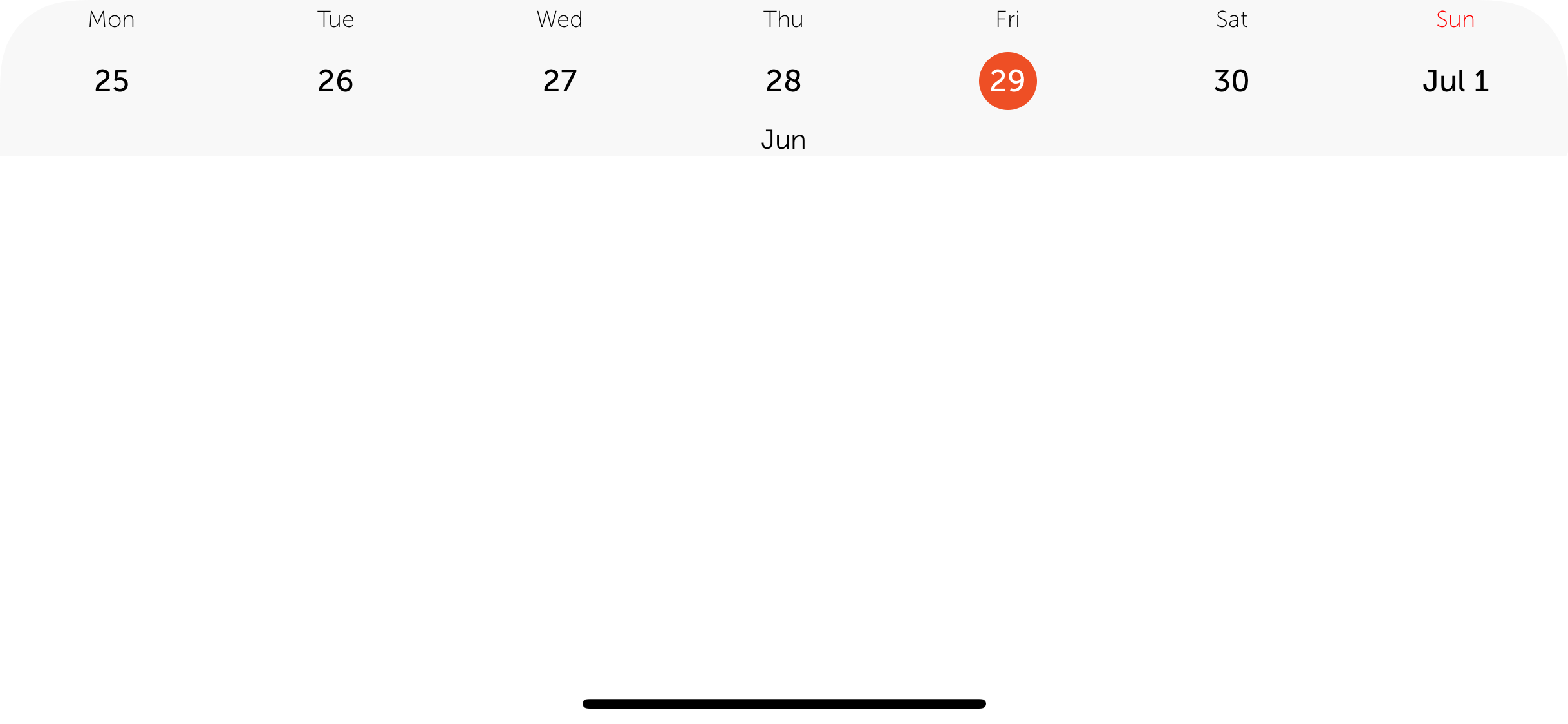
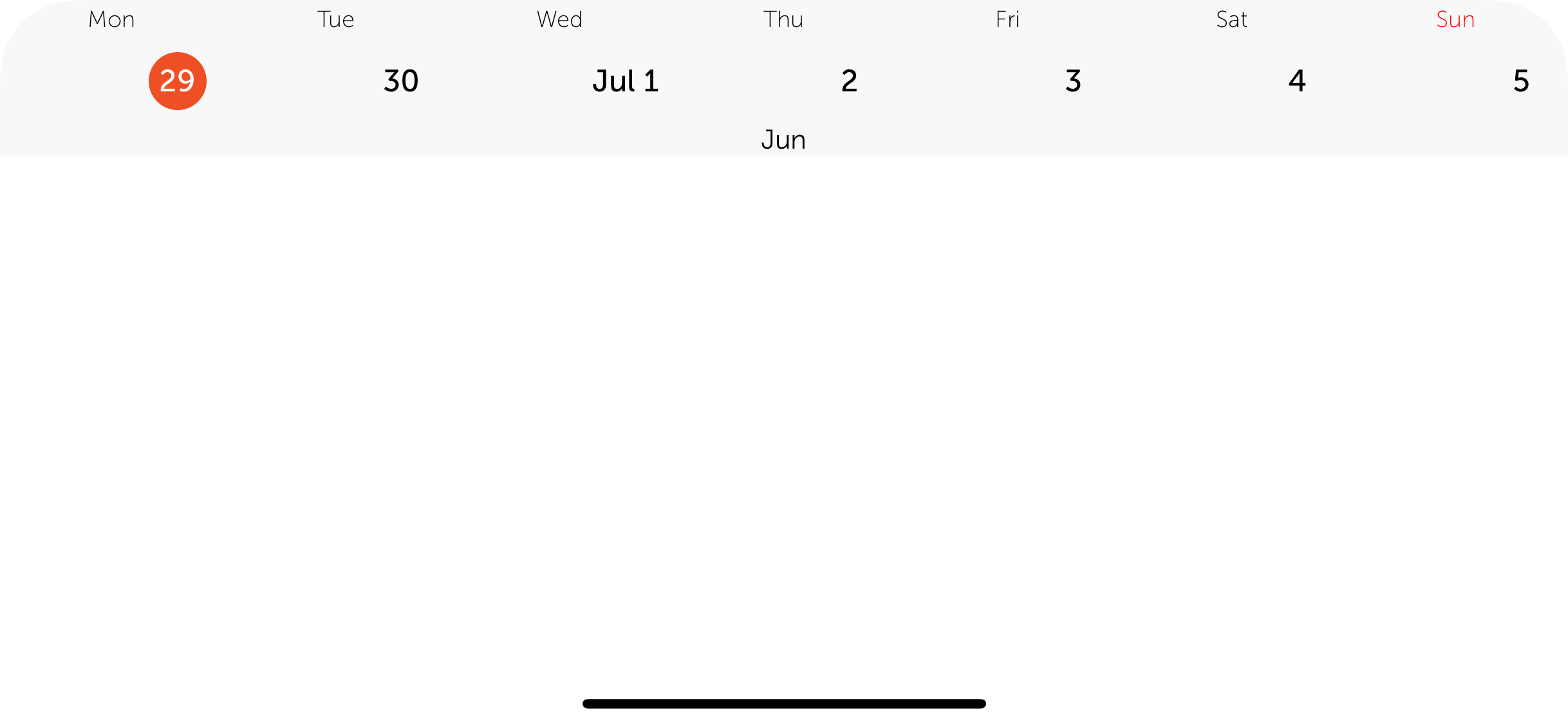
But, when I open controller for the first time, and I call this methods:
calendarCollection.scrollToDate(Date()) {
      self.calendarCollection.selectDates([Date()])
    }
it looks like that, how to fix scrolling offset issue, so the scrollToDate, will scroll to correct day?
Thank you!
 blinkmeoff
All 3 comments
Just point me, if I'm saying something wrong and this issue has nothing with the repo
blinkmeoff
on 29 Jun 2018
did you build your calendar with code? or with storyboard.
If you built it with code, then do not forget
calendarView.scrollingMode = .stopAtEachCalendarFrame
or which ever one is suitable for you.
Closing issue. Let me know if it was resolved.
 patchthecode
on 29 Jun 2018
patchthecode
on 29 Jun 2018
👍2
Thank you very much! Helped
blinkmeoff
on 30 Jun 2018
🎉1
Was this page helpful?
0 / 5 - 0 ratings
Related issues
 Geekbell
·
4Comments
Geekbell
·
4Comments
 Kevinw14
·
3Comments
Kevinw14
·
3Comments
 dimitris-c
·
5Comments
dimitris-c
·
5Comments
 Fatalution
·
3Comments
Fatalution
·
3Comments
 sahirmemon
·
4Comments
sahirmemon
·
4Comments
Most helpful comment
did you build your calendar with code? or with storyboard.
If you built it with code, then do not forget
or which ever one is suitable for you.
Closing issue. Let me know if it was resolved.