Jtapplecalendar: Single Range Selection
Latest Version: 7.1.6
I'm trying to create a range function that will highlight everything in between two dates. If they pick a third date it will unhighlight the range in the previous two dates and start a new range with the third date picked.
if departureDate != nil && returnDate == nil {
   returnDate = date
   calendar.selectDates(from: departureDate!, to: date, triggerSelectionDelegate: false, keepSelectionIfMultiSelectionAllowed: true)
} else if departureDate == nil {
   departureDate = date
} else {
   returnDate = nil
   calendar.deselectAllDates(triggerSelectionDelegate: true)
   departureDate = date
}
This is the code I have in func calendar(_ calendar: JTAppleCalendarView, didSelectDate date: Date, cell: JTAppleCell?, cellState: CellState)
If I trigger the selection delegate then it will deselect the selected dates, because departureDate and returnDate already have a value so it will erase the selectedDates, and returnDate becomes nil. Any way to do this process better or how to update the cells in the middle of the selected dates without calling the selection delegate?
 Kevinw14
All 3 comments
How about use this logic?
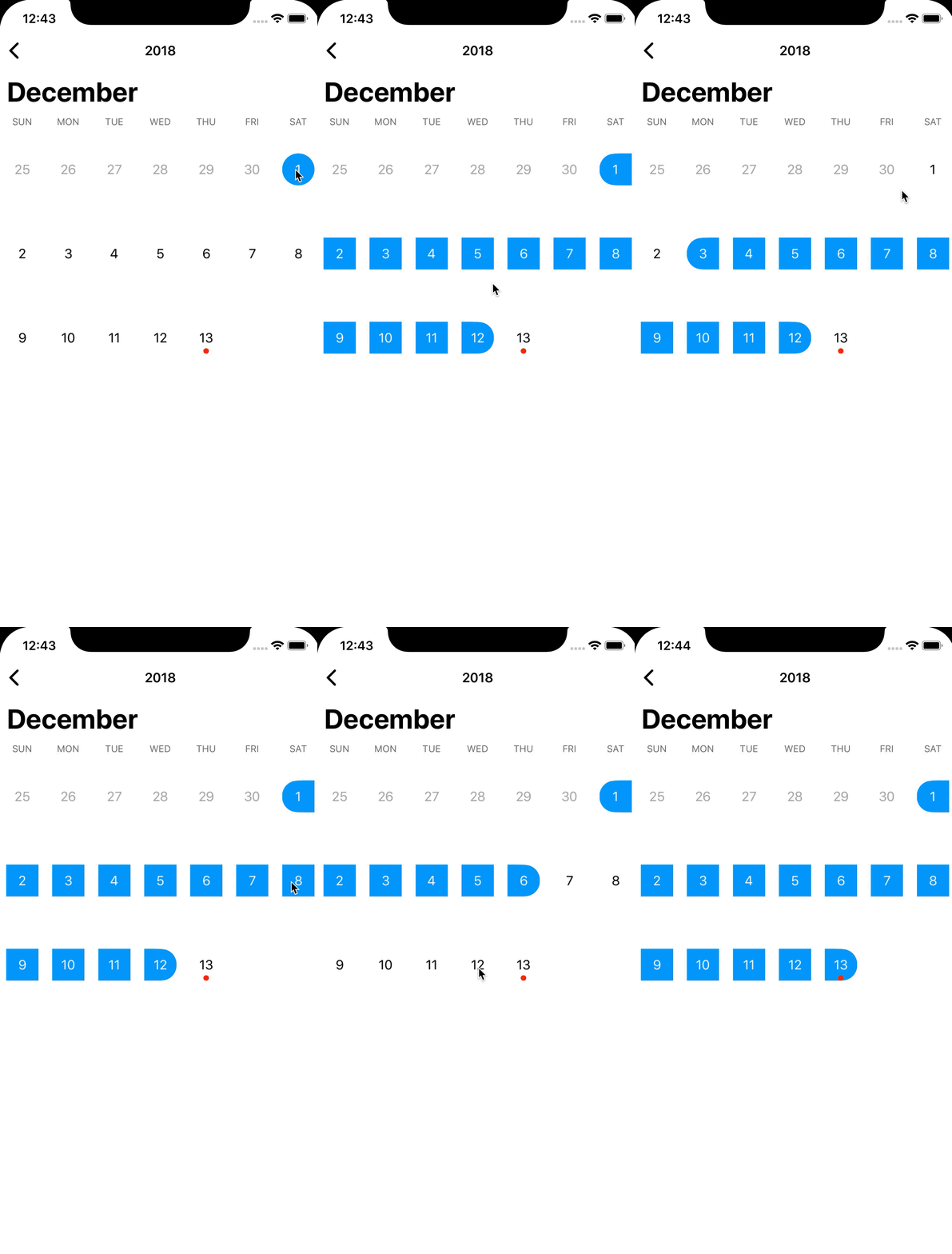
func calendar(_ calendar: JTAppleCalendarView, didSelectDate date: Date, cell: JTAppleCell?, cellState: CellState) {
        guard let calendarCell = cell as? CalendarCell else { return }
        calendarCell.cellState = cellState

        if let fromDate = self.fromDate, let toDate = self.toDate {
            if fromDate.compare(date) == .orderedDescending {
                self.fromDate = date
            } else if toDate.compare(date) == .orderedAscending {
                self.toDate = date
            }
        } else {
            self.fromDate = date
            self.toDate = date
        }

        if let fromDate = self.fromDate, let toDate = self.toDate {
            calendar.selectDates(from: fromDate, to: toDate, triggerSelectionDelegate: false, keepSelectionIfMultiSelectionAllowed: true)
        }
    }

    func calendar(_ calendar: JTAppleCalendarView, didDeselectDate date: Date, cell: JTAppleCell?, cellState: CellState) {
        guard let calendarCell = cell as? CalendarCell else { return }
        calendarCell.cellState = cellState

        guard let fromDate = self.fromDate,
                let toDate = self.toDate else {return}

        if fromDate == date && toDate == date{
            self.fromDate = nil
            self.toDate = nil
        } else if fromDate == date {
            self.fromDate = toDate
        } else if toDate == date {
            self.toDate = fromDate
        } else {
            guard let beforeDay = Calendar.current.dateComponents([.day], from: fromDate, to: date).day,
                let afterDay = Calendar.current.dateComponents([.day], from: date, to: toDate).day else { return }
            if beforeDay < afterDay {
                self.fromDate = date
            } else {
                self.toDate = date
            }
        }

        calendar.deselectAllDates(triggerSelectionDelegate: false)
        if let fromDate = self.fromDate, let toDate = self.toDate {
            calendar.selectDates(from: fromDate, to: toDate, triggerSelectionDelegate: false, keepSelectionIfMultiSelectionAllowed: true)
        }
    }
 dev-yong
on 13 Dec 2018
dev-yong
on 13 Dec 2018
@Kevinw14
sorry for coming to this late.
There is range selection in the example project attached to this app.
Download it and tap on RangeSelection example.
Will close this, but let me know if youre still questioning this.
 patchthecode
on 19 Dec 2018
patchthecode
on 19 Dec 2018
@LeeGwangYong : nice, but this looks like it has a bug when you click the final or first dates ... the middle dates get's unselected.
 deya-eldeen
on 14 Feb 2019
deya-eldeen
on 14 Feb 2019
Related issues
 dimitris-c
·
5Comments
dimitris-c
·
5Comments
 arn00s
·
3Comments
arn00s
·
3Comments
 programus
·
3Comments
programus
·
3Comments
 kukushi
·
5Comments
programus
·
5Comments
kukushi
·
5Comments
programus
·
5Comments
Most helpful comment
How about use this logic?