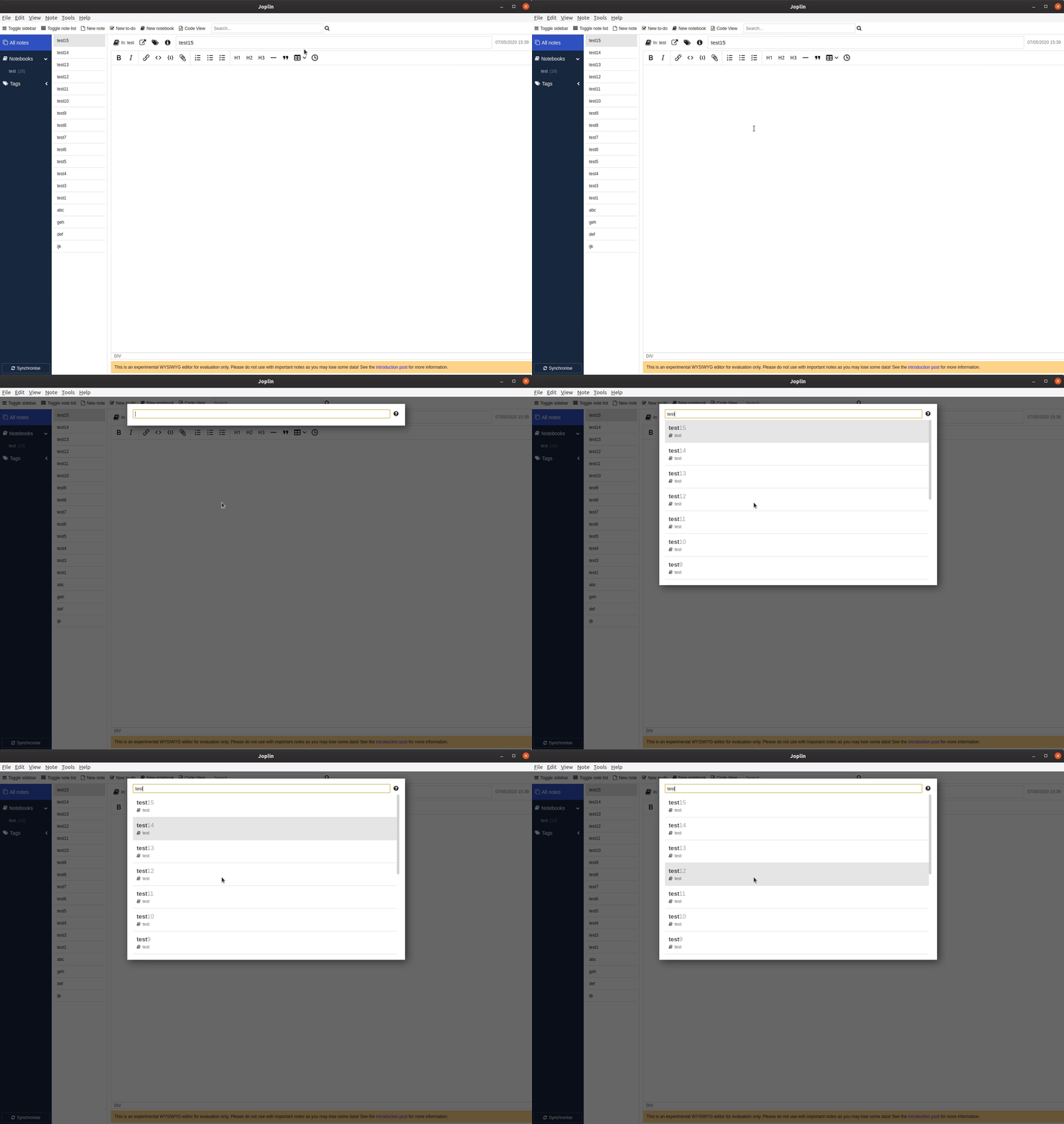
Joplin: Goto Anything: Keyboard selection starts at bottom of visible results
Environment
Joplin version: v1.0.201
Platform: Windows
OS specifics: 10
Steps to reproduce
- Open Goto Anything search
- Enter a search term where the number of results triggers the scrollbar
- Press the arrow up or down key
- The selection will be at the bottom of the result list
Describe what you expected to happen
That the first element of the results is highlighted/selected.
The same as the behavior with search terms that do not trigger the scrollbar.
 thororm
All 4 comments
Can't reproduce.
 naviji
on 7 May 2020
naviji
on 7 May 2020
I can reproduce since I reported this bug on the forum https://discourse.joplinapp.org/t/strange-goto-anything-behavior/8139/3
 Rolograaf
on 7 May 2020
Rolograaf
on 7 May 2020
Okay, can you give me some more details?
For example, in this issue, it says that the up or down arrow keys are causing the problem.
In the forum, the "enter" key is causing the problem.
Also, does the selection always go to the 16th entry (last?) or does it change?
Try adding what you searched for in the note body. Does it change the selection position?
naviji
on 7 May 2020
I have located the problem. selectedItemId is reused between two calls of updateList. I will submit a PR to fix this.
 ylc395
on 8 May 2020
ylc395
on 8 May 2020
Related issues
 smhearty
·
3Comments
smhearty
·
3Comments
 hakim89
·
3Comments
hakim89
·
3Comments
 xfrose
·
3Comments
xfrose
·
3Comments
 LifeIsAParadox
·
3Comments
LifeIsAParadox
·
3Comments
 v-marinkov
·
3Comments
v-marinkov
·
3Comments
Most helpful comment
I have located the problem.
selectedItemIdis reused between two calls ofupdateList. I will submit a PR to fix this.