Joplin: Desktop: Joplin Freezing During Syncing and Decrypting On Linux Kernel 5.5+
I just started using Joplin recently, and since first using it's been locking up/freezing/unresponsive. It seems to be getting stuck in a syncing loop. It will try to sync, and something is not allowing sync to stop/cancel. Even if I manually click on cancel when it's syncing, it just says "cancelling" and stays spinning but won't stop.
At this point, when I click on any notebooks/notes, nothing happens. The notes don't load, the screen doesn't refresh to the note I click on. The only thing that works at this point is I can click and open menus/settings.
I then have to kill the app and relaunch it.
Is anyone else having issues on Linux with Joplin being buggy and freezing?? I'd really like to resolve this so I can use Joplin! I'm not sure if this is something on my system, or if others on Linux are having this issue?? It's pretty much unusable for me at this point! The bug also happens even if I don't click on Sync. I will come back to Joplin to make a new note, and it will be in this stuck sync state on it's own without me doing anything.
It is a major bug on my system. It happens frequently and I can reproduce it easily.
Environment
Joplin version: Joplin 1.0.179 (prod, linux); Sync Version: 1; Revision: b4e325d (master)
Platform: Arch Linux
OS specifcs:
Steps To Reproduce
- I can launch Joplin, and to reproduce, I simply click on Sync in the lower left corner a few times, and it gets stuck in the sync loop error/bug.
- It happens every time. I have to kill/relaunch at this point.
Describe what you expected to happen:
Logfile
Console shows normal activity before the problem when clicking on a different note: webview_domReady Connect {props: {…}, context: {…}, refs: {…}, updater: {…}, version:
Then when I initiate the bug by clicking on sync several times, nothing shows up in console whatsoever. It only has the last reported event from before the bug.
Here is my updated log.txt file: https://pastebin.com/CDdhuL25
Whenever I initially launch joplin in debug, I get these messages in the console (in case they’re important) console.log file : https://pastebin.com/zzjdguTX
 dimyself
All 308 comments
This issue seemed to crop up immediately after upgrading to Linux Kernel 5.5 in Artix Linux (an Arch offshoot). Since you, me and another person are all having similar issues on Arch or Arch based systems, I've decided to do an experiment and see if downgrading to the Linux LTS kernel (5.4.19) might solve the issue since I was also noticing some network issues along with other things since upgrading.
 bedwardly-down
on 18 Feb 2020
bedwardly-down
on 18 Feb 2020
Here's a video showing the problem if it helps!
dimyself
on 18 Feb 2020
This issue seemed to crop up immediately after upgrading to Linux Kernel 5.5 in Artix Linux (an Arch offshoot). Since you, me and another person are all having similar issues on Arch or Arch based systems, I've decided to do an experiment and see if downgrading to the Linux LTS kernel (5.4.19) might solve the issue since I was also noticing some network issues along with other things since upgrading.
@bedwardly-down does the video look similar to your issue?
Did the LTS kernel change anything?
dimyself
on 18 Feb 2020
@dimyself the video looks exactly like what I'm experiencing (minus that console log output). I have debugging turned on and have a Kitty Terminal running with tail -f $XDG_CONFIG_HOME/joplin-desktop/log.txt running on it just to the left of the bottom part of the console log. Other than that, definitely the same freezing issue shown.
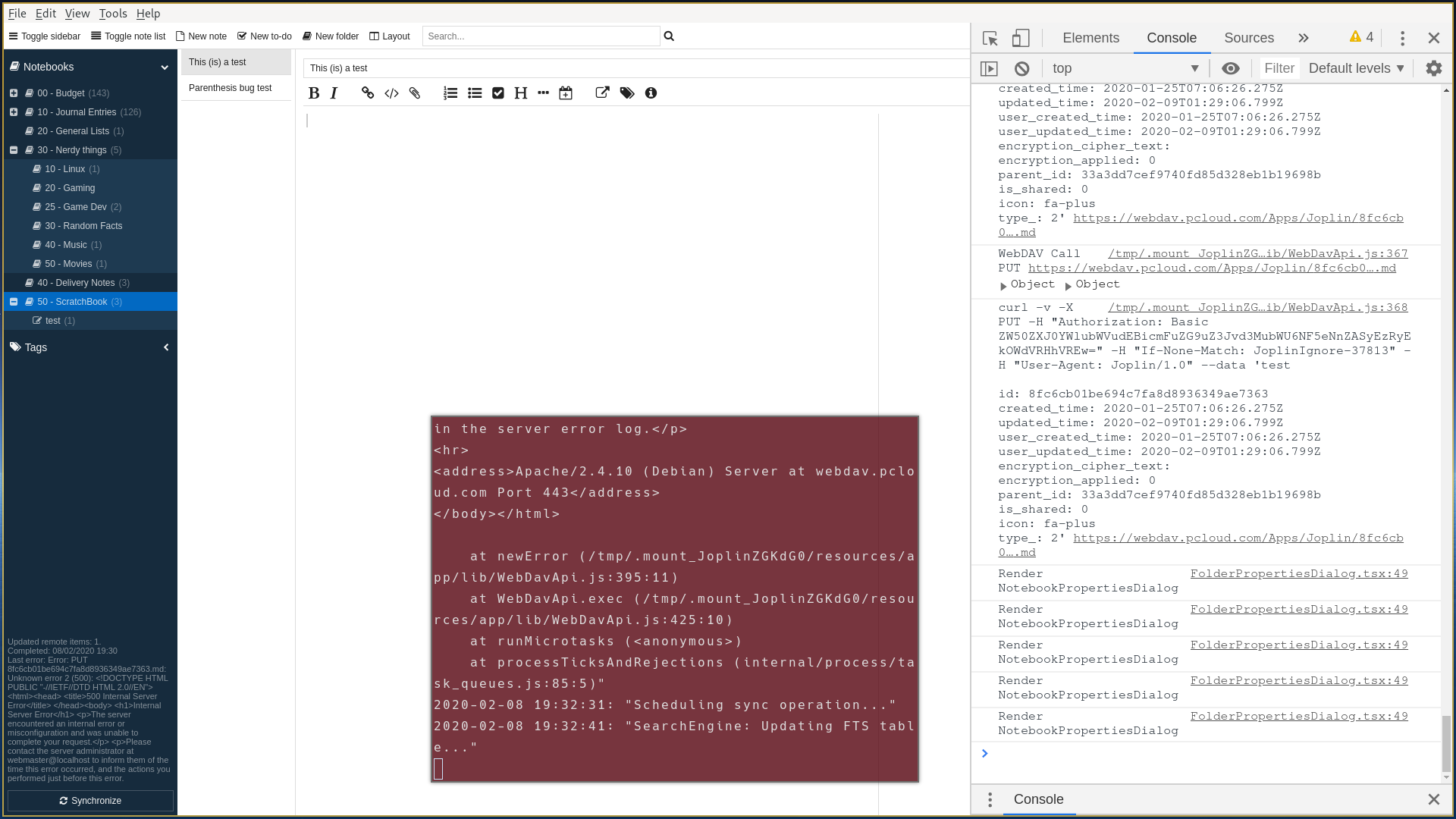
To know if it's a kernel issue, I'd need to use Joplin extensively on it for a few days since the issue wasn't frequent enough for me to really test it out but enough to be a bit annoying. Ha
Also, my screenshot was from a failed attempt at getting a task done here that involved loading icons in the sidebar for all Notebooks. I got very close to finishing it, but couldn't get it to production level without spending a massive amount more of resources that were wearing thin. Ha
bedwardly-down
on 18 Feb 2020
I thought it was just me at first experiencing this issue, so I was hesitant to file a bug however the video and description match what I see as well on Arch 5.5.2-arch1-1 / Joplin 1.0.179-1. I am using a filesystem sync target on a remote system via SMB. I switched to NFSv4, but there was no noticeable impact.
My Windows 10 instance of Joplin is working as expected on the same filesystem target, yet it's lagging behind a bit at version 1.0.175. I've been nervous to upgrade as I use it frequently during work. (Thanks by the way for such a useful tool!!)
Note: 479/479
Folder: 19/19
Resource: 158/158
Tag: 0/0
NoteTag: 0/0
MasterKey: 0/0
Revision: 366/366
Total: 1022/1022
Here is a short clip of what I see. Not much different from the youtube video other than I generally see the issue during my second sync and the Synchronisation Status is blank during the sync.

 Soltares
on 18 Feb 2020
Soltares
on 18 Feb 2020
I have the same issue also with the newer 1.0.184 version of joplin. I'm not sure if it only happens during sync though. But seems like it is more likely during sync.
 hpfmn
on 18 Feb 2020
hpfmn
on 18 Feb 2020
I know that 1.0.184 is definitely not recommended for daily use and has quite a few (albeit small) areas where it can and has broken for me, but are you also on an Arch-based distro, @hpfmn ? My main view is that we all have that one factor in common which means that we all share the same kernel which may not load the same network drivers but more than likely would share the same protocols and whatnot. Ha
bedwardly-down
on 18 Feb 2020
@bedwardly-down yes I'm also running arch. Is there any information which versions are considered stable and which are considered unstable? I'm 1.0.179 has a text on the github release - is that what is saying that it is stable? I honestly don't think it is related network drivers ;)
hpfmn
on 18 Feb 2020
What is maybe different for me - if I wait a long time (like several minutes) it does recover and starts to be usable again. But some of the changes I made to the current document are discarded.
hpfmn
on 18 Feb 2020
I don't think it's network drivers either. I was referring to the fact that none of us would be running the same network drivers but all would have similar if not the same Network Protocol implementations built into the kernel. When i say Network protocols, i mean how the kernel handles things like https and interfaces with each of the various network drivers to allow them to function. If there was a major change there, it could affect how Joplin handles syncing and could be an upstream bug for whichever module is used to handle it. I wish some Ubuntu / Debian and Fedora users would pipe in so that the issue can be classified as a Linux wide one and not Arch specific. Ha
Also, the stable ones are linked in the forums and have a Green Release tag on github. All other releases are draft ones not meant to be used as a daily driver but instead a bleeding edge test (minus the Red Pre-release ones; those are for testing but are meant to be a stop gap between main stable releases)
bedwardly-down
on 18 Feb 2020
Just wanted to let you know I am experiencing the same thing (#2507). I thought it had something to do with syncthing at first but I can see from reading the thread that you're all using different sync protocols. This is making it really hard to work for a long time because you never know what the program will discard. Reliability is zero at the moment.
I disabled syncthing on both computers and the problem persists.
 matcharles
on 18 Feb 2020
matcharles
on 18 Feb 2020
Thanks @matcharles. I use Joplin for my budgetting and daily journaling and can definitely say that this issue has caused some similar headaches for me. Luckily, it's not been fatal for my uses but i can definitely see it being terrible.
I'm definitely beginning to think this is an arch / kernel specific bug. Most distros won't be running 5.5 yet unless the user explicitly installs it themselves or it offers some drastically needed features that something like Ubuntu would jump right on board with. @laurent22 , what are the modules you use for syncing in Joplin? I'd like to see if my hunch or something similar is correct.
bedwardly-down
on 18 Feb 2020
It's mostly node-fetch and the sqlite3 that would be involved for syncing, but it could also be due to some complicated interaction between Electron and those modules.
If sync status is blank in particular, it could mean that the sqlite database is locked or the app can't read from it for some reason. While it's in this state, are you able to open database.sqlite (with an sqlite browser) in your profile directory?
 laurent22
on 18 Feb 2020
laurent22
on 18 Feb 2020
The joplin-desktop database.sqlite appears readable while sync is spinning and sync status is blank:
[chris@spire ~]$ sqlite3 ~/.config/joplin-desktop/database.sqlite
SQLite version 3.31.1 2020-01-27 19:55:54
Enter ".help" for usage hints.
sqlite> .tables
alarms                 notes                  resources_to_download
deleted_items          notes_fts              revisions
folders                notes_fts_docsize      settings
item_changes           notes_fts_segdir       sync_items
key_values             notes_fts_segments     table_fields
master_keys            notes_fts_stat         tags
migrations             notes_normalized       tags_with_note_count
note_resources         resource_local_states  version
note_tags              resources
sqlite> select count(*) from notes;
479
Looks like node-fetch has quite a few open http protocol issues that may be similar to what's happening here: https://github.com/node-fetch/node-fetch/issues
I'm out working right now but my brief 5.4 kernel tests weren't showing any issues so far, but they could still pop up later. If anyone else wants to test that theory too, all you'll need to do is install the linux-lts and linux-lts-headers packages and then reconfigure whatever boot loader you're using to boot it and you should be good to go
bedwardly-down
on 18 Feb 2020
My previous issue could be related too https://github.com/laurent22/joplin/issues/2490
bedwardly-down
on 18 Feb 2020
I'm technically on the clock too, but use Joplin to work effectively so.. :)
I took the plunge and switched kernels from 5.5.2-arch1-1 to 5.4.20-1-lts. I am immediately seeing an improvement. What only took 2-3 sync attempts to replicate the issue is now going on at least a dozen syncs with no sign of hanging! Looks like you're definitely on to something with the kernel versions.
Soltares
on 18 Feb 2020
@Soltares i use Joplin mobile during my work since my work is constantly on the move, so i can't test in the field. Thanks for trying it out too and glad it's working for you too. ☺️
bedwardly-down
on 18 Feb 2020
During my test, I synced around 20 times with several test files i created, synced and deleted and had no signs of it either.
bedwardly-down
on 18 Feb 2020
@Soltares @laurent22 would either of you know how to test this better to try to get a bug report sent upstream to node-fetch since that's looking like it may be where the issue lies since this is looking less like a Joplin issue?
bedwardly-down
on 18 Feb 2020
I also found a post on Reddit where Firefox is exhibiting similar freezing issues on Arch with 5.5.4: https://reddit.com/r/archlinux/comments/f5smcx/intermittent_hanging_with_554_kernel_x1c6_intel/
bedwardly-down
on 18 Feb 2020
@dimyself, since you're the one that opened this bug report, I just wanted to inform you that Joplin is still syncing perfectly with no issues whatsoever on the LTS kernel after me leaving my laptop on all day long letting it auto sync while I was out and about. It looks like this is most likely the current solution until the devs upstream get the issue resolved.
bedwardly-down
on 19 Feb 2020
Having the same issue but I doubt it's network related as I'm only syncing to a local directory and letting Syncthing handle cross-device sync. The issue persists after disabling syncthing.
I'm also thinking it's not specific to the sync function of Joplin. Here's what just happened to me:
- Create a new note, then modify it and sync in a cycle with 5-10 second delay between each round.
- After 20 rounds or so with some occasional app switching, Joplin UI became unresponsive as in the youtube video, except no sync process was ongoing from what I could tell.
- After 2 more minutes the UI suddenly "played back" my mouse clicks in quick succession and becomes responsive again.
- Clicked sync, sync process seemed stuck. After a minute the sync finishes. For some reason it reports "updated 4 remote items" even though i've only been modifying one note.
- Joplin seems to work fine again.
log.txt of the above: https://pastebin.com/ma7wK4Sr. I noticed 2 instances where SearchEngine: Updated FTS table took over a minute:
2020-02-19 16:28:13: "SearchEngine: Updated FTS table in 83816ms. Inserted: 9. Deleted: 0"
2020-02-19 16:30:22: "SearchEngine: Updated FTS table in 63586ms. Inserted: 1. Deleted: 0"
Kernel: 5.5.4-arch1-1
Joplin version: 1.0.179 (prod, linux); Sync Version: 1; Revision: 66356d8
 yewwayne
on 19 Feb 2020
yewwayne
on 19 Feb 2020
@yewwayne thanks for bringing that up. You're not the only one that said the issue showed up with Filesystem. I think someone else brought that up above. Joplin doesn't technically save locally, so it treats Filesystem sync as syncing to any cloud platform, I'm suspecting the url is just replaced by a local directory string and is just getting checked if it exists or not.
If that's the case, the bug is still a network related bug since the module involved with syncing (or in this case a hacky way of saving but not saving locally) would still be acting up. Does that make sense?
bedwardly-down
on 19 Feb 2020
I could catch it today in development tools in the debugger I hit the pause button and seems to be hanging at this code: https://github.com/laurent22/joplin/blob/e7a56bb2b1df3f6d90e196c406ed20620684db86/ReactNativeClient/lib/models/ItemChange.js#L41
Alas I coudln't get the backtrace... because the whole electron thing froze...
hpfmn
on 20 Feb 2020
Hmmm. Because that's in ReactNativeClient/lib, if that was the source of the bug and not just a symptom, changing the kernel version wouldn't solve the problem. Everything in that folder is used by all platforms which would mean the bug would occur everywhere as frequently.
Still a nice find, though. :smiley_cat:
bedwardly-down
on 20 Feb 2020
I don't know if it might be related in any way to this? https://github.com/electron/electron/issues/21415
hpfmn
on 20 Feb 2020
I think the bug you linked could be related to some other issues here but probably not this specific one. The person that opened that bug report up was on 5.4 and Slackware, so not the same as the rest of us, but still could lead to more info.
I'm still thinking this is an upstream bug related to node-fetch and not a Joplin one, so if more people could test out the 5.4 kernel suggestion I made, that would definitely help make sure that's a legitimate fix. Thanks
bedwardly-down
on 20 Feb 2020
@hpfmn, I do think you're on to something though. I got a hit here from the dev of a Protonmail frontend that is experiencing similar issues to this one: https://github.com/electron/electron/issues/21415#issuecomment-589242637
@laurent22, if I'm reading the linked issues correctly, it looks like this is an Electron 7 bug that was fixed in 8.
bedwardly-down
on 20 Feb 2020
I can't get LTS on this system because I need patches from 5.5, but I just wanted to let you know the situation has become worse today. Before I had a small window where I could enter some data and then save. Now not only do I not have the time to cut and paste, sometimes I can't browse my notes. Totally unusable. I understand from the thread that this isn't Joplin's fault. Just wanted to chime in.
EDIT: @bedwardly-down just upgraded to electron 8, will see if it makes a difference on 5.5
EDIT2: Same thing happens on electron 8.0.1 unfortunately.

matcharles
on 21 Feb 2020
If Electron 8 fixes it we can upgrade but doesn't look like it does then? How about that disable-gpu flag they mention in the other thread?
laurent22
on 21 Feb 2020
Thanks for checking on that, @matcharles . I was afraid some people wouldn't be able to use LTS for that reason but at least we're getting somewhere with this, right? Also, could you provide a step by step on how you upgraded to Electron 8 so I could test it out too to see if the issue shows up on the LTS kernel for me? That way, if the project does move to it, we can make sure that kernel version differences won't affect things too much. Thanks. :D
bedwardly-down
on 21 Feb 2020
@bedwardly-down I just sudo pacman -S electron I presume it just got added to the repos tonight!
matcharles
on 21 Feb 2020
Of course, @laurent22, if all else fails, are there any alternative modules you would be interested in testing out for the sake of seeing if maybe we can future proof Joplin against further problems caused by how fragmented the node repo is?
bedwardly-down
on 21 Feb 2020
@matcharles, the problem I see with that is it wouldn't affect this project since electron is pulled in as a node module for this project only. I would say that your Electron 8 test shouldn't be accepted for that reason. Electron has been in the Arch repos for a good while now so Electron 8 still may be a possible fix if it doesn't break modules or any of the code here. That's my biggest concern with that, since with other projects, major version releases have a tendency to offer API breaking changes.
bedwardly-down
on 21 Feb 2020
No worries! You guys are all way more knowledgeable with this than me, but I did update from 7.1.11-1 -> 8.0.1-1 tonight so I thought it might have something to do with this. Sorry I couldn't be of much help haha!
matcharles
on 21 Feb 2020
No, you were definitely helpful by just attempting it and being forward with what steps you took. By acknowledging that you updated Electron globally but not locally to the project, we can still look at upgrading to 8 as a possible fix for this (and possibly other issues that may arise and cause Joplin resources to be wasted).
bedwardly-down
on 21 Feb 2020
I build a package with electron 8.0.1 - you can download it here
https://johanneswegener.de/joplin-1.0.179-1-x86_64.pkg.tar.xz
But I needed to update some other libs as well so be cautious if something doesn't work
EDIT:
After you downloaded it, you can install it with pacman -U joplin-1.0.179-1-x86_64.pkg.tar.xz while being in the same directory as where you downloaded it.
hpfmn
on 21 Feb 2020
I'm not sure if builds like that should be used for testing purposes here. I know that @laurent22 has already said when I built my Debian release for Joplin that the project can't officially support anything but AppImage for Linux builds. I think that, in that context, making a fork that is specific to upgrades and letting testers build it from source with instructions and specific changes documented would probably be the better option, @hpfmn . Thanks creating a pacman package, though.
Also, another concern with doing builds like that: depending on how you built it and what libraries you added, it could possibly break tester's systems if it ends up pulling in extra libraries or forces an upgrade on ones already available that aren't supported by other packages. That's a huge part of why I have stopped using AUR except when absolutely necessary.
bedwardly-down
on 21 Feb 2020
@bedwardly-down yes I know it is not optimal I just think that if @matcharles can easily reproduce the behavior he is the best person to test it. And this is just a quick and dirty solution. My npm/node/electron knowledge is also quite limited ;)
hpfmn
on 21 Feb 2020
@matcharles , so your test can be clean, I'm currently getting a stable branch ready with Electron version 8.0.1 for you to test and I will be testing on 5.4 . I did have to add the node-abi-2.15.0 module to get Electron 8 to work, so that could break some things since I'm not sure what the minimum version needs to be to run it yet. This branch will also be testable for others too.
bedwardly-down
on 21 Feb 2020
@bedwardly-down Looking forward to testing.
matcharles
on 21 Feb 2020
For anyone that wants to test Electron 8, here you go: https://github.com/bedwardly-down/joplin/tree/bug-tracker-2518
I would highly recommend backing up $XDG_CONFIG_HOME/joplin-desktop folder and exporting a Jex file of your current notebooks because this could possibly break some things.
For the test steps:
- Create a new Notebook called
Test - Create a new note
- Synchronize
- Delete note
- Synchronize
- Create new Todo
- Synchronize
Repeat these steps multiple times increasing the number of notes/todos by 1 each time until the bug shows up. If after four times of going through these steps the bug still hasn't shown, I say that's a good step in the right direction.
I've got OBS installed and am using screen capture, so I can easily record my tests but any screen recording software should be fine. Having live test results would make these tests more valid.
Here's a screenshot showing Joplin running using that branch

bedwardly-down
on 21 Feb 2020
Here's my Electron 8 test and creating new Todos seems to break the UI and cause the Sidebar to shift to the left. @matcharles and anyone else testing tell me if you run into the same issue along with any other ones you find. Also, at the beginning of the recording, I show my kernel version and go through the entire build process.
bedwardly-down
on 21 Feb 2020
Thanks @bedwardly-down . Now for a totally noob question, do I just git clone and then run the install script from your fork?
matcharles
on 21 Feb 2020
I have the same issue with Joplin (as @Soltares I was a bit hesitant to file the bug, but I'm a bit relieved that it's not just my system).
@bedwardly-down I'm going to test your version and give feedback.
@matcharles I've skimmed the install script (Joplin_install_and_update.sh) and it seems that it just sets up the environment and gets the latest AppImage. In the video that @bedwardly-down has posted in the comment you've replied to there's a video where you can see the build process.
 m-angelov
on 21 Feb 2020
m-angelov
on 21 Feb 2020
Thanks @bedwardly-down . Now for a totally noob question, do I just git clone and then run the install script from your fork?
Just clone the repo in a directory where it won't affect anything else and follow the instructions in BUILD.md in the root directory. If that's what you mean by the build script, definitely.
bedwardly-down
on 21 Feb 2020
@m-angelov thanks for being more detailed than me on that. The install script is not how anyone should build and install this. It's used for upgrading to the latest Joplin version and overriding the installed one, which is NOT what you want to do with a test build like this. You want this build to be ran separate from the main one you use as your daily driver so you can revert back to that version without harming anything.
Please do give feedback, though, and if you can provide either some screenshots or a brief video showing the whole testing process (like my not so brief one), that would definitely be useful for others.
bedwardly-down
on 21 Feb 2020
@bedwardly-down at the moment I can't do extensive testing, but here are some initial observations:
- It works way (way!) snappier than 1.0.179, both in sync and UI interactions
- Created five or six notes and todos, syncing between each creation, then deleted them one by one, again syncing in between. Everything is working as expected
- I can't replicate the issue you had with todos and sidebar shift
- The only difference I can see at the moment is that the field for the note title is larger than in the previous version
m-angelov
on 21 Feb 2020
@m-angelov that's good enough for me as long as at least one other person here can validate it. It's possible that my issue could have just been a fluke that requires a full clean and rebuild, but when you are able to (I'm getting ready to go to work myself), if you can screenshot the Note Title bar and the Joplin version at least, that would definitely help.
If you could also enable debug information, adding the log.txt (like I did) would allow anyone to see what's happening there. Also, what kernel are you running? I'm on the LTS one but am going to switch back to 5.5 since that's the one that mat and others are running.
https://joplinapp.org/debugging/
EDIT: The shifting seems to only happen when debugging is enabled, which is a really strange bug. When disabled, everything works like it should (during my quick test, that is)
Debugging on:

Debugging off:

bedwardly-down
on 21 Feb 2020
@bedwardly-down Thanks for the video, followed your every move. When I launched it though, I don't get the same screen as you do for the Revision. Here is mine:

Which I'm pretty certain is not the correct version if I compare to yours? I did launch it the same way you did with ./dist/Joplin[...].Appimage.
For what it's worth, it seems to be working just fine now (for the last 5 minutes, which is more than I've had it working in the last 2 weeks)...?
I'm really confused haha.
EDIT: So far so good. I've attached a copy of my log. I've tried all the operations (add, remove, edit, pictures etc) and everything works like it did before. Don't know why it says I'm using the master branch instead of yours though.
And I confirm the "old" version still hangs like it did. This is the version that hangs:

LOG: log.txt
matcharles
on 21 Feb 2020
@matcharles, easy fix. The following steps will ensure you have a clean repo to test in. Also, make sure you are only doing these steps in your Joplin directory. Step 2 and 4 can wipe out all of your important documents, downloads, etc, if you use them anywhere else since they delete everything without stopping. Sudo is only used here as a safety measure for anyone who finds these instructions.
cd ElectronClient/appsudo rm -rfv *cd ../..sudo rm -rfv *git reset --hardgit checkout bug-tracker-2518
Follow the build instructions from BUILD.md
bedwardly-down
on 21 Feb 2020
ok brb trying this out.
matcharles
on 21 Feb 2020
I'm heading off to work. I will be checking in some while I'm out but don't expect any super great insight until I'm able to fully focus on this issue. At least we're getting somewhere with it. :D
bedwardly-down
on 21 Feb 2020
Yes I definitely think you fixed it but I will do some troubleshooting today and report back, thanks!
matcharles
on 21 Feb 2020
Sounds good. If you can offer some way to show that it's working fine, including version screenshots like above, I'll do a bit more testing myself during lunch break on 5.5 (since switching kernel versions is super simple overall), we'll go from there.
I would think that if Electron 8 doesn't break anything major and doesn't cause issues for other users and platforms, a bug like debug mode breaking the Todo creation part of the app could be handled as a separate bug altogether. It's not a normal daily driver breaking issue
bedwardly-down
on 21 Feb 2020
So far so good with the previous method. I'm trying to clean up the folder and rebuild to make sure I have the right version, but I get this at the final step before building:
 ~/joplin-bug-tracker-2518 $ git checkout bug-tracker-2518
error: pathspec 'bug-tracker-2518' did not match any file(s) known to git
Try git pull origin bug-tracker-2518. It should have pulled it during clone but that should fix it
bedwardly-down
on 21 Feb 2020
~/joplin-bug-tracker-2518 $ git pull origin bug-tracker-2518
ERROR: Repository not found.
fatal: Could not read from remote repository.

Please make sure you have the correct access rights
and the repository exists.
Delete the full repo and run this
git clone -b bug-tracker-2518 https://github.com/bedwardly-down/joplin.git joplin-bug-2518
That should get you set. Then build like normal.
bedwardly-down
on 21 Feb 2020
I'm sorry @bedwardly-down , I feel like a retard asking you all these questions which are probably some basic stuff for all of you. I can't even get it to build again like I did this morning so I will just stop trying. For what it's worth, the version I was running this morning never crashed once on me. I used it intermitently for about 3 hours.
Thanks a lot for you help, I'll let you guys figure this out because I just can't keep up!
matcharles
on 21 Feb 2020
It looks like Electron 8 doesn't fix this issue with Kernel 5.5 on my end when building from the latest stable branch (1.0.179). I'm going to attempt on the master, but I don't think it will work since the master isn't considered stable on the latest Electron 7 release.
Live test: https://youtu.be/tTs83JB1TO4
For anyone else that wants to test it out, here's an AppImage, since that's what is officially supported here and should be the only format that is tested: https://my.pcloud.com/publink/show?code=XZudcskZt31O9LhVUCjFIC8ThawnNpYkw9zX
bedwardly-down
on 21 Feb 2020
Hey @matcharles , if you feel like everything in your repo is borked, just delete the whole directory and clone it again.
@bedwardly-down my initial report is not accurate. I've forgotten to checkout the branch for this bug, so I've built the 1.0.184 AppImage. Good thing I've noticed, because I encountered the bug again and was very disappointed.
So I rebuilt it again, and unfortunately the bug is still present :/ I have a video, that I'll process and upload in a bit.
Also forgot to mention, that now I can replicate the todo bug (the disappearing sidebar).
My system:
- OS: Arch, updated a few hours ago, with kernel 5.5.4-arch1-1
- Joplin: built from your repo/branch, something specific is I use the dark theme. The about window:

Ah, you ninja'd me :) If you think another video will be helpful, I will upload it.
m-angelov
on 21 Feb 2020
@m-angelov the more tests that are verifiable, the better. Thanks for testing it yourself and I'd appreciate you uploading it too.
And, @matcharles, I am messy with making code commits and bad at rebasing and some of the more advanced git features, so don't feel bad, but learning the basics is extremely useful for testing. You'll eventually get there if you keep working at it.
bedwardly-down
on 21 Feb 2020
Also, @m-angelov, if you can get that video uploaded and posted here, I'll take that as Electron 8 not being a viable fix if the issue is still there with it. Master looks like it's going through some major changes right now to make building so much quicker and easier. That also means that it may be harder to test on too.
bedwardly-down
on 21 Feb 2020
Master branch builds, syncs, and decrypts substantially faster but Electron 8 breaks it so much worse. The toolbar up top loses all text and the app froze hard for longer.
@laurent22, Electron 8 is not a fix and breaks Joplin even worse on Kernel 5.5. Downgrading to 5.4, except when 5.5 is absolutely necessary for hardware reasons (which would be very new hardware for the most part), looks like the best option right now until further notice.
bedwardly-down
on 21 Feb 2020
Just had a Solus report. This is not an arch bug but a kernel 5.5 bug
bedwardly-down
on 22 Feb 2020
As suggested above, could someone test Joplin with the --no-gpu flag? It may require it being enabled on build and that's not something im sure how to do yet
bedwardly-down
on 22 Feb 2020
@bedwardly-down Here's a clip from my system: https://my.pcloud.com/publink/show?code=XZNo7DkZT6hSwbeSdFRYAajlDfe1d5l0zhTX
There seems to be some wonkiness in the screencap (something like screen tearing, so the background flashes), but you can see what's going on in Joplin.
I'll try researching the --no-gpu flag.
m-angelov
on 22 Feb 2020
Thanks for the screen recording. That's exactly the same issue that others are having. @m-angelov, you've been valuable here.
Also, for anyone that's interested, I've gone to Reddit to get some more insight. Linux-5.5.5 just hit the repos this morning and several users there have stated that it fixed the problem for them. Can I get others to test it out, please?
https://www.reddit.com/r/archlinux/comments/f7ts27/psa_joplin_is_broken_on_arch_and_multiple_other/
bedwardly-down
on 22 Feb 2020
Because 5.5.5 isn't available in the repos yet for Artix, I'm building and installing it myself. Expect some tests coming from me soon.
bedwardly-down
on 22 Feb 2020
@bedwardly-down just got 5.5.5, and spent the last 5-6 minutes creating and deleting notes, syncing in between. No issues with the official 1.0.179 AppImage.
I have to get off the computer now, but I'll test more later.
m-angelov
on 22 Feb 2020
No worries. Thanks again. I'm still waiting for 5.5.5 to finish building on my end, but will be joining you there on that soon.
bedwardly-down
on 22 Feb 2020
Alright so for what it's worth, running on Linux KALEL 5.5.5-arch1-1 #1 SMP PREEMPT Thu, 20 Feb 2020 18:23:09 +0000 x86_64 GNU/Linux, the old installed version still hangs:

But the AppImage that I downloaded from @bedwardly-down 's post works fine. I've been creating, deleting, exporting, adding attachements etc for a good 30 minutes now without any problem. This is the version I'm referring:

matcharles
on 22 Feb 2020
Can anyone reproduce this with glibc < 2.31?
If not (or if you are seeing **CRASHING**:seccomp-bpf failure in syscall 0230 in the terminal), https://github.com/electron/electron/issues/22291 might be related.
See https://github.com/laurent22/joplin/issues/2507#issuecomment-590005167.
 ChALkeR
on 22 Feb 2020
ChALkeR
on 22 Feb 2020
Thanks for the update, @matcharles, although, due to your tests being questionable earlier on here, I'll only accept this with video of the issue and others getting the same results. Thanks for understanding.
Because I'm using Artix linux, getting 5.5.5 to build, install and load properly is a bit more difficult than it was in Arch. It turns out that to load modules requires extra steps that are not in most other distributions I've built and loaded kernels on, so I can't directly test out the new kernel until it's either officially released or I can get the quirks worked out.
I'm rolling back to LTS until I can get 5.5.5 to work.
bedwardly-down
on 22 Feb 2020
Welcome, @ChALkeR. When I get off from work and have time, I'll definitely check into that more. I know a user on the forums that was using Void Linux with musl instead of glibc couldn't run an older version of Joplin, so that may be a totally different bug but the current goal here is to get Joplin working so that people that are using this as their daily driver don't have to suffer until the issues can get resolved upstream.
bedwardly-down
on 22 Feb 2020
@bedwardly-down Hi! =)
I got here from #2507 (which was marked as a duplicate of this), and which was clearly affected by the glibc incompatibility which surfaced on Arch (and other up-to-date distros). That does not affect Electron 8 though, so if Electron 8 build still has the problem described in this issue, these seem to be separate problems.
That also completely explains the results @matcharles is seeing here: https://github.com/laurent22/joplin/issues/2518#issuecomment-590000530
ChALkeR
on 22 Feb 2020
I'll have to see what version of glibc Artix is using. It should be pretty much the main version used by Arch since the main packages that are different between distros are those affected by systemd being fully patched out. The majority of releases are the exact same otherwise.
If they're different, that could explain why Electron 8 was exhibiting the issue for me but not others. Thanks for the info
bedwardly-down
on 23 Feb 2020
Small tidbit of information:
- The official 1.0.179 hangs (confirming @matcharles's experience). Sorry, but I don't have any video. After my initial success, reported previously, I decided that it's fixed, and it blew up in my face 30 minutes later. It was behaving the same as in the previous videos.
- I'll start using the bug-tracker-2518 version now, and will report what's up with it.
Edit:
- The crash is reproducible with the bug-tracker-2518 version, as well as with the master branch (1.0.184). I have some stuff to do now, so will do a recording later, but the behaviour is exactly the same as in my previous video :|
m-angelov
on 23 Feb 2020
@ChALkeR I finally got around to checking into the glibc bug you were referring to. I am on 2.31-1 and not running into the exact same issue you were referring to. In the console, when running Joplin with debug mode enabled, I am not receiving anything close to the issue you're referring to. Thanks for bringing it up, anyways
bedwardly-down
on 23 Feb 2020
@bedwardly-down try opening devtools (not detached) and resizing the window (might need several attempts).
ChALkeR
on 23 Feb 2020
@ChALkeR Thanks, but I'm not going to test that further because it's not directly related to the current bug or solving it. Thanks again.
bedwardly-down
on 23 Feb 2020
@ChALkeR @bedwardly-down for what's it worth, I spent the last 2-3 minutes resizing, moving, minimizing, etc the window and there was no **CRASHING** in the console, or in the logs.
Arch, kernel 5.5.5, glibc 2.31, Joplin 1.0.179 (bug-tracker-2518).
m-angelov
on 23 Feb 2020
I'm on Linux-5.5.5 now and building bug-tracker-2518 as we speak.
bedwardly-down
on 23 Feb 2020
Still Broken on Official Release: https://youtu.be/UDSzB4KAsbA
Hangs indefinitely but can be canceled on Electron 8: https://youtu.be/-CLOROGdnXg
bedwardly-down
on 23 Feb 2020
@m-angelov, when you're able to, can you test master please? The bug isn't showing up on so far for me. It has been hanging at the end of sync, but nothing out of the ordinary from what was already happening before the bug showed up. Thanks
EDIT: spoke too soon. It showed up right when I hit sent. Grrrr
bedwardly-down
on 23 Feb 2020
System: Host: user-kubuntu Kernel: 5.5.0-5.2-liquorix-amd64 x86_64 bits: 64
Desktop: KDE Plasma 5.12.9 Distro: Ubuntu 18.04.4 LTS
Joplin stable 1.0.179
Joplin won't react. Clicking on notes does nothing. I mean, like in the videos upper...
 Ridbowt
on 24 Feb 2020
Ridbowt
on 24 Feb 2020
Checking in with fedora 31 :
Operating System: Fedora 31 (Workstation Edition)
Kernel: Linux 5.5.5-200.fc31.x86_64
Architecture: x86-64
Joplin 1.0.179
The behaviour of Joplin is the same as describred in the videos : when syncing, it sometimes loops and stops responding.
 Guibrou
on 24 Feb 2020
Guibrou
on 24 Feb 2020
Since this bug is getting out of hand and spreading to other users, node-fetch is on version 2 and does have API breaking changes (as posted here). I'm checking into what would need to be changed for Joplin to upgrade, since that's the next most likely candidate for this issue.
bedwardly-down
on 24 Feb 2020
@bedwardly-down I built master (1.0.185, Revision: cc759afe) and it's working for now, even after 20-note/todo post-sync-delete-sync. But based on your experience (same build, as far as I saw from your video), I'm just waiting for it to crash :/
Unfortunately I don't have any idea about node-js and electron, so I can't help with the bug itself, but I'm up for testing.
Edit: Just crashed. It was minimized, went in to check a note, Sync started, then froze.
I have about 20 of those in the terminal I've started it from:
[36613:0224/103937.751805:ERROR:buffer_manager.cc(488)] [.DisplayCompositor]GL ERROR :GL_INVALID_OPERATION : glBufferData: <- error from previous GL command
m-angelov
on 24 Feb 2020
I'm not a Node-js dev either, but gotta do something here. We may just get lucky and Node-fetch v2 just straight up works out of the gate with no changes needing to be made. Ha
bedwardly-down
on 24 Feb 2020
@m-angelov the error you're showing isn't Joplin related. It's a common one that shows in Electron and Chromium apps due to how they access the GPU to draw to the screen. They're nothing to worry about and have been around forever. Ha
bedwardly-down
on 24 Feb 2020
Upgrading node-fetch doesn't solve the problem at all. After looking through the code, it's only used for checking for a new version of the app, so definitely back to square one here.

bedwardly-down
on 24 Feb 2020
Isn't there anybody that knows anything about how to debug this node/electron stuff?
I tried to debug the main thread by running joplin with --env --inspect-brk=5858 and then connect via chromium and it's developer tools. But during the hang, also the debugging seems to hang. So I'm quite sure the whole electron system hangs.
EDIT: because I feel, all that is done here is just poking around without, nailing the problem down to anything specific.
hpfmn
on 24 Feb 2020
@hpfmn I know as much as you do, probably less, tbh. I do agree that we don't know the exact issue yet, but figuring out what it's not is definitely better than just doing nothing. Let me reiterate what we know so far
- Upgrading Electron doesn't fix the issue, so it's most likely not Electron that's the issue
- Upgrading Node-fetch on Master has no effect because it's not directly related to the current issue in the code (check ElectronClient/checkForUpdates.js for the only instance that's related to the Desktop client)
- It is without a doubt related to Kernel 5.5.x but without knowing the exact cause in relation in to Joplin, there's no way to file a bug report upstream that can be tested and proven to not be Joplin being the problem itself.
- Until an OSX or FreeBSD user says otherwise, this is a Linux exclusive bug, and whatever is causing the issue is not an issue for the other desktop platforms, so it's going to be harder to pinpoint and test
I also think that if the bug is Joplin based and not upstream, it has something to do with ReactNativeClient/lib/synchronizer.js. That's the source of all Sync functions across all clients. It just needs to be followed up to where it works in ElectronClient since this bug is only affecting Linux Desktop clients.
bedwardly-down
on 24 Feb 2020
According to the changelog for SQLite3, it doesn't look like it supports Electron 8 yet, so it's still possibly a bug related to that upstream. It could be why upgrading to Electron 8 doesn't solve the issue if the bug is there, but that's still shooting in the dark.
bedwardly-down
on 24 Feb 2020
@hpfmn @m-angelov @matcharles @Ridbowt what syncing services do you use?
I'm using PCloud's webdav implementation.
bedwardly-down
on 24 Feb 2020
I use Dropbox.
Ridbowt
on 24 Feb 2020
@bedwardly-down same issue here, syncing to self-hosted Nextcloud (most recent 16.x)
 wisp3rwind
on 24 Feb 2020
wisp3rwind
on 24 Feb 2020
@bedwardly-down same issue here, syncing to self-hosted Nextcloud (most recent 16.x)
What OS and what kernel version?
5.5.5 just dropped this morning in the official Artix repos.
Linux Justa_linux_user 5.5.5-artix1-1 #1 SMP PREEMPT Sun, 23 Feb 2020 17:56:34 +0000 x86_64 GNU/Linux
bedwardly-down
on 24 Feb 2020
@bedwardly-down same issue here, syncing to self-hosted Nextcloud (most recent 16.x)
What OS and what kernel version?
Arch, 5.5.4.arch1-1 so no new insights from that I guess (I've been silently subscribed to this issue for a few days. Thanks for spending so much time on it btw!).
I've seen Joplin recover from this once, but don't remember under which conditions unfortunately.
wisp3rwind
on 24 Feb 2020
@wisp3rwind welcome and thanks for the kind words. Kernel 5.5 may still be a bit before it becomes the main kernel for most distros, but the fact that so many people are having issues with it and Joplin is enough to keep looking into it. That, and Joplin is one of my daily driver apps, so it hurts me just as much. Ha
bedwardly-down
on 24 Feb 2020
Echoing @wisp3rwind -- I also wanted to thank you @bedwardly-down for selflessly spending all this time on the issue and the project! If you're ever in my area I owe you a hamburger or something! :smiley:
As a status update I've been able to use Joplin 1.0.179 on Arch LTS 5.4.20-1-lts for a few days now with no issue whatsoever. The few times I accidentally booted into 5.5 kernel I immediately saw the issue. If there's anything else I could specifically test just let me know. Sadly I'm not well versed in Electron or FreeBSD, but I can follow instructions if it helps! :book:
Soltares
on 24 Feb 2020
Local file system sync in my case. It seems that we've covered almost all options between us :)
m-angelov
on 24 Feb 2020
Thanks all. Glad it's still solid for you, @Soltares . Also, I'm a small dude that runs for a profession. If you can supply at least 5 or 6 burgers, we're on. Ha
bedwardly-down
on 24 Feb 2020
@bedwardly-down you've mentioned ReactNativeClient/lib/synchronizer.js, but I think we're shooting for ElectronClient/lib/synchronizer.js. The code inside is the same, but I just edited ElectronClient/lib/synchronizer.js, rebuilt the AppImage, and my changes were reflected.
Also React Native is a library for mobile applications, so it makes more sense to be the file in the Electron libraries.
m-angelov
on 24 Feb 2020
@m-angelov they are the exact same file. During build, ReactNativeClient/lib is copied the rest of the clients. Check out the copyLib task in package.json in root directory.
The point I'm trying to make is that ReactNativeClient/lib is the only directory that affects the app across all platforms and that the code that syncs on Desktop relies on Synchronizer.js, so we'd have to search for every call of that library. Make sense?
bedwardly-down
on 24 Feb 2020
I've also been checking the official kernel bug tracker and haven't seen anything related to network protocols lately, but if anyone has ideas, please search there.
bedwardly-down
on 24 Feb 2020
There's been a change in Linux 5.5 related to the edge-triggered mode of epoll (EPOLLET). It caused issues in Flutter, see https://github.com/dart-lang/sdk/issues/40589#issuecomment-585979005 for a reference. This can manifest as hangs in buggy code that tries to read or write data from to the network or a pipe. Node itself uses epoll.
 lnicola
on 24 Feb 2020
lnicola
on 24 Feb 2020
Also, just had a thought: what drivers are you using for wifi and wired connections?
lspci should give a rundown of all drivers loaded with any devices on your system. And are you running Joplin on wifi or wired?
bedwardly-down
on 24 Feb 2020
Wired ethernet for me over a netctl bridge adapter -
08:00.0 Ethernet controller: Qualcomm Atheros Killer E220x Gigabit Ethernet Controller (rev 13)
        Subsystem: Micro-Star International Co., Ltd. [MSI] Killer E220x Gigabit Ethernet Controller
        Flags: bus master, fast devsel, latency 0, IRQ 18, NUMA node 0
        Memory at fb500000 (64-bit, non-prefetchable) [size=256K]
        I/O ports at c000 [size=128]
        Capabilities: [40] Power Management version 3
        Capabilities: [58] Express Endpoint, MSI 00
        Capabilities: [c0] MSI: Enable- Count=1/16 Maskable+ 64bit+
        Capabilities: [d8] MSI-X: Enable+ Count=16 Masked-
        Capabilities: [100] Advanced Error Reporting
        Capabilities: [180] Device Serial Number ff-33-32-ff-d8-cb-8a-ff
        Kernel driver in use: alx
        Kernel modules: alx
There's been a change in Linux 5.5 related to the edge-triggered mode of
epoll(EPOLLET). It caused issues in Flutter, see dart-lang/sdk#40589 (comment) for a reference. This can manifest as hangs in buggy code that tries to read or write data from to the network or a pipe. Node itself usesepoll.
You're not the first to suggest that and i haven't gotten around to testing that yet. That's definitely a possible reason this issue is happening. I just want to make sure that all other possibilities are weeded out before suggesting using a patched kernel. Not every user can build a custom kernel and not every OS makes it easy to install and run.
I'm definitely open to getting help walking users through applying that fix if it turns out it solves the issue.
bedwardly-down
on 24 Feb 2020
I tried to do a quick test. I was able to reproduce the hang one time, but I can't get it to synchronize with my remote (WebDAV). It thinks that the synchronization target is empty, even if the URL seems fine.
Still, it doesn't seem to use EPOLLET:
[pid 32670] epoll_ctl(3, EPOLL_CTL_ADD, 52, {EPOLLOUT, {u32=52, u64=52}}) = 0
[pid 32670] epoll_ctl(3, EPOLL_CTL_ADD, 52, {EPOLLIN, {u32=52, u64=52}}) = -1 EEXIST (File exists)
[pid 32670] epoll_ctl(3, EPOLL_CTL_MOD, 52, {EPOLLIN, {u32=52, u64=52}}) = 0
[pid 32670] epoll_ctl(3, EPOLL_CTL_MOD, 52, {EPOLLIN, {u32=52, u64=52}}) = 0
[pid 32670] epoll_ctl(3, EPOLL_CTL_DEL, 52, 0x7ffde111a7d0) = 0
[pid 32670] epoll_ctl(3, EPOLL_CTL_ADD, 52, {EPOLLOUT, {u32=52, u64=52}}) = 0
[pid 32670] epoll_ctl(3, EPOLL_CTL_ADD, 52, {EPOLLIN, {u32=52, u64=52}}) = -1 EEXIST (File exists)
[pid 32670] epoll_ctl(3, EPOLL_CTL_MOD, 52, {EPOLLIN, {u32=52, u64=52}}) = 0
[pid 32670] epoll_ctl(3, EPOLL_CTL_MOD, 52, {EPOLLIN, {u32=52, u64=52}}) = 0
[pid 32670] epoll_ctl(3, EPOLL_CTL_DEL, 52, 0x7ffde111a7d0) = 0
[pid 32670] epoll_ctl(3, EPOLL_CTL_ADD, 38, {EPOLLOUT, {u32=38, u64=38}}) = 0
[pid 32670] epoll_ctl(3, EPOLL_CTL_ADD, 38, {EPOLLIN, {u32=38, u64=38}}) = -1 EEXIST (File exists)
[pid 32670] epoll_ctl(3, EPOLL_CTL_MOD, 38, {EPOLLIN, {u32=38, u64=38}}) = 0
[pid 32670] epoll_ctl(3, EPOLL_CTL_MOD, 38, {EPOLLIN, {u32=38, u64=38}}) = 0
[pid 32670] epoll_ctl(3, EPOLL_CTL_DEL, 38, 0x7ffde111a7d0) = 0
[pid 32670] epoll_ctl(3, EPOLL_CTL_ADD, 38, {EPOLLOUT, {u32=38, u64=38}}) = 0
[pid 32670] epoll_ctl(3, EPOLL_CTL_ADD, 38, {EPOLLIN, {u32=38, u64=38}}) = -1 EEXIST (File exists)
[pid 32670] epoll_ctl(3, EPOLL_CTL_MOD, 38, {EPOLLIN, {u32=38, u64=38}}) = 0
[pid 32670] epoll_ctl(3, EPOLL_CTL_MOD, 38, {EPOLLIN, {u32=38, u64=38}}) = 0
[pid 32670] epoll_ctl(3, EPOLL_CTL_DEL, 38, 0x7ffde1121970) = 0
[pid 32670] epoll_ctl(3, EPOLL_CTL_ADD, 38, {EPOLLOUT, {u32=38, u64=38}}) = 0
[pid 32670] epoll_ctl(3, EPOLL_CTL_ADD, 38, {EPOLLIN, {u32=38, u64=38}}) = -1 EEXIST (File exists)
[pid 32670] epoll_ctl(3, EPOLL_CTL_MOD, 38, {EPOLLIN, {u32=38, u64=38}}) = 0
[pid 32670] epoll_ctl(3, EPOLL_CTL_MOD, 38, {EPOLLIN, {u32=38, u64=38}}) = 0
[pid 32670] epoll_ctl(3, EPOLL_CTL_DEL, 38, 0x7ffde111a7d0) = 0
[pid 32670] epoll_ctl(3, EPOLL_CTL_ADD, 38, {EPOLLOUT, {u32=38, u64=38}}) = 0
[pid 32670] epoll_ctl(3, EPOLL_CTL_ADD, 38, {EPOLLIN, {u32=38, u64=38}}) = -1 EEXIST (File exists)
[pid 32670] epoll_ctl(3, EPOLL_CTL_MOD, 38, {EPOLLIN, {u32=38, u64=38}}) = 0
[pid 32670] epoll_ctl(3, EPOLL_CTL_MOD, 38, {EPOLLIN, {u32=38, u64=38}}) = 0
[pid 32670] epoll_ctl(3, EPOLL_CTL_DEL, 38, 0x7ffde1121970) = 0
[pid 32670] epoll_ctl(3, EPOLL_CTL_ADD, 38, {EPOLLOUT, {u32=38, u64=38}}) = 0
[pid 32670] epoll_ctl(3, EPOLL_CTL_ADD, 38, {EPOLLIN, {u32=38, u64=38}}) = -1 EEXIST (File exists)
[pid 32670] epoll_ctl(3, EPOLL_CTL_MOD, 38, {EPOLLIN, {u32=38, u64=38}}) = 0
[pid 32670] epoll_ctl(3, EPOLL_CTL_MOD, 38, {EPOLLIN, {u32=38, u64=38}}) = 0
[pid 32670] epoll_ctl(3, EPOLL_CTL_DEL, 38, 0x7ffde1121970) = 0
@lnicola how'd you go about testing for that?
bedwardly-down
on 24 Feb 2020
I installed strace and the joplin AUR package, then ran it like:
$ strace -f -etrace=epoll_ctl joplin-desktop
This prints a line for every epoll_ctl call done by the program, or by a program spawned by it. The default is the level-triggered mode, if it used edge-trigger it would display something like EPOLLIN | EPOLLET.
After the hang I mentioned, I couldn't reproduce it anymore.
lnicola
on 24 Feb 2020
Actually, it hung again when running it without strace. strace slows down processes _a lot_, so it can have an impact in some cases. Anyway, sorry for the spam, I'm not sure what's up.
EDIT: Oh, it finished after more than 5 minutes.
lnicola
on 24 Feb 2020
@lnicola thanks for clarifying. I do know the devs here don't take tests from AUR packages. AppImage builds from the official repo are the only ones supported. If anyone else can follow your steps and get the same results, I'll accept them. I'm not one of the devs so I'm a little more laxe about these things.
And i don't consider that spam. It's useful information that will help widdle down the problem.
bedwardly-down
on 24 Feb 2020
To try it with the AppImage version you can run:
$ JoplinDesktop.AppImage --appimage-extract
$ strace -f -etrace=epoll_ctl squashfs-root/joplin
Again, it seems to hang only without strace, and still doesn't use EPOLLET.
lnicola
on 24 Feb 2020
I'm at work, so it'll be a few hours before i can do any of my own tests again.
bedwardly-down
on 24 Feb 2020
Wired ethernet for me over a netctl bridge adapter -
08:00.0 Ethernet controller: Qualcomm Atheros Killer E220x Gigabit Ethernet Controller (rev 13)
        Subsystem: Micro-Star International Co., Ltd. [MSI] Killer E220x Gigabit Ethernet Controller
        Flags: bus master, fast devsel, latency 0, IRQ 18, NUMA node 0
        Memory at fb500000 (64-bit, non-prefetchable) [size=256K]
        I/O ports at c000 [size=128]
        Capabilities: [40] Power Management version 3
        Capabilities: [58] Express Endpoint, MSI 00
        Capabilities: [c0] MSI: Enable- Count=1/16 Maskable+ 64bit+
        Capabilities: [d8] MSI-X: Enable+ Count=16 Masked-
        Capabilities: [100] Advanced Error Reporting
        Capabilities: [180] Device Serial Number ff-33-32-ff-d8-cb-8a-ff
        Kernel driver in use: alx
        Kernel modules: alx
My wireless adapter is an Atheros one that uses the ath9k module. When i get home, i have an idea of a test to try. My ethernet card is a Realtek one and uses the r8169 module. If the issue doesn't appear while I'm wired, it could be the Atheros deivers acting up.
Anyone else here running Atheros adapters? I need more results that match to run down that path.
bedwardly-down
on 24 Feb 2020
$ lspci
[...]
00:19.0 Ethernet controller: Intel Corporation Ethernet Connection I218-V (rev 04)
[...]
03:00.0 Network controller: Intel Corporation Wireless 7260 (rev 83)
The issue occurs both wired & wireless for me
EDIT: verbose output, looks like genuine Intel
$ lspci -v
[...]
00:19.0 Ethernet controller: Intel Corporation Ethernet Connection I218-V (rev 04)
    Subsystem: Lenovo Ethernet Connection I218-V
    Flags: bus master, fast devsel, latency 0, IRQ 47
    Memory at e0600000 (32-bit, non-prefetchable) [size=128K]
    Memory at e063e000 (32-bit, non-prefetchable) [size=4K]
    I/O ports at 3080 [size=32]
    Capabilities: [c8] Power Management version 2
    Capabilities: [d0] MSI: Enable+ Count=1/1 Maskable- 64bit+
    Capabilities: [e0] PCI Advanced Features
    Kernel driver in use: e1000e
    Kernel modules: e1000e
[...]
03:00.0 Network controller: Intel Corporation Wireless 7260 (rev 83)
    Subsystem: Intel Corporation Dual Band Wireless-AC 7260
    Flags: bus master, fast devsel, latency 0, IRQ 48
    Memory at e0400000 (64-bit, non-prefetchable) [size=8K]
    Capabilities: [c8] Power Management version 3
    Capabilities: [d0] MSI: Enable+ Count=1/1 Maskable- 64bit+
    Capabilities: [40] Express Endpoint, MSI 00
    Capabilities: [100] Advanced Error Reporting
    Capabilities: [140] Device Serial Number 7c-7a-91-ff-ff-94-d4-2d
    Capabilities: [14c] Latency Tolerance Reporting
    Capabilities: [154] Vendor Specific Information: ID=cafe Rev=1 Len=014 <?>
    Kernel driver in use: iwlwifi
    Kernel modules: iwlwifi
$ lspci
[...]
00:19.0 Ethernet controller: Intel Corporation Ethernet Connection I218-V (rev 04)
[...]
03:00.0 Network controller: Intel Corporation Wireless 7260 (rev 83)
The issue occurs both wired & wireless for me
Should say what kernel modules are being used below each of those. I know Intel sometimes rebrands other companies' adapters as Intel ones, so the drivers could still be non-intel ones.
Edit: thanks for verifying. Anyone else have different drivers and adapters for their computers? Knowing whether or not the issue is driver related especially from specific manufacturers is useful here.
bedwardly-down
on 24 Feb 2020
@bedwardly-down I saw that the file is identical, but the build process is a bit blurry for me, so I found it easier to just edit the copy in the ElectronClient directory and just run yarn dist to rebuild the AppImage and iterate.
I've been playing with synchronizer.js for a bit, and I think I've found something, which could narrow down where we need to look.
I commented out the while loop on line 599, and the issue has stopped manifesting. So there's some (I'm sure critical) functionality missing, but the bug is not manifesting.
I'll take a look at it in more detail when I have time, but from my initial experiments (of removing smaller pieces of the while loop), I couldn't narrow it down further.
I'm interested to see if the removal of this piece of code solves the issue on other systems than mine.
m-angelov
on 24 Feb 2020
I'd have to look at it when i go home for lunch break. If you could share what exactly you've changed, that could be a starting point for someone else. Like i said, synchronizer.js is a shared file in the build system, so any changes there will affect all platforms.
bedwardly-down
on 24 Feb 2020
I just put /* on line 598 and */ on line 776. This nukes most of the third part of the sync process, defined as:
- DELTA: Find on the sync target the items that have been modified or deleted and apply the changes locally.
m-angelov
on 24 Feb 2020
I'm on the bus home for lunch. Looking at about 45 minutes till i can be at my laptop but it's super easy to see what that's all about from my phone. Thanks
bedwardly-down
on 24 Feb 2020
@lnicola could a while loop with multiple for loops inside of it be enough to trigger that epoll bug you were talking about even if Joplin doesn't directly use epollet? I just took a look at what @m-angelov commented out and I'm getting that vibe from it
Either way, good find, @m-angelov. The Synchronize text on the bottom left along with the button is in ElectronClient/gui/SideBar.jsx
bedwardly-down
on 24 Feb 2020
I'm home and I have two tests to run based on that info, @m-angelov.
- Revert the commit that @lnicola brought up in a custom kernel build. I don't want anyone to have to build their own custom kernel but need to make sure that's the bug.
- If the first test works, I think I know how to fix this bug using what you just discovered.
bedwardly-down
on 24 Feb 2020
@bedwardly-down
There might be other epoll changes besides https://github.com/torvalds/linux/commit/339ddb53d373baee6e7946aec17c739c4924d6d9. It's hard for me to say, but if I understood the Flutter bug correctly (and assuming it was a Flutter, not a kernel bug), what happens is that:
- the app asks the kernel to be notified only when new data arrives from a socket (that's
EPOLLET) - data arrives, app gets woken up
- the app reads only part of the data, leaves some behind, then sleeps
- no more data arrives, app sleeps forever
Now Joplin doesn't seem to use EPOLLET, but let's assume there is a kernel bug that makes it lose wakeups. This _could_ manifest as a network request that hangs.
- @yewwayne encountered this bug with a local sync target, which seems to exclude an
epollissue
- but
epollis sometimes used for intra- and cross-process communication
- test for this: set up Joplin to use a local target, then
straceit as I mentioned above. If there's noepoll_ctlcall, it's not anepollbug. - I tried this, as I suspected, it does use
epollheavily
- test for this: set up Joplin to use a local target, then
- but
- if a future doesn't resolve (like the
this.api().deltacall that @m-angelov commented out) for whatever reasons, the app will still be responsive, but sync will never finish. Cancelling won't work, since it doesn't actually cancel the running operation (I don't know if that's possible in Node), just remembers the cancellation so the loop will exit when it gets to notice this. This matches the symptoms I've seen
- avenue for investigation: add a log message before the
await this.api().deltacall and one after to printlistResultand see how long the whole thing takes - I wanted to try this, but I can't get it to hang with a local sync target :(
- avenue for investigation: add a log message before the
lnicola
on 24 Feb 2020
@lnicola @yewwayne's local sync target issue would be the same thing since syncing to filesystem is straight up a hack and not actually saving locally. It treats the filesystem target like any web based target and just uses the local path instead of a url, username and password. The dev has stated that multiple times on the forums.
Either way, the main epoll commit I'm reverting is this one since it's the one that was linked on the reddit post I made asking for help. It's also a commit that doesn't tie to anything else, so reverting it does no harm the rest of the kernel.
bedwardly-down
on 24 Feb 2020
It treats the filesystem target like any web based target and just uses the local path instead of a url, username and password.
It's not that simple: Node or Electron uses epoll internally anyway, but there's no way to treat the file system exactly as a web service: epoll doesn't work for local files.
lnicola
on 24 Feb 2020
It treats the filesystem target like any web based target and just uses the local path instead of a url, username and password.
It's not that simple: Node or Electron uses
epollinternally anyway, but there's no way to treat the file system exactly as a web service:epolldoesn't work for local files.
If that's the case, that's something that needs to be investigated further and that's probably its own separate bug report. If you have a better way of handling that aspect of the code, feel free to put together a PR and request review from any of the devs that on that list.
bedwardly-down
on 24 Feb 2020
If that's the case, that's something that needs to be investigated further and that's probably its own separate bug report. If you have a better way of handling that aspect of the code, feel free to put together a PR and request review from any of the devs that on that list.
It's fine, that's not something the developers can do something about. I was just pointing out that a local sync target cannot work _exactly_ as a web one, at least from the point of view of the operating system.
avenue for investigation: add a log message before the
await this.api().deltacall and one after to printlistResultand see how long the whole thing takes
I'll try this tomorrow unless someone else does it before me.
EDIT: Actually, I have no idea how to compile Joplin. @m-angelov, can you try this?
lnicola
on 24 Feb 2020
If that's the case, that's something that needs to be investigated further and that's probably its own separate bug report. If you have a better way of handling that aspect of the code, feel free to put together a PR and request review from any of the devs that on that list.
It's fine, that's not something the developers can do something about. I was just pointing out that a local sync target cannot work _exactly_ as a web one, at least from the point of view of the operating system.
avenue for investigation: add a log message before the
await this.api().deltacall and one after to printlistResultand see how long the whole thing takesI'll try this tomorrow unless someone else does it before me.
Feel free to do just that. I'm not messing with that part at all. I just mainly want to do what @m-angelov did that should be acceptable to the devs if it works fine. If all else fails, it'd make testing easier.
bedwardly-down
on 24 Feb 2020
@lnicola, if you use the Master branch, compiling is very streamlined now.
npm install husky --save-devin root directory (or git will scream at you if you create a test branch and try to commit to it)- Edit
ReactNativeClient/lib/synchronizer.jsthe way you want to npm installin root directorycd ElectronClientyarn dist./dist/Joplin-1.0.185.AppImage --open-dev-tools --log-level debugto open Joplin in debug mode- Open Terminal
tail -f $HOME/.config/joplin-desktop/log.txtto see what's happening in the debug log
bedwardly-down
on 24 Feb 2020
Master is definitely not recommended as a daily driver right now; it's considered unstable and subject to many changes, but if we can figure out a fix, we can push it to 1.0.179 and possibly get it out there for those that need it until the next stable build comes out.
bedwardly-down
on 24 Feb 2020
@bedwardly-down then #2507 should be reopened because it seems that it's a different issue from this one, and I can clearly reproduce that crash on JoplinDesktop.AppImage 1.0.179 on Arch Linux.
ChALkeR
on 24 Feb 2020
@bedwardly-down then #2507 should be reopened because seems that it's a different from this one, and I can clearly reproduce that issue on
JoplinDesktop.AppImage1.0.179 on Arch Linux.
I didn't close that one. @matcharles did, and I agree that it's not the exact same bug after taking a look at the log again.
bedwardly-down
on 24 Feb 2020
Getting 5.5.6 to build properly so I can test it is taking longer than I had hoped. Even though I wanted to do a lean build because it was faster, it seems that some of the drivers I used were changed a bit and require other modules to be loaded that I normally don't use, so I'm just building with the default settings from my OS. It's building way too many modules!!! ;-;
EDIT: I don't know what's up with it, but 5.5.6 doesn't seem to like my system at all and isn't letting me boot. It's not finding my system drive while 5.5.5 is all good.
If anyone wants to test the kernel revert, they'll need to follow this:
git clone https://github.com/torvalds/linux.git -b v5.5wget https://mirrors.edge.kernel.org/pub/linux/kernel/v5.x/patch-5.5.5.xzunxz patch-5.5.5.xzcd linuxgit checkout -b epoll-revertpatch -p1 -i ../patch-5.5.5make mrproper// important!!!git add .git commit -m '5.5.5 upgrade'git revert 339ddb53d373baee6e7946aec17c739c4924d6d9zcat /proc/config.gz > .configmake -j (nproc)sudo make modules_installsudo cp -rfv arch/x86/boot/bzImage /boot/vmlinuz-linux555pushd /lib/modulessudo mv -v 5.5.5-<a bunch of letters and numbers> 5.5.5popdsudo mkinitcpio -k 5.5.5 -g /boot/initramfs-linux555.imgsudo grub-mkconfig -o /boot/grub/grub.cfg(or however your bootloader handles this)reboot- Run Joplin-1.0.179.AppImage like normal
- Test for bug.
bedwardly-down
on 24 Feb 2020
@bedwardly-down is there a reproducible way to trigger this issue on your system (with any kernel) without connecting Dropbox / performing manual actions? I.e. to clone, build, launch, (wait) and observe the problem? E.g. something like a patch on top of master specifically for reproducing this issue automatically on a clean launch.
ChALkeR
on 25 Feb 2020
@ChALkeR im not sure what you mean.
I had to go back to work and couldn't check why 5.5.6 was acting up, if that's what you're asking
bedwardly-down
on 25 Feb 2020
So, test 1 is a no go. Reverting the epoll commit completely breaks the kernel? It's not detecting my fs or even taking input when it drops to root shell? O.o
bedwardly-down
on 25 Feb 2020
@lnicola @bedwardly-down I put "debug output" before and after the await this.api().delta call, and when things are working good I have almost instantaneous transition from "Trying to get delta" to "Got delta". After about 10 consecutive syncs, it hung on Trying to get delta, and never got to "Got delta".
The interesting thing is that Joplin seems to continue to run in the background, because it tries to run the scheduled sync:
2020-02-25 07:43:29: "----- TRYING TO GET DELTA -----"
2020-02-25 07:43:29: "delta /home/myuser/.joplin_sync"        <- we're stuck here
2020-02-25 07:48:27: "Running background sync on timer..."
2020-02-25 07:48:27: "Scheduling sync operation..."
2020-02-25 07:48:27: "Preparing scheduled sync"
2020-02-25 07:48:27: "Starting scheduled sync"
2020-02-25 07:48:27: "Synchronisation is already in progress. State: in_progress"
2020-02-25 07:48:27: "Setting up recurrent sync with interval 300"
2020-02-25 07:52:03: "RevisionService::maintenance: Starting..."
2020-02-25 07:52:03: "RevisionService::maintenance: Service is enabled"
Because there's some confusion about sync targets, Dropbox, and reproducing the bug - I'm using local storage. To reproduce the bug just:
- Start Joplin
- Press the Sync button 5-20 times (I don't even have to create/delete notes)
- Observe crash
I'll have a pretty busy day, but I'll check what's up when I get home.
Edit: forgot to mention that I'm working with master, not 1.0.179, but I don't expect very different behaviour.
m-angelov
on 25 Feb 2020
I'm running 5.5.5-arch1-1, with Joplin syncing to a local folder. I have had this issue around for days, and to me unfortunately it does not only occur during sync.
However, I managed to find out that it seems, when Joplin hangs during a sync, it always hang at line 96 of fs-driver-node.js, in the stat async function:
const stat = await fs.stat(path);
When the sync hangs, at a specific file (different every time) the promise return by fs.stat remains pending forever. Otherwise the synchronization proceeds normally and Joplin does not hang. I suppose @m-angelov is having the same issue as mine here?
 hexclover
on 25 Feb 2020
hexclover
on 25 Feb 2020
@hexclover most likely yeah. The issue doesn't just happen during file system sync but during all syncing across all available targets. And it only happens on Kernel 5.5. Does that help a bit?
bedwardly-down
on 25 Feb 2020
So, I've got to eat breakfast and get ready for a morning shift at work, but I feel you there, @m-angelov . I won't be able to work on this much today, but if you or anyone else are interested in what my second task was going to be:
Instead of commenting out that section in the code you edited, I'd definitely check into nodejs os module. The changes would need to be made in ReactNativeClient/lib/synchronizer.js (since the ElectronClient version doesn't actually exist until the build process).
You could insert a check for if the os type is Linux then check if running os release contains '5.5.' in it. If so, return to prevent it from looping. If not, it'll perform the normal checks. This will check what kernel is running and keep this from affecting all other platforms except Linux running 5.5 kernels.
bedwardly-down
on 25 Feb 2020
You could insert a check for if the os type is Linux then check if running os release contains '5.5.' in it. If so, return to prevent it from looping. If not, it'll perform the normal checks. This will check what kernel is running and keep this from affecting all other platforms except Linux running 5.5 kernels.
If I'm reading the code correctly, exiting that loop early will prevent some of the changes from being synchronized, which in the long run will cause data loss.
const stat = await fs.stat(path);
If fs.stat hangs you're in trouble.
lnicola
on 25 Feb 2020
Wait. I'm not sure which fs.stat is that (it seems to come from graceful-fs?), but Node's fs.stat doesn't return a promise -- it takes a callback instead. Can someone take a look?
EDIT: never mind, apparently there's two of them:
export function stat(path: string | Buffer, callback: (err: NodeJS.ErrnoException, stats: Stats) => any): void;
export function stat(path: string | Buffer): Promise<Stats>;
Okay, I got to getDirStatFn(path) in file-api.js (line 267). Because it seems connected to the previous report that fs.stat breaks stuff, I'm going to stop digging and accept that this is the function that gives us trouble. If I understand things, this function is part of the core of node.js, and then the problem will be in the interaction between it and the filesystem.
@bedwardly-down I've been successful to implement a check of the kernel version, but as @lnicola mentioned, skipping that part of the code will break the sync functionality.
At the moment I'm using my working version with this piece of code removed, because I have a single client, and from my understanding I don't need the last part of the process, which merges differences between devices.
m-angelov
on 25 Feb 2020
Good deal. I've been trying to respond during slow periods of work but github has been deleting my messages or signing me out during my responses. It's been frustrating.
bedwardly-down
on 25 Feb 2020
You could insert a check for if the os type is Linux then check if running os release contains '5.5.' in it. If so, return to prevent it from looping. If not, it'll perform the normal checks. This will check what kernel is running and keep this from affecting all other platforms except Linux running 5.5 kernels.
If I'm reading the code correctly, exiting that loop early will prevent some of the changes from being synchronized, which in the long run will cause data loss.
const stat = await fs.stat(path);If
fs.stathangs you're in trouble.
The reason i was recommending that was because if a fix was found that involved that particular file, the only acceptable PRs would need to make sure they only affect these specific parameters due to this being a shared library. Good find, though.
I'm not a programmer per se, so implementing a direct fix here might not be my forte. I just know enough to read code when i actually sit down with it.
bedwardly-down
on 25 Feb 2020
@hexclover just curious, how did you find that unresolved promise? I imagine the debugger doesn't help here, since it's async code.
Here's one more idea: we could try to test that fs.stat in isolation, by hammering the system with a lot of calls at once.
lnicola
on 25 Feb 2020
So, the question now is, does what both @m-angelov and @lnicola have come up with only affect file system sync or all syncing? If they are separate, that would make this two separate bugs that have the same general symptoms. If they are linked, should they be decoupled since they really should not be tied together, especially since they have different functionality and purposes?
Also, how do we get Joplin to play nice with problem systems? Is there any way to check if it hangs for x amount of time to force it to continue in a way that doesn't cause data loss?
bedwardly-down
on 25 Feb 2020
The function which I mentioned above is basicDelta in file-api.js, which is annotated as:
// This is the basic delta algorithm, which can be used in case the cloud service does not have
// a built-in delta API. OneDrive and Dropbox have one for example, but Nextcloud and obviously
// the file system do not.
In file-api-driver-dropbox.js the delta function contains:
const response = await this.api().exec('POST', urlPath, body);

                const output = {
                    items: this.metadataToStats_(response.entries),
                    hasMore: response.has_more,
                    context: { cursor: response.cursor },
                };
So it seems that we get the remote files which we have to compare to the local state by POST to Dropbox's API. On the other hand Dropbox users also get the bug, so I'm at a bit of a loss.
But I'm wiped out, and I don't feel like I'm thinking very straight, so I'll be heading to bed in a bit. Have fun and we'll compare notes tomorrow.
m-angelov
on 25 Feb 2020
fs.stat must end up as a stat() or related system call, which is synchronous unless you count the new-fangled io_uring thing that's probably not used yet by Node. If Node exposes an asynchronous interface to it, it must run on a thread pool and notify the main thread in some way (which, uhm, often includes epoll).
So it seems that either:
- the kernel
stat()is broken (unlikely, but I can try test that myself), or epollor something else that Node uses is broken (I'm surprised this doesn't affect a lot of applications), or- the Node implementation of
fs.statis broken, or fs-extra'sfs.statis broken in a subtle way (seems unlikely, as I would expect it to either be correct or blatantly broken), or- the unresolved
fs.statis a red herring, and the issue is somewhere else (possibly in Joplin)
From the above, 1., 3. and 4. only apply to local targets. 2. and 5. apply to both local and remote targets. By Occam's razor, 2. or 5. seem more likely. And also 6. I've made a wrong assumption here :smile:.
Also, how do we get Joplin to play nice with problem systems? Is there any way to check if it hangs for x amount of time to force it to continue in a way that doesn't cause data loss?
First of all, if epoll or stat() are broken on your system, you have bigger things to worry about. I'm not a Node developer, but Joplin seems to use this pattern that doesn't feel right to me:
- it starts an async operation
- if the user presses "Cancel", it updates a flag
- _when_ the async operation finishes, it checks the flag, then exists if it's set.
Ideally, "Cancel" would directly cancel the operation. I'm not sure whether how promise cancellation works in JavaScript, but there seems to be a reject method that can do it. This would make the application seem more responsive, and maybe even paper over the issue we see here.
EDIT: apparently there's an API that can be used to inspect async operations.
lnicola
on 25 Feb 2020
Got any proposals for that api? It says experimental at the top and it looks like it's brand new. I think it'd be super useful for this particular bug and the waves of Linux only bugs that will show up in the future. It would also lock all contributors to 13.9 and future releases meaning it would need to be tested for and decoupled from the the rest of the code to prevent issues for other platforms (windows has some node 13 bugs that make development there a pain right now). We'd also have to get @laurent22 to ok something like that or create a Linux testbed fork that is unsupported by the main team and could possibly break anytime major code changes happen.
bedwardly-down
on 25 Feb 2020
It says experimental at the top and it looks like it's brand new.
It's useful for debugging. We're still not sure what's happening here: is it a promise that never gets resolved? Is it an OS, Node or application bug? That API might help here, but I don't feel comfortable hacking on an Electron app. I just mentioned it since someone more experienced might find it useful.
EDIT: (editing this because I know how tiresome threads with hundreds of comments can be). I'm mostly throwing things at the wall here. But my assumptions might be horribly wrong, since I don't know much about Node, Joplin (I've never used it) or the Linux kernel.
lnicola
on 25 Feb 2020
Most of the people that have been helping with this bug aren't really that experienced, so any ideas are welcomed and i love the Occam's Razor comment above. My comment above was me asking if you have any ideas on how this could be implemented because for Joplin to stay relevant on Linux, I'd like to see there a system in place to make sure that happens. You've been extremely helpful along with @m-angelov and @Soltares mostly.
bedwardly-down
on 25 Feb 2020
Also, something to add to all of this, there may be quite a few reports of this bug occuring on 5.5. We still need to assume that it's not affecting all users on that kernel. If it was, there would be substantially more users on the forums, here and Reddit crying out more about it. We do have to assume that it's primarily local to each system and there may still be some unknown factors that we haven't come up with.
I think from this point on, all tests tried need to be fully laid out step by step and all future reports need to have verifying information. This may take awhile for us to figure out and we all have jobs, lives, etc.
If there's a way we can bandaid it as a temporary solution till it gets fixed upstream or a PR fixes it here, that might still be better than nothing too. What do you all think?
bedwardly-down
on 25 Feb 2020
If there's a way we can bandaid it as a temporary solution till it gets fixed upstream or a PR fixes it here, that might still be better than nothing too. What do you all think?
I don't think we have one. Let's just wait for more reports, I suppose. If it's a 5.5 thing, most people running into this will be users of Arch, Gentoo and other rolling distros. The more mainstream / stable ones will stay on older kernels for a while.
lnicola
on 25 Feb 2020
If there's a way we can bandaid it as a temporary solution till it gets fixed upstream or a PR fixes it here, that might still be better than nothing too. What do you all think?
I don't think we have one. Let's just wait for more reports, I suppose. If it's a 5.5 thing, most people running into this will be users of Arch, Gentoo and other rolling distros. The more mainstream / stable ones will stay on older kernels for a while.
If you look through here, Ubuntu and Fedora both were reported in the last couple of days. The Ubuntu one was on Liquorix and Fedora (according to this site ) is now on 5.5 as one of its main kernel releases.
I misread the site. When searching for kernels, it showed derivatives but not fedora directly.
Here's a better link: https://apps.fedoraproject.org/packages/kernel-core (that's the official Fedora repository directory). This is definitely going to be bad. Ha
bedwardly-down
on 25 Feb 2020
Even though I said i wouldn't have much time to work on this directly today, I've got maybe 30 - 45 minutes or so free now. I'm building kernel-5.6-rc3 to see if the issue shows up there.
I'd like to make some changes to my previous test to make it so much easier.
git clone --depth 1 https://github.com/torvalds/linux.git -b v5.6-rc3cd linuxmake mrproper// important!!! makes sure the repo is pristine before you buildgit commit -m '5.5.5 upgrade'zcat /proc/config.gz > .configmake -j (nproc)sudo make modules_installsudo cp -rfv arch/x86/boot/bzImage /boot/vmlinuz-linux56sudo mkinitcpio -k 5.6.0-rc3 -g /boot/initramfs-linux56.imgsudo grub-mkconfig -o /boot/grub/grub.cfg(or however your bootloader handles this)reboot- Run Joplin-1.0.179.AppImage like normal
- Test for bug.
That epoll commit listed earlier that is said to be what caused the flutter issue looks like it was never pushed to 5.6 so if that was the issue, the bug shouldn't show up unless it's something else. Wish me luck, guys.
bedwardly-down
on 25 Feb 2020
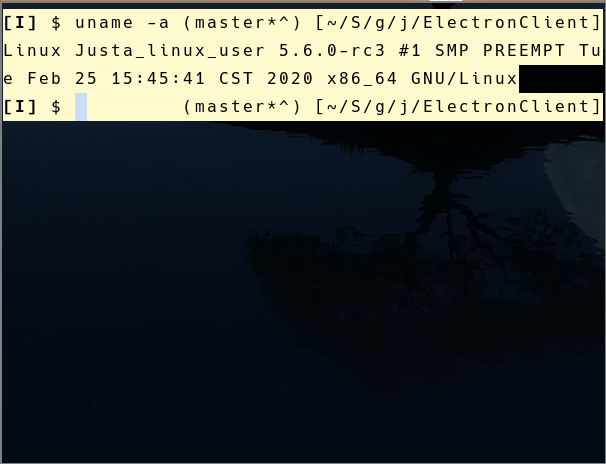
First test with 5.6.0-rc3:
- Build Joplin Master
- Start in debug mode with a clean $XDG_CONFIG_HOME/joplin-desktop
- Delete Welcome Notebooks
- Configure Sync service to my Webdav
- Beginning syncing files
All of these steps are a go right now. No issues so far.
Second test:
- Click Set the Password on Orange bar at top to decrypt Notebooks / Notes
- Wait for files to decrypt.
I've found that the bug often shows up during decryption since I have over 1200 items in my main Notebook. If you have a large number of notebooks and assets, this seems to be a really solid way to test for this issue.
bedwardly-down
on 25 Feb 2020
If anybody is up for it, here's a list of every commit made to the official linux kernel repository. Something that can be checked into is what commits were made that were shared by 5.5 and 5.6. If we can narrow that down, we can have a better idea of what to test for and also know what upstream bugs to look at.
If you click where it says Branch: master at the top and then select Tags, you can sort by specific kernel release.
bedwardly-down
on 25 Feb 2020
I'm on the bus to work and just had a thought: if the symptoms of this bug show up during Syncing and Decrypting along with the fs findings above, let's look into kernel commits that have fs in the name that are aren't specific to any one filesystem type. Most people will probably use ext4 since it's the standard but I'm on btrfs and xfs is still fairly common to use.
This could also mean it's not freezing during the network related parts of the process but the writing of data to the database (sqlite is involved with this) and / or reading and writing of assets to the disc.
bedwardly-down
on 26 Feb 2020
@lnicola and @bedwardly-down:
just curious, how did you find that unresolved promise? I imagine the debugger doesn't help here, since it's async code.
I don't have much experience with debugging Electron apps, so I just replaced the original line with something like
st = await fs.stat(path);
console.log(st);
const stat = await st;
so that I can observe the generated promises in the debugger console directly. You can even right click the printed promise and store it as a global variable and examine its properties in the console. You can try this method and see if the same things happen on your systems.
- the unresolved
fs.statis a red herring, and the issue is somewhere else (possibly in Joplin)
This is always possible. For example something else can be blocking the execution along will the fulfillment of the promise.
Ideally, "Cancel" would directly cancel the operation. I'm not sure whether how promise cancellation works in JavaScript, but there seems to be a
rejectmethod that can do it. This would make the application seem more responsive, and maybe even paper over the issue we see here.
I am not sure if there's a way to cancel a filesystem operation. But to temporarily work around the issue, I think we can rewrite async stat in a way that it will (1)create that promise, (2)check if it's resolved and print a message on the console, every x seconds and for at most y times, and (3)when time is up, either continue with the resolved promise or throw an error, so that we can debug or restart the synchronization. If this does not help (or we don't see messages printed on the console) we know the problem may be from elsewhere. I don't know if this is possible in node.js.
Anyway, I am still on 5.5.5 but am just unable to reproduce the bug for now. The freezes seem to happen at random...
hexclover
on 26 Feb 2020
@hexclover are you able to test the way i posted above in the 5.6.0 test area? You don't have to test the kernel versions but the rest. Always backup to a Jex file in case before performing it.
bedwardly-down
on 26 Feb 2020
@bedwardly-down Tested that just now (the sync-and-decrypt part). An unconfigured Joplin synced from my folder that contains 1000+ encrypted items successfully, but it started freezing during the decryption just as you reported -- this time my said debug code printed nothing suspicious.
I will comment if I have furthur findings later.
hexclover
on 26 Feb 2020
Thanks for checking that out, @hexclover. Mine was Webdav and yours was Filesystem, am I right?
bedwardly-down
on 26 Feb 2020
@bedwardly-down Yes, I sync with a local directory.
hexclover
on 26 Feb 2020
If you're able to look through and find where the decryption part hangs, that may give some clue about where the source of both issues is. I should be sleeping, but I'm looking through kernel changelogs and am testing a 5.5 commit revert that deals with something that sounds similar to what's happening here. I'll post my findings if anything comes of it.
bedwardly-down
on 26 Feb 2020
Also, the debug text for decrypting, syncing and various other tasks all print out "Scheduling sync operation..." when they are beginning before they perform anything major. I honestly feel that that's not good because that doesn't really tell anything about what's up if an issue arrises
bedwardly-down
on 26 Feb 2020
@hexclover, if you tail -f $XDG_CONFIG_HOME/joplin-desktop/log.txt while debug mode is on, do you get '2020-02-26 00:44:51: "DecryptionWorker: cannot start because state is "started"" ' when the decryption hangs and you try to click Synchronize again?
In fact, when it hangs, I've noticed that it consistently shows decrypting and then the log shows this:
2020-02-26 01:05:22: "DecryptionWorker: cannot start because state is "started""
2020-02-26 01:07:03: "Scheduling sync operation..."
2020-02-26 01:07:03: "Preparing scheduled sync"
2020-02-26 01:07:03: "Starting scheduled sync"
2020-02-26 01:07:04: "Scheduling sync operation..."
2020-02-26 01:07:04: "Preparing scheduled sync"
2020-02-26 01:07:04: "Starting scheduled sync"
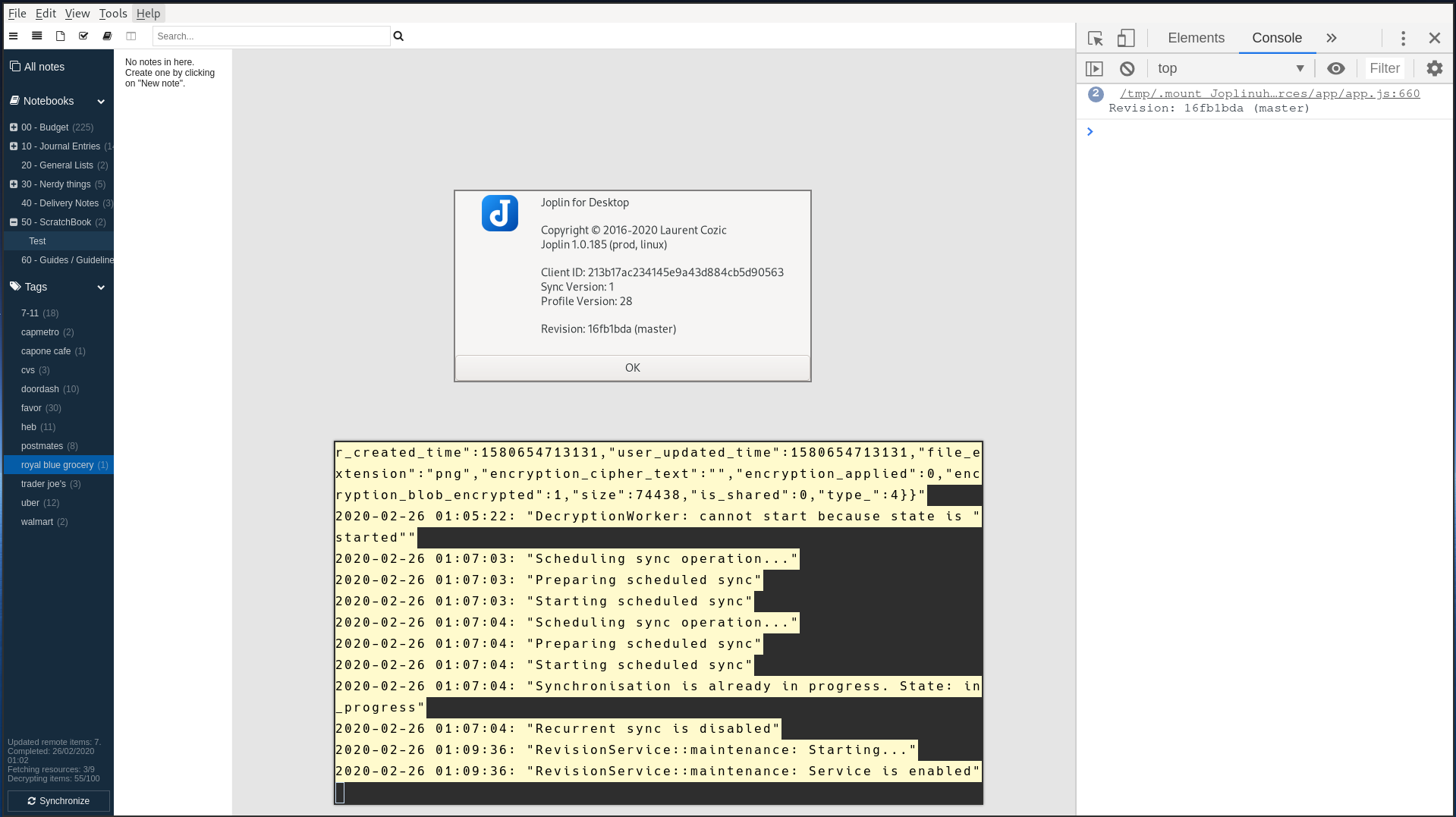
bedwardly-down
on 26 Feb 2020
@bedwardly-down I am not sure what you mean by "debug mode", but I guess it doesn't affect the log file, because I have lines like DecryptionWorker: cannot start because no master key is currently loaded. in it. I searched the whole log.txt but couldn't find any DecryptionWorker: cannot start because state is "started". And every click on the (frozen) Synchronization button generates these same messages:
2020-02-26 16:01:33: "Scheduling sync operation..."
2020-02-26 16:01:33: "Preparing scheduled sync"
2020-02-26 16:01:33: "Starting scheduled sync"
2020-02-26 16:01:33: "Synchronisation is already in progress. State: in_progress"
In addition, I tested for another couple of times, and found that hangs aren't restricted to syncs, at least on my system. Sometimes Joplin hung at synchronization stage, sometimes it could go to decryption, and also for many times it finished with no problem.
hexclover
on 26 Feb 2020
I have replaced the vanilla fs-driver-node.js (from release 1.0.179) with a patched version cluttered with console.log's that print promises before they are awaited. Now I found that the call causing (if it really does) the hang can be different every time, and maybe outside of this file (because I've recently experienced hangs without pending promises left on the console).
I also experimented with running small code snippets involving file operations in the console, for example
require('fs').stat('/tmp', (err, stats) => {console.log(stats);})
In a normal Joplin debug console this requires almost no time to finish and the status of /tmp is immediately printed on the screen. However in a hanging Joplin it takes forever before the callback function is called.
In addition, I remember succeeding in switching to dark theme in a "hanging" Joplin. It seems (please correct me) not to include file operations. So it sounds reasonable to me if the "hangs" are actually hangs of all filesystem-related APIs.
If @bedwardly-down or anyone else is interested in testing this, you can download the file below, but beware that it generates tons of debug messages and can consume a large amount of resources, and I don't guarantee that it does not introduce new bugs or harm your data, so make backups in advance.
hexclover
on 26 Feb 2020
@hexclover http://joplinapp.org/debugging
bedwardly-down
on 26 Feb 2020
In addition, I remember succeeding in switching to dark theme in a "hanging" Joplin. It seems (please correct me) not to include file operations. So it sounds reasonable to me if the "hangs" are actually hangs of all filesystem-related APIs.
Could you elaborate what you mean here? All filesystem-related APIs is pretty generic and would mean that all filesystem node modules are buggy and broken is how I'm reading this.
bedwardly-down
on 26 Feb 2020
@bedwardly-down Thank you, now I have many lines of DecryptionWorker: cannot start because state is "started" in my logs. Its last occurrence is like
2020-02-26 22:36:07: "DecryptionWorker: cannot start because state is "started""
2020-02-26 22:36:08: "Preparing scheduled sync"
2020-02-26 22:36:08: "Starting scheduled sync"
2020-02-26 22:37:03: "Scheduling sync operation..."
2020-02-26 22:37:03: "Preparing scheduled sync"
2020-02-26 22:37:03: "Starting scheduled sync"
2020-02-26 22:37:03: "Synchronisation is already in progress. State: in_progress"
2020-02-26 22:37:03: "Setting up recurrent sync with interval 300"
But its previous occurrences are usually followed by file-related lines, such as Sync: fetchingProcessed: Processing fetched item and Sync: createLocal. So I think it also got stuck at some I/O operations.
Could you elaborate what you mean here? All filesystem-related APIs is pretty generic and would mean that all filesystem node modules are buggy and broken is how I'm reading this.
Sorry, perhaps my wording is ambiguous. Basically, my assumption is that "Joplin being unresponsive" is because all the I/O operations (or the relevant node.js API calls, for example fs.stat) in the Joplin process have become unresponsive for some unknown reason, perhaps problems in Joplin, node modules or the Linux kernel, I don't know. But one possible reason (can be completely wrong, just to make my basic assumption clearer) I can come up with is that one of these I/O calls gets stuck, so other I/O operations in the Joplin process have to wait for it to complete -- it never will.
This assumption accounts for some of my observations. First, when Joplin hangs, some functions still work as normal, e.g. switching between themes and editing the currently opened note (although changes made will not get saved or be reflected in the preview); this is because these functions do not involve (or wait for) file operations. Second, the failure of the require('fs').stat experiment I mentioned in my previous comment (require('fs-extra')... produces the same result).
Sorry for the long post.
hexclover
on 26 Feb 2020
@hexclover
require('fs').stat('/tmp', (err, stats) => {console.log(stats);})
However in a hanging Joplin it takes forever before the callback function is called.
That's a great test, thanks. By "forever" do you mean that it takes a long time (e.g. minutes), or does it literally never finish?
One really strange thing. I wanted to say I can no longer reproduce this issue (incidentally, I'm on 5.5.6 now). But then I realized that it hangs for me, yet typing require('fs').stat('/tmp', (err, stats) => { console.log(stats); }) in the Developer Tools console allows it to make progress. Type it a couple of times and it finishes.
@bedwardly-down can you confirm this?
lnicola
on 26 Feb 2020
@hexclover the long post is fine. I was making sure that your information was detailed enough for others to be able to follow and use. Explaining it the way you did was perfect and makes sense.
To add to what you've posted, here's a full stack trace up to the point where the app hangs during decryption:
strace.txt
While using tail on it, I noticed that on decryption start for each note,
recvmsg(10, {msg_name=NULL, msg_namelen=0, msg_iov=[{iov_base="ZYGOTE_BOOT0", iov_len=13}], msg_iovlen=1, msg_control=[{cmsg_len=28, cmsg_level=SOL_SOCKET, cmsg_type=SCM_CREDENTIALS, cmsg_data={pid=32301, uid=1000, gid=1000}}], msg_controllen=32, msg_flags=0}, 0) = 12
or something similar would appear.
If anyone else wants to test this, you'll need to either extract the appimage or have the git repo downloaded and built have the ElectronClient/dist/linux-unpacked folder .
strace ./ElectronClient/dist/linux-unpacked/joplin --open-dev-tools --log-level debug &> strace.txtfrom the root directory- Open a floating terminal that can be placed over Joplin
cd joplin-git-repo directorytail -f strace.txt
And the fact that it's happening to Joplin when it's not being ran as an AppImage means it's most likely not FUSE or Virtual filesystem related in the kernel. If it was, using an extracted version wouldn't have thrown the error. FUSE is how AppImages are mounted and ran as virtual filesystems very similar to how Virtual Machines work.
bedwardly-down
on 26 Feb 2020
@lnicola give me a sec. I'm about to test that shortly
bedwardly-down
on 26 Feb 2020
Also, since work was very busy and I made enough yesterday, I can take at least part of if not all of the day off to work on this. My main tests and priorities today will be multiple kernel builds to try to pinpoint where the issue lies there since it showed up for both 5.5 and 5.6 for me.
So, @hexclover and @lnicola, I'll test what I can in between or during my own but I'll also let you two have at it along with whoever else wants to jump in that has some insight here. We're on a bit of a roll and we're going to get this figured out. :D
bedwardly-down
on 26 Feb 2020
@lnicola I tested using @hexclover's updated fs-driver-node.js on Linux 5.5.6-artix1-1 that just released this morning. Testing what you suggested, I'm getting this issue when I run that in the console
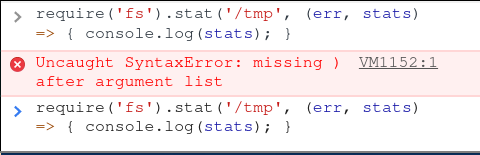
bedwardly-down
on 26 Feb 2020
@bedwardly-down sorry, I lost a closing bracket there, can you try again?
require('fs').stat('/tmp', (err, stats) => { console.log(stats); })
Bwahaha. I can't believe I missed that myself. Time to try again. :D
Also, @hexclover, I agree. This is amazing debug work. I love how it shows the Promise stats in the console.
bedwardly-down
on 26 Feb 2020
@lnicola I'm getting undefined and the app is hanging hard without that helping at all.
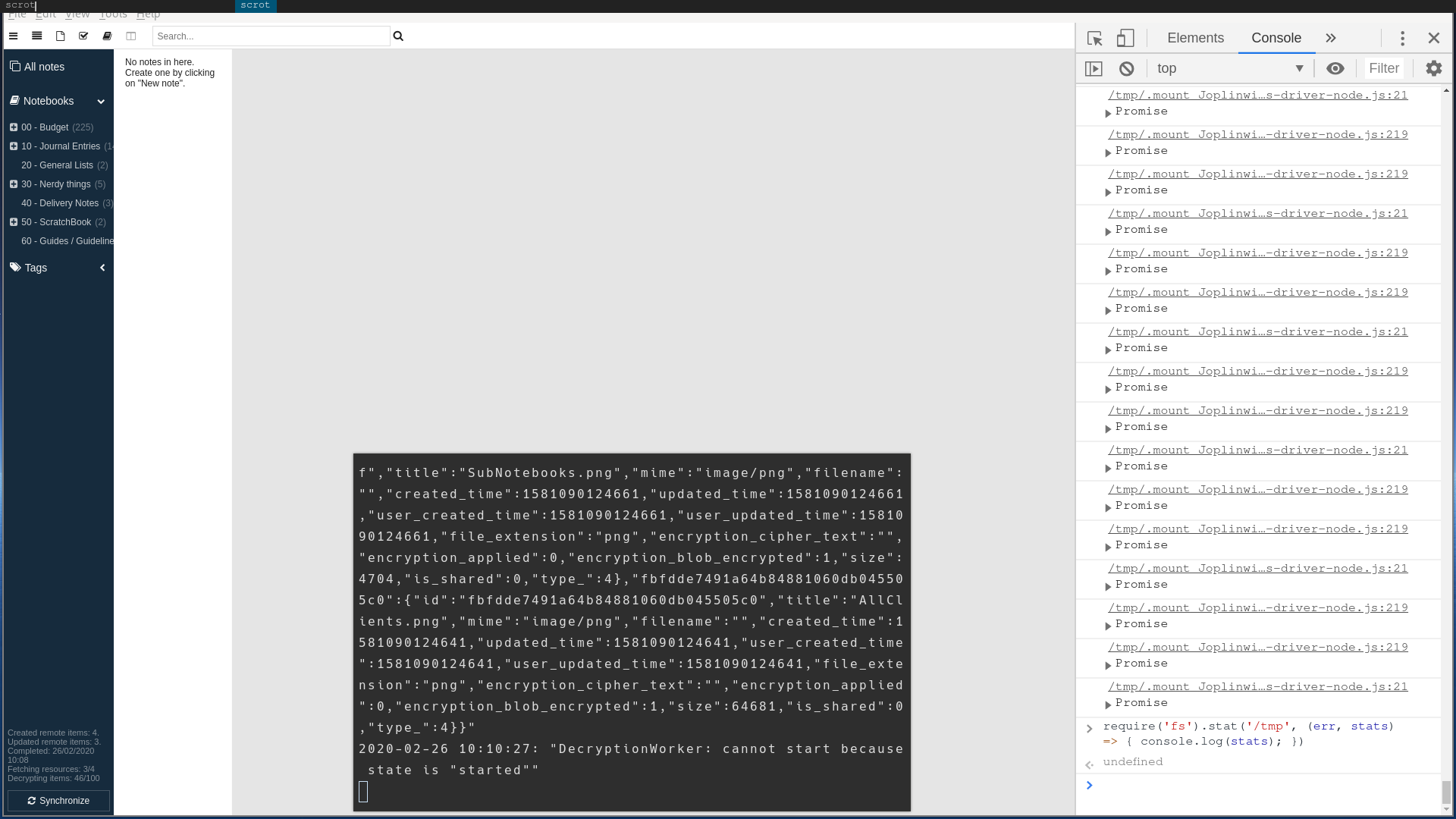
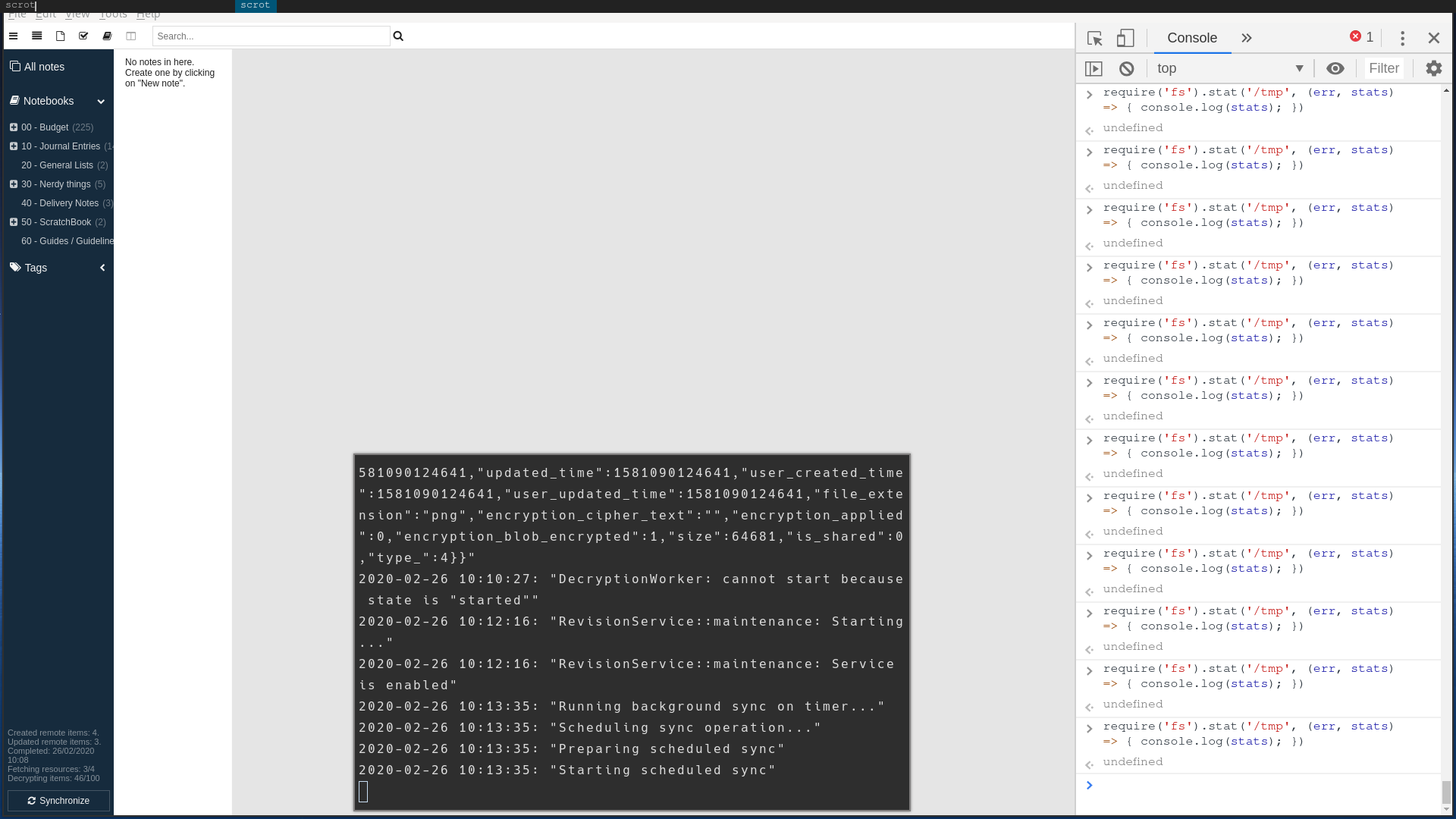
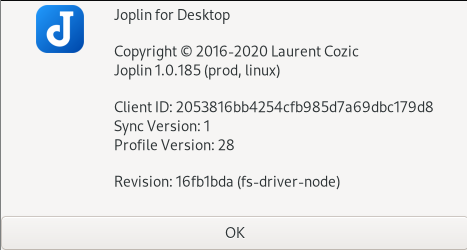
bedwardly-down
on 26 Feb 2020
Does that also happen in an unpatched build? undefined is fine, as the function doesn't return anything directly.
This is what I'm seeing:
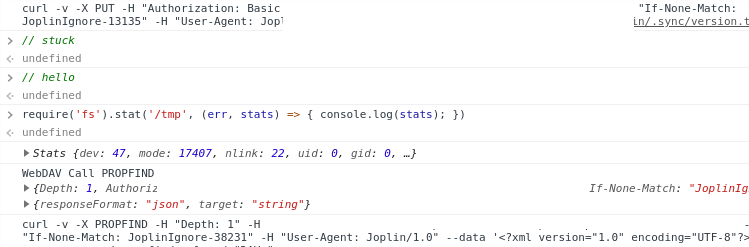
lnicola
on 26 Feb 2020
@lnicola are you using the Joplin API for that?
bedwardly-down
on 26 Feb 2020
Not sure what you mean. I'm using the official AppImage version with WebDAV sync.
lnicola
on 26 Feb 2020
Not sure what you mean. I'm using the official AppImage version with WebDAV sync.
Answered my question there. I'm not sure what you were testing there or how it would be usable to others, but here's what I was talking about.
Joplin has an official API that is useful for making tools and extensions (despite there not being an official plugin/extension system built in, yet).
bedwardly-down
on 26 Feb 2020
Also, the issue is still showing up on the unpatched version. It's currently hung at the last step of Decryption. Clicking Cancel is stuck on an infinite loop with your suggestion not solving the problem at all, although, I genuinely think the last part is a totally different bug related to Webdav but I still stand by my statement
bedwardly-down
on 26 Feb 2020
WebDAV isn't syncing at all on 5.4.22 lts kernel but Filesystem sync is working fine. Can anyone here verify that please? linux-lts-5.4.22-artix-1 officially dropped this morning in the repos.
I'm testing to see if whatever was pushed to kernel 5.5 was backported to 5.4 since it's a longterm stable release. If it was, it would help me narrow down the problem commit substantially.
bedwardly-down
on 26 Feb 2020
If anybody is up for it, here's a list of every commit made to the official linux kernel repository. Something that can be checked into is what commits were made that were shared by 5.5 and 5.6. If we can narrow that down, we can have a better idea of what to test for and also know what upstream bugs to look at.
It's not that simple, since for most of use those are really opaque and there's no way to revert random commits and still have it working. The normal approach here would be to use git bisect. It helps you do a binary search between two kernel versions, which is pretty efficient: you can e.g. find a bug across 16 000 commits in only 14 kernel recompiles.
In other news, I've written my first Node app:
const fs = require('fs-extra');
const path = require('path');
const walk = require('walk');

let files = [];
let promises = [];
let count = 0;

let walker = walk.walk(".");
walker.on("file", (root, fileStats, next) => {
    const p = path.join(root, fileStats.name);
    promises.push(fs.stat(p).then(s => count += 1));
    next();
});
walker.on("errors", (root, nodeStatsArrays, next) => {
    console.log("errors");
    next();
});
walker.on("end", async () => {
    let results = await Promise.all(promises);
    console.log(count);
});
The idea was to see if it hangs -- it's dog-slow, but it doesn't. Any insight would be appreciated.
lnicola
on 26 Feb 2020
Please tag me when/if there will be a repro against Node.js without any native dependencies.
ChALkeR
on 26 Feb 2020
It's not that simple, since for most of use those are really opaque and there's no way to revert random commits and still have it working. The normal approach here would be to use
git bisect. It helps you do a binary search between two kernel versions, which is pretty efficient: you can e.g. find a bug across 16 000 commits in only 14 kernel recompiles.
Fair point. Kernel work is a pain. Ha
Like I said, I'll keep digging through and trying to find the broken commit since the kernel is the only absolute in this whole shebang.
bedwardly-down
on 26 Feb 2020
Please tag me when/if there will be a repro against Node.js without any native dependencies.
I'm still not sure what you're asking for. Could you explain what you're looking to do? I asked above and you never replied.
bedwardly-down
on 26 Feb 2020
@bedwardly-down I'm still unsure how to reproduce this specific issue.
Is there a way to reliably reproduce it? What I meant in https://github.com/laurent22/joplin/issues/2518#issuecomment-590627103 -- if there is such a way (and it doesn't require Dropbox), then it should be fairly straightforward to build an automatic testcase on top of this repo (which just would repeat the actions required to observe the issue).
And then we can start taking chunks off, minimizing the testcase.
ChALkeR
on 26 Feb 2020
@ChALkeR only reproducible way that isn't a guarantee but matches your parameters is the Filesystem sync, from what I can tell. And the reason it isn't guaranteed is because it seems to happen most when actual syncing is involved. But I'm getting what you're getting at.
bedwardly-down
on 26 Feb 2020
@bedwardly-down if that is the case, perhaps stress-testing the code involved in syncing (i.e. creating from code a dir in /tmp with a bunch of files and calling sync multiple times automatically from the app) would expose this issue more reliably.
ChALkeR
on 26 Feb 2020
I'll leave this part up to you guys. I haven't used git bisect in forever, so I'm cracking down on that. I know @hexclover up above started something like that if you want to check it out.
bedwardly-down
on 26 Feb 2020
I did this:
1) Menu -> Help -> Enable devtools
2) { let i = 1000; let tick = () => { document.querySelector('a.synchronize-button').click(); if (--i > 0) requestAnimationFrame(tick)}; tick() }
3) { let i = 1000; let tick = () => { document.querySelector('a.synchronize-button').click(); if (--i > 0) setTimeout(tick, 50)}; tick() }
4) And I have a large file there. The sync was done to a local folder in /tmp/joplin though.
And I can't reproduce this issue. It consumes several cpu cores (due to a large file that I edited in process), but it doesn't hang.
Using 1.0.179 (AppImage) on Linux 5.5.4-arch1-1.
ChALkeR
on 27 Feb 2020
@ChALkeR have you done it with multiple notes and notebooks that have been synced, created and deleted? The issue doesn't seem to appear with only one note.
bedwardly-down
on 27 Feb 2020
@bedwardly-down Ah. I think I can reproduce it now.
The cpu consumption seems to be mostly caused by that arrow spinning.
ChALkeR
on 27 Feb 2020
I just found the first bad commit: It looks like a simple check for filesystems hanging when under load but probably not the main commit causing the issue here.
commit fd41e60331b13b8fb35cc5048185a46de98db77c
bedwardly-down
on 27 Feb 2020
And here I thought the 205 comments on this issue is a GitHub bug...
I'm also affected by the same issue, I think. I'll be looking forward to seeing what you wonderfully capable folk come up with! :)
 StanczakDominik
on 27 Feb 2020
StanczakDominik
on 27 Feb 2020
Just passing by to tell you that master still has the bug with kernel 5.5.6-arch1-1 on my system.
m-angelov
on 27 Feb 2020
And here I thought the 205 comments on this issue is a GitHub bug...
I'm also affected by the same issue, I think. I'll be looking forward to seeing what you wonderfully capable folk come up with! :)
I think we're going on record here for longest issue tracked in this repo. Welcome. If you have any insight, tests, or other things, feel free to join in. :)
I'm doing kernel tests due to this issue being heavily dependent on that one factor (5.4 is stable and functional while 5.5 and 5.6 both aren't). And everyone else active here is primarily either figuring out tests to improve this bug hunt, dissecting the code, or just giving updates on new kernel releases in their respective main repos.
Also, reverting that commit breaks the kernel 5.5 branch build. New git bisect ensuing at this moment to see if that commit was a fluke. If not, that's still a good starting point.
bedwardly-down
on 27 Feb 2020
@dimyself any way you could change the title of this bug report to something like:
Desktop: Joplin Freezing During Syncing and Decrypting On Linux Kernel 5.5+
That way we can keep other issues that are related to this from showing up in the bug tracker and have a better chance of all Linux users that are affected being able to help out here in whatever ways they can. This bug is no longer specific to any one Distro but multiple including some of the more mainstream ones like Ubuntu and Fedora. Thanks
bedwardly-down
on 27 Feb 2020
My second git bisect test isn't fully finished but now that I'm getting the hang of it again and have implemented ways to speed up the tests and building, it's looking like the first bad commit still stands; I'm down to 3 tests and it's one of them. It's also not an easy one to revert in a way that successfully builds, so after work, I'll start bisecting from that commit against 5.4 to see if i can find the next bad one.
Finding one that can be tested and reverted more easily that gets 5.5 and 5.6 to work better along with everyone that's testing their findings in the code means we can submit a better bug report upstream so this issue doesn't pop up in the future here if Joplin ever decides to upgrade to future Electron releases or some of its modules end up making changes that break things on Linux while not affecting the other platforms, it'll hopefully be in a better place for fixing them.
bedwardly-down
on 27 Feb 2020
I was having the same problem.
But after switching to the latest available lts kernel (5.4.22-1-lts) the bug didn't happen anymore.
 fabianski7
on 28 Feb 2020
fabianski7
on 28 Feb 2020
I was having the same problem.
But after switching to the latest available lts kernel (5.4.22-1-lts) the bug didn't happen anymore.
Thanks for that reply. That's currently the recommended way to fix the problem but isn't viable for every user and isn't a long term fix. You're more than welcome to help out in any way you're able to. ☺️
bedwardly-down
on 28 Feb 2020
Slightly bad news. I had to do a full reinstall this morning. Something in my system got corrupted after an update and it ended up breaking quite a bit but luckily most of my important stuff was backed up elsewhere and it didn't take too long to get back up and running. I'm heading to work, so it'll be later before i can resume my tests.
bedwardly-down
on 28 Feb 2020
For anyone else that wants to do kernel tests in the future, clang and ccache are amazing at speeding up test builds drastically. They're not recommended at all for main usage but i made enough today i can spend tomorrow cracking down further on it. We'll figure this all out. ☺️
bedwardly-down
on 29 Feb 2020
Alright, so I've found a faster, better way to test this and other similar bugs.
rm -rfv ~/.config/joplin-desktopmkdir -pv ~/Documents/Export- Load joplin however you may (preferably with debug turned on)
- Open Tools=>Options
- Set Synchronization to Filesystem
- Set filesystem to
/home/<your username>/Documents/Export - Start duplicating the Welcome Notes / Notebook until the app starts manually syncing (I made 1200 copies for my tests)
- If the bug is active, Synchronize on the bottom should freeze. If it doesn't and you're able to fully sync, you should be good
- You can also try to trigger it by mass deleting everything and wait for it
- Exit Joplin
rm -rfv ~/Documents/Export- Repeat Step 1 to reset settings
If everything is good, use Joplin like normal and set it to sync how you need it. If not, post a report here. We are working towards figuring this bug out. 🥰
bedwardly-down
on 1 Mar 2020
On a side note, are any of you students that are planning on participating in #gsoc-2020? If so, feel free to speak up and post an introduction on the forum. I've just been made a mentor so I'll definitely be willing to vouch for any of you that have been actively helping me here; just need this for official purposes and whatnot.
bedwardly-down
on 2 Mar 2020
Updates on my end:
The next bad commit was 537bd0a159a041fad72d257d755205cef77582e1. In simple terms, it was a group of commits that all dealt with how the terminal functions when there's no UI or Desktop enabled. Basically, the terminal when booting up before the pretty stuff appears.
bedwardly-down
on 2 Mar 2020
Alright, so I've found a faster, better way to test this and other similar bugs.
rm -rfv ~/.config/joplin-desktopmkdir -pv ~/Documents/Export- Load joplin however you may (preferably with debug turned on)
- Open Tools=>Options
- Set Synchronization to Filesystem
- Set filesystem to
/home/<your username>/Documents/Export- Start duplicating the Welcome Notes / Notebook until the app starts manually syncing (I made 1200 copies for my tests)
- If the bug is active, Synchronize on the bottom should freeze. If it doesn't and you're able to fully sync, you should be good
- You can also try to trigger it by mass deleting everything and wait for it
- Exit Joplin
rm -rfv ~/Documents/Export- Repeat Step 1 to reset settings
If everything is good, use Joplin like normal and set it to sync how you need it. If not, post a report here. We are working towards figuring this bug out. 🥰
@dimyself anyway you could link this up top or add it to original post? It seems to be the most solid way I've found to test this issue?
bedwardly-down
on 2 Mar 2020
I'm on what is possibly my last bisect test. What I'm finding in my tests is almost every bad commit was made early on in 5.5 development. What that means is even if we submitted a bug report upstream to the kernel, they most likely won't fix the issue since these are deep in the code. Also, the vast majority of the ones I'm finding are also major commits that make massive changes, so reverting them is pretty much impossible without killing 5.5. We'll see how things go with this last one this time. I think I only had one failure during this entire set of tests this round. so that one should be the bad commit here.
bedwardly-down
on 3 Mar 2020
This right here is definitely the bad commit: https://github.com/torvalds/linux/commit/05bd375b6bdede3748023e130990c9b6214fd46a .
It's also a massive merge that has come up twice in a row, so time to dig further into it. I'm testing from between the first commit in it to the last one, so this will hopefully be my final test. Thanks for your patience guys and even if this bug is already getting fixed upstream, this was definitely something I'm glad I did.
And if I'm reading the info at the bottom of the commit log, this one commit has been present in all kernel releases past 5.5-rc1, so it's definitely one that would be why 5.6 is showing the same issue.
bedwardly-down
on 3 Mar 2020
Also, that merge deals with this: https://cor3ntin.github.io/posts/iouring/
That fits what's happening with this issue and is very new to the kernel. That's exciting to me because this could be important. Ha
bedwardly-down
on 3 Mar 2020
I have good news:
I can officially verify with 100% certainty that this specific commit is the culprit behind this entire fiasco: https://github.com/torvalds/linux/commit/339ddb53d373baee6e7946aec17c739c4924d6d9 . It was suggested earlier here and on reddit, but I had to find out on my own through testing to make sure.
Node-sqlite3 module just added official Electron 8 support in its master branch, meaning upgrading to Electron 8 in the future should be a fairly safe bet, since this was the one module that Joplin uses that I was scared would break the most on upgrade. https://github.com/mapbox/node-sqlite3/commit/dc30669c45f791fd341792198ec261c9c92f9a6f
There is a bit of talk about this particular issue being fixed in the next official Electron 8 release (with a partial fix implemented in 8.0.3). I'm having problems finding the source here, though, so I could be terribly mistaken.
The bad news:
If you use the btrfs filesystem for your harddrives, I've found that on the latest 5.5 releases after reverting the epoll commit above, there's a chance that you won't be able to boot properly. It's a bit random when it happens, and I haven't figured out a set pattern yet, so no bug report ensuing upstream there.
There is no set release date or timeline that I can find for an official stable release to be deployed for Electron 8.0.4 or Node-Sqlite3 4.1.2 (or whatever they decide to use for versioning for that release).
There are two solutions to this problem that should fix the issue for most users here:
Revert to the latest Kernel 5.4 release (whether it be the LTS release from your distro's repos or a custom build if you know what you're doing with building your own kernel)
Cloning the official github repo, patching it to the latest kernel.org release, and reverting the above commit and running that kernel with the caveat above and the possibility of other issues arising.
bedwardly-down
on 4 Mar 2020
That's awesome work :-). Do you have a link to the for the Electron 8.0.3 and .4 discussion?
lnicola
on 4 Mar 2020
That's awesome work :-). Do you have a link to the for the Electron 8.0.3 and .4 discussion?
I'm trying to find it but am having issues. I'm almost certain I found it through my original reddit post, but could be terribly wrong there.
bedwardly-down
on 4 Mar 2020
Ah, so you mean https://github.com/electron/electron/issues/21415. It doesn't seem related, though.
lnicola
on 4 Mar 2020
@lnicola It's not the exact bug but this is the one where another dev upgraded to fix their own similar issues: https://github.com/vladimiry/ElectronMail/issues/253, but that one's also related to https://github.com/laurent22/joplin/issues/2507
bedwardly-down
on 4 Mar 2020
So, now, where do we go from here, guys? Any more updates on your ends?
bedwardly-down
on 4 Mar 2020
It also looks like this kernel commit issue has been addressed and a fix will eventually be coming to a future kernel release. The last message was under a week ago, so here's to hoping that the fix comes soon so those that need 5.5 for their systems can use Joplin without interruption.
bedwardly-down
on 5 Mar 2020
I just tested out 5.5.7. The issue is still there. I'm going to attempt to try it with Electron 8 and the latest Node-SQLite Master
bedwardly-down
on 5 Mar 2020
Definitely not fixed there. Grrr
bedwardly-down
on 5 Mar 2020
On Arch 5.5.7-1 here. Can confirm this kernel version still experiences the freeze.
Further, I noted this today under the synchronize button on joplin-desktop (unsure if this is related to the sync freeze or not):
Completed: 03/05/2020 07:21
Last error: Error: On file dbxxxxxxx[etc].md: Unknown type: 13
Sync status (synced items / total items)
Sync Status report doesn't indicate any error:
Note: 178/178
Folder: 35/35
Resource: 30/30
Tag: 0/0
NoteTag: 0/0
MasterKey: 0/0
Total: 243/243

Conflicted: 0
To delete: 0
I did look at the dbxxxxxxx[etc].md file and it has a bunch of odd garbage inside it:
title_diff: "@@ -0,0 +1,26 [deletedtext]\n"
body_diff: "@@ -0,0 +1,3237
 digdug999
on 5 Mar 2020
digdug999
on 5 Mar 2020
Welcome, @digdug999. The core kernel commit that's causing this issue deals with reading and writing data at indeterminate times. I think it'd probably be safe to assume that some data corruption could occur if this bug interrupts writing changes to notes, but I could be totally wrong. I'm not fully versed in the technical side of all of this. Haven't had any reports yet that say that this issue has caused major damage yet, so hopefully that stays that way.
Thanks for the report though. Artix hasn't updated to 5.5.7 yet, so I rolled my own kernel until it's officially released in the repos and then will probably do the same for 5.5.8
bedwardly-down
on 5 Mar 2020
Bug is still in 5.5.8 . Just seemed to take longer to hit this time. Bug fix still not in changelog
bedwardly-down
on 6 Mar 2020
I'm not sure if this is relevant or not, or if it has already been mentioned, but I found that clicking the Firefox Joplin Web Clipper released the freeze and would finish the synchronization as initially intended. Everything would then work as normal until Joplin tries to sync again (by either the timer in settings, or by manually clicking). And then again, clicking the Firefox extension would seemingly fix the immediate issue. And so on ...
I am using Arch Linux, and discovered Joplin apparently during this bug. I couldn't find mention of anyone else having the issue when I first looked into it, and thought it might be do to something on my end. I was very happy with the software overall, but do not currently have Joplin installed due to this bug. If you have any issues reproducing this, I am happy to reinstall and see if this is still the case.
Thanks to the Joplin team for great software, and to everyone working hard to help fix this issue.
 mginco
on 6 Mar 2020
mginco
on 6 Mar 2020
@mginco, when you say Firefox Web Clipper, are you meaning the extension? If you are, see here: https://github.com/laurent22/joplin/issues/2644 . And in terms of Linux bugs in general, it's super hard to find discussions like this unless you know where to look in the depths of the internet because, let's face it, most of us Linux enthusiasts rarely post our findings and bugs on official channels like here due to how difficult it is to get devs to care about them. Unless the devs themselves are users and have been for a good bit of time, Linux support can be super overwhelming and difficult to handle due to the massive amount of variations of pretty much everything across the platform.
bedwardly-down
on 6 Mar 2020
I have good news:
- I can officially verify with 100% certainty that this specific commit is the culprit behind this entire fiasco: torvalds/linux@339ddb5 . It was suggested earlier here and on reddit, but I had to find out on my own through testing to make sure.
- Node-sqlite3 module just added official Electron 8 support in its master branch, meaning upgrading to Electron 8 in the future should be a fairly safe bet, since this was the one module that Joplin uses that I was scared would break the most on upgrade. mapbox/node-sqlite3@dc30669
- There is a bit of talk about this particular issue being fixed in the next official Electron 8 release (with a partial fix implemented in 8.0.3). I'm having problems finding the source here, though, so I could be terribly mistaken.
The bad news:
- If you use the btrfs filesystem for your harddrives, I've found that on the latest 5.5 releases after reverting the epoll commit above, there's a chance that you won't be able to boot properly. It's a bit random when it happens, and I haven't figured out a set pattern yet, so no bug report ensuing upstream there.
- There is no set release date or timeline that I can find for an official stable release to be deployed for Electron 8.0.4 or Node-Sqlite3 4.1.2 (or whatever they decide to use for versioning for that release).
There are two solutions to this problem that should fix the issue for most users here:
- Revert to the latest Kernel 5.4 release (whether it be the LTS release from your distro's repos or a custom build if you know what you're doing with building your own kernel)
- Cloning the official github repo, patching it to the latest kernel.org release, and reverting the above commit and running that kernel with the caveat above and the possibility of other issues arising.
So this doesn't get lost when others come to report bugs here, @dimyself, can you either quote it in the original post or add a link to the forum clone I made of it here? Thanks
bedwardly-down
on 6 Mar 2020
Fedora user here piping in: I started seeing the same problem after rebooting to kernel 5.5+
 jovandeginste
on 8 Mar 2020
jovandeginste
on 8 Mar 2020
And for good measure, just rebooted to the (still installed) 5.4, and the problem was not reproducible
jovandeginste
on 8 Mar 2020
Just to let you know - problem exists with Joplin 1.0.193 and kernel 5.5.8
hpfmn
on 9 Mar 2020
@bedwardly-down electron 8.1.0 is released. Do you know if the bug is fixed there? Than I could give building 1.0.193 with electron 8.1.0 a try.
hpfmn
on 9 Mar 2020
@jovandeginste and @hpfmn thanks for the updates guys. It'll be easy to test that out and all testing is welcome.
bedwardly-down
on 9 Mar 2020
Bug is still showing in Electron 8.1.0. What are you all showing?
bedwardly-down
on 9 Mar 2020
Bug is still showing in Electron 8.1.0. What are you all showing?
Same here
hpfmn
on 9 Mar 2020
@bedwardly-down what exactly can I do to help? I have no idea how to "build" this project...
jovandeginste
on 10 Mar 2020
Kernel 5.5.7-arch1-1, Joplin master branch (1.0.193) - bug is still present.
@bedwardly-down I was intrigued by @mginco's mention of the web clipper and tried it out. I'm not using it, so the service was not enabled in my Joplin. What I did:
- Trigger the bug and leave it spinning on "Syncing..."
- Go to Options -> Web Clipper and enable the service
- Return to the main screen and see that the sync operation finishes and the bug is resolved
- Trigger the bug again (without closing Joplin)
- Go to Options -> Web Clipper and disable the service
- Again the bug is resolved and the sync is done
I don't have much time to help, and it's going to stay like that for a while, but I check how things are moving when I can.
Edit: the issue persists with kernel 5.5.8, but the trick with toggling (enable, then disable) the web clipper service is working.
m-angelov
on 10 Mar 2020
Webclipper is backup on Firefox. 5.5.9 also just dropped with the fix not being implemented yet. Grrr
bedwardly-down
on 12 Mar 2020
@bedwardly-down https://patchwork.kernel.org/patch/11382655/ still shows as "NEW", so it's going to take a while for this to be fixed.
lnicola
on 12 Mar 2020
@bedwardly-down https://patchwork.kernel.org/patch/11382655/ still shows as "NEW", so it's going to take a while for this to be fixed.
did you try this patch? I'm currently building a kernel to try it out :)
hpfmn
on 12 Mar 2020
@lnicola thanks. That’s definitely what I expected. The kernel maintainers take months or even years to implement some of these fixes.
@bedwardly-down https://patchwork.kernel.org/patch/11382655/ still shows as "NEW", so it's going to take a while for this to be fixed.
did you try this patch? I'm currently building a kernel to try it out :)
I haven’t yet. I just got notified during work and have been running on a reverted kernel so far, but can’t wait to hear your results.
bedwardly-down
on 12 Mar 2020
I wish I could help more, but since I have very limited knowledge, I just wanted to share that on 5.5.8-arch1-1 running version 1.0.193, it's even more broken than before. I can squezze one sync before the whole thing freeze. I was using version 179 appimage for the last little while and it was not perfect, but I could get about 10 minutes work before it crashed.
I feel bad because I want to help but I can't even follow the discussion you guys are having. I love this app but this is making everything really hard. I have brushed up my old macbook and work on there for the time being.
Anything I can do to help that is simple I am willing!
Thanks a lot for everyone involved in this.
matcharles
on 19 Mar 2020
5.5.10-arch1-1 still has the same issue. Opening the joplin web clipper in Firefox does indeed fix the issue.
I am using file system sync with syncthing handling the actual networked synchronization, like @yewwayne @matcharles
I built a kernel with this patch applied, but the problem still persists. I think the hangup seems to happen less often with the patch applied, but it's hard to tell. With the patch applied, synchronizing seems to work fine when the note has been changed, but if I try to synchronize about 3-4 times without making changes, the synchronization hangs.
If somebody else on Arch wants to try the kernel I built, I can provide the package archives. This is the first kernel I've patched, so there is a chance that I messed something up. makepkg reported applying the patch, though, and the source file shows the changes, so I'm pretty sure the patch got compiled in.
I guess for now I'll just settle on using the LTS kernel.
 tvannoy
on 22 Mar 2020
tvannoy
on 22 Mar 2020
Don’t share custom kernels, @tvannoy . It’s not a good thing for anyone because every system is different and won’t need the same modules. This also isn’t Arch Specific but kernel specific. I need to test that patch myself, though, just have been mostly busy with the virus stuff, my roommates, work and helping out with GSoC. Ha
Also, when you say Package Archives, are you referring to the PkgBuild or what?
bedwardly-down
on 22 Mar 2020
@bedwardly-down good point; I was referring to the tar.xz files, but the PKGBUILD would be more useful since that isn't so system-specific. But of course the PKGBUILD isn't useful for people on other distros.
It'd be interesting to try that kernel patch along with Electron 8.
tvannoy
on 22 Mar 2020
I experienced with this problem too until I found this issue on Github at here. I'm using Arch Linux with XFCE4 too, my solution is copy my current edit content then quit and re-open Joplin again. Since several recently version, it's happening frequently, I tried to debug but not found any valuable information. May I guess the GUI is main problem because I tried to disconnect from sync, just use Jopline as standalone software, but this problem still happened.
I know my comment hasn't much information but I want to confirm this problem on Arch Linux.
Note: Joplin on Windows 10 is working flawlessly.
 Narga
on 23 Mar 2020
Narga
on 23 Mar 2020
@Narga
You can use linux-lts as kernel (5.4.x is fairly recent too). Fixes the problem for the moment.
 nshtg
on 23 Mar 2020
nshtg
on 23 Mar 2020
The enable-disable web clipper trick still works for me.
m-angelov
on 23 Mar 2020
The enable-disable web clipper trick still works for me.
Does that work only with firefox or chrome based browsers too?
bedwardly-down
on 23 Mar 2020
@bedwardly-down that's the thing - I don't use any browser extension. I just enable-disable the service in Joplin. See this video and it should be clear what I'm doing: https://my.pcloud.com/publink/show?code=XZPh8MkZyOJogIQdym0fjtsTHsQAsLI5wK6k
m-angelov
on 23 Mar 2020
I see. That's pretty interesting @m-angelov . I wonder what would cause that to be a viable fix and if that's the only thing that can be done to fix it. Hmmm
I can also verify that that works. Thanks for sharing. :D
bedwardly-down
on 24 Mar 2020
@bedwardly-down that's the thing - I don't use any browser extension. I just enable-disable the service in Joplin. See this video and it should be clear what I'm doing: https://my.pcloud.com/publink/show?code=XZPh8MkZyOJogIQdym0fjtsTHsQAsLI5wK6k
Same here.
wisp3rwind
on 24 Mar 2020
What I'm noticing from just a visual standpoint: Web-Clipper Enable / Disable seems to reset Electron's rendering. Have you noticed that the UI and everything flashes before getting back to normal function?
bedwardly-down
on 24 Mar 2020
If it reloads the UI, it might explain why it fixes the issue.
lnicola
on 24 Mar 2020
So is this a bug in electron, then?
 fireglow
on 24 Mar 2020
fireglow
on 24 Mar 2020
I'm not looking at it from the code but yes, @lnicola
It's most definitely Electron, @fireglow. If the patch listed earlier that is supposed to be getting pushed to the Kernel isn't working like suggested above, this could be the only other fix for the time being.
bedwardly-down
on 24 Mar 2020
As far as I can tell, this was caused by some kernel changes that might have been buggy. They're pretty low-level, but they might manifest in lost wakeups in applications, so we're talking about an interaction between the kernel, Node and Electron.
There is an kernel patch that might help. It's not merged yet (maybe it slipped between the cracks?), and someone reported it didn't fix the issue.
lnicola
on 24 Mar 2020
@bedwardly-down @lnicola okay, thank you for summarizing
fireglow
on 24 Mar 2020
Like I've said before, it may be a good while if at all before this patch gets merged and it might not even fix the issue. I also know that with everything going on with GSoC and the dev team's priorities for Joplin, a Linux bug like this is not a priority for them at all. Since it only affects us and is an upstream bug, most likely if someone were to make a Reset UI option in a PR, it probably won't get merged anytime soon.
For the next three or so months, most fixes are going to be critical ones, new features that the community have been asking for, and student project stuff.
bedwardly-down
on 24 Mar 2020
I've been using joplin for a few hours with the latest kernel version available for archlinux (5.5.13-arch2-1) and so far this problem hasn't happened.
Before, I was using the LTS version.
fabianski7
on 1 Apr 2020
It’s not happening on all systems but does happen on quite a few. I haven’t tested it on 5.5.13 yet.
Here’s the changelog: https://cdn.kernel.org/pub/linux/kernel/v5.x/ChangeLog-5.5.13
It’s one of the smallest kernel ones I’ve seen but i wonder if the busy work includes epoll stuff since that is a part of the sync_state() stuff, me thinks.
bedwardly-down
on 1 Apr 2020
Today I got 5.5.13 and unfortunately the bug is still persisting on my system.
m-angelov
on 1 Apr 2020
Also, depending on how things go, 5.6 just officially released, which means 5.5 may soon become the LTS release.
bedwardly-down
on 1 Apr 2020
@m-angelov @lnicola what do you guys think about me looking into getting a non-Electron-based Linux build project going? If 5.5 were to become the LTS and / or mainline kernel and these issues just keep popping up, attempting to remove Electron altogether while making sure all of the other features are still functional might be the best option.
bedwardly-down
on 2 Apr 2020
@bedwardly-down I'm not sure what the alternative is. Does Joplin have a web version that can run in a browser? One solution for a port would be to spawn a server and display the application in a web view, kind of like an "Electron lite" approach. But I don't think it's really feasible, and at that point it might not even be Joplin anymore.
lnicola
on 2 Apr 2020
@lnicola there's this unofficial project: https://github.com/foxmask/joplin-web
I set it up but found too slow to use and I do not even have too many notes. But to be fair it was running on raspberry pi so that might have contributed too.
 roman-r-m
on 2 Apr 2020
roman-r-m
on 2 Apr 2020
@bedwardly-down I'm not sure what the alternative is. Does Joplin have a web version that can run in a browser? One solution for a port would be to spawn a server and display the application in a web view, kind of like an "Electron lite" approach. But I don't think it's really feasible, and at that point it might not even be Joplin anymore.
Not the web version or “electron lite.” There are other languages that compile native binaries for all platforms that would require porting large chunks of Joplin’s code base out of JavaScript and ReactJs but can also take the parts that aren’t fully portable in their current state in a plugin sort of way.
bedwardly-down
on 2 Apr 2020
I met the same scene when I doing re-encrypt the whole notebooks (15621 notes, 55611 items).
even after I changed the webdav server to a nginx running on a LAN linux, the sync is still slow, it stop after syned 100 items and sleep for several minutes , meanwhile there is no access log on nginx, then it go on syncing.
I was running Arch Linux with kernel=5.5.13.arch2-1.
After seem this issue, I switch to linux-lts=5.4.28-2, it works much faster.
 userid
on 2 Apr 2020
userid
on 2 Apr 2020
The Haxe language is an alternative that was created around the same time as many other web development languages when Adobe dropped support for Actionscript with Flash. One of the core benefits to the language is that it's compilable to C++ and other languages depending on what libraries are used and how they are written. It defaults to compiling to Javascript and most libraries are fully compatible.
bedwardly-down
on 2 Apr 2020
@bedwardly-down I'd support creating a native Linux build if that's what this ends up coming down to. It seems like the issue is likely an upstream issue, though; it's hard to say if finding and fixing things upstream would take more time than porting Joplin to something that isn't Electron-based.
tvannoy
on 2 Apr 2020
@tvannoy very true. The biggest issue here would be how big the codebase is for Joplin vs how many people could put time and energy into porting. I have this fear that if Electron were to drop Linux support, Joplin would follow suit. The latest Apple releases are making Joplin support on Macs and iOS devices even more difficult, so I would not be surprised on anything.
In other news, I was just made an official member of the Joplin Team: https://discourse.joplinapp.org/g/Team
bedwardly-down
on 2 Apr 2020
Since my city is in lockdown, I'm going to mess around a bit with Haxe to see if maybe I can start porting small Joplin components and how viable it could be. I don't think there's any harm in that, and I personally have this weird thing with learning how things work by not following the established routes.
bedwardly-down
on 3 Apr 2020
a native version would be a thousand times better than electron. I've tried QownNotes, but I found its operation quite confusing, its interface is quite messy.
fabianski7
on 3 Apr 2020
I did some basic testing last night and Haxe’s native SQLite implementation is pretty easy to work with and basic porting of how Joplin saves its information should be fairly simple. The exact encryption libraries Joplin uses have been fully ported and are actively being developed and maintained. The actual editor and UI would probably have to be fully written from scratch.
bedwardly-down
on 3 Apr 2020
The actual editor and UI would probably have to be fully written from scratch.
If this goes through, it would probably be a good opportunity to revamp parts of the UI, which I think was already being considered.
 anihm136
on 3 Apr 2020
anihm136
on 3 Apr 2020
Welcome. This would not be an officially supported project for Joplin but a what if thing that I’d like to see start.
bedwardly-down
on 3 Apr 2020
I find this talk of native version very welcome, because to be fair I was always a bit dubious about Electron apps, but was feeling that I'll be proclaimed as a heretic here and given the boot :)
Unfortunately I won't be of much use with the coding, except if you need some basic python done. But I am very much up for testing and general kicking around of ideas, so thank you for picking this up.
m-angelov
on 3 Apr 2020
Thanks for the kind words. Got any thoughts on what something like this would entail?
bedwardly-down
on 3 Apr 2020
If anyone is interested in discussing this further, I’ve got a forum post going about moving to native. With the current codebase, it seems Laurent, the lead dev, could be open to the idea of using something like QT.
bedwardly-down
on 5 Apr 2020
As a new, now-ex, linux Joplin user, I no longer have a dog in this race, but here's my feedback for what it's worth.
This was a surreal ticket to read. Here's my breakdown.
Problem: Joplin sporadically freezes when running on linux Kernel 5.5.
Potential causes:
- There's a bug in the kernel that is breaking Joplin/Electron/Node.
- There's a bug in Electron/Node that was exposed by a kernel change, which is breaking Joplin.
- There's a bug in Joplin that was exposed by a kernel change.
The vast majority of this lenghty ticket presupposes that the kernel change was a bug. This could very well be true, but isn't necessarily true. It's equally possible, if not more likely, that there was a kernel behaviour change that was intentional that is exposing a pre-existing problem downstream (Node, Electron, Joplin...).
Do I know one way or the other? No. It really could be any of those options. But, what I can say is that if there was a bug in the kernel I would expect a lot of applications to be broken. Similarly, if it was a Node or an Electron bug that was exposed by the kernel change, I would expect to see a lot of applications broken. However, when I looked around, I was unable to find any evidence of a widespread issue. It's more or less just this ticket, which points to it actually being a Joplin bug.
Is it necessarily a Joplin bug? No, certainly not. I just think it is wrong to assume that the problem is with an upstream dependency when there is little evidence of any other applications experiencing similar issues.
 pwinckles
on 17 Apr 2020
pwinckles
on 17 Apr 2020
there was a kernel behaviour change that was intentional that is exposing a pre-existing problem downstream
This is what was happening with Dart dev tools stuff. I was not yet able to find the similar bug placed in Node's issue tracker.
 vladimiry
on 17 Apr 2020
vladimiry
on 17 Apr 2020
This issue affects kernel 5.6 aswell.
nshtg
on 17 Apr 2020
@pwinckles, very interesting and well thought out proposition. I can definitely see that, but also think it could be that the underlying issues with Electron and Dart could have been designed that way to compensate for the Linux kernel’s own problematic code.
The changed code was deliberately done as such with the simple reason being that the previous implementation was unnecessary. For some reason, Electron built itself around that unnecessary implementation and the kernel is the only commonality we all have found so far outside of Electron itself.
bedwardly-down
on 17 Apr 2020
I'm seeing this bug on Fedora 31 (5.5.17). I've been using Joplin for a long time, and confirm this is a relatively new problem (couple months?). Sorry I don't know how to help debug it. A rewrite in QT would be cool, but a big project that would probably be worse for a long time (forever?). Just my thought on that.
Has anyone figured out where the bug actually occurs? Seems like if I edit my notes with an external editor I don't see the problem, but maybe I just haven't used it enough since I thought of trying that.
 mtballday
on 20 Apr 2020
mtballday
on 20 Apr 2020
@mtballday, I'm assuming you mean where the bug is in the Joplin code, right? There was a bit of code work early on here but because I was insistent on finding out where the actual issue was upstream instead of focusing directly on Joplin's code, that died out pretty quickly. Also, implementing a fix in Joplin, even if we were to present one, is not a priority for the dev team. The consent is to let Electron and the Linux Kernel figure it out upstream since it's not affecting any other platforms. :/
bedwardly-down
on 20 Apr 2020
I wanted to mention that the bug is still present in my freshly updated Fedora 32:
- kernel:
5.6.2-301.fc32.x86_64 - joplin:
Joplin 1.0.201 (prod, linux)

Client ID: 46f19614d6ff46b1a3b2f06ec18b10a0
Sync Version: 1
Profile Version: 28
@jovandeginste : Thanks for posting that, I was thinking of upgrading to 32 just to see.
mtballday
on 20 Apr 2020
The original poster of this issue I believe is no longer available, but there have been some workarounds scattered throughout that I’ve tried getting posted in the opening post. Due to reports coming in, they’re getting lost.
bedwardly-down
on 20 Apr 2020
Hi there,
I have a similar issue, the GUI application freezes, except it happens also if I don't press the sync button. Should I open another issue for this?
I use Manjaro GNOME on Kernel 5.5. The CLI version works just fine. The Windows 10 version also works fine.
The freez happens often already after a few seconds, sometimes a little longer.
 Dave-van-der-Meer
on 20 Apr 2020
Dave-van-der-Meer
on 20 Apr 2020
@Dave-van-der-Meer, you’re fine here. It’s easiest to reproduce it manually syncing, but it happens without user input too.
bedwardly-down
on 20 Apr 2020
An solution for this issue? It is very annoying and disrupting the workflow. I would hate to switch to another application just because of this issue.
Dave-van-der-Meer
on 20 Apr 2020
@Dave-van-der-Meer Switch to 5.4-LTS kernel.
nshtg
on 20 Apr 2020
@Dave-van-der-Meer, there’s no direct fixes for Joplin itself without pretty much rewriting the app from scratch in another framework altogether.
If you are able to install the Linux-lts kernel and reboot into it, that should fix the issue until the Electron and Linux Kernel devs get their selves sorted. If you must use 5.5 or 5.6, enabling and disabling the WebClipper plugin in Joplin’s settings has been known to get it working again.
bedwardly-down
on 20 Apr 2020
Switch to 5.4-LTS kernel.
Cool, if this fixes the issue, that would be great. I will try that. Thanks for the advice.
Shouldn't this issue then be marked as solved if downgrading the kernel would help?
Dave-van-der-Meer
on 20 Apr 2020
Switch to 5.4-LTS kernel.
Cool, if this fixes the issue, that would be great. I will try that. Thanks for the advice.
Shouldn't this issue then be marked as solved if downgrading the kernel would help?
I need to get Laurent to give me permissions for this issue. I’m the main maintainer of this issue and it’s being kept open because the issue actually isn’t fixed and every so often, me and a few other people will test newer releases or other things we’ve discovered.
Downgrading the kernel is a bandaid fix but not everyone can do that.
bedwardly-down
on 20 Apr 2020
I’ve been given the ability to edit and update this issue now. For the sake of sanity and making this issue more maintainable, I’m planning on closing it out and starting a new bug report with updated testing information and fixes. What do you all think? This issue report is massive and getting the original post to be more informative and useful, it’ll take a bit of work. ;)
bedwardly-down
on 21 Apr 2020
It may be worth noting that the terminal version of joplin appears to be unaffected by the sync issues. An obvious point (terminal not using electron), but I'll post this before the issue closes, in case this helps someone. The terminal version is very useful, (especially once keys are remapped). Feel free to delete this, if it's improper/unwelcome (thanks for your hard work, devs!)
digdug999
on 21 Apr 2020
Shouldn't this issue then be marked as solved if downgrading the kernel would help?
I'n my opinion that's a big fat no. The latest stable kernel of linux should be supported by any linux app. I'm pretty sure the bug is with electron or joplin und not the kernel.
nshtg
on 21 Apr 2020
I'n my opinion that's a big fat no. The latest stable kernel of linux should be supported by any linux app. I'm pretty sure the bug is with electron or joplin und not the kernel.
I guess you are true. As bedwardly-down was stating, some people can't downgrade their Kernel (for me, 4.19 is not working) and indeed, the latest Kernels should be supported. I could imagine that the bug lies within Electron or Joplin indeed.
With Kernel 5.4, it seems now to work for me at least. For now it is a work-around but not a fix. I hope this will be fixed propperly soon.
Dave-van-der-Meer
on 21 Apr 2020
The new Bug Report is up and running. If you have any suggestions, please feel free to comment there. New reports can go there, and hopefully, there's enough information there to allow users to work this out. :D
bedwardly-down
on 21 Apr 2020
Related issues
 alexanderadam
·
3Comments
alexanderadam
·
3Comments
 yschutz
·
3Comments
yschutz
·
3Comments
 hakim89
·
3Comments
hakim89
·
3Comments
 jurgenhaas
·
3Comments
jurgenhaas
·
3Comments
 jmcastagnetto
·
3Comments
jmcastagnetto
·
3Comments
Most helpful comment
@tvannoy very true. The biggest issue here would be how big the codebase is for Joplin vs how many people could put time and energy into porting. I have this fear that if Electron were to drop Linux support, Joplin would follow suit. The latest Apple releases are making Joplin support on Macs and iOS devices even more difficult, so I would not be surprised on anything.
In other news, I was just made an official member of the Joplin Team: https://discourse.joplinapp.org/g/Team