I tried to install Joplin using every possible method.
Everything installed correctly but when I launch Joplin I got the following error:
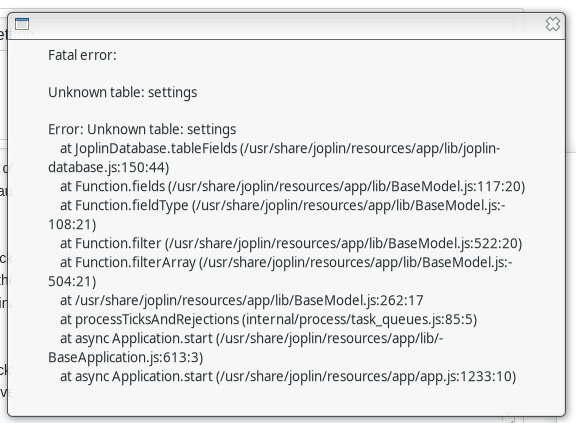
I tried to install older version same result.
Any idea?
Step to reproduce
- Install Joplin
- Launch Joplin
Environment
Joplin version: 1.0.179, 1.0.178, 1.0.177
Platform: Linux
OS specifcs: Manjaro, kernel: 5.5.0
Describe what you expected to happen:
Joplin should launch without error.
 Cybernemo
All 3 comments
Did you try the AppImage?
 laurent22
on 4 Feb 2020
laurent22
on 4 Feb 2020
You should be using the forum for support requests, you might actually get more help over there. It seems your profile is broken, so try to delete ~/.config/joplin-desktop and start the AppImage again.
laurent22
on 4 Feb 2020
You should be using the forum for support requests, you might actually get more help over there. It seems your profile is broken, so try to delete ~/.config/joplin-desktop and start the AppImage again.
Deleting the mentioned folder worked for me (I'm using Arch Linux) :+1:
 Dodoveloper
on 9 Feb 2020
Dodoveloper
on 9 Feb 2020
Related issues
 Rahulm2310
·
3Comments
Rahulm2310
·
3Comments
 LifeIsAParadox
·
3Comments
LifeIsAParadox
·
3Comments
 SpekulacjeTV
·
3Comments
SpekulacjeTV
·
3Comments
 xfrose
·
3Comments
xfrose
·
3Comments
 hakim89
·
3Comments
hakim89
·
3Comments