Jitsi-meet: Suggest participants to set their name
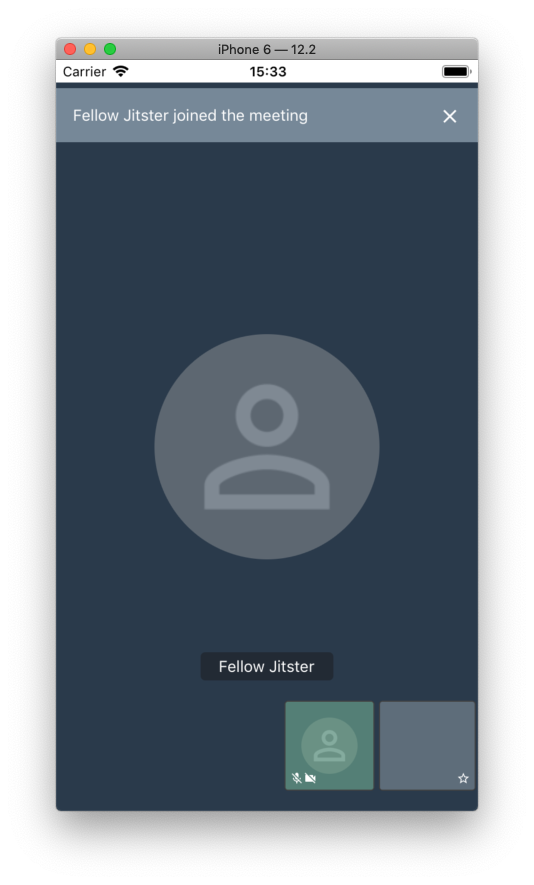
Currently users join with a default name of "Fellow Jitster".
It looks like everybody misses that they can really have a name.
I suggest:
1) Make "rename me" user-visible.
2) Randomize default usernames so user names look funny
 vlsi
vlsi
All 20 comments
Hello,
is there any solution for above I'm also looking for some solution for this.
Looking forward to hear from you.
Thanks,
Ankit
 ankathiriya
on 4 Oct 2019
ankathiriya
on 4 Oct 2019
If you are using your own deployment you can toggle this option: https://github.com/jitsi/jitsi-meet/blob/bb0036fdabd0cb8f4fc127acd50d98a17f06d894/config.js#L248
It's unlikely we ever turn it on for meet.jit.si, since we want people to remain anonymous, should they want to.
 saghul
on 4 Oct 2019
saghul
on 4 Oct 2019
Thanks for your reply.
But is there any way to do in iOS SDk?
As we are going to use Jitsi for native android and iOS app.
Looking forward to hear from you.
ankathiriya
on 4 Oct 2019
This is not a web thing. It's part of the deployment. The mobile app will read config.js and act accordingly.
saghul
on 4 Oct 2019
Thanks @saghul for quick response.
Is there any doc for same . So I can follow same.and how can I read config.js file in my app ?
Your response will help full for me.
ankathiriya
on 4 Oct 2019
Not sure I follow. If you use the SDK as is, it will have https://meet.jit.si as the default server, so https://meet.jit.si/config.js will be used. If you set your own server (check the android and ios READMEs, they show how to change the server) then your own config file will be used and then it's up to you what values to set.
saghul
on 4 Oct 2019
okay thanks @saghul
let me apply same to my side and server side.
ankathiriya
on 4 Oct 2019
Hello @saghul
as per your suggestion we did update config file to hide text like "Fello Jitster".
But still its not working.You can check my config file from this link
Let me know if we need to make any further changes.Looking forward to hear from you.
Thanks.
ankathiriya
on 15 Oct 2019
I still see requireDisplayName set to false.
saghul
on 15 Oct 2019
@saghul again I wants to confirm with you that to hide that text we need to set it "true" ?
ankathiriya
on 15 Oct 2019
Hello @saghul
I checked it with true and false both and its not working at all.
let options = JitsiMeetConferenceOptions.fromBuilder { (builder) in
builder.welcomePageEnabled = false
builder.serverURL = URL.init(string: "https://video.kanonhealth.com/")
builder.room = self.strRoomID
builder.audioOnly = false
builder.subject = APPNAME
builder.userInfo?.displayName = UserDefaultManager.getStringFromUserDefaults(key: kAppUserName)
builder.setFeatureFlag("chat.enabled", withBoolean: false)
}
please check my code and let me know if I'm making any mistakes in that.
ankathiriya
on 15 Oct 2019
I think I misunderstood. Setting that to true should request the user to enter a name upon joining, it won't magically hide the test.
If you are passing the display name in userInfo, however, that one should be the one used. Is this not working for you?
saghul
on 15 Oct 2019
@saghul no its not working at all :(
ankathiriya
on 15 Oct 2019
Can you confirm builder.userInfo is not null? What does UserDefaultManager.getStringFromUserDefaults(key: kAppUserName contain? Can you paste the logs when cakll is joined?
saghul
on 15 Oct 2019
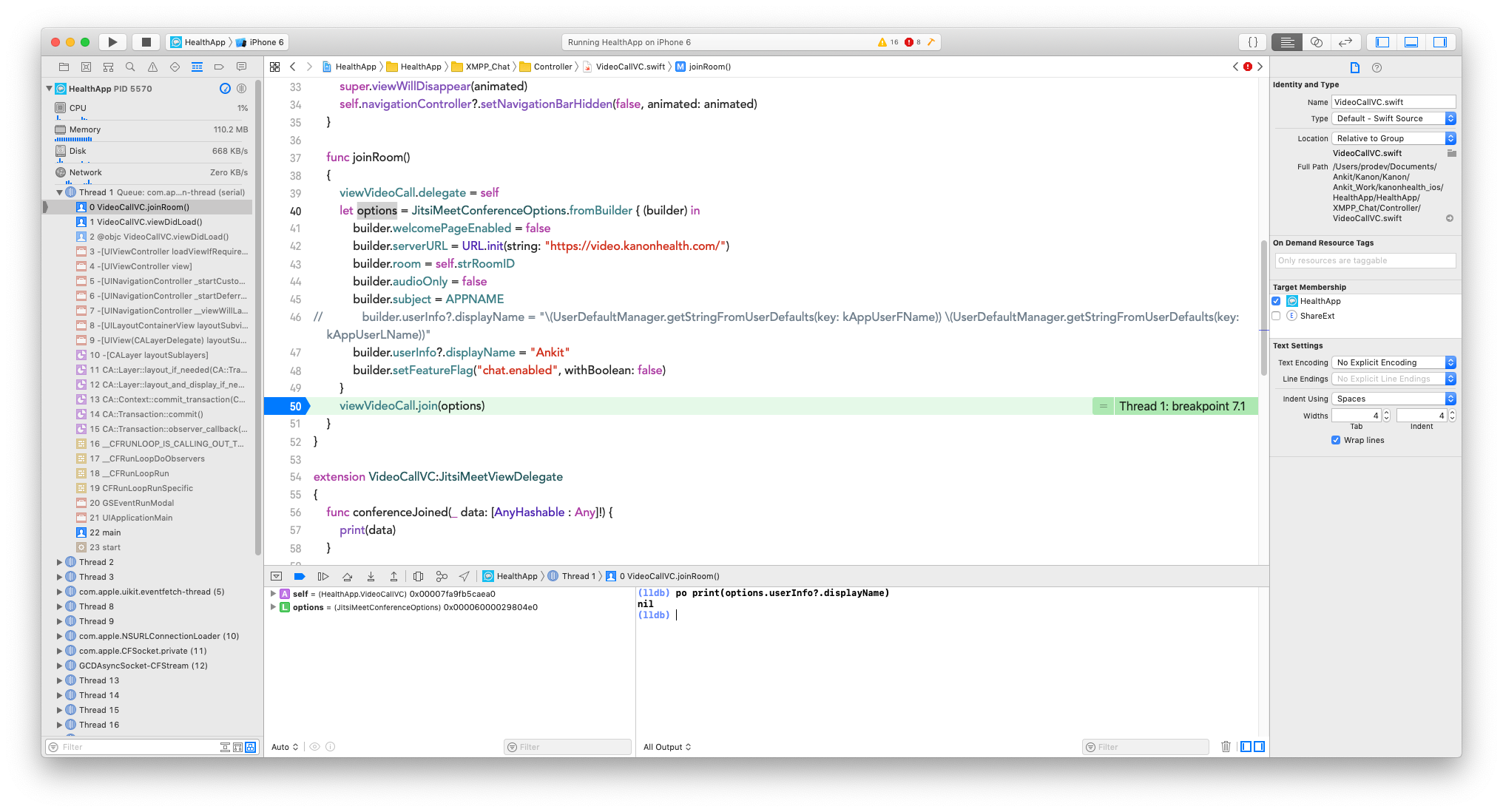
Could you please check I pass static string but still its showing nil.
ankathiriya
on 15 Oct 2019
I thin it's because you need to create a UserInfo object and then assign displayName to it, and assign the userInfo object to build.
saghul
on 15 Oct 2019
its working after creating UserInfo object.
Thanks for your support. @saghul
ankathiriya
on 15 Oct 2019
Glad to hear! I'm closing this now then.
saghul
on 15 Oct 2019
I think this could be also implemented on per-meeting base, not only on per-server base.
 pioneer
on 11 Jun 2020
pioneer
on 11 Jun 2020
Here is the code to change the username
let userInfo = JitsiMeetUserInfo()
userInfo.displayName = "FirstName LastName"
builder.userInfo = userInfo
 chirayu25
on 18 Aug 2020
chirayu25
on 18 Aug 2020
Related issues
saghul
·
106Comments
 kinnla
·
40Comments
kinnla
·
40Comments
 quantumbeat
·
68Comments
quantumbeat
·
68Comments
 Janhouse
·
99Comments
Janhouse
·
99Comments
 rscastil
·
44Comments
rscastil
·
44Comments
Most helpful comment
I thin it's because you need to create a UserInfo object and then assign displayName to it, and assign the userInfo object to build.