Jitsi-meet: Android: Setting feature flag for picture in picture does not work on android.
Tested on the test app, i set the .setFeatureFlag("pip.enabled",false) and the conversation still goes into Picture in picture mode.
 sandorposvanc
All 21 comments
When pressing the back button or does the downwards arrow show in the UI?
 saghul
on 30 Jul 2019
saghul
on 30 Jul 2019
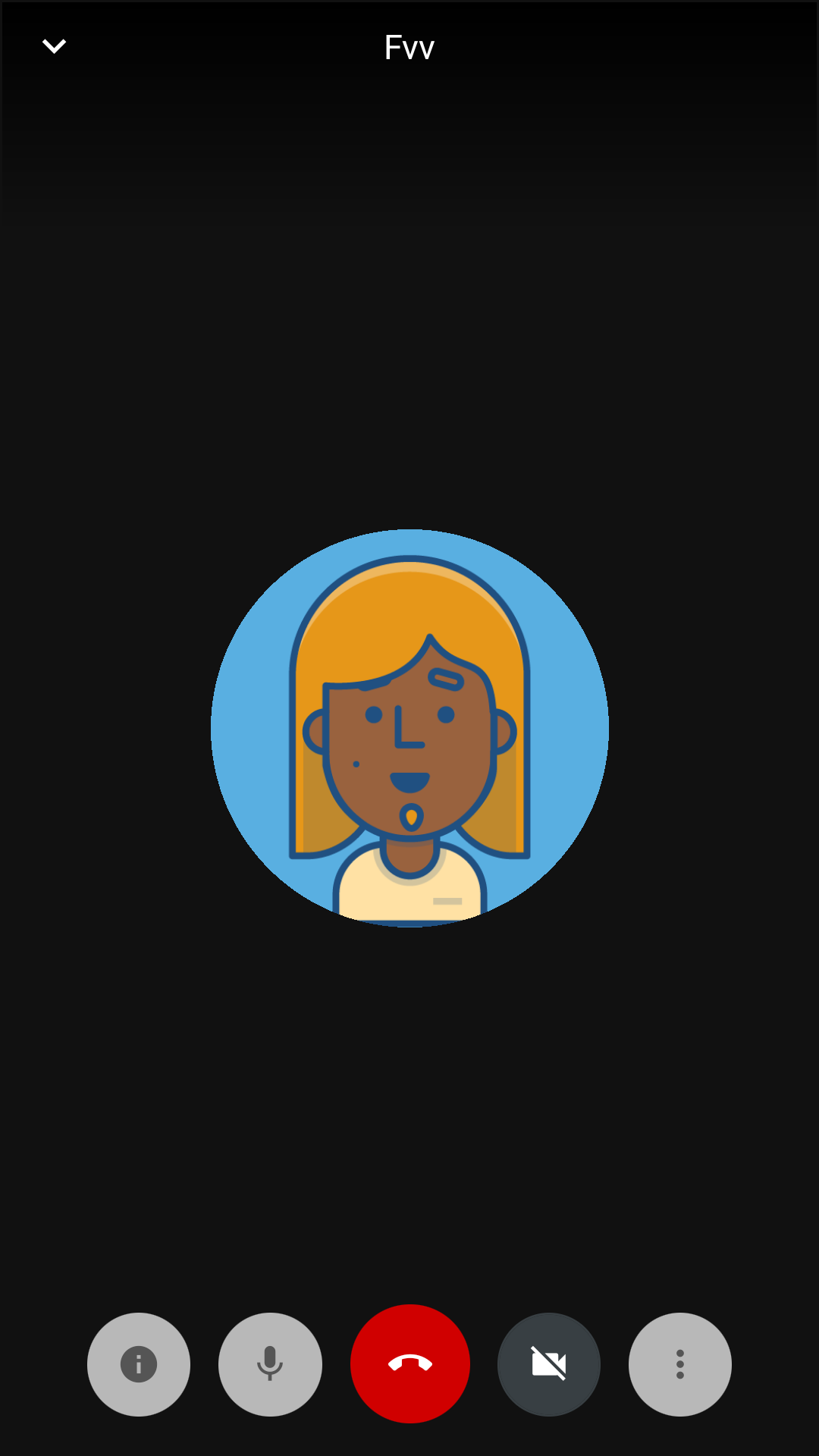
Downwards arrow is there in the ui, also home button and back button puts it to PiP mode.
Tried setting another feature flag, chat.enbaled that worked perfectly.
JitsiMeetConferenceOptions defaultOptions
            = new JitsiMeetConferenceOptions.Builder()
                .setServerURL(serverURL)
                .setFeatureFlag("chat.enabled", false)
                .setFeatureFlag("pip.enabled",false)
                .setWelcomePageEnabled(false)
                .build();
        JitsiMeet.setDefaultConferenceOptions(defaultOptions);
sandorposvanc
on 30 Jul 2019
If the arrow is there is means the flag wasn't properly applied. Thanks, this helps troubleshooting the problem. I'll try to take a look soon.
saghul
on 30 Jul 2019
This issue has been automatically marked as stale because it has not had recent activity. It will be closed if no further activity occurs. Thank you for your contributions.
![stale[bot] picture](https://avatars3.githubusercontent.com/in/1724?v=4&s=40) stale[bot]
on 28 Oct 2019
stale[bot]
on 28 Oct 2019
is there any flag to enable screen share feature in the app?. Please let me know.
 OmniRamesh
on 21 Apr 2020
OmniRamesh
on 21 Apr 2020
I am trying to disable the picture in picture mode from jitsi SDK using the following snippet : ".setFeatureFlag("chat.enabled", false)"., but this is not working. Please Help me, as I am developing a native android application
 aajmera10
on 6 May 2020
aajmera10
on 6 May 2020
is there any flag to enable screen share feature in the app?. Please let me know.
That feature is not implemented yet.
saghul
on 6 May 2020
I am trying to disable the picture in picture mode from jitsi SDK using the following snippet : ".setFeatureFlag("chat.enabled", false)"., but this is not working. Please Help me, as I am developing a native android application
You need to use the right feature flag, that one is about chat.
saghul
on 6 May 2020
I had to uninstall my app before running it again to see the picture-in-picture mode disabled after adding the flag. Hope this can help.
 TBG-FR
on 6 May 2020
TBG-FR
on 6 May 2020
Instead of settingPIP flag on setDefaultConferenceOptions set the PIP flag on the conference option which you pass to getJitsiView().join();
JitsiMeetUserInfo jitsiMeetUserInfo = new JitsiMeetUserInfo();
        jitsiMeetUserInfo.setDisplayName(AppConstants.NAME);
        JitsiMeetConferenceOptions options
                = new JitsiMeetConferenceOptions.Builder()
                .setRoom(AppConstants.MEETINGID)
                .setFeatureFlag("pip.enabled", false)
                .setUserInfo(jitsiMeetUserInfo)
                .build();
getJitsiView().join(options);
This will disable the PIP feature and remove the down arrow from the meeting view.
 vipulpurohit
on 28 May 2020
vipulpurohit
on 28 May 2020
I have problems with the implementation of the SDK in Android and your comments would be very helpful, it turns out that I cannot access PIP mode, the Android Studio console shows me an error message when trying to minimize the application to enter PIP mode, the message notifies me that PIP mode cannot be accessed, I appreciate your help, I don't know if you can share your MainActivity to check if I was wrong somewhere. @saghul
 rawars
on 24 Jul 2020
rawars
on 24 Jul 2020
Can you please paste the full error message and the code you have which triggers it?
saghul
on 25 Jul 2020
Can you please paste the full error message and the code you have which triggers it?
AndroidManifest.xml
        <activity android:name=".MainActivity"
            android:configChanges="keyboard|keyboardHidden|orientation|screenLayout|screenSize|smallestScreenSize"
            android:launchMode="singleTask"
            android:resizeableActivity="true"
            android:supportsPictureInPicture="true"
            android:windowSoftInputMode="adjustResize"></activity>
activity_main.xml
<fragment
    android:layout_width="match_parent"
    android:layout_height="match_parent"
    android:name="org.jitsi.meet.sdk.JitsiMeetFragment"
    android:id="@+id/jitsiFragment"/>
MainActivity.java
public class MainActivity extends FragmentActivity implements JitsiMeetActivityInterface {
    private JitsiMeetView view;

    @Override
    protected void onActivityResult(
            int requestCode,
            int resultCode,
            Intent data) {
        super.onActivityResult(requestCode, resultCode, data);
        JitsiMeetActivityDelegate.onActivityResult(
                this, requestCode, resultCode, data);
    }

    @Override
    public void onBackPressed() {
        JitsiMeetActivityDelegate.onBackPressed();
    }

    @Override
    protected void onCreate(Bundle savedInstanceState) {
        super.onCreate(savedInstanceState);

        view = new JitsiMeetView(this);
        JitsiMeetConferenceOptions options = new JitsiMeetConferenceOptions.Builder()
                .setRoom("https://meet.jit.si/test123")
                .build();
        view.join(options);

        setContentView(view);
    }

    @Override
    protected void onDestroy() {
        super.onDestroy();

        view.dispose();
        view = null;

        JitsiMeetActivityDelegate.onHostDestroy(this);
    }

    @Override
    public void onNewIntent(Intent intent) {
        super.onNewIntent(intent);
        JitsiMeetActivityDelegate.onNewIntent(intent);
    }

    @Override
    public void onRequestPermissionsResult(
            final int requestCode,
            final String[] permissions,
            final int[] grantResults) {
        JitsiMeetActivityDelegate.onRequestPermissionsResult(requestCode, permissions, grantResults);
    }

    @Override
    protected void onResume() {
        super.onResume();

        JitsiMeetActivityDelegate.onHostResume(this);
    }

    @Override
    protected void onStop() {
        super.onStop();

        JitsiMeetActivityDelegate.onHostPause(this);
    }

    @Override
    protected void onUserLeaveHint() {
        view.enterPictureInPicture();
    }

    @Override
    public void requestPermissions(String[] strings, int i, PermissionListener permissionListener) {

    }
}
The error occurs in this part of the MainActivity.java code.
    protected void onUserLeaveHint() {
        view.enterPictureInPicture();
    }
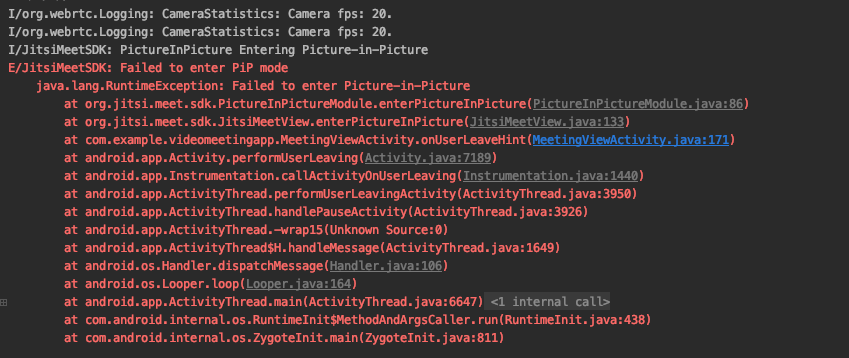
The error is described in the attached image, I would appreciate your help
@saghul
rawars
on 25 Jul 2020
@saghul , in an issues you comment that they deactivate "Connection Service integration" in order to make the PIP work, but I am not very clear where I can deactivate that option, when I open the application on my cell phone a phone appears emitting a signal as if it were making a call, when I'm only in the video chat room alone, in the issues the user had the same problem myself and asked him to deactivate the "Connection Service integration", could you please explain to me how I can deactivate it, if it's any configuration of the jitsi, any project level configuration that I have to do? Thanks for your help.
rawars
on 25 Jul 2020
That option is not related to PiP, must be something else.
What does your AndroidManifest.xml look like? You need to have some options there in order for pip to work.
saghul
on 25 Jul 2020
 <activity android:name=".MainActivity"
            android:configChanges="keyboard|keyboardHidden|orientation|screenLayout|screenSize|smallestScreenSize"
            android:launchMode="singleTask"
            android:resizeableActivity="true"
            android:supportsPictureInPicture="true"
            android:windowSoftInputMode="adjustResize"></activity>
@saghul
rawars
on 25 Jul 2020
That looks about right. What Android version are you running? Does it happen to be Android Go?
saghul
on 25 Jul 2020
That looks about right. What Android version are you running? Does it happen to be Android Go?
I have android 8.1.0 and all the apps are Go, does that result in a problem?
rawars
on 25 Jul 2020
Android Go doesn’t support PiP, it’s a platform limitation. I noticed this after testing an Android Go device, and current master won’t have PiP available on those devices. This change is not on a released SDK version yet though.
saghul
on 26 Jul 2020
If the arrow is there is means the flag wasn't properly applied. Thanks, this helps troubleshooting the problem. I'll try to take a look soon.
If the arrow is there is means the flag wasn't properly applied. Thanks, this helps troubleshooting the problem. I'll try to take a look soon.
@saghul Is this issue resolved. I am still facing the same issue. Any solution for this issue?
 thilagrai-aglab
on 1 Oct 2020
thilagrai-aglab
on 1 Oct 2020
It should be, yeah. What problem are you running into? What SDK version are you using?
saghul
on 1 Oct 2020
Related issues
 TechnologyClassroom
·
3Comments
TechnologyClassroom
·
3Comments
 eceforge
·
3Comments
eceforge
·
3Comments
 galvaniccoffee
·
3Comments
galvaniccoffee
·
3Comments
 mfts
·
3Comments
mfts
·
3Comments
 wilddylan
·
4Comments
wilddylan
·
4Comments
Most helpful comment
Android Go doesn’t support PiP, it’s a platform limitation. I noticed this after testing an Android Go device, and current master won’t have PiP available on those devices. This change is not on a released SDK version yet though.