Jetpack: Slideshow: double left and right slideshow arrows appearing on WordPress.com Simple sites
I noticed today that the left and right slideshow arrows are doubling up suddenly:
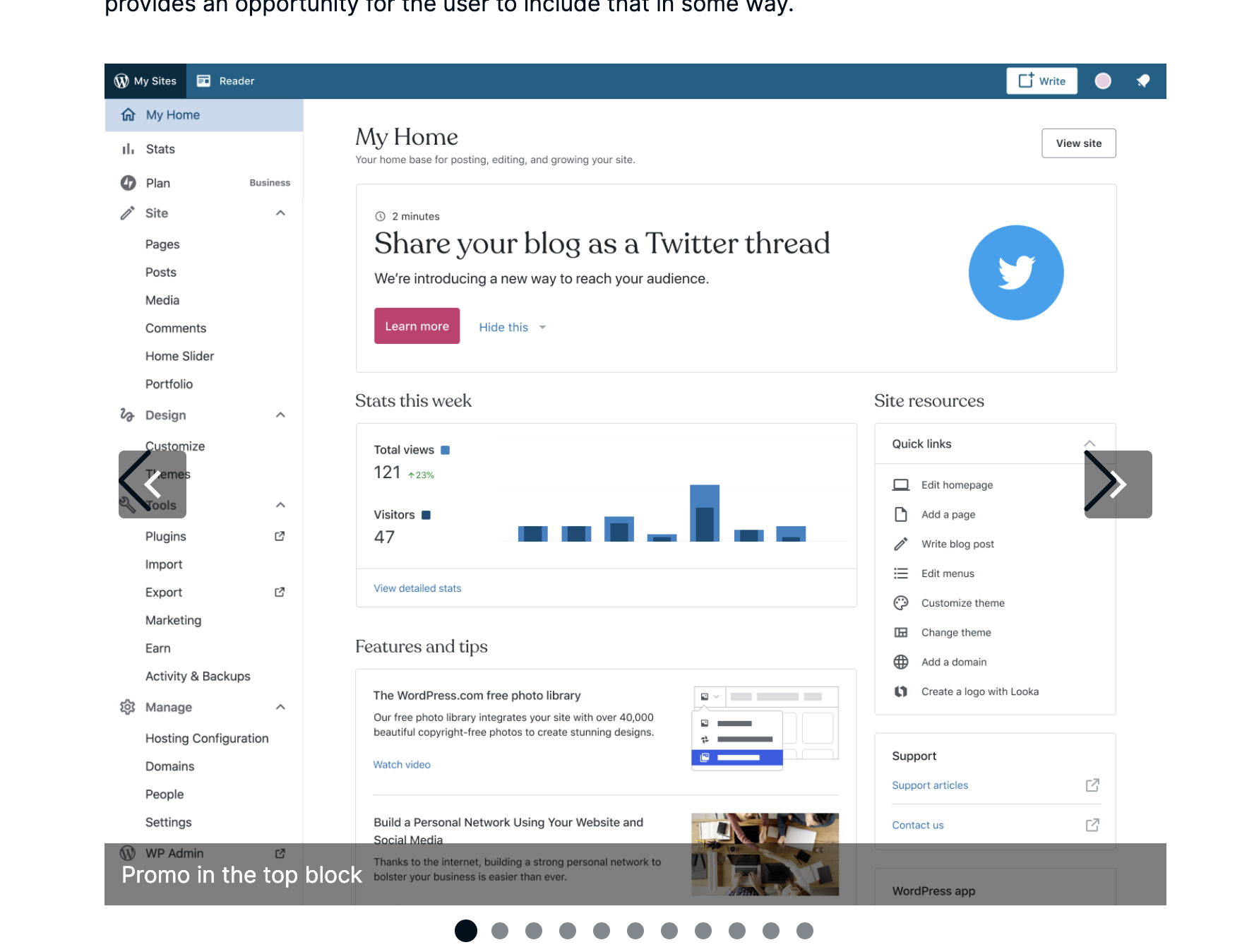
I'm not sure where each set is coming from or why they are doubled.
 rickybanister
All 22 comments
This CSS will hide the larger arrows without the background:
.swiper-button-prev:after, .swiper-container-rtl .swiper-button-next:after {
    content:""
}

.swiper-button-next:after, .swiper-container-rtl .swiper-button-prev:after {
    content:""
}
 kriskarkoski
on 4 Aug 2020
kriskarkoski
on 4 Aug 2020
Reported in #3198149-zen
 serabi
on 4 Aug 2020
serabi
on 4 Aug 2020
I bet it's Swiper library update in Jetpack 2 days ago: https://github.com/Automattic/jetpack/pull/16587
cc @kraftbj @jeherve
I'll transfer this to Jetpack since that's where the block's source code is.
 simison
on 5 Aug 2020
simison
on 5 Aug 2020
There are few breaking changes mentioned in 5.x and 6.x in the changelog: https://github.com/nolimits4web/swiper/blob/master/CHANGELOG.md
Would be good to check if e.g. color-varible changes affect us, in case we were overriding any defaults (or thinking if it's worth overriding since it could break in future again).
simison
on 5 Aug 2020
I wasn't been able to reproduce it in the Jetpack site. It seems like WPCOM specific.
 brbrr
on 5 Aug 2020
brbrr
on 5 Aug 2020
I cannot seem to reproduce in Jetpack right now, even when using the Gutenberg plugin; this only seems to be an issue on WordPress.com.
I wonder if this may be a by-product of how our build tools work on WordPress.com; files are never removed by the TeamCity task that updates the build artifacts, so we keep old files around forever.
I've created D47600-code to fix things up a bit, but that's not solving our issue here (and I think we may have to update the way we do things so we don't have to clean up like this).
Looking at the build artifacts, on WordPress.com I see things like this:
.swiper-button-prev:after, .swiper-container-rtl .swiper-button-next:after {
    content: "prev";
}
But I don't see that in Jetpack build artifacts.
The 2 builds seem really different from each other, and I don't know why. There are no differences in package.json, webpack.config.extensions.js, or yarn.lock in the 2 environments.
Still looking.
Related discussion: p1596626293298400-slack-CBG1CP4EN
 jeherve
on 5 Aug 2020
jeherve
on 5 Aug 2020
Does the swiper bundle on .com get hash or is it without hash? If without, it could be cache issue with older version of CSS sticking in cache and newer version of markup. Then it could also be issue in jetpack sites with more aggressive cache mechanisms.
simison
on 5 Aug 2020
Does the swiper bundle on .com get hash or is it without hash?
With the hash (and the correct one, from what I can tell).
jeherve
on 5 Aug 2020
I wonder if these path updates have generated different bundles:
https://github.com/Automattic/jetpack/pull/16587/files#diff-b41e2b8aacf8404d14a7d9dbf5e413b9L43-R46
brbrr
on 5 Aug 2020
I don't have much knowledge on Webpack dynamic imports... reaching out to Team Calypso might help since they're our Webpack experts.
simison
on 5 Aug 2020
Encountered on 23163569-hc
 JoshuaGoode
on 5 Aug 2020
JoshuaGoode
on 5 Aug 2020
I ran into this, and an issue with the Fade transition effect making it so the images don't transition correctly:
 samiff
on 6 Aug 2020
samiff
on 6 Aug 2020
Another report here 3202279-zen
 joweber123
on 6 Aug 2020
joweber123
on 6 Aug 2020
@kraftbj would it be possible to revert back to previous version of Swiper library until issues are fixed?
Currently this looks pretty broken on people's sites:
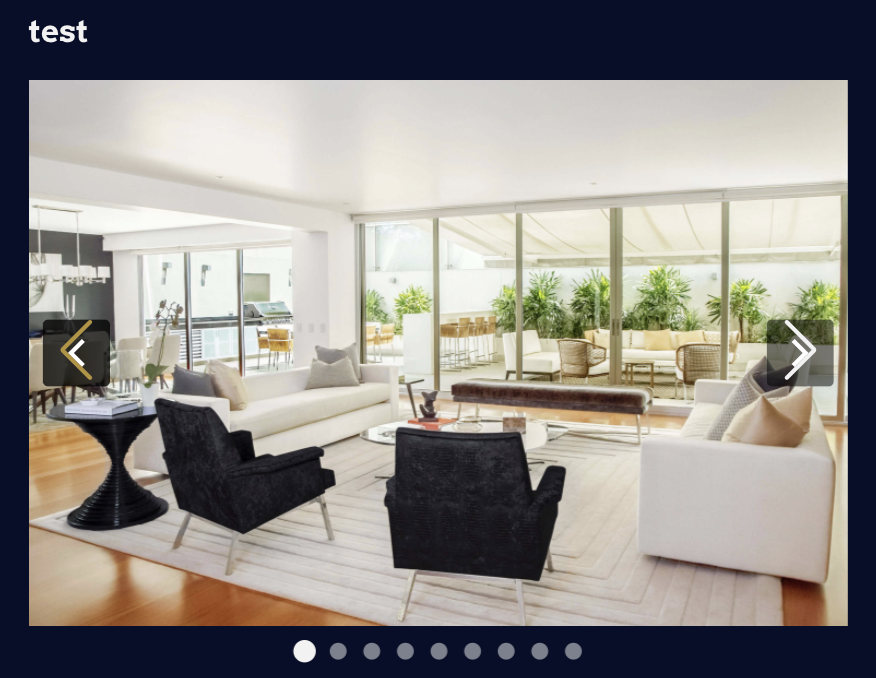
cc @lessbloat in case Manage focus can triage this as well (it's a visual breakage in slideshow block)
simison
on 6 Aug 2020
I have another issue of this on a simple site. The double arrows appear, and also the images don't transition well and some of the previous image still shows as the new image appears, looking like an overlapped image.

22293720-hc
3203732-zen
 tavilla61
on 6 Aug 2020
tavilla61
on 6 Aug 2020
Another report in 3209766-zen
 lakellie
on 9 Aug 2020
lakellie
on 9 Aug 2020
Another of the duplicates and image overlap on Fade mode in #23042840-hc
 goblinartificer
on 10 Aug 2020
goblinartificer
on 10 Aug 2020
Note: This can be seen on an internal P2: pc6Vrl-2j-p2
 davemart-in
on 10 Aug 2020
davemart-in
on 10 Aug 2020
Another report in #3213658-zen
 allykmyta
on 11 Aug 2020
allykmyta
on 11 Aug 2020
I have been able to replicate this issue on a local Jetpack dev site as well as simple WordPress.com sites. Using the Jetpack Beta plugin on an Atomic site, the issue isn't present when using the latest stable version but it is there on bleeding edge. Whether the Gutenberg plugin was active or not didn't make a difference either.
 aaronrobertshaw
on 11 Aug 2020
aaronrobertshaw
on 11 Aug 2020
D47922-code still needs deploying for simple sites to get the fix.
simison
on 17 Aug 2020
D47922-code has been shipped.
aaronrobertshaw
on 18 Aug 2020
Related issues
 htdat
·
3Comments
htdat
·
3Comments
 crunnells
·
3Comments
crunnells
·
3Comments
 kraftbj
·
3Comments
kraftbj
·
3Comments
 beaulebens
·
3Comments
beaulebens
·
3Comments
 Viper007Bond
·
3Comments
Viper007Bond
·
3Comments
Most helpful comment
D47922-code has been shipped.