Jetpack: Premium block flows: post checkout confirmation / thank you
The flow currently. Customer:
- inserts a premium block to the post in the block editor
- presses "upgrade"

- purchases a plan
- after checkout gets redirected back to the block editor, the upgrade nudge is gone.
After the last step, we should show some kind of simple confirmation modal that they've purchased a plan and can now insert premium blocks to the editor.
There might be other "thank you for the purchase" visuals around Calypso that we can borrow?
 simison
All 12 comments
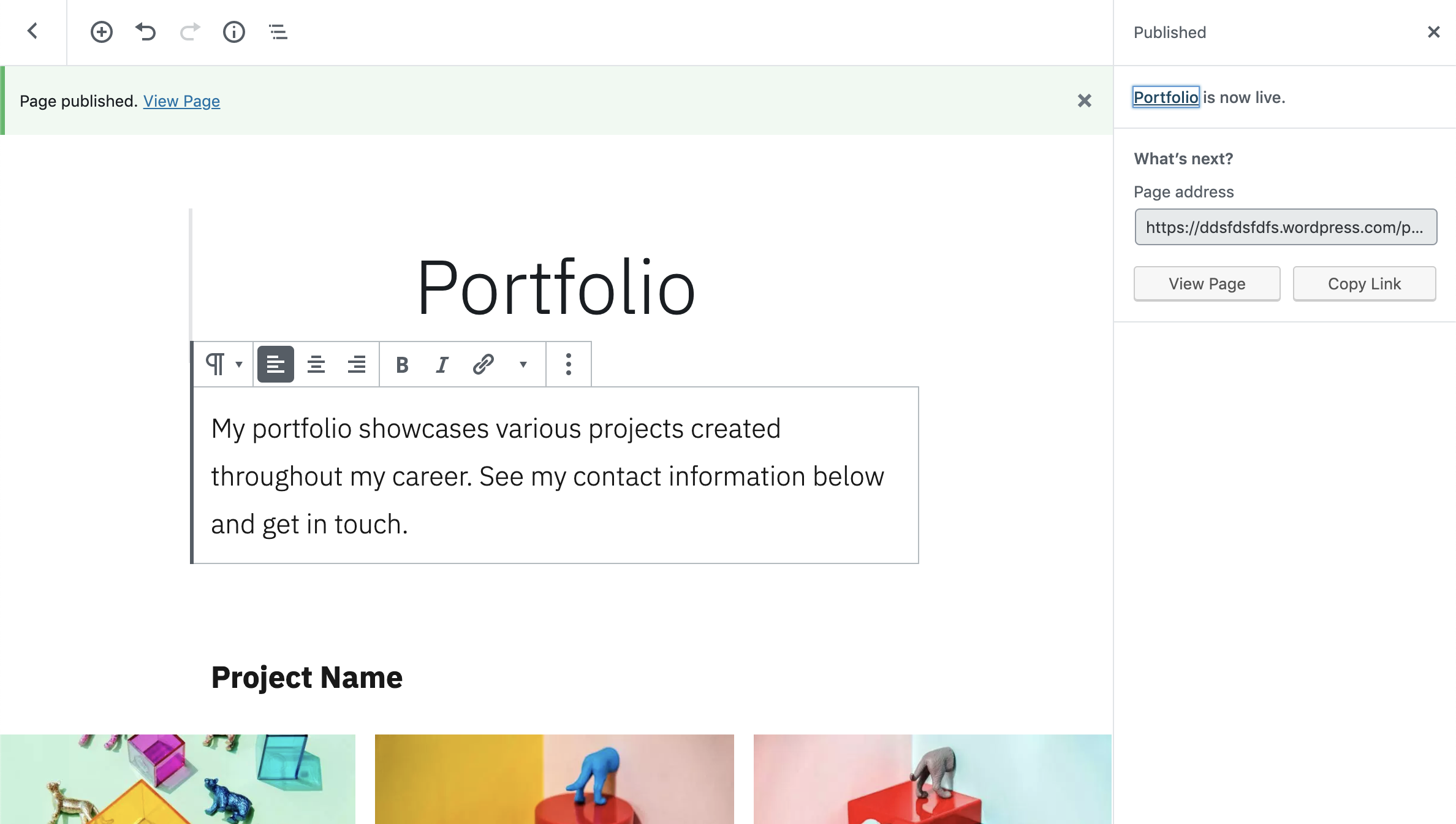
Thanks for the ping @simison. Your best bet would probably be to use a banner of some sort:
https://wpcalypso.wordpress.com/devdocs/design/banner
Maybe something like this:
 fditrapani
on 9 Jul 2019
fditrapani
on 9 Jul 2019
Fabulous! I like this, so simple! We can use the core notifications mechanism for 1st iteration; super-duper easy.
In the long run, we might turn it into something more "celebratory".
simison
on 9 Jul 2019
yeah, it's good to start with and use as a base to iterate.
fditrapani
on 9 Jul 2019
Feel free to drop any copy ideas here.
simison
on 10 Jul 2019
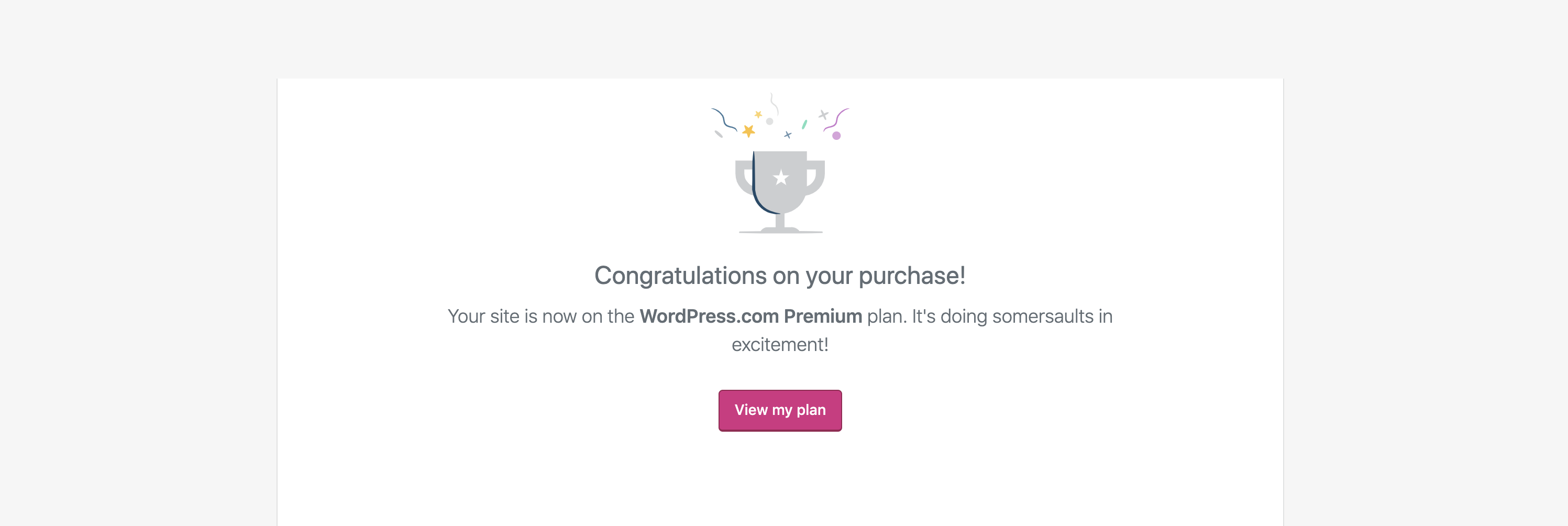
cc'ing @ranh and @obi2020 for any suggestions here. For a little background, @simison is implementing a new upgrade flow and he'd like to present the customer with some kind of messaging after the purchase is complete and they're returned to the point they initiated the purchase. This message we currently use after an upgrade could be a starting point:
fditrapani
on 10 Jul 2019
This is how new snackbar updates look like in Gutenberg, instead of green bar on top of the editor:
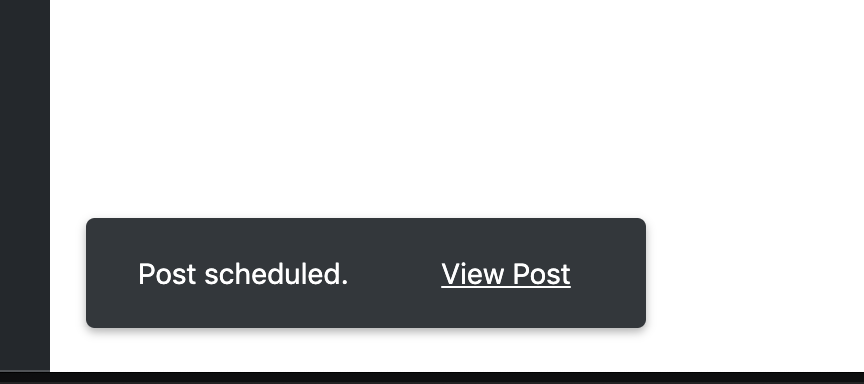
Good enough for the first iteration but eventually we'll need some design work to make a more celebratory modal when landing back in the editor (like in the screenshot in above comment).
The copy could be something along the lines:
Your site is now on the [WordPress.com Premium / Jetpack Premium] plan.
No need to mention the block name on the first iteration at least.
simison
on 6 Aug 2019
Just /cc'ing @monikaburman to make sure that this is on her radar for upcoming design needed.
 michaeldcain
on 6 Aug 2019
michaeldcain
on 6 Aug 2019
For a first iteration, I think we can:
- Use the Snackbar for UI (disclaimer: haven't worked with it yet, hope the is a good fit for our problem, implementation wise)
- Append a query arg to the redirect URL to trigger showing it (also on the frontend)
- Get the current plan from our plans store and show it in the snackbar ("Upgraded to Jetpack Premium" or whatever).
 ockham
on 8 Aug 2019
ockham
on 8 Aug 2019
Could also consider the Notice component which is a bit more prominent (might be appropriate for a plan upgrade). Probably easy enough to switch out one for the other.
ockham
on 8 Aug 2019
Could also consider the Notice component
Oh, good point; I thought those might've been deprecated. I think Notice indeed is more appropriate for this use-case since notice is shown after landing to the page, not after pressing a button in the editor UI (e.g. compared to saving draft or publishing page).
We talked with @chriskmnds that the logic could be placed in a new file in /extensions/shared and imported to extensions/editor.js so that it runs each time editor is initialized.
simison
on 8 Aug 2019
Added @jancavan as assignee for design work.
cc: @michaeldcain @simison
 monikaburman
on 12 Aug 2019
monikaburman
on 12 Aug 2019
Snackbars are meant for temporary messages, so I wouldn't use that here. The Notice component is better in the sense that it is more noticeable, but it isn't really appropriate here either.
Purchasing a plan is a big deal to a user, especially one that requires an annual commitment, so this warrants a proper success notification. Either of these two confirmations will work:
- A dialog box
- The current payment confirmation screen. The CTA will have to be updated here to say something like, "Back to editing my post (or page)"
@simison @michaeldcain
 jancavan
on 13 Aug 2019
jancavan
on 13 Aug 2019
Related issues
ockham
·
3Comments
 htdat
·
3Comments
htdat
·
3Comments
 kevinlisota
·
3Comments
kevinlisota
·
3Comments
 NicktheGeek
·
3Comments
NicktheGeek
·
3Comments
 beaulebens
·
3Comments
beaulebens
·
3Comments
Most helpful comment
Snackbarsare meant for temporary messages, so I wouldn't use that here. TheNoticecomponent is better in the sense that it is more noticeable, but it isn't really appropriate here either.Purchasing a plan is a big deal to a user, especially one that requires an annual commitment, so this warrants a proper success notification. Either of these two confirmations will work:
@simison @michaeldcain