Jetpack: Gutenberg: The Tiled Gallery Block is displaying distorted images on the carousel when using square tiles style
Steps to reproduce the issue
- Add a Tilled Gallery to a page or post with a few images.
- Convert the block style to Square Tiles.
- Publish the page.
- Open the page on the live site.
- Click on the images to see them on the carousel. (You can compare to the image in the media gallery to see the issue clearly).
What I expected
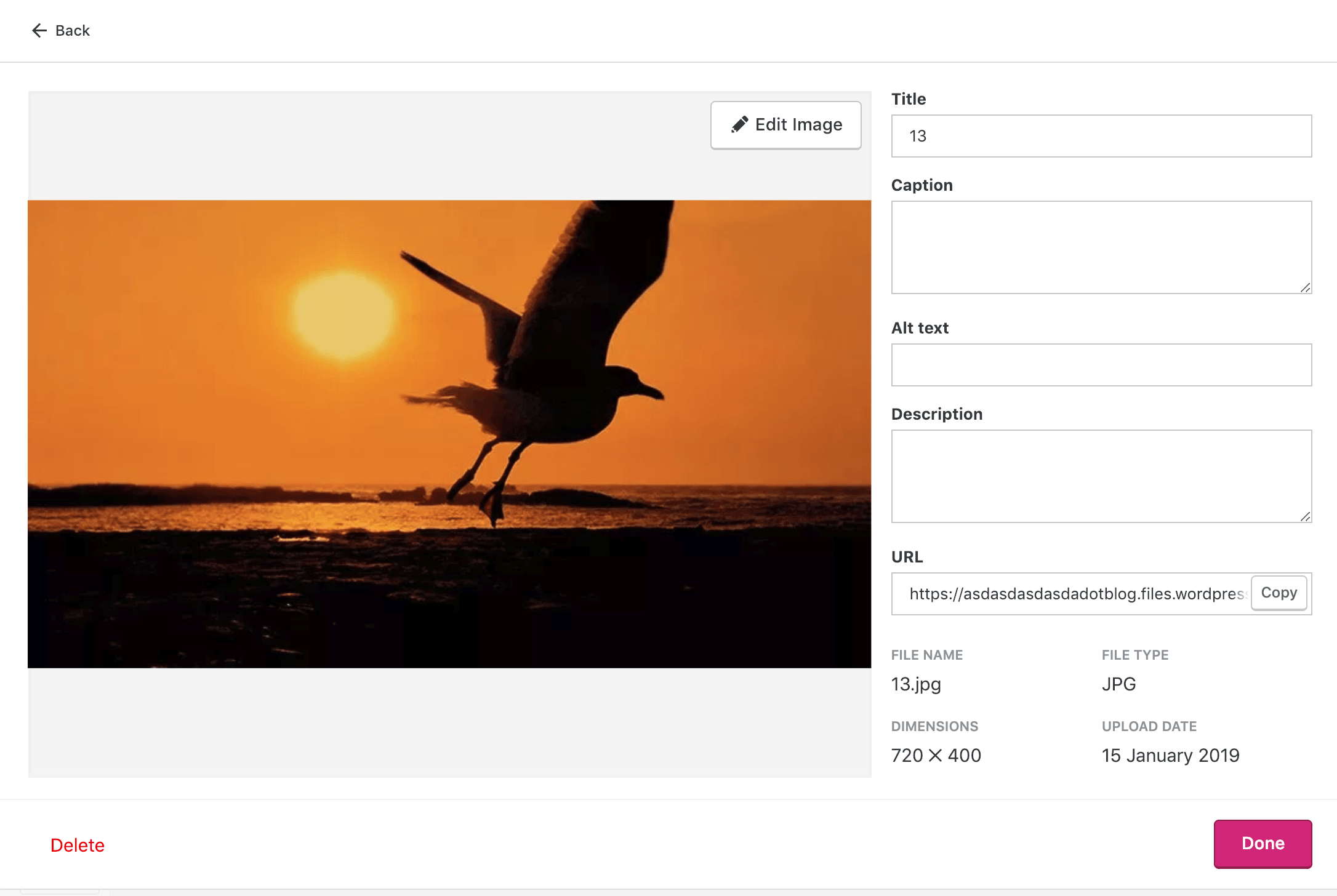
I expected to see the image in the original aspect ratio. Original image on the media gallery:
What happened instead
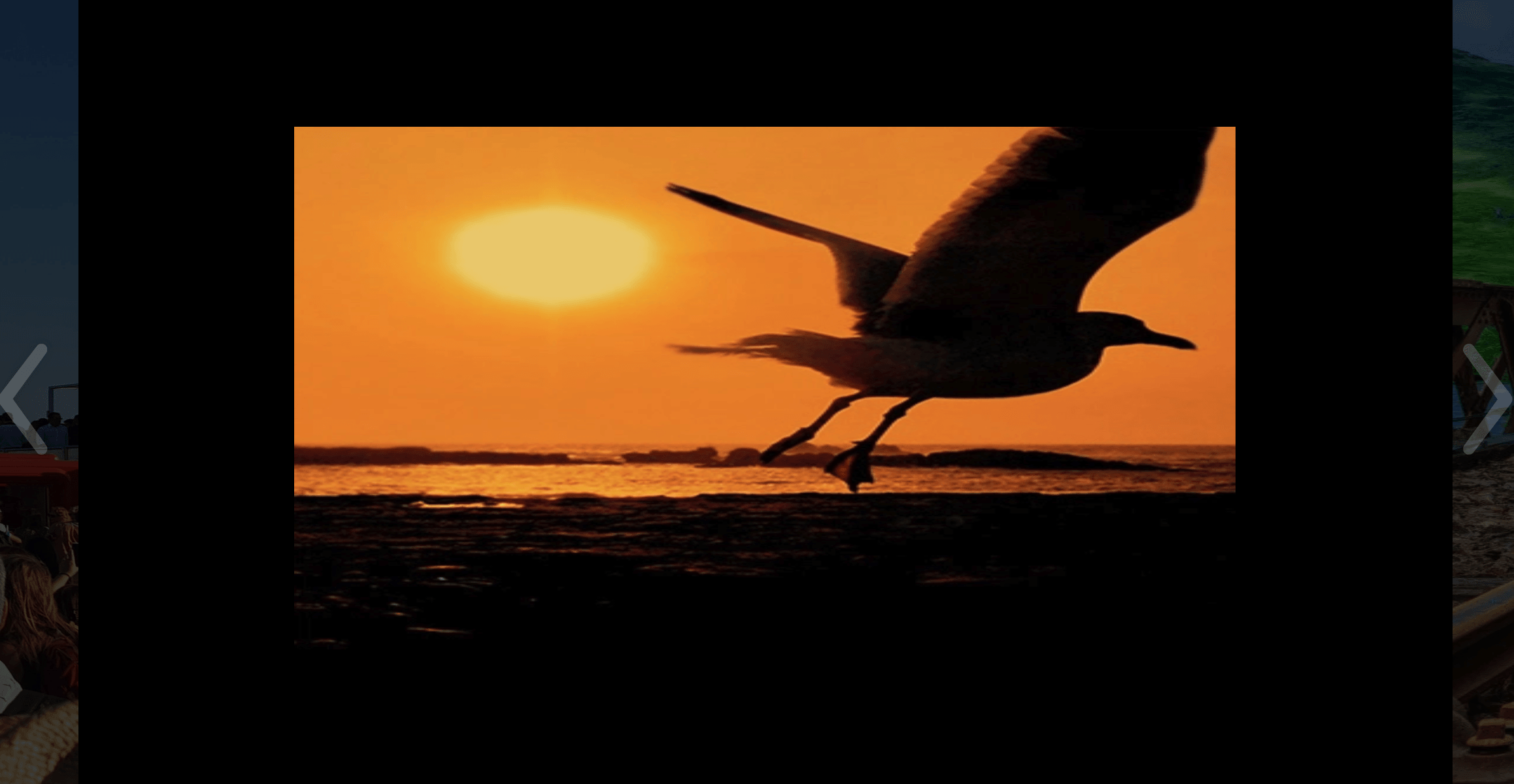
The image is displaying distorted. Image on the carousel:
Browser / OS version
Chrome Version 71.0.3578.98 (Official Build) (64-bit)
 guicmazeredo
All 43 comments
@jeherve I believe this should be migrated to the Jetpack repo.
I suspect that the carousel is pulling the original dimensions from the image, but pulling the photon src that makes the images square. This results in the stretched images.
 sirreal
on 16 Jan 2019
sirreal
on 16 Jan 2019
@guicmazeredo Could you let me know if the problem keeps happening when you deactivate the Photon feature?
Could you also copy the image HTML you can get from the browser console, and paste it here?
 jeherve
on 16 Jan 2019
jeherve
on 16 Jan 2019
Hey @jeherve ! I actually tested on a simple site so there is no way to deactivate Photon, right?
This is what I got on the Browser Console:
And this is the HTML code:
<div class="jp-carousel-slide selected" itemprop="associatedMedia" itemscope="" itemtype="https://schema.org/ImageObject" style="left: 0px; width: 405px; height: 225px; top: 40px; position: relative; transform: translate3d(538px, 0px, 0px);"><img src="https://azeredotest.files.wordpress.com/2019/01/13.jpg?resize=400%2C400&w=720&h=" itemprop="image" style="width: 100%; height: 100%;" width="720" height="400" srcset="https://azeredotest.files.wordpress.com/2019/01/13.jpg?resize=400%2C400&w=720&h=&zoom=2 2x" src-orig="https://azeredotest.files.wordpress.com/2019/01/13.jpg?resize=400%2C400&w=2000&h=" scale="2"></div>
<img src="https://azeredotest.files.wordpress.com/2019/01/13.jpg?resize=400%2C400&w=720&h=" itemprop="image" style="width: 100%; height: 100%;" width="720" height="400" srcset="https://azeredotest.files.wordpress.com/2019/01/13.jpg?resize=400%2C400&w=720&h=&zoom=2 2x" src-orig="https://azeredotest.files.wordpress.com/2019/01/13.jpg?resize=400%2C400&w=2000&h=" scale="2">
Since I'm not sure if that's what you were asking for I'm also leaving the test page I set up:
https://azeredotest.wordpress.com/tiled-gallery/
I also tested on an Atomic site to see just now to see if disabling the photon feature would sort it and I found a new issue. The Tiled Gallery block is not displaying a gallery on the live site. It's displaying a list of single images instead. You can check that here:
https://guiworknotes.blog/tiled-gallery/
And when clicking on images they won't open the carousel. I hope that helps! Let me know if you need anything else from me.
guicmazeredo
on 16 Jan 2019
Also reported on a simple site here: 9528222-hc
 lizswafford
on 16 Jan 2019
lizswafford
on 16 Jan 2019
1723608-zen may be another example of this
sirreal
on 17 Jan 2019
Thanks for the extra details. The problem appears to be limited to WordPress.com simple sites in my tests. This is odd since the Carousel files are in sync.
@guicmazeredo Does this happen if you try to insert a squared tiled gallery in a classic block on a wpcom simple site?
I also tested on an Atomic site to see just now to see if disabling the photon feature would sort it and I found a new issue.
I can't seem to reproduce the issue on my own Atomic site. Could you tell me more about how you created the gallery? Did you use a specific gallery block style?
jeherve
on 17 Jan 2019
@jeherve here are my comments:
Does this happen if you try to insert a squared tiled gallery in a classic block on a wpcom simple site?
No. The regular squared gallery on a classic block works fine. You can check on my test page here:
https://azeredotest.wordpress.com/tiled-gallery/
I can't seem to reproduce the issue on my own Atomic site. Could you tell me more about how you created the gallery? Did you use a specific gallery block style?
Forget about this issue at least for now. After some troubleshooting, I noticed it's only happening in one of my test atomic sites. I tried disabling plugins, switching themes and no luck. But since it's site-specific I don't think we need to worry about that now. If I figure what's causing that at some point I'll let you know. :-)
guicmazeredo
on 17 Jan 2019
No. The regular squared gallery on a classic block works fine.
@sirreal Sounds like we are back to the Tiled Gallery block; it seems linked to the markup used on WordPress.com sites, and the image resize implementation there maybe?
jeherve
on 18 Jan 2019
I'll see if I can find the cause of this in the next few weeks.
sirreal
on 22 Jan 2019
I've been unable to reproduce this.
In the testing instructions, this is unclear:
- Add a Tilled Gallery to a page or post with a few images.
- Convert the block style to Square Tiles.
Should the first step be a _Gallery_ block, which you convert to a _Tiled Gallery_ block?
sirreal
on 4 Feb 2019
Reported here: 10974687-hc. Simple site. Happened on pictures with square size.
 retnonindya
on 6 Mar 2019
retnonindya
on 6 Mar 2019
Reported here: 10974687-hc. Simple site. Happened on pictures with square size.
This user came back in 1856577-zen with more details on what was going on. I did notice they seemed to be switching back and forth between Classic and Gutenberg modes, which may be having an impact.
 GeoJunkie
on 7 Mar 2019
GeoJunkie
on 7 Mar 2019
This seems to be happening when using the Circle style as reported by user here: 1911588-zen
Simple site.
The user is reporting that some images are being stretched out and parts are cut off on the sides or at the bottom.
I also tested this on my own test site, tried the Circle Style and Square style and some of the images appear to stretch out and appear distorted: https://susanjanewptestsite12345.blog/gallery-2/
 susanjanec
on 27 Mar 2019
susanjanec
on 27 Mar 2019
Observed the issue: pYGoO-Oh-p2
sirreal
on 17 Apr 2019
Another report here: 12289276-hc
 wynwin
on 23 Apr 2019
wynwin
on 23 Apr 2019
Another report in #12148
jeherve
on 24 Apr 2019
 simison
on 30 Apr 2019
simison
on 30 Apr 2019
Another report in #12672170-hc. Here, however, the issue affects the images in general: https://stiviaggi.com/2019/04/24/viaggio-in-sicilia-orientale-una-settimana-meravigliosa-tra-catania-siracusa-e-val-di-noto/
 fresatomica
on 9 May 2019
fresatomica
on 9 May 2019
@fresatomica This one appears to be a classic Tiled Gallery, not the Tiled Gallery block. That may be a different issue.
Another report in 12672170-hc
sirreal
on 9 May 2019
@sirreal I think it may still be the same issue. I was able to reproduce only on WP.com simple sites, like @jeherve mentioned above (but in either editor). The behaviour seems to be exactly the same - square tiled galleries are squished instead of cropped. Perhaps it's a JP issue rather than Gutenberg?
Simple site: https://cld.wthms.co/hJ6Ibm
vs
Self-hosted site: https://cld.wthms.co/OvFX7Z
 julsyd
on 10 May 2019
julsyd
on 10 May 2019
@juliasydnor There is an issue for this posted at #7861-wpcom.
 damiannep
on 10 May 2019
damiannep
on 10 May 2019
@juliasydnor Yes, the issue here will likely be with the carousel and not with any of the galleries.
sirreal
on 10 May 2019
I tested https://github.com/Automattic/wp-calypso/issues/32936 and it worked well for me in the new editor, but not in the Classic one. Thoughts?
LE: The thumbnails are also blurry.
 Robertght
on 12 May 2019
Robertght
on 12 May 2019
New example here - 2038233-zen
User is using a classic block in Gutenberg on a simple (premium) site.
The images appear correctly in the editor but not when published.
 rickmgithub
on 17 May 2019
rickmgithub
on 17 May 2019
Similar issue in 2035382-zen
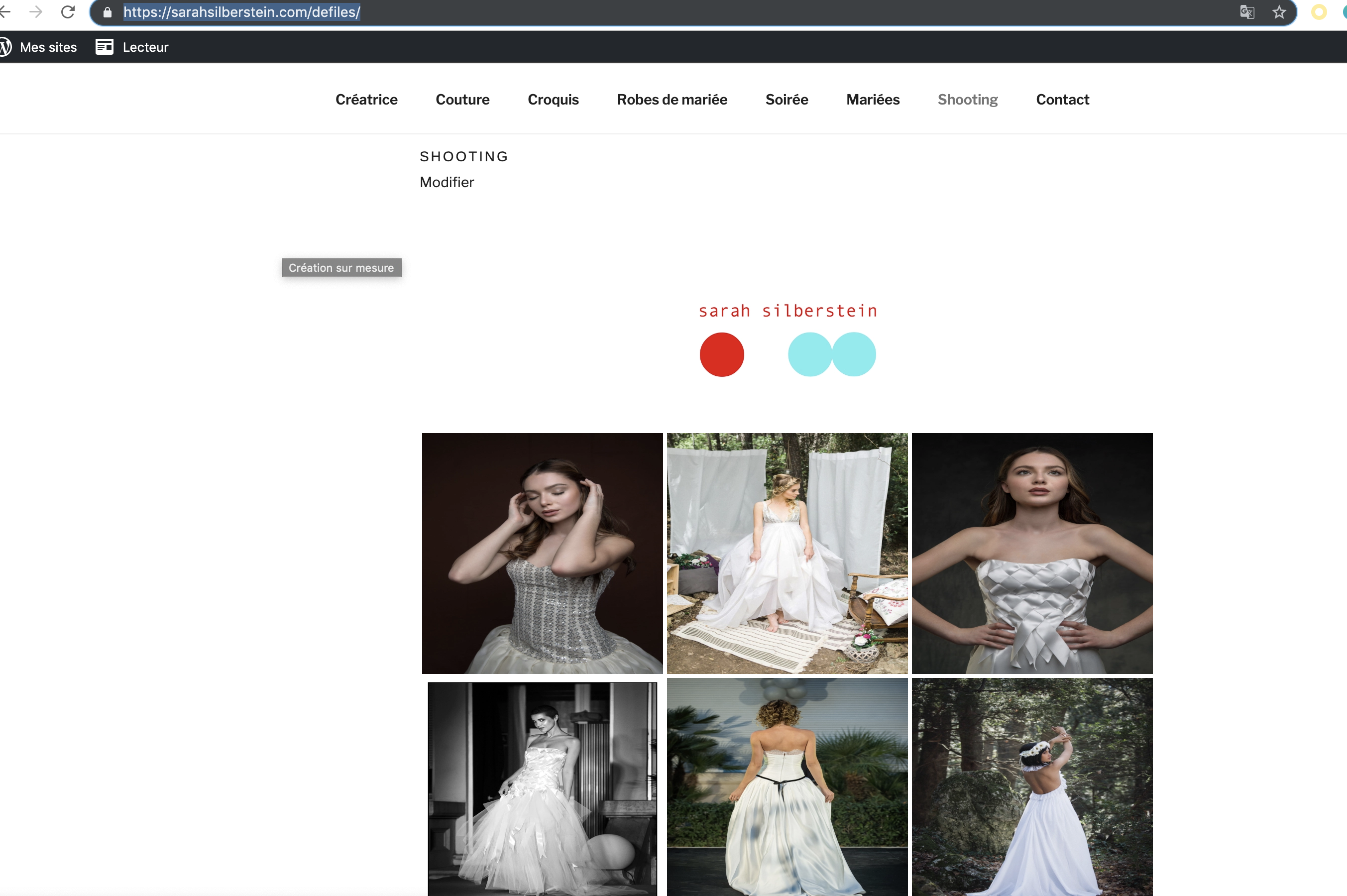
The user has a classic block with the gallery in it and is using Gutenberg now.
 katinthehatsite
on 17 May 2019
katinthehatsite
on 17 May 2019
Reported on 2034112-zen
 aleone89
on 23 May 2019
aleone89
on 23 May 2019
I have the same issue in the carousel. The issue seems to be that if the photo is one orientation (say, landscape) but the jpg properties say rotate 90 deg (ie the photo is really portrait), the carousel works out the dimension of the photo based on the original landscape orientation then rotates and stretches the photo. For an example, see here. There are three images in the tiled view that should be portrait but the tiled gallery shows them as landscape. When viewed in the carousel, they're rotated (correctly) then stretched (incorrectly).
If I rotate the photos before uploading (ie set the correct orientation), the tiled gallery and carousel show them correctly.
The post was created using the Gutenberg editor on Windows 10 1809.
 Praful
on 24 May 2019
Praful
on 24 May 2019
Also reported in 3337490-hc. Images in carousel display normally when Tiled Mosaic layout is selected, but appear stretched and distorted in the carousel when Circles layout is selected.
 jamiepalatnik
on 28 May 2019
jamiepalatnik
on 28 May 2019
Another report on 2132588-zen. Recommended the user to change to the Mosaic Tiled Gallery for now.
 eduardozulian
on 27 Jun 2019
eduardozulian
on 27 Jun 2019
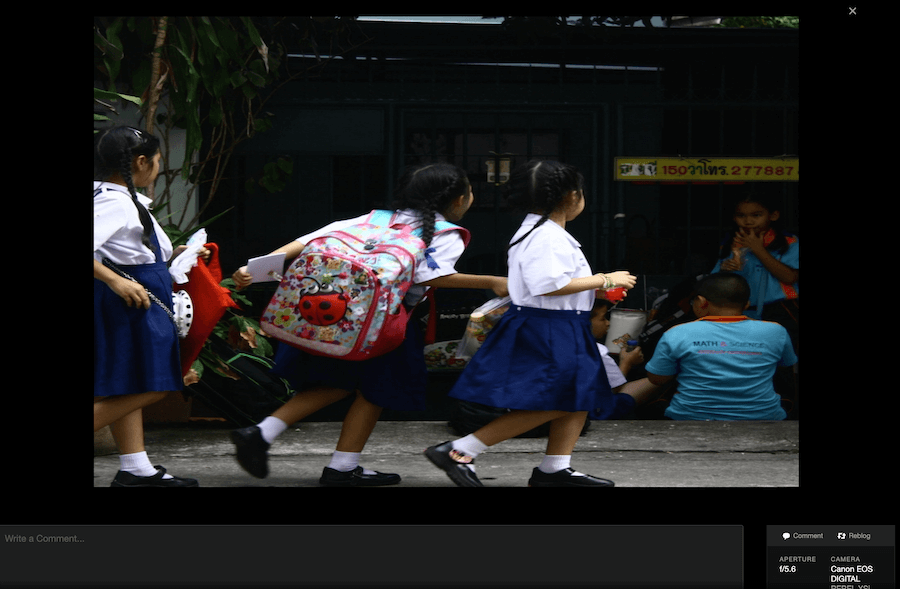
While yet there isn't a fix, it's possible to use CSS to mitigate the issue:
/* Gallery Carousel stretch images workaround */
.jp-carousel-slide img {
    object-fit: contain;
}
Before and after images below:
eduardozulian
on 27 Jun 2019
Encountered the same issue in HC-10378444 with the Circle Tiles style. I switched it to Mosaic instead and the carousel works okay. User has Personal, so CSS isn't an option.
 ashercantrell
on 10 Jul 2019
ashercantrell
on 10 Jul 2019
Another case on 13790361-hc
Through testing I found this only happens on Simple sites. On AT sites the full size image is opened in the carousel, on Simple sites the same square image is opened (when using the Square or Circle styles) which results in the distorted image.
AT Site opens correct image:
Simple opens the square version (and it is stretched):
 mikeicode
on 10 Jul 2019
mikeicode
on 10 Jul 2019
I had this issue on a personal site, it was an Atomic site using the Tiled Gallery block and the Tiled Mosaic style.
Even though the images were showing in the right orientation when editing the page and on the site, the ones that were having this behavior were with the wrong orientation when checking the media library on WP-Admin.
Here's how it shows on the carousel:

And how it shows on WP-Admin:

After I fixed the orientation on WP-Admin, the carousel started showing the image correctly. Original image size orientation is "Rotate 90 CW".
Although it's an AT site, it seems a similar issue, but please, let me know if it's not or should be reported elsewhere.
 carinapilar
on 29 Jul 2019
carinapilar
on 29 Jul 2019
Another in 2307530-zen
 sdixon194
on 28 Aug 2019
sdixon194
on 28 Aug 2019
Changes in D27606-code may help inform the fix.
sirreal
on 14 Sep 2019
 KokkieH
on 23 Sep 2019
KokkieH
on 23 Sep 2019
Another in 15489796-hc
 khristiansnyder
on 25 Sep 2019
khristiansnyder
on 25 Sep 2019
Another 16527124-hc
mikeicode
on 8 Nov 2019
Another report in 16847412-hc
 kathrynwp
on 22 Nov 2019
kathrynwp
on 22 Nov 2019
I ran into this issue on a simple site over the weekend and created a fix in D35881-code. Let me know if I can help apply that to Jetpack sites.
 michaeldcain
on 24 Nov 2019
michaeldcain
on 24 Nov 2019
@michaeldcain you rock! Can you see the same file and code that you fixed in Jetpack, or are they out of sync?
@jeherve or @kraftbj would you be able to help to sync the fix back to Jetpack?
simison
on 24 Nov 2019
@simison: the file exists (jetpack-carousel.js), but the changes I made were grouped with some WPcom code. I had a hard time following the reports here, so didn't know if it was indeed a Jetpack issue, or just WPcom as @jeherve's comment suggested.
I can take a look tomorrow on a Jetpack site and figure out a better fix if the issue exists there too.
michaeldcain
on 24 Nov 2019
We shouldn't have to sync anything here. The fix is contained within wpcom-only code (inside the jetpack-carousel.js file), so there is nothing to sync from r199844-wpcom.
Since all reports above are from simple sites, I think this can be closed now.
@michaeldcain Thanks for the fix!
jeherve
on 25 Nov 2019
Related issues
 MichaelArestad
·
3Comments
MichaelArestad
·
3Comments
 beaulebens
·
3Comments
beaulebens
·
3Comments
 crunnells
·
3Comments
crunnells
·
3Comments
 BinaryMoon
·
3Comments
jeherve
·
3Comments
BinaryMoon
·
3Comments
jeherve
·
3Comments
Most helpful comment
I ran into this issue on a simple site over the weekend and created a fix in D35881-code. Let me know if I can help apply that to Jetpack sites.