Jetpack: Tiled Galleries: Oversized image in Mosaic style gallery
Steps to reproduce the issue
- Post a gallery of images, and use the Tiled Mosaic style.
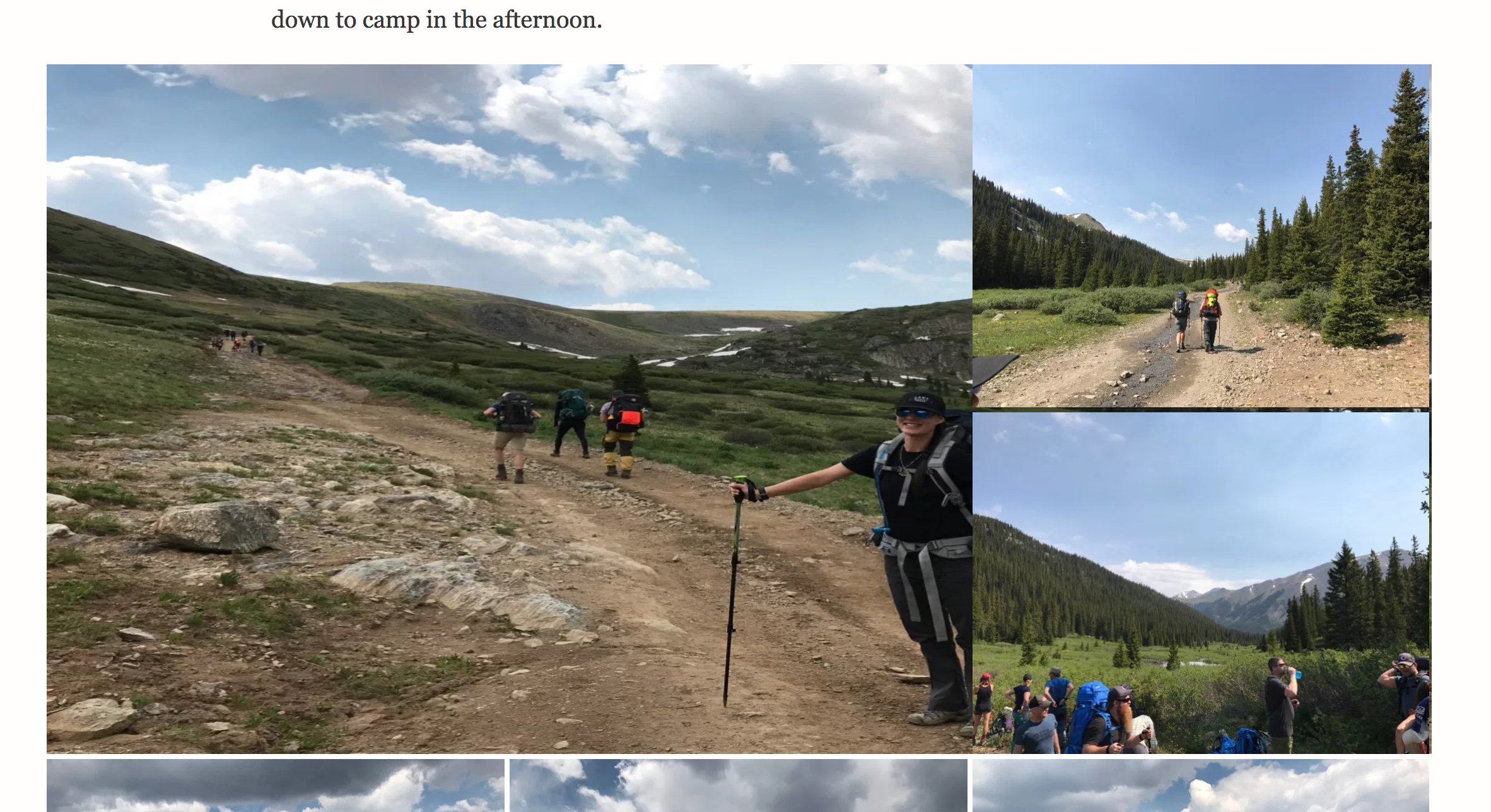
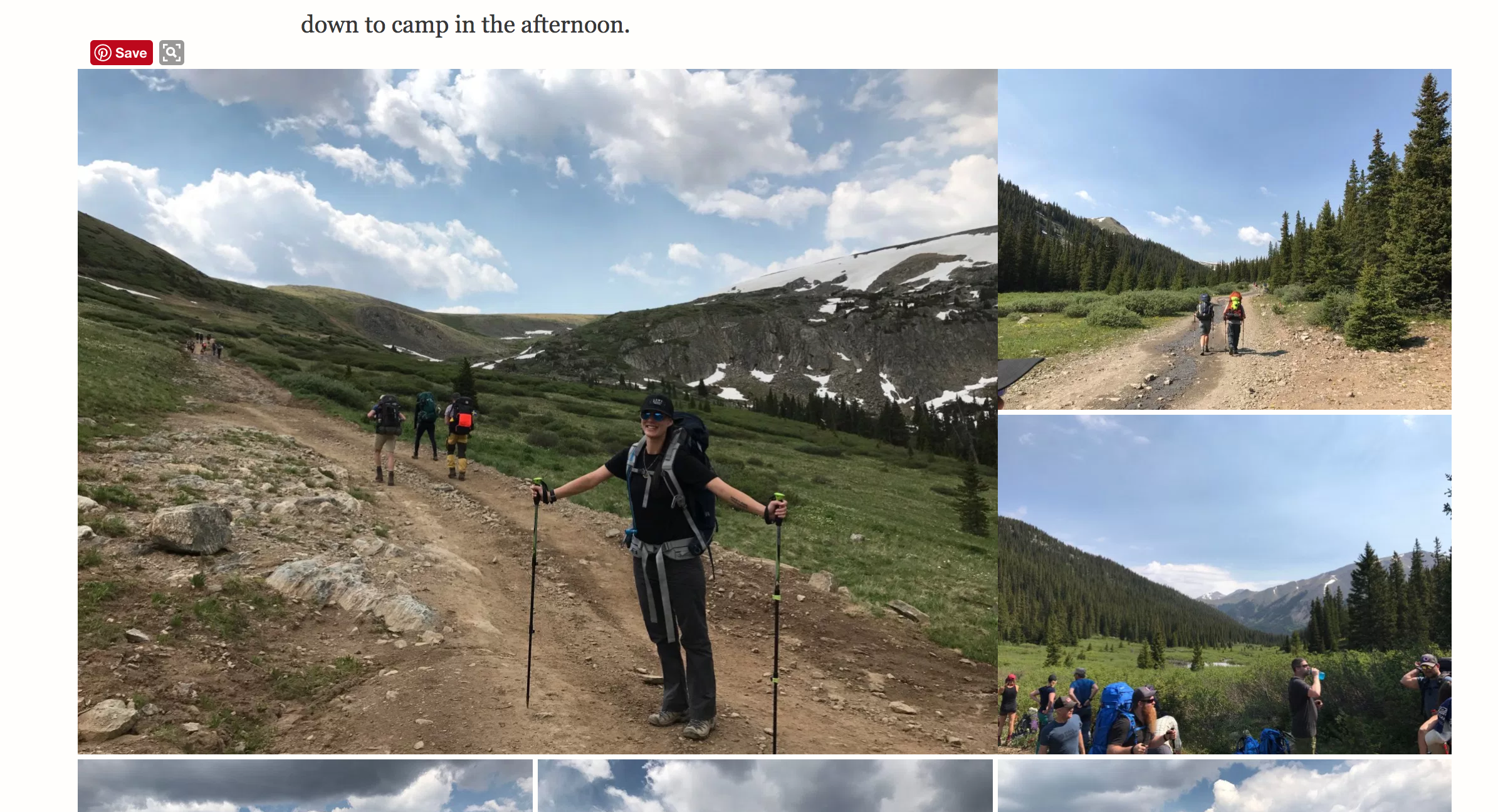
- Observe (sometimes? 2 examples here ) that the first/top-left image is oversized (stretches behind other images). When you hover over it with your mouse, it resizes so that it no longer stretches, but still doesn't have the correct margins.
What I expected
- All images to be resized and shown as nice clean tiles/mosaics, without the
:hovermoving things around.
Notes
- Theme is "Independent Publisher 2". It has some resizing/oversizing logic in it, so it's possible that the problem is an interplay between that, and the sizing CSS in the galleries themselves.
- Both examples that I see are when a row contains a large image to the left, with 2 stacked images to the right. Might be specific to that layout variant.
- Using Chrome, on macOS.
On load, notice that the top-left image stretches behind the two to the right.
When hovering the mouse, notice image is resized. I'm using a Pinterest extension in Chrome, but verified that it's not causing by deactivating and reproducing the bug still.
 beaulebens
All 15 comments
I initially thought it was the fault of the theme. The theme is targeting any img.sizebig with this code:
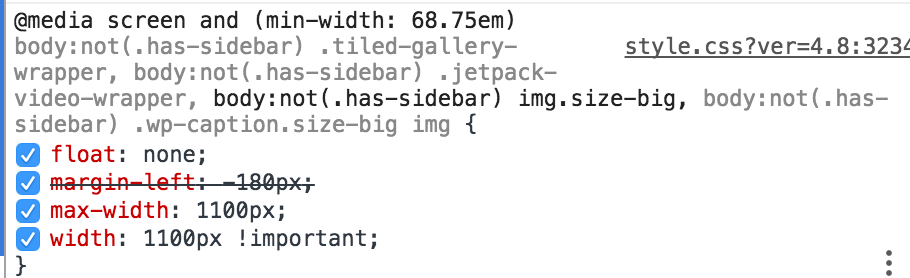
However, it looks like that rule is accurate because the full-width images in tiled gallery should have the .size-big class. The ones that are messed up look like they should have a different class. Maybe size-medium or something like that.
 MichaelArestad
on 3 Jul 2017
MichaelArestad
on 3 Jul 2017
Actually, I don't think the images smaller than full-width should have _any_ class. It works well when removing the class.
MichaelArestad
on 3 Jul 2017
Same conclusion here, @MichaelArestad — but it seems that the !important is breaking the layout.
 keoshi
on 3 Jul 2017
keoshi
on 3 Jul 2017
After further discussion and inspection with @keoshi, it looks like there are two separate bugs. One is that the selector shouldn't target size-big in the theme. The other is that any image that isn't full-width in a tiled gallery probably shouldn't have the size-big class.
MichaelArestad
on 3 Jul 2017
Is this something you, @MichaelArestad and/or @keoshi can address in Jetpack and/or the theme?
beaulebens
on 7 Jul 2017
Yep, this shouldn't be hard to fix.
keoshi
on 7 Jul 2017
My proposed solution is that we add a new condition to the theme's JS file, where the class is being added: https://beau.blog/wp-content/themes/independent-publisher-2-wpcom/js/independent-publisher-2.js?ver=20170406 (line 35-37):
if ( img_width >= 1100 ) {
    $( img ).addClass( 'size-big' );
}
In this case, this would be replaced by something like this:
if ( img_width >= 1100 && img.parents( '.tiled-gallery-item-large' ).length === 0 ) {
    $( img ).addClass( 'size-big' );
}
I believe it would be okay to add JP functionality as an exception to how the theme behaves, especially since the theme already references JP in this file: .entry-content .jetpack-video-wrapper.
Thoughts @raamdev @sixhours @kjellr ?
keoshi
on 7 Jul 2017
I think that might be better, but I'm still not 100% sure what the class is for in the first place if there's already a better class on the wrapper for the image.
MichaelArestad
on 7 Jul 2017
How so? This stops the class from being added in case it's a tiled gallery.
keoshi
on 7 Jul 2017
@keoshi Ah. Let me clarify. I'm not really sure what the .size-big class is even necessary for. If there's already a relevant class on the wrappers to each image, why add yet another slightly different size-specific class? The code you wrote looks like it solves the immediate problem.
MichaelArestad
on 7 Jul 2017
@MichaelArestad Right — but it's like you said on our Slack convo: the class is being added so that images bigger than 1100px wide span outside the main column's width (when no sidebar is on).
Thought this would be better solved through a very specific JP condition on the theme, rather than risking breaking a ton of sites with something more generic.
keoshi
on 7 Jul 2017
The solution proposed by @keoshi above to modify the theme's JS file looks good to me. 👍
 raamdev
on 10 Jul 2017
raamdev
on 10 Jul 2017
@keoshi want to get a PR open for it? :D
MichaelArestad
on 10 Jul 2017
Created a ticket internally with this fix, closing this one! 🙌
4716-wpcom-themes
keoshi
on 10 Jul 2017
The patch has been applied and the internal ticket has been closed. More details here: 4716-wpcom-themes
keoshi
on 12 Jul 2017
Related issues
 BinaryMoon
·
3Comments
BinaryMoon
·
3Comments
 jeherve
·
3Comments
jeherve
·
3Comments
beaulebens
·
3Comments
jeherve
·
3Comments
jeherve
·
3Comments
beaulebens
·
3Comments
 aheckler
·
3Comments
aheckler
·
3Comments
Most helpful comment
The patch has been applied and the internal ticket has been closed. More details here: 4716-wpcom-themes