Ios: Lovelace cards are not displayed when using Home Assistant 0.116.0b0
Device model, version and app version
Model Name: iMac (Retina 5K, 27-inch, Late 2015)
Software Version: macOS Catalina 10.15.7
App version: 2020.7 (3)
Home Assistant Core Version
0.116.0b0
Describe the bug
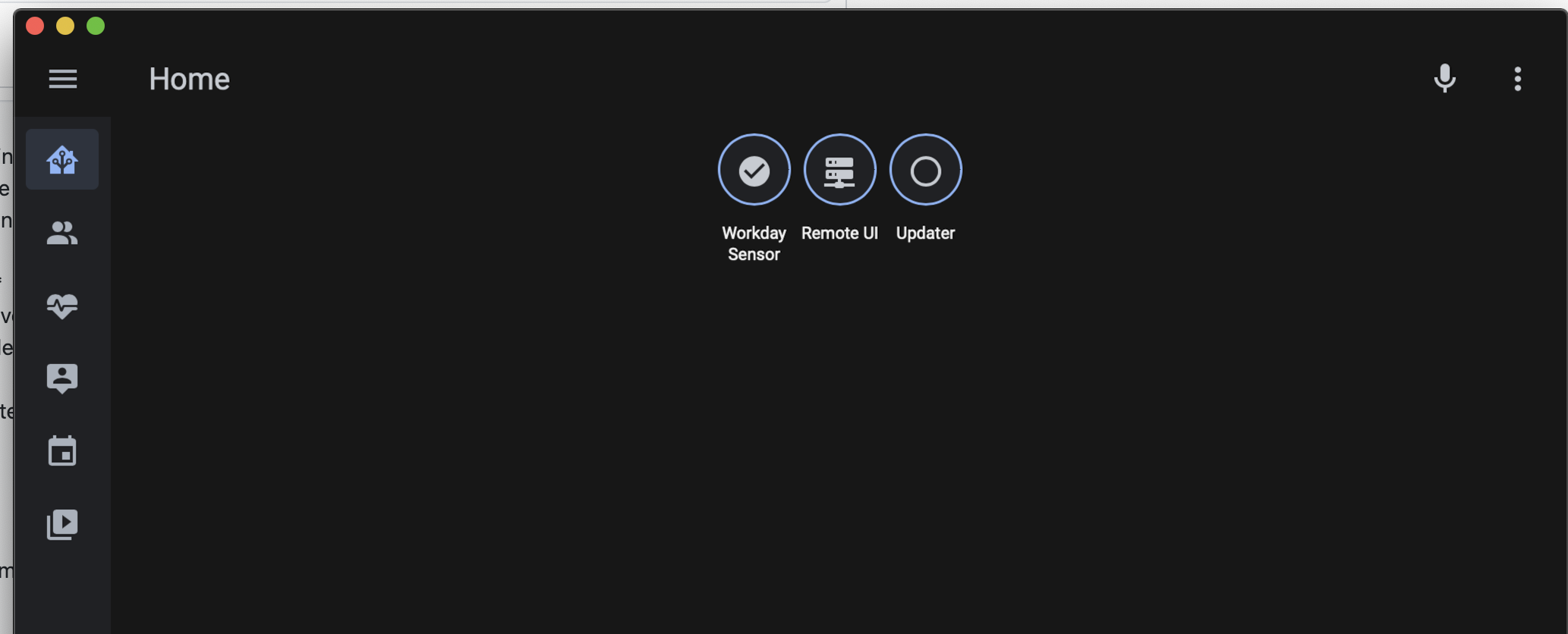
Cards are not being displayed on Lovelace views in the macOS app when connected to a Home Assistant instance running HA Core 0.116.0b0.
These are displayed correctly in both Safari and Chrome and in the Android and iOS apps. Badges are displayed as they should.
Cards are also not displayed in edit mode. New cards can be added in Edit mode, but disappear immediately after saving them.
To Reproduce
Open any Lovelace dashboard (default or other) in the macOS app (there's a simple example which reproduces this under Additional coontext).
Expected behavior
Dashboard is displayed correctly with views and badges showing.
Screenshots
Screenshot in macOS app:
Screenshot in Chrome for comparison:

Additional context
Simple Lovelace dashboard which reproduced this:
title: Home
views:
  - path: default_view
    title: Home
    badges:
      - entity: binary_sensor.workday_sensor
      - entity: binary_sensor.remote_ui
      - entity: binary_sensor.updater
    cards:
      - type: entities
        entities:
          - light.bedside_light
          - light.computer_room_light
          - light.bedroom_ceiling_light
          - entity: remote.bedroom_remote
            name: Remote
        title: Bedroom
Logs (don't know if any of this is relevant):
2020-10-01 18:32:22.890 [Info] > Home Assistant Version: 2020.7 Build: 3 PID: 65142
2020-10-01 18:32:22.890 [Info] > XCGLogger Version: 7.0.1 - Level: Debug
2020-10-01 18:32:22.891 [Info] > XCGLogger writing log to: file:///Users/***/Library/Group%20Containers/group.io.robbie.homeassistant/logs/log.txt
2020-10-01 18:32:22.891 [Info] [webhookmanager-data] [WebhookManager.swift:606] init(identifier:delegate:delegateQueue:background:) > webhook-io.robbie.HomeAssistant initial tasks: []
2020-10-01 18:32:22.891 [Info] [webhookmanager-data] [WebhookManager.swift:606] init(identifier:delegate:delegateQueue:background:) > non-background initial tasks: []
2020-10-01 18:32:23.010 [Info] [main] [AppDelegate.swift:707] setupSentry() > enabled integrations: ["SentryCrashIntegration", "SentryAutoBreadcrumbTrackingIntegration", "SentryAutoSessionTrackingIntegration"]
2020-10-01 18:32:23.097 [Verbose] [main] [AppDelegate.swift:756] setupFirebase() > Calling UIApplication.shared.registerForRemoteNotifications()
2020-10-01 18:32:23.239 [Warning] [main] [WatchHelpers.swift:61] SyncWatchContext() > Tried to sync HAAPI config to watch but watch not paired or app not installed
2020-10-01 18:32:23.355 [Info] [main] [ClientEventStore.swift:23] ClientEventStore > unknown: Application Starting [:]
--- snipped ---
2020-10-01 18:32:25.731 [Verbose] [NSOperationQueue 0x7f8f0ed1ede0 (QOS: UNSPECIFIED)] [ConnectionInfo.swift:454] should(_:retry:with:) > isRemoteUIFailure false
2020-10-01 18:32:25.731 [Verbose] [NSOperationQueue 0x7f8f0ed1ede0 (QOS: UNSPECIFIED)] [ConnectionInfo.swift:458] should(_:retry:with:) > isInternalURLFailure false
2020-10-01 18:32:25.731 [Warning] [NSOperationQueue 0x7f8f0ed1ede0 (QOS: UNSPECIFIED)] [ConnectionInfo.swift:480] should(_:retry:with:) > Not retrying a failure other than remote UI down or internal URL no longer valid
2020-10-01 18:32:25.734 [Error] [main] [HAAPI+RequestHelpers.swift:23] handleResponse(response:seal:callingFunctionName:) > Error on GetMobileAppConfig() request: responseValidationFailed(reason: Alamofire.AFError.ResponseValidationFailureReason.unacceptableStatusCode(code: 404))
2020-10-01 18:32:25.736 [Info] [main] [HAAPI.swift:436] GetMobileAppConfig() > ios component is not loaded; pretending there's no push config
2020-10-01 18:32:25.738 [Verbose] [com.apple.root.utility-qos] [ModelManager.swift:160] store(type:sourceModels:) > updating NotificationCategory from(0) eligible(0) deleted(0) ignored(0) new(0)
2020-10-01 18:32:25.944 [Verbose] [com.apple.root.utility-qos] [ModelManager.swift:160] store(type:sourceModels:) > updating Action from(3) eligible(0) deleted(0) ignored(3) new(0)
2020-10-01 18:32:26.238 [Verbose] [com.apple.root.utility-qos] [ModelManager.swift:160] store(type:sourceModels:) > updating RLMScene from(3) eligible(3) deleted(0) ignored(0) new(0)
2020-10-01 18:32:26.251 [Info] [com.apple.root.utility-qos] [RealmScene.swift:81] willDelete(objects:realm:) > deleting actions []
2020-10-01 18:32:26.373 [Info] [main] [WebViewController.swift:495] loadActiveURLIfNeeded() > not changing webview url - we're okay with what we have
2020-10-01 18:32:26.376 [Warning] [main] [WatchHelpers.swift:61] SyncWatchContext() > Tried to sync HAAPI config to watch but watch not paired or app not installed
2020-10-01 18:32:26.412 [Debug] [main] [BackgroundTask.swift:63] execute(withName:beginBackgroundTask:endBackgroundTask:wrapping:) > ending background task connect-api (9)
2020-10-01 18:32:26.414 [Info] [main] [LifecycleManager.swift:117] connectAPI(reason:) > Connect finished for reason cold
2020-10-01 18:32:27.836 [Verbose] [main] [ThemeColors.swift:71] updateCache(with:for:) > caching color values ["--primary-color": "rgb(138, 180, 248)", "--app-header-background-color": "rgb(23, 23, 23)", "--primary-background-color": "rgb(23, 23, 23)", "--text-primary-color": "rgb(242, 242, 242)"]
2020-10-01 18:32:27.836 [Verbose] [main] [ThemeColors.swift:53] cachedThemeColors(for:) > loaded cached colors ["--primary-color": "rgb(138, 180, 248)", "--app-header-background-color": "rgb(23, 23, 23)", "--primary-background-color": "rgb(23, 23, 23)", "--text-primary-color": "rgb(242, 242, 242)"]
 gadgetchnnel
All 18 comments
facing same issue after update with HA app and safari browser
iPhone 7 , iOS 13.5.1
 cyber-junkie9
on 1 Oct 2020
cyber-junkie9
on 1 Oct 2020
The Safari browser and HA iOS app in is fine for me (I only have the problem on macOS) but I'm on iOS 14.0.1 on an iPad Air 2.
gadgetchnnel
on 1 Oct 2020
Can you confirm which version of Safari you have installed on Mac where it works but the app doesn't?
 zacwest
on 1 Oct 2020
zacwest
on 1 Oct 2020
The Safari version on my Mac is 14.0 (15610.1.28.1.9, 15610).
gadgetchnnel
on 1 Oct 2020
Do you have any custom frontend modifications - themes, cards, etc.? I'd like to try and replicate this but right now a stock Lovelace isn't doing it on Big Sur; haven't tried out Catalina yet.
zacwest
on 1 Oct 2020
I do have custom cards, etc. but to check that it wasn't anything to do with them I created a new instance of Home Assistant running on my Mac (in a Python venv) with absolutely nothing custom. I then reset the macOS app and connected it to that instance, and was able to recreate the same issue
gadgetchnnel
on 2 Oct 2020
I can confirm I’m having the same issues on the iOS app, Firefox mobile app and Safari mobile app. I don’t have these issues on my desktop. I’m running iOS 13.5 and using the latest version of mobile Firefox and the app. I don’t have any custom cards and cards to do not appear in editing mode either, unless I create a new one where it shortly disappears after. I’d be happy to submit logs in order to help fix this issue.
Video of the issue: https://imgur.com/a/995SsvK
 JeffResc
on 3 Oct 2020
JeffResc
on 3 Oct 2020
hello,
I encounter exactly the same problem on the iOS app running iOS 12.4.8. On iphone in iOS 14.1 no problem
 Cerize110
on 4 Oct 2020
Cerize110
on 4 Oct 2020
Can confirm this issue still exists in 0.116.0b2
JeffResc
on 4 Oct 2020
I was able to capture information about this error and I've included a video so that you may see what errors happen when certain actions are pressed on the screen:
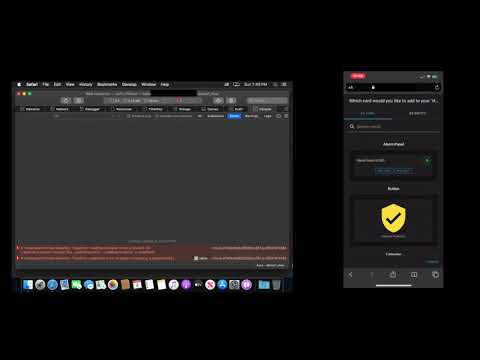
JavaScript Console Error Log:
[Error] Unhandled Promise Rejection: TypeError: t.addEventListener is not a function. (In 't.addEventListener("change",this._updateColumns)', 't.addEventListener' is undefined)
    (anonymous function) (chunk.27a54c6d4d3f2b5cc351.js:3824:911284)
    map
    value (chunk.27a54c6d4d3f2b5cc351.js:3824:911212)
    performUpdate (app.91f5cf69.js:1:16938)
    (anonymous function) (app.91f5cf69.js:1:16486)
    asyncFunctionResume
    (anonymous function)
    promiseReactionJobWithoutPromise
[Error] Unhandled Promise Rejection: TypeError: undefined is not an object (evaluating 'e.appendChild')
    value (chunk.27a54c6d4d3f2b5cc351.js:3824:913142)
    (anonymous function) (chunk.27a54c6d4d3f2b5cc351.js:3824:912807)
    asyncFunctionResume
    (anonymous function)
    promiseReactionJobWithoutPromise
[Error] Unhandled Promise Rejection: TypeError: t.addEventListener is not a function. (In 't.addEventListener("change",this._updateColumns)', 't.addEventListener' is undefined)
    (anonymous function) (chunk.27a54c6d4d3f2b5cc351.js:3824:911284)
    map
    value (chunk.27a54c6d4d3f2b5cc351.js:3824:911212)
    performUpdate (app.91f5cf69.js:1:16938)
    (anonymous function) (app.91f5cf69.js:1:16486)
    asyncFunctionResume
    (anonymous function)
    promiseReactionJobWithoutPromise
[Error] Unhandled Promise Rejection: TypeError: undefined is not an object (evaluating 'e.appendChild')
    value (chunk.27a54c6d4d3f2b5cc351.js:3824:913178)
    (anonymous function) (chunk.27a54c6d4d3f2b5cc351.js:3824:912807)
    asyncFunctionResume
    (anonymous function)
    promiseReactionJobWithoutPromise
I'm able to reproduce this on Catalina using 0.116b2, and I'm able to reproduce it in Safari as well when the issue is happening. Curiously this doesn't reproduce when using the latest development frontend, so it may have been solved for b3.
@home-assistant/frontend Any insights from the logs above? Is this a known issue?
zacwest
on 5 Oct 2020
We did do some fixes related to the things I see in that log, but I'm still able to replicate this in the MacOS app. Having trouble debugging that though...
 bramkragten
on 5 Oct 2020
bramkragten
on 5 Oct 2020
Fixed https://github.com/home-assistant/frontend/pull/7232
(does the MacOS app use a different Safari version than the one installed on your system?)
bramkragten
on 5 Oct 2020
Another reason to hate Mac/safari :)
 zsarnett
on 5 Oct 2020
zsarnett
on 5 Oct 2020
The PR was merged 7 minutes ago, would be nice if it was already on your system ;-)
bramkragten
on 5 Oct 2020
The Mac app should be using the same WebKit instance as the system Safari - we definitely don't package a separate one.
Thanks for fixing!
zacwest
on 5 Oct 2020
Safari 14 was made available as an update for Catalina and Mojave (it's the system version in Big Sur). So if, like me, you installed the update Safari would be using a newer WebKit version than the system version. Assuming that the system version is what the app uses, that would explain it.
gadgetchnnel
on 5 Oct 2020
A new beta is out with the frontend changes, please update this ticket (or make a new one on the frontend repo) if you're still having issues!
zacwest
on 6 Oct 2020
Related issues
 snowe2010
·
12Comments
snowe2010
·
12Comments
 mynameisdaniel32
·
9Comments
mynameisdaniel32
·
9Comments
 henrikbjorn
·
7Comments
henrikbjorn
·
7Comments
 wolverinevn
·
3Comments
wolverinevn
·
3Comments
 jamieshaw
·
8Comments
jamieshaw
·
8Comments
Most helpful comment
The PR was merged 7 minutes ago, would be nice if it was already on your system ;-)