Ios: Home Assistant Companion crashes on first run
iOS device model, version and app version
Model Name: iPhone Xs
Software Version: 13.2.3
App version: Can't give app version as it crashes when we click continue
Home Assistant Core Version
0.110.1
Describe the bug
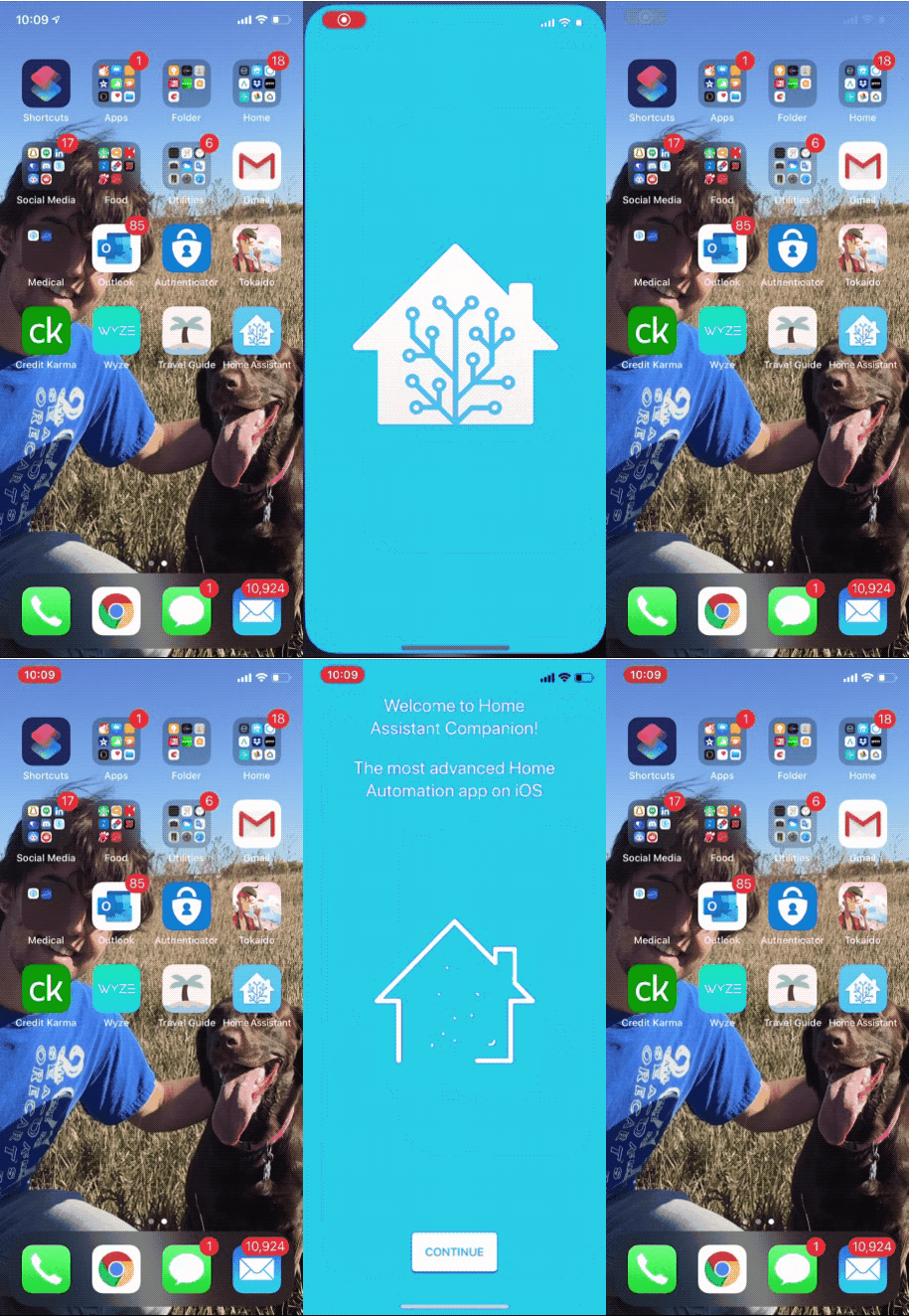
Download app straight from App Store, open it, click Continue, screen flashes to a different screen for a split second, then crashes immediately.
To Reproduce
Download the app and run?
Expected behavior
No crashing...
Screenshots
 snowe2010
All 12 comments
This is a new issue with 0.110 and will hopefully get sorted out soon, but in the meantime here's the fix: https://companion.home-assistant.io/docs/troubleshooting/faqs#app-crashes-on-set-up
 SeanPM5
on 22 May 2020
SeanPM5
on 22 May 2020
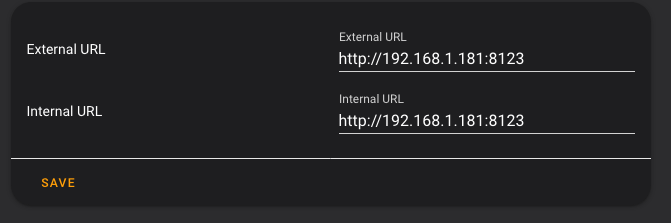
As Sean says the cause of this is known. There is a fix already in the dev version of Home Assistant. You need to specify vales for internal_url and external_url either through the ui or under homeassistant: in configuration.yaml. Please let us know if this fixes your issue
 TomBrien
on 22 May 2020
TomBrien
on 22 May 2020
I still get the issue even though my internal and external url values are filled out. Do they need to be a specific format? All I did was copy the internal to the external (as I have nabu casa and will need to set the external up later after setup)
snowe2010
on 22 May 2020
Tried with the nabu casa url with no luck. No clue what values I should be setting here, as our system is Nabu Casa and the app sets that all automatically based on the internal ip.
snowe2010
on 23 May 2020
@snowe2010 do you have http set somewhere? I’d suggest commenting that out temporally if you do. Do you have Remote Control turned on in the Home Assistant Cloud settings?
TomBrien
on 23 May 2020
Also, most importantly, did you restart Home Assistant after adding external_url and internal_url?
TomBrien
on 23 May 2020
I faced the same issue. My workaround was turn off WiFi on phone and setup first time the app with mobile data (obviously you need to have configured to external connection). Then just enabling again WiFi and app didn’t being crashing.
 gsubiran
on 23 May 2020
gsubiran
on 23 May 2020
Yep that should get you around the crash. However, I think doing that will not allow the app to know your home wifi SSID and may be a problem for people with hairpin NAT issues
TomBrien
on 23 May 2020
@snowe2010 Can you let me know if you have got past the crash now?
TomBrien
on 23 May 2020
I followed suggestion from @gsubiran above, connected while disabled WiFi, after re-activating WiFi it still works fine. I have the same https addresses for both Internal as External.
 nolenjohan
on 23 May 2020
nolenjohan
on 23 May 2020
I think the issue was restarting HA, but am not sure. It appears to be working now though! Was able to start up and connect and it detected nabu casa correctly and everything appears to be working.
snowe2010
on 23 May 2020
This is fixed via home-assistant/core#36490 which is being released as a quick fix right now
TomBrien
on 6 Jun 2020
Related issues
 TacoRocket
·
8Comments
TacoRocket
·
8Comments
 Nicxe
·
8Comments
Nicxe
·
8Comments
 fi-sch
·
7Comments
fi-sch
·
7Comments
 LucasJanin
·
6Comments
LucasJanin
·
6Comments
 henrikbjorn
·
7Comments
henrikbjorn
·
7Comments
Most helpful comment
This is fixed via home-assistant/core#36490 which is being released as a quick fix right now