Ios: Blurry Fonts on macOS Companion
Device model, version and app version
Model Name: MacBook Pro 16"
macOS Version: 11.1 beta
App Version: 2020.07
Safari Version:
Home Assistant Core Version
2020.12
Describe the bug
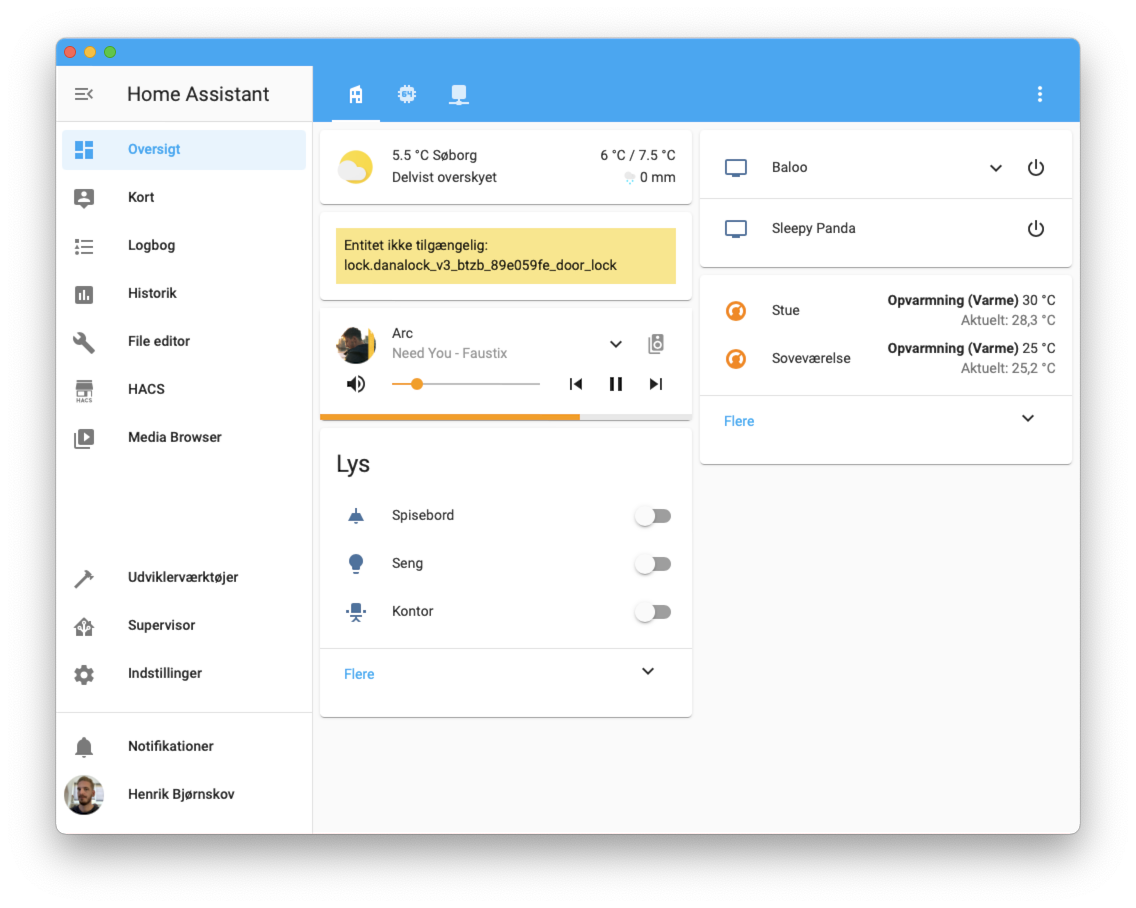
Fonts look blurry on the macOS companion
To Reproduce
Install macOS companion
Expected behavior
Not to have blurry fonts
Screenshots
Additional context
 henrikbjorn
All 7 comments
I'm experiencing the same issue on my external 27 inch LG 4k screen.
 svh1985
on 29 Dec 2020
svh1985
on 29 Dec 2020
Same for me on my external screen
 matthieu-fesselier
on 4 Jan 2021
matthieu-fesselier
on 4 Jan 2021
Looks like this can be solved on Big Sur by adopting the Mac appearance style. The app's pretty close to functional when doing so, there's a few things that _must_ be addressed:
- UIStepper and UIRefreshControl are unavailable
- Some rows and things in settings do not look good (their rows are so short that icons are overpoweringly big)
- The UI feels a lot less easy to use with a small checkbox in a tiny row. Settings may need some translation to more Mac-appropriate UI to be usable.
It does look unblurry though:
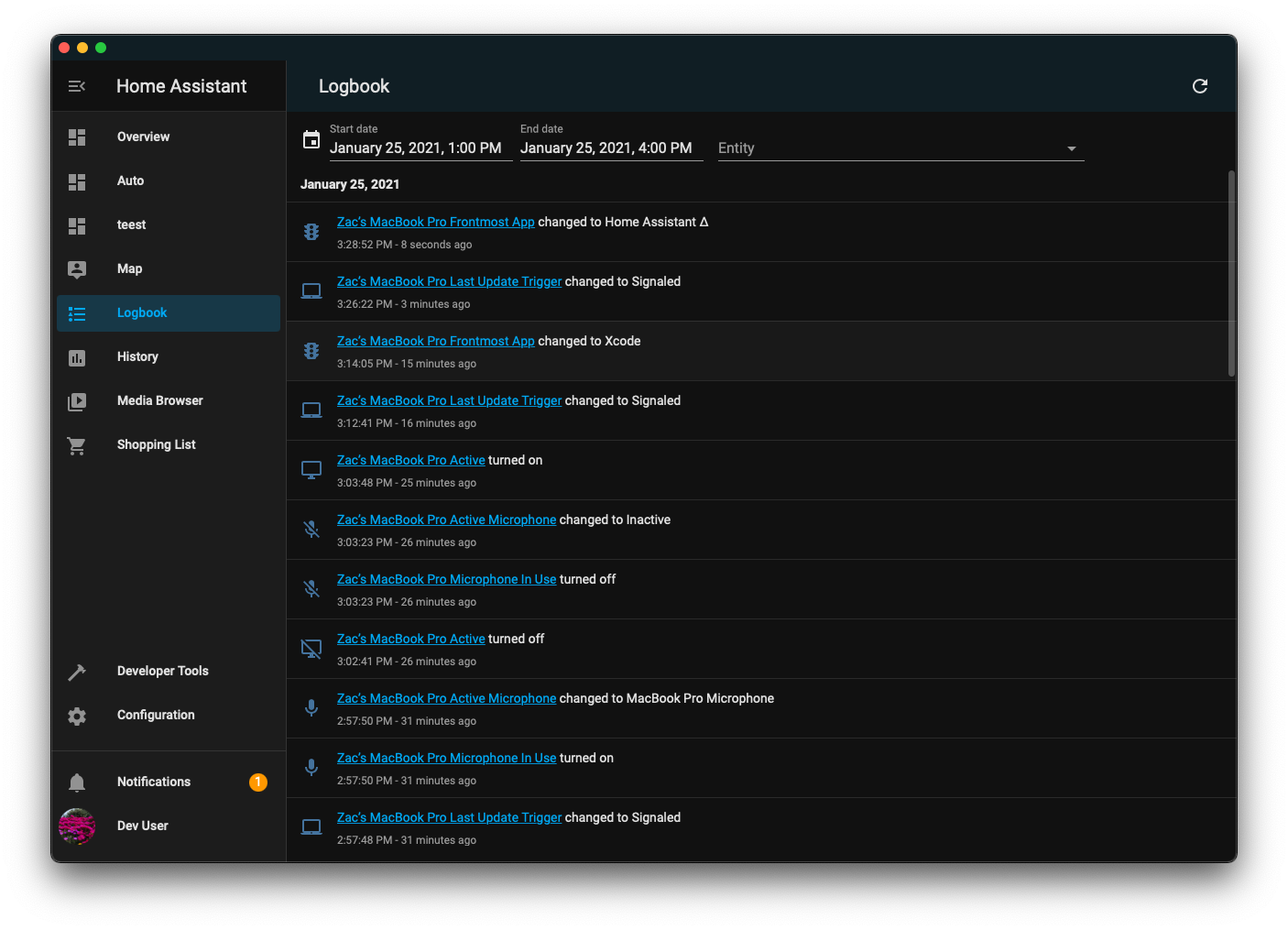
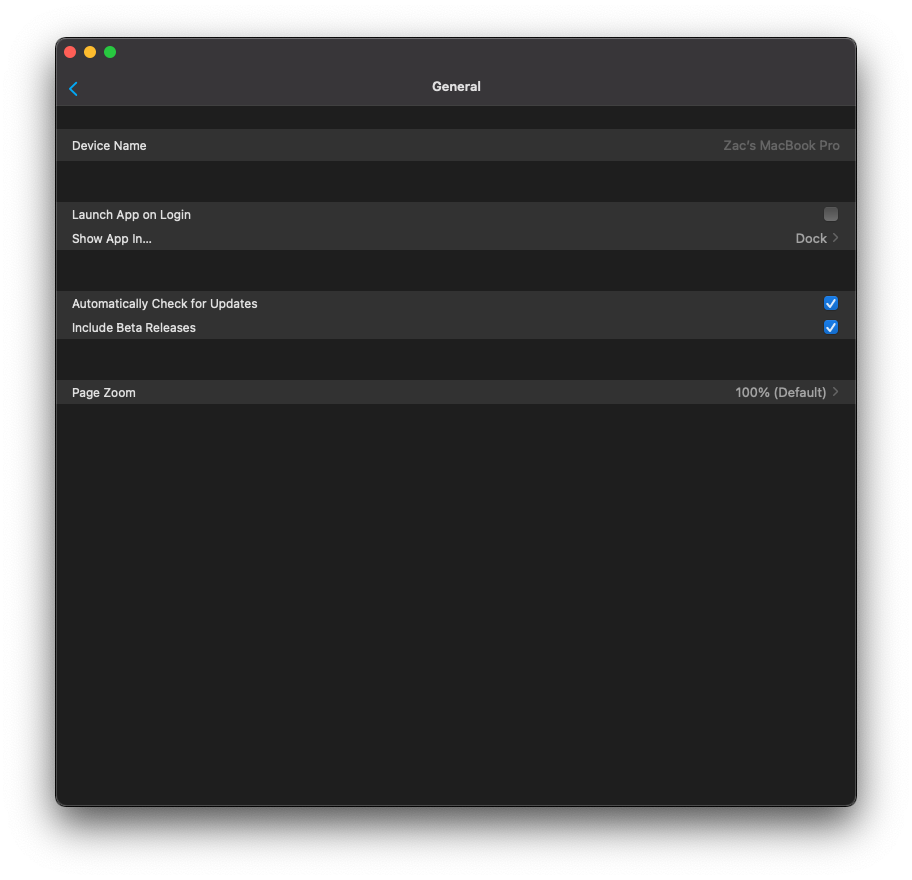
This approach, of course, does not resolve the issues on Catalina.
 zacwest
on 26 Jan 2021
zacwest
on 26 Jan 2021
Looks like this can be solved on Big Sur by adopting the Mac appearance style...
I've had a quick look on my machine running Big Sur but I can't find this setting... how do I do this?
 nickdos
on 8 Mar 2021
nickdos
on 8 Mar 2021
That is not a setting, it is something the app would need to be updated to support.
zacwest
on 8 Mar 2021
Is it possible to already do this ourselves? (Or is it possible to add a checkbox that only implements a basic version of this? I don't really care if the settings UI isn't "scaled" properly, as it seems to finally make the app usable)
But it might be too much of a hassle to do atm.
 TheJulianJES
on 13 Mar 2021
TheJulianJES
on 13 Mar 2021
Not yet. This requires code changes.
zacwest
on 13 Mar 2021
Related issues
 wilfredsmit
·
5Comments
wilfredsmit
·
5Comments
 snowe2010
·
12Comments
snowe2010
·
12Comments
 rifelpet
·
4Comments
rifelpet
·
4Comments
 TacoRocket
·
8Comments
TacoRocket
·
8Comments
 riemers
·
11Comments
riemers
·
11Comments