Hi,
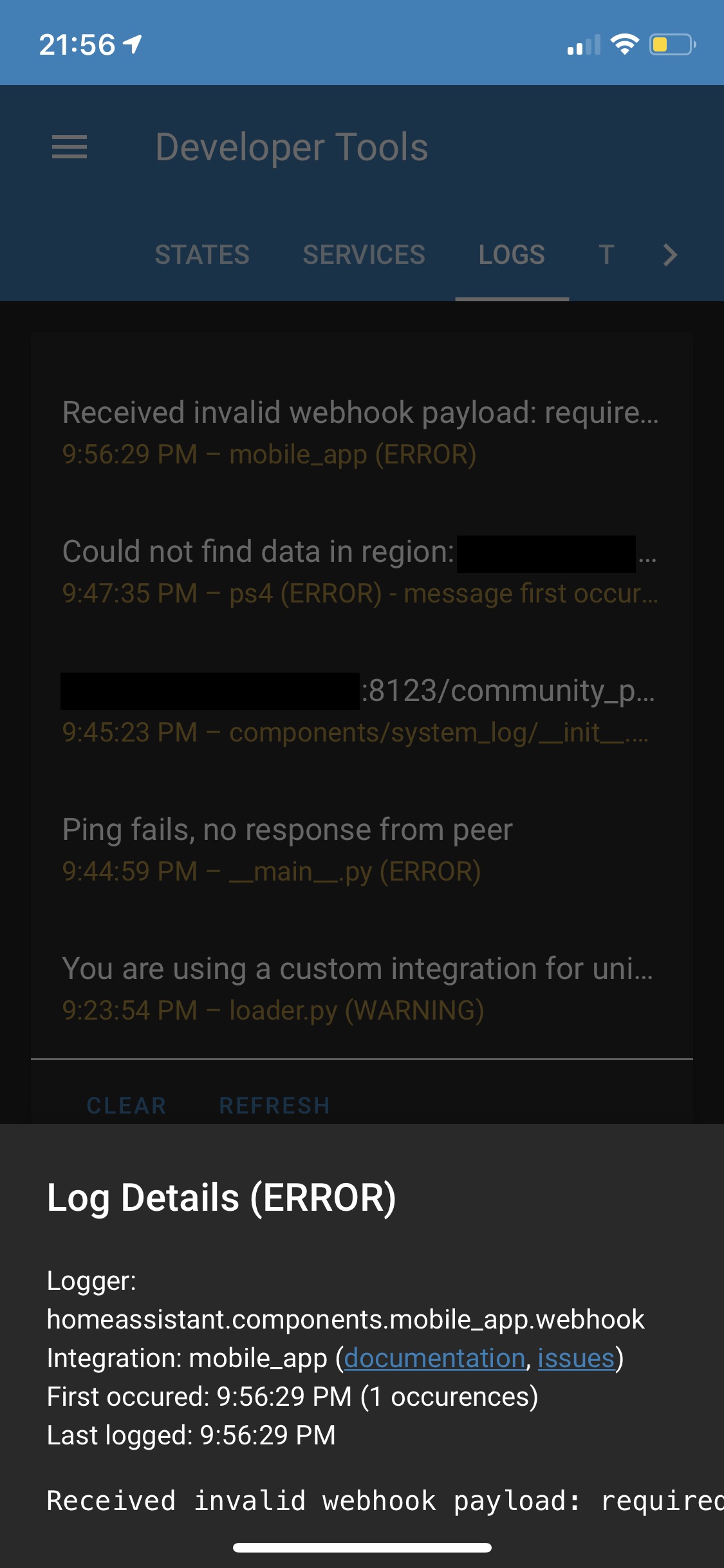
When I connect my iPad in my home to HomeAssistant with the companion app to display homeassistant. My log start shouting this. Like 124 times allready this day. But the ipad just works! But homeassistant is unhappy with something..
2020-02-17 19:10:14 ERROR (MainThread) [homeassistant.components.mobile_app.webhook] Received invalid webhook payload: required key not provided @ data[5]['state']. Got None
2020-02-17 19:10:14 ERROR (MainThread) [homeassistant.components.mobile_app.webhook] Received invalid webhook payload: required key not provided @ data[5]['state']. Got None
 ghost
ghost
All 131 comments
I am seeing this too now. Sensors haven't updated in 22 hours. This is true for one device and not another. I get it for data[11] (86 times in logs) and data[12] (117 times in logs) though. For the affected device, it seems to have started at the upgrade to Home Assistant Core 0.105.5
 TomBrien
on 21 Feb 2020
TomBrien
on 21 Feb 2020
Seems this is affecting devices running 13.4b and not 13.3 release
TomBrien
on 21 Feb 2020
Happens with 13.4b2 too
TomBrien
on 23 Feb 2020
I think this is going to be the Connection Type sensor complaining. How is your iPhone connected when the error occurs? Wi-Fi or cellular?
 robbiet480
on 24 Feb 2020
robbiet480
on 24 Feb 2020
@robbiet480 just tested and I get it when connected by WiFi or cellular
TomBrien
on 24 Feb 2020
The iPad4 is connected via WIFI, the reception is great. I do have trouble connecting sometimes, need to retry twice sometimes to get the Lovelace page. I think there is an error in the app or HomeAssistant, that couses it because the WiFi is great. When I need to retry I Indeed get this error I see. Even with a clean install.
ghost
on 24 Feb 2020
Still present in iOS 13.4b3. I think this isn’t going anywhere
TomBrien
on 27 Feb 2020
Have the same issue, one device where sensors update and one device where they don’t. Have the same errors in logs.
 circa1665
on 28 Feb 2020
circa1665
on 28 Feb 2020
@circa1665 is the one that doesn’t update running iOS 13.4 beta?
TomBrien
on 28 Feb 2020
@TomBrien - no, both devices are on iOS 13.3.1.
Behaviour has been consistent for quite some time.
circa1665
on 2 Mar 2020
Could this error have something to do with the history? I see my history graphs won't load.
ghost
on 3 Mar 2020
I don't know if this is going the right way. I reported this with my iPad 4, it's running iOS 10.3.4 I't can't be upgraded since iPad4 's to old for a higher iOS.
The error has nothing to do with iOS 13.4 beta. So I think better not change the title to this...
ghost
on 5 Mar 2020
Any ideas on how to fix it?
Two sensors seem to be broken on my end, the activity and geocoded location.
Lastest iOS beta and HA beta.
2020-03-16 13:42:24 ERROR (MainThread) [homeassistant.components.mobile_app.webhook] Received invalid webhook payload: required key not provided @ data[11]['state']. Got None
2020-03-16 13:49:39 ERROR (MainThread) [homeassistant.components.mobile_app.webhook] Received invalid webhook payload: required key not provided @ data[12]['state']. Got None
 towerhand
on 16 Mar 2020
towerhand
on 16 Mar 2020
@robbiet480 is this being addressed in 2020.1?
circa1665
on 16 Mar 2020
Also happens with iOS 13.4 final (got it a couple of days ago with my developer profile)..
Using HassOS 3.12/Home Assistant 0.107.5
Tried to re-register my iPhone Xr but only updated the battery_level once during registration.
geocoded_location doesn't register at all.
Girlfriend is still running iOS 13.3.1 on her iPhone Xr and that device is still working the way it should.
So it has to be a iOS 13.4 problem I guess ?
Logboekdetails ( ERROR )
Logger: homeassistant.components.mobile_app.webhook
Source: components/mobile_app/webhook.py:186
Integration: mobile_app (documentation, issues)
First occurred: 11:16:51 (12 occurrences)
Last logged: 12:02:33
Received invalid webhook payload: required key not provided @ data[11]['state']. Got None
Received invalid webhook payload: required key not provided @ data[12]['state']. Got None
 tcc0
on 22 Mar 2020
tcc0
on 22 Mar 2020
So I just updated to 13.4 on my iPad pro and I am not seeing this error any more... I am upgrading my mobile now to confirm its fixed
 johntdyer
on 23 Mar 2020
johntdyer
on 23 Mar 2020
It's not fixed, but let us know indeed.
tcc0
on 23 Mar 2020
So its working for me on the iPad but not on the iPhone... Same version of the app and both running latest 13.4...
johntdyer
on 24 Mar 2020
double checked and my iPhone XS is not working, iPad is working just fine.. 🤷♂
johntdyer
on 24 Mar 2020
Any progress?
Have this problem on an iPhone 11 Pro but not on an iPhone 8 Plus. Both on iOS 13.4 (release)
 Krocko
on 25 Mar 2020
Krocko
on 25 Mar 2020
It seems to be related to this: #443. I turned on debugging for mobile_app, and you can see this, where the state is clearly missing for the second sim (which I have never activated) on my iPhone. This isn't occurring with an iPad, because there's no dual sim capability.:
{'unique_id': 'connectivity_sim_2', 'attributes': {'Mobile Country Code': 'N/A', 'ISO Country Code': 'N/A', 'Allows VoIP': True, 'Mobile Network Code': 'N/A', 'Carrier ID': '0000000100000002', 'Carrier Name': 'N/A'}, 'type': 'sensor', 'icon': 'mdi:sim'},
 mjn138
on 25 Mar 2020
mjn138
on 25 Mar 2020
I don‘t think this is the only problem.
I had I iPhone X with iOS 13.4 beta before also with this problem. And iPhone X don‘t have dual sim.
Krocko
on 25 Mar 2020
Oke let's stop te discussion. Everybody has problems :-) Is the developer reading this, is main main concern now.
ghost
on 25 Mar 2020
@robbiet480 this is definitely a iOS 13.4 issue. My wife just updated her phone from 13.3. The device has never seen beta build of iOS and everything was working fine under 13.3 and now it has the invalid webhook payload with iOS 13.4
TomBrien
on 25 Mar 2020
Clean (re)install of app does not fix
TomBrien
on 25 Mar 2020
@mjn138's observation about an unused eSIM holds up from my front. Both devices here fall into that description
TomBrien
on 25 Mar 2020
I have been seeing this since October... #443
 steve28
on 26 Mar 2020
steve28
on 26 Mar 2020
@robbiet480 any idea when this might get some attention ?
johntdyer
on 27 Mar 2020
I do have the same issue with an iphone 11 Pro and and ipad. both on ios 13.4
 deluxestyle
on 2 Apr 2020
deluxestyle
on 2 Apr 2020
@deluxestyle both those devices have eSIMs. Are you using the eSIM (second carrier) on your 11 Pro and is your iPad possibly a cellular iPad that does not have a cell plan at the moment?
TomBrien
on 2 Apr 2020
@TomBrien iPad is a Wifi only and the iPhone has a standard SIM, no eSIM
deluxestyle
on 2 Apr 2020
Same issue on XS and 8, both running latest stable iOS and latest HA app.
 artkrz
on 2 Apr 2020
artkrz
on 2 Apr 2020
So I don't think it is related to eSIM in all cases then. Pretty sure the 8 didn't have an eSIM
TomBrien
on 2 Apr 2020
Same issue on XS Max running latest IOS beta of 13.4 and version 2.0.0(69) of the HA App
 JManDoo
on 2 Apr 2020
JManDoo
on 2 Apr 2020
I'm having the same issue on my XS Max, the Xs and Xr seem to work fine
 JamesDenby
on 3 Apr 2020
JamesDenby
on 3 Apr 2020
I was able to fix it myself by compiling the code and changing WebhookSensors.swift by adding ?? "N/A" to the carrierSensor.State line. It's possible, from reading the code (which - full disclosure - I'm not that good at), that there are other sensors sending empty values for certain devices, but at least in my case, I got it working. For anyone who wants to try it themselves (and can build the software), the change is to line 136 (full function below).
private func makeCarrierSensor(_ carrier: CTCarrier, _ radioTech: String?, _ key: String? = nil) -> WebhookSensor {
var carrierSensor = WebhookSensor(name: "Cellular Provider", uniqueID: "connectivity_cellular_provider",
icon: "mdi:sim", state: "Unknown")
    if let key = key, let id = key.last {
        carrierSensor = WebhookSensor(name: "SIM \(id)", uniqueID: "connectivity_sim_\(id)", icon: "mdi:sim",
                                      state: "Unknown")
    }

    carrierSensor.State = carrier.carrierName ?? "N/A"
    carrierSensor.Attributes = [
        "Carrier ID": key ?? "N/A",
        "Carrier Name": carrier.carrierName ?? "N/A",
        "Mobile Country Code": carrier.mobileCountryCode ?? "N/A",
        "Mobile Network Code": carrier.mobileNetworkCode ?? "N/A",
        "ISO Country Code": carrier.isoCountryCode ?? "N/A",
        "Allows VoIP": carrier.allowsVOIP
    ]

    if let radioTech = radioTech {
        carrierSensor.Attributes?["Current Radio Technology"] = getRadioTechName(radioTech)
    }

    return carrierSensor
}
You can do a proposal on the code. I believe it’s a pull request or something?
ghost
on 5 Apr 2020
@mjn138 can you submit a PR so hopefully we can get this fixed..
johntdyer
on 6 Apr 2020
Ok, @johntdyer - PR submitted.....
mjn138
on 6 Apr 2020
Crossing fingers that it's a fix and will get merged :)
Thanks @mjn138 !
 meme1337
on 7 Apr 2020
meme1337
on 7 Apr 2020
I upgraded an iPhone X and iPhone 11 Pro to iOS 13.4 and the iPhone X is updating fine while the iPhone 11 Pro stopped. I'm also getting the following errors
Received invalid webhook payload: required key not provided @ data[12]['state']. Got None
Received invalid webhook payload: required key not provided @ data[11]['state']. Got None
 skrenes
on 7 Apr 2020
skrenes
on 7 Apr 2020
iPhone Xr on 13.4, same errors for me:
Received invalid webhook payload: required key not provided @ data[12]['state']. Got None
Received invalid webhook payload: required key not provided @ data[11]['state']. Got None
same issue, all working fine until a few days ago. Assume it coincided with my iPhone iOS upgrade. Not using an eSim so not sure that's the culprit
 snowy911
on 12 Apr 2020
snowy911
on 12 Apr 2020
I have same issue with current iOS app. Only updates when app is open.
I also noticed sometimes the app would send old states back to HA when reopened.
 austwhite
on 14 Apr 2020
austwhite
on 14 Apr 2020
Now that the PR is merged, who can actually do a release to the app store? It would be great to see this fixed.
 dancrevier
on 14 Apr 2020
dancrevier
on 14 Apr 2020
Is there a beta/test version available via App Store?
I'd be down for testing it
austwhite
on 14 Apr 2020
Robbie has to release. We’ve been hit with some pretty length waits in App Store review before
TomBrien
on 14 Apr 2020
Oke, well thanks that I could contribute in this. We'll hope Mr. Robbie can release an update in de Appstore. Thank you all for the hard work.
ghost
on 14 Apr 2020
just to keep this (and a few other threads here and on the community ) alive. using 108.6 Hassio and iPhone Pro 11 on 13.4/13.4.1:
this issue is very much alive..! A completely dead mobile_app
other devices fare better (iPads seem fully functional, some older iPhones too, but eg iPhone XR's geolocation is update only now and then)
please developer(s) check this and let us know what the state of a possible fix for this is?
Would be very much appreciated indeed!
 Mariusthvdb
on 22 Apr 2020
Mariusthvdb
on 22 Apr 2020
Same for me here with an iPhone XR running iOs 13.4.1
 Janhsen
on 22 Apr 2020
Janhsen
on 22 Apr 2020
It seems all recent model iPhones on the latest iOS are affected.
Hopefully Apple won't cause too many delays for the app update
austwhite
on 22 Apr 2020
The fix is being processed but the (unpaid) developer has recently started a new job and has very limited free time.
If you need the value of the battery sensor, you can work around this using the battery attribute of the device_tracker.* entity which is still updating
TomBrien
on 22 Apr 2020
I find the device tracker status doesn't update.
I'll buy the developer a coffee from the donation screen to show my support :)
austwhite
on 22 Apr 2020
Any news on the unpaid developer? While my device tracking works, I utilize many other sensors that are not updating. Any timeline or eta would be greatly appreciated. Thanks for all the hard work you all are doing.
 bleeblak8
on 27 Apr 2020
bleeblak8
on 27 Apr 2020
stating the developer being unpaid seems a bit awkward. for users, and for the developer.
Wouldn't it be more productive to think about authorizing development of the app to an added dev?
that way people wouldn't have to keep pushing in case of breaking changes, and no-one would have to keep pointing at the grace of free time.
current state of the App truly is very frustrating, and a swift update is required. Not blaming anyone, simply trying to think in solutions here.
added to that: if the fix posted above truly holds, there is no reason at all why this would have to take as long as it does right now.
Mariusthvdb
on 28 Apr 2020
Is there anyone else willing to work in the app?
towerhand
on 28 Apr 2020
As stated earlier, the patch has been applied to Dev version. I am guessing it is in testing still, which can take some time depending on the changes needed.
With the current situation of lockdown, it might be hard to test that all sensors behave properly.
A little feedback from the developer, which would only take a minute to write, would ease some concerns though. Especially given this is the official Home Assistant app.
austwhite
on 28 Apr 2020
If this were a feature, I’d totally understand the delay. But this is a patch to fix a bug. We’re not talking about testing to ensure it’s working well. It’s already broken. Frankly I’m shocked it’s taking so long considering Home Assistant has had at least 15-25 sub releases in the time this bug has been known and another half dozen since the patch has been applied to dev.
On Apr 27, 2020, 4:52 PM -0600, austwhite notifications@github.com, wrote:
As stated earlier, the patch has been applied to Dev version. I am guessing it is in testing still, which can take some time depending on the changes needed.
With the current situation of lockdown, it might be hard to test that all sensors behave properly.
A little feedback from the developer, which would only take a minute to write, would ease some concerns though. Especially given this is the official Home Assistant app.
—
You are receiving this because you commented.
Reply to this email directly, view it on GitHub, or unsubscribe.
skrenes
on 28 Apr 2020
It takes Apple a long time to approve new updates for the app store. I'd want to make sure the patch didn't break anything first.
But, as stated, it would be nice for some feedback from the developer as I am just guessing as to the delay 🙂
austwhite
on 28 Apr 2020
Does the TestFlight beta still release updates? Could there be test people to help with finding bugs? I can’t remember if the beta is still running or not.
bleeblak8
on 28 Apr 2020
@YRRK This is not a Home Assistant issue. This is a change made in iOS13 and is purely an issue with the iOS App.
It's the way Apple's system does things 🙂
austwhite
on 28 Apr 2020
Yes sorry I was wrong. I deleted the comment about what I found on the discord chat. I tought I could contribute something to this discussion but I was wrong. It was something else.
ghost
on 28 Apr 2020
any eta on the said update?
 fuzunspm
on 1 May 2020
fuzunspm
on 1 May 2020
alarm arm/disarm notifications don't show up in HomeKit iOS. The status updates however no notification
 dlo747
on 4 May 2020
dlo747
on 4 May 2020
alarm arm/disarm notifications don't show up in HomeKit iOS. The status updates however no notification
I don’t think that this is related to the issue reported here. We’re talking about the companion app, not HomeKit.
meme1337
on 4 May 2020
alarm arm/disarm notifications don't show up in HomeKit iOS. The status updates however no notification
This sounds like a different issue entirely.
The issue at hand in this report is the iOS app.
You may need to log your issue against the HomeKit integration in HA itself.
austwhite
on 4 May 2020
Is there an ETA for an updated iOS App that fixes this issue?
 prologic
on 4 May 2020
prologic
on 4 May 2020
subscribing ++
 DickSwart
on 4 May 2020
DickSwart
on 4 May 2020
watching...
 zbuh
on 6 May 2020
zbuh
on 6 May 2020
Is it possible to reopen the testflight for this app and push the changes to that version?
meme1337
on 7 May 2020
Is it possible to reopen the testflight for this app and push the changes to that version?
This! ☝️It really sucks to be without a working iOS App for so long.
prologic
on 7 May 2020
Haha yes it’s bad for the wife approval rate :)
ghost
on 7 May 2020
Same issue here. ETA for a fix?
 cjitariu
on 7 May 2020
cjitariu
on 7 May 2020
I think we need a feedback from the main developer: in the thread it was mentioned that a fix was applied to the dev version, but honestly we had no updates about it for quite a long time.
Given the current situation it's understandable that people have issues outside of "hobby" projects, but it would be nice to just know where we stand.
meme1337
on 7 May 2020
I feel that if we can get the TestFlight app going again to assist the Dev in any bugs with new releases of iOS, or new builds of the app. That we would all jump at the opportunity to assist.
Please Dev(Robbie), please provide an update if you are able. We are dying waiting for the update. I keep checking the App Store for updates hoping it appears, but it never does. We all know that our lives are busy, but any update, even if its small will help us.
Thank you.
bleeblak8
on 7 May 2020
So.. Still no update? Please any dev give us a update
 itguy013
on 12 May 2020
itguy013
on 12 May 2020
So.. Still no update? Please any dev give us a update
Maybe try asking on discord. This question has already been asked here :)
@balloob can you reflect on this situation? (i'm not judging, just trying to give it a positive twist :-)
ghost
on 12 May 2020
So.. Still no update? Please any dev give us a update
Maybe try asking on discord. This question has already been asked here :)
And what was the answer 😂?
meme1337
on 12 May 2020
So.. Still no update? Please any dev give us a update
Maybe try asking on discord. This question has already been asked here :)
And what was the answer 😂?
I see the question asked in Discord from this morning. No response yet. :(
bleeblak8
on 12 May 2020

bleeblak8
on 12 May 2020
waiting for a long time, too... :(
 nicx
on 18 May 2020
nicx
on 18 May 2020
Would be really good to get an update as currently unable to use iOS sensors
 johncuthbertuk
on 18 May 2020
johncuthbertuk
on 18 May 2020
I have asked again on the Discord thread for iOS. Not sure if it will do any good. But worth a shot.
bleeblak8
on 18 May 2020
iOS 13.5 will be out soon, fingers crossed they may fix a bug that caused this in the first place? Or make it worse I guess?????? ;) Anyone here on the 13.5 beta program?
Sent from my iPhone
On 18 May 2020, at 20:56, bleeblak8 notifications@github.com wrote:
I have asked again on the Discord thread for iOS. Not sure if it will do any good. But worth a shot.—
You are receiving this because you are subscribed to this thread.
Reply to this email directly, view it on GitHub, or unsubscribe.
 buzz-b
on 18 May 2020
buzz-b
on 18 May 2020
@robbiet480
Can you provide an update? This has been outstanding for sometime, and a patch seems to be already applied.
It would help with some of the speculations and ease some minds to have an update considering this is the app being officially pushed by the Home Assistant core team.
Edit: I didn't mean that to come across as strongly as it did. :)
austwhite
on 18 May 2020
I've also tweeted them and left review in the iOS store. Maybe everyone else should do the same (or at least retweet). Obviously having one developer in charge of this is not reasonable. Having a few would be beneficial to all.
skrenes
on 18 May 2020
@skrenes are you serious? Isn’t the developer already kind enough for doing all this and providing us HomeAssistant for free? You give HomeAssistant a bad review because Apple pushed an update changing its feature set? I am quite new to Home Assistant, so please feel free to tell me if I am wrong thinking that we should be a bit more indulgent towards someone who’s already that grateful to us and giving us his time for free… I might be missing a piece of the puzzle here…
 vsaintloup
on 18 May 2020
vsaintloup
on 18 May 2020
@vsaintloup your perspective on a review is obviously different from mine. I don't give stars based on how grateful I am or how much I like the developer. The star rating, IMHO is only about the app alone. There is a significant bug that is preventing the app from working properly for a large piece of its feature set. The support hasn't been there. I had high star rating before and slowly lowered my rating, and I'm happy to change it again after the update. Right now though, the app is not working properly, there hasn't been any official acknowledgment to it, and the bug is generating large logs on my instance. Yes iOS 13.4 changed things but the error handling is problematic too. Constructive criticism is not a senseless bash on someones character and I'd expect the same from my users, especially if they first reached out on a GitHub issue months before.
skrenes
on 18 May 2020
@skrenes Thank you for your explanations, I appreciate and I understand better now.
vsaintloup
on 18 May 2020
We are all a little frustrated that the Official Home Assistant app isn't working properly.
Apple have every right to change iOS as they see fit and app developers need to update their apps to work with this.
There are a lot of apps provided free of charge.
Reviews based on an app need to be honest, and as much as I love Home Assistant and support it by paying for the Nabu Casa cloud (Nabu Casa pays a small core team of Home Assistant developers), this app is broken, majority of its advertised features do not work and this is the official app. I also have left a review that is not so positive right now. That is how we let the developers know we are not happy with the app.
Home Assistant is aiming for more main stream use and main stream users don't go on GitHub. They write reviews on the app stores.
austwhite
on 18 May 2020
As someone who has spent considerable effort and resources building up a stable HA over the last 6 months, this break has been quite frustrating. Couple of points I don't see directly raised in the recent flurry of messages:
- iOS 13.5 has just went GM to developers today. Typically apps are waiting on the next release for their fix, and if that is the case the app developers are under NDA. They can't say anything (the radio silence?)
- I agree that this is quite a frustrating bug, but these things happen. Clearly IMO for HA to go to 1.0 and to achieve the aim of "ease of use", the iOS app is a critical part of the ecosystem and given the "official" docs, having a single non core contributor needs reviewed by Nabu Casa
- Don't expect an immediate app update after iOS13.5 goes public if it is waiting on release of iOS 13.5, my (empirical) observations is that app updates waiting on core OS updates trickle out over a week
I truly hope it's the NDA that's meant the radio silence on this issue and we will see an update shortly (I do not disagree with the App Store Review perspectives noted above).
As an alternative for those that want the sensors that the official HA iOS Companion app isn't delivering, Gary Cobb's iCloud3 custom component can replace most of these although takes a few nights effort to get set up (and brings many more features in addition if you need them).
 eyelock
on 18 May 2020
eyelock
on 18 May 2020
This is complete bs. They said that, patch is ready but the person who is going to archive, publish and provision the app to the app store is super busy. I ask them that I can do this whole publishing process but no response. They just abandoned and don't care about the iOS app. iOS app is very crucial part of this project
fuzunspm
on 19 May 2020
As an alternative for those that want the sensors that the official HA iOS Companion app isn't delivering, Gary Cobb's iCloud3 custom component can replace most of these although takes a few nights effort to get set up (and brings many more features in addition if you need them).
I looked at that, but I'm wary of battery usage. Do you have feedback on that?
Regarding this issue though, I think that one of the problem is the iOS submit process itself. For android anyone could download the sources, applies the proposed fix, and build an apk that they can freely install on their device.
On iOS you must be a developer (so pay $$$ to apple) to be able to build and provision your device with an app. If you use the free license the ipa you build will only last 7 days, and you have to reapply the digital signing every 7 days and re-upload it to your iOS device to be able to start it. This is quite a pain, especially because for sensors update you expect them to work in the background, and if the app loses the signing, everything breaks.
I understand that the lead dev of the iOS app is one guy alone that does this as a side-project on his free time, and I'm thankful for that; but I think that that burden should be shared also among other developers in the core team, because the iOS companion app is presented as the official one (on android there were a lot of different apps made by different developers, before the release of the companion app there too), and at the moment the apple one is clearly broken in its core functionalities and has been for quite a long time.
I think that next weekend I'll try to create an OSX VM and try to do the aformentioned process on my machine. Hope I can at least give a feedback that the fix is indeed solving the issue, maybe this could help.
By the way: has the bugfix been applied to the testflight version? Is there anyone who has still access to it that can confirm the fix is indeed working? I'd love to join the program, but it has been closed for this app.
meme1337
on 19 May 2020
By the way: has the bugfix been applied to the testflight version? Is there anyone who has still access to it that can confirm the fix is indeed working? I'd love to join the program, but it has been closed for this app.
I don't think there is a testflight version anymore. I was hoping that the dev would put a new testflight app out so people could test it. I really enjoyed using that when testing the latest version of the app.
I think that everyone here is ready and willing to assist in helping the dev test the app. I hope the dev knows that. It would be good to hear any noise from them. And if it is an NDA because of 13.5 than just saying he is here and is aware and something is coming should be vague enough so we can all breathe some relief and wait.
Whenever I go into the app store to see if any apps have updates, I always hold my breath hoping to see the HA app.
bleeblak8
on 19 May 2020
Maybe someone should ping a member of the core HA team and see if anyone there can help push this a little.
austwhite
on 19 May 2020
Someone reported this issue over on the home-assistant/core Issues tracker. I commented to try to gain some traction.
 mbaran5
on 19 May 2020
mbaran5
on 19 May 2020
I am willing to wait till the end of the month and then I'll cancel my nabu casa subscription. I had enough of this. Waiting 2 months for such a simple fix.
 apmosss
on 19 May 2020
apmosss
on 19 May 2020
That’s the nature of open source projects, sadly the developer doesn’t have time for it anymore. I would be happy with someone from Nabu Casa at least acknowledging the problem and letting us know if they are looking for a solution or not, since this is the “official” iOS app. After all there’s a working fix already submitted for this issue and only need someone to push it to Apple.
Edit: Maybe is time for an official announcement from Nabu Casa asking for help, would be a shame to let this app and all the effort go to waste.
towerhand
on 20 May 2020
I am willing to wait till the end of the month and then I'll cancel my nabu casa subscription. I had enough of this. Waiting 2 months for such a simple fix.
You can't blame Home Assistant or Nabu Casa for the iOS app. Although adopted as official, it is still independently developed and not worked on by the core paid Home Assistant team.
I hope @robbiet480 will give an update soon though.
@towerhand There has been an issue raised on the HA issues page too now so hopefully this will get some attention on that side as well. I am sure some of them would use iPhones and the app....
austwhite
on 20 May 2020
@meme1337
I looked at that, but I'm wary of battery usage. Do you have feedback on that?
When I first used it I killed the battery of my entire family's devices for a few days :) Since then, it's been through some revisions and it's much better now, I found with the right tweaks didn't notice any major impact on battery The developer put a lot of effort into a fallback on polling if you weren't moving much (as I understand it!) and it really paid off, great work. My opinion is it's great now for my use. (Still would want this iOS app sensors to work though, and a day after upgrading to iOS 13.5, still no HA update ...)
eyelock
on 21 May 2020
Hi all, the lead (aka only) iOS developer just dropped me a message and he’s booked time the week after next to allow him to deal with all the iOS bugs.
TomBrien
on 21 May 2020
https://www.home-assistant.io/blog/2016/01/19/perfect-home-automation/#the-perfect-app-is-no-app
Mariusthvdb
on 21 May 2020
https://www.home-assistant.io/blog/2016/01/19/perfect-home-automation/#the-perfect-app-is-no-app
That is all well and good, and I agree, the problem is this App is not just used as an interface for Home Assistant. That part of the app works fine.
The problem is, this app also works as background sensors. It can be used to trigger automations based on Geofencing and presence. That is the part that doesn't work. It's not about the interface, it's about the sensors that actually make the home smarter. Sure, the house works without presence detection, but it does work better when it can know when I get home each day 😊.
We have confirmation that the developer will look at this in the next couple of weeks though, so hopefully that will be sorted out soon
austwhite
on 22 May 2020
True.
But that’s not the only part that does not work.
It has great difficulty loading. (Need to retry a few times before it will)
History graphs won’t load
Sensor history graphs won’t load
iFrames/Http pictures won’t periodically update after loading the Lovelace the firsttime.
This is with iPad4 iOS 10.x (max ios)
On iPhone 6/7/8 it works better, but iPad is merly used to control the house.
ghost
on 22 May 2020
@YRRK
At least there is light at the end of the tunnel now that the developer has set time aside to fix it up.
I can wait a couple of weeks now I know what is going on. It was the not knowing that was hard and frustrating
austwhite
on 22 May 2020
True :)
ghost
on 22 May 2020
my Apple configurations:
iPad 5th Generation, IOS 13.5
iPhone 11, IOS 13.5
Rasberry Pi 4/64 4GB ram
Homeassistant Core 0.110.1
Homeassistand Companion App 2.0
iPad location update and battery level update works fine!
iphone location update and battery update is not working in this configuration!
if i use icloud integration for both,all works fine, but a lot of battery stress happens.
ok, I have to say what I said above correct. With iPhone 11, the location will be updated safely. Unfortunately, never the sensors battery level and battery state!
 moviele
on 22 May 2020
moviele
on 22 May 2020
I’m guessing in your case it’s either a WiFi only iPad or a single sim (are there any dual sim iPads?) and thus the sensor at fault doesn’t exist
TomBrien
on 22 May 2020
You are Right! It is an Wifi only iPad!
moviele
on 22 May 2020
No, it’s also on an iPhone 11 Pro ... single sim yes..
Mariusthvdb
on 22 May 2020
11 Pro is dual sim, one of them is an e sim
TomBrien
on 22 May 2020
11 Pro is dual sim, one of them is an e sim
Ok maybe, still doesn’t work though ;-(
Mariusthvdb
on 22 May 2020
just for clarification: my iPad is only wifi. My iphone is single sim.
moviele
on 22 May 2020
Temporary fix here.
https://github.com/home-assistant/core/issues/35812#issuecomment-631737472
 brg468
on 22 May 2020
brg468
on 22 May 2020
FYI There’s a working fix for this in HA 0.111.0b1, so far it’s showing some errors in the logs but the sensors are updating.
towerhand
on 4 Jun 2020
FYI There’s a working fix for this in HA 0.111.0b1, so far it’s showing some errors in the logs but the sensors are updating.
The developer mentioned he may have time to work on it.
0.111 shouldn't be far off with the usual release cycle
austwhite
on 4 Jun 2020
Expect still to see errors in the logs with 0.111.0b1. We've changed how we validate data and now will no longer reject valid sensors that are grouped with invalid sensor data. We will still log a warning for invalid data.
 balloob
on 4 Jun 2020
balloob
on 4 Jun 2020
Looks like it made it into 110.5: https://github.com/home-assistant/core/releases/tag/0.110.5
dancrevier
on 6 Jun 2020
Yep it’s building at the moment and I’ve been running the fix for a day and it’s working. I’m going to close this🎉
TomBrien
on 6 Jun 2020
With the fix to ignore the bad value in home server, is the SIM sensor still broken? And, aren't there still errors in the log? It seems like there's still a bug here in the iOS client.
dancrevier
on 6 Jun 2020
Should this be closed? Core was updated to handle validation, but the app is still sending bad data to HA. The app still needs to be fixed, aren't you seeing 3000 log errors per hour right now?
mbaran5
on 6 Jun 2020
It only rejects invalid data. Valid eSIM data will be passed. And there’s an issue for the errors in the core repo. I’m not opposed to keeping this open but the original issue is fixed via core
TomBrien
on 6 Jun 2020
Sensors are updating so this issue should be closed. New issues should be raised for sending invalid esim data.
balloob
on 6 Jun 2020
I just updated and server-side logs are spewing this out non-stop:
2020-06-05 17:12:34 ERROR (MainThread) [homeassistant.components.mobile_app.webhook] Refusing to update non-registered sensor: f616a3d14b62fde0e5639b5764ce7d6cbbebf81111da6d1c9ce2c0d2bb7352bc_connectivity_sim_2
2020-06-05 17:12:34 ERROR (MainThread) [homeassistant.components.mobile_app.webhook] Refusing to re-register existing sensor activity!
2020-06-05 17:12:34 ERROR (MainThread) [homeassistant.components.mobile_app.webhook] Refusing to re-register existing sensor battery_level!
2020-06-05 17:12:34 ERROR (MainThread) [homeassistant.components.mobile_app.webhook] Refusing to re-register existing sensor battery_state!
2020-06-05 17:12:34 ERROR (MainThread) [homeassistant.components.mobile_app.webhook] Refusing to re-register existing sensor pedometer_avg_active_pace!
2020-06-05 17:12:34 ERROR (MainThread) [homeassistant.components.mobile_app.webhook] Refusing to re-register existing sensor pedometer_distance!
2020-06-05 17:12:34 ERROR (MainThread) [homeassistant.components.mobile_app.webhook] Refusing to re-register existing sensor pedometer_floors_ascended!
2020-06-05 17:12:34 ERROR (MainThread) [homeassistant.components.mobile_app.webhook] Refusing to re-register existing sensor pedometer_floors_descended!
2020-06-05 17:12:34 ERROR (MainThread) [homeassistant.components.mobile_app.webhook] Refusing to re-register existing sensor pedometer_steps!
2020-06-05 17:12:34 ERROR (MainThread) [homeassistant.components.mobile_app.webhook] Refusing to re-register existing sensor connectivity_bssid!
2020-06-05 17:12:34 ERROR (MainThread) [homeassistant.components.mobile_app.webhook] Refusing to re-register existing sensor connectivity_connection_type!
2020-06-05 17:12:34 ERROR (MainThread) [homeassistant.components.mobile_app.webhook] Refusing to re-register existing sensor connectivity_ssid!
2020-06-05 17:12:34 ERROR (MainThread) [homeassistant.components.mobile_app.webhook] Received invalid webhook payload: required key not provided @ data['state']. Got None
2020-06-05 17:12:34 ERROR (MainThread) [homeassistant.components.mobile_app.webhook] Refusing to re-register existing sensor connectivity_sim_1!
2020-06-05 17:12:34 ERROR (MainThread) [homeassistant.components.mobile_app.webhook] Refusing to re-register existing sensor last_update_trigger!
2020-06-05 17:12:34 ERROR (MainThread) [homeassistant.components.mobile_app.webhook] Refusing to re-register existing sensor geocoded_location!
The app on the device itself has become very sluggish (animations/scrolling is 'jerky' etc).
 travisghansen
on 6 Jun 2020
travisghansen
on 6 Jun 2020
Why was this closed when the underlying fault in the app has not been fixed?
This issue was for "sensors don't update" and now the sensors do in fact update.
There's a new issue on the core repo for the "Refusing to re-register existing sensor" log errors here: https://github.com/home-assistant/core/issues/36455
 SeanPM5
on 6 Jun 2020
SeanPM5
on 6 Jun 2020
Why was this closed when the underlying fault in the app has not been fixed?
This issue was for "sensors don't update" and now the sensors do in fact update.
There's a new issue on the core repo for the "Refusing to re-register existing sensor" log errors here: home-assistant/core#36455
Yeah, saw the reasoning in it after I so I deleted. You must have seen my message in that 2 minutes between listing and deleting.
austwhite
on 6 Jun 2020
The app on the device itself has become very sluggish (animations/scrolling is 'jerky' etc).
Same here: performance in app are very bad compared to using a browser.
meme1337
on 6 Jun 2020
Can you post a new issue on that one please
TomBrien
on 6 Jun 2020
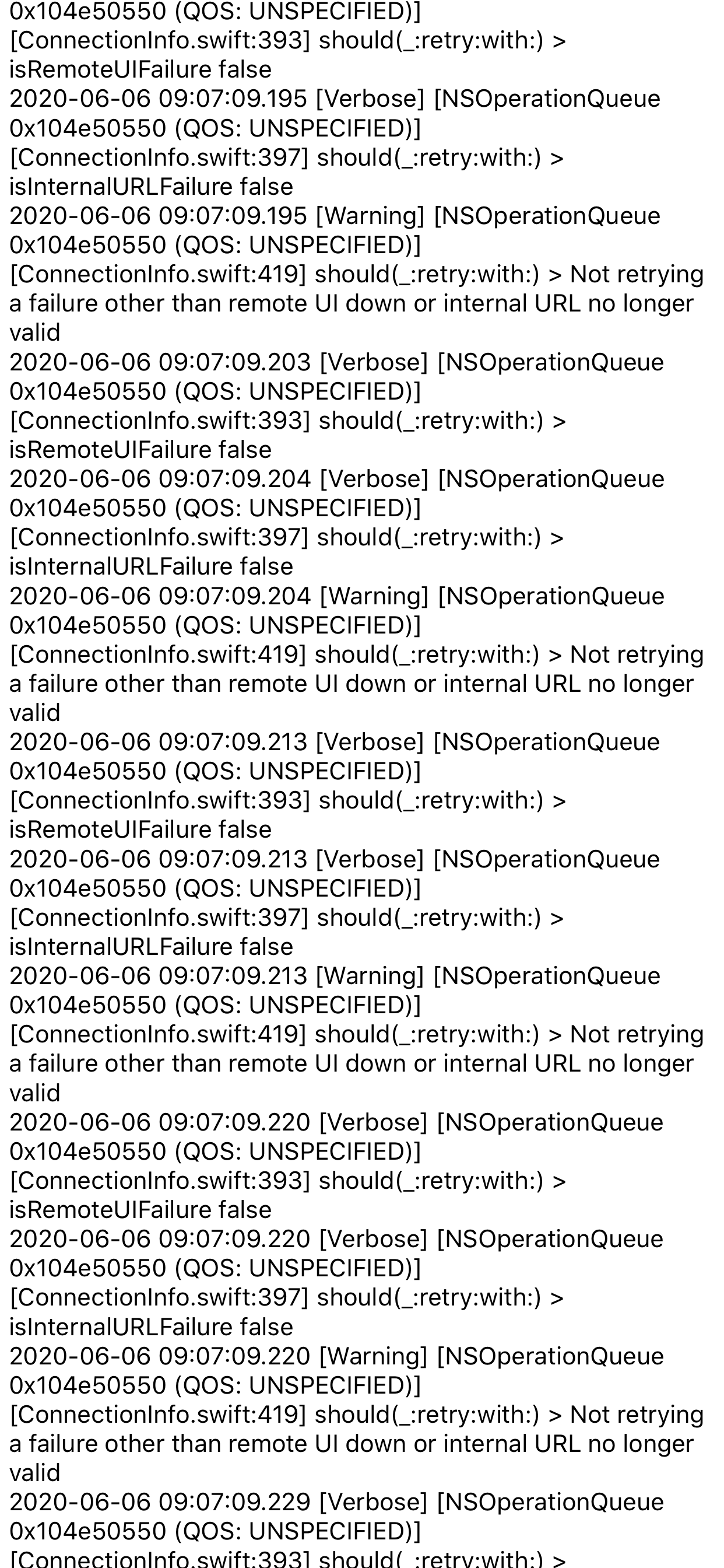
Same here, super sluggish, app is unusable now, even though I have made the ‘reinitialize’ option. I have thousands of pages of this in my iPhone app logs:
vsaintloup
on 6 Jun 2020
Same here, super sluggish, app is unusable now, even though I have made the ‘reinitialize’ option. I have thousands of pages of this in my iPhone app logs:
@vsaintloup please post this in the active issue linked above or on home-assistant/core#36455
TomBrien
on 6 Jun 2020
My bad fixed now
TomBrien
on 6 Jun 2020
Related issues
 vmcosco
·
8Comments
vmcosco
·
8Comments
 henrikbjorn
·
7Comments
henrikbjorn
·
7Comments
 fi-sch
·
7Comments
fi-sch
·
7Comments
 wolverinevn
·
3Comments
wolverinevn
·
3Comments
 matthew-larner
·
10Comments
matthew-larner
·
10Comments
Most helpful comment
I was able to fix it myself by compiling the code and changing WebhookSensors.swift by adding ?? "N/A" to the carrierSensor.State line. It's possible, from reading the code (which - full disclosure - I'm not that good at), that there are other sensors sending empty values for certain devices, but at least in my case, I got it working. For anyone who wants to try it themselves (and can build the software), the change is to line 136 (full function below).
private func makeCarrierSensor(_ carrier: CTCarrier, _ radioTech: String?, _ key: String? = nil) -> WebhookSensor {
var carrierSensor = WebhookSensor(name: "Cellular Provider", uniqueID: "connectivity_cellular_provider",
icon: "mdi:sim", state: "Unknown")