Imageglass: Colors by CR2 format slightly off
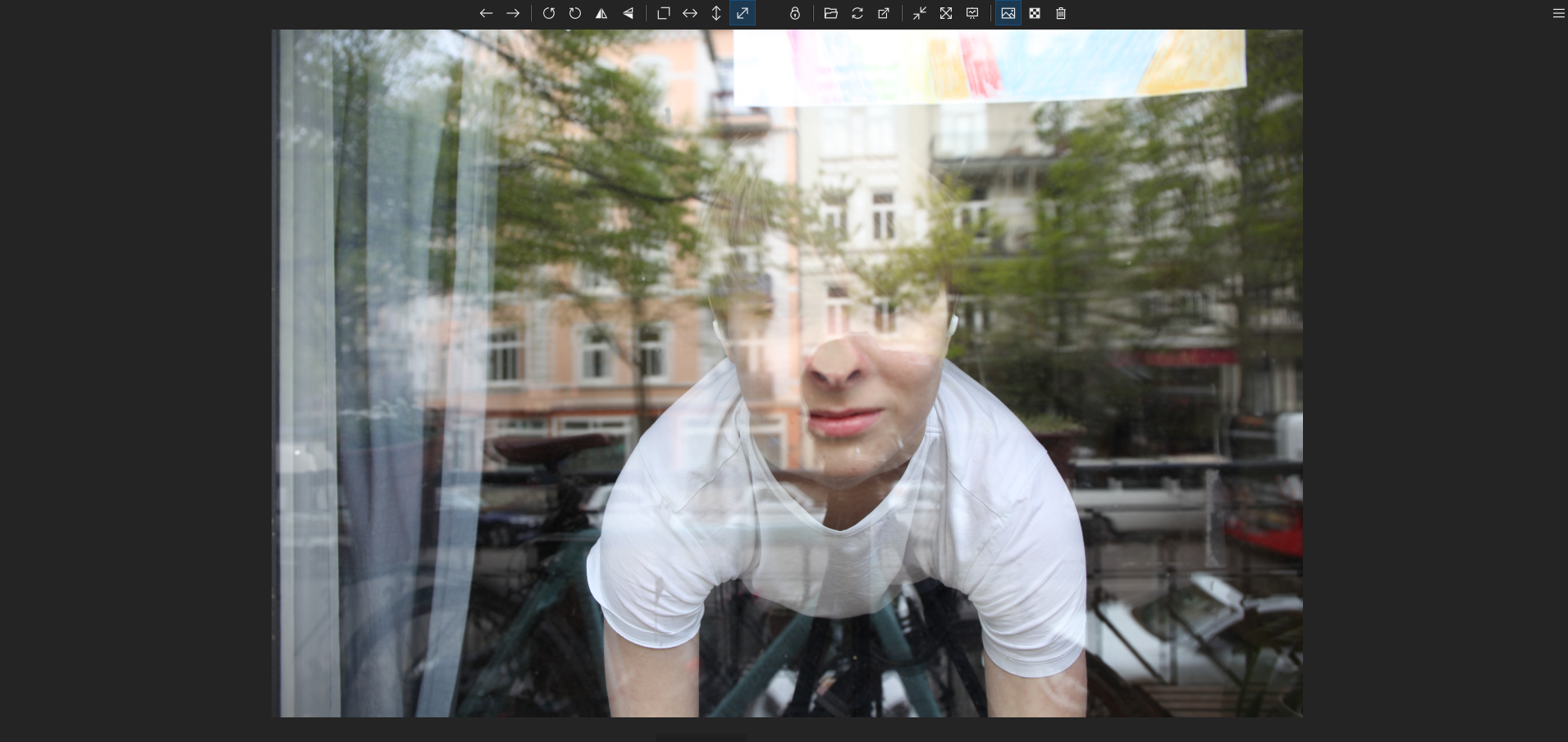
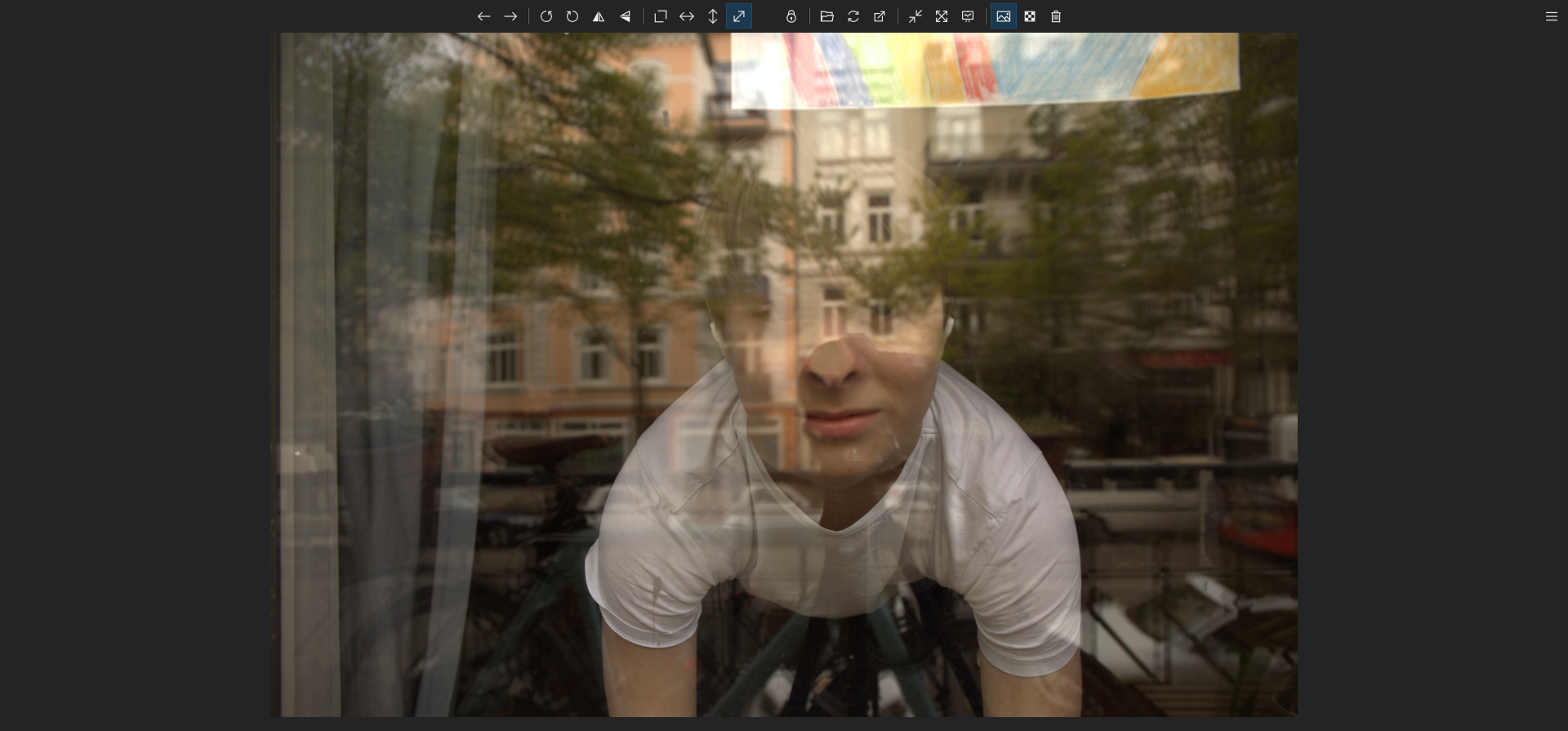
Hi, I recognized that the colors are slightly off when you use the CR2 (canon raw 2) format using ImageGlass version 7.5.1.1.
For comparison, here is the same photo in JPG and in cr2 format:
JPG:
CR2:
Files to download (Provided using Google Drive):
https://drive.google.com/drive/folders/1EAeDdSGhcUUkXdMjk9Qr-Y1g-YDyXDk6?usp=sharing
 Matix-Media
All 5 comments
@Matix-Media
- What IG version?
- And can you send me the file?
Thank you
 d2phap
on 27 Apr 2020
d2phap
on 27 Apr 2020
ImageGalss Version: 7.5.1.1
Image files (Provided via Google Drive):
https://drive.google.com/drive/folders/1EAeDdSGhcUUkXdMjk9Qr-Y1g-YDyXDk6?usp=sharing
Matix-Media
on 27 Apr 2020
Its the same with Fuji RAW files(RAF)
I think its mainly that it ingonores camera metadata of colour temperature, or uses that metadata wrong.
As the example it always seem to be too yellow. On daylight shots at least.
 TMihle
on 8 Jul 2020
TMihle
on 8 Jul 2020
Yeah, it's always "yellower" as the original
Matix-Media
on 8 Jul 2020
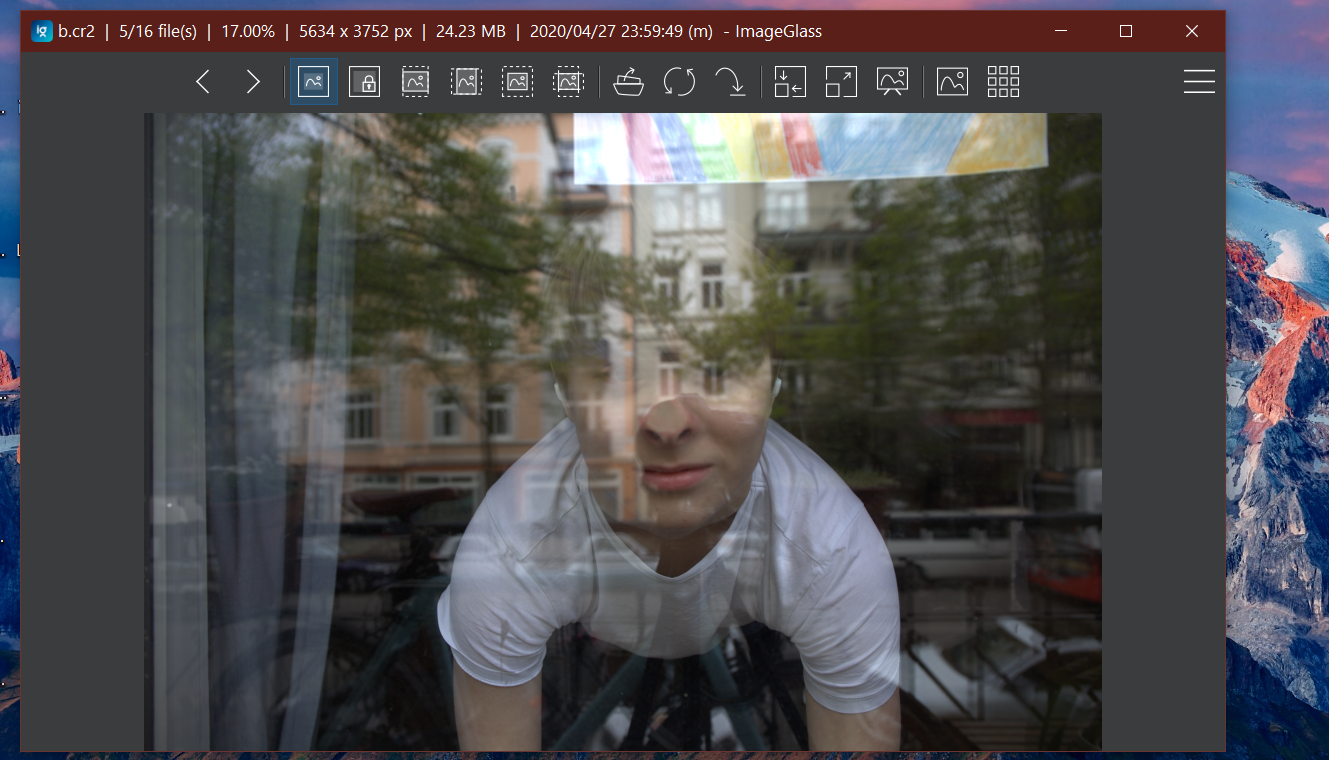
I have just made improvement to fix the yellowish color. It looks better but its brightness is slightly different from MS Photos / Photoshop.
You can try it in the latest build of IG Moon: https://imageglass.org/moon
Btw, this issue and #464 are same problem, so I will close this.
d2phap
on 9 Nov 2020
Related issues
 jwiesler
·
7Comments
jwiesler
·
7Comments
 fire-eggs
·
4Comments
fire-eggs
·
4Comments
 Unknow0059
·
4Comments
Unknow0059
·
4Comments
 xmha97
·
6Comments
xmha97
·
6Comments
 smaragdus
·
3Comments
smaragdus
·
3Comments