Image-sequencer: Center Cropped Image
Please describe the problem (or idea)
After an image is cropped it is aligned to the top left corner. Instead, it can be centered.
What happened just before the problem occurred? Or what problem could this idea solve?
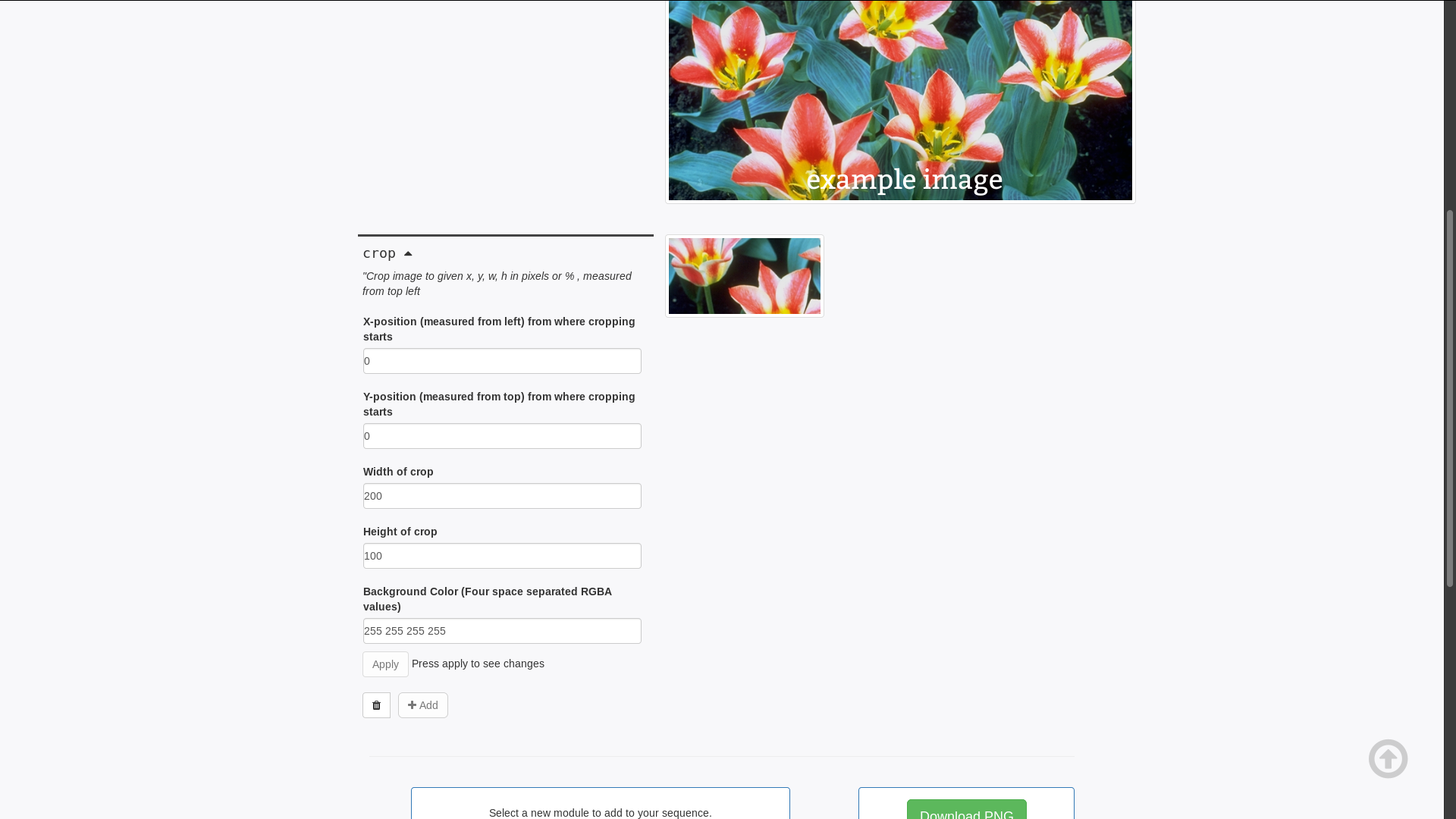
Possible FTO
This is a potential first-timers-only issue. If you are new to the community, then you can reformat this issue into a first timer only issue and mention @publiclab/is-reviewers to add the label. If you have contributed to Image Sequencer before, then you can resolve this one as a second-time contribution.
Files to look into
HTML (this is where the img element is)
Possible fixes.
A bootstrap class or some CSS can be used to center the image
Please show us where to look
http://sequencer.publiclab.org...
What's your PublicLab.org username?
This can help us diagnose the issue:
Browser, version, and operating system
Many bugs are related to these -- please help us track it down and reproduce what you're seeing!
Thank you!
Your help makes Public Lab better! We deeply appreciate your helping refine and improve this site.
To learn how to write really great issues, which increases the chances they'll be resolved, see:
https://publiclab.org/wiki/developers#Contributing+for+non-coders
 harshkhandeparkar
All 22 comments
Hey! I would llke to work on this.
 harsh1599
on 22 Jan 2019
harsh1599
on 22 Jan 2019
@harsh1599 go ahead! you can resolve this as a 2nd time contribution to get acquainted with the codebase
harshkhandeparkar
on 22 Jan 2019
We want the thumbnail to be in the center right?
harsh1599
on 22 Jan 2019
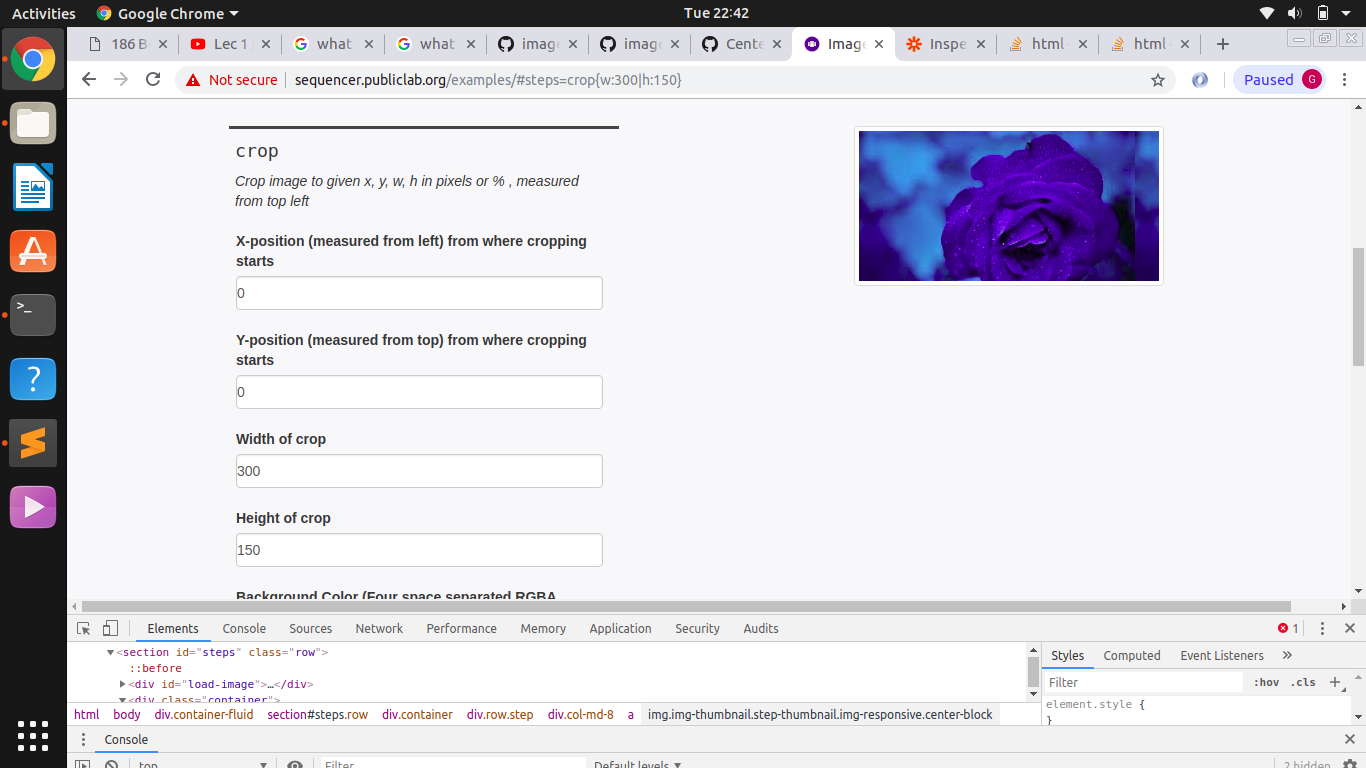
Is this the desired result?
harsh1599
on 22 Jan 2019
@harsh1999 it looks good but can you center it vertically?
harshkhandeparkar
on 22 Jan 2019
Btw what is the name of the icon pack you are using? Looks pretty cool. Sorry for going off topic 😜
harshkhandeparkar
on 22 Jan 2019
It's called hicolor-icon-theme I guess..I'm not really sure..coz it came preinstalled with ubuntu and I'm a beginner so I'm not really aware of any icon themes.
harsh1599
on 22 Jan 2019
It's called hicolor-icon-theme I guess..I'm not really sure..coz it came preinstalled with ubuntu and I'm a beginner so I'm not really aware of any icon themes.
Oh I guess it is the new community theme which comes preinstalled. I haven't tried that before. Thanks anyways. Also please try to center the image vertically. @harsh1599
harshkhandeparkar
on 22 Jan 2019
Hey! I tried really hard..but I am unable to center it vertically as the "col-md-8" class spans vertically only as much as the image does and I am not able to find how to stretch the div vertically.. I even tried using flexbox, but it won't work..it would be great if you could suggest something @HarshKhandeparkar
harsh1599
on 23 Jan 2019
Hey! I tried really hard..but I am unable to center it vertically as the "col-md-8" class spans vertically only as much as the image does and I am not able to find how to stretch the div vertically.. I even tried using flexbox, but it won't work..it would be great if you could suggest something @HarshKhandeparkar
Ok. I'm not as good st CSS. Maybe @aashna27 can help?
harshkhandeparkar
on 23 Jan 2019
Can I work on this? The vertical alignment part.
 akshaygupta533
on 23 Jan 2019
akshaygupta533
on 23 Jan 2019
@akshaygupta533 if @harsh1999 wants then you two can collaborate.
harshkhandeparkar
on 23 Jan 2019
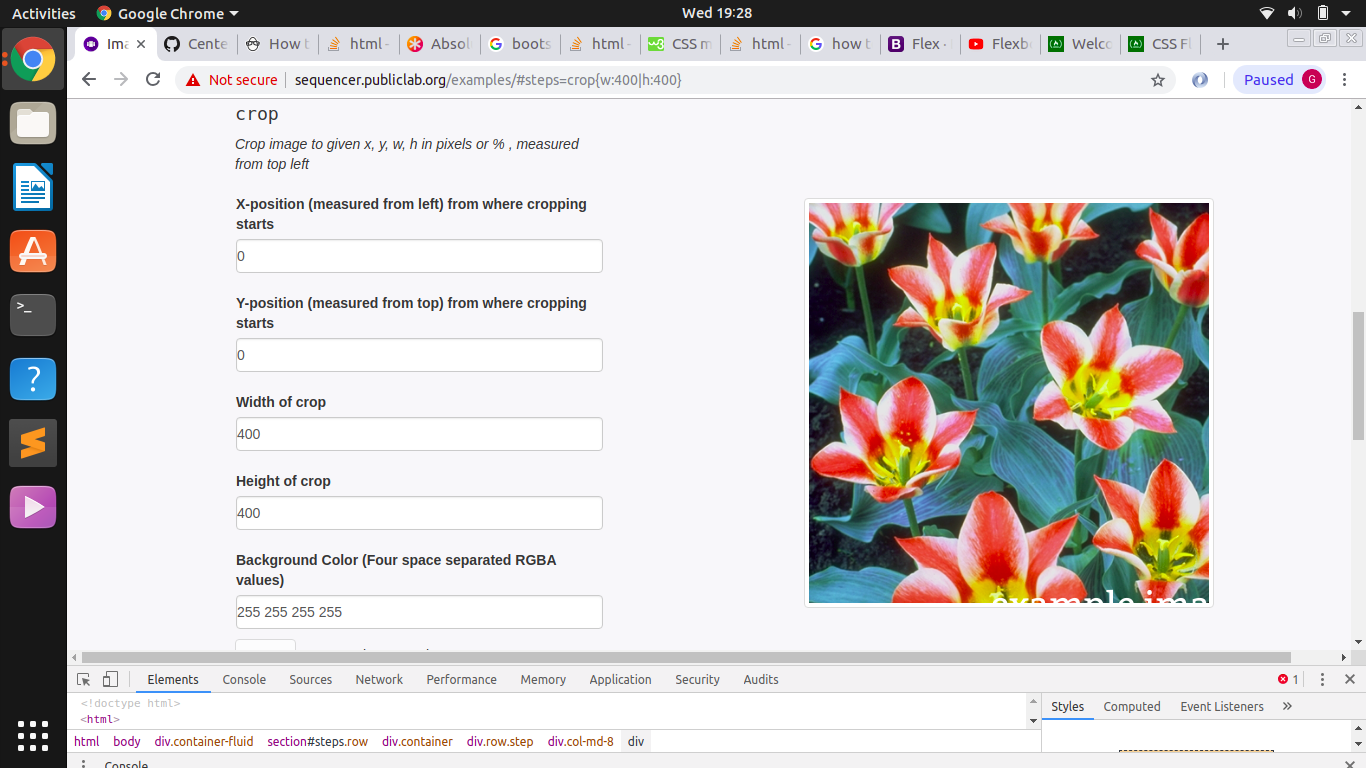
I try one last time..is this the desired output
harsh1599
on 23 Jan 2019
@harsh1999 awesome. Just make sure it works on all screen sizes. @akshaygupta533 maybe you can work on some other issue?
harshkhandeparkar
on 23 Jan 2019
Also please make sure this works for all crop sizes.
harshkhandeparkar
on 23 Jan 2019
@harsh1999 you can open a pr and we can discuss this there.
harshkhandeparkar
on 23 Jan 2019
On inspecting the img element, the style attribute is empty even though "max-width=100%" is added in code. I am running a local environement. Any idea why this is the case?
I know adding display:block and margin:auto centers the image horizontally but these changes are not visible in inspect element.
akshaygupta533
on 23 Jan 2019
Please click the clear cache button. Also you will have to run grunt
build if js files are changed
On 23-Jan-2019 7:53 PM, "Akshay Gupta" notifications@github.com wrote:
On inspecting the img element, the style attribute is empty even though
"max-width=100%" is added in code. I am running a local environement. Any
idea why this is the case?
—
You are receiving this because you were mentioned.
Reply to this email directly, view it on GitHub
https://github.com/publiclab/image-sequencer/issues/698#issuecomment-456819326,
or mute the thread
https://github.com/notifications/unsubscribe-auth/AhKOn_R7a-MTRQTPdCKZL5R2jZN49jxBks5vGHBegaJpZM4aL_bA
.
harshkhandeparkar
on 23 Jan 2019
Done @HarshKhandeparkar
harsh1599
on 23 Jan 2019
can I work on this??
 harshithpabbati
on 13 Feb 2019
harshithpabbati
on 13 Feb 2019
@Harshithpabbati there is an open pr fixing this. Maybe you can try fixing some other issue?
harshkhandeparkar
on 13 Feb 2019
It looks ready to merge :+1:
Awesome work @harsh1599
harshithpabbati
on 3 Mar 2019
Related issues
harshkhandeparkar
·
4Comments
 jywarren
·
5Comments
jywarren
·
5Comments
harshkhandeparkar
·
4Comments
harshkhandeparkar
·
5Comments
jywarren
·
5Comments
jywarren
·
5Comments
harshkhandeparkar
·
4Comments
harshkhandeparkar
·
5Comments
Most helpful comment
I try one last time..is this the desired output
