Image-sequencer: Fix Import Image Text Overflow
Hi, this is a first-timers-only issue. This means we've worked to make it more legible to folks who either haven't contributed to our codebase before, or even folks who haven't contributed to open source before.
If that's you, we're interested in helping you take the first step and can answer questions and help you out as you do. Note that we're especially interested in contributions from people from groups underrepresented in free and open source software!
We know that the process of creating a pull request is the biggest barrier for new contributors. This issue is for you 💝
If you have contributed before, consider leaving this one for someone new, and looking through our general help wanted issues. Thanks!
🤔 What you will need to know.
Nothing. This issue is meant to welcome you to Open Source :) We are happy to walk you through the process.
What is the problem
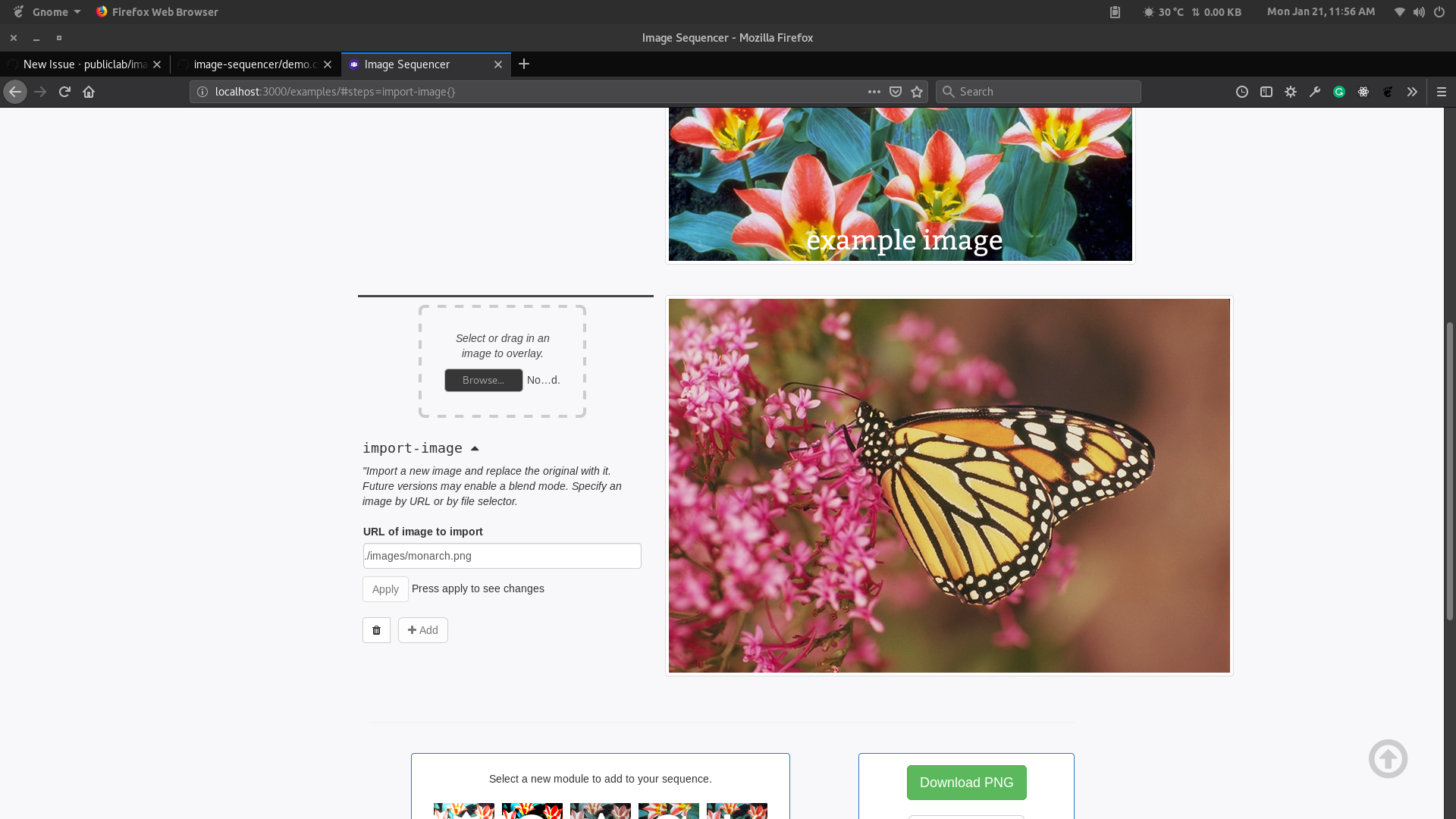
The file input text for import-image module is overflowing whereas for the load-image(first step) it is not. Fix that by changing an id in css to a class.
Import Image:
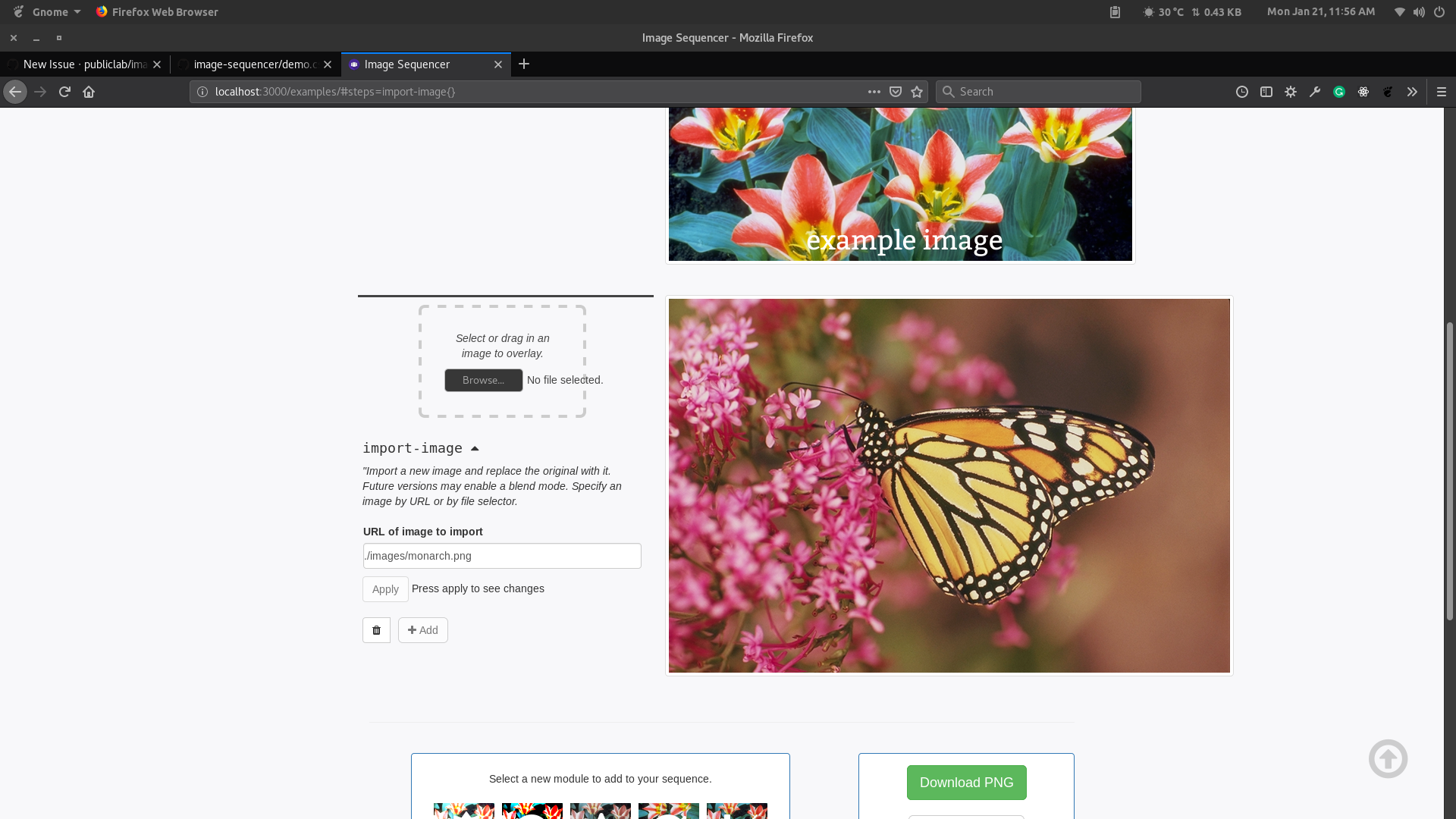
Expected:
📋 Step by Step
[ ] 🙋 Claim this issue: Comment below. If someone else has claimed it, ask if they've opened a pull request already and if they're stuck -- maybe you can help them solve a problem or move it along!
[ ] 📝 Update the file demo.css in the
image-sequencerrepository (press the little pen Icon) and edit the line as shown below.
Change
Below is a "diff" showing in red (and a -) which lines to remove, and in green (and a +) which lines to add:
```diff css
- #dropzone {
+ .dropzone {
padding: 30px;
Change

https://github.com/publiclab/image-sequencer/blob/17d79c4b44c5e5b8f7f8b4574a783d5b87cdf871/examples/demo.css#L62-L64

```diff
- #dropzone input {
+ .dropzone input {
  max-width: 100%;
}
- [ ] 📝 Update the file index.html in the
image-sequencerrepository (press the little pen Icon) and edit the line as shown below.
Change
Below is a "diff" showing in red (and a -) which lines to remove, and in green (and a +) which lines to add:
-  <div id="dropzone">
+  <div id="dropzone" class="dropzone">
      <p>
         <i>Select or drag in an image to start!</i>
- [ ] 📝 Update the file Ui.js in the
image-sequencerrepository (press the little pen Icon) and edit the line as shown below.
Change
Below is a "diff" showing in red (and a -) which lines to remove, and in green (and a +) which lines to add:
    var dropZone ='\
-    <div style="padding: 30px;margin: 10px 20% 30px;border: 4px dashed #ccc;border-radius: 8px;text-align: center;color: #444;" id="' + dropzoneId + '">\
+    <div class="dropzone" style="padding: 30px;margin: 10px 20% 30px;border: 4px dashed #ccc;border-radius: 8px;text-align: center;color: #444;" id="' + dropzoneId + '">\
See this page for some help in taking your first steps!
[ ] 💾 Commit your changes
[ ] 🔀 Start a Pull Request. There are two ways how you can start a pull request:
If you are familiar with the terminal or would like to learn it, here is a great tutorial on how to send a pull request using the terminal.
You can also edit files directly in your browser and open a pull request from there.
- [ ] 🏁 Done Ask in comments for a review :)
🤔❓ Questions?
Leave a comment below!
Is someone else already working on this?
We encourage you to link to this issue by mentioning the issue # in your pull request, so we can see if someone's already started on it. If someone seem stuck, offer them some help! Otherwise, take a look at some other issues you can help with. Thanks!
 harshkhandeparkar
All 4 comments
Hello, can i work on this issue? :)
 najMaseu
on 21 Jan 2019
najMaseu
on 21 Jan 2019
@najMaseu sure go ahead! Feel free to ask any doubts if you are stuck anywhere.😊
harshkhandeparkar
on 21 Jan 2019
Thank you!
najMaseu
on 21 Jan 2019
Well, I think I'm done. May I ask for a review?
najMaseu
on 21 Jan 2019
Related issues
 blurry-x-face
·
4Comments
blurry-x-face
·
4Comments
 jywarren
·
5Comments
jywarren
·
3Comments
jywarren
·
5Comments
jywarren
·
3Comments
 Divy123
·
5Comments
jywarren
·
5Comments
Divy123
·
5Comments
jywarren
·
5Comments
Most helpful comment
Hello, can i work on this issue? :)