Heidisql: Pressing "backspace" in a data cell change current tab to "host"
Steps to reproduce this issue
- Go into "data" tab on a table
- Go into edit mode (F2)
- Press backspace
Current behavior
When pressing backspace, the current tab is changed from "data" to "host"
See the following video to watch the current behavior:
Expected behavior
Stay on "data" tab and remove the character before the cursor :)
Environment
- HeidiSQL version:
10.2.0.5645
- Operating system:
Linux Fedora 30 with wine 4.12.1
 jdeniau
All 30 comments
Doesn't seem to be an issue on windows 10 with the newest version of Heidi, so this might be an issue specifically with Linux and/or Wine. Also, that link is broken, try this one: https://vimeo.com/349625201
 WesleyM77
on 24 Jul 2019
WesleyM77
on 24 Jul 2019
I have the same issue
 gmtrejo
on 27 Jul 2019
gmtrejo
on 27 Jul 2019
Same issue with wine-staging 4.12.1 with latest HeidiSQL.
 dcelasun
on 5 Aug 2019
dcelasun
on 5 Aug 2019
Same issue with wine-4.10 on Linux Mint 18.1 and the latest HeidiSQL (10.2.0.5599)
 AlecVoid
on 6 Aug 2019
AlecVoid
on 6 Aug 2019
Same issue - really annoying.
wine-4.12.1
heidisql 10.2.0.5669
 hrvoj3e
on 8 Aug 2019
hrvoj3e
on 8 Aug 2019
Same issue here, HeidiSQL 10.2.0.5599 and wine-4.13 (staging).
 V13Axel
on 20 Aug 2019
V13Axel
on 20 Aug 2019
+1
wine-4.12.1 (Staging) Heidisql 10.2.0.5608
 goffyara
on 12 Sep 2019
goffyara
on 12 Sep 2019
+1
Must be something to do with a change in Wine.
As a temporary workaround - and unless there are other factors in your system that render this a bad idea - try downgrading Wine to version 4.1. Fixed the issue for me on Linux Manjaro.
 cpazaras
on 1 Oct 2019
cpazaras
on 1 Oct 2019
same issue
Debian bullseye/sid
wine-5.0-rc1
HeidiSQL 10.3.0.5771
 liuanxin
on 2 Jan 2020
liuanxin
on 2 Jan 2020
Hm, if you say that happens with v10.2 also, this should not be caused by changes #144 .
Could someone check the Wine tracker for tickets related to backspace?
 ansgarbecker
on 2 Jan 2020
ansgarbecker
on 2 Jan 2020
No keyboard settings found in wine
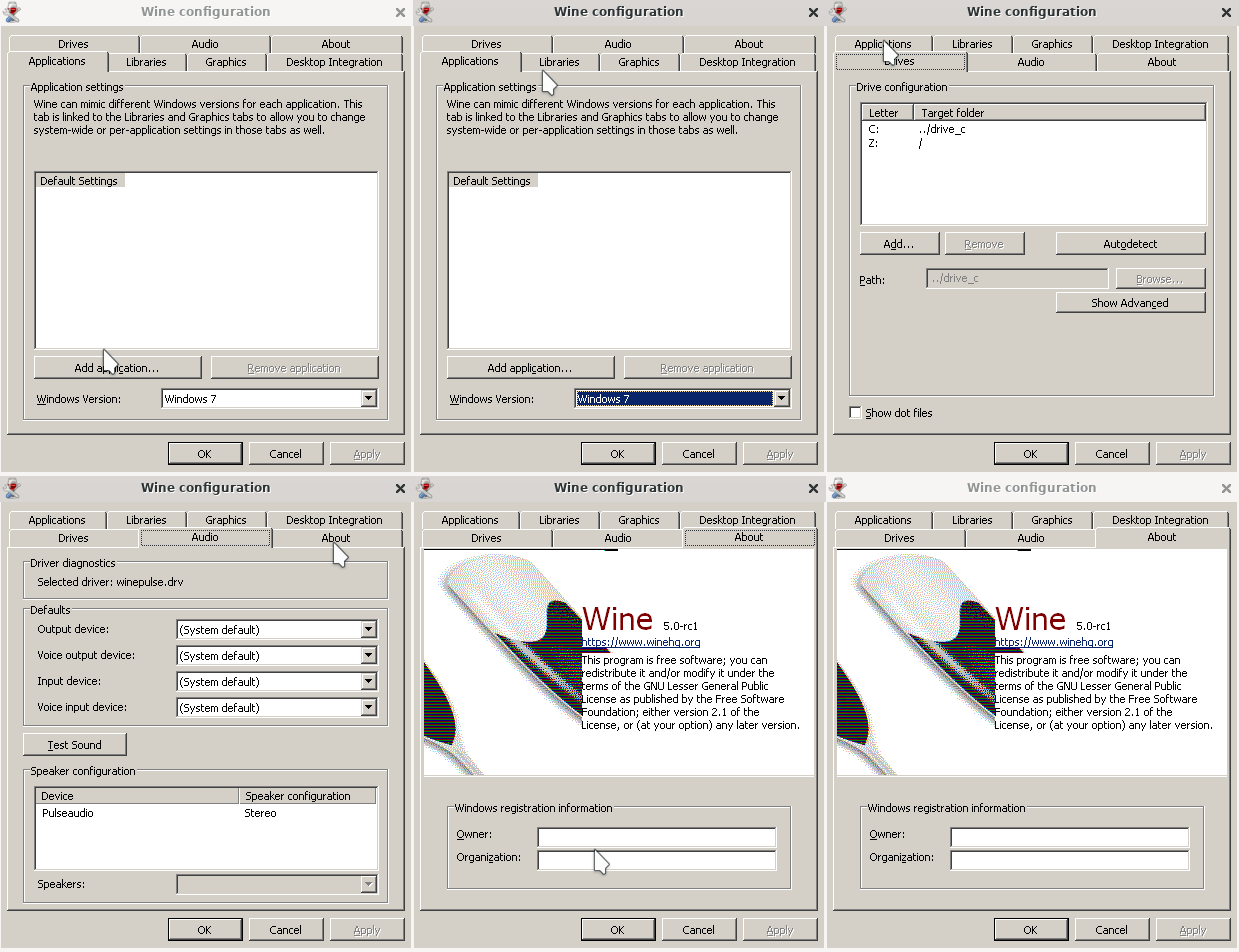
In addition, it is strange that it is only available when editing columns, and there is no problem using backspace elsewhere.

This effect is like pressing ctrl + 1

I tried to change the shortcut key in heidisql, it seems that it can't be saved

liuanxin
on 3 Jan 2020
same issue
 wine --version
wine-5.0
 uname -a
5.3.0-28-generic #30~18.04.1-Ubuntu SMP Fri Jan 17 06:14:09 UTC 2020 x86_64 x86_64 x86_64 GNU/Linux
 piegus
on 31 Jan 2020
piegus
on 31 Jan 2020
+1
Same here
Archlinux
wine-5.2
heidisql32.r5901.exe
 danbadjar
on 28 Feb 2020
danbadjar
on 28 Feb 2020
Honestly with this being so widespread I'm surprised there hasnt been any dev attention on this issue.
I stopped using HeidiSQL because of this and have since moved on to Jetbrains Datagrip.
V13Axel
on 28 Feb 2020
Believe me I already paid attention here, but I'm clueless how to solve that. Wine 4.1 does not have the issue, according to a parallel forum discussion
Could someone please testwise remove the shortcut for _Go to > Tab 1_ ?
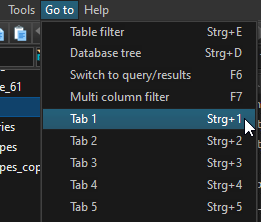
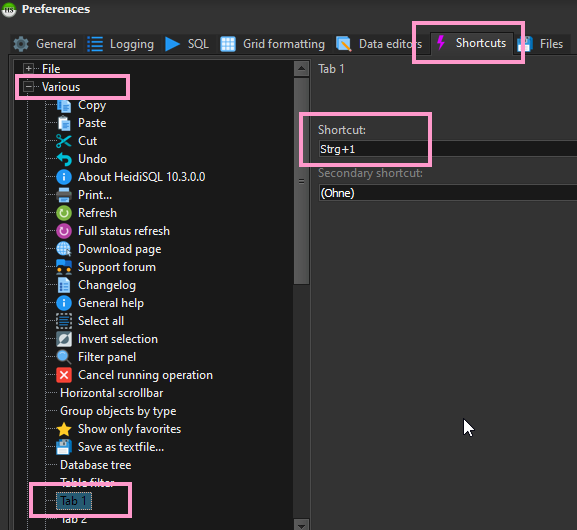
You can edit or remove it in Tools > Preferences > Shortcuts:
ansgarbecker
on 29 Feb 2020
Same issue without the shortcut.
if I change it to something else, then the bug is still the same.
If I remove the shortcut, same bug.
If I try to "backspace" when I am in the input, then... I am moved into the first tab (general) ! (and the backspace shortcut is functionnal).
I tried to set "backspace" as a shortcut for "tab 4" (data).
When I am in data and I try to backspace, then the tab "stay" on data tab, but the data is not erased (ie. nothing changes).
When I am in "preferences", the pressing backspace still changes tab to tab 1 (general)
I hope it helps !
jdeniau
on 29 Feb 2020
@ansgarbecker I don't understand what the hotkey Strg is.
I tried to change the shortcut key to none, but it didn't take effect(go to menu still display with ctrl + 1).It has been reflected in the figure above.
Change it to ctrl + shift + alt + 1 and the go to menu display is right, but still have the same problem with this issue.

liuanxin
on 2 Mar 2020
Same issue here. Extremely annoying :(
HeidiSQL 11.0.0.5919
Wine: 5.0
Ubuntu 18.04
 pminspire
on 6 Apr 2020
pminspire
on 6 Apr 2020
@liuanxin Strg is Ctrl on German keyboards.
ansgarbecker
on 6 Apr 2020
I just spent 2 hours of debugging with a HypeV Ubuntu box and Wine 5.0 and v5.5. Compiled various modifications, where some hotkey handler in HeidiSQL could probably interfere with the typed backspace. Nothing helped here.
So I searched for known similar issues in the Wine bugtracker, and found this one, which also has a backspace problem - with a different effect.
ansgarbecker
on 6 Apr 2020
Ah, does anyone know the exact Wine version in which this issue started? I just heard 4.0 worked and 4.12.1 not. With that information, we could probably help the Wine developers to track the issue down to some exact modification.
ansgarbecker
on 6 Apr 2020
For me worked with wine 4.1
gmtrejo
on 7 Apr 2020
So I went ahead and compiled a few versions, and found out that Wine 4.9 introduces the issue that causes this. I'm going to try and figure out what change caused it.
For anyone who just wants it to work, Wine 4.8 seems to work great.
 PaulBGD
on 17 Apr 2020
PaulBGD
on 17 Apr 2020
Ok according to git bisect, the offending commit is this one: https://github.com/wine-mirror/wine/commit/4a6e69ad3aff6fff2817b05ee2cdcc7e94f960a5
I'm not really sure why that causes the backspace issue, but it's definitely the offending commit.
PaulBGD
on 17 Apr 2020
This is great news - I just posted that into the Wine tracker issue I mentioned before. Hoping to get some solution here.
ansgarbecker
on 17 Apr 2020
The backspace issue did not appear using an older version 4.8 of Wine.
Until the Wine developers have fixed the issue, I used these commands to install Wine 4.8 in Debian Buster:
wget https://dl.winehq.org/wine-builds/debian/dists/buster/main/binary-amd64/wine-staging_4.8~buster_amd64.deb
sudo apt-get install wine-staging-i386=4.8~buster wine-staging-amd64=4.8~buster
sudo dpkg -i ./wine-staging_4.8~buster_amd64.deb
Wine 4.8 will be installed in /opt/wine-staging/
 yapsr
on 26 May 2020
yapsr
on 26 May 2020
I'm not really sure why that causes the backspace issue, but it's definitely the offending commit.
Could it be that the backspace triggers a rerender of the table, calling sorts and other stuff? That in consequence triggering some other bug?
 ameenross
on 8 Jun 2020
ameenross
on 8 Jun 2020
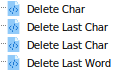
For me, CTRL+BkSp has the same behavior, and the odd thing is that ALT+BkSp has the "Delete Last Word" behavior.
There are 2 other oddities: I have 2 entries for "Delete last character", and I can't change the shortcut key for them:
/* Could not apply SynEdit keystroke shortcut "Shift+Ctrl+Alt+Z" (or secondary: "") to ecDeleteLastChar. Shortcut already exists. Please go to Tools > Preferences > Shortcuts to change this settings. */
ameenross
on 8 Jun 2020
In the bug thread mentioned by @ansgarbecker a wine dev has confirmed its a known issue on there end and they are working on a solution.
 mspindelhirn
on 2 Jul 2020
mspindelhirn
on 2 Jul 2020
Hey there,
Adding my 2c and saying that it's still present in Ubuntu 20.10 with wine 5.0.
But from what @mspindelhirn mentions, looks like the ball is on wine's court now.
Cheer,
Gus
 gcarreno
on 6 Dec 2020
gcarreno
on 6 Dec 2020
Related issues
 dzintb
·
3Comments
dzintb
·
3Comments
 rkmaier
·
5Comments
rkmaier
·
5Comments
 jorisrobijn
·
5Comments
jorisrobijn
·
5Comments
 catamphetamine
·
3Comments
catamphetamine
·
3Comments
 cammudito
·
3Comments
cammudito
·
3Comments