Gutenberg-mobile: [GlobalStep] The Latest Posts’ “Continue Reading” button does not function.
Description
When using a Latest Posts block with the “Show post content” and “Only show excerpt” options enabled. The “Continue Reading” button is displayed, but when pressed, the application navigates to the same page.
Reproduction Rate
4/4 100%
Expected behavior
The post of the displayed excerpt should be fully displayed.
Actual behavior
The same post is refreshed.
Steps to reproduce the behavior
- Install WordPress 14.5
- Log in to a valid account.
- Press the “Add new” button.
- Select the “Blog Post” option.
- Add a “Latest Posts” block.
- Customise the block.
- Enable the “Show post content” option.
- Enable the “Only show excerpt” option.
- Change the Excerpt length so the displayed content will be trimmed.
- Publish the post.
- View the published post.
- Press the “Continue Reading” button on one of the displayed trimmed posts.
Tested on the following
Samsung Galaxy Tab S2 8.0" (7.0)
iPhone 5S (11.4)
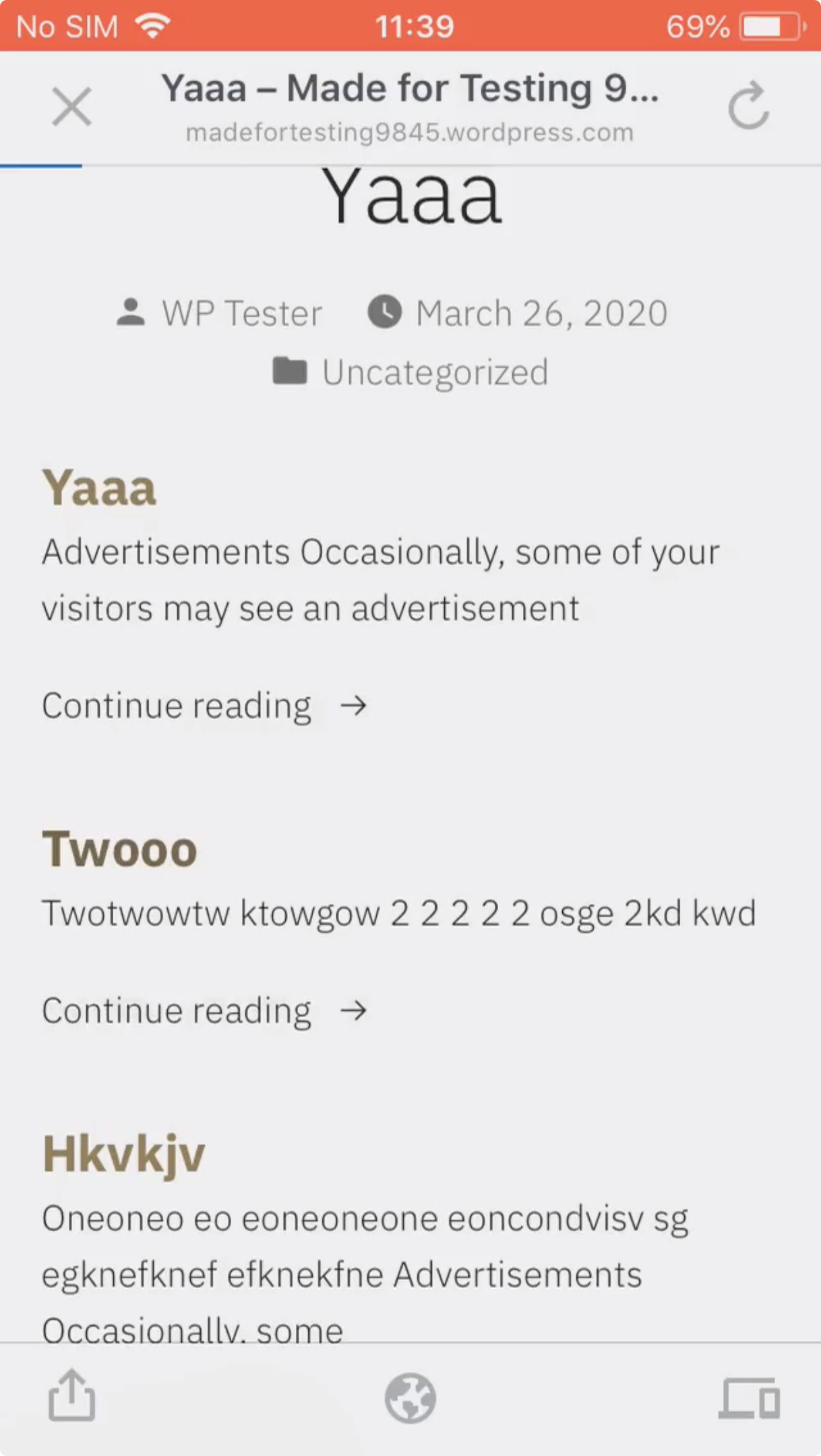
Please see the attached video for more information
Submitted by:
Luis Pimenta
 wptester9845
All 6 comments
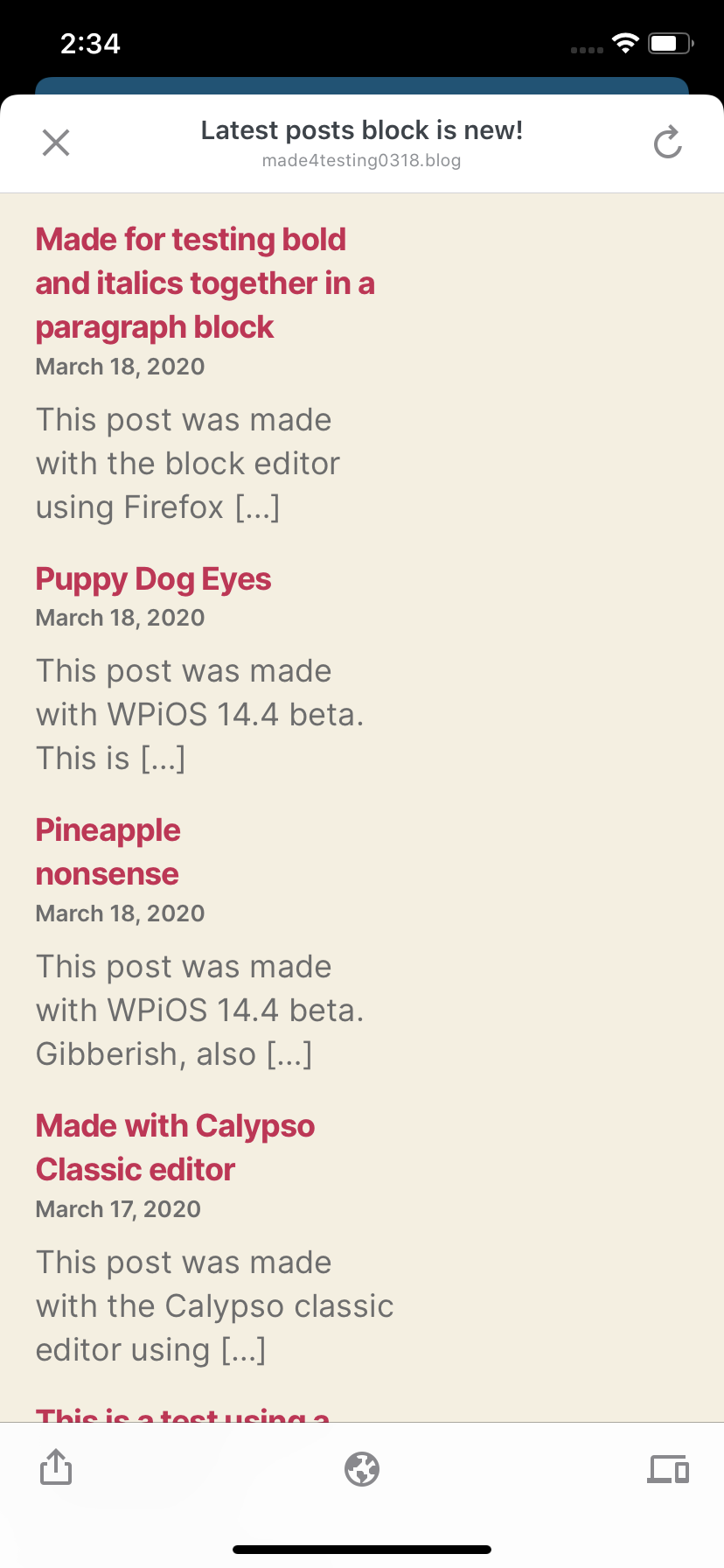
I tested this using WPiOS 14.5.0.1 TestFlight beta on iPhone 11 iOS 13.4 and I couldn't see the "Continue Reading" link below posts—I think I may be missing something in the settings, like the summary feed setting, but I tried changing that and it didn't change my latest posts list. 🤔 I also activated the same theme (Twenty Twenty) to see if it was a theme-specific issue, but I could still only see a […] at the end of excerpts on my test site.
iPhone 5S (11.4) from the video | iPhone 11 (13.4) from my test
--- | ---
 |
| 
 designsimply
on 31 Mar 2020
designsimply
on 31 Mar 2020
This appears to be an issue with Gutenberg's web portion and a combination of themes. Testing on the web I'm able to reproduce this issue.
Continue reading -> or the "Read More" prompt displays for "Hever" but not for "Twenty-Twenty" it looks like this issue is related to https://github.com/WordPress/gutenberg/issues/20510
The link location looks like it might have been solved by https://github.com/WordPress/gutenberg/issues/20511 and https://github.com/WordPress/gutenberg/pull/20541 however that hasn't been released yet but is due on April 6th
 chipsnyder
on 1 Apr 2020
chipsnyder
on 1 Apr 2020
@chipsnyder thank you so much for the help! I had tried the summary feed setting and a couple different themes before and it sounds like I just hadn't gotten the right one. 😕
Per the comment at https://github.com/Automattic/wp-calypso/issues/40500#issuecomment-605893536 I re-tested using Calypso on a WordPress.com site and I found that if I create a new post using Calypso then "Continue Reading →" links below excerpts in the Latest Posts now work as expected on the front end (example post made with Calypso)—however, the links are still broken in the previous post I created with the app using the Latest Posts block. Next, I created a new post with a Latest Posts block on a WordPress.com site using WPiOS 14.5 beta _after_ that fix was merged and the "Continue Reading →" links did not work in that post (example post made with WPiOS 14.5 beta). I think this means the fix isn't retroactive.
If you think no further action is needed to fix the problem in the app because the fix for the core gutenberg codebase will trickle down to the app, I will make a note to check back in on this issue in the next app release after Apr 6 (note: WPiOS 14.6 will go into code freeze on that date and I believe Gutenberg Mobile 1.25 will accompany it but Gutenberg Mobile gets packaged a bit earlier so we may have to wait until 14.7 if the fix doesn't make it into 1.25, tbh I don't know where a fix for Gutenberg 7.9 would fall exactly or how that works for getting an update like this one from Gutenberg core into Gutenberg Mobile).
designsimply
on 2 Apr 2020
re-tested using Calypso on a WordPress.com ... (example post made with Calypso)
I took a look at your post and it looks like it's using the block wp:a8c/blog-posts where the app creates a block of type wp:latest-posts

In Calypso these are also two different types so you might experience different behaviors between them.
If you think no further action is needed to fix the problem in the app because the fix for the core gutenberg codebase will trickle down to the app
For the previews in the app, we actually hand off to an in-app webpage that loads the same preview as the web. So a user on WPiOS 14.6 when they hit the preview button they'll get the version of WordPress/Gutenberg that running on their web server. So once Gutenberg 7.9 gets released and installed on their site then they'll get those fixes without any need for an app update.
tbh I don't know where a fix for Gutenberg 7.9 would fall exactly or how that works for getting an update like this one from Gutenberg core into Gutenberg Mobile).
I'm still catching up on all of this myself 😅. From what I know you can get an early look at Gutenberg by using the WordPress Beta Tester Plugin. However, the latest on that is still Gutenberg 7.8.
Gutenberg 7.9 should be bundled with WordPress 5.5 though and I'm not sure what the pattern is for updating Gutenberg outside of it being bundled with WordPress.org
chipsnyder
on 2 Apr 2020
Ace. This explanation helps me a lot!
I think we can close this as fixed, and I will also add it as a line item to re-test in the next few releases just to make sure (and I'm also curious to see the timeline play out—there are a lot of moving pieces for cases like this one!).
designsimply
on 3 Apr 2020
I will also add it as a line item to re-test in the next few releases
👍
there are a lot of moving pieces for cases like this one!).
There definitely are!
I think we can close this as fixed,
I agree I'll go ahead and close this now.
chipsnyder
on 3 Apr 2020
Related issues
 hypest
·
4Comments
hypest
·
4Comments
 Tug
·
3Comments
Tug
·
3Comments
 etoledom
·
4Comments
etoledom
·
4Comments
 pinarol
·
4Comments
wptester9845
·
4Comments
pinarol
·
4Comments
wptester9845
·
4Comments