Gutenberg-mobile: [iOS]Text is invisible on HTML mode when content height is long enough
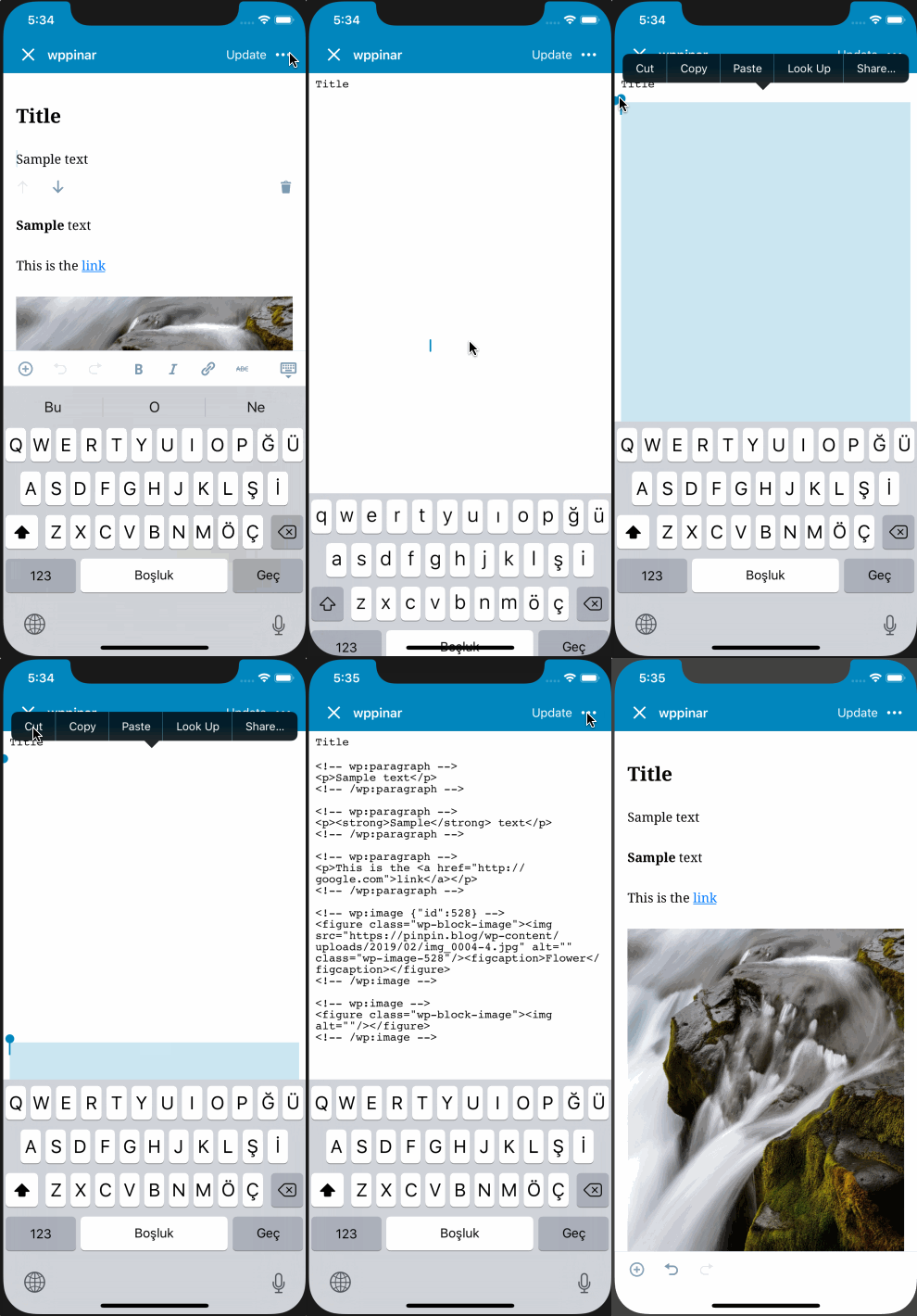
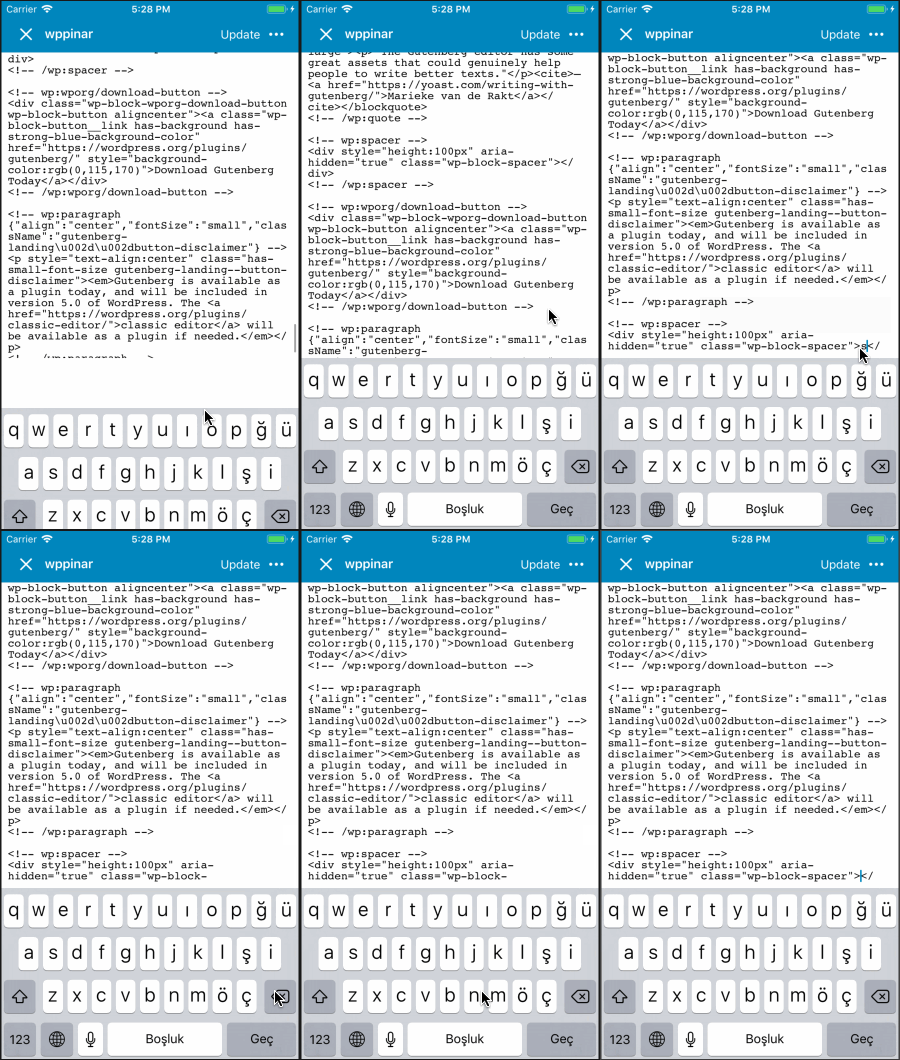
The html text is invisible on HTML mode when it is long enough. It is observable in the example app with iPhone X. The content is there, it can be selected/copied but it is not visible. I could repro the invisibility issue on iPhone X, but, other devices has also a trouble displaying the long text, for them text is visible but you can't see the whole text. So in general there's a problem in iOS devices when we try to display long text.
Example app:

iPhone X - WPiOS (text becomes invisible):
iPhone 8 - WPiOS (can't display till the end of the text):
Root cause analysis:
I found the almost exact same issue in react-native repo: https://github.com/facebook/react-native/issues/9077 The issue looks like it is related with iOS level.
This thread explains it very well: https://stackoverflow.com/questions/23582497/uitextview-text-becomes-invisible-after-height-reaches-8192-0
Looks like there's a kind of limitation that happens on iOS level and to overcome it we shouldn't put the TextView inside ScrollView and modify its height due to the content size. Instead, we should use a TextView smaller than the screen height and let the inner system handle scrolling on its own and make optimizations on it.
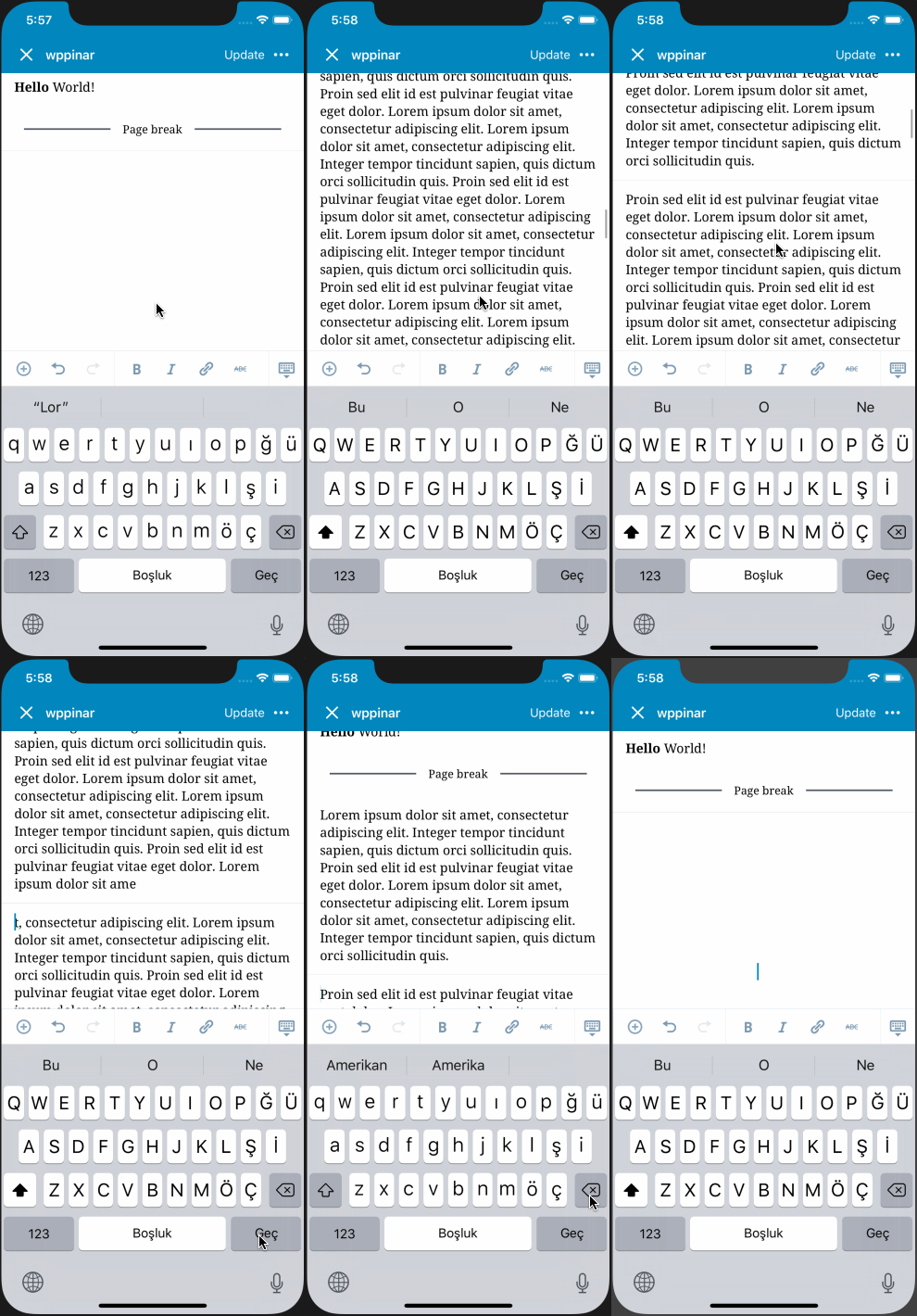
So having said that, this is what we are doing on visual mode also. I tried it with a long enough text on paragraph block and the issue is fully reproducible there too:
(It is less likely to have such long text on visual side, and plus people will tend to split such a text in separate paragraphs so I'd not worry about it for now. But still, this is can be a warning about how we are getting away from iOS's recommended way of rendering long content)
Solution Proposal:
It looks like we need to sacrifice using the ScrollView on HTML mode, thus title and the html content won't be able to scroll altogether anymore, but we won't have anomalies. HTML TextInput will need to scroll inside of its own bounds. I gave this solution a quick try and it is working.
Any other ideas are truly welcomed!
 pinarol
All 4 comments
@daniloercoli @etoledom You might be interested ☝️
pinarol
on 15 Mar 2019
(I mistakenly closed because of some screen anomaly)
pinarol
on 15 Mar 2019
Thank you @pinarol for investigating this!
I also noticed that the wrapping ScrollView is giving us problems on HTMLTextInput. Probably the best we can do for now is to remove it and keep the title static as you mentioned.
As for an improvement, an idea could be to hide "manually" the title when the text start scrolling, and how it again when the text scrolls back to the beginning.
It won't be as smooth as now, but still will be similar to navigation headers, so probably it won't feel too alien (hopefully).
 etoledom
on 18 Mar 2019
etoledom
on 18 Mar 2019
As for an improvement, an idea could be to hide "manually" the title when the text start scrolling, and how it again when the text scrolls back to the beginning.
Sounds nice but we'd need to get a designer point of view about this. It may look inconsistent if we don't do the same thing on visual mode. Maybe there are other things they can can suggest to make it look better.
pinarol
on 18 Mar 2019
Related issues
pinarol
·
4Comments
 koke
·
4Comments
koke
·
4Comments
 hypest
·
4Comments
etoledom
·
4Comments
hypest
·
4Comments
etoledom
·
4Comments
 wptester9845
·
4Comments
wptester9845
·
4Comments