Godot: GLES2 Shader Bug with Dissolve Shader
Godot version: 3.1.1
OS/device including version:
- Windows 10 64-bit
- Intel(R) HD Graphics 4000
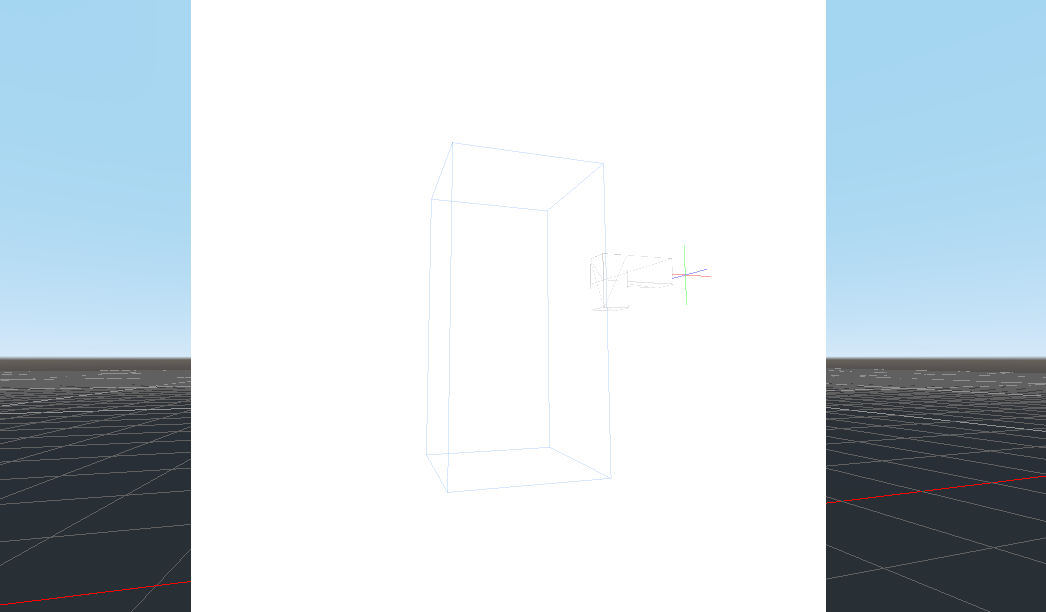
Issue description:
First row: My game project
Second row: Minimal project
GLES3 | GLES2
:---:|:---:
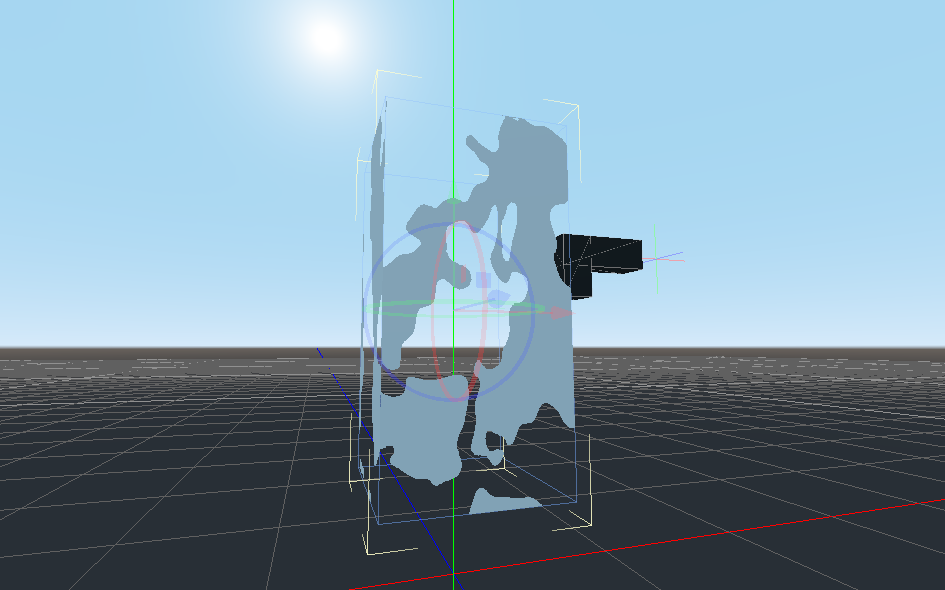 |
| 
 |
| 
Steps to reproduce: Just enable GLES2
(Optionally follow Dissolve Shader tutorial by GDquest by yourself)
Minimal reproduction project:
DissolveShader.zip
The project is currently in GLES3 mode. Switch to GLES2 at your own risk!
 DleanJeans
All 7 comments
I can't reproduce. Linux 16.04 intel integrated graphics Mesa 18.0.5.
Have you tried updating your drivers?
 clayjohn
on 4 Jun 2019
clayjohn
on 4 Jun 2019
Updated. Still happens.
DleanJeans
on 4 Jun 2019
Do you get any errors appearing in the console when you switch to GLES2?
clayjohn
on 4 Jun 2019
Yes, first it prints thousands of what seem to be GLSL code, starting with:
1: #version 120
2: #define USE_GLES_OVER_GL
3: #define ENABLE_UV_INTERP
...
1550:
ERROR: _display_error_with_code: SceneShaderGLES2: Fragment shader compilation failed:
ERROR: 8:22: 'round' : no matching overloaded function found (using implicit conversion)


   At: drivers/gles2/shader_gles2.cpp:129
ERROR: get_current_version: Method/Function Failed, returning: __null
   At: drivers/gles2/shader_gles2.cpp:364
ERROR: bind: Condition ' !version ' is true. returned: false
   At: drivers/gles2/shader_gles2.cpp:88
1: #version 120
2: #define USE_GLES_OVER_GL
3: #define USE_RADIANCE_MAP
4: #define BASE_PASS
5: #define ENABLE_UV_INTERP
...
1552:


md5-2af6f80956198fbaa3f882af135e9edd


ERROR: _display_error_with_code: SceneShaderGLES2: Fragment shader compilation failed:
ERROR: 10:22: 'round' : no matching overloaded function found (using implicit conversion)


   At: drivers/gles2/shader_gles2.cpp:129
ERROR: get_current_version: Method/Function Failed, returning: __null
   At: drivers/gles2/shader_gles2.cpp:364
ERROR: bind: Condition ' !version ' is true. returned: false
   At: drivers/gles2/shader_gles2.cpp:88
ERROR: _get_uniform: Condition ' !version ' is true. returned: -1
   At: drivers/gles2/shader_gles2.h:254
ERROR: _get_uniform: Condition ' !version ' is true. returned: -1
   At: drivers/gles2/shader_gles2.h:254  # 12 more times


md5-2af6f80956198fbaa3f882af135e9edd


... I'll just skip the GLSL code


md5-2af6f80956198fbaa3f882af135e9edd


ERROR: _display_error_with_code: SceneShaderGLES2: Fragment shader compilation failed:
ERROR: 11:22: 'round' : no matching overloaded function found (using implicit conversion)
ERROR: 12:222: 'L' : undeclared identifier
ERROR: 12:222: 'assign' :  cannot convert from '3-component vector of float' to 'float'
ERROR: 12:519: 'light_compute' : no matching overloaded function found (using implicit conversion)


   At: drivers/gles2/shader_gles2.cpp:129
ERROR: get_current_version: Method/Function Failed, returning: __null
   At: drivers/gles2/shader_gles2.cpp:364
ERROR: bind: Condition ' !version ' is true. returned: false
   At: drivers/gles2/shader_gles2.cpp:88
ERROR: _get_uniform: Condition ' !version ' is true. returned: -1
   At: drivers/gles2/shader_gles2.h:254


md5-2af6f80956198fbaa3f882af135e9edd


... more GLSL


md5-2af6f80956198fbaa3f882af135e9edd


ERROR: _display_error_with_code: SceneShaderGLES2: Fragment shader compilation failed:
ERROR: 10:22: 'round' : no matching overloaded function found (using implicit conversion)
ERROR: 11:222: 'L' : undeclared identifier
ERROR: 11:222: 'assign' :  cannot convert from '3-component vector of float' to 'float'
ERROR: 11:519: 'light_compute' : no matching overloaded function found (using implicit conversion)


   At: drivers/gles2/shader_gles2.cpp:129
ERROR: get_current_version: Method/Function Failed, returning: __null
   At: drivers/gles2/shader_gles2.cpp:364
ERROR: bind: Condition ' !version ' is true. returned: false
   At: drivers/gles2/shader_gles2.cpp:88
ERROR: _get_uniform: Condition ' !version ' is true. returned: -1
   At: drivers/gles2/shader_gles2.h:254
Thank you! That was exactly the information I needed.
The issue is that you are using the function round which is not in GLES2. It is documented here: http://docs.godotengine.org/en/latest/tutorials/misc/gles2_gles3_differences.html.
The way OpenGL works is that individual driver vendors choose what functions to implement, but they have to have at least the basic specification. So, on my computer round is supported even in GLES2 (but it shouldn't be). Your drivers are extra strict and are not letting you use a function not found in the core specification.
In version 3.2 the visual shader has a description next to the name of functions letting you know if you can use them in GLES2 or not.
clayjohn
on 4 Jun 2019
Any workaround for this round function?
DleanJeans
on 4 Jun 2019
Sure! Just add 0.5 then use floor it does the exact same thing!
In VisualShaders, the process is: add a scalarOp, set to add. connect the result from your subtraction to input a set input b to 0.5. Then connect the result to another scalarOp set to floor. Use the result of floor as alpha.
clayjohn
on 4 Jun 2019
Related issues
 nunodonato
·
3Comments
nunodonato
·
3Comments
 gonzo191
·
3Comments
gonzo191
·
3Comments
 EdwardAngeles
·
3Comments
EdwardAngeles
·
3Comments
 bojidar-bg
·
3Comments
bojidar-bg
·
3Comments
 testman42
·
3Comments
testman42
·
3Comments
Most helpful comment
Sure! Just add
0.5then usefloorit does the exact same thing!In VisualShaders, the process is: add a scalarOp, set to add. connect the result from your subtraction to input
aset inputbto 0.5. Then connect the result to another scalarOp set tofloor. Use the result offlooras alpha.