Godot: Collision shapes attached to physical bones don't transform with their bones when animated
Godot version:
3.1 Alpha 3 and Alpha 2
OS/device including version:
Win 7 x64
Issue description:
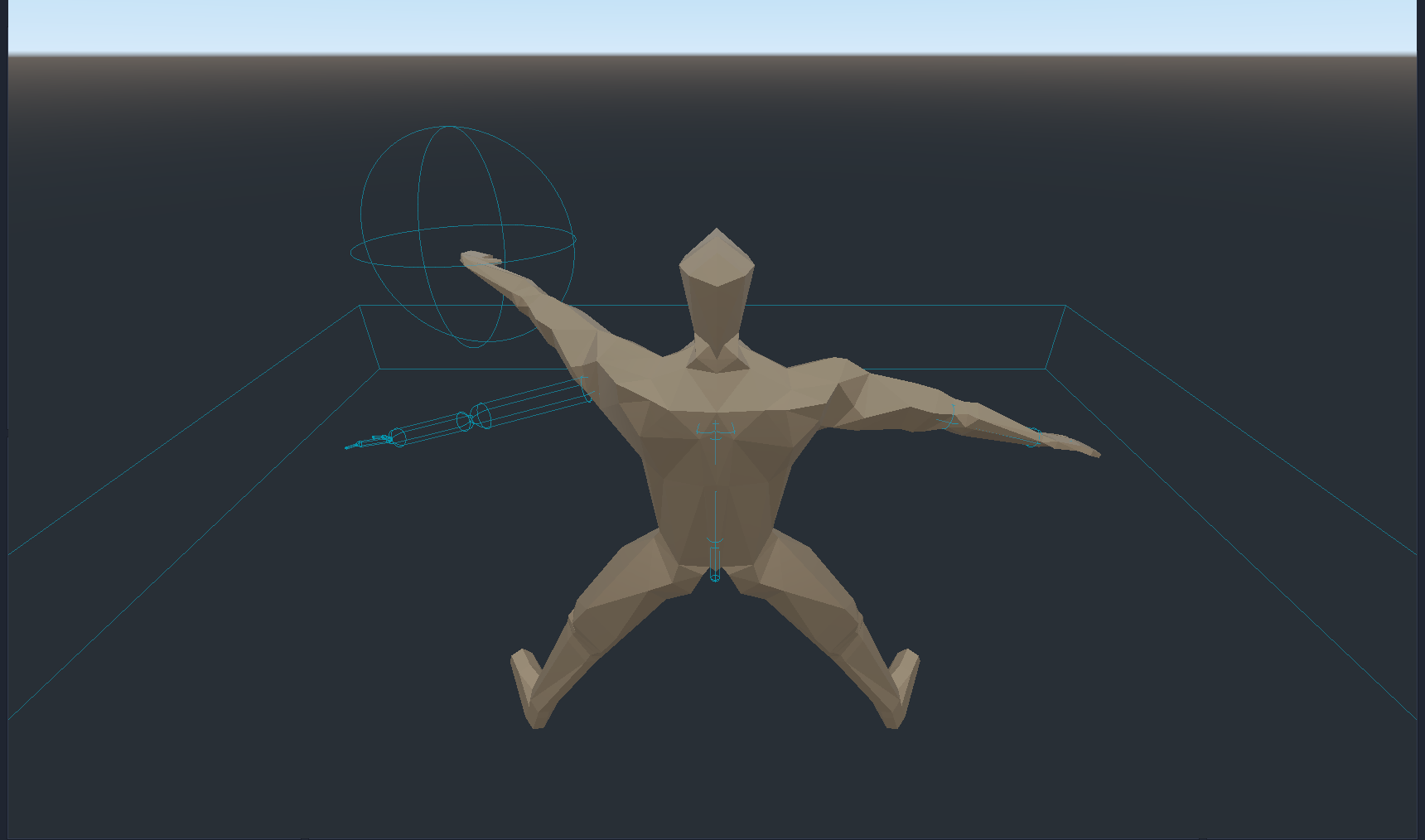
If the skeleton the bones are tied to is animated the bones will transform, but the shapes do not move from their original position.
Minimal reproduction project:
Here is a test scene with an animated hand model I made. All you have to do is generate a set of physical bones from the skeleton, set the scene as the root scene, and hit F5. It's already set up to loop the animation.
 Two-Tone
All 10 comments
Hopefully this gets fixed before the stable build is released since this completely breaks the tool.
Two-Tone
on 8 Jan 2019
Ping @AndreaCatania
 akien-mga
on 26 Jan 2019
akien-mga
on 26 Jan 2019
For the stability of the skeleton is not possible to move the shape of bones that are always at the origin.
Moving the shape from the origin mean change the COM, the result is a strange motion of the bone.
 AndreaCatania
on 28 Jan 2019
AndreaCatania
on 28 Jan 2019
@AndreaCatania I'm not sure if I understand your comment as it's a bit of a mess. But I'm going to assume I'm doing something wrong.
So what extra should I do so that the collision shapes do animate?
Two-Tone
on 28 Jan 2019
It's been a month, anything?
They ARE suppose to animate, right? Because in the last gif in the article describing the bones you can clearly see them animate with the bones
Two-Tone
on 2 Mar 2019
I have the same issue with IK. Bone constraints also seem to either get lost on export (even with better collada export) or be plainly ignored by the physical bone generation feature.
This makes usage extremely cumbersome at best and impossible at worst. :(
 phryk
on 25 Mar 2019
phryk
on 25 Mar 2019
Still reproducible in the current master branch.
akien-mga
on 9 Jan 2020
The Physical Bones are not supposed to be animated currently since they are thought for ragdoll only. I should add the support for this feature, in the meanwhile is advised to use bone attachment.
AndreaCatania
on 11 Jan 2020
Fixed by this: #36008
AndreaCatania
on 8 Feb 2020
Any chance it'll be backported to a 3.2.x update? It's not a major change
but would be nice to have before 4.0 drops.
E: Nevermind, I see that it has the flair that show's it'll be cherry-picked for 3.2
Two-Tone
on 11 Feb 2020
Related issues
 mooseyfaith
·
3Comments
mooseyfaith
·
3Comments
 n-pigeon
·
3Comments
n-pigeon
·
3Comments
 Spooner
·
3Comments
Spooner
·
3Comments
 nunodonato
·
3Comments
nunodonato
·
3Comments
 mefihl
·
3Comments
mefihl
·
3Comments
Most helpful comment
Fixed by this: #36008