Godot-proposals: Add a random rotation option to StandardMaterial3D option for tiling textures
Forked discussion from #1230
Describe the project you are working on:
Open world exploration game.
Describe the problem or limitation you are having in your project:
When texturing terrain with a texture smaller than the terrain itself you get a tiling texture effect.
Describe the feature / enhancement and how it helps to overcome the problem or limitation:
This effect can be avoided by semi-random rotating the tile instances (rotating the Uv at the position of the tile).
Describe how your proposal will work, with code, pseudocode, mockups, and/or diagrams:
The goal is to either add that feature to the SpatialMaterial or create a plugin / asset store solution.
Whatever fits better to godot.
If this enhancement will not be used often, can it be worked around with a few lines of script?:
This can be archived by writing custom shaders or addons from the asset store...
Is there a reason why this should be core and not an add-on in the asset library?:
... but this is a great benefit for almost everyone looking to make (photo realistic) games that include some kind of textured ground. I totally agree that we shouldn't bloat godot. However, when I look at the SpatialMaterial there are other features implemented that I find less important. This just instantly can make the game of a beginner look so much better since the ground usually gets a lot of screen estate. Other game engines provide that option without any need for users to get into shaders at all. So this is not a personal need of mine, but a proposal to make godot more appealing to new users switching from other game engines.
Demo (left with normal tiling, right with rotated tiling):

 redoxCode
All 11 comments
For now I will wait how the plugin created by @SIsilicon will turn out. It sounds like a reasonable solution. Let me know if you run into any problems or need hints for your implementation.
However I am still not convinced that this should be a plugin and not an addition to SpatialMaterial for the reasons mentioned above.
redoxCode
on 22 Jul 2020
Well, now that you mention it, I do have something on my mind that I'd like feedback from you all. It's about how control over the SpatialMaterial should be exposed. Currently, the individual textures of the material can have "no tiling" enabled or disabled, i.e. per texture. But now, looking at how the UVs' controls are organized, I'm considering to have it per UV instead.
What do you think? Per texture, or per UV?
 SIsilicon
on 22 Jul 2020
SIsilicon
on 22 Jul 2020
On a side note, I also plan on supporting canvas and shader materials too.
For shader materials, I'll be doing the following:
- Visual shaders will have a custom node for sampling textures with. Pretty simple compared to the rest of the project.
- Text shaders will be required to add an empty function shell of the sampling functions. For example,
vec4 textureNoTile(sampler2D tex, vec2 uv) {return vec4(0.0)}
Then the tile breaker will take care of the rest.
SIsilicon
on 22 Jul 2020
Well, now that you mention it, I do have something on my mind that I'd like feedback from you all. It's about how control over the SpatialMaterial should be exposed. Currently, the individual textures of the material can have "no tiling" enabled or disabled, i.e. per texture. But now, looking at how the UVs' controls are organized, I'm considering to have it per UV instead.
What do you think? Per texture, or per UV?
I think having them as UV control makes more sense. Imagine having 2 textures that you want to apply with the same scaling and tiling. So you would just use the same UV for them. Then you have a second set where you want different tiling (different seed) than on the first set (for more randomness in the texture) so you would use UV2 for them.
I think you should not use the therm "no tiling" as it can be confusing. We actually still tile the texture, it's just less visible. from a "no tiling" option I would expect to have only a single tile of my texture and the rest filled with black/alpha. "Tile breaking" sounds better. However I would suggest "rotated tiling". Also I would like an option that lets me choose between only 90° and any ° rotations.
redoxCode
on 23 Jul 2020
However I would suggest "rotated tiling". Also I would like an option that lets me choose between only 90° and any ° rotations.
Actually, rotation is not the only transform happening. There's also offset, so "rotated tiling" might not be a good name either.
And I do infact have an option to change the amount of rotation variance in the setup.
SIsilicon
on 23 Jul 2020
Maybe "advanced tiling" then? Do you also consider an option to make wavy and/or blending corners between individual tiles instead of just straight grid ones?
redoxCode
on 23 Jul 2020
Maybe "advanced tiling" then?
That can work. :)
Do you also consider an option to make wavy and/or blending corners between individual tiles instead of just straight grid ones?
In a way, yes. Remember that link I shared in the other proposal that has the algorithm I used? Well it actually has _three_ variants of "advanced tiling".
- The first method uses __4__ texture samples in a square grid. This is the one your algorithm is similar to.
- The second one's more advanced and uses voronoi cells instead of square grids. This can really break up the pattern, but uses __9__ texture samples.
- The last one is the one I used. It uses a low frequency noise texture in a way that only uses __2__ texture samples (minus the noise texture itself, but it's pretty cache friendly anyway).
So with those options, we can have a Low, Medium, and High setting for this.
I'm thinking this should be global and be put in the ProjectSettings.
SIsilicon
on 23 Jul 2020
Here's what I have so far.
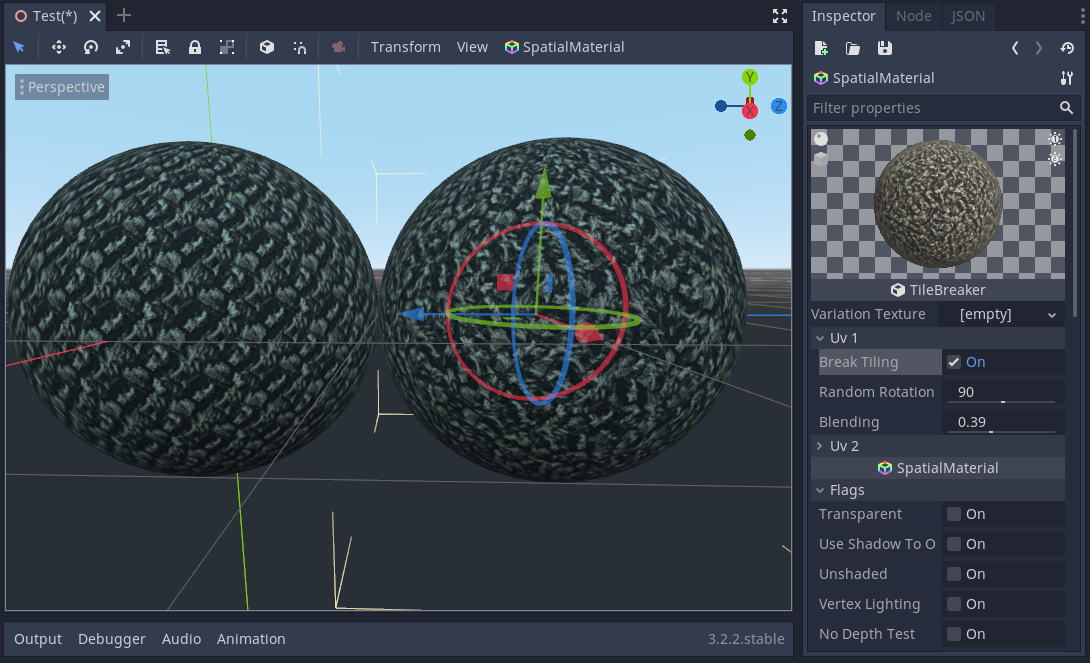
The one on the right has break_tiling enabled. The left one doesn't. This is the low quality setting BTW.
SIsilicon
on 23 Jul 2020
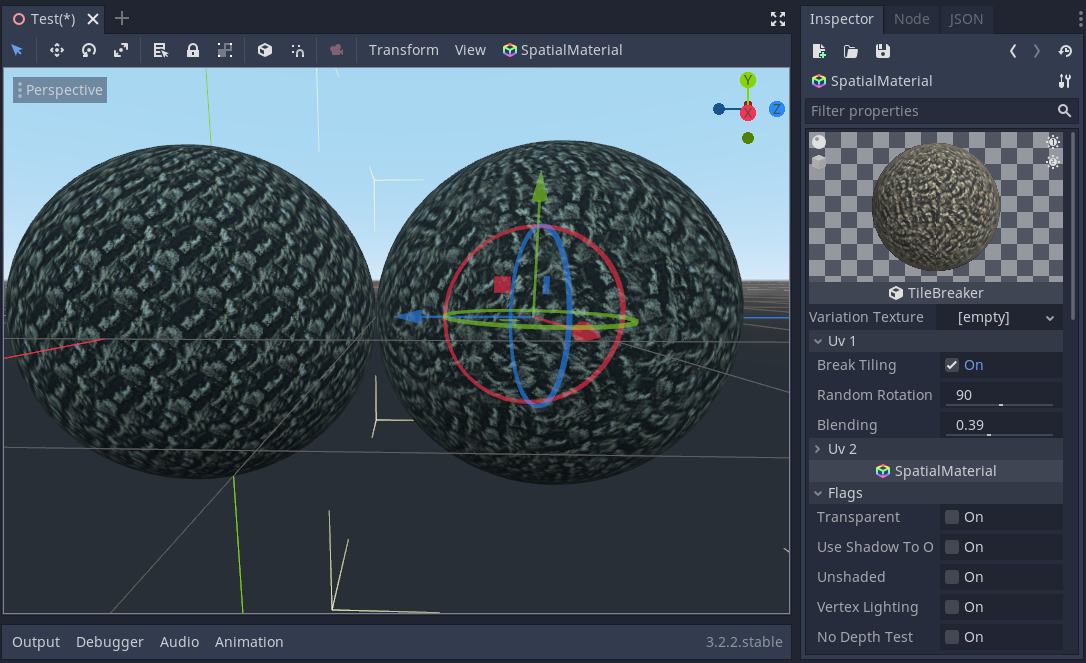
Here it is with medium quality. Not much difference.
SIsilicon
on 23 Jul 2020
Check out the parent proposal! I shared the addon for you to try out. :)
SIsilicon
on 24 Jul 2020
I released a video of the plugin being demonstrated. 😄
https://youtu.be/j4qAu9NARow
SIsilicon
on 27 Jul 2020
Related issues
 regakakobigman
·
3Comments
regakakobigman
·
3Comments
 IllusiveS
·
3Comments
IllusiveS
·
3Comments
 WizzardMaker
·
3Comments
WizzardMaker
·
3Comments
 aaronfranke
·
3Comments
aaronfranke
·
3Comments
 sprite-1
·
3Comments
sprite-1
·
3Comments
Most helpful comment
Here it is with medium quality. Not much difference.