Godot-docs: Document why SurfaceTool add_color doesn't work
Godot version:
3.2.2
OS/device including version:
Windows
Issue description:
Copied code from this tutorial - https://randommomentania.com/2018/11/godot-surface-tool-tutorial/
`func _ready():
var surface_tool = SurfaceTool.new();
surface_tool.begin(Mesh.PRIMITIVE_TRIANGLES);

surface_tool.add_normal(Vector3(0, 0, -1));
surface_tool.add_color(Color(1, 0, 0, 1));
surface_tool.add_vertex(Vector3(-1, 0, 0));

surface_tool.add_normal(Vector3(0, 0, -1));
surface_tool.add_color(Color(0, 1, 0, 1));
surface_tool.add_vertex(Vector3(1, 0, 0));

surface_tool.add_normal(Vector3(0, 0, -1));
surface_tool.add_color(Color(0, 0, 1, 1));
surface_tool.add_vertex(Vector3(0, 2, 0));

surface_tool.add_index(0);
surface_tool.add_index(1);
surface_tool.add_index(2);

mesh = surface_tool.commit();`
Get black triangle.
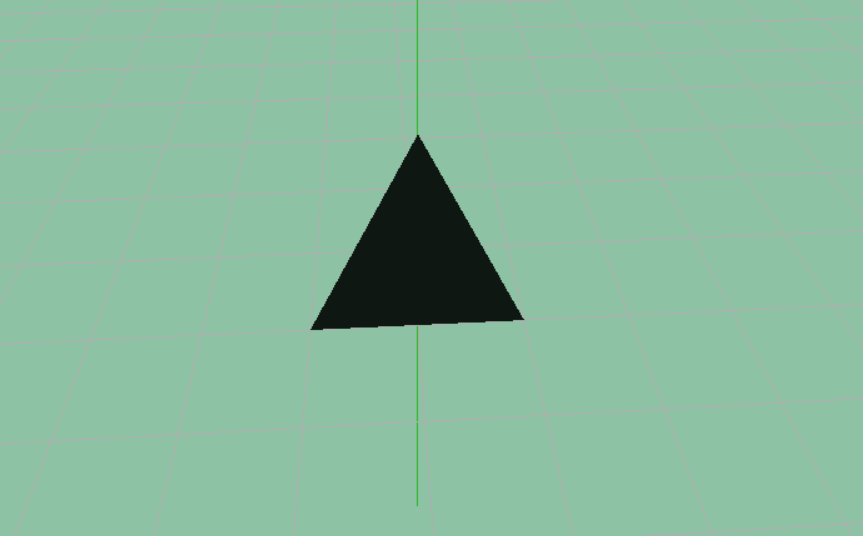
I have been messing around with Mesh.PRIMITIVE_LINES, I want to draw a grid of different coloured lines. I'm finding it very hard to change colour.
 monk-e-boy
All 18 comments
Are you using COLOR when you draw the triangle? I.e. are you using COLOR in the shader, or are you using "use_vertex_volor_as_albedo" in the material?
 clayjohn
on 27 Jul 2020
clayjohn
on 27 Jul 2020
I pasted in all the code. Check the tutorial I followed. Maybe I made a mistake?
monk-e-boy
on 27 Jul 2020
Your material or shader needs to use the vertex color in order for the vertex color to be used. So I am asking if you used the vertex color in your shader or material.
Looks like the tutorial you are following assumes you are using its example assets. The SpatialMaterial that it provides you has the flag vertex_color_use_as_albedo set to true. This flag instructs the GPU to use the vertex_color of the mesh instead of the albedo in the SpatialMaterial.
clayjohn
on 27 Jul 2020
Actually, instead of closing this right away, it would be good to put a note in the class reference.
https://docs.godotengine.org/en/stable/classes/class_surfacetool.html#class-surfacetool-method-add-color
clayjohn
on 27 Jul 2020
`
func _ready():

    var surface_tool = SurfaceTool.new();

    surface_tool.begin(Mesh.PRIMITIVE_TRIANGLES);

    # for details on how/why this works:
    # https://github.com/godotengine/godot/issues/40737
    # https://godotforums.org/discussion/19045/how-do-i-use-spatialmaterial-in-gdscript
    var mat = SpatialMaterial.new()
    mat.params_cull_mode = SpatialMaterial.CULL_DISABLED;
    mat.vertex_color_use_as_albedo = SpatialMaterial.FLAG_ALBEDO_FROM_VERTEX_COLOR
    surface_tool.set_material(mat)

    surface_tool.add_normal(Vector3(0, 0, -1));
    surface_tool.add_color(Color(1, 0, 0, 1));
    surface_tool.add_vertex(Vector3(-1, 0, 0));

    surface_tool.add_normal(Vector3(0, 0, -1));
    surface_tool.add_color(Color(0, 1, 0, 1));
    surface_tool.add_vertex(Vector3(1, 0, 0));

    surface_tool.add_normal(Vector3(0, 0, -1));
    surface_tool.add_color(Color(0, 0, 1, 1));
    surface_tool.add_vertex(Vector3(0, 2, 0));

    surface_tool.add_index(0);
    surface_tool.add_index(1);
    surface_tool.add_index(2);

    mesh = surface_tool.commit();
`
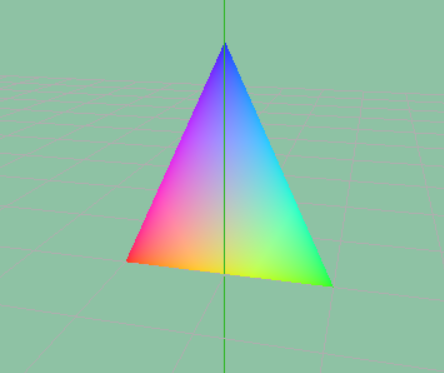
OK, after a lot of digging and looking things up, with the hints you dropped I managed to get it working using code.
Could this little example script be added into the docs somewhere? It's really non-intuitive the way you can set_color and it simply fails. I know it's not Godots fault, but it seems like it should work.
monk-e-boy
on 27 Jul 2020
Hm, this does not work:
`
func _ready():

    var surface_tool = SurfaceTool.new();

    #surface_tool.begin(Mesh.PRIMITIVE_TRIANGLES);
    surface_tool.begin(Mesh.PRIMITIVE_LINES)

    # for details on how/why this works:
    # https://github.com/godotengine/godot/issues/40737
    # https://godotforums.org/discussion/19045/how-do-i-use-spatialmaterial-in-gdscript
    var mat = SpatialMaterial.new()
    mat.params_cull_mode = SpatialMaterial.CULL_DISABLED;
    mat.vertex_color_use_as_albedo = SpatialMaterial.FLAG_ALBEDO_FROM_VERTEX_COLOR
    surface_tool.set_material(mat)

    surface_tool.add_normal(Vector3(0, 0, -1));
    surface_tool.add_color(Color(1, 0, 0, 1));
    surface_tool.add_vertex(Vector3(-1, 1, 0));

    surface_tool.add_normal(Vector3(0, 0, -1));
    surface_tool.add_color(Color(0, 1, 0, 1));
    surface_tool.add_vertex(Vector3(1, 1, 0));

    surface_tool.add_normal(Vector3(0, 0, -1));
    surface_tool.add_color(Color(0, 0, 1, 1));
    surface_tool.add_vertex(Vector3(0, 3, 0));

    surface_tool.add_index(0);
    surface_tool.add_index(1);
    surface_tool.add_index(1);
    surface_tool.add_index(2);
    surface_tool.add_index(2);
    surface_tool.add_index(0);

    mesh = surface_tool.commit();
`
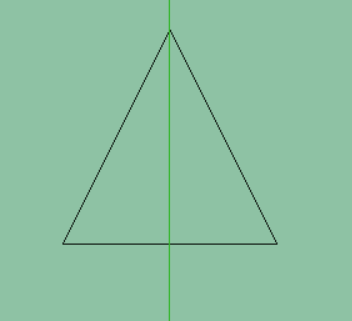
monk-e-boy
on 27 Jul 2020
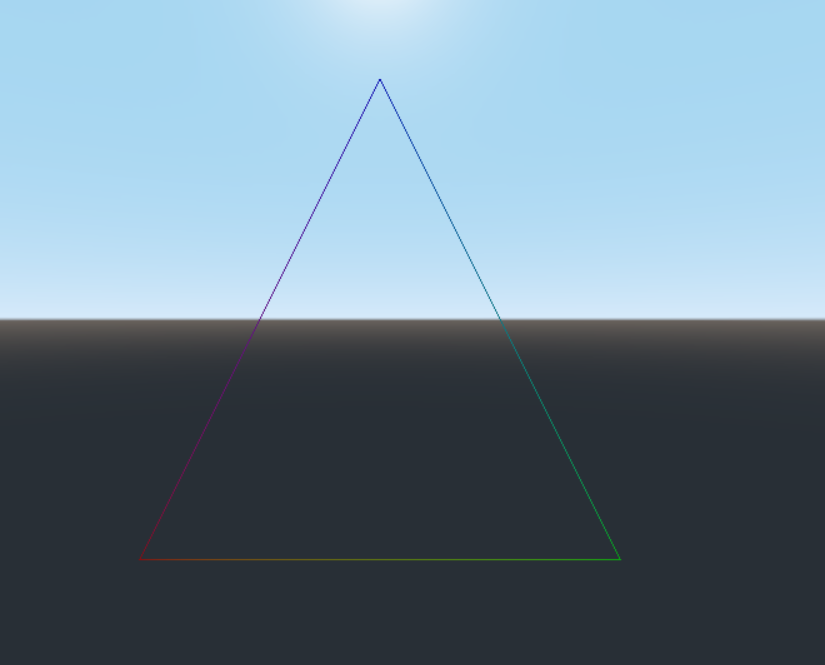
Works fine for me:
Also note :
mat.vertex_color_use_as_albedo = SpatialMaterial.FLAG_ALBEDO_FROM_VERTEX_COLOR
should be:
mat.vertex_color_use_as_albedo = true
vertex_color_use_as_albedo takes a boolean value (e.g. true or false) not a Feature enum
clayjohn
on 27 Jul 2020
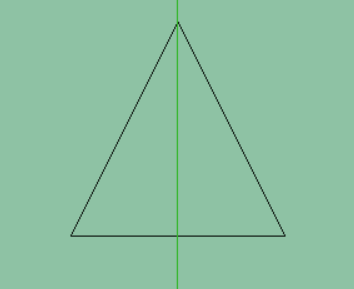
OMG, I can not get this to work :(

monk-e-boy
on 27 Jul 2020
@monk-e-boy You probably need to configure your SpatialMaterial to be unshaded. Otherwise, it will be fully black if no light (or environment) is illuminating it.
 Calinou
on 27 Jul 2020
Calinou
on 27 Jul 2020
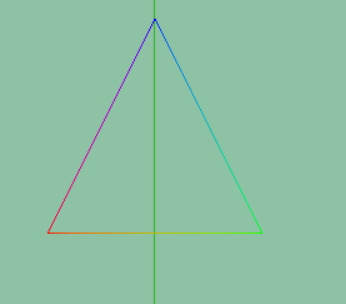
YAY!!!! Thank you so much for the help! I had lighting so I don't know why it was showing as black.... but anyway it looks perfect now :)
`func _ready():
var surface_tool = SurfaceTool.new();

surface_tool.begin(Mesh.PRIMITIVE_LINES)

# for details on how/why this works:
# https://github.com/godotengine/godot/issues/40737
# https://godotforums.org/discussion/19045/how-do-i-use-spatialmaterial-in-gdscript
var mat = SpatialMaterial.new()
mat.vertex_color_use_as_albedo = true
mat.flags_unshaded = true
surface_tool.set_material(mat)

surface_tool.add_normal(Vector3(0, 0, -1));
surface_tool.add_color(Color(1, 0, 0, 1));
surface_tool.add_vertex(Vector3(-1, 1, 0));

surface_tool.add_normal(Vector3(0, 0, -1));
surface_tool.add_color(Color(0, 1, 0, 1));
surface_tool.add_vertex(Vector3(1, 1, 0));

surface_tool.add_normal(Vector3(0, 0, -1));
surface_tool.add_color(Color(0, 0, 1, 1));
surface_tool.add_vertex(Vector3(0, 3, 0));

surface_tool.add_index(0);
surface_tool.add_index(1);
surface_tool.add_index(1);
surface_tool.add_index(2);
surface_tool.add_index(2);
surface_tool.add_index(0);

mesh = surface_tool.commit();
`
monk-e-boy
on 27 Jul 2020
@monk-e-boy If you need it, you might be able get lighting to work by forcing vertex shading on the material (while not making the material unshaded anymore).
Calinou
on 27 Jul 2020
Is this resolved?
 fire
on 27 Jul 2020
fire
on 27 Jul 2020
@fire no. Its marked for documentation.
clayjohn
on 27 Jul 2020
Hey, I would like to work on this issue. I am new to contributing to Open Source projects, so could you please guide me as to what I am supposed to do. Thanks!
 pret3nti0u5
on 1 Aug 2020
pret3nti0u5
on 1 Aug 2020
@pret3nti0u5 Thanks for your interest in contributing! Please follow Contribute to the class reference for instructions on contributing to the class reference.
It may also be worth adding a note about unshaded materials in the Procedural geometry tutorial. This tutorial is part of the godot-docs repository, so you'll have to open a separate pull request for that one.
Calinou
on 1 Aug 2020
@Calinou Hey, so I familiarized myself with how to contribute to this project, but I am a bit confused as to what I am supposed to do. From what I can understand I am supposed to add a reference to this discussion in the add_color method documentation, right? If that's not what I am supposed to do could you please elaborate. Sorry if I am being a bit hard to work with.
pret3nti0u5
on 2 Aug 2020
@pret3nti0u5 We'd prefer explaining everything needed without linking to GitHub issues. This way, we avoid relying on anyone's comments (that might end up getting deleted for any reason).
Calinou
on 2 Aug 2020
I think a note like this would be good:
Adding it to the add_color() method.
[b]Note:[/b]The vertex color should be set of the[code]SpatialMaterial[/code] being used, for the color to be displayed. If no lighting is used, set the unshaded property of the SpatialMaterial to be true. For more information, see [Class]SpatialMaterial[/Class]
If anything needs to be added, let me know.
 theoway
on 22 Sep 2020
theoway
on 22 Sep 2020
Related issues
 golddotasksquestions
·
3Comments
golddotasksquestions
·
3Comments
 fdmarcin
·
4Comments
fdmarcin
·
4Comments
 Gfurst
·
3Comments
Gfurst
·
3Comments
 creikey
·
4Comments
creikey
·
4Comments
 stsewd
·
3Comments
stsewd
·
3Comments