Gnome-shell-extension-gsconnect: MPRIS android
Hello,
Sometimes the playbuttons on my keyboard do nothing.
Today i found out, its the Kindle App on my Android.
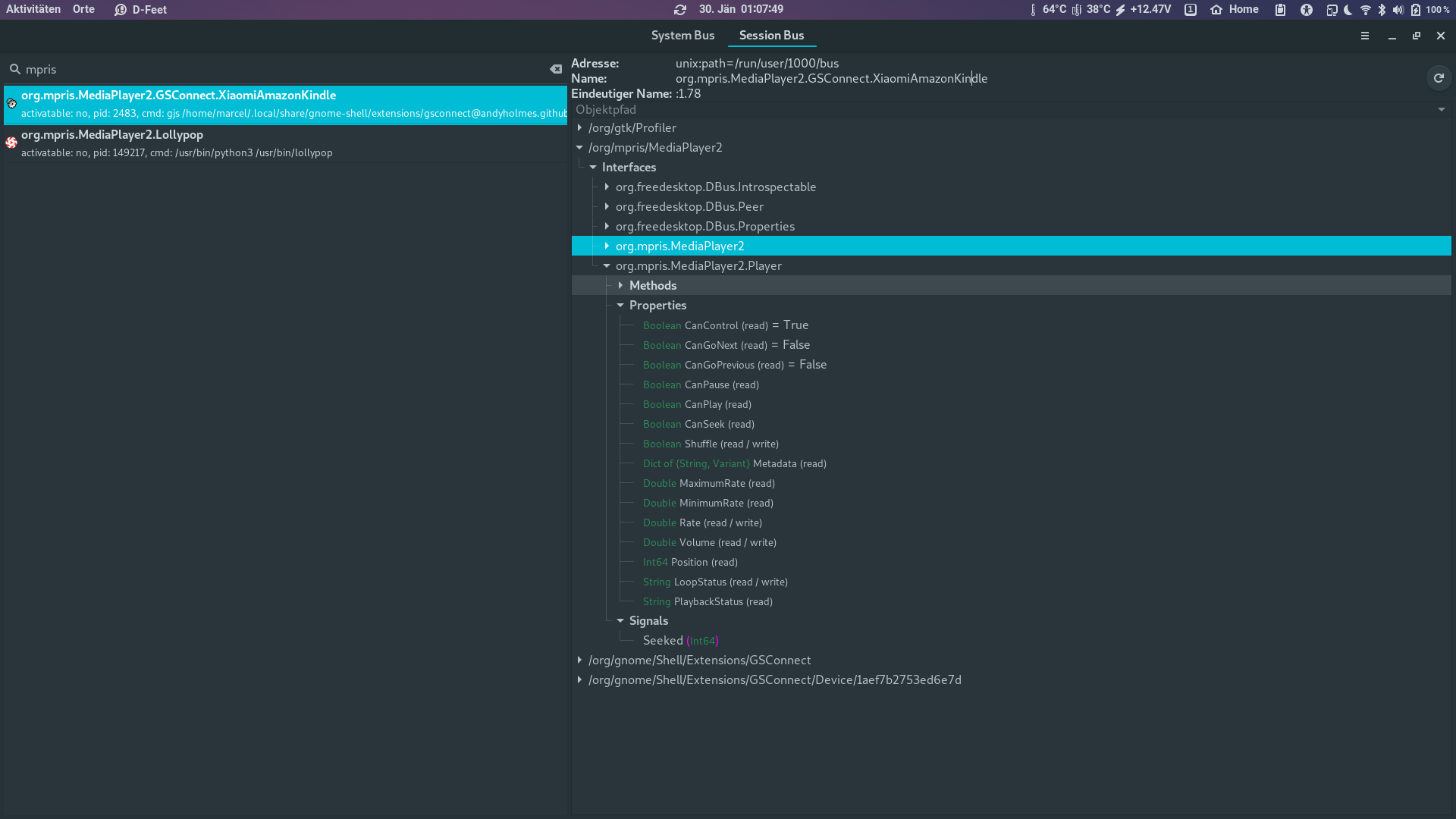
I found it in d-feet under the name org.mpris.MediaPlayer2.GSConnect.XiaomiAmazonKindle.
Could you block it perhaps?
Snapshot of d-feet:
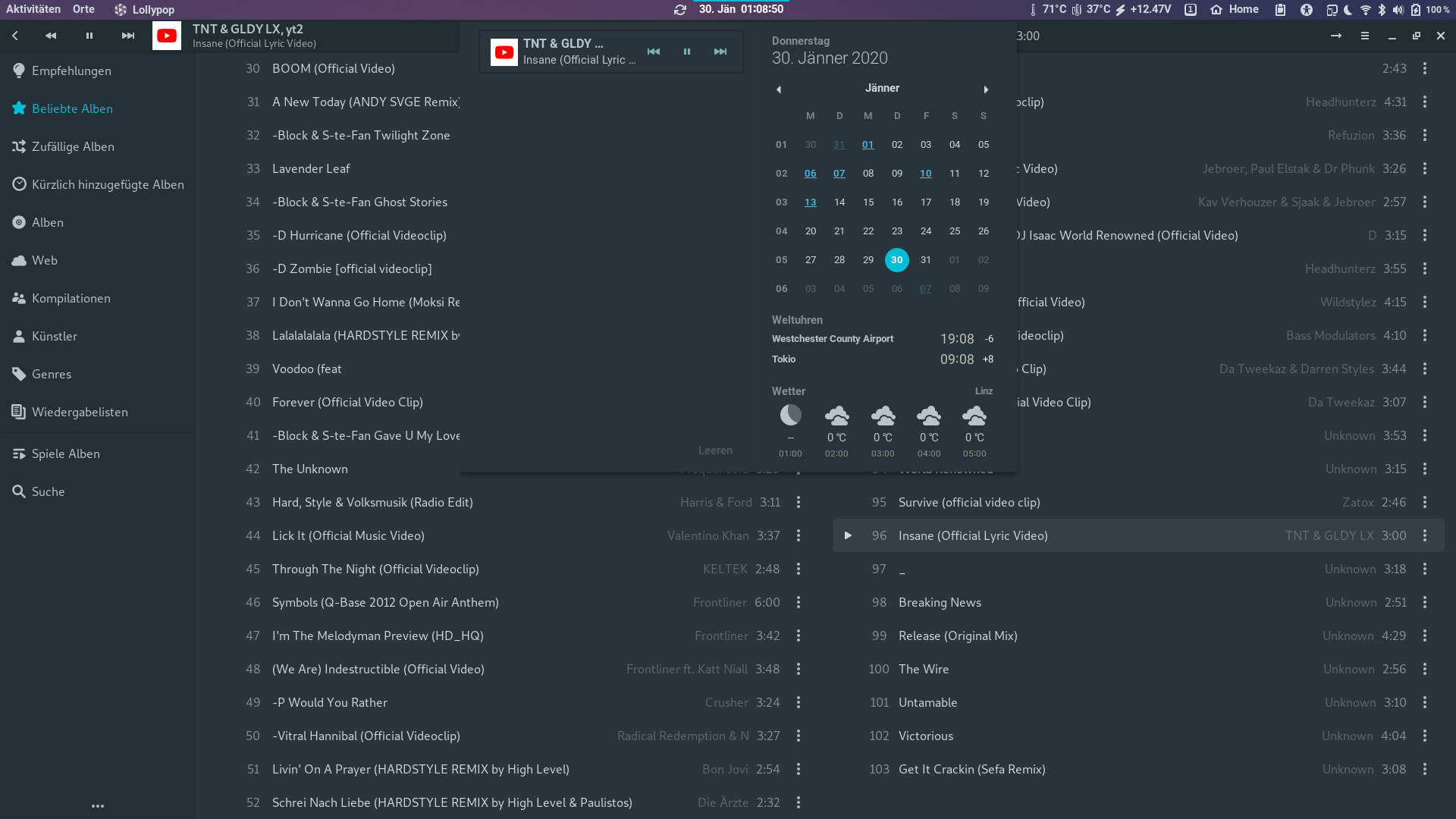
But only lollypop in notification area
 mhetzi
All 8 comments
I can add an option to not export MPRIS players from Android, but I don't think we'll be maintaining a blacklist of arbitrary Android apps that don't work correctly. This is something that's better done on the Android side, if necessary.
 andyholmes
on 30 Jan 2020
andyholmes
on 30 Jan 2020
It's interesting, though, that @mhetzi says "Sometimes the playbuttons on my keyboard do nothing." Presumably meaning, they don't work to control _lollypop_ (or whatever other local app) — which must mean that Gnome Shell is targeting the Android app (in this case, Kindle) as the recipient of media control keypresses, despite that app not even appearing in its notification area.
In part this loops back around to #632 / https://github.com/andyholmes/gnome-shell-extension-gsconnect/issues/709#issuecomment-559200204 and the whole question of how the hell Gnome Shell makes its automagical decisions about what app should receive keypresses, since there's still no real visibility into that whole process.
However, the suggestion I offered in https://github.com/andyholmes/gnome-shell-extension-gsconnect/issues/632#issuecomment-537759741 also holds here: If you don't actually _use_ your computer to control media player apps on your phone, @mhetzi , you can also go into the KDE Connect app settings and disable the "Media Player Control" plugin for your computer's pairing — then, Kindle (and any other app) won't have an MPRIS2 interface proxied for it, so it won't interfere with anything on the Linux side.
 ferdnyc
on 30 Jan 2020
ferdnyc
on 30 Jan 2020
Testing just now, it seems like GNOME Shell can handle multiple MPRIS clients fine, which is to say it can display media notifications and pass commands to them fine.
When it comes to media keys, it seems like the first media player registered is considered the "primary" player and receives the key presses (or whatever function, command, etc results from them). What's unclear to me is how exactly these media keys make it to the media player.
With a brief look I can't seem to find any code related to media keys in gnome-shell's mpris component and there's certainly no code for MPRIS in mutter, however I assume mutter ultimately being the window manager means that "global" key presses are passing through here at some point so... :man_shrugging:
andyholmes
on 30 Jan 2020
Ah got it (with help). Media keys are handled by gsd-mediakeys, which is a gnome-settings-daemon plugin. It appears the first media player it finds does a sort of "grab" and receives all media keys until it disappears from the bus.
In this case, there might be a better way to handle this, like releasing the media key grab when a player goes from playing to stopped.
andyholmes
on 30 Jan 2020
In this case, there might be a better way to handle this, like releasing the media key grab when a player goes from playing to stopped.
? ...Then how (in situations where you _wanted_ the keypresses delivered to a targeted app) would the "Play" key work, to start(/resume) playback? :smile:
ferdnyc
on 30 Jan 2020
Actually it's not even going to be that easy :) From what I can tell, gsd-mediakeys does the same thing as gnome-shell and just picks the first available MPRIS player, while "grabbing" media keys seems to be a manual method for media players that don't support MPRIS.
But there might be a workable solution that applies here. It appears that in some situations Android or kdeconnect-android (depending on how you look at it) will report a media player that is uncontrollable (eg. (CanPlay && CanPause) === false). This happens for example when YouTube is open, but no playlist is active and no video is playing/paused, which makes sense because Play, Next, etc aren't valid commands.
In that situation, we can unexport the MPRIS interface on-the-fly and re-export it when the player becomes controllable again. So long as no one's listening to multiple stereos and media players on their network at the same time :D
andyholmes
on 30 Jan 2020
@mhetzi Here's a test ZIP if you want to give this a shot:
andyholmes
on 30 Jan 2020
Works, no more kindle in dbus. Thank you
mhetzi
on 30 Jan 2020
Related issues
 Noobsai
·
4Comments
Noobsai
·
4Comments
 paulo8448
·
4Comments
paulo8448
·
4Comments
 nikolowry
·
4Comments
nikolowry
·
4Comments
 amivaleo
·
5Comments
amivaleo
·
5Comments
 rugk
·
4Comments
rugk
·
4Comments
Most helpful comment
Works, no more kindle in dbus. Thank you