Gltf-blender-io: Scaling issue when non normalized quaternion
Describe the bug
Mesh scale is weird when exported glb from blender.
To Reproduce
Steps to reproduce the behavior:
Export mesh from blender as gltf
Scaling is wrong(?) on export
Expected behavior
Export sucessfully with shape keys as morph targets for threejs
Screenshots
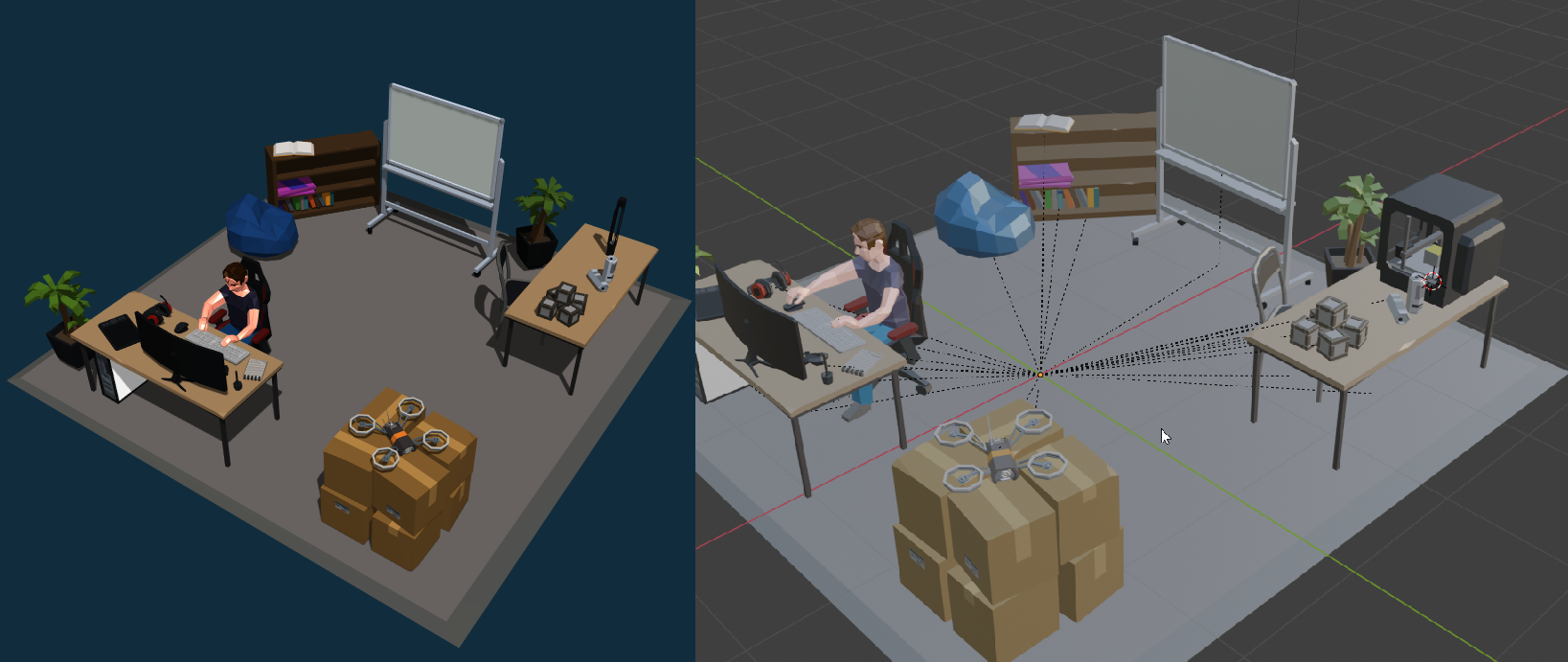
.blend file/ .gltf
scene (2).zip
Version
- OS: [e.g. macOS, linux]
- Blender Version 2.82.7
 torbenvanassche
All 5 comments
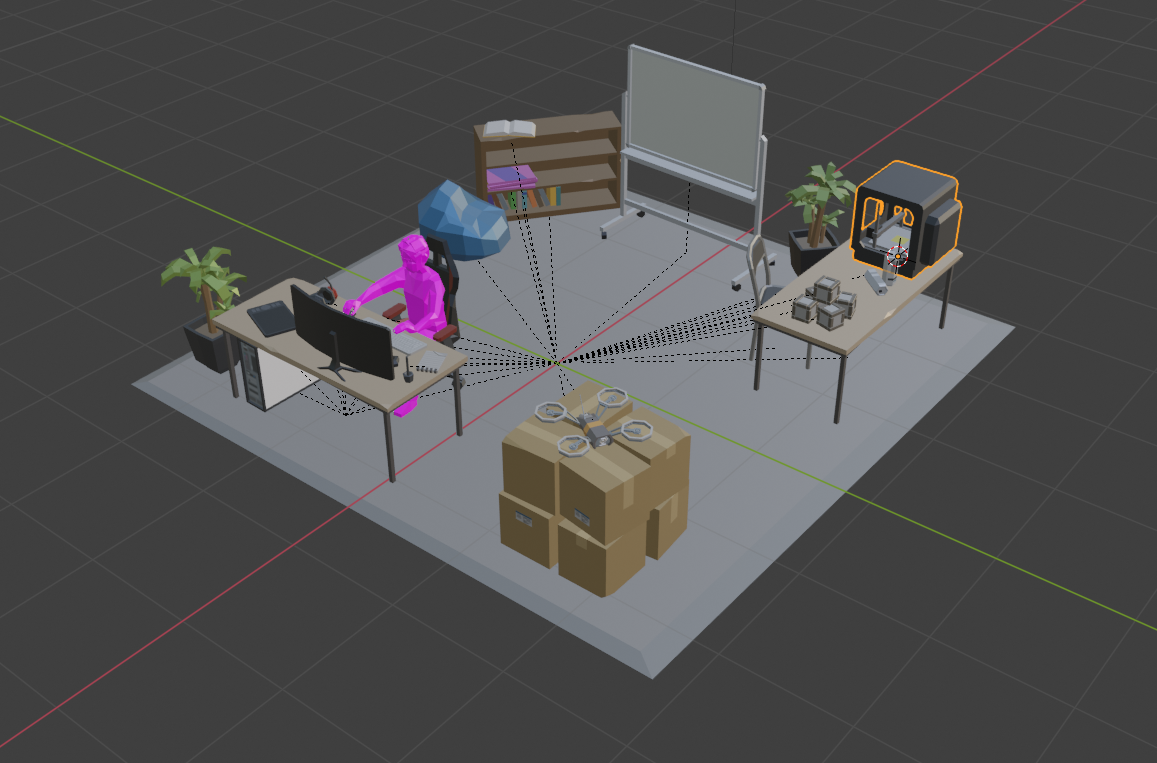
The scale looks the same in both places to me:
blender
threejs
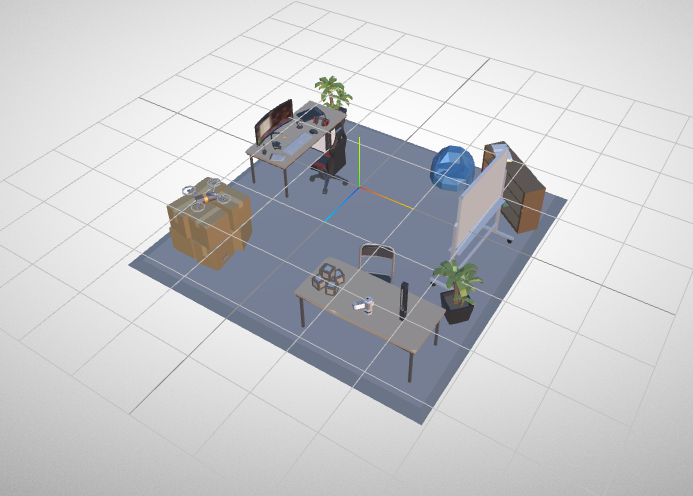
Note both are about 6 units across. Could you explain what you mean by "scale is weird"?
 donmccurdy
on 18 Mar 2020
donmccurdy
on 18 Mar 2020
there is a mesh 3d printer in that gltf file scene. thats the only one so far that has shape keys.
I do understand my explanation was kinda subpar. bottom right corner the mesh is really not as it should be. I had the object in question highlighted in blender but I should have been more clear
torbenvanassche
on 18 Mar 2020
Hah ok I see it now, thanks! We'll take a look.
donmccurdy
on 19 Mar 2020
Ok, find the root cause, and I am able to reproduce on simpler scene:
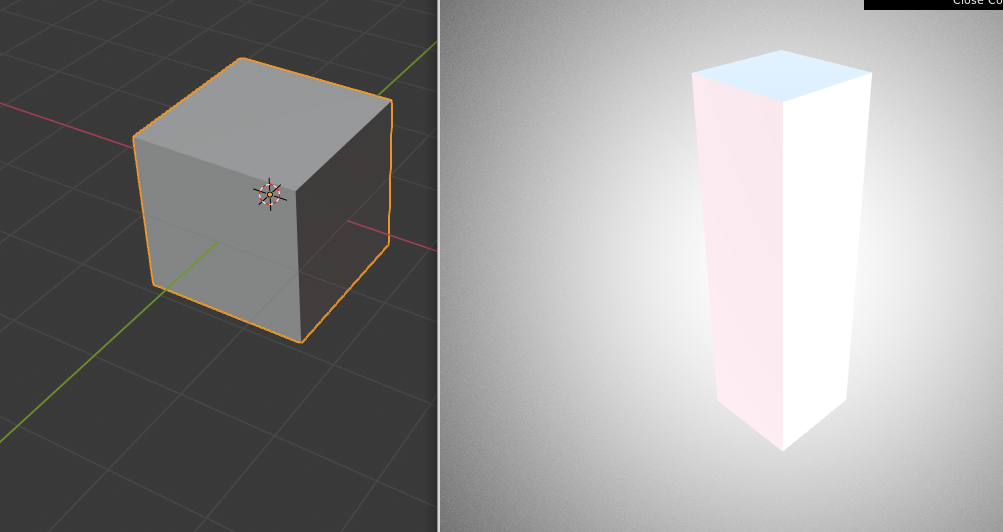
This is linked to a non normalized quaternion rotation on your 3D printer (object with parent having a scale)
Change 3D printer rotation from:
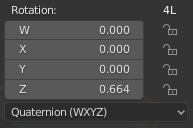
To:
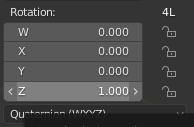
Will solve the issue
 julienduroure
on 19 Mar 2020
julienduroure
on 19 Mar 2020
I'll confirm that worked and fixed it. Thank you for the (especially fast) help.
torbenvanassche
on 19 Mar 2020
Related issues
donmccurdy
·
3Comments
julienduroure
·
3Comments
 UX3D-nopper
·
4Comments
UX3D-nopper
·
4Comments
 KannebTo
·
3Comments
donmccurdy
·
5Comments
KannebTo
·
3Comments
donmccurdy
·
5Comments