Gltf-blender-io: Problem when exporting animated model. It seems like armature bones axis are changed.
Hi,
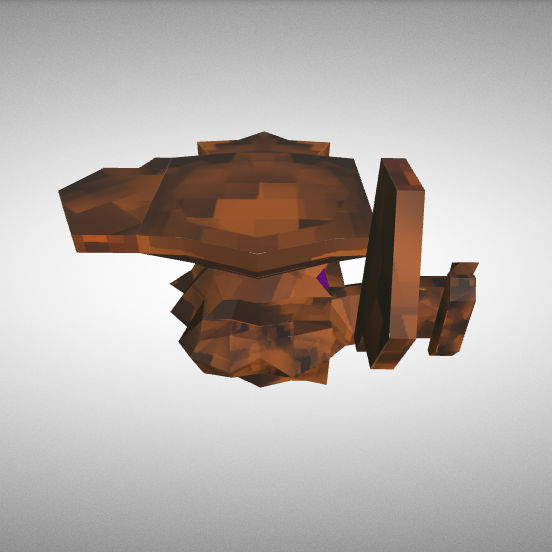
I'm can't export this model with animations attached because the armature bones seems to be exported with wrong axis. It seems that the problem is related to the "children" bones and not with the "parent" base-bone.
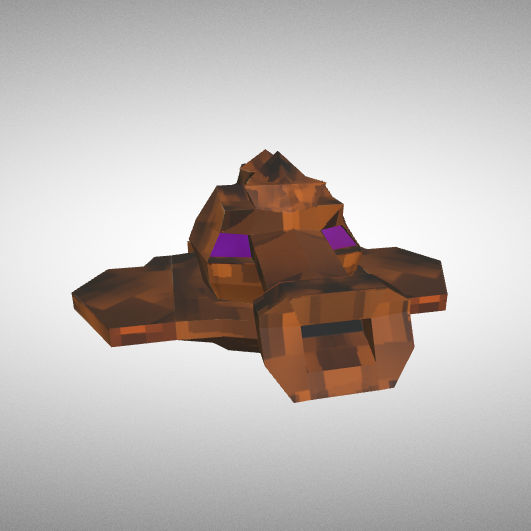
Model exported without skinning:
Model exported with skinning:
This is the animation working properly:
https://skfb.ly/6IrSJ
The .blend file is attached here.
TrompaBeta-2.8_demo.blend.zip
 cognatron
All 16 comments
@cognatron, do your bones look correct when displaying the skeleton? (I suppose you used https://gltf-viewer.donmccurdy.com/ )
I've got the same problem with my model, both when I export it with animations and with only skinning. The bones look fine and animate properly, the skinning is off:
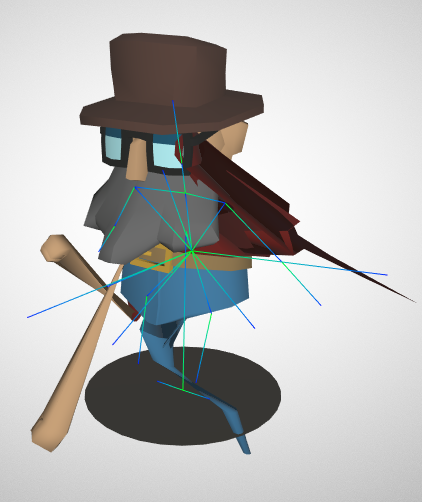
(The model should work as it is fully implemented in my game, using the fbx-export)
 simongloor
on 2 Apr 2019
simongloor
on 2 Apr 2019
I think this might be related to #296
After updating to the latest version the skinning looks fine. Now I only need to fix the animations, but that's a different topic ;)
simongloor
on 2 Apr 2019
I think this might be related to #296
After updating to the latest version the skinning looks fine. Now I only need to fix the animations, but that's a different topic ;)
Hey, now it works with the new version!
The only thing I must check now is how to put to work together keyshapes-based animations along with armature actions.
cognatron
on 2 Apr 2019
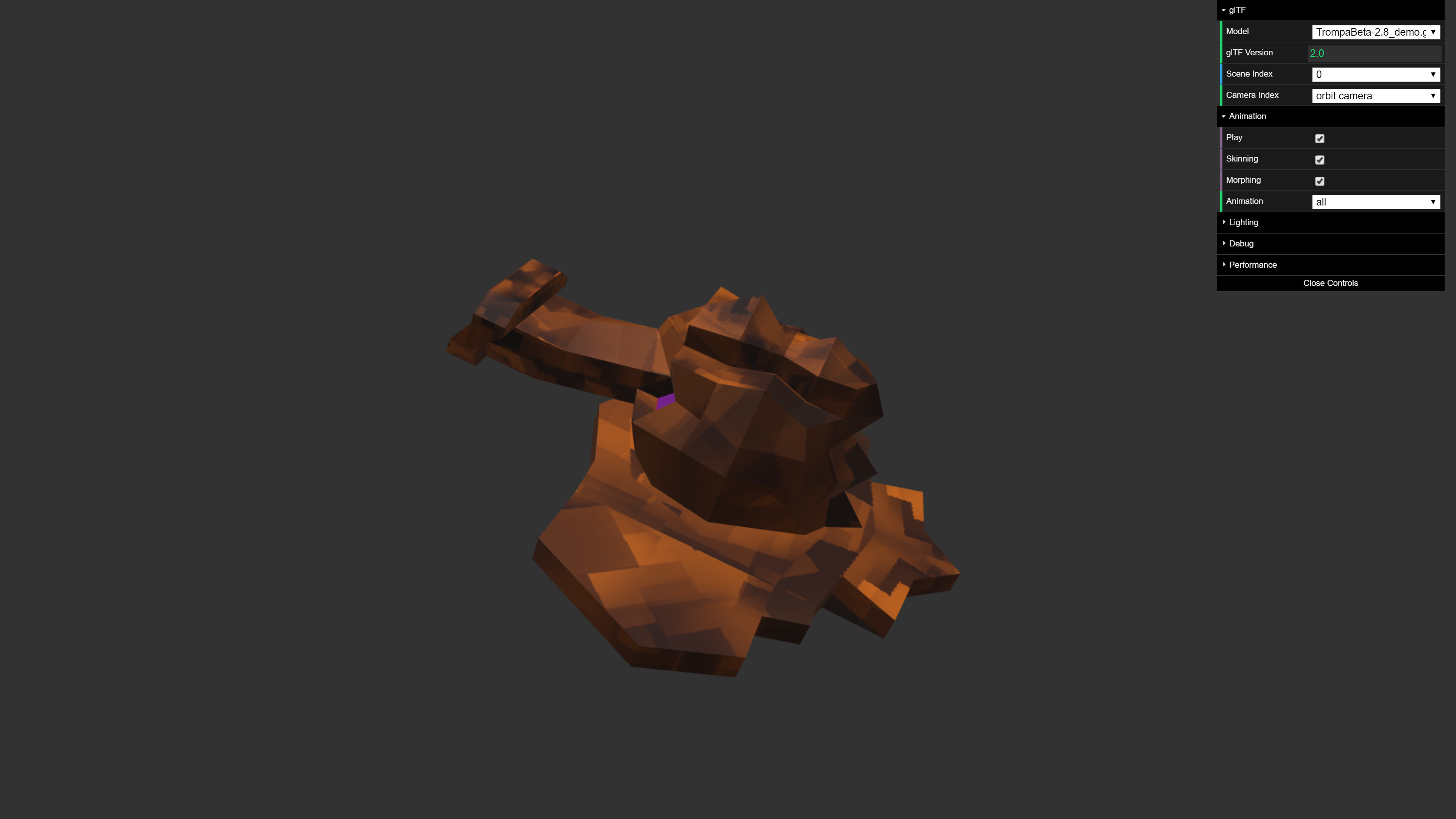
Tested and fixed in branch fix/animation_bug
Closing, to keep have not too many issues open.
 UX3D-nopper
on 9 Apr 2019
UX3D-nopper
on 9 Apr 2019
@UX3D-nopper The exported armature-based animations are broken again since the latest exporter updates.
cognatron
on 25 Apr 2019
(When using the same .blend file attached.)
cognatron
on 25 Apr 2019
Can you please track down, which commit did break this? If yes, please assign the bug to the person.
UX3D-nopper
on 25 Apr 2019
@UX3D-nopper I will check that. It looks like the problem is about the "child" bones of the armature.
cognatron
on 25 Apr 2019
@cognatron Actually could you test the branch in #446 to see if it fixes the issue?
Nevermind... doesn't look fixed
 emackey
on 25 Apr 2019
emackey
on 25 Apr 2019
Git Bisect names the commit that broke this as fa6e4afffe4c424ded456.
emackey
on 25 Apr 2019
Hey, the export of animation worked well (for this model) at this commit:
e5815d40b040552d8353b5c038f399a73207a2fa
cognatron
on 26 Apr 2019
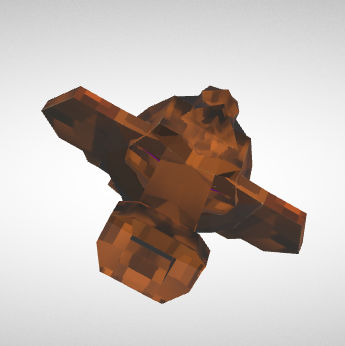
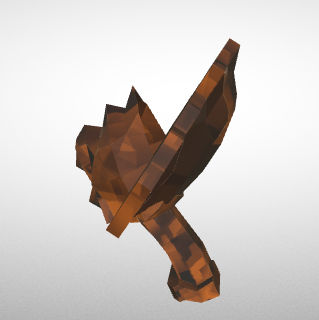
What is the issue currently? It looks almost right to me, just rotated 90º or something. Is there more that i've missed?
 donmccurdy
on 19 Jun 2019
donmccurdy
on 19 Jun 2019
hi, @donmccurdy . Looks like the head bone is rotated down while the animation is playing. Can you try to export the attached model yourself to see?
cognatron
on 19 Jun 2019
Ok, yes that is what it looked like when I exported it. Just a bit hard to tell.
donmccurdy
on 19 Jun 2019
Seems animation does not export at all (animation is exported, but with all same values)
 julienduroure
on 18 Sep 2019
julienduroure
on 18 Sep 2019
Seems there is no more orientation issue on this animation export. Closing
julienduroure
on 26 Jan 2020
Related issues
 Ali-RS
·
3Comments
UX3D-nopper
·
3Comments
Ali-RS
·
3Comments
UX3D-nopper
·
3Comments
 dsinni
·
3Comments
dsinni
·
3Comments
 rainclaws
·
3Comments
rainclaws
·
3Comments
 WindyDarian
·
5Comments
WindyDarian
·
5Comments
Most helpful comment
Hey, now it works with the new version!
The only thing I must check now is how to put to work together keyshapes-based animations along with armature actions.