OpenGL computes coverage values only when multisampling is used, as it is used for antialiasing purposes. However, OpenGL's antialiasing is not very flexible, so it is hard to emulate the N64 accurately.
Some time ago I had an idea on how to compute coverage without resorting to multisampling. The principle I use is that a point is inside of a triangle if and only if all three barycentric coordinates are positive. So the following can be done:
- Create three vertex attributes to hold barycentric coordinates.
- When a triangle is generated, for each vertex initialize the barycentric coordinate corresponding this vertex to one and the other barycentric coordinates to zero. After the rasterizer interpolates this values, the fragment attribute will hold the barycentric coordinates of the fragment center.
- Use
dFdx()anddFdy()to compute the barycentric coordinates of eight different fragment locations (not just the center). If all barycentric coordinates are positive, add 1/8 to pixel coverage. If the pixel is in the interior of the triangle, the coverage will add up to one (i.e. 8/8).
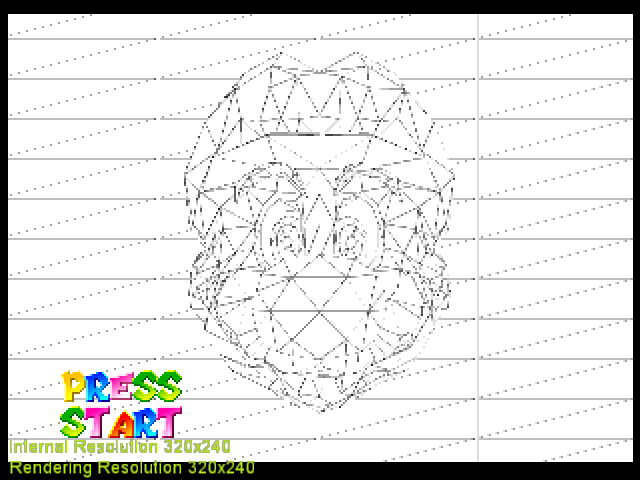
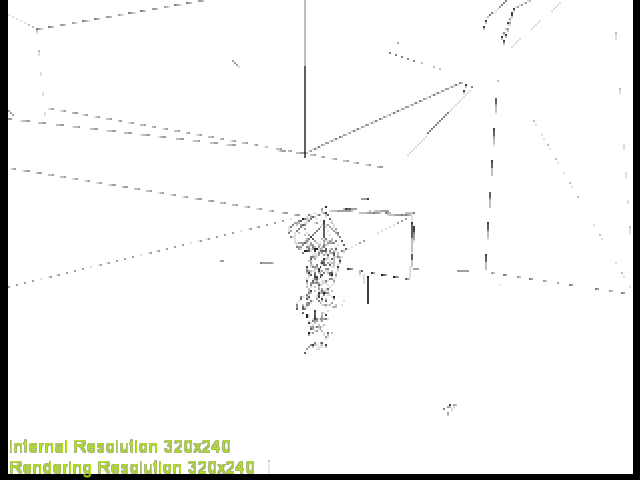
I wrote an initial implementation that works for triangles. ~Rectangles will show black and copy mode is ignored for now~.
https://github.com/standard-two-simplex/GLideN64/tree/cvg
|
|
 standard-two-simplex
All 20 comments
Added coverage calculation for rectangles. Copy and fill modes dont use coverage, so I defaulted to 1 for the hack.
standard-two-simplex
on 12 Dec 2020
Mmmm... Can some of these calculations be reused as some kind of additional test to benefit depth emulation?
 Jj0YzL5nvJ
on 13 Dec 2020
Jj0YzL5nvJ
on 13 Dec 2020
Can some of these calculations be reused as some kind of additional test to benefit depth emulation?
I don't know what you mean. I don't think the depth compare test uses the coverage value, though.
I was hoping that it would help emulating the ink mode in Turok 2 or Goldeneye, but so far I only got a black screen.
standard-two-simplex
on 13 Dec 2020
I was hoping that it would help emulating the ink mode in Turok 2 or Goldeneye, but so far I only got a black screen.
Actually, I found out what was causing the issue. It should be working now.
The games issue a fillrect command that covers the screen in one cycle mode and blending enabled. Besides, blender register is set to 0xFFFFFFFF. Therefore, the fill color is blended by equation color_in * 0.0 + blend_reg * alpha_mem which in this case results in alpha mem.
dual_source_blending was initializing alpa_mem to 0.0, hence the black screen. It is now initialized to 1.0 and thus this blend mode is now emulated. However, dual_source_blending has its limitations: if color_in were multiplied by anything other than 0.0, the blend equation would be impossible to emulate. They are edge cases, but who knows.
@fzurita I turns out there was a reason why I previously initialized the lastFragColor.a and lastFragAlpha differently. Would you mind checking that the fix in this branch broke nothing when framebuffer fetch extensions are used?
standard-two-simplex
on 13 Dec 2020
Yeah, sure, I'll test the arm version real quick.
 fzurita
on 14 Dec 2020
fzurita
on 14 Dec 2020
I tried Donkey Kong 64 and Pokemon Stadium and they both still remain fixed.
fzurita
on 14 Dec 2020
Coverage is also used by Ocarina of Time subscreen menu. Must be some kind of timing hack by the devs. If the frame buffer is black, it stalls for many seconds. If you fill it with white pixels, it opens instantly. Which is what GLideN64 does iirc. But most plugins don't fill the aux buffer and they stall.
 oddMLan
on 14 Dec 2020
oddMLan
on 14 Dec 2020
Coverage is also used by Ocarina of Time subscreen menu.
I just checked and I wouldn't say so. It seems the game uses 16bit framebuffers. The hack works by writing white (0xFFFF) but it seems it also works if you write 0xE0E0. That's as many zeroes I managed to write without breaking the hack. Coverage is meant to be written to the last bit, so I don't think coverage matters.
standard-two-simplex
on 14 Dec 2020
In OOT, I had thought coverage was used to generate a frame that does not get presented, and the game looks at this buffer to look for white/whitish pixels when the subscreen is opened. Paper Mario was suspect as well for similar behavior.
Seemed like this was a security feature added in the games to curb emulating the game in a playable sense.
Is it possible coverage is used to generate the frame and the coverage bits themselves are not being checked?
Thanks for your check and coverage work!!
 weinerschnitzel
on 14 Dec 2020
weinerschnitzel
on 14 Dec 2020
Is it possible coverage is used to generate the frame and the coverage bits themselves are not being checked?
Yes, in principle it would be possible to use the coverage in the current buffer as blender input and write it to the other channels. A more detailed behaviour of the subscreen check would be needed to emulate it.
Seemed like this was a security feature added in the games to curb emulating the game in a playable sense.
Perhaps. Or perhaps they were making sure that Links model had finished rendering before copying it to the main buffer. Only the game devs know for sure.
standard-two-simplex
on 14 Dec 2020
Thanks. Just want to link #1973 for context. Not sure if you saw it, but this is where the coverage hunch comes from.
I'm wrong about Paper Mario though.
Also see https://github.com/gonetz/GLideN64/issues/709#issuecomment-394245250
weinerschnitzel
on 15 Dec 2020
I don't know what you mean. I don't think the depth compare test uses the coverage value, though.
Precisely for that reason I came up with the crazy idea that such calculations could be reused to search for 2D triangles lost in "3D depth" (over/under). #2074
Jj0YzL5nvJ
on 15 Dec 2020
Well, I don't know if coverage is in part responsible for the subscreen delay or the lens of truth effect, but there is more to it than just computing the coverage value. More information is needed to fix those issues.
However, that is not related to this issue, which was about calculating the coverage value and using it in the blender.
standard-two-simplex
on 15 Dec 2020
I think I not given to comprehend enough... I mean your algorithm to detect triangles, not coverage itself.
Think for example how PGXP works in PSX emulation. They are mapping 3D graphics and depth on hardware that only sees 2D graphics.
In N64 emulation, if a buffer was created that only maps visible 2D graphics. And the discrepancies with the 3D graphics will be identified. I think you could identify what depth is not "seeing".
I know that such idea has nothing to do with your intentions and motivations. I don't know anything about graphical programming, it's just an idea that I don't know if it works for N64.
Jj0YzL5nvJ
on 16 Dec 2020
Very interesting approach and the result look cool!
I need some time to understand the code.
I tested it with SHOW COVERAGE HACK enabled. Is it possible to see the coverage with "normal" gameplay? How? I don't know how to enable "wire-frame mode" in games.
 gonetz
on 21 Dec 2020
gonetz
on 21 Dec 2020
However, that is not related to this issue, which was about calculating the coverage value and using it in the blender.
I missed that point, but now I see it in sources. So, the idea is to use the calculated coverage instead of clamped color alpha in blender equations. Could you remind me where (in which games) this alpha blend mode is actually used and where this code improves results of blending?
gonetz
on 21 Dec 2020
Could you remind me where (in which games) this alpha blend mode is actually used and where this code improves results of blending?
There is a render mode that writes the alpha/cvg channel of the colour buffer into the rgb channel, thus displaying the cvg. Turok 2 and Goldeneye are know to use them as ingame cheat codes (#2106).
In Turok 2, you must enter the cheat BEWAREOBLIVIOSISATHAND in the main menu and then enable the pen and ink mode ingame.
In Goldeneye, you must get ingame and press the following sequence
R Button + C-Down
L Button + R Button + D-Down
L Button + D-Right
R Button + C-Up
L Button + R Button + C-Right
R Button + D-Up
L Button + D-Down
L Button + D-Right
R Button + C-Left
R Button + C-Up
You may use this state save to check Turok 2 easily, just load it and enable pen and ink mode.
Turok 2 - Seeds of Evil (U) (V1.0).pj.zip
standard-two-simplex
on 21 Dec 2020
Code merged to master.
@standard-two-simplex Great work, thanks!
gonetz
on 27 Dec 2020
master VS software clipping branch
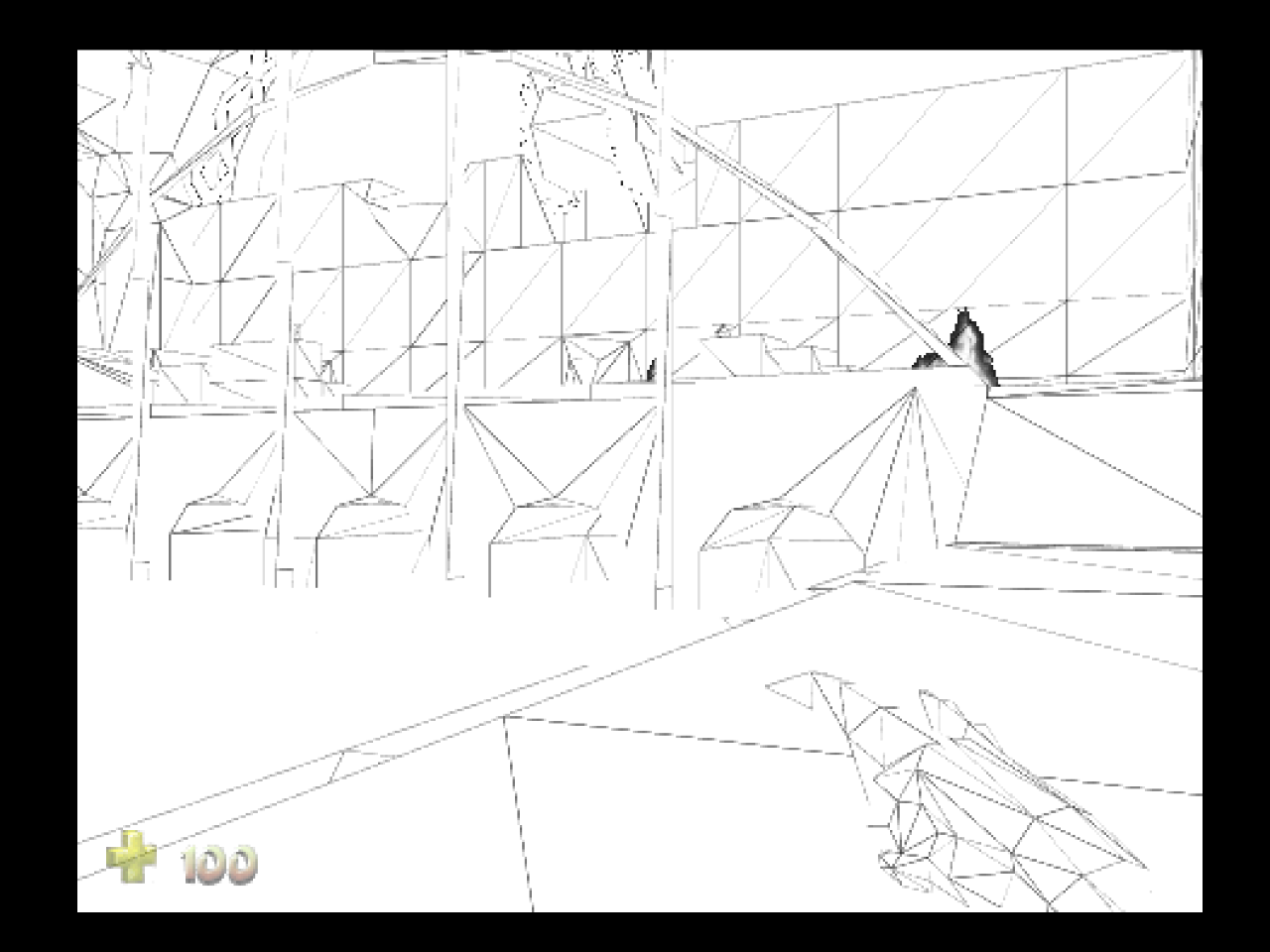
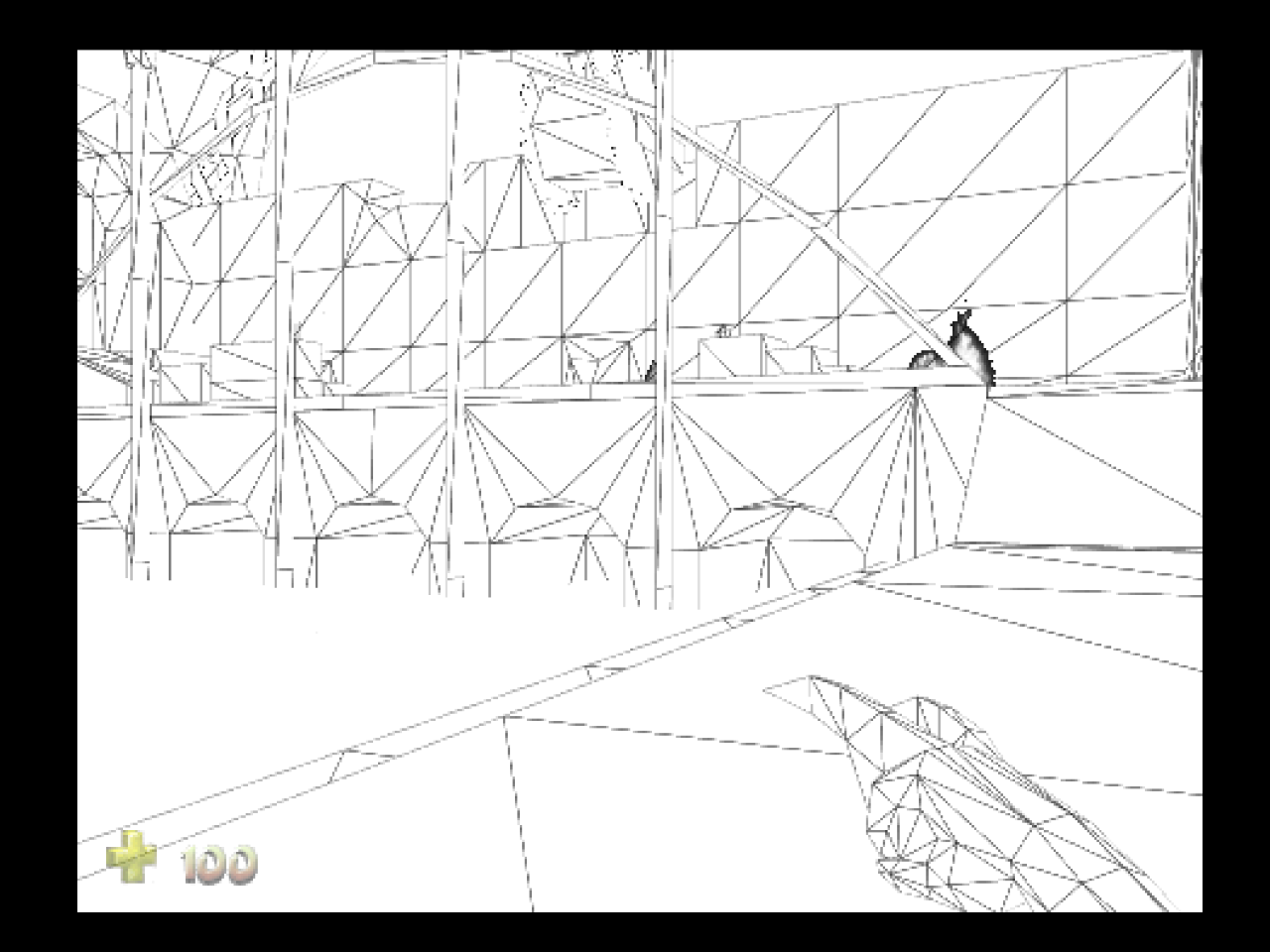
It is not the software clipping makes the difference. I just fixed the issue discussed in #2405
gonetz
on 29 Dec 2020
Nice! Looks much better.
standard-two-simplex
on 29 Dec 2020
Related issues
 theboy181
·
22Comments
theboy181
·
22Comments
 ImSpecial
·
10Comments
ImSpecial
·
10Comments
 maximemoring
·
17Comments
maximemoring
·
17Comments
 schubertguilherme
·
19Comments
gonetz
·
10Comments
schubertguilherme
·
19Comments
gonetz
·
10Comments
Most helpful comment
master VS software clipping branch


It is not the software clipping makes the difference. I just fixed the issue discussed in #2405