This issue is for the technical discussion related to upgrading GDevelop game engine to use Pixi v5.
We're currently using Pixi v4.8.6, which is more than one year old (Feb 2019). We want to upgrade to Pixi v5 to be future proof and benefit from new features and performance improvements.
This is not an entirely trivial updates because, as it's a major version update, there might be some manual changes to do because of APIs changes - either in GDevelop code or in the dependencies used.
The goal: reduce the uncertainty by making an inventory of everything that must be updated so that a PR can be done knowing exactly what to do - and what to look for.
Summary of the updates to do
Dependencies
| Dependency or PIXI capability | Used for... | Updates need for Pixi v5 | Other comments |
|---|---|---|---|
| pixi-multistyle-text | BBCode object | There is a v5 version. See updates | "you just need to put it's latest minified build file in place of the old one. That's inside the bbtext extensions folder" + also need to update the require('pixi.js') to require('pixi.js-legacy') |
| video support | Video object | See 2 updates to do | |
| pixi-particles | Particles emitter | Seems compatible with Pixi v5 | |
| Pixi.Graphics | Shape painter | A few methods to update according to the migration guide | |
| Canvas rendering | Canvas rendering on non WebGL devices | use pixi.js-legacy | Let's have this for a bit to ensure we don't break compatibility with old devices |
| pixi-filters | Visual effects | A few filters to upgrade to v5 | We actually had to dig to find old versions of some filters compatible with v4 |
| pixi-lights | Not used yet. Could be used for adding dynamic lights (GSoC potential project) | Not compatible | High priority, because we surely want to add some dynamic lights/normal maps capabilities "soon" (next months). Or can we use an alternative. |
| pixi-shadow | Not used yet. Could be used for adding dynamic shadows (GSoC potential project) | Not sure! Help welcome | Lower priority than pixi-lights |
| pixi-tilemap | Not used but will be soon for Tilemap objects | |
Other code to update
PIXI.extras.TilingSprite->PIXI.TilingSprite- Renderer code to update:
javascript
PIXI.autoDetectRenderer(
this._game.getGameResolutionWidth(),
this._game.getGameResolutionHeight(),
{
  preserveDrawingBuffer: true,
  antialias: false,
}
);
This need to be changed to the following format:new PIXI.Renderer({ width: 800, height: 600, transparent: true }); - Resource loading update:
PIXI.Sprite.fromImage->PIXI.Sprite.fromPIXI.Texture.fromImage->PIXI.Texture.fromPIXI.loader->PIXI.Loader.shared
Potential improvements to do or look for after v5 is here
- [ ] I'll list here any thing that we could improve or use once we have v5 in GDevelop :)
cc @Quarkstar that started to look at this :) (don't feel forced to look more, just tagging you if you're interested).
 4ian
4ian
All 24 comments
Thank you! And I'd love to.
Other Code need to be changed
PIXI.extras.TilingSprite->PIXI.TilingSpritePIXI.autoDetectRenderer( this._game.getGameResolutionWidth(), this._game.getGameResolutionHeight(), { preserveDrawingBuffer: true, antialias: false, } );This need to be changed to the following format.
new PIXI.Renderer({ width: 800, height: 600, transparent: true });PIXI.Sprite.fromImage->PIXI.Sprite.fromPIXI.Texture.fromImage->PIXI.Texture.from- PIXI.glCore (I don't know how to change this).
 Quarkstar
on 31 Mar 2020
Quarkstar
on 31 Mar 2020
Thanks! Added this in my post.
PIXI.glCore (I don't know how to change this).
Precise what is used exactly:
We can probably just remove these and assume that the mobile flickering that used to be fixed is fixed in Pixi v5.
4ian
on 31 Mar 2020
Video object
I've reproduce behavior of video in JSfiddle:
Video in Pixi v4.8.6
Video in Pixi v5.2.1
Here diff found, found in migration guide Pixi v5 and Patch notes
V4.8.6| V5.2.1 |
|----------|--|
| PIXI.Texture.fromVideo(url); | PIXI.Texture.from(url); |
| this._pixiObject._texture.baseTexture.source.preload = "auto"; | this._pixiObject._texture.baseTexture.resource.source.preload = "auto"; |
Resource loader can be simplify, no need make distinction between PIXI.Texture.fromImage() and PIXI.Texture.fromVideo() , just use PIXI.Texture.from(url);. (oh you have already found this!)
 Bouh
on 31 Mar 2020
Bouh
on 31 Mar 2020
Excellent!
Resource loader can be simplify, no need make distinction between PIXI.Texture.fromImage() and PIXI.Texture.fromVideo() , just use PIXI.Texture.from(url);. (oh you have already found this!)
Yep we'll need to update that, let me add this to the list! 👍
4ian
on 31 Mar 2020
Shape painter (Pixi.Graphics)
Nothing special found in Patch notes, just this thing in migration guide.
So these method need to be updated:
drawRectangle, drawCircle, drawLine, drawEllipse, drawRoundedRectangle, drawStar,drawArc, drawBezierCurve, drawQuadraticCurve, beginFillPath.
In GDevelop\Extensions\PrimitiveDrawing\shapepainterruntimeobject-pixi-renderer.js
Just need to split one line in two. Nothing special 🐱💻
Bouh
on 31 Mar 2020
Other Code
V4
import * as PIXI from 'pixi.js';
PIXI.loader.add(assets).load(...);
PIXI.loader.resources;
V5
import * as PIXI from 'pixi.js';
PIXI.Loader.shared.add(assets).load(...);
PIXI.Loader.shared.resources;
pixi-lights
Not compatible with PIXI v5.
An issue about v5
It hasn't been updated since Mar 2, 2019.
pixi-shadows
Not compatible with PIXI v5.(seems abandoned)
:joy: It hasn't been updated since Apr 25, 2019.
Quarkstar
on 1 Apr 2020
For pixi-multistyle-text you just need to put it's latest minified build
file in place of the old one. That's inside the bbtext extensions folder.
For pixi-tilemap it's fine to go ahead. My animations fix required by tiled
was merged into both it's 4 and 5 branches.
On Wed, Apr 1, 2020, 6:30 AM Quarkstar notifications@github.com wrote:
Other Code
V4
import * as PIXI from 'pixi.js';
PIXI.loader.add(assets).load(...);
PIXI.loader.resources;V5
import * as PIXI from 'pixi.js';
PIXI.Loader.shared.add(assets).load(...);
PIXI.Loader.shared.resources;pixi-lights
Not compatible with PIXI v5.
An issue about v5 https://github.com/pixijs/pixi-lights/issues/41
It hasn't been updated since Mar 2, 2019.
pixi-shadowsNot compatible with PIXI v5.(seems abandoned)
😂 It hasn't been updated since Apr 25, 2019.—
You are receiving this because you were mentioned.
Reply to this email directly, view it on GitHub
https://github.com/4ian/GDevelop/issues/1605#issuecomment-607041432, or
unsubscribe
https://github.com/notifications/unsubscribe-auth/ABRRWVI624VY6CJM7Z4WOT3RKLGQPANCNFSM4LXXKDXA
.
 blurymind
on 2 Apr 2020
blurymind
on 2 Apr 2020
Thanks all I've added these details.
So far the conclusion is that migration could be done without too much problems, apart from making us unable to use pixi-lights and pixi-shadows. Implementing lights and shadows will need to be carefully done by improving/reworking/recreating these, or using a slightly different approach.
4ian
on 2 Apr 2020
If you look at the commits you will see there was a commit to port it to 5
here
https://github.com/tleunen/pixi-multistyle-text/commit/eee5534b268b2c4ad6d2cb4dba8fb61ba7f9d22f
And perhaps another one related to your error here
https://github.com/tleunen/pixi-multistyle-text/commit/d1e108c6c3bf55a883f5be79cee58823fec21274
Maybe something changed about the way we initiate or import it. Would be
worth asking at the issue tracker there ;)
On Fri, Apr 3, 2020, 12:49 PM Quarkstar notifications@github.com wrote:
⚠️ Problem with pixi-legacy
pixi-multistyle-text cannot be used with pixi-legacy directly.
and this is an error:
ReferenceError: require is not defined pixi-multistyle-text.js:1:7
I think it's caused by
I don't know if there is such a problem with other libs.
All pixi-filters work with PixiJS v5. There is an issue about GlowFilter,
but it only happens when using TypeScript. GlowFilter not compatible with
pixi.js-legacy https://github.com/pixijs/pixi-filters/issues/242.—
You are receiving this because you were mentioned.
Reply to this email directly, view it on GitHub
https://github.com/4ian/GDevelop/issues/1605#issuecomment-608390338, or
unsubscribe
https://github.com/notifications/unsubscribe-auth/ABRRWVMMGRHLGA7JBBIRR2LRKXENPANCNFSM4LXXKDXA
.
blurymind
on 4 Apr 2020
Thank you! @blurymind I made a mistake and it works well with pixi-legacy.
I am trying to upgrade now. How should we upgrade newIDE/app/flow-typed/npm/pixi.js_vx.x.x.js? It's still working with pixi.js v3.0.11. :joy:
Quarkstar
on 4 Apr 2020
It's an autogenerated stub - not real definitions. I don't find any one : https://github.com/flow-typed/flow-typed/tree/master/definitions/npm - so you can remove it entirely as it's not useful and out of date.
4ian
on 4 Apr 2020
Pixi.Graphics
I don't know much about Pixi.Graphics. In V5 migaration guide, there is
If you use transparent interactive graphics trick, make sure that you use specify alpha=0
Do we use this trick? Can you help me? @Bouh
Pixi.multistyle-text
I change require("pixi.js") to require("pixi.js-legacy") in its source code. And it is imported without error now.
Pixi.Texture.from
loadedTextures[resourceName] = PIXI.Texture.from(
   ResourcesLoader.getResourceFullUrl(project, resourceName),
   true /* Treats request as cross-origin */
);
true means requests should be treated as crossorigin and it is true by default now. So I remove it.
Now
It can be compiled now. But when openning a project, some part of screen is black.
I am trying to find bugs. Can someone tell me some possible errors?
(I don't change anything beyond this issue.)
There is
Caching resolved local filename: /home/quarkstar/Documents/GDevelop projects/My project4/Assets/Map/tilebg/tile_bg (1).png
And so on. So I think all tile_bg is loaded. And there are no errors in console.
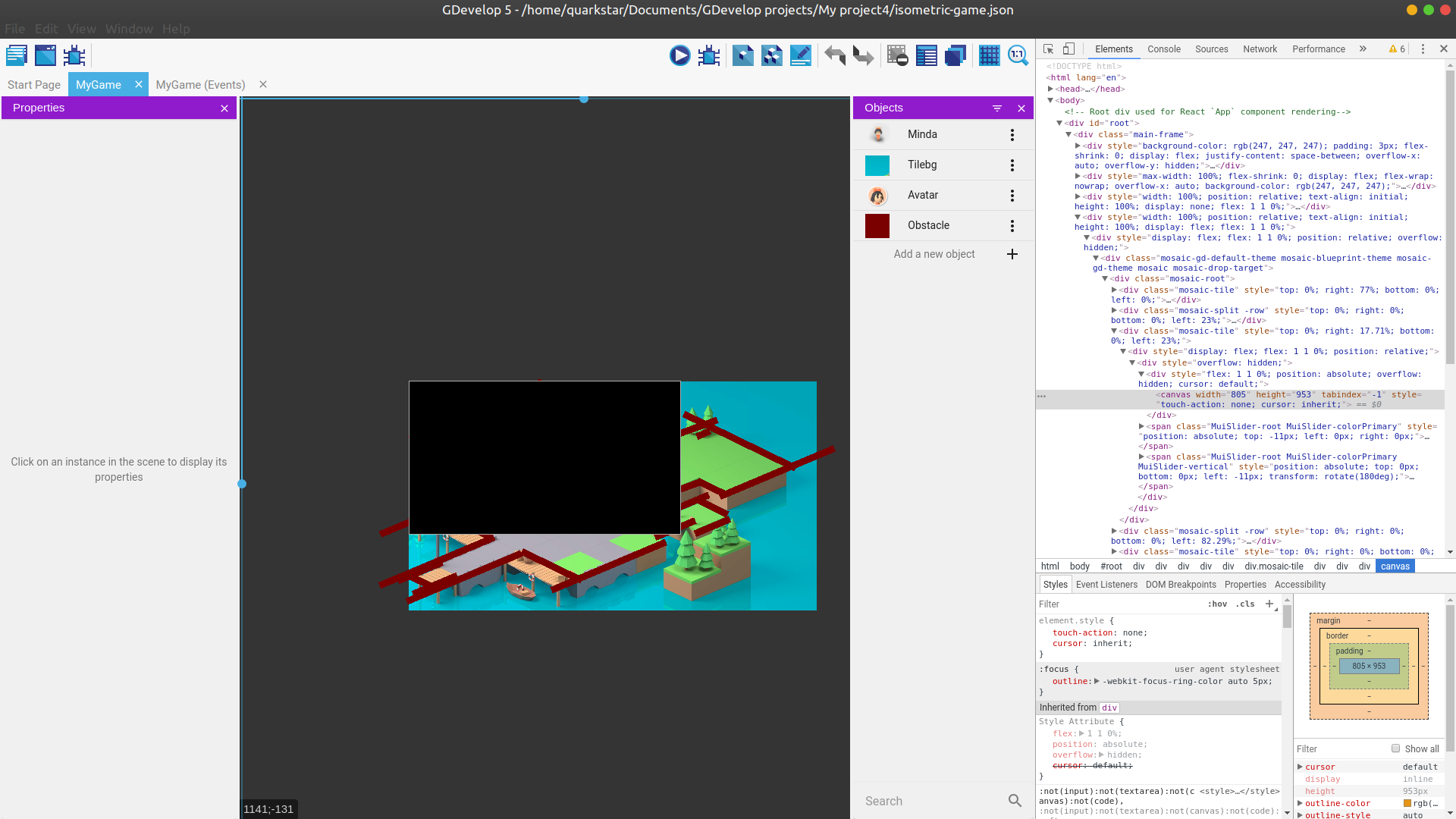
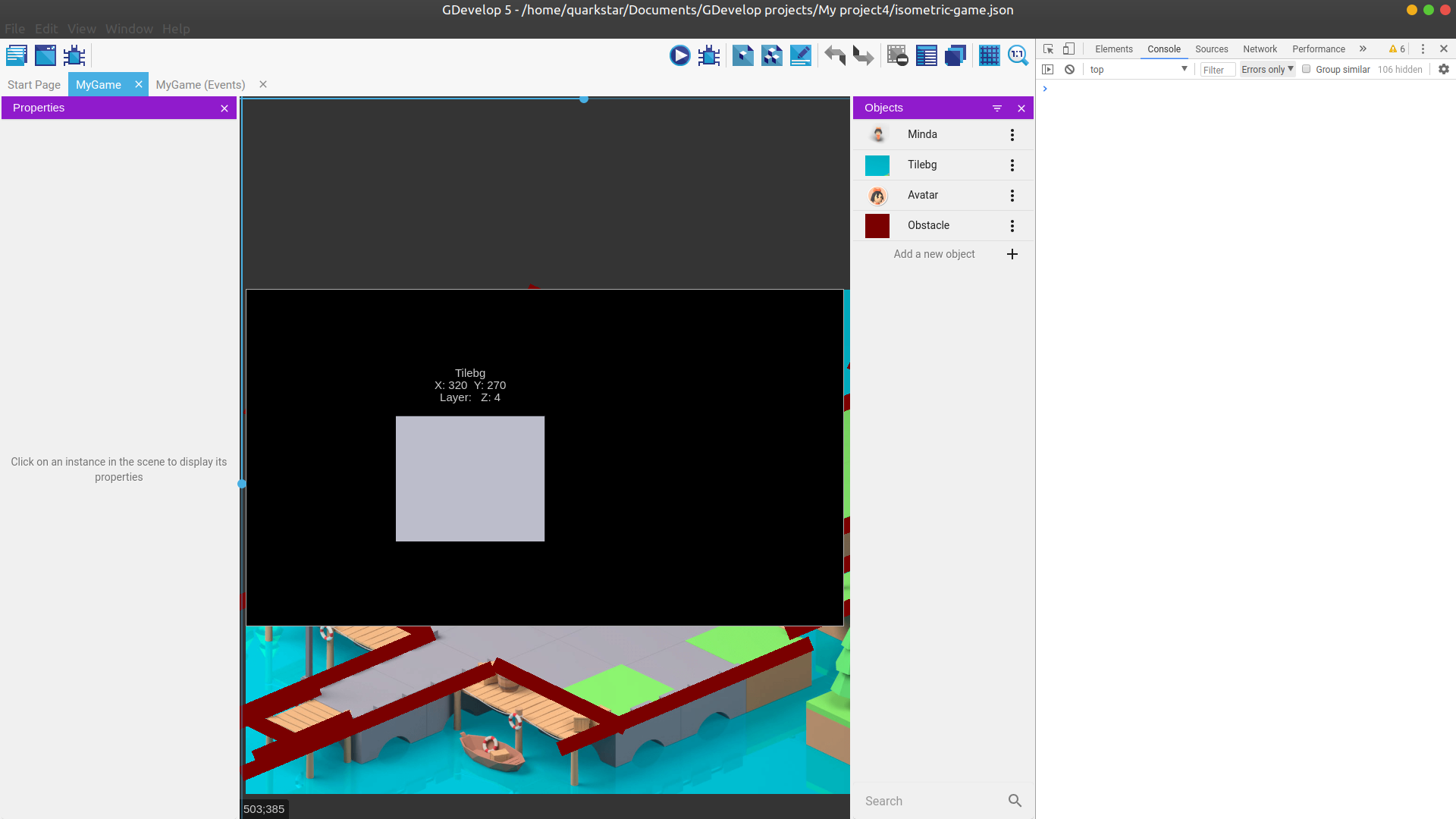
This happens in all games. It seems that a black rectangular covers on it.
Quarkstar
on 4 Apr 2020
If you use transparent interactive graphics trick, make sure that you use specify alpha=0
Do we use this trick? Can you help me? @Bouh
Sometime, look for gdjs.ShapePainterRuntimeObjectPixiRenderer.prototype.drawLine, i use alpha/opacity in beginFill. And the migration guide said we should split lines.
this._graphics.beginFill(this._object._fillColor, this._object._fillOpacity / 255);
Become
this._graphics.beginFill(this._object._fillColor);
this._graphics.alpha = this._object._fillOpacity / 255;
This is called in lot of methods in
GDevelop\Extensions\PrimitiveDrawing\shapepainterruntimeobject-pixi-renderer.js
Bouh
on 4 Apr 2020
For black scene, This is i guess due to alpha when the IDE draw a rectangle for borders or mask.
Take a look on each instance of drawRect(
If i'am good, if you disable the mask preview in the toolbar (Grid button), black screen disappear.
Or it's related to border.
WindowMask.js / WindowBorder.js
Bouh
on 4 Apr 2020
For black scene, This is i guess due to alpha when the IDE draw a rectangle for borders or mask.
Take a look on each instance ofdrawRect(
If i'am good, if you disable the mask preview in the toolbar (Grid button), black screen disappear.
Or it's related to border.
WindowMask.js / WindowBorder.js
Thank you! Black rect is WindowBorder. And it is beacuse PIXI.Graphics.fillAlpha is moved to PIXI.Graphics._fillStyle.alpha.
Quarkstar
on 5 Apr 2020
Most programs work fine. There are some problems with BBText and pixi-filters.
- BBText works in editor, but crashes in runtime. I think it's related to
pixi-legacy. - Most of filters work well, but twistFilter cannot work. I can't change its offset.
What's more, I'd like to know how to debug runtime? Can I print something to console and where to find them? It will be really helpful to me :joy:.
Quarkstar
on 5 Apr 2020
What's more, I'd like to know how to debug runtime? Can I print something to console and where to find them? It will be really helpful to me 😂.
Everything is in GDJS/Runtime folder :) For pixi, it's in GDJS/Runtime/pixi-renderers/pixi.js.
It's used as a global library, meaning that it's bundled as a single file, and it registers itself as PIXI global variable (we don't have bundling in the game engine).
4ian
on 5 Apr 2020
Sorry, I didn't make myself clear.
For example, if I add console.log("some information"); to twist-pixi-filter.js,
  update: function(filter, layer) {
    filter.offset[0] = Math.round(filter._offsetX * layer.getWidth());
    filter.offset[1] = Math.round(filter._offsetY * layer.getHeight());
    console.log("Twist offset", filter.offset);
  },
When I start to preview the game, this should print the information about filter.offset. Where can I find them? I can't find it in electron app's console.
Sorry for taking up your time for this question.
Quarkstar
on 5 Apr 2020
When I start to preview the game, this should print the information about filter.offset. Where can I find them?
Normally any changes made in JS files are automatically imported by the IDE by calling node import-GDJS-Runtime.js in newIDE/app/scripts. Unfortunately, the watcher looking for files changes only work for the .js file directly inside Extensions/Something folders - not for sub folders!
So when you do a change to a pixi filter, or any file in an extension subfolder, run the script manually (or refresh GDevelop). Then launch a preview. The console in Electron of the preview window will show your changes and console.logs.
4ian
on 5 Apr 2020
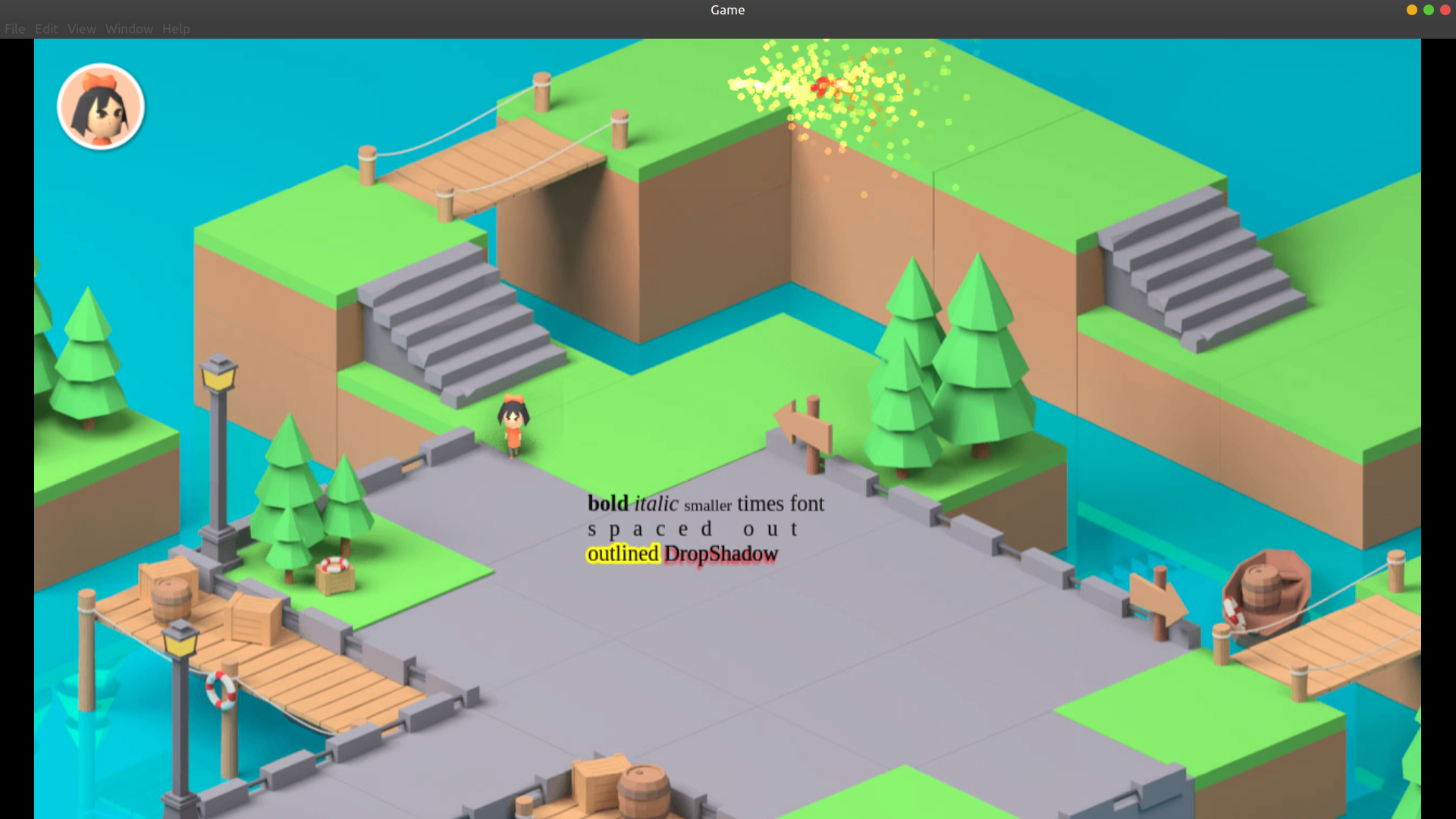
pixi-particles, pixi-multistyle-text, pixi-filter can work now.
A question
For editor, I ran the command
yarn remove pixi.js
yarn add [email protected]
For runtime, I copied pixi-legacy.js to GDJS/Runtime/pixi-renders/pixi.js. But in pixi-multistyle-text.js, there is var t=require("pixi.js")..., so an error occurs. It only works in runtime, not in the editor.
To solve this problem, I copied pixi-multistyle-text.js as pixi-multistyle-text-for-editor.js, and change its source code to vat t=require("pixi.js-legacy"). So now there are two js files in Extensions/BBText/pixi-multistyle-text/dist/, one is for editor, the other is for runtime. Is that acceptable?
Quarkstar
on 6 Apr 2020
Sometime, look for
gdjs.ShapePainterRuntimeObjectPixiRenderer.prototype.drawLine, i use alpha/opacity in beginFill. And the migration guide said we should split lines.this._graphics.beginFill(this._object._fillColor, this._object._fillOpacity / 255);Become
this._graphics.beginFill(this._object._fillColor);
this._graphics.alpha = this._object._fillOpacity / 255;
This is called in lot of methods in
GDevelop\Extensions\PrimitiveDrawing\shapepainterruntimeobject-pixi-renderer.js
@Bouh After modification, the entire graphics, including the outline, is no longer visible when setting Fill Opacity to 0, Outline Opacity to 255. So I think we don't need to change this. I don't quite understand what's transparent interactive graphics trick in migration guide, but I think it only needs to be modified when we specify alpha=0 for all elements. Is that correct?
Quarkstar
on 7 Apr 2020
For editor, I ran the command
Looks fine.
For runtime, I copied pixi-legacy.js to GDJS/Runtime/pixi-renders/pixi.js
Looks fine.
To solve this problem, I copied pixi-multistyle-text.js as pixi-multistyle-text-for-editor.js, and change its source code to vat t=require("pixi.js-legacy"). So now there are two js files in Extensions/BBText/pixi-multistyle-text/dist/, one is for editor, the other is for runtime. Is that acceptable?
Could be acceptable, let's keep that for now unless we think of a better solution
It's strange that it's working in the runtime though... it might be because in the runtime, we don't have any bundler (no Node.js, no Electron), so require is not defined. As such, we expect libraries to use an "UMD" approach. They will detect that no require exists, and will simply register themselves as a global variable.
So I think it works in the runtime because PIXI is registered as a global variable called "PIXI"?
I'd like to check something: can you try to do the change var t=require("pixi.js") => var t=require("pixi.js-legacy") in pixi-multistyle-text.js. This should:
- Work in the editor, because in the editor we're either:
- In the web-app, meaning that files have been bundled by webpack. We explicitly register the file to expose it to webpack: https://github.com/4ian/GDevelop/blob/master/newIDE/app/src/JsExtensionsLoader/BrowserJsExtensionsLoader.js#L68. So
pixi.js-legacyis found. - In the Electron app, we require the file
pixi-multistyle-text.js, and then the file requirespixi.js-legacy... which should be found.
- In the web-app, meaning that files have been bundled by webpack. We explicitly register the file to expose it to webpack: https://github.com/4ian/GDevelop/blob/master/newIDE/app/src/JsExtensionsLoader/BrowserJsExtensionsLoader.js#L68. So
- Work in the runtime, because the runtime is not using any bundling. It's just expecting the PIXI library to register itself as a global variable called "PIXI". And we're expecting libraries to do the same (this is called an "UMD approach". If no
requireis defined - which is the case in a browser at runtime - the library should expose itself as a global variable, calledMultiStyleTextin the case of this library).
Can you verify that both the web-app and Electron app are working well with the BBText object if you replace pixi.js by pixi.js-legacy.
It's ok to make one off change like this. Knowing that when we upgrade to pixi.js (dropping legacy) in the future, we'll be able to go back to unchanged library files :)
4ian
on 7 Apr 2020
can you try to do the change var t=require("pixi.js") => var t=require("pixi.js-legacy") in pixi-multistyle-text.js
Sorry, I made a mistake earlier. In runtime, only pixi-multistyle-text.umd.js can work.
And now I replace all pixi.js with pixi.js-legacy in pixi-multistyle-text.umd.js. Both editor and runtime use pixi-multistyle-text.umd.js.
Now file tree looks like this.
|---JsExtension.js
|---pixi-multistyle-text
     |---readme.md
     |---dist
          |---pixi-multistyle-text.umd.js
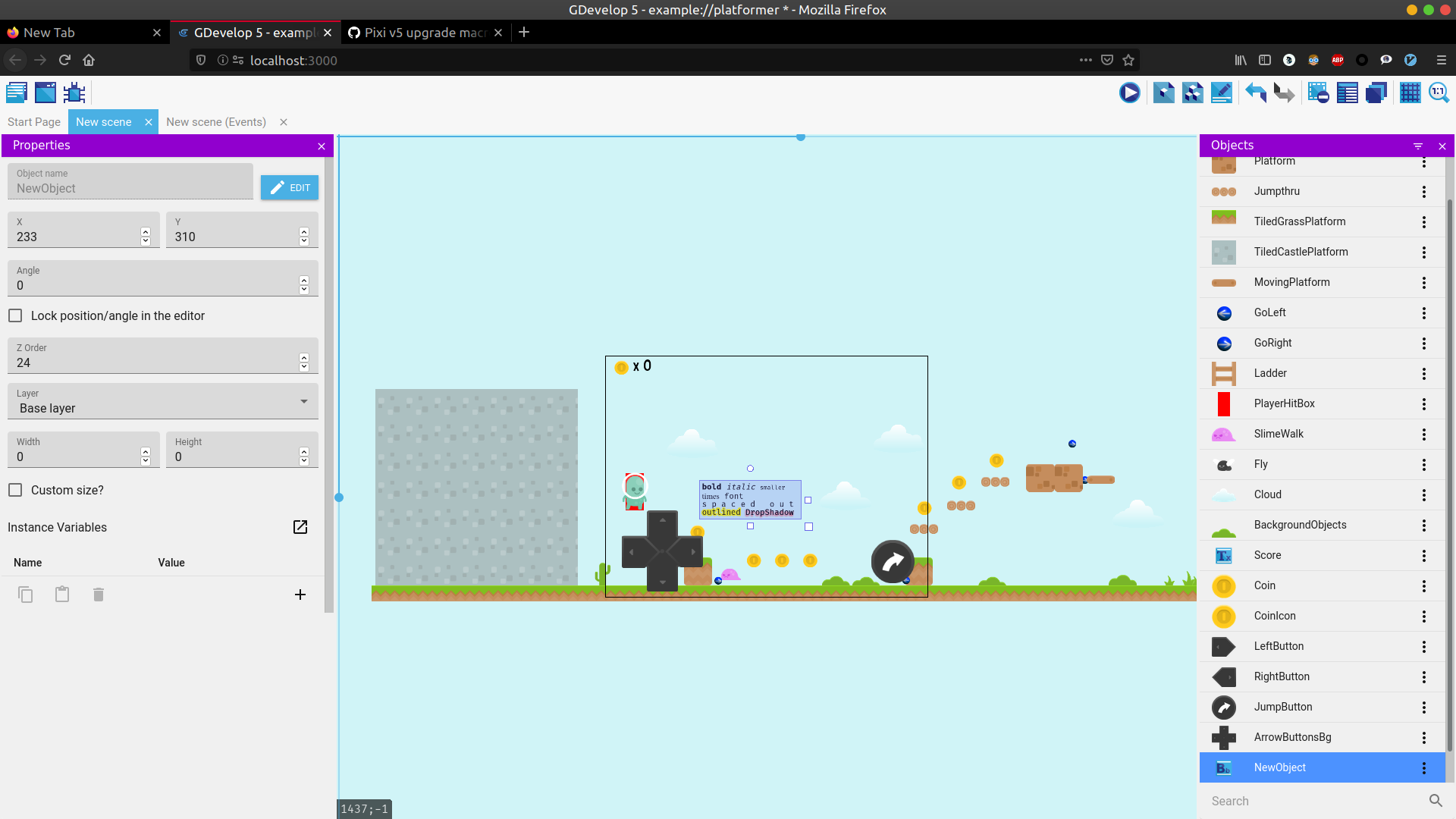
Can you verify that both the web-app and Electron app are working well with the BBText object if you replace pixi.js by pixi.js-legacy.
Yes! I checked it after modification.
Quarkstar
on 7 Apr 2020
And now I replace all pixi.js with pixi.js-legacy in pixi-multistyle-text.umd.js
Sounds good :)
4ian
on 8 Apr 2020
Related issues
4ian
·
3Comments
 shadow00dev
·
4Comments
shadow00dev
·
4Comments
 Jeje2201
·
5Comments
Jeje2201
·
5Comments
 BWPanda
·
4Comments
BWPanda
·
4Comments
 Jose-Moreno
·
5Comments
Jose-Moreno
·
5Comments
Most helpful comment
For black scene, This is i guess due to alpha when the IDE draw a rectangle for borders or mask.
Take a look on each instance of
drawRect(If i'am good, if you disable the mask preview in the toolbar (Grid button), black screen disappear.
Or it's related to border.
WindowMask.js / WindowBorder.js