Gdevelop: Black screen if an object has a Physics2 behaviour
Describe the bug
If I add a Physics2 behaviour on any object in my scene, the screen is black with 100% in white in preview
To Reproduce
Steps to reproduce the behavior:
- Create a new project
- Add a new scene
- Add a new object (sprite)
- Add an image for this sprite
- Put the object in the scene
- Add a Physics2 behaviour to this object
- Preview the game
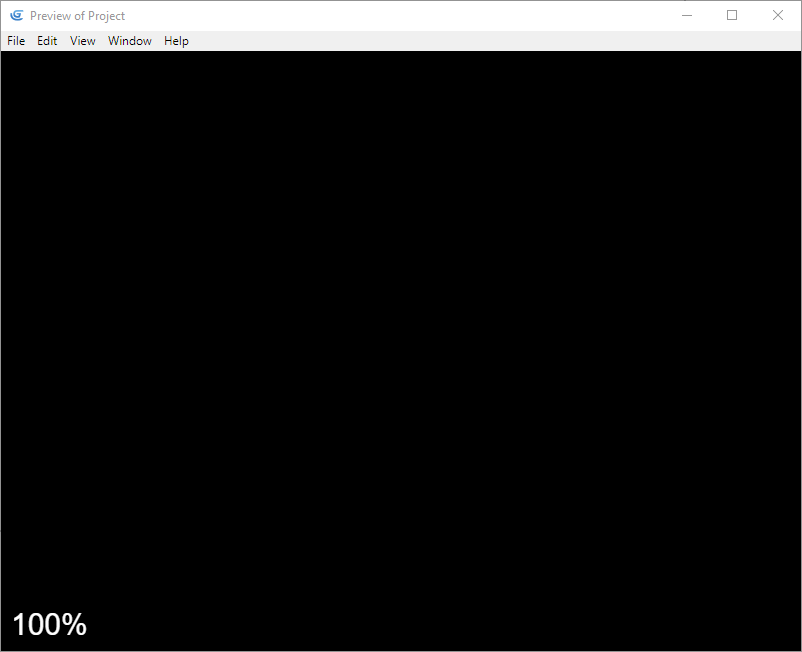
Other details
- Windows 10 1809
- GDevelop 5.0.0-beta70 desktop
 ced64k
All 4 comments
Can you post a zip file containing the game?
 4ian
on 31 May 2019
4ian
on 31 May 2019
Here it is. I reproduced the bug in a new game file with only a sprite and a physics behaviour.
games.zip
ced64k
on 31 May 2019
Thanks, that was useful. It's due to a regression in latest version where the gravity and scale properties of the physics engine are not initialised properly by the extension when the behavior is first added to an object. A "workaround" could be to use a game where physics engine is already added to some objects. (If all objects with the physics behavior are deleted in the editor, the bug will trigger again)
I'll try to push a fixed version this week-end, sorry about this.
Fixed in ea059947026fb13196382fed79cc14224856216d
4ian
on 31 May 2019
I confirm it's working now in beta72, thanks @4ian :)
ced64k
on 1 Jun 2019
Related issues
 Silver-Streak
·
4Comments
Silver-Streak
·
4Comments
 PascalLadalle
·
3Comments
PascalLadalle
·
3Comments
 KinkGD
·
5Comments
KinkGD
·
5Comments
 blurymind
·
5Comments
blurymind
·
5Comments
 Bouh
·
4Comments
Bouh
·
4Comments