Gb-studio: [Request] Copy/Paste Actors across scenes
Note: for support questions, please use one of the following channels.
Reddit: /r/gbstudio
Discord: Join Chat
This repository's issues are reserved for feature requests and bug reports.
I'm submitting a ...
- [ ] bug report
- [x] feature request
- [ ] support request => Please do not submit support request here, see note at the top of this template.
Do you want to request a feature or report a bug?
A featureWhat is the current behavior?
Can't copy/paste actor scripts across scenesIf the current behavior is a bug, please provide the steps to reproduce and if possible a minimal demo of the problem
What is the expected behavior?
I want to be able to move or copy an actor between scenes. I set up a test in the initial scene, but when I went to move it to a new scene, I found that I couldn't.What is the motivation / use case for changing the behavior?
Moving NPCs between scenes after testing them in a proof of concept without having to copy/paste each event individuallyPlease tell us about your environment:
- Version: 1.0.0
- Platform: [Windows]
Other information (e.g. detailed explanation, stacktraces, related issues, suggestions how to fix, links for us to have context, eg. stackoverflow, gitter, etc)
 KitF
KitF
All 4 comments
Good idea. I'm thinking first add a button here on scripts, actors and triggers
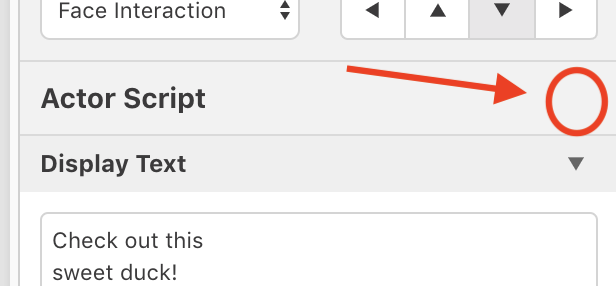
that would open a dropdown with
- Copy Script
- Replace Script
- Paste Script Before
- Paste Script After
- Delete Script
Allowing you to move scripts around a lot easier.
We should also have keyboard shortcuts Cmd/Ctrl + C, and Cmd/Ctrl + V to copy/paste the selected actors / triggers (paste would place on the scene directly under the mouse)
Then I also think you should be able to move actors and triggers between scenes by dragging them, same as you can now for scene transition destinations and the player start position.
 chrismaltby
on 30 Apr 2019
chrismaltby
on 30 Apr 2019
Would it make sense to have prefabs for instanced actors/triggers?
You could create an actor that is set up with common events, for example: a specific character with blank text fields that always triggers certain events when they enter/exit the scene, or an item with a blank "set flag" field that always plays a jingle when collected. Any time you need a specific actor, you could just select it from an assets/prefabs list and drag it into the scene.
GB Studio could reference the prefab, lock pre-existing events on a prefab so that only their variables can be edited (if you want to remove events that come with the prefab, you have to break prefab instance), and piggy-back additional events on top of the reference for the prefab. If you ever need to update a prefab project-wide, you could edit the prefab directly, and your changes would automatically be available across the whole project.
 HeyItsLollie
on 1 May 2019
HeyItsLollie
on 1 May 2019
Prefabs is a good idea definitely, think that’s an idea for a future version though. Just going to put copy/paste in for now and we could revisit this later.
chrismaltby
on 1 May 2019
As of 7d4ab30978c2b44f9e6a25cb3dcddd7d68a944b1 you can now copy/paste scripts as I suggested. Also you can copy/paste actors, triggers and even entire scenes by using Cmd/Ctrl + C, and Cmd/Ctrl + V and can drag actors and triggers between scenes.
chrismaltby
on 3 May 2019
Related issues
 darkhog
·
6Comments
darkhog
·
6Comments
 uKomodo
·
5Comments
uKomodo
·
5Comments
 RichardULZ
·
6Comments
RichardULZ
·
6Comments
 meaninglessname
·
5Comments
meaninglessname
·
5Comments
 timsamoff
·
4Comments
timsamoff
·
4Comments
Most helpful comment
Good idea. I'm thinking first add a button here on scripts, actors and triggers
that would open a dropdown with
Allowing you to move scripts around a lot easier.
We should also have keyboard shortcuts Cmd/Ctrl + C, and Cmd/Ctrl + V to copy/paste the selected actors / triggers (paste would place on the scene directly under the mouse)
Then I also think you should be able to move actors and triggers between scenes by dragging them, same as you can now for scene transition destinations and the player start position.