Game-compatibility: 454107DC - Burnout Revenge
Tested on https://github.com/xenia-project/xenia/commit/6209c4a9315f38136825c5eb20b54c70891cb780
Issues:
Introduction is shown, menus are working correctly but as soon as the game has to render something on its 3D Engine, such as vehicle selection or when the game loads you in a race track only a black screen with the HUD are visible nothing else, it's all a black screen basically. Nevertheless you can still hear the sound of your car´s engine and your car crashing but nothing is shown, which means the game is working but the emulator is probably having some kind of trouble to render.
Other observations:
- Minor Audio issue: Ingame music is not playing It looks like EA TRAX is not working properly, since no music can be heard during gameplay, car selection, loading screens or menu. However the rest of the audio is perfectly fine and working.
- After I leave the game running for a while with its corrupt graphics I am prompted with a message from Xenia stating:
Xenia error: Graphics device lost (probably due to an internal error)and then Xenia closes itself as soon as I click ok on the error message.
Log:
Screenshot(s):
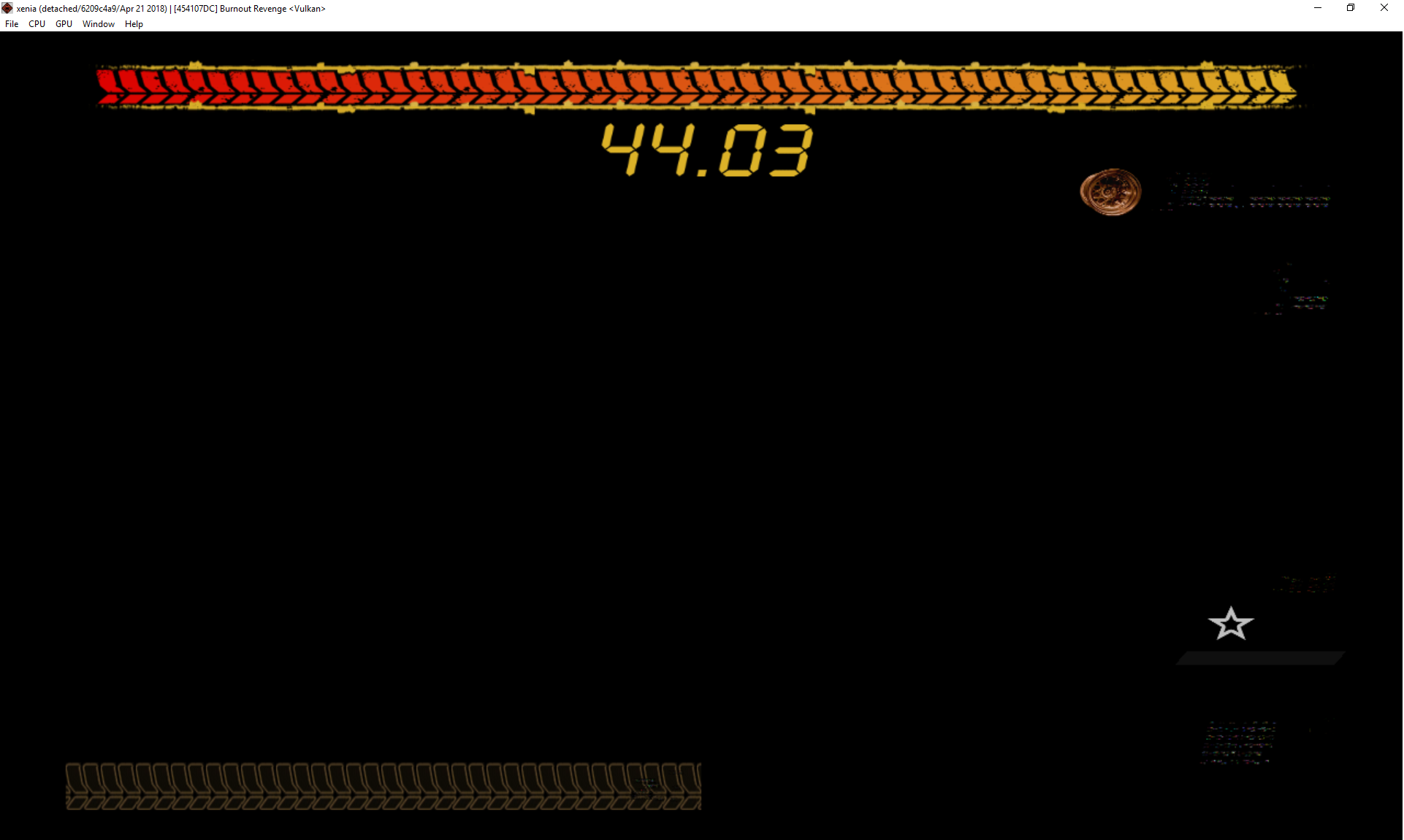
Labels:
gpu-corrupt-drawing
 tetration
All 12 comments
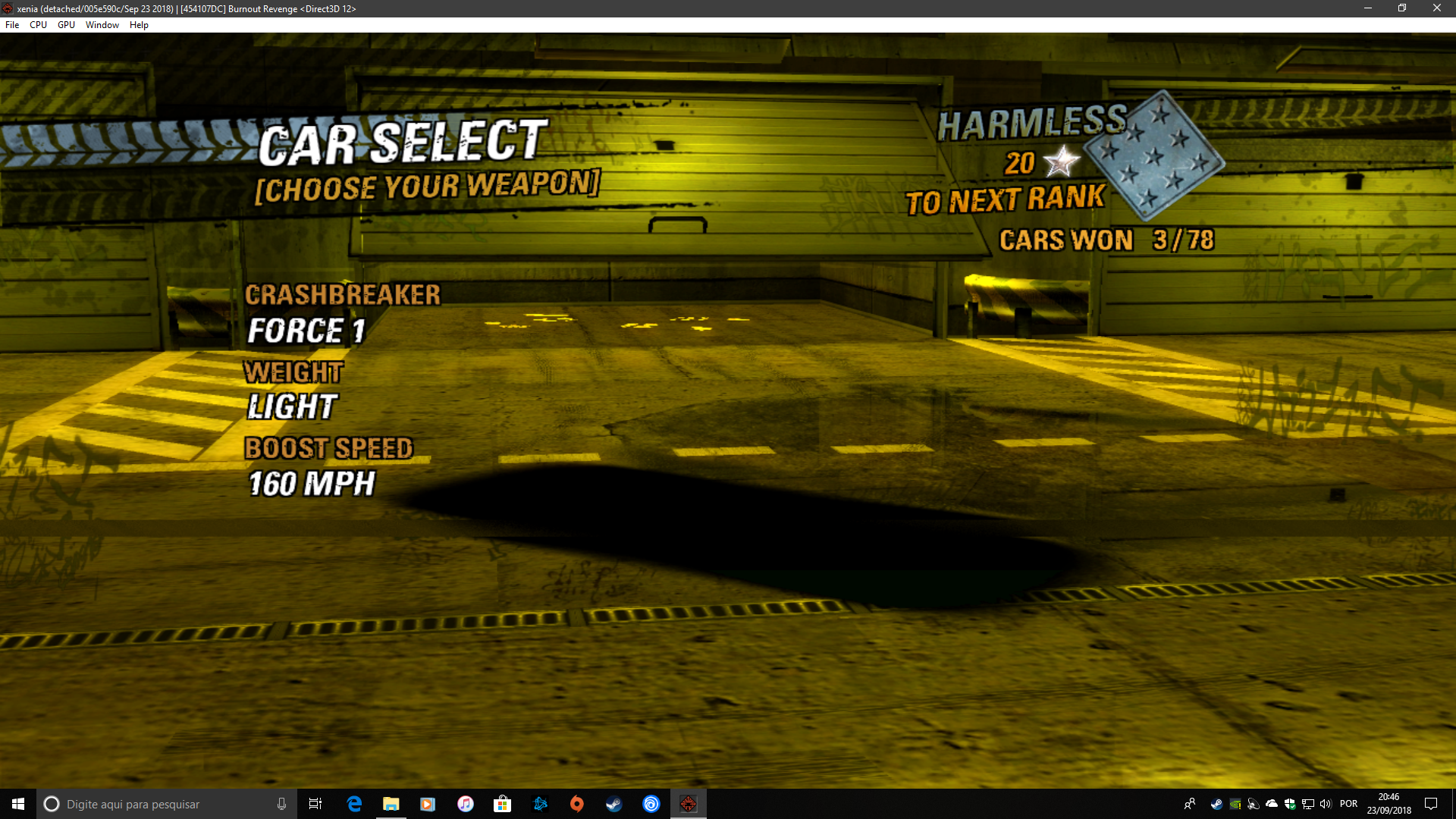
Now we can get something on DirectX 12, I was using the latest build "1.0.28-d3d12". The movies are completely broken using the Dx12 build.

 Alucardye
on 23 Sep 2018
Alucardye
on 23 Sep 2018
Huge improvement using the build "1.0.1404-d3d12"

and
Alucardye
on 27 Sep 2018
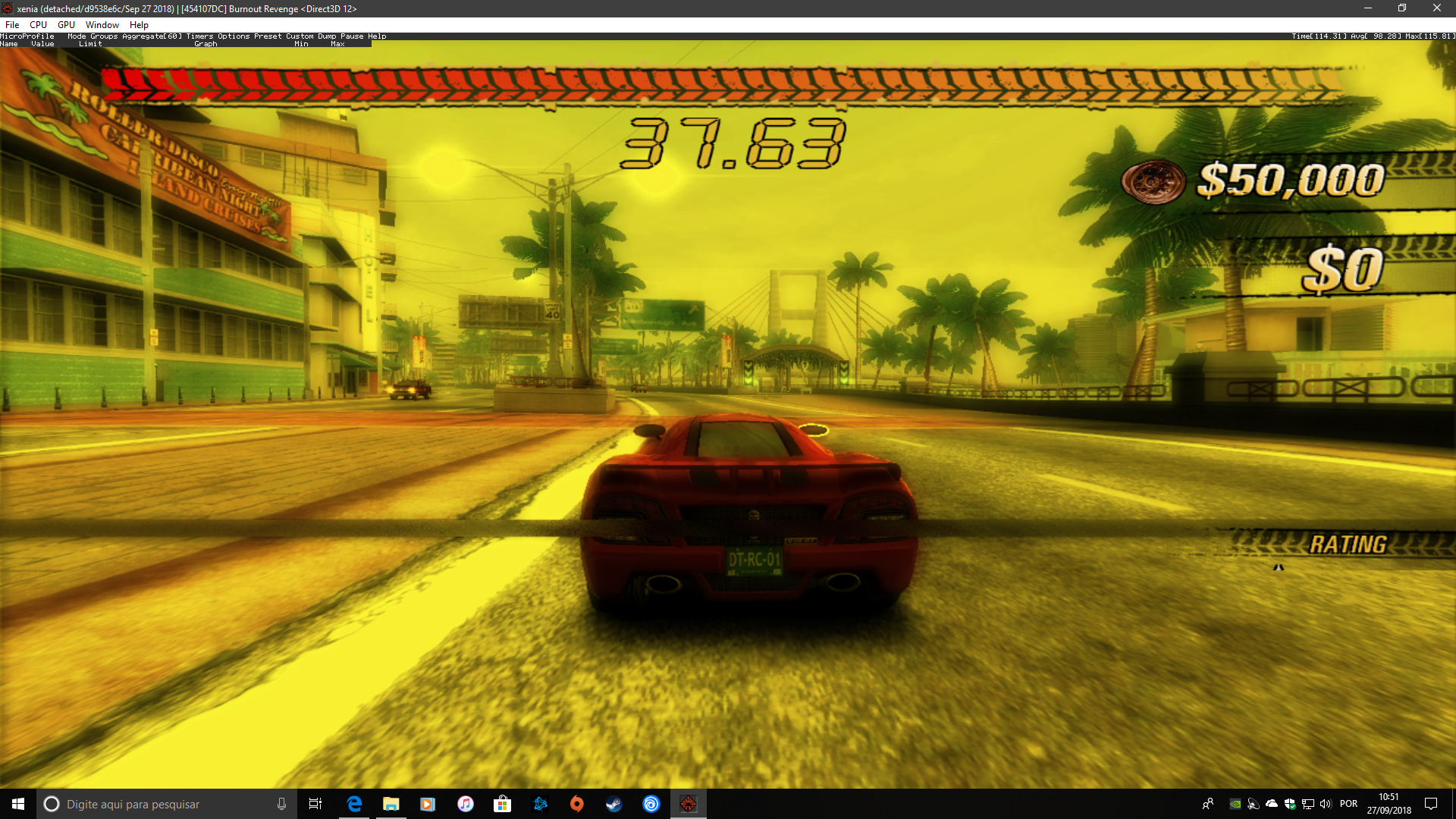
Huge improvements on Xenia D3D12 build https://github.com/xenia-project/xenia/commit/bb53d722f971c8b8d3d670a0c4a99d9f16e7e0dd
Before this build the ingame HUD that shows your speed, rating and how much turbo you have left would be cut in half or would not be visible at all. Now the in-game UI appears 100%
Minor issue noticed: Scenario reflections in car glass windows look pixelated. When I play on my xbox 360 the reflections arent so pixalated
Edit: Anyone has any idea why in-game music doesn't work? I'm talking about EA-Trax that this game and many other games published by EA uses. I know a bit about coding audio in videogames. I was wanting to see if I could help in fixing Xenia play all the audio this game has.
tetration
on 3 Dec 2018
Burnout Revenge uses WMA for the EA-Trax songs (specifically WMA 9.1), these are exactly the same encodes as used for the original Xbox version of the game. While I'm not aware of any other 360 games using WMA instead of XMA, there may be other cross-gen era games that do (NFS: Most Wanted being the most likely example)
 insaneninja117
on 10 Jan 2019
insaneninja117
on 10 Jan 2019
@lastclass74 This issue tracker is for reporting game compatibility with xenia, not begging for them to be fixed.
 Margen67
on 13 Aug 2019
Margen67
on 13 Aug 2019
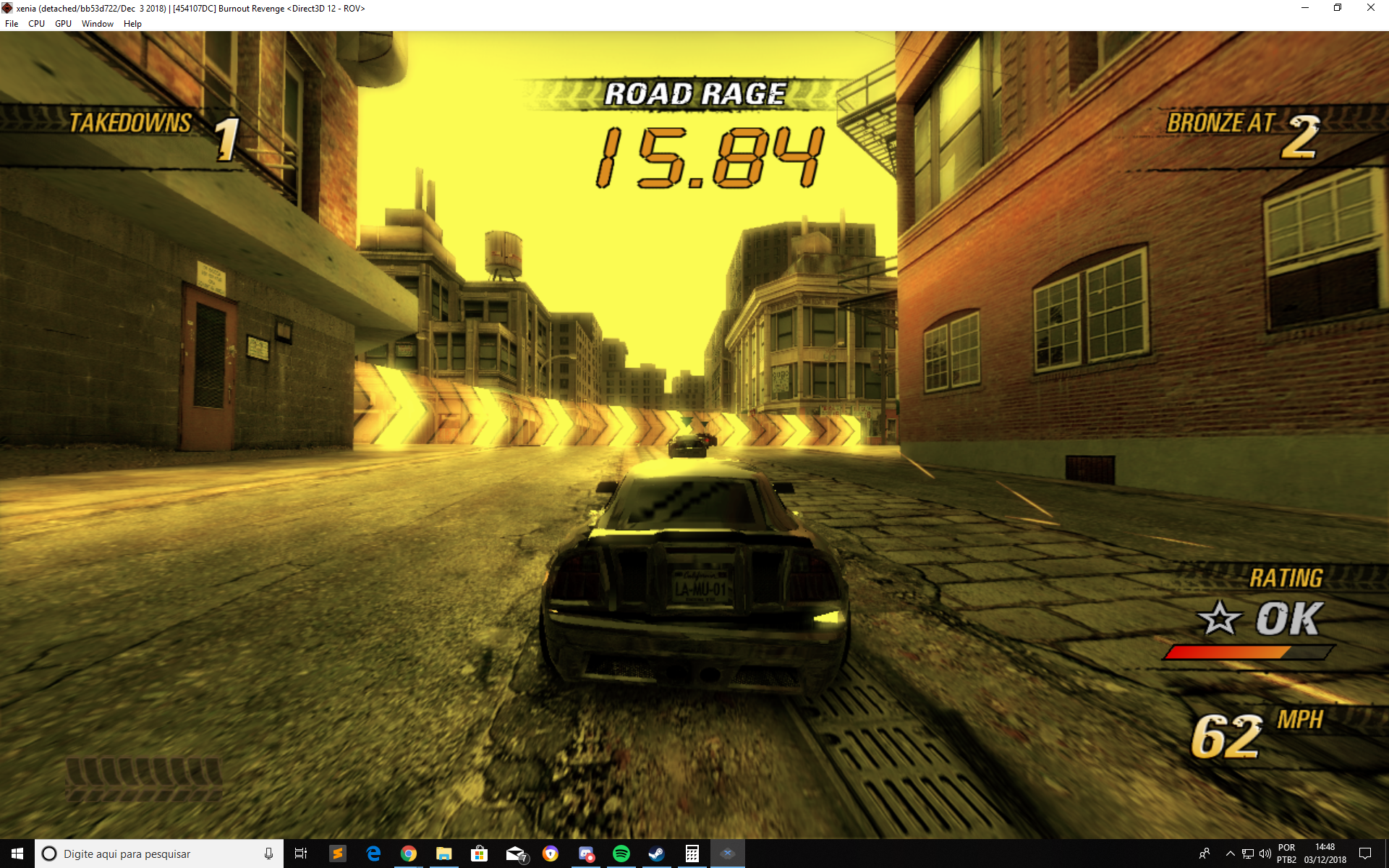
Yellow tint fixed in https://github.com/xenia-project/xenia/commit/4731ae026b37491c0b49ff9411f035e347028eb8


 illusion0001
on 20 Aug 2019
illusion0001
on 20 Aug 2019
Thx great work .. videos still hangs for 2-4 sec .. but works...
 lastclass74
on 20 Aug 2019
lastclass74
on 20 Aug 2019
Game seems to run fine, though as mentioned in the original issue, I get this within the first couple of minutes of racing:
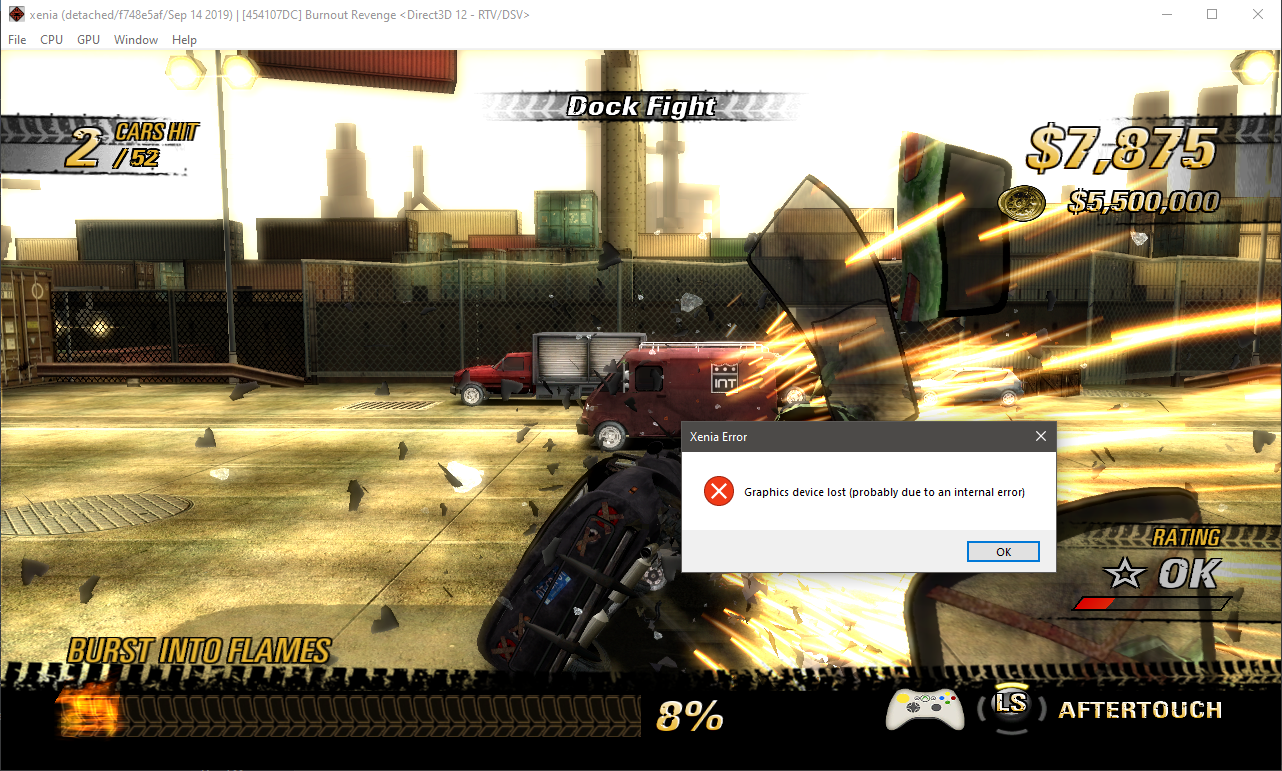
 tommitytom
on 16 Oct 2019
tommitytom
on 16 Oct 2019
So I upgraded my GPU (from GTX 760 to RTX 2080S) and no longer get that error. Also with the latest version the videos no longer stutter.
tommitytom
on 6 Feb 2020
I've played the game for 20 hours now without a single game breaking glitch and very few graphical inaccuracies. A couple of observations.
- Disabling vsync will uncap the framerate but in-game timers will speed up making some timed events impossible
- When wrecking your car the framerate will sometimes drop to ~15fps when viewing the crash cam, it recovers fully when you're sent back into the race
- Certain models / geometry like your car or buildings sometimes have blur or doubled up afterimages around them, it might be intended behavior to provide a sense of speed but it feels amplified with "d3d12_resolution_scale = 2" enabled
- The framerate bounces between 57 to 64 even with vsync on
- As posted above the soundtrack doesn't work
- The DLC packs don't get picked up by xenia
That's it, even factoring all of these minor issues the game is fully playable and extremely enjoyable. It really should be bumped up to "playable" status.
 xmat123x
on 31 Jan 2021
xmat123x
on 31 Jan 2021
@xmat123x Issues like sound not playing and DLC packs not being picked up doesn't qualify as a state-playable label. It has to work perfectly from what I know, otherwise it's state-gameplay.
 Nighterlev
on 5 Feb 2021
Nighterlev
on 5 Feb 2021
Currently running well on my GTX 1080 Max-Q (ROG Zephyrus GX501GI laptop), albeit except for absence of music tracks when racing in-game as mentioned above.
 Star1-618
on 13 Mar 2021
Star1-618
on 13 Mar 2021
Related issues
 theoldsport
·
8Comments
theoldsport
·
8Comments
 cooperate
·
5Comments
cooperate
·
5Comments
 TotalCaesar659
·
4Comments
TotalCaesar659
·
4Comments
 Parovozik
·
7Comments
Parovozik
·
7Comments
 SakataGintokiYT
·
7Comments
SakataGintokiYT
·
7Comments
Most helpful comment
Yellow tint fixed in https://github.com/xenia-project/xenia/commit/4731ae026b37491c0b49ff9411f035e347028eb8

