Gala: Sometimes, system shortcuts do not work
Describe the bug
Sometimes after a cold boot, some system shortcuts do not work. When trying to use Super+T to open the Terminal, or PrtScr to take a screenshot, or Super+L to lock screen, nothing happens. I have noticed that some other shortcuts like alt+tab or Super+Down(windows overview) work normally.
I have noticed this behavior for the first time around 6 months ago, however it was quite rare. On the past two weeks it has become more frequent, right now happening around 4/10 times I boot my laptop.
I have a hybrid NVidia-Intel laptop, however I have noticed this happening using either of them, so it's likely not a NVidia-related issue.
To Reproduce
I have not found any pattern to help reproduce this issue, as it seems to happen randomly after a cold boot. However, when it happens it's easy to reproduce:
- Use Super+T or PrtScr to open Terminal/take screenshot
- Nothing happens
Expected behavior
Shortcuts should always fire their respective actions
Platform Information
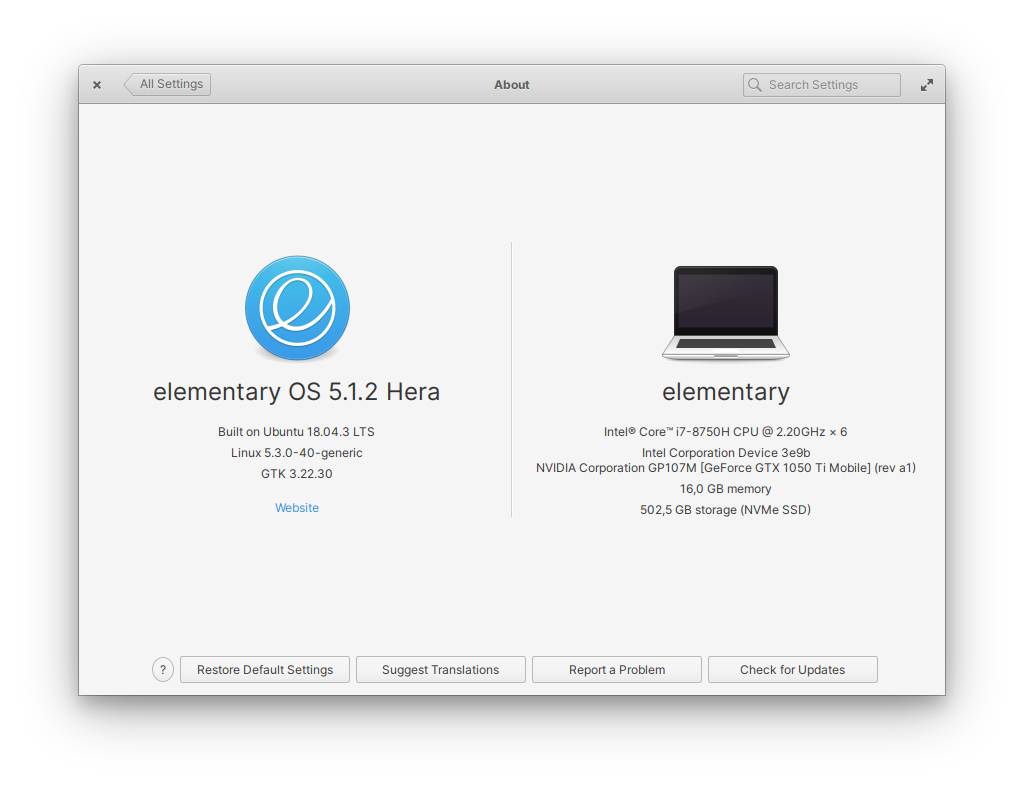
 matfantinel
All 5 comments
I've been having this issue as well. It's been around for a very long time. I am using a non-Nvidia laptop, so that for sure not the issue.
 wout
on 13 Apr 2020
wout
on 13 Apr 2020
For me this issue goes hand in hand with issue #193, so I won't be able to change volume, open Terminal, etc. I recently tried one of the suggestions in that issue's thread to turn off hardware-media-key-handling in Chrome's about:flags page, and this seems to have worked for the media keys and shortcuts issue for me. This might be worth trying if you use Chrome.
 kmandarin-orange
on 24 Jun 2020
kmandarin-orange
on 24 Jun 2020
Just to keep focus on this bug, this also happens to me. a reboot normally fixes it.
 RippieUK
on 11 Aug 2020
RippieUK
on 11 Aug 2020
I have yet to experience this on 6.0 after 3 weeks. I'll keep using it a bit longer but if this does not happen I will close this issue, as something else might have fixed it 😄
matfantinel
on 22 Aug 2021
The related issue #193 has been closed, and I haven't seen this issue pop up for the last few weeks, if it stays this way we could probably close this
kmandarin-orange
on 2 Sep 2021
Related issues
wout
·
3Comments
 worldofpeace
·
3Comments
worldofpeace
·
3Comments
 bencemozsar
·
3Comments
bencemozsar
·
3Comments
 Blast-City
·
4Comments
Blast-City
·
4Comments
 megatux
·
4Comments
megatux
·
4Comments
Most helpful comment
I have yet to experience this on 6.0 after 3 weeks. I'll keep using it a bit longer but if this does not happen I will close this issue, as something else might have fixed it 😄