Gala: Can't change tiling position directly?
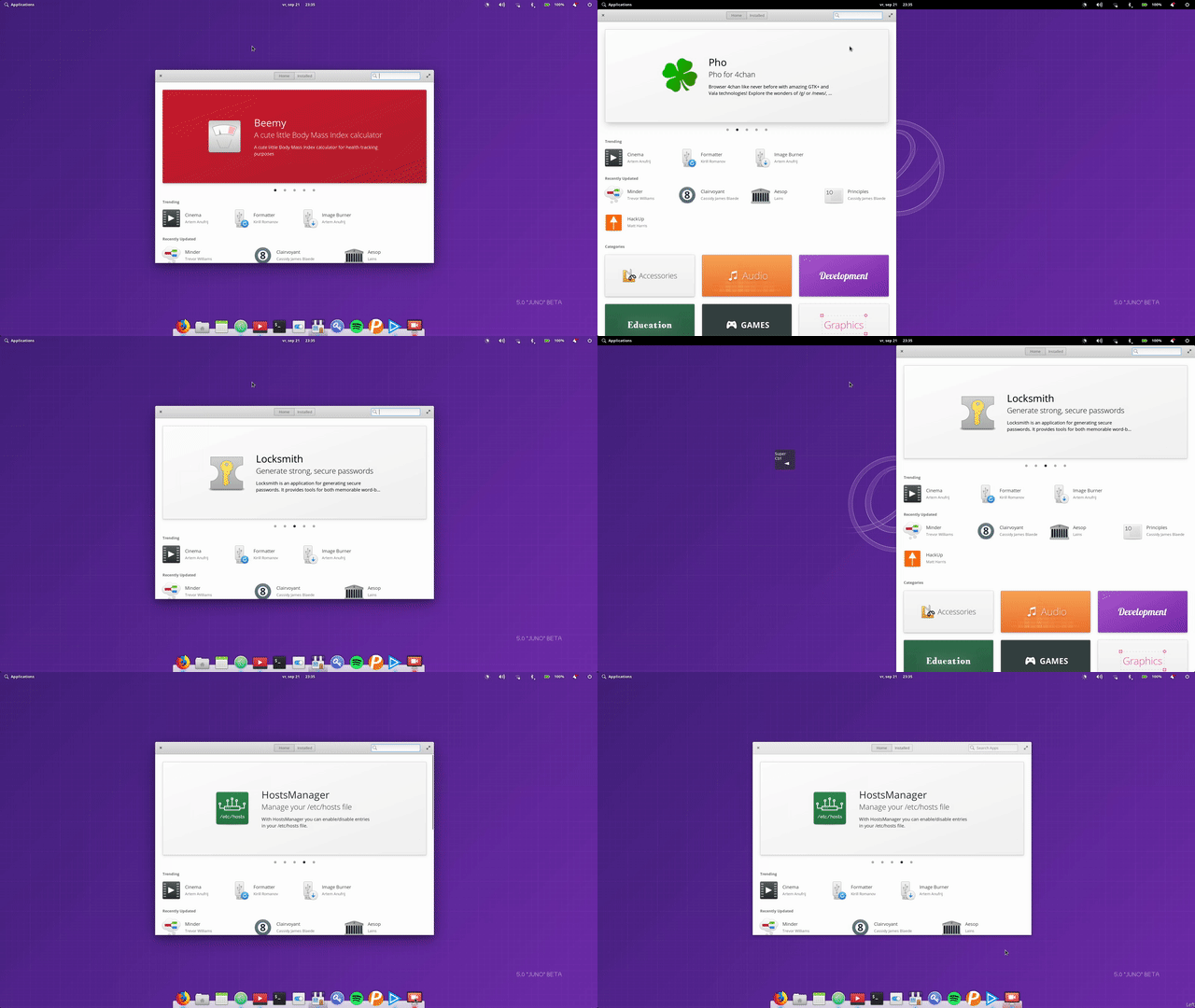
It looks like applications in Juno that are already tiled to the left or right can't directly be tiled to the opposite side. It seems to go into a weird state where only some corners turn round.
 peteruithoven
All 9 comments
As a note, this is using the keyboard shortcut on an already-tiled window.
 cassidyjames
on 4 Oct 2018
cassidyjames
on 4 Oct 2018
I tried reproducing this on Loki in a VM, but there it works fine. I can for example directly switch a window between being tiled left to tiled right.
peteruithoven
on 4 Oct 2018
I've opened an issue in the Mutter issue queue: https://gitlab.gnome.org/GNOME/mutter/issues/343
peteruithoven
on 13 Oct 2018
Maybe someone could try this with the latest Mutter version? Ruling out it's an already fixed issue.
peteruithoven
on 15 Oct 2018
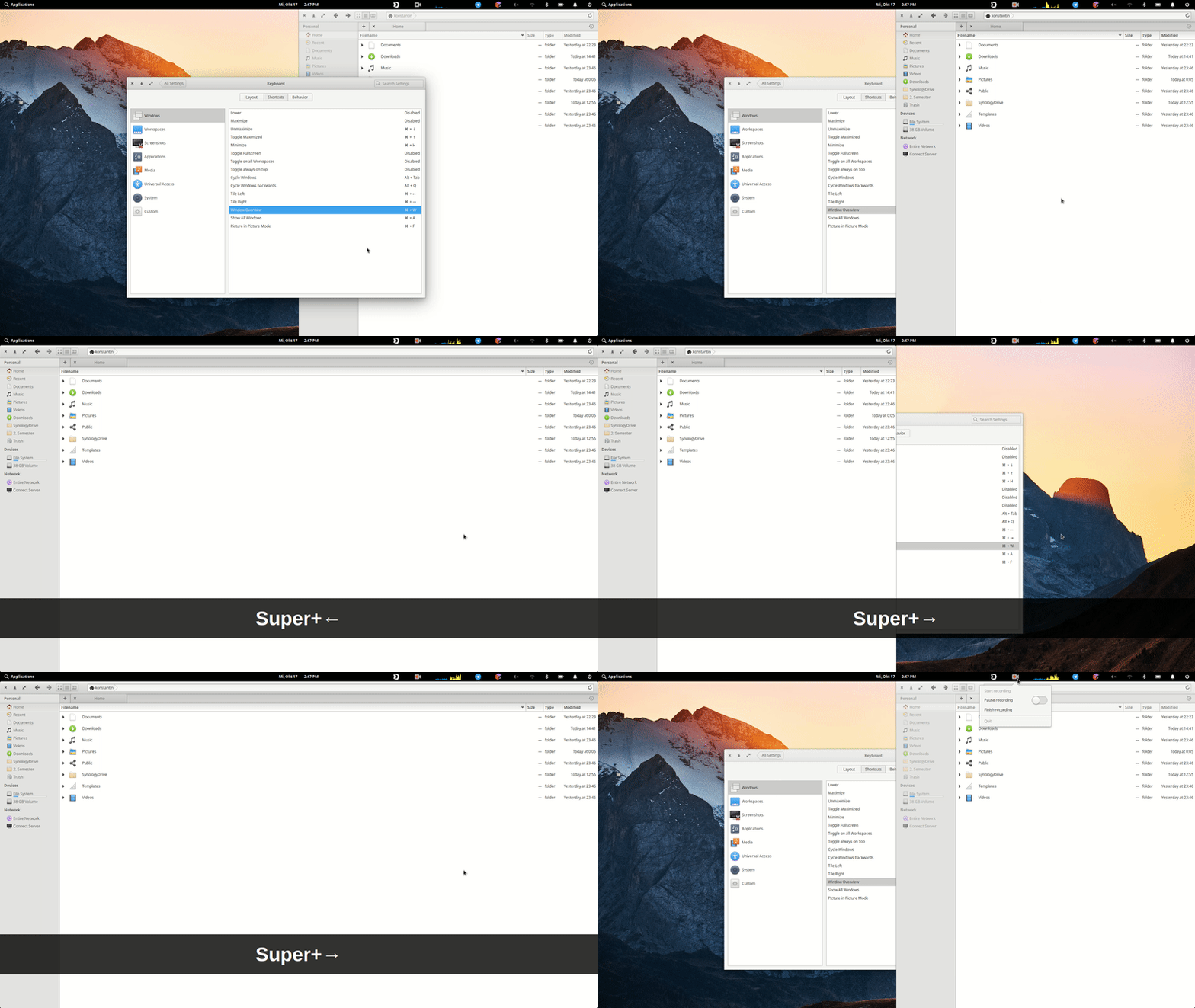
Happens to me too. I'd like to add another demonstration:
 konstantinbo
on 18 Oct 2018
konstantinbo
on 18 Oct 2018
@konstantinbo which screencast tool did you use? That pressed key visualization is nice.
peteruithoven
on 19 Oct 2018
@konstantinbo which screencast tool did you use? That pressed key visualization is nice.
It's a combination of Kazam (Screen record) and Screenkey to show the pressed keys. I used it in debug (-d) mode, because it wouldn't start normally.
konstantinbo
on 20 Oct 2018
Thanks to a tip on Slack it looks like the issue is actually caused by Gala. The tip was that it might be caused by it getting stuck in an animation.
I've figured out that by removing the following check I can change tile position directly.
https://github.com/elementary/gala/blob/master/src/WindowManager.vala#L963
size_change is called, with which_change: Meta.SizeChange.MAXIMIZE, but the window.size_changed signal isn't called.
Update: Probably because the size doesn't need to change.
peteruithoven
on 23 Oct 2018
Now that I know a bit more, here is an easy way to reproduce it:
- Open a fresh workspace
- Open an app like Files (not minimized or tiles)
- Tile left by pressing super+ctrl+left
- Then try tilling right by pressing super+ctrl+right
- Weird things happen.
This seems to happen because in both tile locations the window has the same size and we depend on a size changed event to finish a animation.
When the tile sides have a different size this is no issue.
peteruithoven
on 27 Oct 2018
Related issues
 wout
·
3Comments
wout
·
3Comments
 hanaral
·
4Comments
cassidyjames
·
4Comments
hanaral
·
4Comments
hanaral
·
4Comments
cassidyjames
·
4Comments
hanaral
·
4Comments
 worldofpeace
·
4Comments
worldofpeace
·
4Comments
Most helpful comment
Now that I know a bit more, here is an easy way to reproduce it:
This seems to happen because in both tile locations the window has the same size and we depend on a size changed event to finish a animation.
When the tile sides have a different size this is no issue.