Gala: Tiling an identically-sized window causes window to glitch
Originally reported by @ntilotta at https://github.com/elementary/os/issues/102
elementary OS Juno 5.0 (Beta 1)
If you open an electron-based app, this usually freezes after minimize/maximize, then for example Atom is transparent if you launch it maximized, and every application loses user' settings after you close and re-open it.
I've also noticed similar issues when tiling Google Chrome, both with and without the "system title bar and borders" option checked. I imagine it's the same bug since both are using Chromium and that cross-platform window code.
 cassidyjames
All 13 comments
I noticed this with Insomnia. But this is not occure with Slack, for example
 Djaler
on 31 Aug 2018
Djaler
on 31 Aug 2018
I've had the tiling issues with both Chrome and VSCode
 GammaGames
on 25 Sep 2018
GammaGames
on 25 Sep 2018
I just found a slightly stranger issue, but I thought I'd report it here in case it is related. If it's not related it can be its own issue.
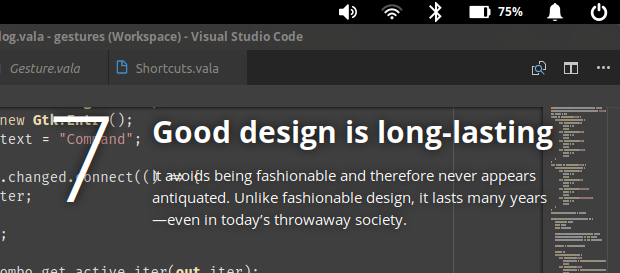
VSCode did the broken tiling thing again, so I opened the multitasking view so I could close the window. After I closed it it the window stayed on my desktop and won't go away. I can open and close more windows of VSCode but this phantom window remains.
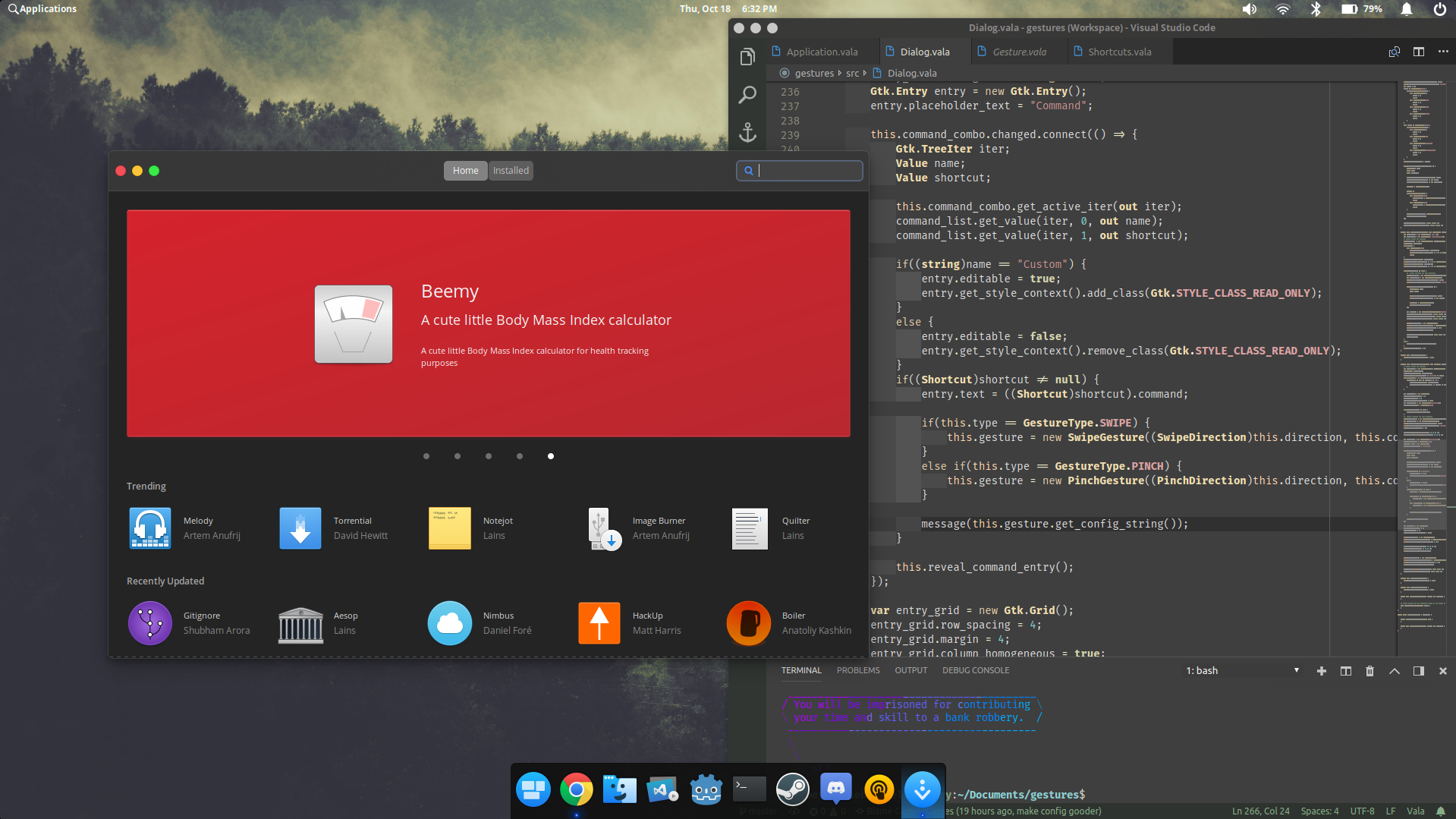
And, because I thought it was funny, here's Principles overlaying the phantom window:
GammaGames
on 19 Oct 2018
I can also confirm this affect VSCode, Discord and Steam (which should also use some CEF components, but i'm not sure).
 conrev
on 29 Oct 2018
conrev
on 29 Oct 2018
If you are able to find the edge of the window and resize it, the window will go to its correct position and correctly resize.
GammaGames
on 7 Nov 2018
I hope that this is helpful. I can get this to reproduce consistently:
- Open Electron-based app that saves previous window size (e.g. Signal)
- Tile the app (left or right doesn't matter)
- Close the app
- Reopen the app
=> It should open at the same size it was before - Try to tile the app
=> app wigs out
This can avoided by changing the app window size before tiling. Also, after the app wigs out, you can rescue it by maximizing and unmaximizing. Then you can adjust the window size and then tiling works.
Because this specifically happens when the app window starts at the same size as it would be after tiling, I wonder if it's related to this other bug: this comment suggests that weird things are happening when there's an animation on a window whose size is exactly the same before and after an animation.
 pt8o
on 17 Dec 2018
pt8o
on 17 Dec 2018
Getting this inconsistently but often with Thunderbird and Chrome.
EDIT: Sorry didn't fully read @suprko 's comment in https://github.com/elementary/gala/issues/305#issuecomment-447943648, I can reproduce 100% including with additional apps: Gitkraken, Terminal, Brave, Skype, Slack, AppCenter.
 carn1x
on 19 Dec 2018
carn1x
on 19 Dec 2018
@carn1x Terminal and AppCenter are not electron apps... That might be a different issue you are seeing, or the scope of this issue is different then what we thought.
 btkostner
on 19 Dec 2018
btkostner
on 19 Dec 2018
@btkostner here's the steps I take:
- Open AppCenter, snap to right-side of the screen, all is fine
- Close AppCenter and reopen it, observe it is still in same window position/size
- Snap to the right-edge again, either by mouse drag or keyboard shortcut, and observe the window freezes and is not interactive entirely (though the carousel aspect of App Center Home tab still seems to animate)
- Use the Super+Up shortcut to maximize the window and regain interactivity and normal function.
carn1x
on 20 Dec 2018
@carn1x maybe this is the correct issue - #377
Djaler
on 20 Dec 2018
It seems like Gala has an issue where a window attempts to tile to its exact same size, which is probably the actual root cause. Native apps might not usually exhibit this because they change padding on the headerbar when tiling, so maybe their window size changes and avoids the issue.
cassidyjames
on 20 Dec 2018
This sounds like the same underlying issue as: https://github.com/elementary/gala/issues/341
Which was fixed in: https://github.com/elementary/gala/pull/387 but it has not been merged yet.
 peteruithoven
on 20 Dec 2018
peteruithoven
on 20 Dec 2018
@carn1x and to anyone else:
Anytime the window freezes all you have to do is super + UP
This will reestablish functionality within that titled window
To prevent these freezes
- When you
ctrl+super+Rightto tilt the window right repeat the same command so the window centers itself back to the middle thencrtl+super+leftto tilt the window to the left - When you have a program open (on the right) and you want to tilt that the new one to the left... before doing that make sure you
super+UPto reestablish the window size then you canctrl+super+left
I hope this helps anyone who is having this issue.
 Mvrs
on 26 Dec 2018
Mvrs
on 26 Dec 2018
Related issues
 worldofpeace
·
4Comments
worldofpeace
·
4Comments
 megatux
·
4Comments
megatux
·
4Comments
 wout
·
3Comments
peteruithoven
·
3Comments
wout
·
3Comments
peteruithoven
·
3Comments
 hanaral
·
4Comments
hanaral
·
4Comments
Most helpful comment
I hope that this is helpful. I can get this to reproduce consistently:
=> It should open at the same size it was before
=> app wigs out
This can avoided by changing the app window size before tiling. Also, after the app wigs out, you can rescue it by maximizing and unmaximizing. Then you can adjust the window size and then tiling works.
Because this specifically happens when the app window starts at the same size as it would be after tiling, I wonder if it's related to this other bug: this comment suggests that weird things are happening when there's an animation on a window whose size is exactly the same before and after an animation.