Frontend: Lovelace UI no longer displays width correctly on Firefox after 0.98.4 upgrade
Home Assistant release with the issue:
0.98.4
Last working Home Assistant release (if known):
0.96.3
UI (States or Lovelace UI?):
Lovelace
Browser and Operating System:
Firefox 69.0 64-bit MacOS
Description of problem:
Lovelace now displays many of my tabs as wider than the browser window, with part hanging off the side of the window.. See below:
This is what it displays within the window:
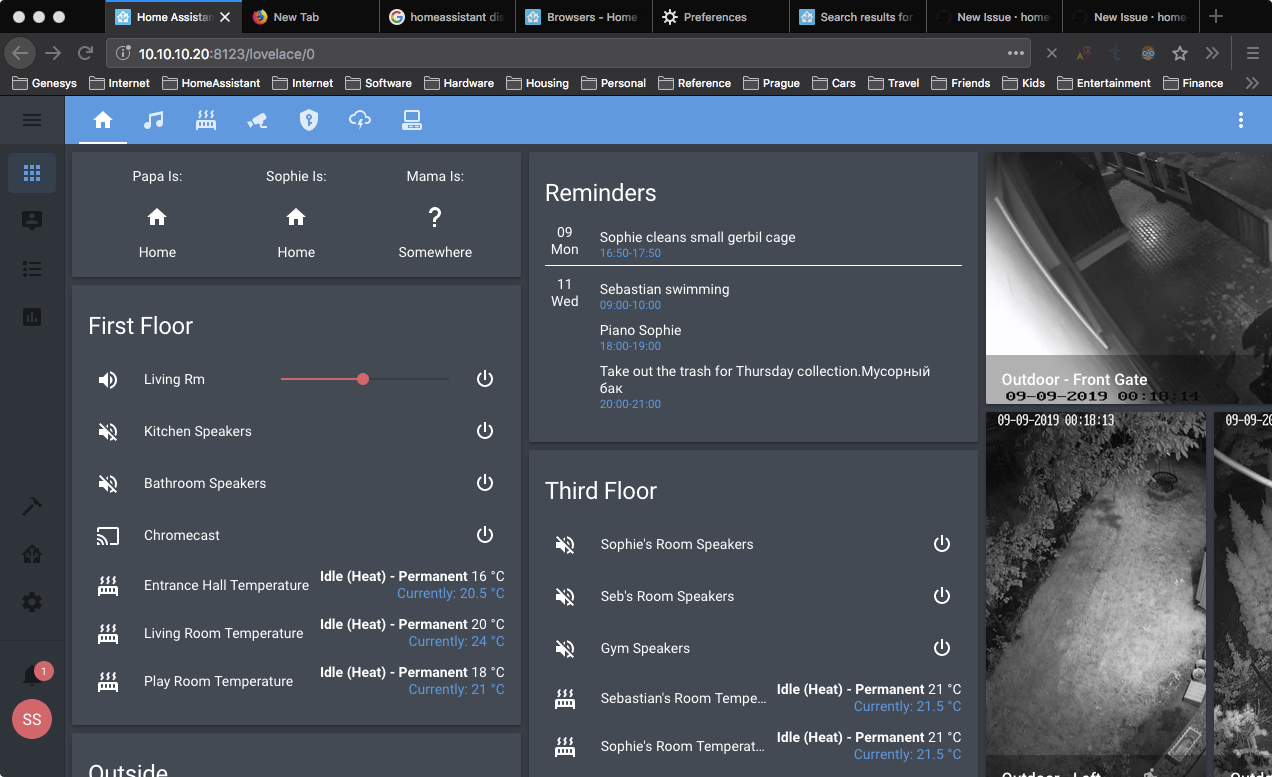
But there's a bunch of cards hanging off the side with a different colored background:
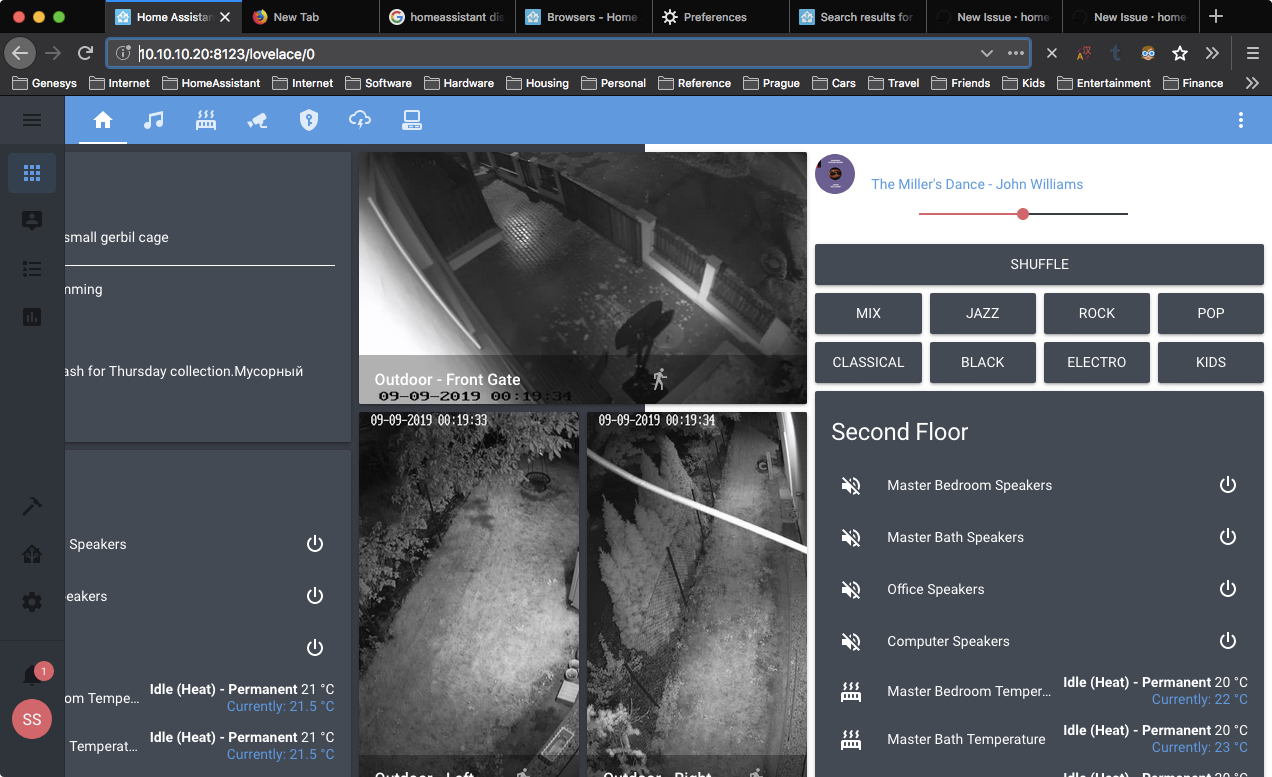
config is here:
https://github.com/scstraus/home-assistant-config
The tab shown in the screenshot is this one:
https://github.com/scstraus/home-assistant-config/blob/master/lovelace/Tab1_Home.yaml
Javascript errors shown in the web inspector (if applicable):
Maybe this?
This site appears to use a scroll-linked positioning effect. This may not work well with asynchronous panning; see https://developer.mozilla.org/docs/Mozilla/Performance/ScrollLinkedEffects for further details and to join the discussion on related tools and features!
Additional information:
This doesn't occur on Chrome.
 scstraus
All 12 comments
Are you using any custom cards for layout? Sharing your config would be useful via hastebin or something
 iantrich
on 9 Sep 2019
iantrich
on 9 Sep 2019
Yes, but I tried disabling all of them on this tab and it didn't help..
Sorry, should have given you my config from the start, it's here:
https://github.com/scstraus/home-assistant-config
The tab shown in the screenshot is this one:
https://github.com/scstraus/home-assistant-config/blob/master/lovelace/Tab1_Home.yaml
scstraus
on 9 Sep 2019
Is it just Firefox?
Edit: Missed your note on the bottom.
iantrich
on 9 Sep 2019
Yep just Firefox. But same issue on 2 different macs so I can reproduce it. Confirmed working correctly on Chrome mac and Fully Kiosk on a Kindle Fire.
scstraus
on 9 Sep 2019
Same issue here. Just switched to Firefox from Safari (since Apple killed the amazing uBlock Origin tracking plugin with their latest update) and this was the first thing I noticed when bringing up my HA dashboard.
 hawkeye217
on 25 Sep 2019
hawkeye217
on 25 Sep 2019
 bramkragten
on 25 Sep 2019
bramkragten
on 25 Sep 2019
Related #3725?
I have reverted back to 0.96.3 which still works fine for me, but will be happy to upgrade again to test a fix when it goes GA.
scstraus
on 25 Sep 2019
It will be in the next release 0.100, let me know if it is fixed!
bramkragten
on 25 Sep 2019
Ok will give it a go. Thanks. Wow 0.100, does that mean we have to get to .999 before version 1.0? ;-)
scstraus
on 25 Sep 2019
Could you let me know if this is fixed?
bramkragten
on 14 Oct 2019
Traveling this week. Will try to get to it next week.
scstraus
on 14 Oct 2019
Hey, so I upgraded to .100.2 and it looks like everything is back to normal. Thanks!!
scstraus
on 18 Oct 2019
Related issues
 VDRainer
·
26Comments
VDRainer
·
26Comments
 mrsnyds
·
42Comments
mrsnyds
·
42Comments
![move[bot] picture](https://avatars1.githubusercontent.com/in/6673?v=4&s=40) move[bot]
·
29Comments
move[bot]
·
29Comments
 deluxestyle
·
25Comments
deluxestyle
·
25Comments
 rosch100
·
27Comments
rosch100
·
27Comments