Franz: Your services have been updated message persists.
The "Your services have been updated." message keeps popping up regardless of if I reload the service or not. This has been happening for a few weeks now, and have just been deleting it via dev tools. I decided to report in case others are experiencing the same thing.
See below for screenshot:

- OS: Windows 10
- Browser: Chrome
- Version: V 5.1.0
If this is not an issue that's happening to anyone else, then I will delete this.
 ccioanca
All 8 comments
same to me, I had been having this problem across multiple versions of Franz.
A few seconds after Franz starts up, presumbly it is checking for updates, the message shows up on every single service.
franz: 5.1.0
OS: ubuntu 18.04
 suenchunhui
on 30 May 2019
suenchunhui
on 30 May 2019
I've been experiencing this since 4.5-something.
Version 5.2.1-beta.1
OS: Ubuntu 18.04
 cmccandless
on 8 Aug 2019
cmccandless
on 8 Aug 2019
This has been fixed in the latest version:
Version: 5.3.0 (2019-09-06)
ccioanca
on 10 Sep 2019
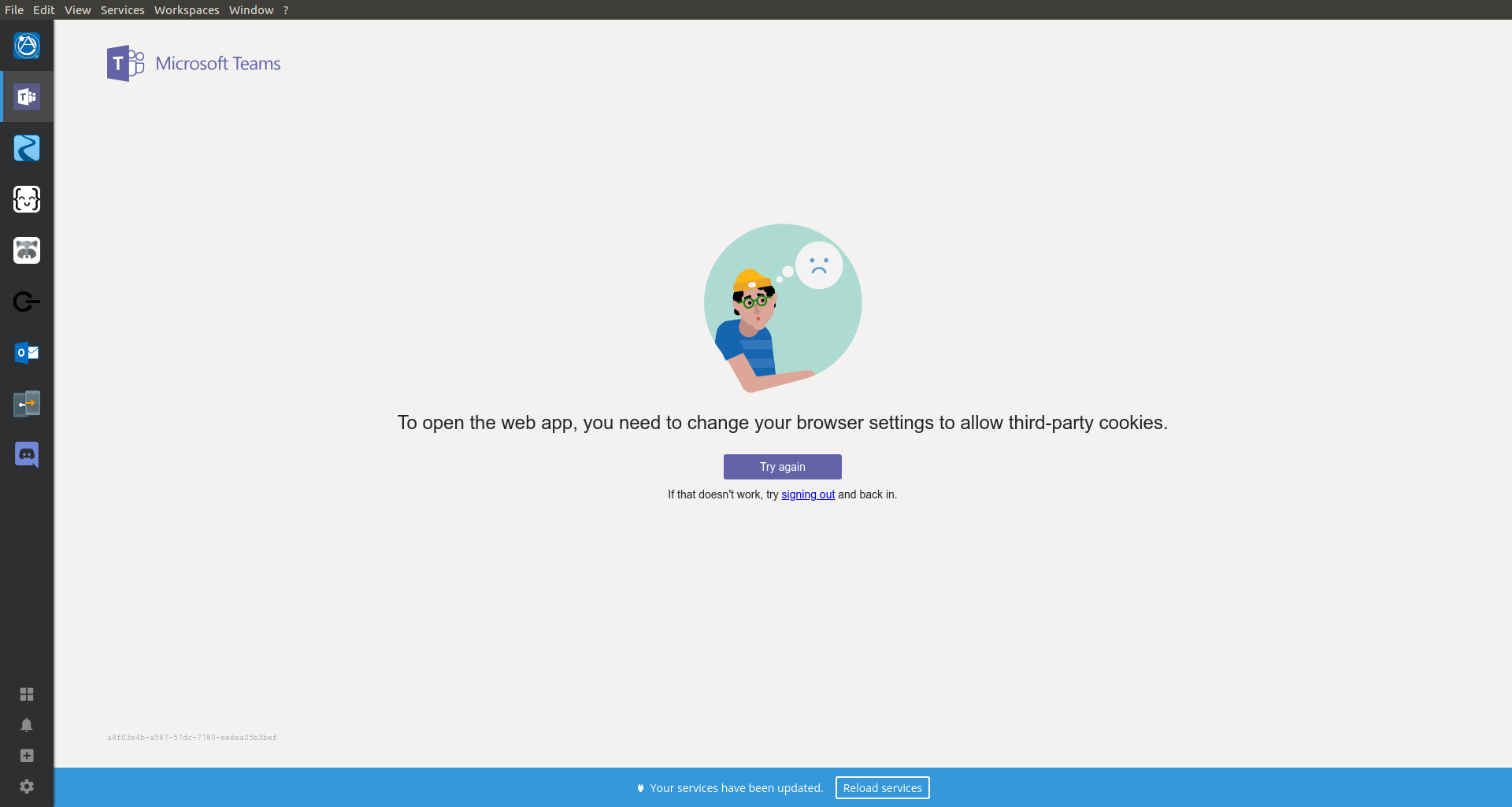
Not resolved; below screenshot is on 5.3.1. Also, now Teams won't work because cookies have been disabled?
cmccandless
on 10 Sep 2019
Hmm. I also use Teams. And it has been working fine for me. Have you tried copying your recipes and just doing a clean install? That might help. If it doesn't, I will reopen the issue to be reviewed.
ccioanca
on 18 Sep 2019
@ccioanca What is the best way to perform a clean install on Linux?
Which directories should be purged? Will apt-get remove --purge handle this properly?
cmccandless
on 18 Sep 2019
@cmccandless I think that sudo apt-get --purge remove will do the trick. I have no idea if it leaves behind configs or empty folders. But I would assume it doesn't. Give that a go.
ccioanca
on 19 Sep 2019
A clean install seems to have resolved my issue.
cmccandless
on 19 Sep 2019
Related issues
 cyChop
·
34Comments
cyChop
·
34Comments
 ifireball
·
52Comments
ifireball
·
52Comments
 okarika
·
36Comments
okarika
·
36Comments
 rwkyyy
·
32Comments
rwkyyy
·
32Comments
 thomasbrueggemann
·
65Comments
thomasbrueggemann
·
65Comments