Make a way to be able to reposition sidebar or resize
Expected Behavior
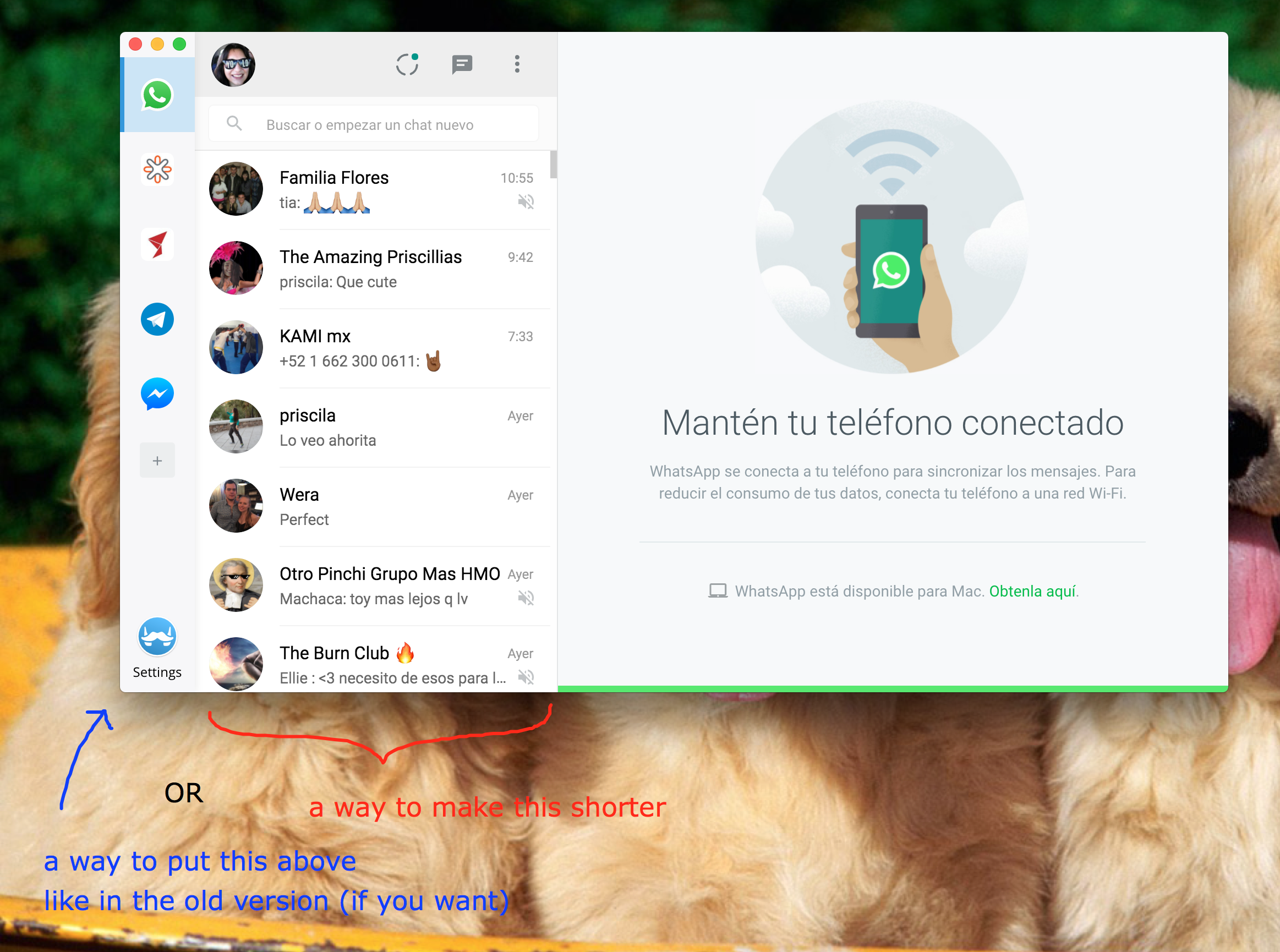
If it's possible, either a way to resize the conversation sidebar inside the services OR a switchable setting in which you can choose to have the services in a sidebar or above like the old version did.
Current Behavior
Everything is side by side (service sidebar > conversations > conversation) and makes me have a very long window, it's also weird to read.
Screenshots (if appropriate):
Context
I just updated Franz and all changes are weird I guess, I was used to having the services above and now they're on a sidebar, which looked neat at first but makes me have a very long window, because now the layout is service > conversation list > conversation, in some services like slack it's okay but on others like whatsapp and telegram the conversation list is too wide. I suggest the option of having a setting in which you can put the services either above or in the sidebar so that way anybody can have the way they like it better ^^
Your Environment
- Franz Version used: 5
- Operating System and version: OSX El Capitan
 thanniaB
All 23 comments
@thanniaB the size of the conversation sidebar is not constant and it depends on the application. E.g. whatsapp would have it bigger than slack for example. So there is nothing franz could (or should) do for it!
 alecive
on 27 Oct 2017
alecive
on 27 Oct 2017
I would love to have the option to have it in tabs like in the old version.
 Shadester
on 31 Oct 2017
Shadester
on 31 Oct 2017
As @alecive already stated correctly we shouldn't modify the service itself too much.
_Ad an alternative tab bar layout:_ this is definitely something I have planned for a future release. But as you can imagine it hasn't the highest priority right now.
 adlk
on 2 Nov 2017
adlk
on 2 Nov 2017
Just a +1 for a setting to restore the old (top) tab bar layout from me as well - I also found it much more convenient on the top than on the left.
(To avoid any misunderstandings due to previous comments - I am of course referring to Franz's services tab, not the native tabs of individual services such as e.g. Whatsapp - it wouldn't be a third-party application's responsibility to alter those).
 cpazaras
on 7 Nov 2017
cpazaras
on 7 Nov 2017
A practical example is me being part of 12 slack communities. Good luck figuring out which slack icon is which :D haha
 RWOverdijk
on 22 Nov 2017
RWOverdijk
on 22 Nov 2017
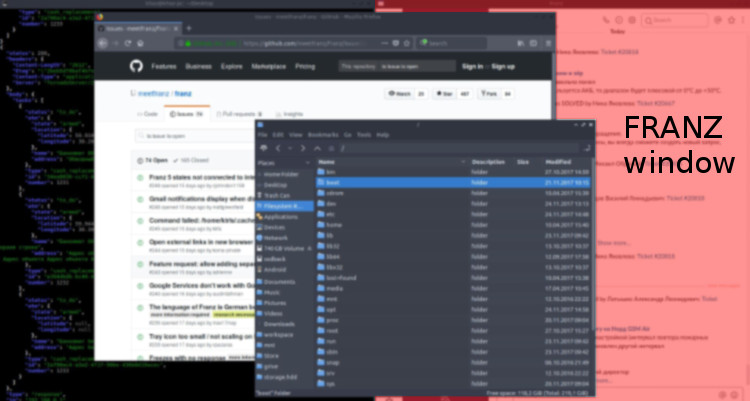
I have two displays and I places the Franz window at right half of right display.
In my case I want to place the Tab on top of the window or on the right side. Left side is unusable for me.
And for case of Tab on top, I want to start compose icons from the right.
My desktop on right monitor for example:
 dkhaziev
on 24 Nov 2017
dkhaziev
on 24 Nov 2017
+1 and I would love to disable the bar completely. I only use two messaging systems like WhatsApp and Facebook, and I rarely am messaged on facebook, so it would be nice to win the space by not showing bar.
 philippkahr
on 19 Jan 2018
philippkahr
on 19 Jan 2018
So you made a debatable, unnecessary design decision many people disliked, without giving users a choice. Then, instead of reverting or making it a setting, you label the issue as a low-priority feature request despite many complaints... Love the tool but dislike this behavior. It sounds like Google or Microsoft "developing for the majority". Considering to stop my recurrent donation tbh.
 danionita
on 8 Feb 2018
danionita
on 8 Feb 2018
I also prefer the tabs along the top, I played about with the CSS in the inspector tools and got this result

The drag and drop ordering isn't working as it should but you get the basic idea.
.app { /* main.css:6130 */
    display: flex;
    flex-direction: column;
}
.sidebar { /* main.css:6152 */
    display: flex;
    flex-direction: row;
    align-items: center;
    height: 50px;
    background: #f7f7f9;
    box-shadow: 1px 0 10px rgba(0, 0, 0, 0.08);
    z-index: 200;
    text-align: center;
    color: #373a3c;
}
.tabs { /* main.css:6229 */
    display: flex;
    flex-direction: row;
    flex-shrink: 1;
}
.tab-item { /* main.css:6238 */
    display: flex;
    justify-content: center;
    align-items: center;
    position: relative;
    width: 68px;
    /* height: 65px; */
    min-height: 50px;
    transition: background 0.5s;
}
.tab-item.is-active { /* main.css:6248 */
    border-bottom: 4px solid #3498db;
    background: #cce5f6;
}
 adamprescott
on 21 Feb 2018
adamprescott
on 21 Feb 2018
@adamprescott
That's brilliant! Thank you very much for this! I dropped in your code but I think the beta 16 (that coincidentally came out 2 days after your comment) broke it just a little bit. All I needed to add was width: 100%; under .sidebar.
To those who would like to play around too and make this permanent, here's how. You will need:
7-Zip
Asar plugin for 7-Zip
Replacement main.css file
Go to Program Files -> 7-Zip and create a folder named Formats. Unpack the Asar plugin you downloaded above. There should be 2 .dll files and 1 readme.txt.
Quit Franz and make sure there are no Franz background processes running. Use the task manager and check under both Apps and Background processes for Franz and end them.
Go to %LocalAppData%Programsfranzresources and open the app.asar archive and go to styles. Rename main.css to main.css.bak and drop in the replacement main.css file you downloaded above.
Run Franz.
 Secretss7
on 6 Mar 2018
Secretss7
on 6 Mar 2018
Thanks for this @Secretss7
Just gave Franz a quick look as I moved to Rambox when development stopped last year. My only real gripe was losing horizontal screen real estate as I use it on a vertical monitor. This addresses it nicely, would be good to see it as an option in the default settings.
 Cyruz143
on 7 Mar 2018
Cyruz143
on 7 Mar 2018
Todays update broke your workaround @Secretss7 :(
Cyruz143
on 24 Mar 2018
I had a go as well and this version seems to work (at least it does on in my case):
https://gist.github.com/nickimola/4f7dfec220f156f3b8a8595b3d05f90b
 nickimola
on 4 May 2018
nickimola
on 4 May 2018
Didn't work in latest release for me, I've gone back to an older beta till it gets added in.
Cyruz143
on 5 May 2018
@Cyruz143 i've cloned the code and i'm litterally building my custom version while writing
It has a top sidebar as well as dark bg.
Happy to share it with you once is compiled.
I don't know about licence (i still have to read it) but i might create a fork of the original app if a can
nickimola
on 5 May 2018
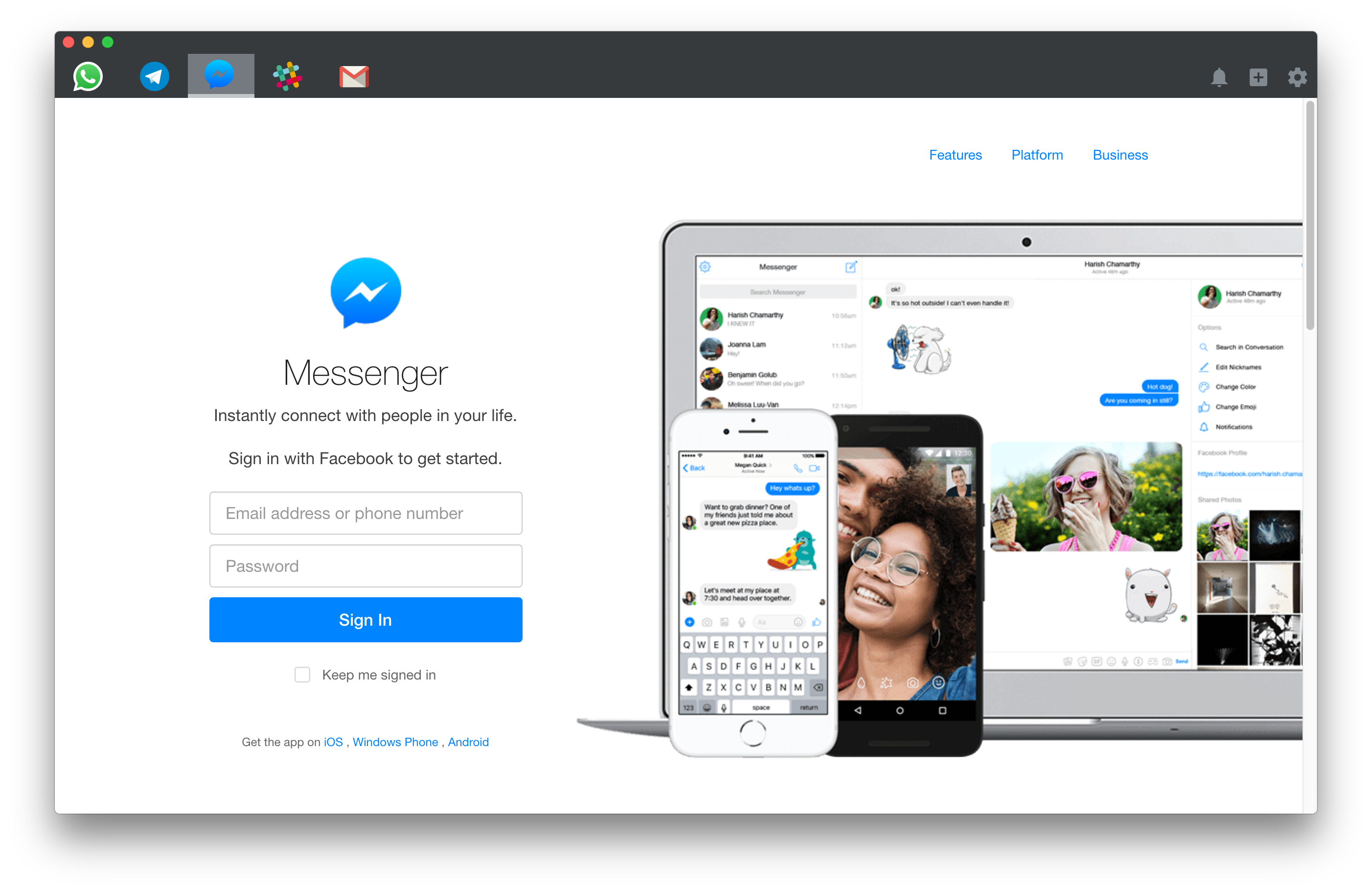
Here's how I changed it:
nickimola
on 5 May 2018
+1 for top navbar.
 panicou
on 30 Jun 2018
panicou
on 30 Jun 2018
nickimola if you have a custom build plz share :)
panicou
on 30 Jun 2018
I'd love to see this feature implemented
 rs1986x
on 30 Oct 2018
rs1986x
on 30 Oct 2018
+1 for the top navbar.
The left bar force me to change to other similar apps!
 pinhao1994
on 6 Nov 2018
pinhao1994
on 6 Nov 2018
+1 for right service navbar
 radaiko
on 21 May 2019
radaiko
on 21 May 2019
@nickimola, can you share the custom build?
 clausavram
on 24 Jul 2019
clausavram
on 24 Jul 2019
Resizing and relocating is a must so +1
I have a lot of services so sometimes the buttons in the sidebar overflow the sidebar making the services at the bottom unusable.
It's good to advertise you can get unlimited services, but if you can't use them... :)
 Lefky
on 31 Jul 2019
Lefky
on 31 Jul 2019
Related issues
 hello-jason
·
4Comments
hello-jason
·
4Comments
 agodlydeciple
·
4Comments
agodlydeciple
·
4Comments
 gregoralbrecht
·
3Comments
gregoralbrecht
·
3Comments
 Sigri44
·
4Comments
Sigri44
·
4Comments
 AGonLen
·
4Comments
AGonLen
·
4Comments
Most helpful comment
I would love to have the option to have it in tabs like in the old version.