Love the sidebar for services, can you please give us a dark mode for it? All of the services I use essentially are running in dark modes themselves and this bright grey sidebar is a serious eyesore.
 ylluminate
All 69 comments
This would be great!
 nivleklive
on 22 Oct 2017
nivleklive
on 22 Oct 2017
I am happy to provide a mockup and a detailed color reference but my resources are currently blocked with improving the stability of the platform.
If we are going a dark-theme-route, there are a quite a few adaptions throughout most of the sass files necessary to become independent of the main theme – but I believe taking the high-road would be beneficial in the long run.
Happy to discuss this in the slack channel.
 adlk
on 23 Oct 2017
adlk
on 23 Oct 2017
Hey @adlk if you put together a mock, please note that the current design is even flawed prior to shifting to dark. Right now the Gmail icons don't indicate what account is open for each "tab" when you have multiple Gmail tabs (I have a few accounts going at any given time). Also, the badge / count for the inbox could be removed and the "name" could be displayed instead...
ylluminate
on 24 Oct 2017
Happy to discuss this in the slack channel.
@adlk, what channel would be the appropriate one: #development? Or is there a channel dedicated particularly for this issue?
 marnovo
on 27 Oct 2017
marnovo
on 27 Oct 2017
+1 for dark theme. I just switched just for fun (usually using Telegram 99% of the time, so I could just use their regular client), but everything on my system is as dark as possible and the Franz client kinda hurts the eyes due to it being the only bright app ^â
 prankousky
on 5 Nov 2017
prankousky
on 5 Nov 2017
@marnovo #development would be fine.
@ylluminate I'm aware of most of the issues. Don't worry I won't stress on the dark theme as there are like 1000000 other things to take care of first. But starting a discussion, collecting input, validating ideas is necessary in such a process.
adlk
on 5 Nov 2017
+1 on Dark Theme, would be good if we could add custom CSS to services (since they are browse based) so we can easily make them all Dark too.
Also, an area with the said Custom CSS.
 LokoGD
on 8 Nov 2017
LokoGD
on 8 Nov 2017
@away000 In a future release there will be an option to add custom settings to a service which would allow an easy switch for dark themes in services.
adlk
on 8 Nov 2017
I'm already envisioning a store for themes in parallel with the store for recipes.. looking forward to it! :sunglasses:
 alecive
on 9 Nov 2017
alecive
on 9 Nov 2017
+1 on Dark Theme, its such a must have feature
 ghost
on 24 Nov 2017
ghost
on 24 Nov 2017
+1, one of the major reasons I'm looking for a chat app replacement is that slack doesn't support dark theme out of the box
 cstyan
on 27 Nov 2017
cstyan
on 27 Nov 2017
+1 Pretty please
 samayres1992
on 28 Nov 2017
samayres1992
on 28 Nov 2017
+1 for Dark Theme
 nekoyokoshima
on 6 Dec 2017
nekoyokoshima
on 6 Dec 2017
+1
 Snuggle
on 30 Dec 2017
Snuggle
on 30 Dec 2017
Instead of adding duplicate "+1" comments, why not show your support for this feature request by "voting up" the issue :smiley: Simply click here:
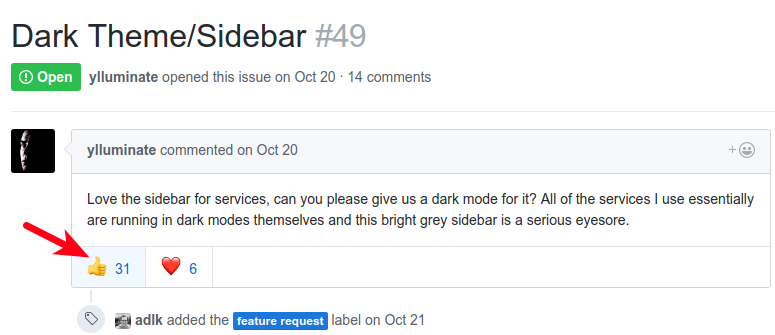
That makes it easier for maintainers/contributors to track the popularity of a request while also minimizing the number of comments, emails, and notifications they have to go through - the less time they spend on that, the more time they can spend on implementing your requests :wink:
 colinodell
on 31 Dec 2017
colinodell
on 31 Dec 2017
There is already a proposed PR for that (#362) that needs to be finished, reviewed and merged.
 haraldox
on 13 Jan 2018
haraldox
on 13 Jan 2018
It would also be great if the frontend API for recipes would then get a function to conditionally inject CSS only if dark mode is enabled. That way dark modes for every service could be created.
 chaptergy
on 29 Jan 2018
chaptergy
on 29 Jan 2018
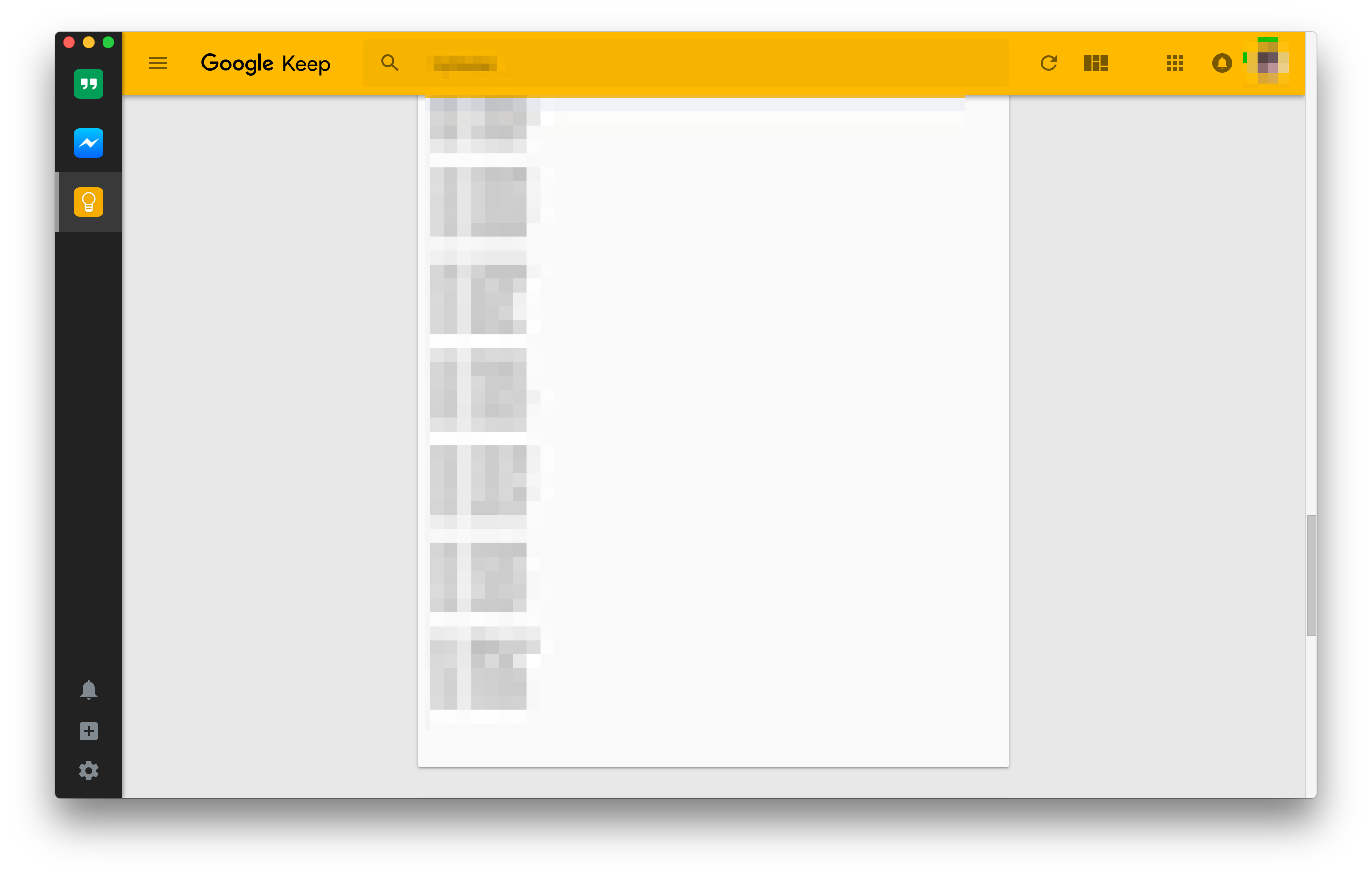
Well I'd rather have some kind of "override" css preference in settings. I've found out that by just simply changing few css classes in developer tools I was able to get exactly the look I wanted. It's simple solution for weirdos like me that needs to tweak everything. I'm not sure how hard this would be to implement thought. I know that I could change the files in the main app but I'd rather not have to change the app itself every time I update 🙂.
.sidebar {
    ...
    background: #222;
    box-shadow: 1px 0 5px rgba(0, 0, 0, 0.38);
    ...
}
.tab-item.is-active {
    border-left: 4px solid rgba(255,255,255,0.4);
    background: rgba(255,255,255,0.15);
}
 janjurek
on 22 Mar 2018
janjurek
on 22 Mar 2018
@janjurek check out https://github.com/meetfranz/franz/pull/362
 Stanzilla
on 29 Mar 2018
Stanzilla
on 29 Mar 2018
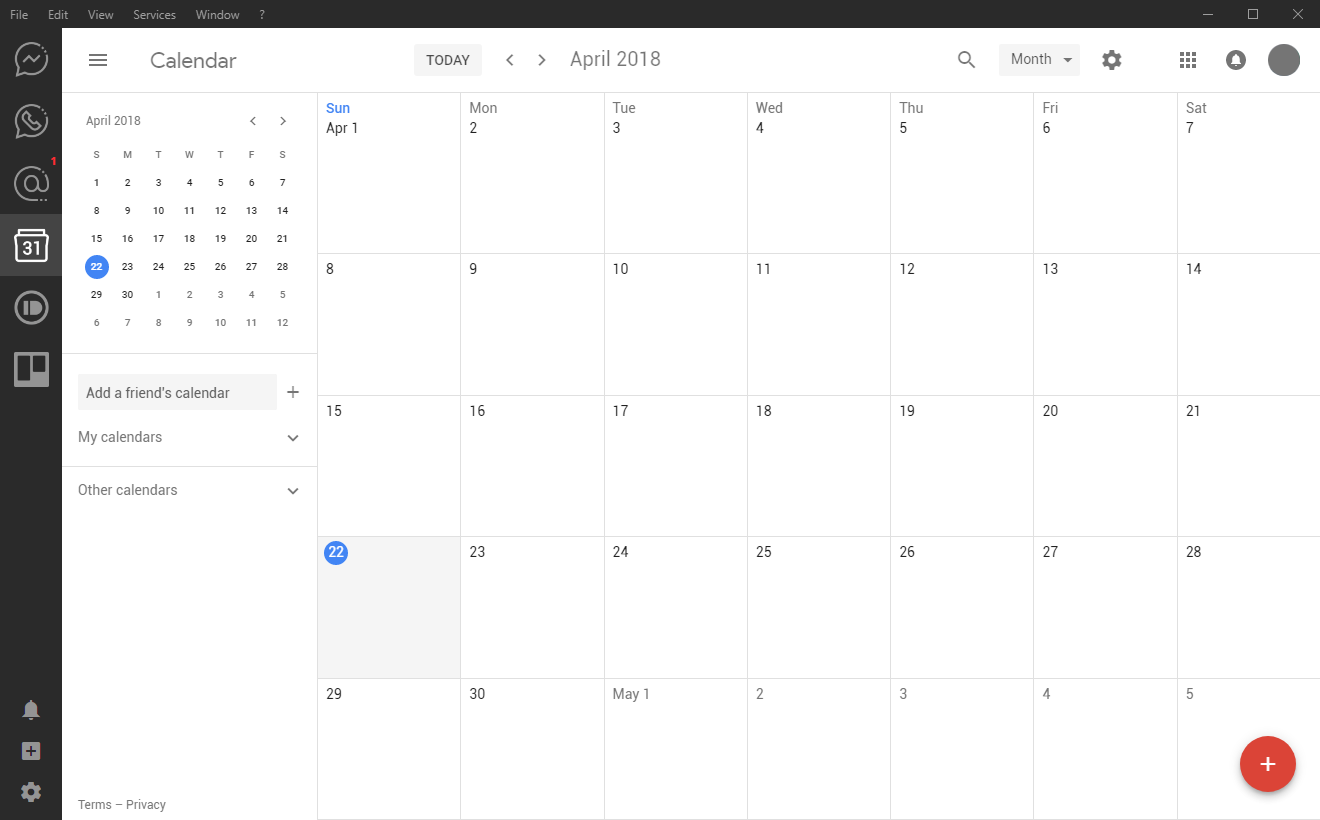
It's easy enough on WIN to just extract the app.asar, write the styles you want into the main.css, and repack it. Make a backup of the original just in case you screw something up and the app wont load. I just spent a couple hours making a dark theme. Check it out...
 incace
on 22 Apr 2018
incace
on 22 Apr 2018
+1 for providing a way to load custom css easily.
Ideally Franz would check for the existence of ~/.franz/custom/style.css or something and load it, and also for each service load ~/.franz/custom/serviceId/style.css or something.
A relatively minor number of changes, like removing buttons for downloading the desktop apps or making all sidebars the same width, would improve my UX with Franz a lot.
@adlk I'd be happy to make a PR for this, what do you think about it?
Edit: editing the files under the recipes directory (https://github.com/meetfranz/plugins/blob/master/docs/integration.md#installation) seems to be good enough for me.
 fabiospampinato
on 22 Apr 2018
fabiospampinato
on 22 Apr 2018
@fabiospampinato there is already this PR https://github.com/meetfranz/franz/pull/362 , but it hasn't been merged for some reason.
alecive
on 26 Apr 2018
@alecive I think that's only about dark mode, I was talking about a more general approach what would enable customizability.
fabiospampinato
on 26 Apr 2018
A dark theme is indeed a must have feature! Please please please!
 alvarotroya
on 27 Apr 2018
alvarotroya
on 27 Apr 2018
@fabiospampinato that sounds worthwhile, except I'd personally go with ~/.franz/styles/global.css and ~/.franz/styles/<service>.css as the structure :) No need for the service nesting, and it protects against other custom stuff later.
 whitfin
on 1 May 2018
whitfin
on 1 May 2018
Dark-mode is a gold standard for me, I guess this app was to good to be true :(
I NEED DARKNESS
 harrisonford
on 16 May 2018
harrisonford
on 16 May 2018
@harrisonford @alvarotroya etc. you guys can have it now, just unpack app.asar, modify main.css under styles folder, repack and overwrite the original.
incace
on 25 May 2018
@incace Will do, I'll try that out.
harrisonford
on 25 May 2018
Has anyone succeded in modifying the main.css in the app.asar package and can post it a dark mode version here? Or any guidelines to do it? Cheers
 andreazorzetto
on 31 Jul 2018
andreazorzetto
on 31 Jul 2018
I haven't and I am still interested, I need darkness too :)
alvarotroya
on 31 Jul 2018
Its actually pretty simple ..
npm install asar -g
cd /Applications/Franz.app/Contents/Resources
cp app.asar app.asar.backup
asar extract app.asar app_extract
Apply the patch file here (https://gist.github.com/nautical/c7d006c5808b9229976b8de80ed8c60f) and repack the app.asar
asar pack app_extract app.asar
Restart the application


 nautical
on 13 Sep 2018
nautical
on 13 Sep 2018
@nautical Thank you so much for the detailed instructions!!! :+1: I had trouble patching the files but it finally worked! Still some services like whatsapp are not dark, is there anything we could about it?
alvarotroya
on 13 Sep 2018
Yes, I was testing that out couple of days back, didn't get the chance to finish it .. It`s completely possible, application can inject some css inside the frame to override existing css .. it has to be application specific .. will post solution for whatsapp and telegram soon
nautical
on 13 Sep 2018
I would be so insanely grateful if you pull this off! :smiley: I have my fingers crossed and wish you the best of luck (I am not a really a programmer so I can't do much more than that really :sweat_smile: )
alvarotroya
on 13 Sep 2018
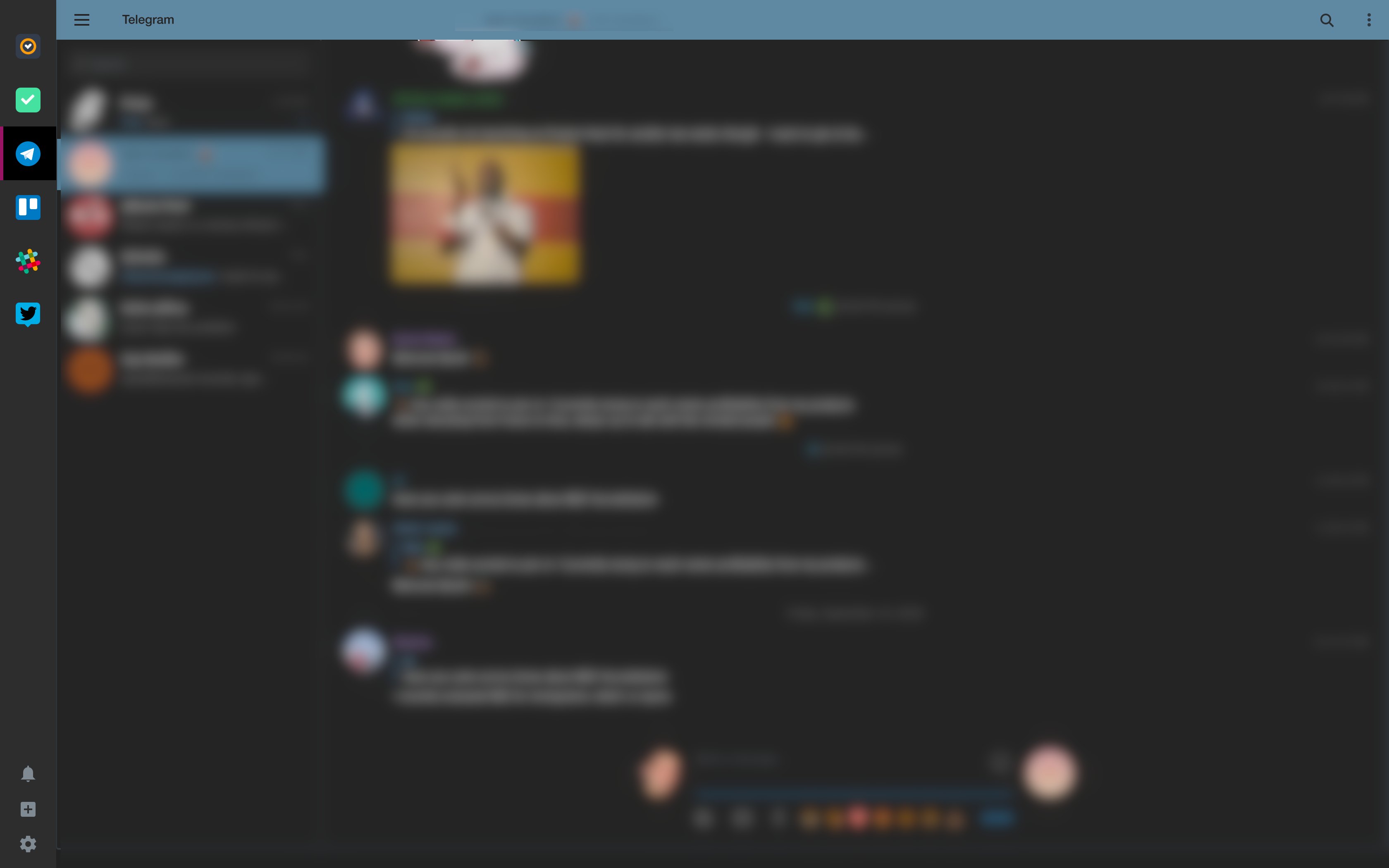
After running this .. you can switch to dark mode ( in app, for sidebar above is still required ) by pressing 'ctrl + d'
# /usr/bin/bash
cd /Applications/Franz.app/Contents/Resources
cp app.asar app.asar.backup
asar extract app.asar app_extract
sed '/NauticalPatchStart/,/NauticalPatchEnd/d' app_extract/app.js > __temp__
mv __temp__ app_extract/app.js
echo "// NauticalPatchStart
window.addEventListener('keyup', event => {
  if(event.key=='d' && event.ctrlKey){
    var webview = document.getElementsByTagName('webview')
    webview.map((o)=>{
        o.insertCSS('html {background-color: #222 !important;}body {filter: contrast(90%) invert(90%) hue-rotate(180deg) !important;-ms-filter: invert(100%);-webkit-filter: contrast(90%) invert(90%) hue-rotate(180deg) !important;text-rendering: optimizeSpeed;image-rendering: optimizeSpeed;-webkit-font-smoothing: antialiased;-webkit-image-rendering: optimizeSpeed;}input, textarea, select {color: purple;}img, video, iframe, canvas, svg, embed[type=\'application/x-shockwave-flash\'], object[type=\'application/x-shockwave-flash\'], *[style*=\'url(\'] {filter: invert(100%) hue-rotate(-180deg) !important;-ms-filter: invert(100%) !important;-webkit-filter: invert(100%) hue-rotate(-180deg) !important;}')
    })
  }
})
// NauticalPatchEnd " >> app_extract/app.js
asar pack app_extract app.asar
PROCESS=Franz
count=$(ps aux | grep $PROCESS | wc -l)
if [ $count -gt 1 ]
    then
        echo 'Franz is running .. you may want to restart application to see changes';
else
    echo 'Start Franz now'
fi
nautical
on 14 Sep 2018
After running this .. you can switch to dark mode ( in app, for sidebar above is still required ) by pressing 'ctrl + d'
This was erroring for me on macOS because webview is an object and not an array. I modified that to work and also added a blacklist since the inverted colors look terrible on some apps (or ones that already offer a dark theme)
// NauticalPatchStart
window.addEventListener('keyup', event => {
  if(event.key=='d' && event.ctrlKey){
    var webview = document.getElementsByTagName('webview');
    var disabled = ['https://hangouts.google.com/', 'https://discordapp.com/activity', 'https://web.skype.com/en/'];
    for (let item of webview) {
        if (!disabled.includes(item.src)) {
            item.insertCSS('html {background-color: #222 !important;}body {filter: contrast(90%) invert(90%) hue-rotate(180deg) !important;-ms-filter: invert(100%);-webkit-filter: contrast(90%) invert(90%) hue-rotate(180deg) !important;text-rendering: optimizeSpeed;image-rendering: optimizeSpeed;-webkit-font-smoothing: antialiased;-webkit-image-rendering: optimizeSpeed;}input, textarea, select {color: purple;}img, video, iframe, canvas, svg, embed[type=\'application/x-shockwave-flash\'], object[type=\'application/x-shockwave-flash\'], *[style*=\'url(\'] {filter: invert(100%) hue-rotate(-180deg) !important;-ms-filter: invert(100%) !important;-webkit-filter: invert(100%) hue-rotate(-180deg) !important;}');
        }
    }
  }
})
// NauticalPatchEnd
 srichter
on 14 Sep 2018
srichter
on 14 Sep 2018
Thank you guys, I just got this to work! Soooo muuuuch better!!! A round of applause for you both!
I thought I'd just add my grain of salt for those who need the extra steps. This is what worked for me:
Install asar and extract as explained by @nautical. Modify the main.css file in app_extract/styles to reflect the changes in the styles.diff patch in @nautical's first post. Add the lines in @srichter post to the end of the file app_extract/app.js. If you want to add other services to the blacklist, open Franz and under View toggle the developer tools. In the console, type document.getElementsByTagName('webview'), click on the service and scroll down to the src entry, click on it and add its value to the disabled variable in the NauticalPatch :) Repack, restart, press ctrl+d and be happy forevermore :smile:
Thank you great programming souls! @nautical @srichter
alvarotroya
on 14 Sep 2018
Unfortunately the script trips over the !important declaration.
zsh: event not found: important
Trying on a Macbook Pro 2016 with Mojave installed
 bcromijn
on 26 Sep 2018
bcromijn
on 26 Sep 2018
Unfortunately the script trips over the
!importantdeclaration.
zsh: event not found: importantTrying on a Macbook Pro 2016 with Mojave installed
What command are you running? The CSS shouldn't be being interpreted by your shell
srichter
on 26 Sep 2018
Unfortunately the script trips over the
!importantdeclaration.
zsh: event not found: important
Trying on a Macbook Pro 2016 with Mojave installedWhat command are you running? The CSS shouldn't be being interpreted by your shell
Just ran the script mentioned by @nautical where he states:
After running this .. you can switch to dark mode ( in app, for sidebar above is still required ) by pressing 'ctrl + d'
bcromijn
on 26 Sep 2018
Unfortunately the script trips over the
!importantdeclaration.
zsh: event not found: important
Trying on a Macbook Pro 2016 with Mojave installedWhat command are you running? The CSS shouldn't be being interpreted by your shell
Just ran the script mentioned by @nautical where he states:
After running this .. you can switch to dark mode ( in app, for sidebar above is still required ) by pressing 'ctrl + d'
Make sure you put that in a file and run the file instead of pasting it directly into Terminal
srichter
on 26 Sep 2018
Make sure you put that in a file and run the file instead of pasting it directly into Terminal
That seemed to work with patching, but no results in Franz yet... Ctrl+d doesn't seem to work!
bcromijn
on 26 Sep 2018
Make sure you put that in a file and run the file instead of pasting it directly into Terminal
That seemed to work with patching, but no results in Franz yet...
Ctrl+ddoesn't seem to work!
If you're using the javascript from the original post it won't work. You have to replace it with the javascript in the post below:
// NauticalPatchStart
window.addEventListener('keyup', event => {
  if(event.key=='d' && event.ctrlKey){
    var webview = document.getElementsByTagName('webview');
    var disabled = ['https://hangouts.google.com/', 'https://discordapp.com/activity', 'https://web.skype.com/en/'];
    for (let item of webview) {
        if (!disabled.includes(item.src)) {
            item.insertCSS('html {background-color: #222 !important;}body {filter: contrast(90%) invert(90%) hue-rotate(180deg) !important;-ms-filter: invert(100%);-webkit-filter: contrast(90%) invert(90%) hue-rotate(180deg) !important;text-rendering: optimizeSpeed;image-rendering: optimizeSpeed;-webkit-font-smoothing: antialiased;-webkit-image-rendering: optimizeSpeed;}input, textarea, select {color: purple;}img, video, iframe, canvas, svg, embed[type=\'application/x-shockwave-flash\'], object[type=\'application/x-shockwave-flash\'], *[style*=\'url(\'] {filter: invert(100%) hue-rotate(-180deg) !important;-ms-filter: invert(100%) !important;-webkit-filter: invert(100%) hue-rotate(-180deg) !important;}');
        }
    }
  }
})
// NauticalPatchEnd
srichter
on 26 Sep 2018
I added two themes dark/transparent-dark and a way to pick theme in settings.
https://github.com/MikeDabrowski/franz/commit/3a79d6fb2f43d7e1c450d3cb5d57743c467f6a6e
I can push it as PR here. It certainly needs some code style improvements, as I am not used to electron/mobx.
 MikeDabrowski
on 30 Sep 2018
MikeDabrowski
on 30 Sep 2018
Any update on the dark theme being ready?
 dalemccutcheon
on 16 Oct 2018
dalemccutcheon
on 16 Oct 2018
I tried @nautical 's instructions above, but it kept saying it failed 19 of 19 hunks when I ran the patch command (I ran patch -p1 < path/styles.diff - let me know if that wasn't right - and chose main.css when it gave me an option). I'm not a developer, so I'm not really sure even how to troubleshoot - so I'm definitely looking forward to a script or other easy-to-implement solution.
 captaindooley
on 19 Oct 2018
captaindooley
on 19 Oct 2018
@captaindooley Which platform do you need? I can build you only windows installer.
I forked this to gitlab and wanted to setup pipeline for automatic builds but I'm a noob at using pipelines and don't have that much time.
MikeDabrowski
on 22 Oct 2018
I suppose that would be helpful info. I'm on a mac. Currently on High Sierra (10.13)
captaindooley
on 22 Oct 2018
Then I'm afraid I can only offer you hints how to build it yourself. I have no experience with mac for development. I believe original authors worked on mac so build process should work out of the box.
MikeDabrowski
on 22 Oct 2018
Can the PR not be approved?
dalemccutcheon
on 23 Oct 2018
https://github.com/meetfranz/franz/issues/1067
I think not.
MikeDabrowski
on 23 Oct 2018
@captaindooley
I can't build you mac app because it has to be build on mac. You can try building it yourself: clone/download this repository and in package.json change 20th line to
"build": "node_modules/.bin/electron-builder --publish onTag --mac",
If anyone is interested Windows exec with my dark/transparent version can be downloaded from my fork here: https://github.com/MikeDabrowski/franz/releases
MikeDabrowski
on 3 Nov 2018
Hi people, How can I put Dark Mode in Linux?
I read the comments, but i can't...
Thanks for your help
 SoyDiego
on 9 Nov 2018
SoyDiego
on 9 Nov 2018
Would be great a integration with the https://darkreader.org . Their job is amazing!
 gumieri
on 20 Nov 2018
gumieri
on 20 Nov 2018
Hi ! the dark mode is really cool ! is there a way to put slack background dark ?
Thanks
 thib5
on 26 Feb 2019
thib5
on 26 Feb 2019
Hi @thib5
This is a copy-paste of a "guide" I made for another person. :)
/*
Custom themes are actually supported, but they need to be applied manually since we don't have a built in method to upload them yet.
For example I made my Messenger nice and dark with just a simple CSS I got from Stylish and several people here who figured out how to make it work. :D
Just download this or some other theme you like.
https://userstyles.org/styles/134433/dark-night-facebook-messenger
You might need to edit some themes to work. For example in this one you'd need to remove the first and last two lines of code.
Then you need to add it to Franz's Messenger folder.
copy this into your file explorer %AppData%Franzrecipes\messenger\ and save the theme as darkmode.css
Then you open Franz's settings, go the Services tab and pick Messenger where you need to enable dark mode.
If it doesn't work right away you might need to fully restart Franz and if it's still not working you might need some more help.
*/
All you need is look for a Slack theme on Stylish website.
 Gaboris
on 26 Feb 2019
Gaboris
on 26 Feb 2019
@thib5
Check this out:
https://github.com/MikeDabrowski/franz
https://github.com/MikeDabrowski/franz-themed-recipes
I mostly use and maintain transparent-dark theme for my own, but dark one should work too. Works out of the box but I can provide installer only for linux and windows.
MikeDabrowski
on 26 Feb 2019
@MikeDabrowski
Looks awesome!
Any chance you can provide a link to a Mac installer please?
 GalBrill
on 5 Mar 2019
GalBrill
on 5 Mar 2019
@GalBrill unfortunately no. I don't have mac. You'd have to build it yourself.
 MDabrowski9LD
on 5 Mar 2019
MDabrowski9LD
on 5 Mar 2019
@GalBrill unfortunately no. I don't have mac. You'd have to build it yourself.
Tried your guide with the git way - all services were gone and couldn't reload or add any.
GalBrill
on 6 Mar 2019
@GalBrill Create issue in my repository outlining all steps you've done and I'll try to help you. I keep this fork for mostly for me and believe me I keep it up and running.
MikeDabrowski
on 6 Mar 2019
@thib5
Check this out:
https://github.com/MikeDabrowski/franz
https://github.com/MikeDabrowski/franz-themed-recipesI mostly use and maintain transparent-dark theme for my own, but dark one should work too. Works out of the box but I can provide installer only for linux and windows.
Would you please be so kind as to provide a linux installer? I went through the build instructions but ended up with Franz not showing any services and unable to add them.
Somewhat more detailed instructions for linux would also suffice, thank you for the great work! :)
alvarotroya
on 24 Mar 2019
@alvarotroya
Latest release is linux only as I had to switch to Mint at work. I will release 5.0.1-omega.1 today which will be Win + Linux. I can't provide mac.
When Franz had troubles showing services it was almost always problem with .git folder located in recipes folder. Try without .git or install my fork (latest version). Also it would be better to create issue in my repo if its subject is my fork.
MikeDabrowski
on 24 Mar 2019
@alvarotroya
Latest release is linux only as I had to switch to Mint at work. I will release 5.0.1-omega.1 today which will be Win + Linux. I can't provide mac.When Franz had troubles showing services it was almost always problem with
.gitfolder located in recipes folder. Try without .git or install my fork (latest version). Also it would be better to create issue in my repo if its subject is my fork.
Thank you! I will try again and get back to you.
alvarotroya
on 25 Mar 2019
@ylluminate how are you running facebook messenger in darkmode, please?
 esaruoho
on 4 Jun 2019
esaruoho
on 4 Jun 2019
Hey @esaruoho
Here's my comment from a few comments ago where I copied an old "guide" of mine on applying custom themes. :)
https://github.com/meetfranz/franz/issues/49#issuecomment-467530204
Gaboris
on 4 Jun 2019
Can the Franz dark mode be connected to Mac OS X dark mode? https://developer.apple.com/documentation/appkit/supporting_dark_mode_in_your_interface
 ssulistyo
on 30 Jun 2019
ssulistyo
on 30 Jun 2019
For anyone who might bump into this thread, based on @Gaboris comment I started a repo for dark themes of some apps I use: https://github.com/dcferreira/franz-themes
After starting mine I noticed another one exists, might have other services if you need: https://github.com/ducfilan/Dark-mode-Franz
 dcferreira
on 9 Jul 2019
dcferreira
on 9 Jul 2019
+
 chansirip
on 22 Aug 2019
chansirip
on 22 Aug 2019
Related issues
 G419
·
3Comments
G419
·
3Comments
 gregoralbrecht
·
3Comments
gregoralbrecht
·
3Comments
 seanford
·
4Comments
seanford
·
4Comments
 dbfin
·
4Comments
dbfin
·
4Comments
 hello-jason
·
4Comments
hello-jason
·
4Comments
Most helpful comment
Instead of adding duplicate "+1" comments, why not show your support for this feature request by "voting up" the issue :smiley: Simply click here:
That makes it easier for maintainers/contributors to track the popularity of a request while also minimizing the number of comments, emails, and notifications they have to go through - the less time they spend on that, the more time they can spend on implementing your requests :wink: