Foundation-sites: Full-screen Modal on iOS
How to reproduce this bug:
- Open https://foundation.zurb.com/sites/docs/reveal.html#full-screen on iOS Device
- Tap on "Click me for a full-screen modal"
What should happen:
Expecting it to be full screen like on desktop/laptop
What happened instead:
Appended to the end of docs-sticky-top-bar instead of covering this as well
Browser(s) and Device(s) tested on:
12.9" iPad Pro - Does not work
iPhone X - Does not work
Foundation Version(s) you are using:
v.6.4.3
Test case link:
It can be seen directly on the Foundation for Sites documentation page for Reveal: https://foundation.zurb.com/sites/docs/reveal.html#full-screen
 jordanbommelje
All 14 comments
Can you provide some info about the iOS and Safari / webkit version?
 DanielRuf
on 1 Mar 2018
DanielRuf
on 1 Mar 2018
I see the same problem on iOS 10.3.3 with AppleWebKit/603.3.8 Safari/602.1:
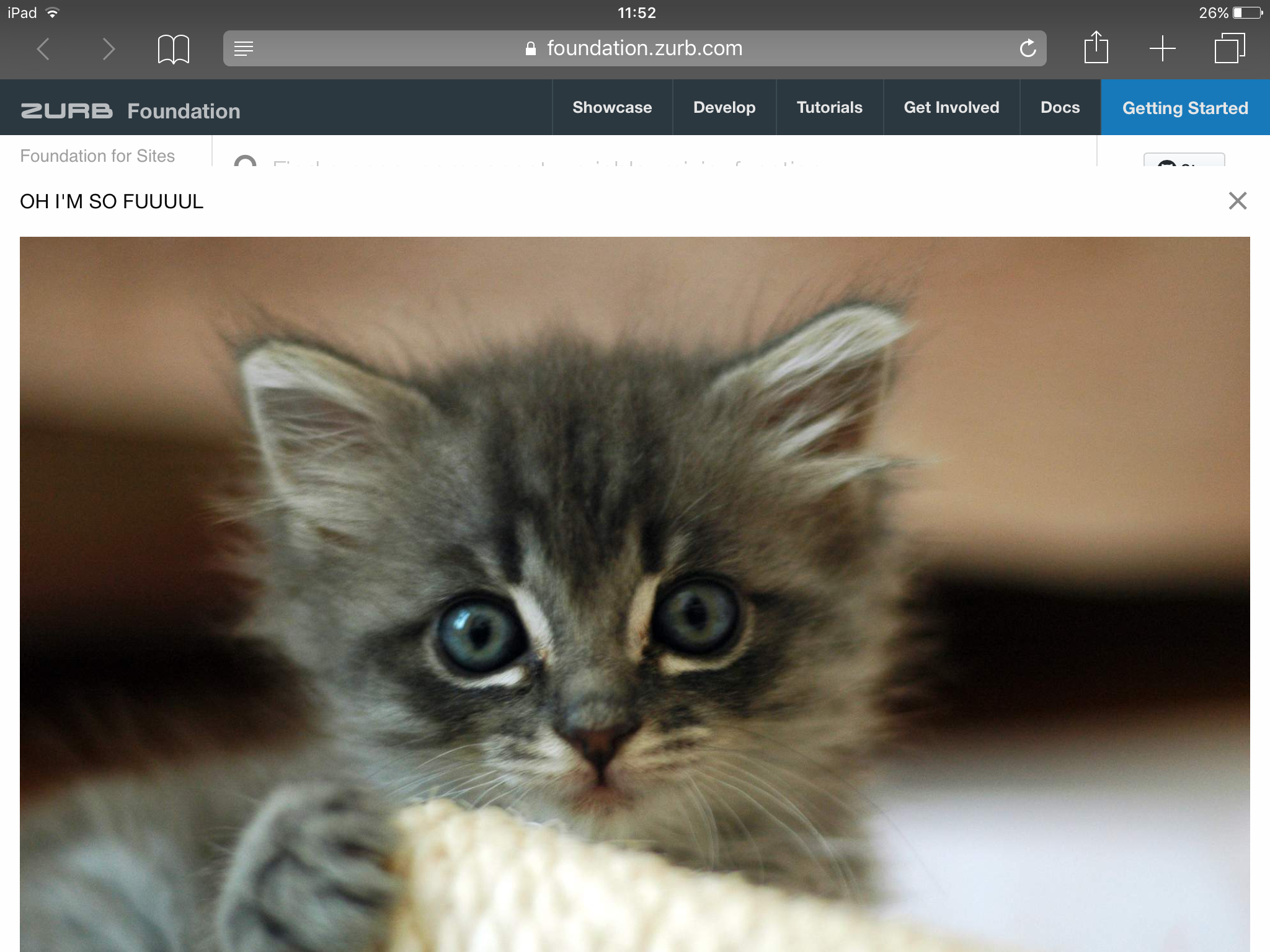
 p8
on 1 Mar 2018
p8
on 1 Mar 2018
This is on a iPhone with iOS 11.2.6 with AppleWebKit/604.5.6 Safari/604.1
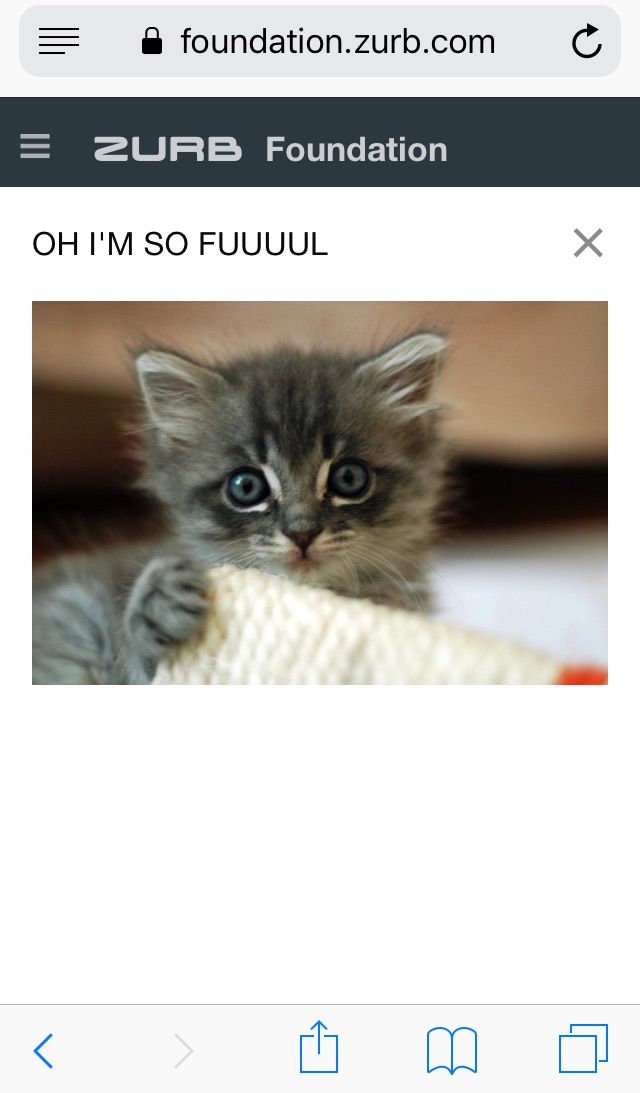
p8
on 1 Mar 2018
Which Safari / webkit version is installed?
iOS 10 often uses Safari 10 which has some flexbugs and is not supported by Apple anymore.
Attention, you have different viewports there.
Please check them at http://viewportsizes.com/mine/
DanielRuf
on 1 Mar 2018
@DanielRuf I've added the webkit versions.
p8
on 1 Mar 2018
Sorry, meant the Safari version. This is actually what matters.
Also the one looks like desktop breakpoint / view.
DanielRuf
on 1 Mar 2018
I've added the safari versions. Thanks for looking into this. 👍
p8
on 1 Mar 2018
These are not valid Safari versions. They are in the settings of Safari. Like Safari 10, 11, and so on.
I guess I know what issue is meant. On small screens the modal gets some top value which moves it a bit down.
There might be other issues which describe the same behavior.
I'll check the reveal component.
DanielRuf
on 7 Mar 2018
@SassNinja does the code make much sense?
DanielRuf
on 10 Mar 2018
On mobile all modals are fullscreen. The tiny, small and large modals work correctly and don't append to the sticky top-bar.
p8
on 11 Mar 2018
I've fixed it by forcing the top to 0:
.reveal.full {
  top: 0 !important;
}
p8
on 26 Mar 2018
So I ran into this same issue and I think this is a cleaner fix: I added data-v-offset="0" to the reveal pattern. Seems the auto offset calc is inconsistent.
 jacobcarrington
on 14 Aug 2018
jacobcarrington
on 14 Aug 2018
Hi 👋,
I made some tests. The _updatePosition position method works well and have the behavior we can expect from it. The issue comes from the viewport height on iOS when you scroll down/up and the Safari topbar collapses/expands.
When it is collapsed on iPad pro, the window height is about 984px. When is expanded, there is less place for the web page and the window height is about 954px. However, the CSS viewport is still 984px. Because the modal uses height: 100vh, it will still be 984px, taller than the window, and the _updatePosition will position it differently.
The CSS viewport is the larger possible view height and does not change with the visible area height. This is an intended behavior for optimization reason. See this article: Viewport height is taller than the visible part of the document in some mobile browsers
The base problem is this: the visible area changes dynamically as you scroll. If we update the CSS viewport height accordingly, we need to update the layout during the scroll. Not only that looks like shit, but doing that at 60 FPS is practically impossible in most pages (60 FPS is the baseline framerate on iOS).
The solution would be to stop using vh (as this is not the visible area height anymore) in favor of the top+right+bottom+left trick.
 ncoden
on 18 Aug 2018
ncoden
on 18 Aug 2018
ncoden
on 18 Aug 2018
ncoden
on 18 Aug 2018
Related issues
 umphy
·
4Comments
ncoden
·
3Comments
umphy
·
4Comments
ncoden
·
3Comments
 coachie
·
4Comments
coachie
·
4Comments
 BicanMarianValeriu
·
3Comments
BicanMarianValeriu
·
3Comments
 g12n
·
4Comments
g12n
·
4Comments
Most helpful comment
Fixed at https://github.com/zurb/foundation-sites/pull/11462