Forem: Publicly indicate if someone edits their comments
Is your feature request related to a problem? Please describe.
Yes, this is important for preventing gaslighting. I.e. It's helpful to stop situations where User A says something, then User B responds, User A modifies their comment so that User B’s response doesn’t make sense. (Not a great explanation, but sums it up well enough!)
Describe the solution you'd like
If someone edits their comments, we should publicly indicate it in the comment with the word "(edited)" appearing near the date of the comment similar to the UX that DEV uses in Connect chat channels for when folks edit their comments (pic below). It'd be nice to keep that UX somewhat consistent.
Describe alternatives you've considered
I've not thought of any alternatives, but am open to suggestions.
Additional context
Here's what a comment looks like when it's edited in Connect:

 michael-tharrington
All 54 comments
Thanks for the issue! We'll take your request into consideration and follow up if we decide to tackle this issue.
To our amazing contributors: issues labeled type: bug are always up for grabs, but for feature requests, please wait until we add a ready for dev before starting to work on it.
To claim an issue to work on, please leave a comment. If you've claimed the issue and need help, please ping @forem/oss and we will follow up within 3 business days.
For full info on how to contribute, please check out our contributors guide.
![github-actions[bot] picture](https://avatars2.githubusercontent.com/in/15368?v=4&s=40) github-actions[bot]
on 17 Sep 2020
github-actions[bot]
on 17 Sep 2020
@rhymes this is up for grabs then? I am a new contributor to forem. My windows build is 1903 so I am looking at other ways to get my development environment set up. I would love to take on this issue.
 KarenEfereyan
on 18 Sep 2020
KarenEfereyan
on 18 Sep 2020
Hi @KarenEfereyan, welcome to Forem! I don't have experience on setting the code up in Windows but @maestromac could probably give you pointers in addition to what's written in the installation docs if you get stuck
I think we do need this feature as well, as mentioned by @michael-tharrington :-)
On the technical side:
Comments have a edited_at column which indicates if the comment has been updated (and when).
There are a bunch of views where a comment is built from, indicatively:
- https://github.com/forem/forem/blob/master/app/views/comments/_comment_proper.html.erb which renders the page where you see a comment, for example https://dev.to/_garybell/comment/14p92
- https://github.com/forem/forem/blob/master/app/views/notifications/_comment.html.erb which contains the comment notification, though I don't think we need to show it there obligatorily
- https://github.com/forem/forem/blob/master/app/assets/javascripts/utilities/buildCommentHTML.js.erb which I think it renders the comments at the bottom of an article page, like https://dev.to/vponamariov/how-i-built-architecture-of-uptime-monitoring-service-54h8#comments
 rhymes
on 18 Sep 2020
rhymes
on 18 Sep 2020
@KarenEfereyan If you would like to tackle this issue without setting up your dev environment first, give GitPod a try:
https://docs.dev.to/installation/gitpod/
I'll assign you this issue now since you expressed interest, thanks for volunteering! 😃
 citizen428
on 18 Sep 2020
citizen428
on 18 Sep 2020
Hey @KarenEfereyan, thanks for being so quick to take this on. I'm really siked we're getting this in place!
Quick question — will the solution only affect newly edited comments or all previous comments too?
I think either way would be acceptable. But, if I could pick between the two, I think it'd be best if it affected previous comments too.
michael-tharrington
on 18 Sep 2020
Hey @KarenEfereyan, thanks for being so quick to take this on. I'm really siked we're getting this in place!
Quick question — will the solution only affect newly edited comments or all previous comments too?
I think either way would be acceptable. But, if I could pick between the two, I think it'd be best if it affected previous comments too.
Im not sure how itll work out. Im still setting up my environment. I should be done with this tomorrow
KarenEfereyan
on 19 Sep 2020
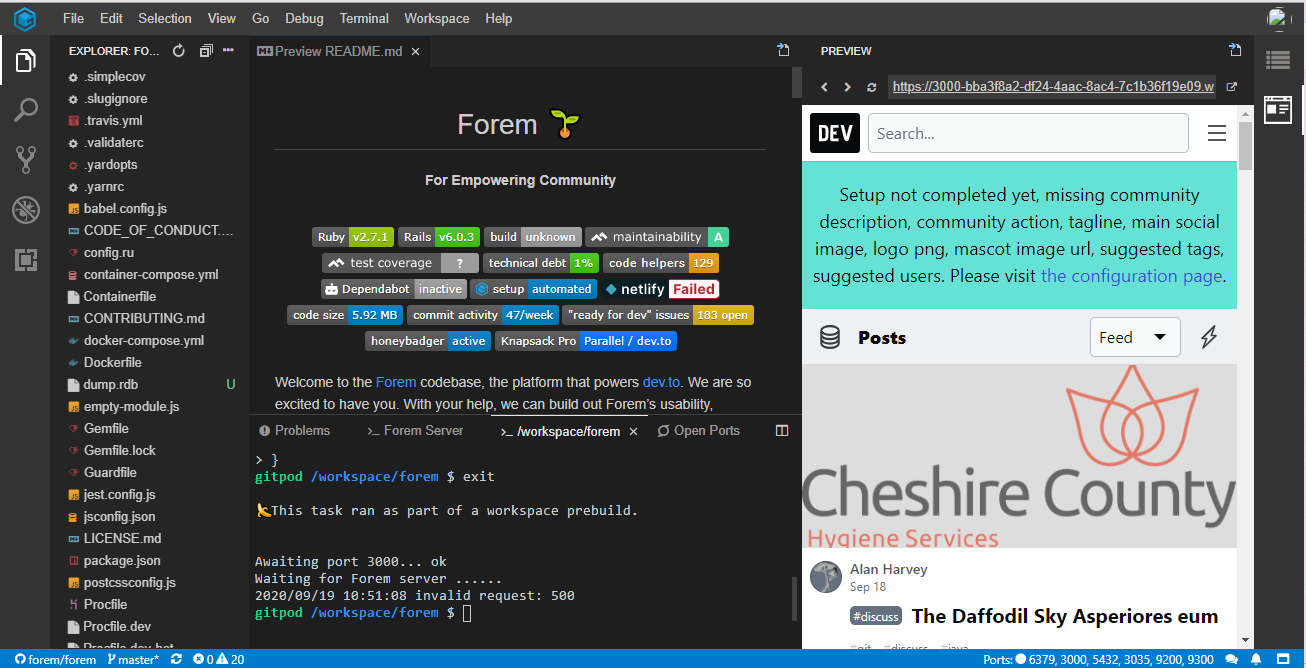
@rhymes @michael-tharrington @citizen428 , yesterday wasn't the best for me. I wasted close to 3gb trying to update my windows following the links for the windows installation in the docs. I was unsuccessful. I have however been able to successfully set up my dev environment using gitpod except that now I am confused as to how to use it. Here's how my gitpod looks.
KarenEfereyan
on 19 Sep 2020
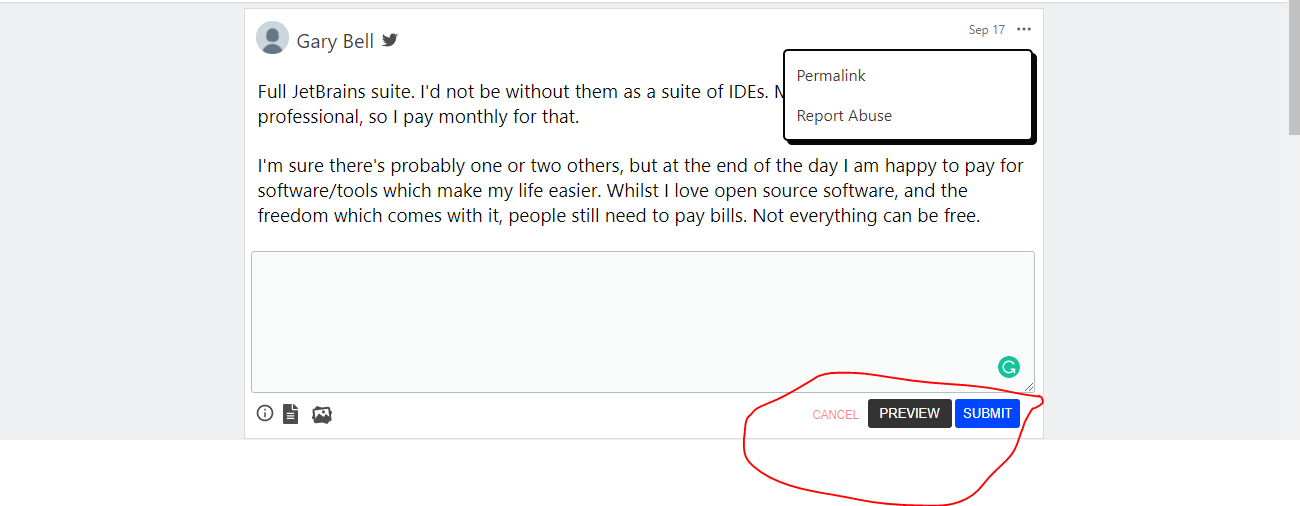
I'm thinking that the edit btn should be beside the preview and reply button, right? Like this....
KarenEfereyan
on 19 Sep 2020
Thanks for your effort @KarenEfereyan and sorry this isn't a smooth process for you.
I was unsuccessful.
Could you elaborate a bit on what went wrong? Is there something we should update in our docs?
successfully set up my dev environment using gitpod except that now I am confused as to how to use it
It's basically VSCode in the Cloud. Gitpod itself has good documentation.
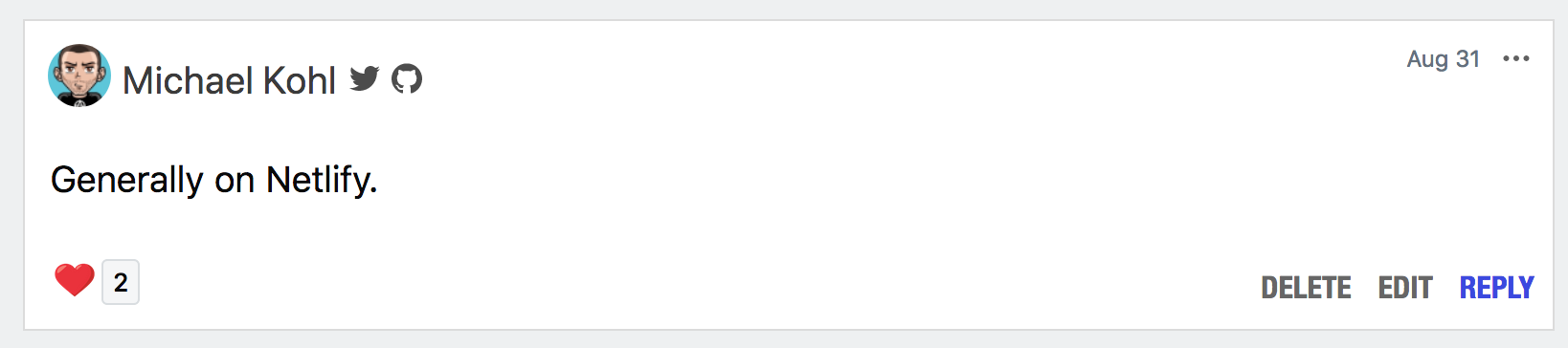
I'm thinking that the edit btn should be beside the preview and reply button
That's where it already is when a user edits their own comment:
citizen428
on 21 Sep 2020
I think in terms of a quick design something like this should work
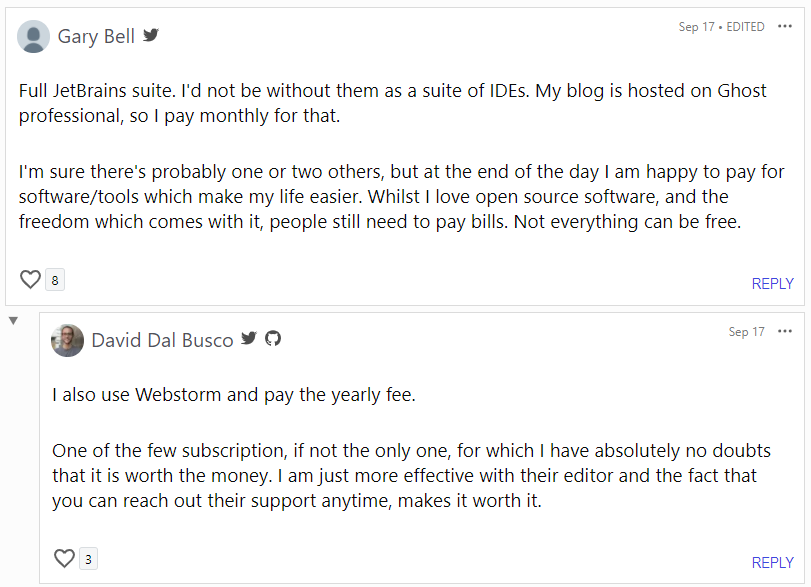
Which could be a change to this code
Something like this, though this is not tested it's just an idea.
<div class="comment-date">
<a href="<%= decorated_comment.path %>">
<time datetime="<%= decorated_comment.published_timestamp %>">
<%= decorated_comment.readable_publish_date %>
</time>
</a>
<% if !decorated_comment.edited_at.blank? %>
•
<span title="<%= decorated_comment.edited_at.strftime('%A, %d %B %Y, %T') %>">
EDITED
</span>
<% end %>
</div>
@rhymes I don't think there is a readable version of edited_at, is there?
Also styles will need changing slightly
.comment-date {
border: none;
position: absolute;
top: calc(14px - 0.25vw);
right: calc(35px + 0.2vw);
font-size: 12px;
color: var(--card-color-tertiary);
text-align: right;
a {
color: currentColor;
}
}
Something like this.
 Link2Twenty
on 22 Sep 2020
Link2Twenty
on 22 Sep 2020
@Link2Twenty thank you. I'm guessing this syntax is jekyll? I'm really new to it. Yes i think that design works, or maybe like was pointed out by the person who raised this, issue, the word edited, in small case in a bracket? I think any works fine by the way. How will I be able to test my changes though? Since I am using gitpod
KarenEfereyan
on 22 Sep 2020
I'm guessing this syntax is jekyll?
The syntax is Ruby's templating language but basically is HTML with a little bit of Ruby sprinkled in.
maybe like was pointed out by the person who raised this, issue, the word edited, in small case in a bracket?
Yeah that can work, the example they gave is how an edited message looks in the messaging area of Forem (called connect)
How will I be able to test my changes though? Since I am using gitpod.
I'm not actually sure where the test data come from, I guess we'd have to change the test data to include some edited comments.
EDIT: @rhymes or @citizen428 looking at this there is a PracticalDeveloper_development database, any chance either of you can modify it slightly to have some edited comments?
Link2Twenty
on 22 Sep 2020
OK, I've done a little digging. In the console at the bottom of GitPod you can type the following (press return after each line).
psql PracticalDeveloper_development
UPDATE comments SET edited_at = current_timestamp;
exit
This will update every comment to say it was updated just then.
If you only want to edit certain comments we can do that too like so.
psql PracticalDeveloper_development
select id, LEFT(processed_html, 30) as processed_html, edited_at from comments order by id;
Look down this list and find the ID numbers you want to update and take a note of them. You will then add them to the in list.
update comments set edited_at = current_timestamp where id in (1,3,5);
select id, LEFT(processed_html, 30) as processed_html, edited_at from comments order by id;
exit
This will mark all comments with matching IDs as edited.
Link2Twenty
on 22 Sep 2020
@Link2Twenty that's a lot but let me try it out right now
KarenEfereyan
on 22 Sep 2020
To get out of the select list you have to press the q key
Link2Twenty
on 22 Sep 2020

Link2Twenty
on 22 Sep 2020
@Link2Twenty Im thinking that video is for me. It's a little too fast. Here is a screenshot showing what I have currently. What i'm confused about is how to test those changes and see the edit button
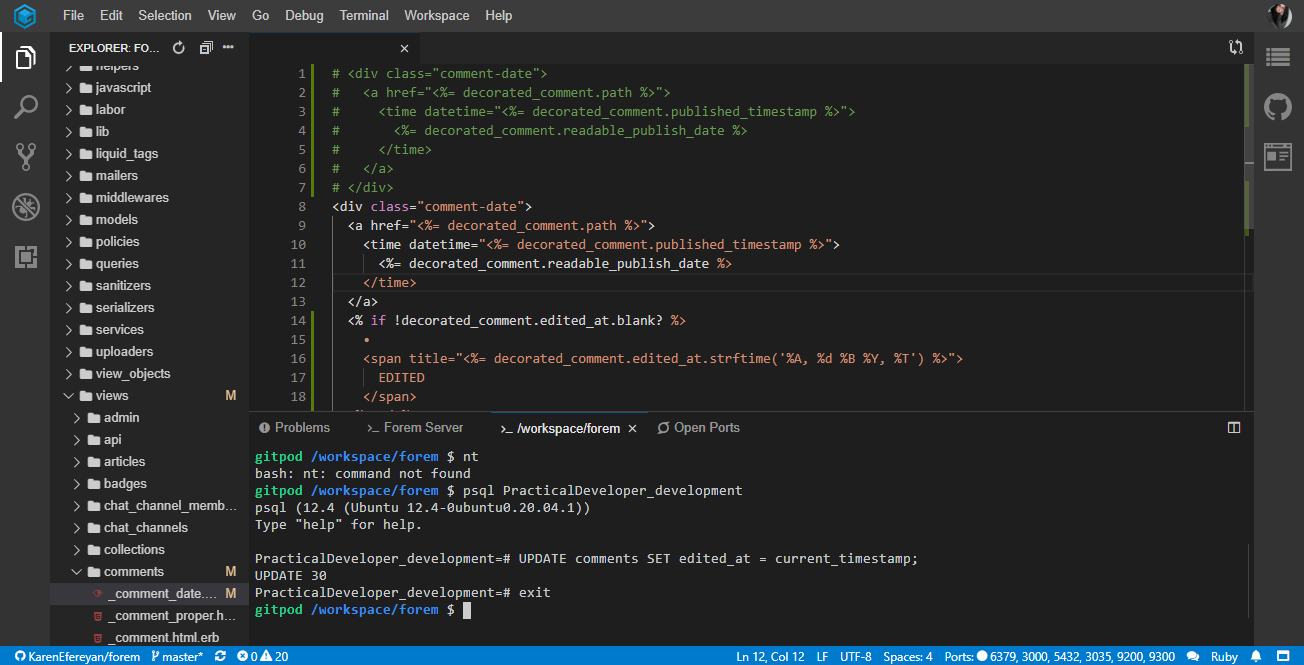
KarenEfereyan
on 22 Sep 2020
@Link2Twenty im starting to get the essence of the video. Could you make another one and be a little slower. Using your mouse to highlight each step of the way? Please?
KarenEfereyan
on 22 Sep 2020
@Link2Twenty Thanks for helping out here. I'm not sure if there's real value in adding an edited comment to the seeds, if I need something like that I usually do it with my own local user (create a commend and edit it in this case). At least you exactly which comment will be the updated one.
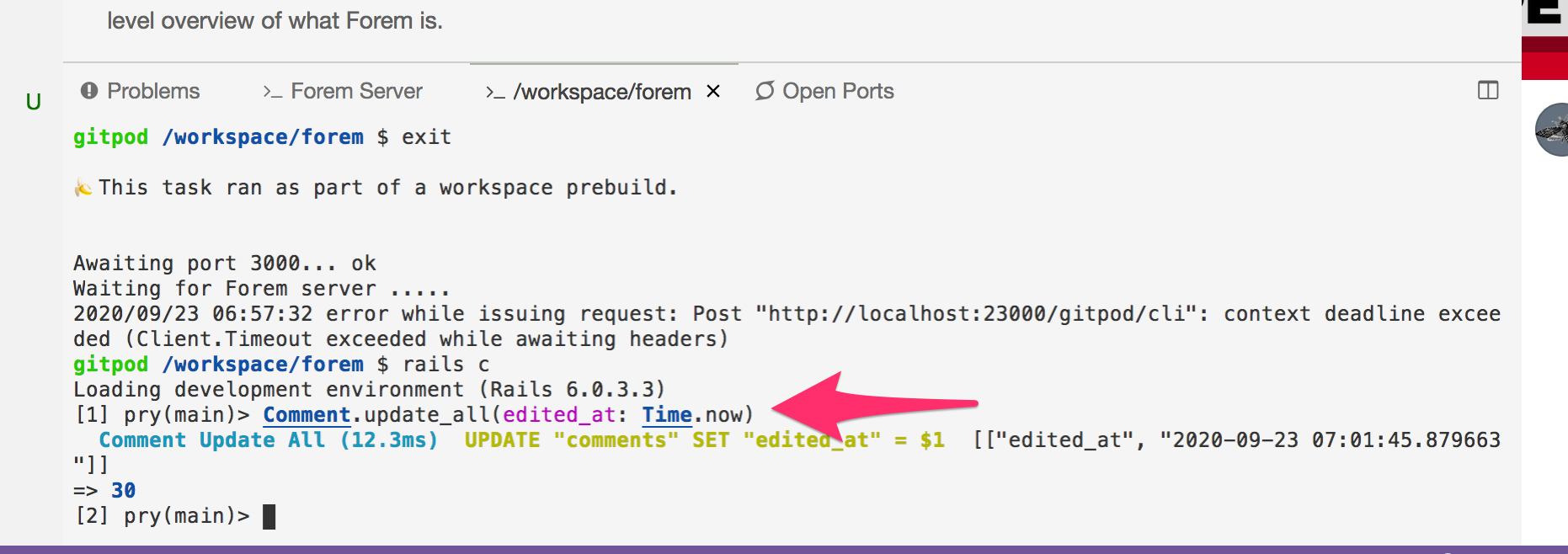
@KarenEfereyan Doing this through a SQL console can be a bit intimidating if you have never done it before, it's much easier in a Rails console:
# update a single comment
Comment.last.update(edited_at: Time.now)

# update all comments
Comment.update_all(edited_at: Time.now)
You can start a Rails console by typing rails c into the terminal Window on GitPod:
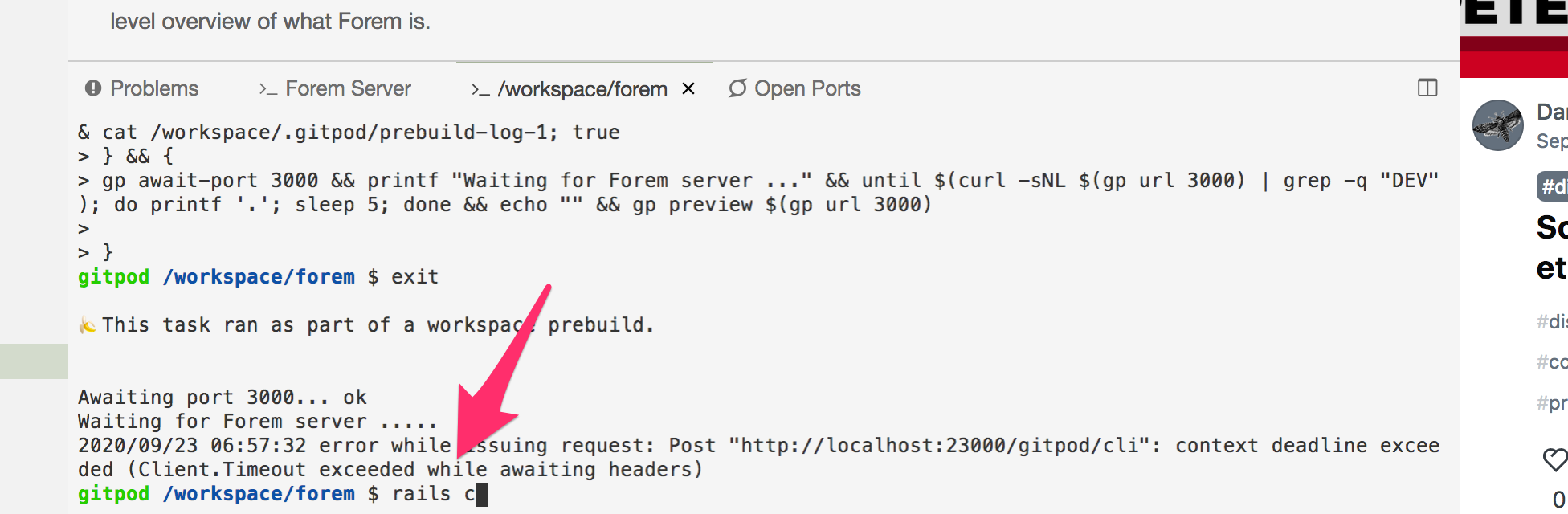
Once it has started, execute one of the commands above to mark the newest or all comments as edited:
citizen428
on 23 Sep 2020
@citizen428 That's a much better way to do it 😊
@KarenEfereyan In your screen shot it looks like you did everything right, you just need to load the preview.
Press the preview button.
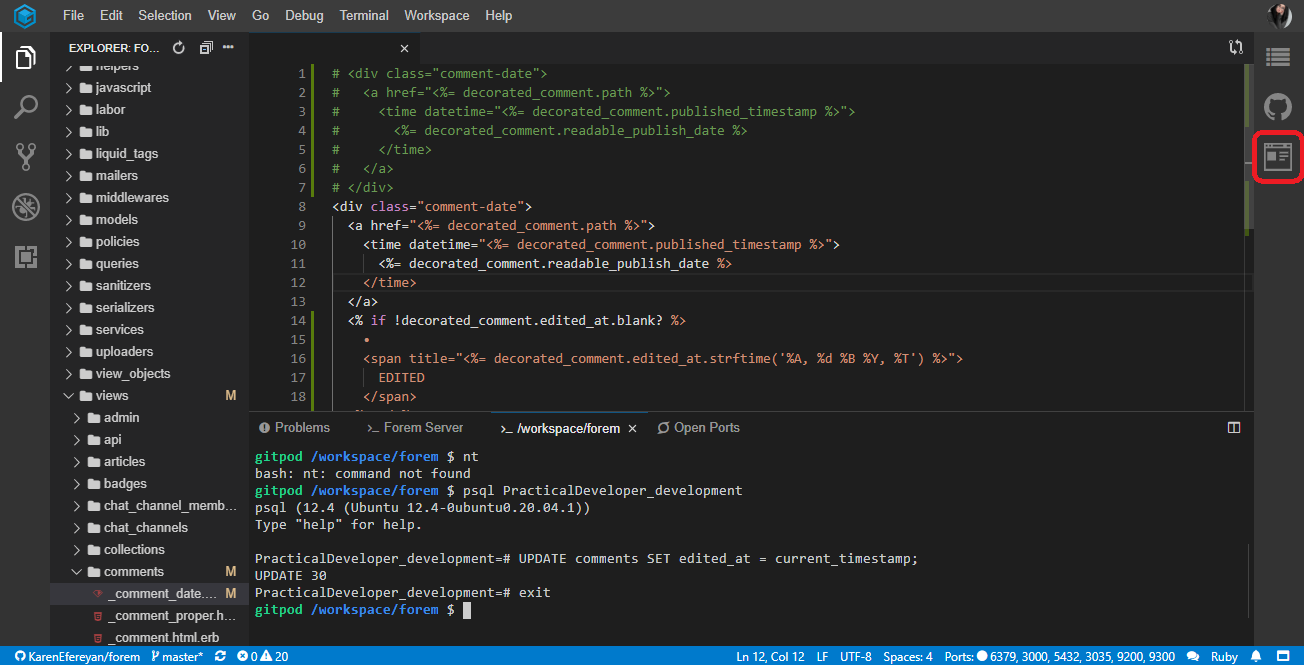
Then if you would rather have the preview in a new tab press the pop out button
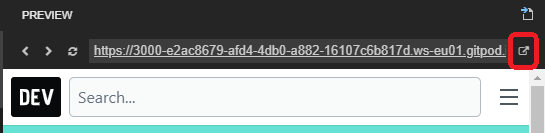
Link2Twenty
on 23 Sep 2020
@citizen428 and @Link2Twenty let me try that now. I'm sorry if i caused any inconveniences, Just really trying to learn
KarenEfereyan
on 23 Sep 2020
I don't seem to have the preview button. Just the outline and the github button @Link2Twenty and @citizen428
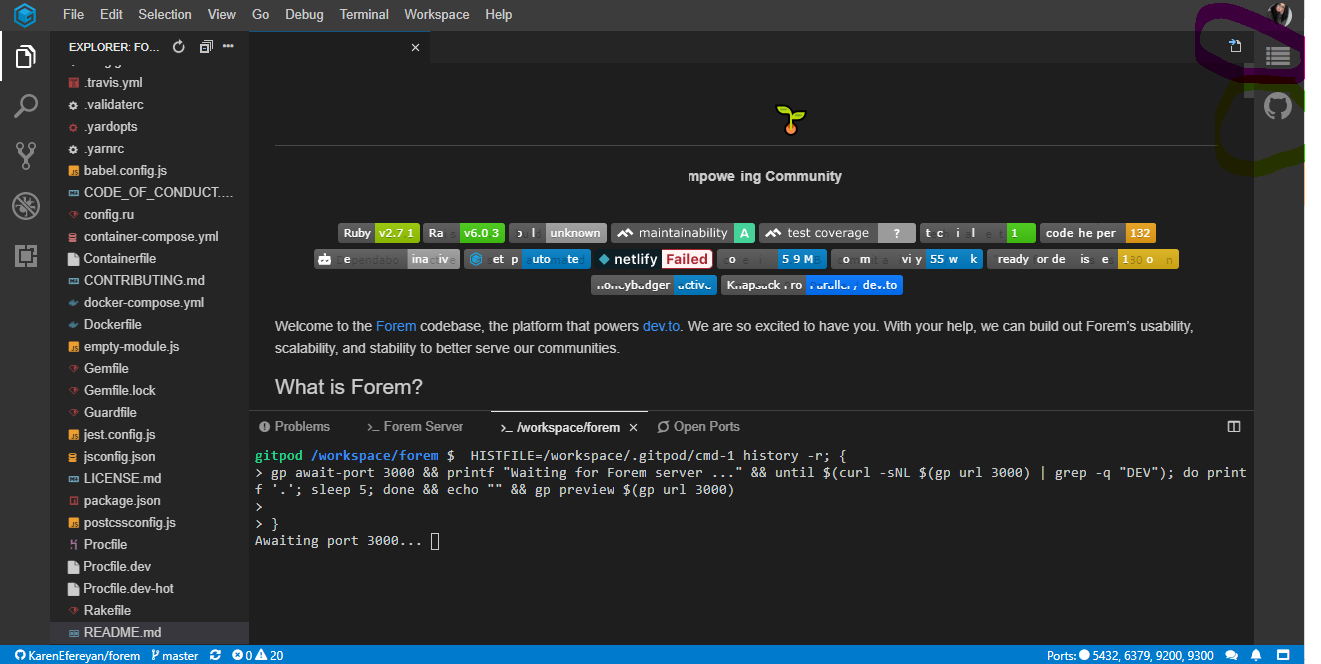
KarenEfereyan
on 23 Sep 2020
@KarenEfereyan you have nothing to be sorry for, if people hadn't been patient with me when I started out I'd still know nothing now 😊
Link2Twenty
on 23 Sep 2020
It's still loading give it a few moments
Link2Twenty
on 23 Sep 2020
@KarenEfereyan you have nothing to be sorry for, if people hadn't been patient with me when I started out I'd still know nothing now 😊
that made me feel much better. I don't think its still loading though. The workspace's been open for the past 10mins
KarenEfereyan
on 23 Sep 2020
What does this bit say now?

Link2Twenty
on 23 Sep 2020
What does this bit say now?
I don't understand this. But up till now, I do not see a preview button. I don't know why that is
KarenEfereyan
on 23 Sep 2020
Ok let's go through it.
Click this link https://gitpod.io/#https://github.com/forem/forem.
It will take a few minutes to load but then you'll see what looks like VSCode (do you use VSCode normally?)
You see when it first loads I don't have the preview button but that's because it's still loading.
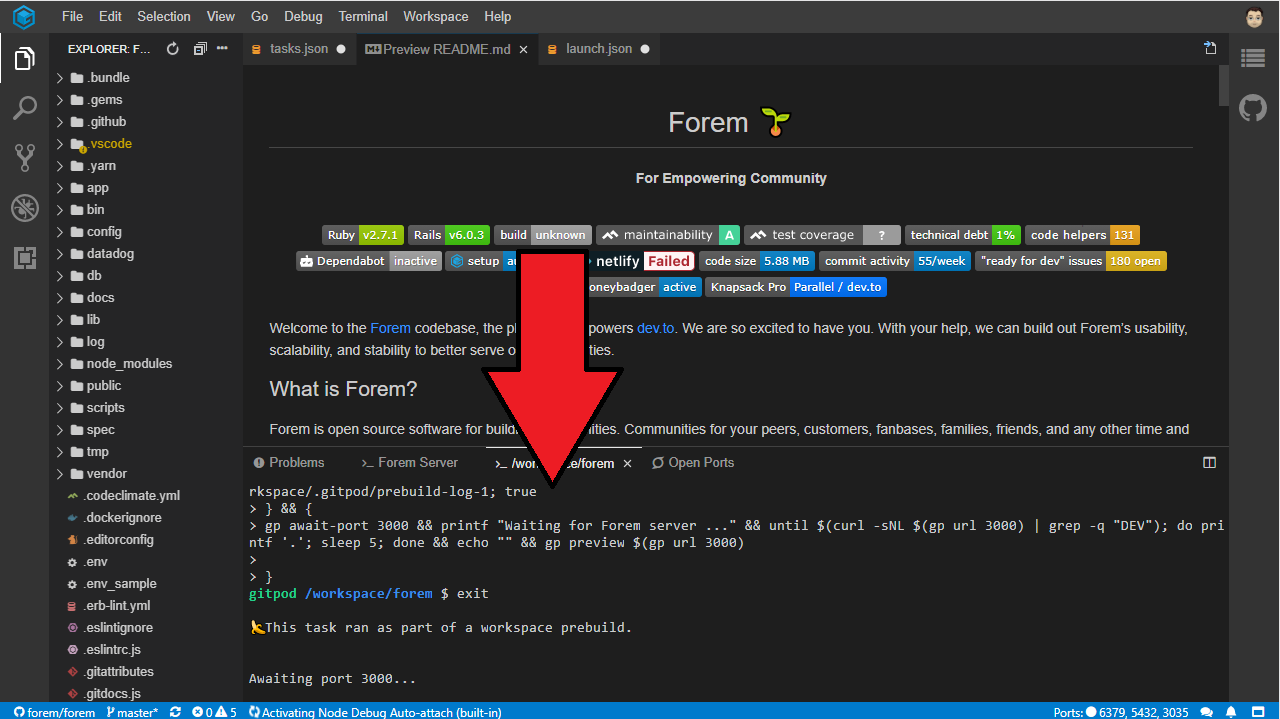
You see how it's running some commands for us? It's telling us it's waiting for port 3000 (this is where the test site will appear so it's waiting for us).
After waiting a few more minutes the text in that box has changed and we've got the preview button.

You see it's added a few more lines and now has changed in a way that allows us to type in

Now if we press the preview button we'll get a little panel like this, which also has the pop out button on it.
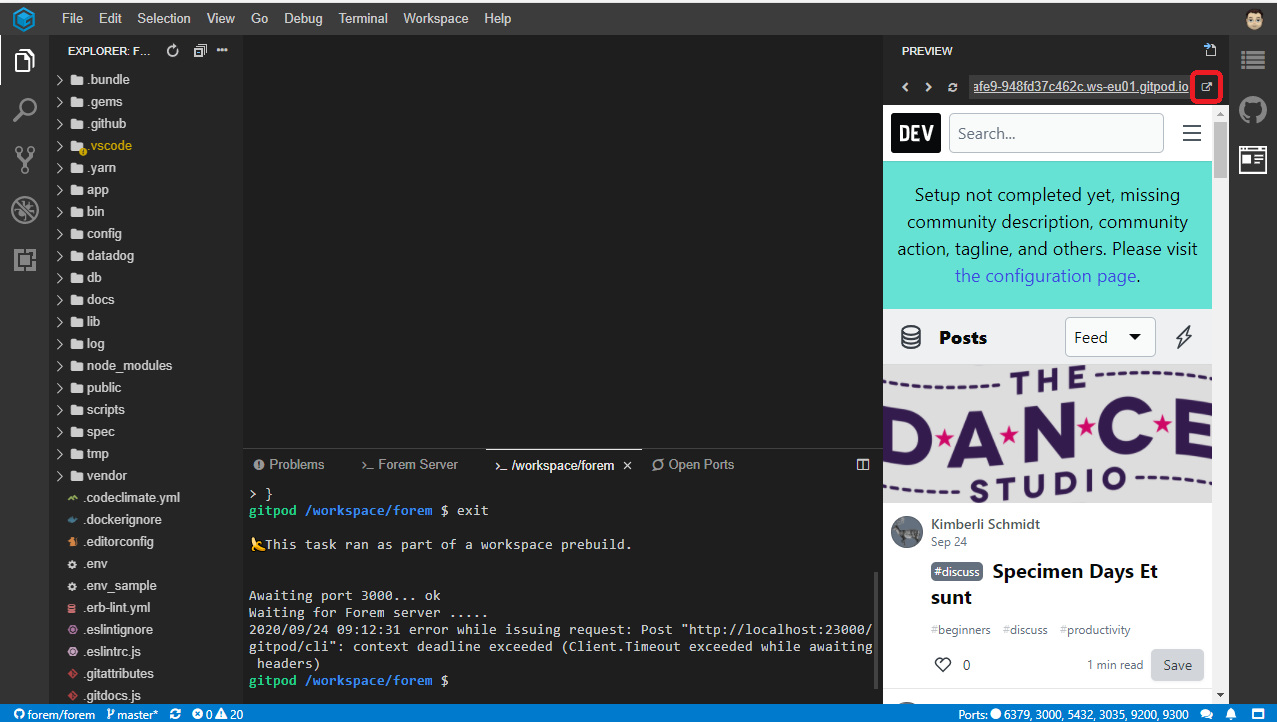
Now when you make changes you just have to refresh the popped out page to see those changes.
Link2Twenty
on 24 Sep 2020
Trust me @Link2Twenty I saw all these steps. Except the preview button. Do you think that by any chance possible, we could have a zoom or google meet call and I could actually share my screen and you could explain to me better? If that would be at all possible, do let me know. I could whip up a meeting in less than a minute
KarenEfereyan
on 24 Sep 2020
@Link2Twenty i've gotten the preview button. Seems the network was bad earlier.
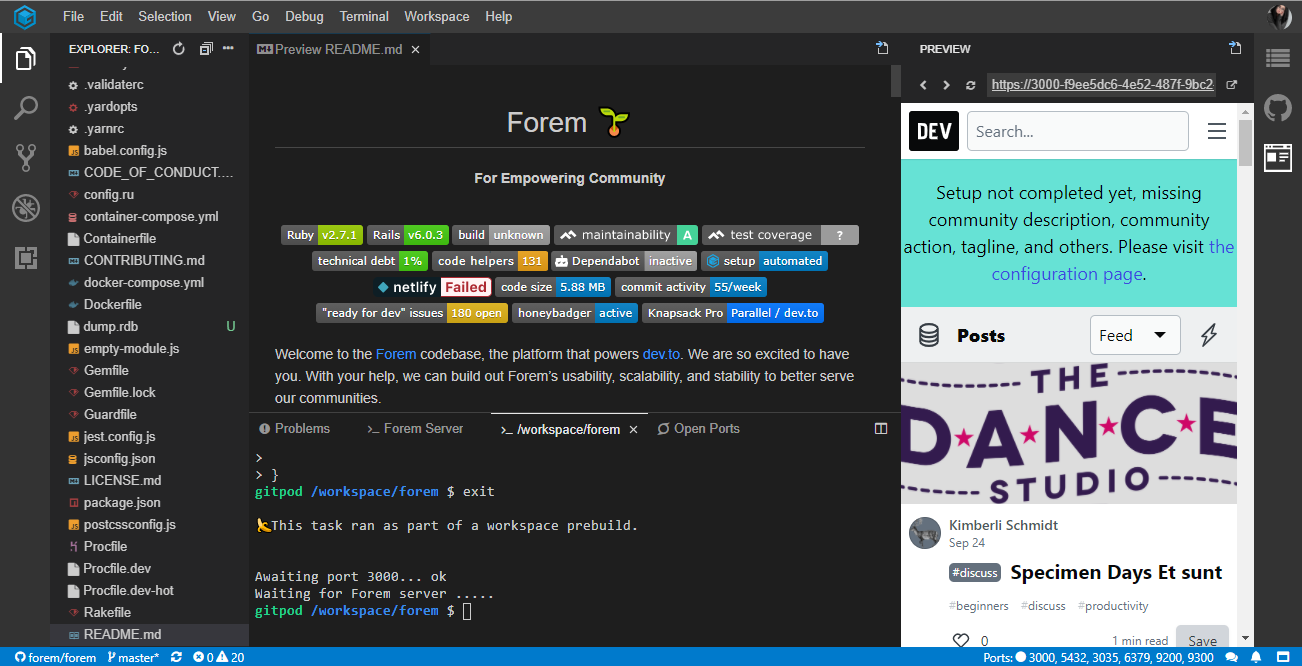
Let's see if I can get this to work
KarenEfereyan
on 24 Sep 2020
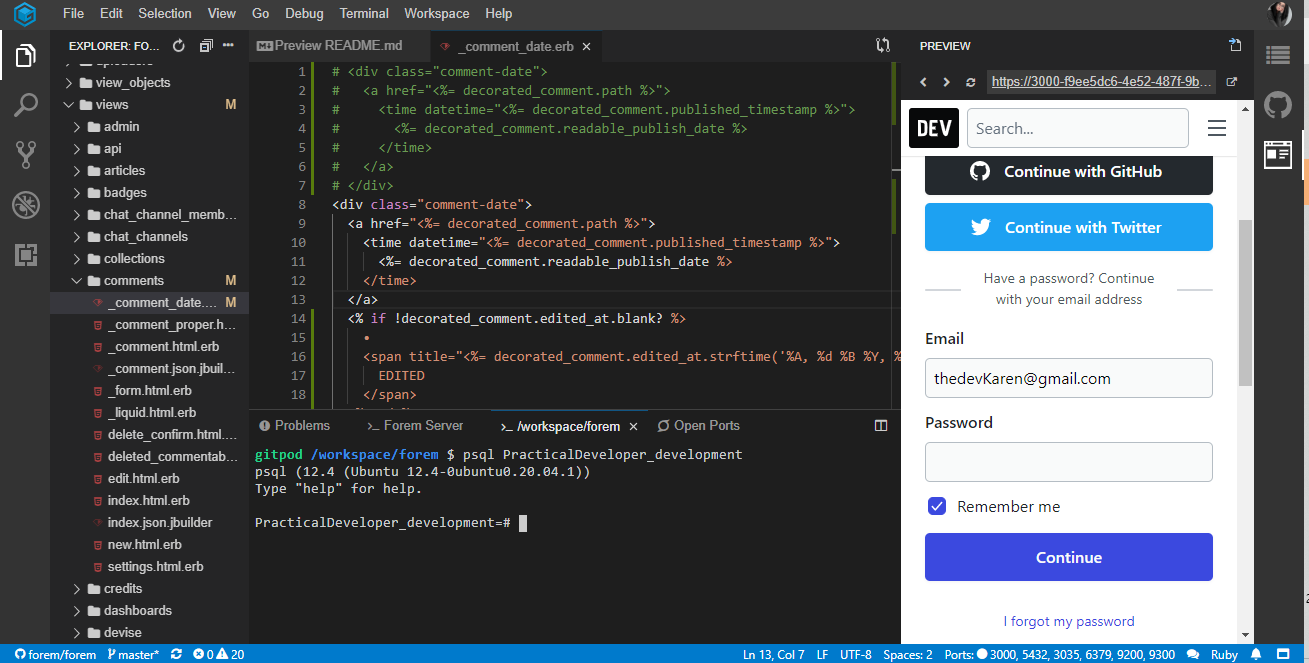
@Link2Twenty I'm trying to go over the steps again.
Step 1 : I've updated the _comment_date.erb file to look like the test code you sent me above. And i've run the psql practical dev command in the terminal. Here is how it looks
KarenEfereyan
on 24 Sep 2020
I ran this command, select id, LEFT(processed_html, 30) as processed_html, edited_at from comments order by id;
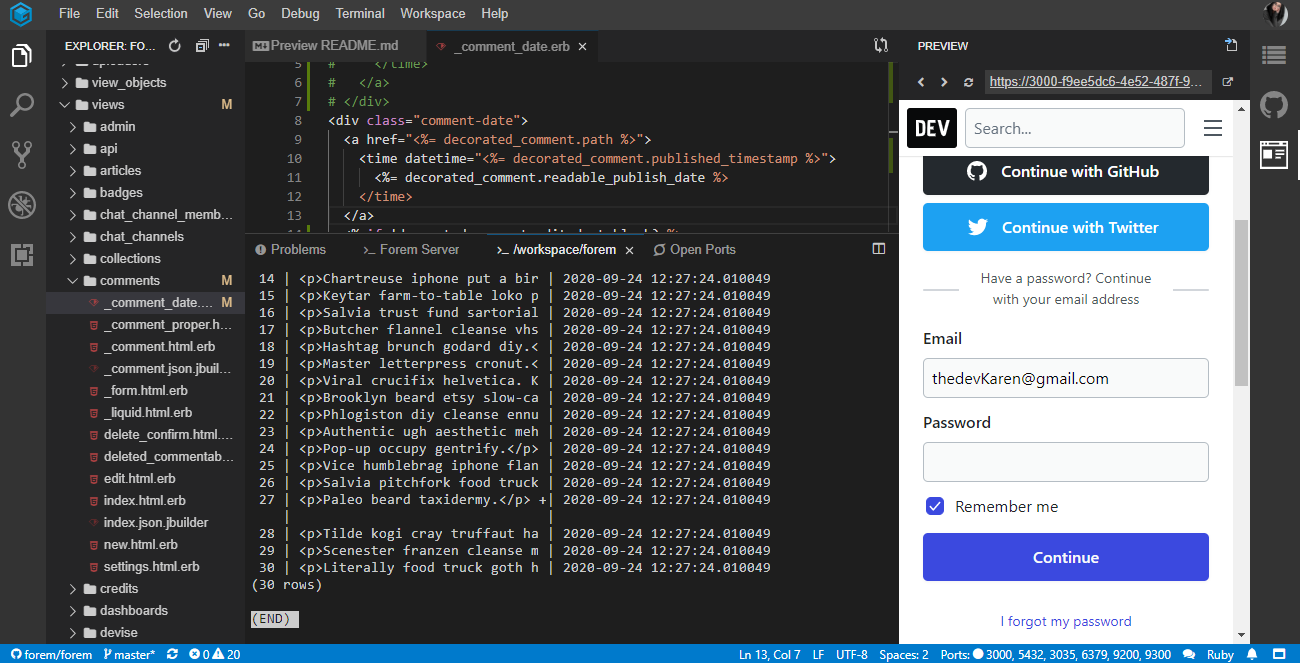
which then shows me the list of all available comments like this...
KarenEfereyan
on 24 Sep 2020
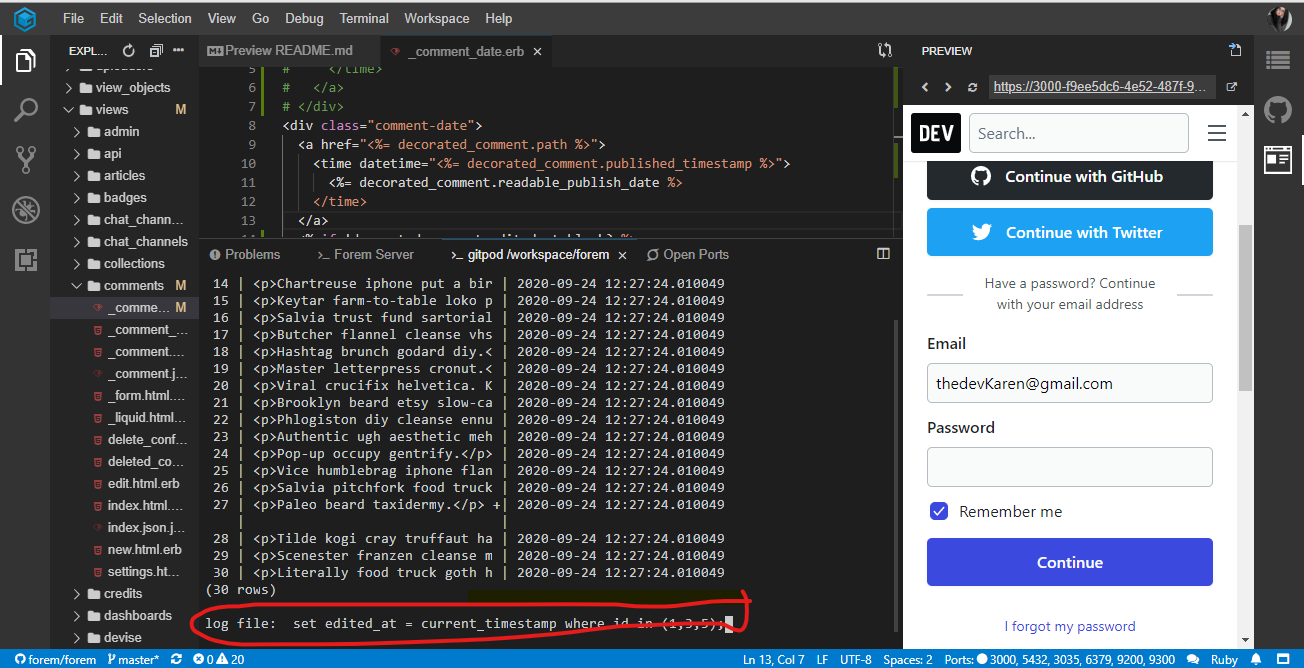
When I try to update the comments with these Id's , using this command, update comments set edited_at = current_timestamp where id in (1,3,5);
I get this error
KarenEfereyan
on 24 Sep 2020
Yep so you don't need to log in to the preview, just find a comment you want to appear as though it's edited.
So if you click the first post you see with comments.
For me that's "Little Hands Clapping Saepe quia".
Scroll down to the comment and you see it says "Synth post-ironic chicharrones tote bag whatever marfa selvage actually. Sustainable vhs forage goth letterpress kogi mustache."
It looks like ID 5 matches that comment.
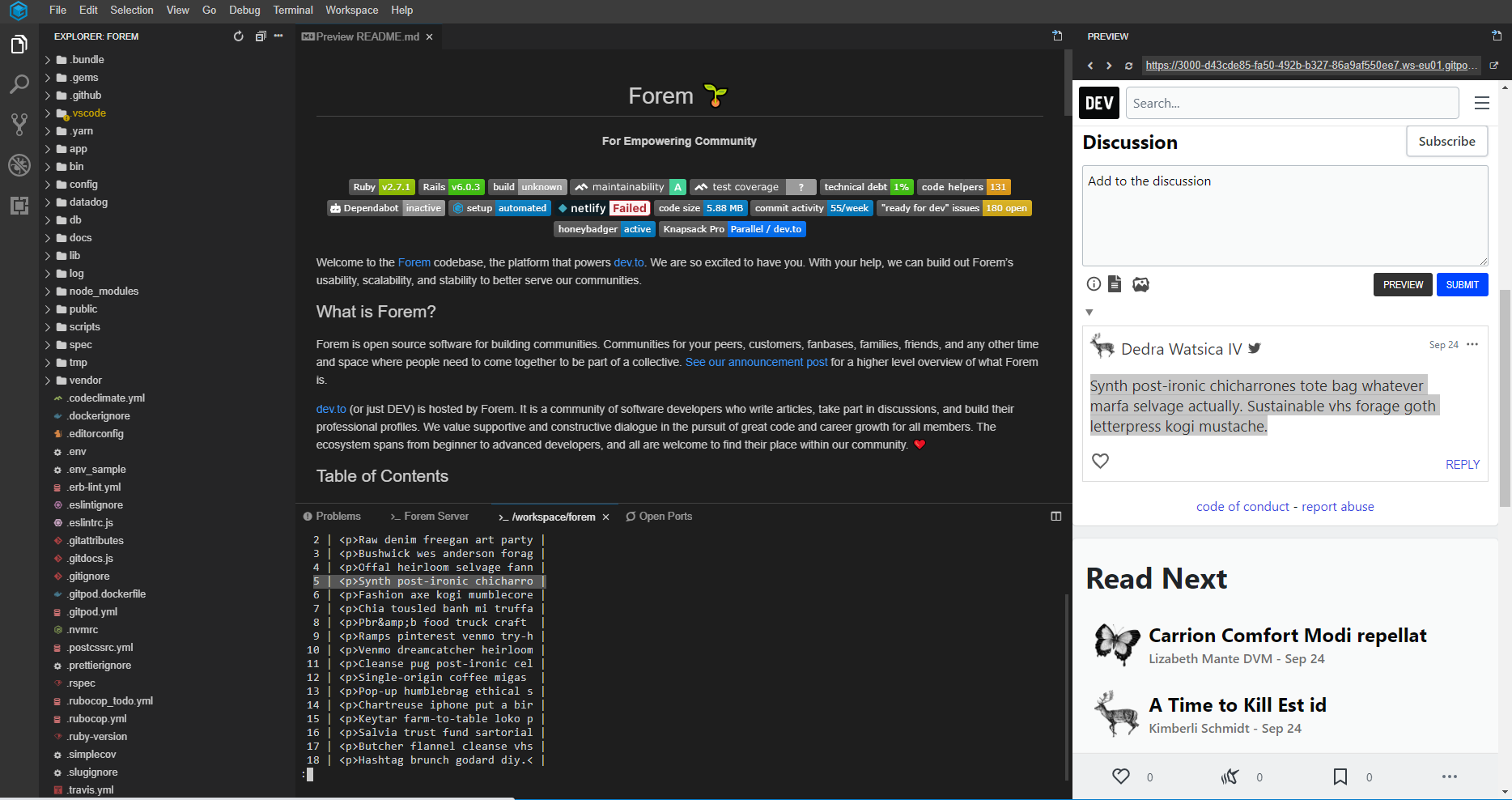
so now I press q on my keyboard to close that list.
my update command now becomes
update comments set edited_at = current_timestamp where id in (5);
so I type that in and see this

and that's it.
to reload the preview I press this button
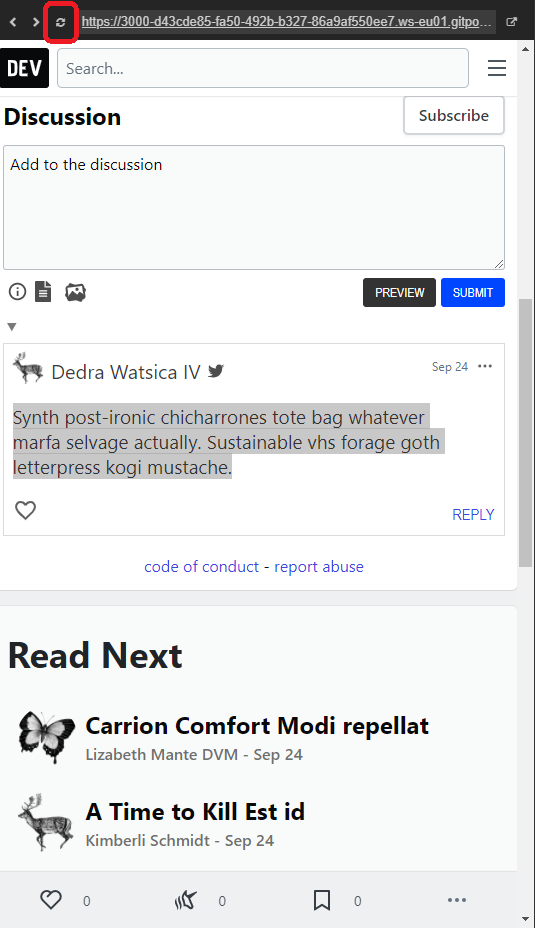
And navigate back to that comment to see if the change has worked
Link2Twenty
on 24 Sep 2020
Oh okay. I get it now. I'll do it right now. That :q was my problem. I was figuring out a way to quit that list. Give me a minute. Let me try that
KarenEfereyan
on 24 Sep 2020
I thought the articles showing up in the preview should be synonymous to the description is the list of articles on the left. The other time the article with the title 'Synth ... something' corresponded with the id of 5. But ive tried refreshing the preview up to three times but I can't find any article in the preview similar to the one in the list.
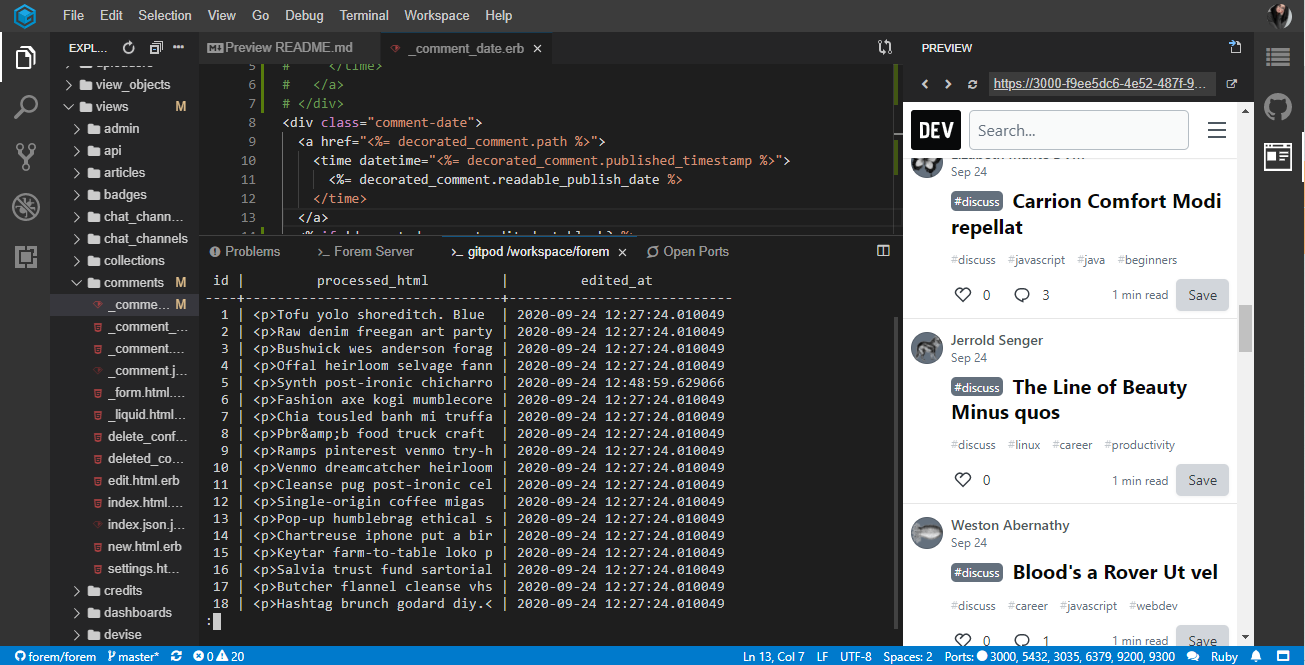 I even tried using the search bar. Maybe my eyes missed it?
KarenEfereyan
on 24 Sep 2020
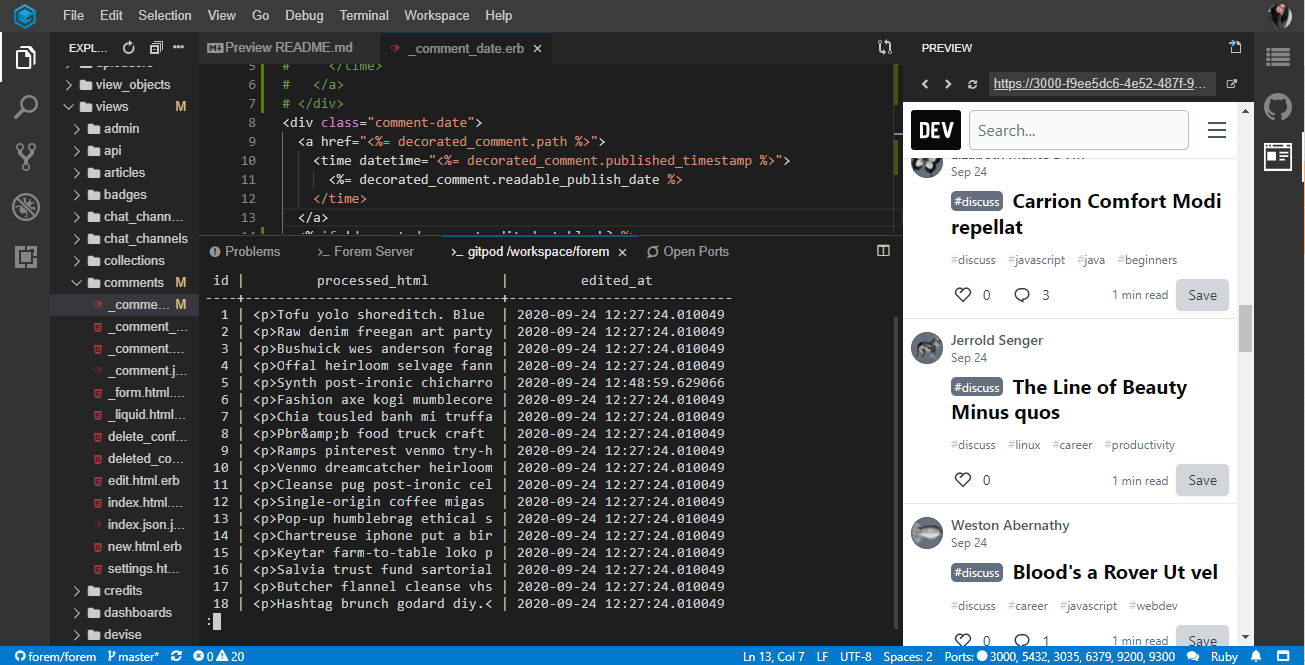
We're looking for comments not articles so click on an article with the comment icon like this:

Scroll down to the comments section and you'll be able to find them in that list.
Link2Twenty
on 24 Sep 2020
Oh okay. See this
KarenEfereyan
on 24 Sep 2020
I guessed its worked now. But my laptop is dead now
KarenEfereyan
on 24 Sep 2020
I've made a super quick video of me going through the steps I'm trying to show the tooltips at the end but my screen recorder didn't pick them up.
Link2Twenty
on 24 Sep 2020
@rhymesthis is up for grabs then? I am a new contributor to forem. My windows build is 1903 so I am looking at other ways to get my development environment set up. I would love to take on this issue.
Hey @KarenEfereyan, Microsoft made WSL2 backward compatible with version 1903, Build 18362 or higher which should allow you to get WSL2 running with your current windows. If the GitPod approach doesn't end up working out, I can definitely help you out with getting it running on Windows!
 Amorpheuz
on 25 Sep 2020
Amorpheuz
on 25 Sep 2020
I've made a super quick video of me going through the steps I'm trying to show the tooltips at the end but my screen recorder didn't pick them up.
Ill take a look at it. Electricity is a major problem for me over here
KarenEfereyan
on 25 Sep 2020
@rhymesthis is up for grabs then? I am a new contributor to forem. My windows build is 1903 so I am looking at other ways to get my development environment set up. I would love to take on this issue.Hey @KarenEfereyan, Microsoft made WSL2 backward compatible with version 1903, Build 18362 or higher which should allow you to get WSL2 running with your current windows. If the GitPod approach doesn't end up working out, I can definitely help you out with getting it running on Windows!
That would be great. Do i set up a zoom meeting tomorrow while you take me through the steps?
KarenEfereyan
on 25 Sep 2020
@rhymesthis is up for grabs then? I am a new contributor to forem. My windows build is 1903 so I am looking at other ways to get my development environment set up. I would love to take on this issue.Hey @KarenEfereyan, Microsoft made WSL2 backward compatible with version 1903, Build 18362 or higher which should allow you to get WSL2 running with your current windows. If the GitPod approach doesn't end up working out, I can definitely help you out with getting it running on Windows!
That would be great. Do i set up a zoom meeting tomorrow while you take me through the steps?
KarenEfereyan
on 25 Sep 2020
@rhymesthis is up for grabs then? I am a new contributor to forem. My windows build is 1903 so I am looking at other ways to get my development environment set up. I would love to take on this issue.Hey @KarenEfereyan, Microsoft made WSL2 backward compatible with version 1903, Build 18362 or higher which should allow you to get WSL2 running with your current windows. If the GitPod approach doesn't end up working out, I can definitely help you out with getting it running on Windows!
That would be great. Do i set up a zoom meeting tomorrow while you take me through the steps?
KarenEfereyan
on 25 Sep 2020
@rhymesthis is up for grabs then? I am a new contributor to forem. My windows build is 1903 so I am looking at other ways to get my development environment set up. I would love to take on this issue.Hey @KarenEfereyan, Microsoft made WSL2 backward compatible with version 1903, Build 18362 or higher which should allow you to get WSL2 running with your current windows. If the GitPod approach doesn't end up working out, I can definitely help you out with getting it running on Windows!
That would be great. Do i set up a zoom meeting tomorrow while you take me through the steps?
Would it be okay for you to contact me via DEV Connect? We can co-ordinate the call and other details over it.
You will need to be on Version 1903 or higher, with Build 18362 or higher for WSL2, which you can get via a minor Windows update if required. (Don't need to update versions)
Amorpheuz
on 26 Sep 2020
@Link2Twenty good evening. I'm so sorry I've been on and off. I stay in Nigeria and in my area, electricity is a problem. We haven't had electricity in 2 days and that is why I have been mia. I am so sorry. I seem to have gotten a hang of it though. It has been edited. Like so...
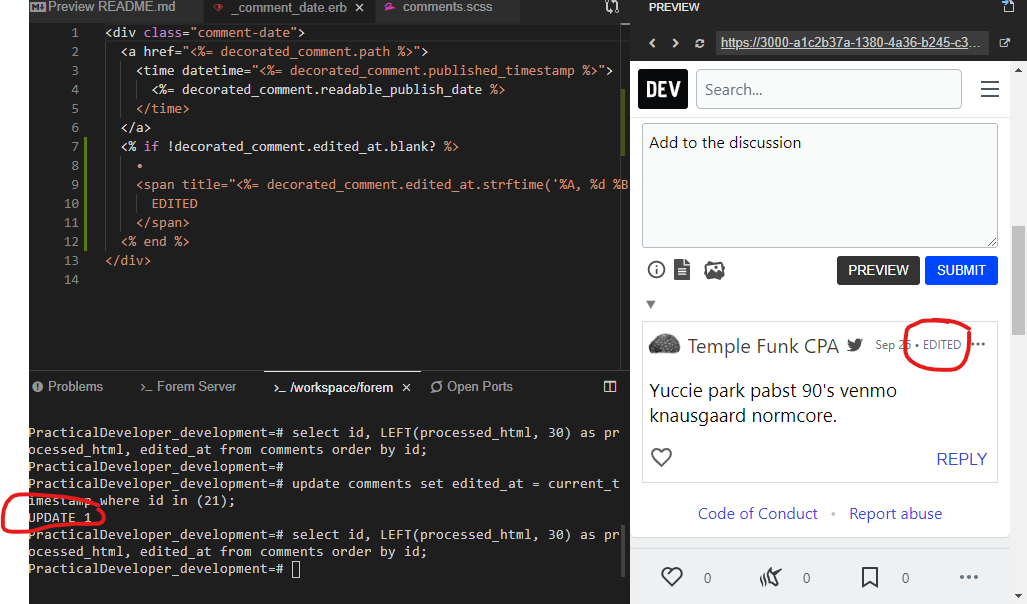
The next question I want to ask is, does the current implementation solve the issue? If not what more do I need to do?
KarenEfereyan
on 26 Sep 2020
@citizen428 @rhymes @Link2Twenty does the work i did last solve the issue. I just commented on a post via dev and i edited it. I see why the edited span is needed. 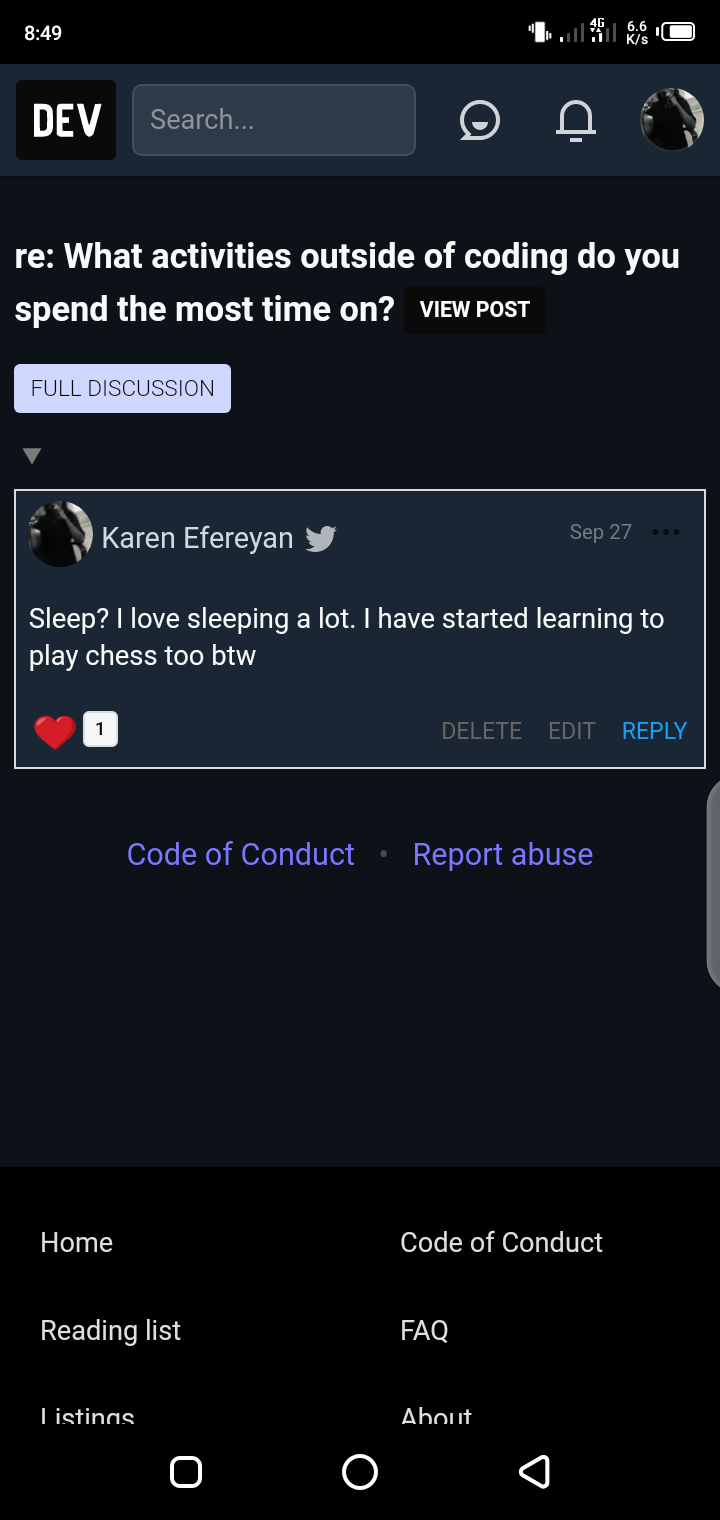
KarenEfereyan
on 27 Sep 2020
All im wondering now is if what ive done now solves that issue
KarenEfereyan
on 27 Sep 2020
@Link2Twenty good evening. I'm so sorry I've been on and off. I stay in Nigeria and in my area, electricity is a problem. We haven't had electricity in 2 days and that is why I have been mia. I am so sorry. I seem to have gotten a hang of it though. It has been edited. Like so...
[image]
The next question I want to ask is, does the current implementation solve the issue? If not what more do I need to do?
No need to apologise 😊
That looks like it's exactly right. Now you need to make a pull request to request your code be merged into the main code base.
Once you've made the PR (pull request) some of the staff at forem will give it a look over and if they have any comments they'll make them, they may ask you to make a couple of changes but they will talk you through what they want. Once they're happy with it your code will be added to the code base for all forems including DEV 😁
Link2Twenty
on 28 Sep 2020
Yippie. But can i make a PR from gitpod? As i dont have the right dev environment set up
KarenEfereyan
on 28 Sep 2020
I'd suggest pressing the fork button on the top right of git

Then in gitpod if you press the Git button
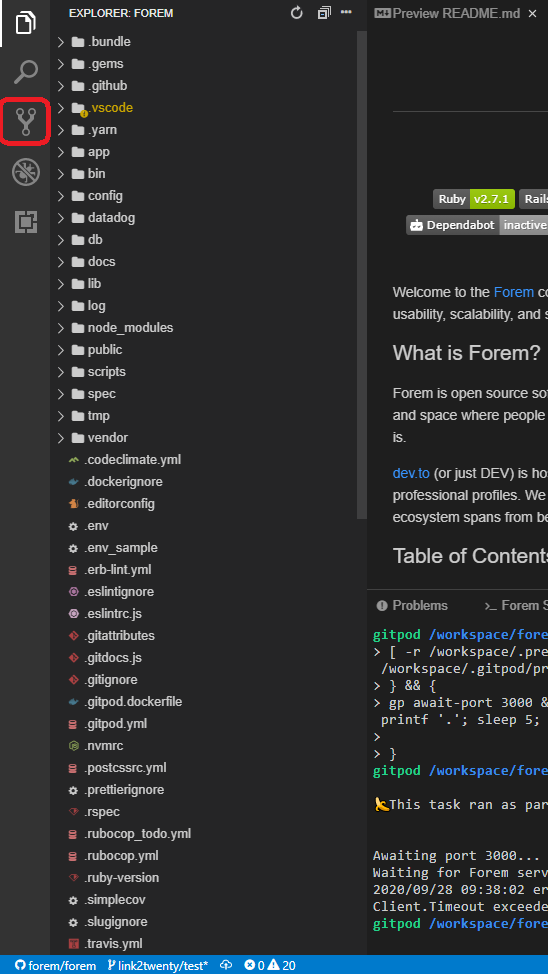
It will tell you you don't have permission but does give you a fork button.
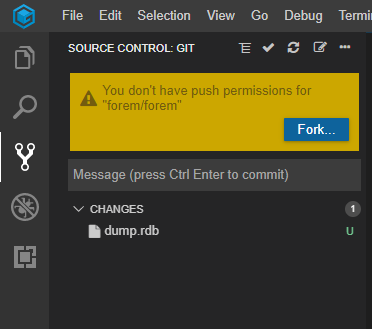
press fork and it will ask you if you want to use the fork you just made

Press that top option and then you can push to your fork.
Visit your fork through git and you can create a PR from there.
Link2Twenty
on 28 Sep 2020
Thank you @Link2Twenty ill let you know if i have any blockers
KarenEfereyan
on 28 Sep 2020
@Link2Twenty @citizen428 I have made my changes and staged them. But when i try to make a PR, no changes are being found. Here is what the PR tab looks like from my forked copy of the forem repository. I thnk the comparison should be between this branch of my forked repo and master branch of the original main forem repo, right?
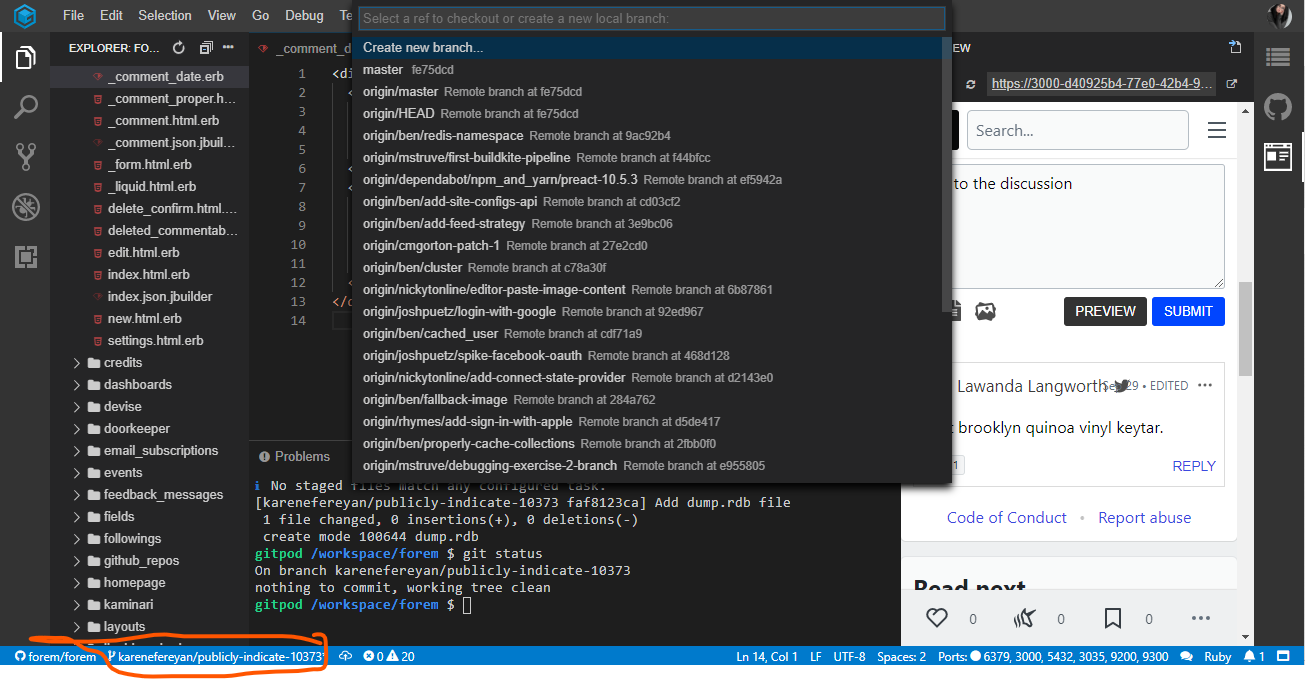
Meanwhile, here is how my PR page looks like
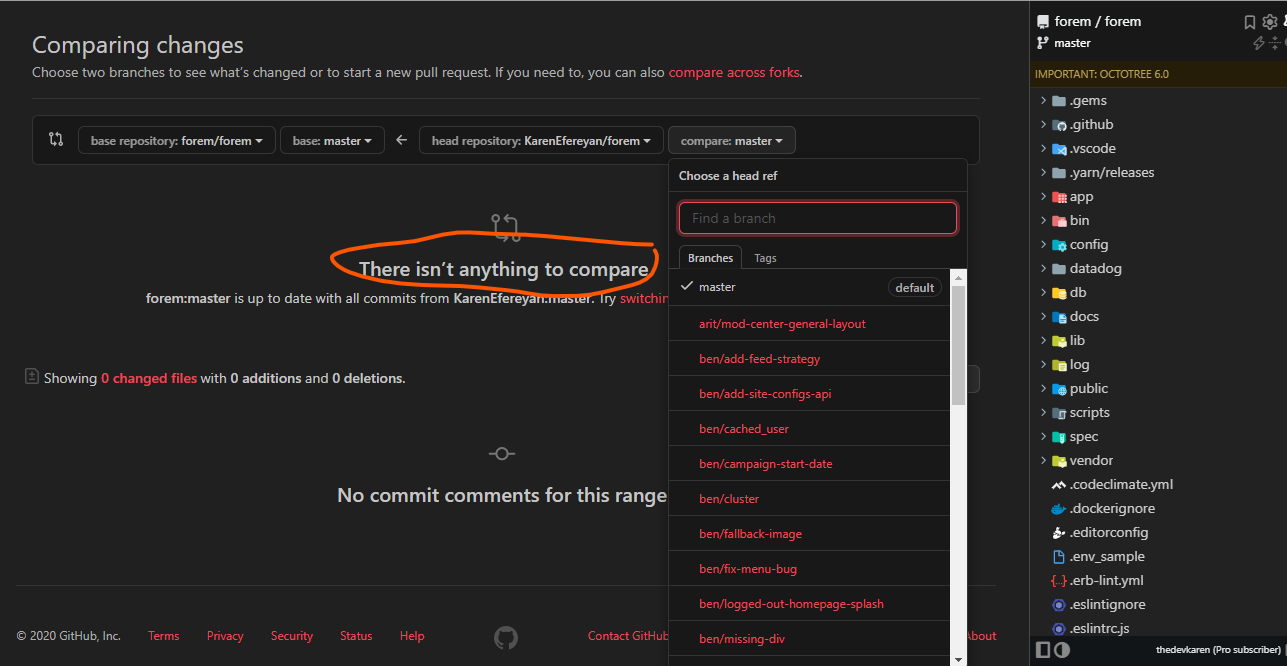
Am i to create a new branch? Though I thought the new branch is this one , karenefereyan/publicly-indicate/10373?
KarenEfereyan
on 29 Sep 2020
Related issues
 abraham
·
23Comments
abraham
·
23Comments
 venarius
·
55Comments
rhymes
·
26Comments
venarius
·
55Comments
rhymes
·
26Comments
 SeanKilleen
·
32Comments
SeanKilleen
·
32Comments
 treeternity
·
22Comments
treeternity
·
22Comments
Most helpful comment
@Link2Twenty Thanks for helping out here. I'm not sure if there's real value in adding an edited comment to the seeds, if I need something like that I usually do it with my own local user (create a commend and edit it in this case). At least you exactly which comment will be the updated one.
@KarenEfereyan Doing this through a SQL console can be a bit intimidating if you have never done it before, it's much easier in a Rails console:
You can start a Rails console by typing
rails cinto the terminal Window on GitPod:Once it has started, execute one of the commands above to mark the newest or all comments as edited: