Flycast: RetroArch Reicast crashing after loading a game on Windows.
Using windows 7, retroarch latest nightly after updating the Retroarch reicast core, reicast crashes when loading any rom, I think the merge of oit and normal reicast may have caused it, it worked fine in previous build, here is a log:
[INFO] DEFAULT_ON 00
[INFO] Environ GET_VARIABLE reicast_vmu4_pixel_off_color:
[INFO] DEFAULT_OFF 01
[libretro INFO] File extension is: .gdi
[INFO] Environ SET_HW_RENDER.
[INFO] Requesting core OpenGL context (4.3).
[INFO] Skipping SRAM load..
[INFO] Version of libretro API: 1
[INFO] Compiled against API: 1
[INFO] [WGL] extensions: WGL_EXT_depth_float WGL_ARB_buffer_region WGL_ARB_extensions_string WGL_ARB_make_current_read WGL_ARB_pixel_format WGL_ARB_pbuffer WGL_EXT_extensions_string WGL_EXT_swap_control WGL_EXT_swap_control_tear WGL_ARB_multisample WGL_ARB_pixel_format_float WGL_ARB_framebuffer_sRGB WGL_ARB_create_context WGL_EXT_pixel_format_packed_float
[INFO] Shader log: ERROR: 0:1: '' : Version number not supported by OGL driver
ERROR: 3:1: 'in' : supported in GLSL 1.30 or later
ERROR: 3:1: 'in' : supported in GLSL 1.30 or later
ERROR: 3:1: 'in' : supported in GLSL 1.30 or later
ERROR: 3:1: 'out' : supported in GLSL 1.30 or later
[ERROR] Failed to compile vertex shader #0
[ERROR] Failed to link program #0.
[ERROR] GLSL stock programs failed to compile.
[INFO] Shader log: ERROR: 0:1: '' : Version number not supported by OGL driver
ERROR: 3:1: 'in' : supported in GLSL 1.30 or later
ERROR: 3:1: 'in' : supported in GLSL 1.30 or later
ERROR: 3:1: 'in' : supported in GLSL 1.30 or later
ERROR: 3:1: 'out' : supported in GLSL 1.30 or later
[ERROR] Failed to compile vertex shader #0
[ERROR] Failed to link program #0.
[ERROR] GLSL stock programs failed to compile.
[ERROR] Fatal error received in: "init_video()"
[ERROR] failed_to_start_audio_driver
[libretro INFO] Using Recompiler
The same build is working fine on Android:
https://github.com/libretro/reicast-emulator/commit/86f371be385dc712f24353efbb3ab03788d89a87
 blackman91
All 15 comments
Hi,
This is what I did and it worked for me :
1) Delete the 2 core (regular +OIT) and the info file corresponding
2) Update info file
3) Update core but be carrefull to download the "reicast_oit_libretro.dll.zip" core and not the "Sega-Dreamcat/Naomi(Reicast)" core that dont work anymore.
 hostile1975
on 6 Oct 2018
hostile1975
on 6 Oct 2018
Is it normal the info file (reicast_libretro) and the core (reicast_oit_libretro) don't have anymore the same name ?
hostile1975
on 6 Oct 2018
The reicast_oit_libretro.dll (or .so) shouldn't be used anymore. See this:
https://www.libretro.com/index.php/reicast-libretro-and-reicast-oit-libretro-merged-into-one-what-you-need-to-know/
 flyinghead
on 6 Oct 2018
flyinghead
on 6 Oct 2018
@blackman91 This is due to the reicast core now requesting an OpenGL 4.3 context on Windows and linux. This apparently fails if OpenGL 4.3 is not supported instead of falling back to 3.1.
Either the core needs to retry initialization with a lower OpenGL version or the frontend needs to be updated to fall back to a lower level.
flyinghead
on 6 Oct 2018
so, its exactlely contrary of what I said
hostile1975
on 6 Oct 2018
It should not always try to request a GL 4.3 context. This should be dependent on whether alpha sorting is set to ‘per pixel’.
 twinaphex
on 6 Oct 2018
twinaphex
on 6 Oct 2018
Yes but switching from/to per-pixel can be done without restarting the core. For this to be possible, you need a 4.3 context right from the start.
flyinghead
on 6 Oct 2018
OK, if setting up a 4.3 core context fails, we should recursively attempt to set up a GL3 context. That fails as well, opt for GL 2.x, and so on.
Let me see if I can push the necessary changes to GLSM to allow for this.
twinaphex
on 6 Oct 2018
Hopefully this will solve your problem @blackman91 -
https://github.com/libretro/reicast-emulator/commit/8cde4ab0f81553f3883bc9665f7017a2d729a39a
twinaphex
on 6 Oct 2018
Is it fixed now @blackman91 ?
twinaphex
on 7 Oct 2018
Just had a chance to test again but it is still crashing after updating the core, I even removed all my core remaps and options remaps, using Retroarch latest nightly too:
[INFO] DEFAULT_OFF 01
[libretro INFO] File extension is: .gdi
[INFO] Environ SET_HW_RENDER.
[INFO] Requesting core OpenGL context (4.3).
[INFO] Skipping SRAM load..
[INFO] Version of libretro API: 1
[INFO] Compiled against API: 1
[INFO] [WGL] extensions: WGL_EXT_depth_float WGL_ARB_buffer_region WGL_ARB_extensions_string WGL_ARB_make_current_read WGL_ARB_pixel_format WGL_ARB_pbuffer WGL_EXT_extensions_string WGL_EXT_swap_control WGL_EXT_swap_control_tear WGL_ARB_multisample WGL_ARB_pixel_format_float WGL_ARB_framebuffer_sRGB WGL_ARB_create_context WGL_EXT_pixel_format_packed_float
[INFO] Shader log: ERROR: 0:1: '' : Version number not supported by OGL driver
ERROR: 3:1: 'in' : supported in GLSL 1.30 or later
ERROR: 3:1: 'in' : supported in GLSL 1.30 or later
ERROR: 3:1: 'in' : supported in GLSL 1.30 or later
ERROR: 3:1: 'out' : supported in GLSL 1.30 or later
[ERROR] Failed to compile vertex shader #0
[ERROR] Failed to link program #0.
[ERROR] GLSL stock programs failed to compile.
[INFO] Shader log: ERROR: 0:1: '' : Version number not supported by OGL driver
ERROR: 3:1: 'in' : supported in GLSL 1.30 or later
ERROR: 3:1: 'in' : supported in GLSL 1.30 or later
ERROR: 3:1: 'in' : supported in GLSL 1.30 or later
ERROR: 3:1: 'out' : supported in GLSL 1.30 or later
[ERROR] Failed to compile vertex shader #0
[ERROR] Failed to link program #0.
[ERROR] GLSL stock programs failed to compile.
[ERROR] Fatal error received in: "init_video()"
[ERROR] failed_to_start_audio_driver
[libretro INFO] Using Recompiler
blackman91
on 8 Oct 2018
@flyinghead Can you take it from here? We definitely cannot require that the GL driver supports at least 4.3 from now on, it should still be backwards compatible with older GPUs/drivers as well.
twinaphex
on 8 Oct 2018
@blackman91 @flyinghead Came up with this proposed solution -
https://github.com/libretro/RetroArch/commit/509ecab3fe75f286881270a5d4c1ba4d3e75ba66
You either need to compile from source or wait for the latest RetroArch nightly to compile that will be based on either this version or a later version.
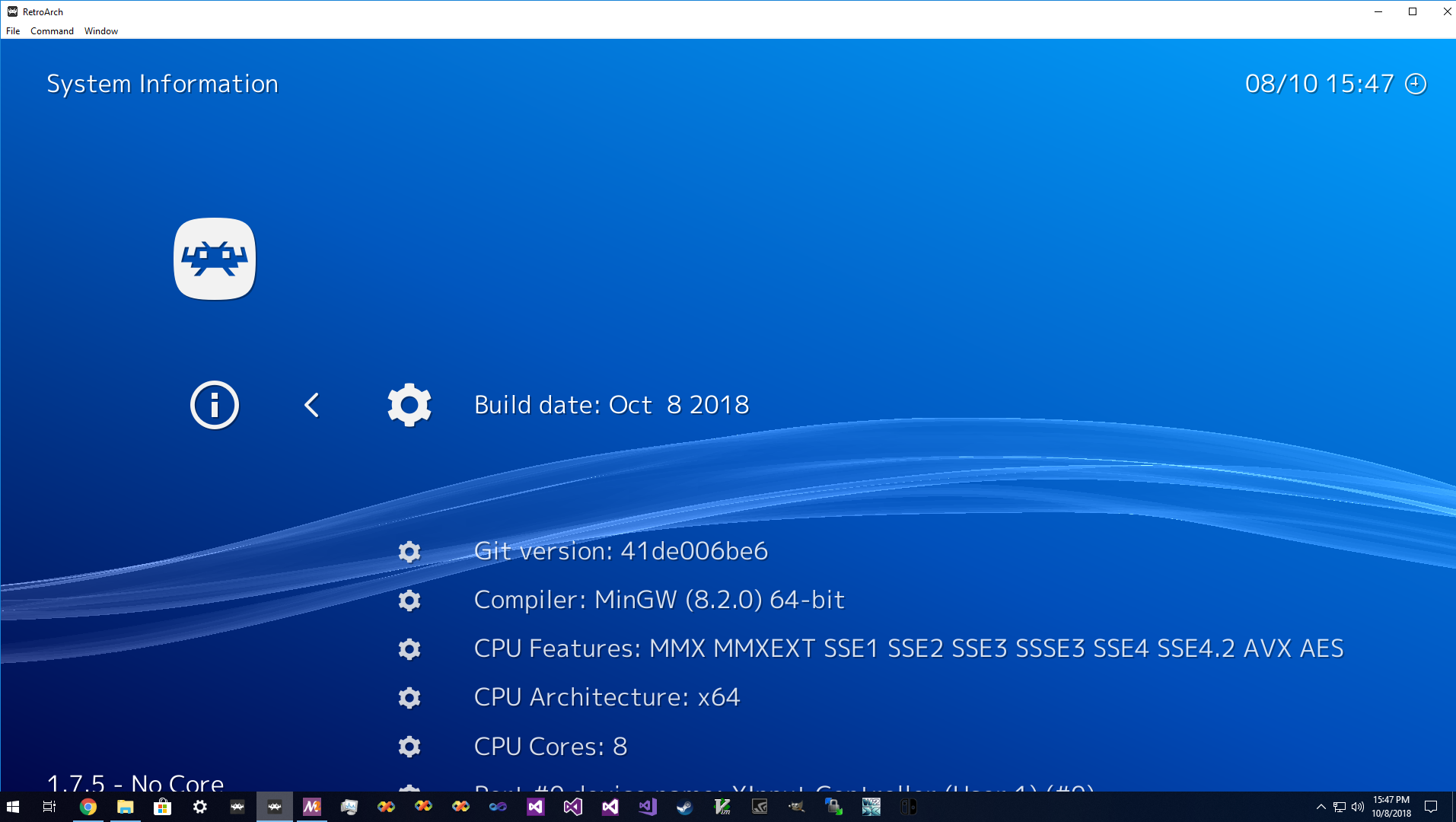
If you go to Information -> Sy stem Information, this tells the Git hash the version was built on.
twinaphex
on 8 Oct 2018
Tested latest nightly and now it is working, in the core options still says per pixel as default but it still runs. Thanks a lot, great job.
blackman91
on 9 Oct 2018
Did that brake something else? I see it has been reverted?
blackman91
on 10 Oct 2018
Related issues
 litaniast
·
10Comments
litaniast
·
10Comments
 Tatsuya79
·
5Comments
Tatsuya79
·
5Comments
 hiddenasbestos
·
9Comments
hiddenasbestos
·
9Comments
 afjara
·
10Comments
hostile1975
·
8Comments
afjara
·
10Comments
hostile1975
·
8Comments
Most helpful comment
Hopefully this will solve your problem @blackman91 -
https://github.com/libretro/reicast-emulator/commit/8cde4ab0f81553f3883bc9665f7017a2d729a39a