I'm enabled the Widescreen Hack at option menu but screen still appear as 4:3.
Any other setting need to change ?
Want to back this issue? Post a bounty on it! We accept bounties via Bountysource.
 tabnk
tabnk
All 16 comments
I can confirm, I have the same issue.
 NerosTie
on 11 Dec 2017
NerosTie
on 11 Dec 2017
Still awaiting a fix :)
tabnk
on 9 Jan 2018
BTW @flyinghead, would you happen to know anything about this? For some weird reason or another, setting settings.rend.Widescreen does not appear to change anything in terms of display. I am pretty sure I am not missing any code.
 twinaphex
on 28 Jun 2018
twinaphex
on 28 Jun 2018
And this seems to be the only part where the value of settings.rend.Widescreen is being used -
https://github.com/libretro/reicast-emulator/blob/master/core/rend/gles/gles.cpp#L850
twinaphex
on 28 Jun 2018
The problem is with screen_width and screen_height: they are set to the chosen internal resolution but do not have the same ratio as the window.
For widescreen to work you need to pass a width and height that has the same ratio as the window.
For example, if the window is 2560x1440 and the chosen internal resolution is 640x480, you would set screen_height to 480 and screen_width to 2560 / 1440 * 480
 flyinghead
on 28 Jun 2018
flyinghead
on 28 Jun 2018
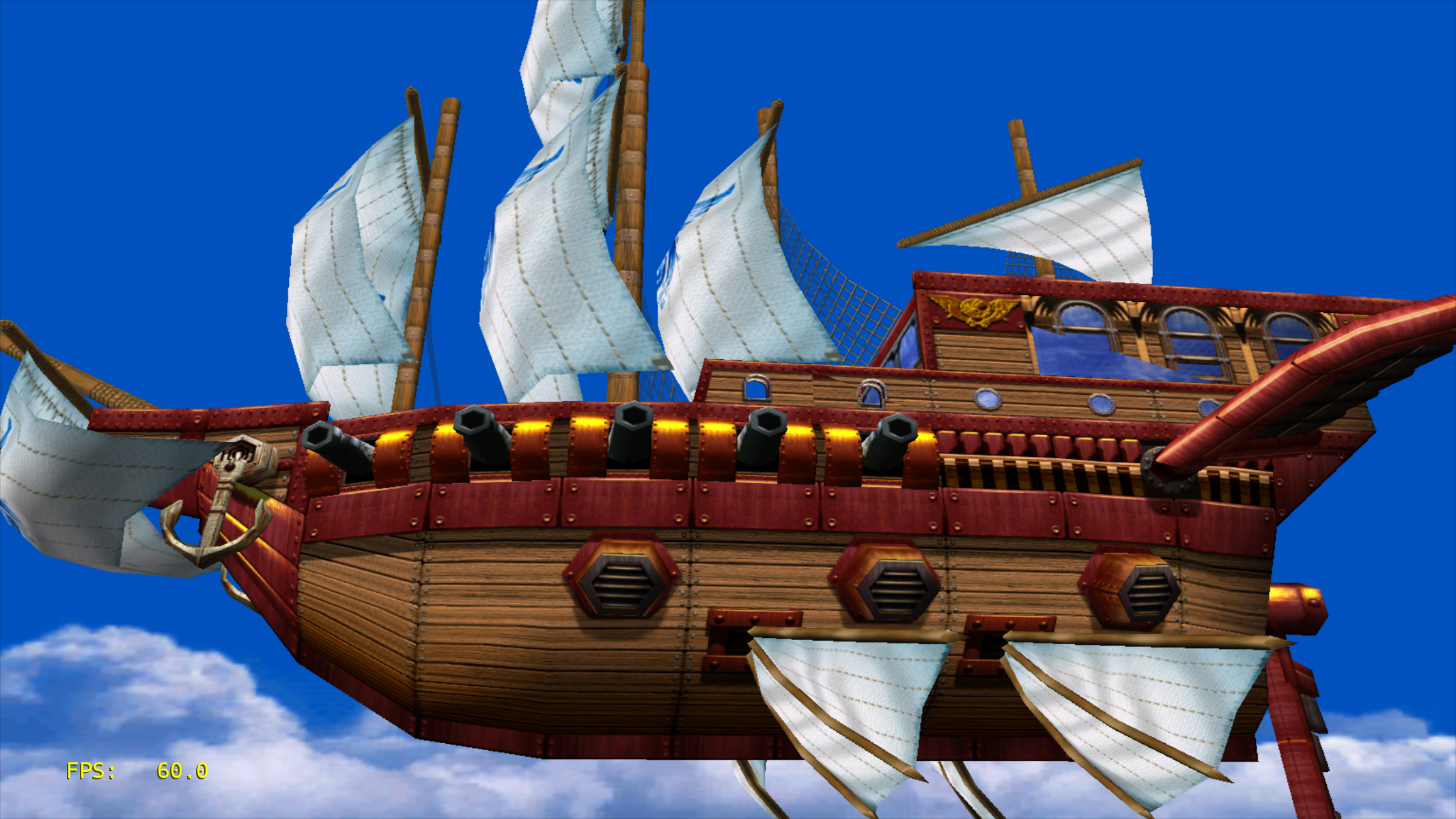
As a quick hack, I added a 1536x960 internal resolution and my window has roughly the same ratio. Here is the result:
flyinghead
on 28 Jun 2018
@flyinghead I don't really follow how we should be setting this - from a libretro core perspective, there is no such thing as window size, there is only the size of the FBO (framebuffer object), and we set an internal resolution accordingly. When you change Internal Resolution inside Core Options, screen_width and screen_height are directly manipulated.
twinaphex
on 30 Jun 2018
@flyinghead OK, I see now. 1536x960 in combination with Widescreen Hack enabled indeed seems like widescreen. Hmm, I will have to rethink how I will expose this to the enduser then. Will play around with it a bit more.
twinaphex
on 30 Jun 2018
In my experience, the wider the screen, the more glitches you see on the sides of the screen (missing geometry). It really depends on the game. Sometimes it's really bad and it's better not to use widescreen.
Just a thought here but perhaps you could add a "screen aspect ratio" setting instead of adding widescreen screen sizes. The aspect ratio would go from 4/3 (normal screen) to 16/9 (wide). Then the screen_width would be set to screen_height * aspect_ratio.
That way you can choose how wide you want the screen to be, and you can adjust this setting per game.
flyinghead
on 2 Jul 2018
Any plan to add the following 16:9 resolution support?
1920x1080|2560x1440|2880x1620|3200x1800|3840x2160|4096x2304|5120x2880|7680:4320|
tabnk
on 20 May 2019
For me 1536x960 (or any other 16/9 resolution) enables widescreen, but the resolution is still 480p widescreen not 960p.
 Dogway
on 20 May 2019
Dogway
on 20 May 2019
For anyone interested in proper 16:9 widescreen support, can try download here. beetledc_libretro.zip Complied with GCC 9.1.0
Included the followings correct 16:9 aspect ratio. :)
|1280x720|1536x960|1920x1080|2560x1440|2880x1620|3200x1800|3840x2160|4096x2304|5120x2880|7680x4320|
tabnk
on 4 Jun 2019
Works great, bad timing with the continuous core renaming but hopefully it gets merged into master soon along 854x480 resolution as well ("native" widescreen).
Dogway
on 12 Jun 2019
No more insect, well let fly than.
For anyone interested in proper 16:9 widescreen support, can try download here.
flycast_libretro.zip
Complied with GCC 9.1.0.3
Included the followings correct 16:9 aspect ratio. :)
854x480|1280x720|1536x960|1920x1080|2560x1440|2880x1620|3200x1800|3840x2160|4096x2304|5120x2880|7680x4320|
tabnk
on 25 Jun 2019
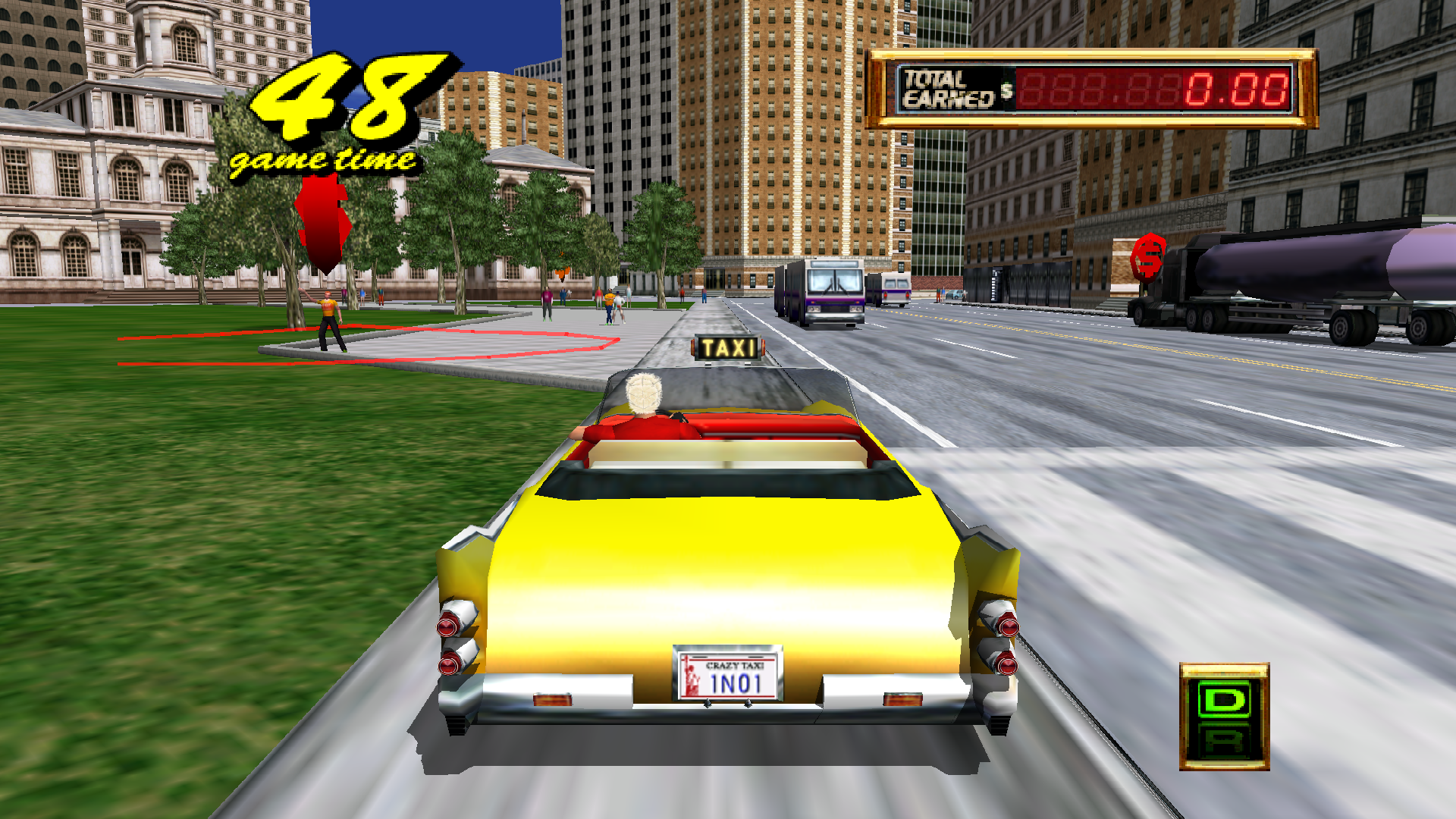
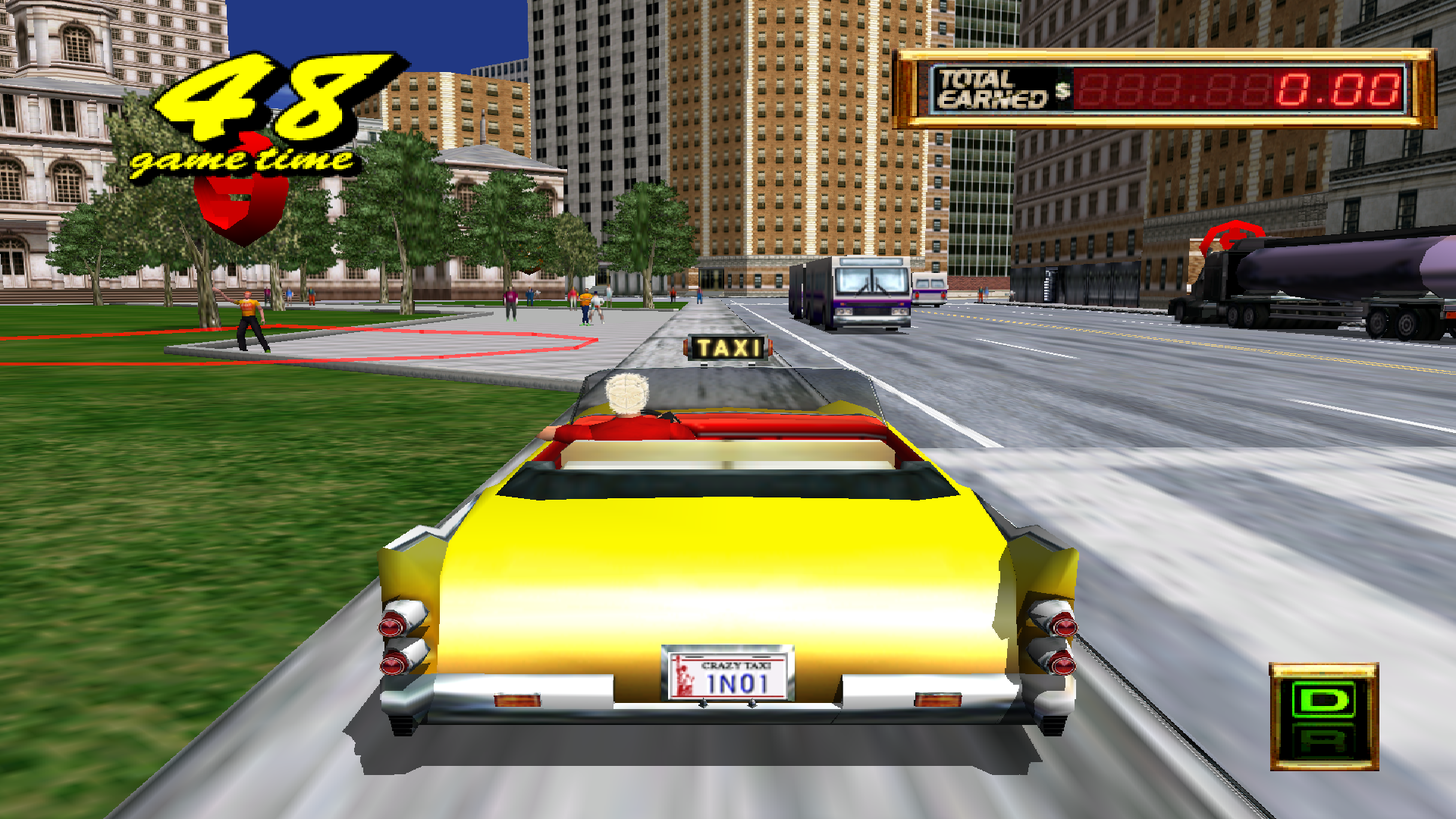
I've noticed that in the main builds only 640x480, 1280x960, and 1920x1440 are actually rendered at 16:9, the rest are just 4:3 stretched. Except 2560x1920, that one is some kind of widescreen but not the same size as the other 3
1920x1440
1440x1080
 ghost
on 24 Jul 2019
ghost
on 24 Jul 2019
Seem like 16:9 was added to the nightly build few days ago.
tabnk
on 6 Aug 2019
Related issues
 namanix
·
9Comments
tabnk
·
5Comments
namanix
·
9Comments
tabnk
·
5Comments
 afjara
·
10Comments
afjara
·
10Comments
 Tatsuya79
·
5Comments
ghost
·
8Comments
Tatsuya79
·
5Comments
ghost
·
8Comments