Files: Input needed: Improving the recycle bin experience
- [ ] Recycle bin could also use different icons for when it's empty or not. Also, right now I need to refresh it to see changes after emptying it
- [ ] I was testing file restoration, and all are restored without extension
- [ ] Show original location for items in the recycle bin
 yaichenbaum
All 14 comments
Apart from the obvious need of an Empty Bin and a Restore File function, one grip I have with the Recycle Bin atm is that it gets lost inside the libraries tree, and since it's not a regular folder, it should be inside a separated area, maybe either like the Drives section or ditching the library layout and use it as a simple button somewhere
 SOI7
on 17 Jun 2020
SOI7
on 17 Jun 2020
Thanks for the feedback.
Both "Empty Bin" and "Restore File" functions are already available (through right click context menu, if they are not there it's a bug).
After the latest modifications the recycle bin link on the sidebar will appear as the second item (right after the quick access/home link) but this can problably be improved 👍
 gave92
on 17 Jun 2020
gave92
on 17 Jun 2020
- I think an option to empty the recycle bin from the sidebar
- And maybe disable "properties" from the context menu, because it doesn't show anything useful about the recycle bin.
when you enable the recycle bin, it appears under "videos" in the sidebar, but when you reopen the app, it appears under "home", is this ok?
 XPoppyX
on 17 Jun 2020
XPoppyX
on 17 Jun 2020
@XPoppyX perhaps a "empty bin" button on the topbar would be better? Like instead of the disabled "plus" button.
You're right the recycle bin changing position on the sidebar is not ok. I guess it should either be always at the bottom or in a separate section.
gave92
on 17 Jun 2020
perhaps a "empty bin" button on the topbar would be better? Like instead of the disabled "plus" button.
I want to avoid having to open the recycle bin first to be able to empty
XPoppyX
on 17 Jun 2020
I see, so perhaps an option to emtpy the bin when you right click on the recycle bin entry on the sidebar
gave92
on 17 Jun 2020
There should be a confirmation dialog when deleting an item from recycle bin as well as when emptying recycle bin. Additionally, options like pin to sidebar should not be available in recycle bin. The menu in recycle bin should be a separate menu from what's used in other directories.
yaichenbaum
on 18 Jun 2020
Recycle bin could also use different icons for when it's empty or not. Also, right now I need to refresh it to see changes after emptying it
SOI7
on 18 Jun 2020
I was testing file restoration, and all are restored without extension
when it is deleted:
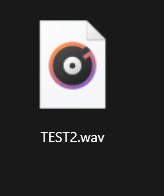
after restoring:

XPoppyX
on 28 Jun 2020
@XPoppyX Can't reproduce, v0.11
 tsvietOK
on 28 Jun 2020
tsvietOK
on 28 Jun 2020

XPoppyX
on 28 Jun 2020
- And maybe disable "properties" from the context menu, because it doesn't show anything useful about the recycle bin.
I agree. In fact, in my version (v0.11.0.0, Windows 10 2004 19041.329), selecting "properties" causes the entire app to crash. I didn't submit a bug report because @XPoppyX's suggestion would render it moot.
 stamminator
on 1 Jul 2020
stamminator
on 1 Jul 2020
@stamminator Properties menu for recycle bin was recently removed (in #1264) 👍
gave92
on 1 Jul 2020
perhaps a "empty bin" button on the topbar would be better? Like instead of the disabled "plus" button.
I want to avoid having to open the recycle bin first to be able to empty
I would still like to see a button in the top bar to empty the recycle bin to be honest, in addition to the option in the right-click menu.
 ericcornelissen
on 27 Nov 2020
ericcornelissen
on 27 Nov 2020
Related issues
 KaKi87
·
31Comments
KaKi87
·
31Comments
 calloncampbell
·
28Comments
XPoppyX
·
36Comments
calloncampbell
·
28Comments
XPoppyX
·
36Comments
 ArttuLai
·
24Comments
ArttuLai
·
24Comments
 Taras-Parfeniuk
·
24Comments
Taras-Parfeniuk
·
24Comments
Most helpful comment
Apart from the obvious need of an Empty Bin and a Restore File function, one grip I have with the Recycle Bin atm is that it gets lost inside the libraries tree, and since it's not a regular folder, it should be inside a separated area, maybe either like the Drives section or ditching the library layout and use it as a simple button somewhere