Files: When clicking on specific folders in the path, the highlighting in the navigation bar on the left doesn't change
Describe the bug
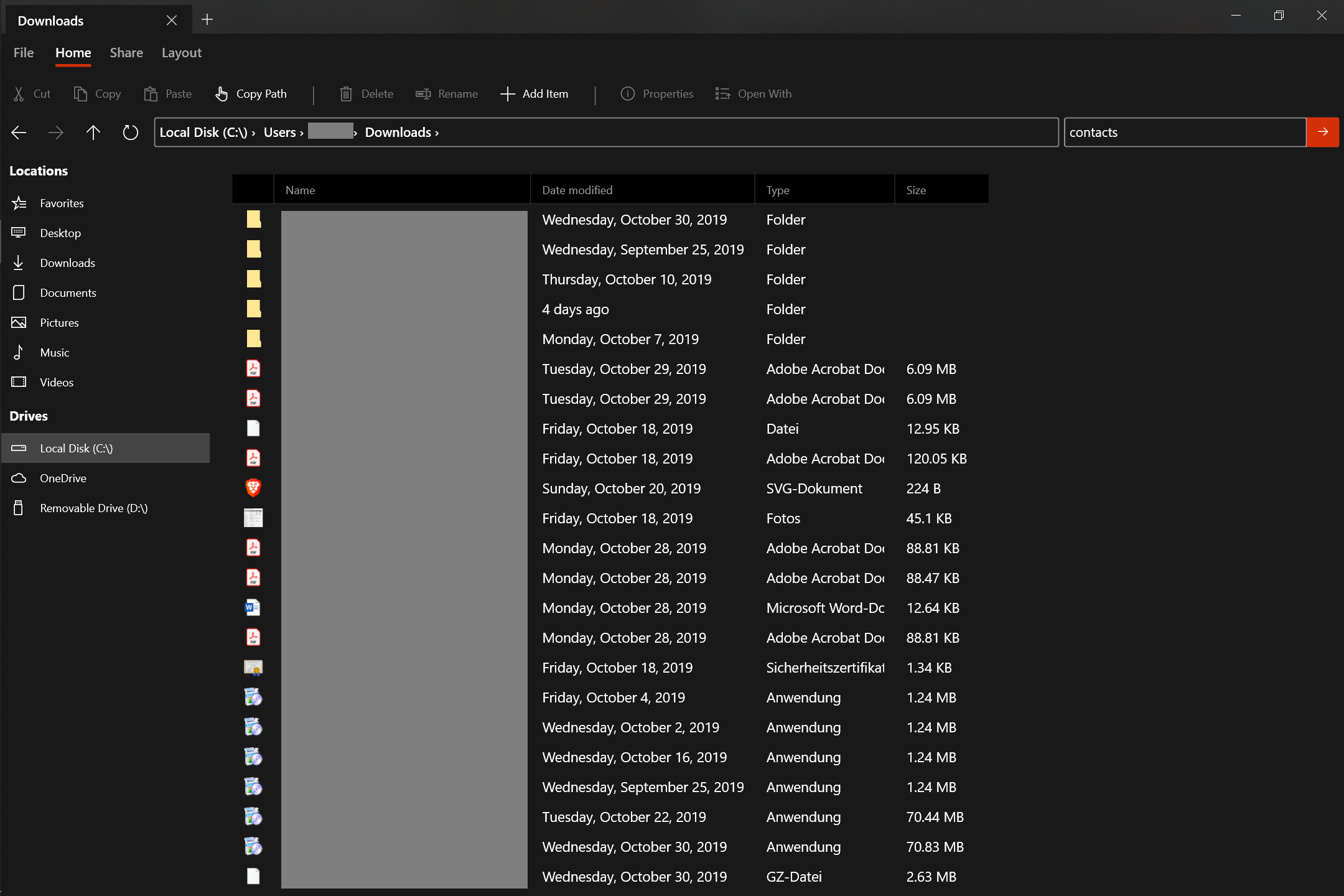
When clicking on specific folders in the path, the highlighting in the navigation bar on the left doesn't change.
To Reproduce
Steps to reproduce the behavior:
- Go to Downloads -> "Downloads" is highlighted
- Click on a folder inside downloads -> highlighting on the left changes to "Local Disc"
- Click on "Downloads" in the path-bar -> highlighting doesn't change back to "Downloads" but remains on "Local Disc"
Expected behavior
highlighting should change to "Downloads" like it does when navigating back with the button or navigating to the parental directory with the button.
Screenshots
"Downloads" should be highlighted but "Local Disc" is highlighted:
Desktop (please complete the following information):
- OS Version: Windows 10 1903
- App version: [v0.5.0]
Additional context
Does this problem occur again after restarting the app? YES!
I haven't found any issue that addresses this so I opened a new one.
 szaimen
All 8 comments
BTW: I wonder if it wouldn't be better to remain the highlight on downloads when navigating into a folder inside the downloads folder? (Sounds somehow more intuitiv to me but isn't the current behavior of file explorer)
szaimen
on 8 Nov 2019
This is great feedback, thank you for bringing it to our attention.
 yaichenbaum
on 8 Nov 2019
yaichenbaum
on 8 Nov 2019
@yaichenbaum Do you have any thoughts on: https://github.com/duke7553/files-uwp/issues/275#issuecomment-551854144 ?
szaimen
on 8 Nov 2019
I agree with your comment.
yaichenbaum
on 8 Nov 2019
Okay, then the same behavior should probably get applied to all other favorit items as well to be consistent. (also self addeditems?)
Shall I open a new issue for that to track it seperately?
szaimen
on 8 Nov 2019
I think this issue covers everything so there is no need for another one.
yaichenbaum
on 8 Nov 2019
We've made changes for v0.7.3 that will make this behavior more consistent.
 duke7553
on 22 Mar 2020
duke7553
on 22 Mar 2020
This should be fixed when the v0.7.3 release rolls out.
yaichenbaum
on 2 Apr 2020
Related issues
 SOI7
·
22Comments
SOI7
·
22Comments
 Taras-Parfeniuk
·
24Comments
Taras-Parfeniuk
·
24Comments
 zbalkan
·
25Comments
zbalkan
·
25Comments
 tsvietOK
·
30Comments
tsvietOK
·
30Comments
 R3voA3
·
26Comments
R3voA3
·
26Comments
Most helpful comment
We've made changes for v0.7.3 that will make this behavior more consistent.